![]() |
|
|
#1 |
![]() Join Date: Nov 2011
Location: Toronto, Canada
Posts: 52 (0.09/day)
Thanks: 4
Thanked 3 Times in 3 Posts
|
8gb shows as 6, 3.5 usable. 64bitOS wtf??
I'm having a problem with 8gigs of ram only showing as 6gigs and only 3.5gigs are being used by windows. I'm not sure how to fix the problem. I took a screen shot below.
The system has these specs: Win 7 Ultimate 64bit A8-3870 apu Gigabyte a75n-usb3 motherboard 8gb(2x4gb) Patriot ddr3-1600 mem Samsung 1tb drive Silverstone 450w PSU Any ideas how to fix this? |
|
|
|
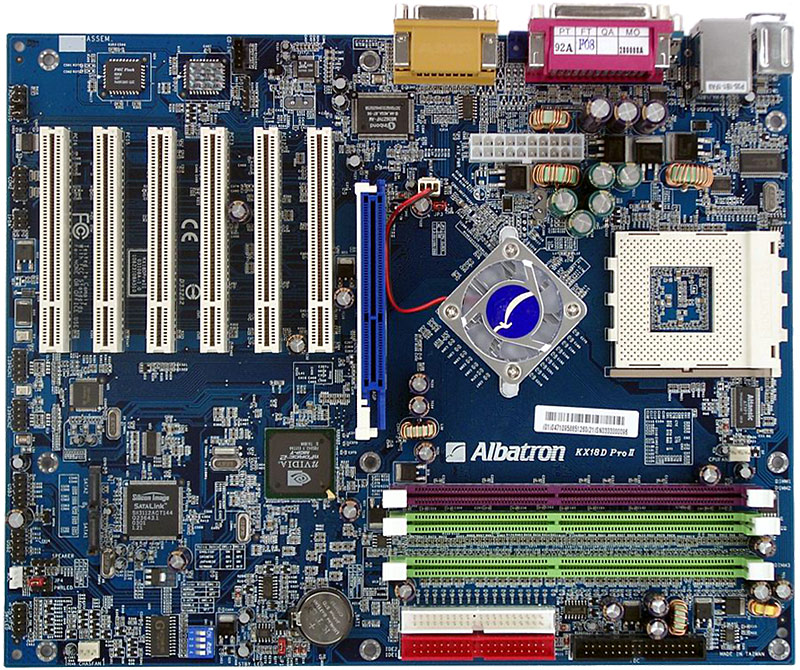
|
|
#2 |
![]() Join Date: Mar 2012
Location: brčko dc/bosnia and herzegovina
Posts: 241 (0.58/day)
Thanks: 90
Thanked 61 Times in 47 Posts
|
i gues ur igpu use some of that memory!! but why on cpu-z it show 8gb and on windows 6gb..., i wana know why is that too!!
|
|
|
|
|
|
#3 |
|
Eligible for custom title
Join Date: Jul 2007
Location: HTX
Posts: 10,078 (4.68/day)
Thanks: 1,359
Thanked 1,159 Times in 1,035 Posts
|
because widows can only utilize 6gb cuz motherboard has set asside ram for graphics of the apu
__________________
Athlon XP USERS with COD 4 FIX http://www.techsupportforum.com/foru...ls-202011.html http://www.howorks.com/2011/02/24/ho...-memory-limit/ “Sometimes my level of fail is unprecedented.” -TheMailMan78
“This is what the force of a thousand suns looks like.” -3870x2
|
|
|
|
|
|
#4 |
![]() Join Date: Sep 2012
Location: Jacksonville FL
Posts: 340 (1.42/day)
Thanks: 43
Thanked 81 Times in 69 Posts
|
Because it's AMD. Intel systems let you designate RAM for iGPU but it's still available to the CPU as well. AMD, not so much. That's why Intel parts cost more and perform better, their architecture is much more efficient and evolved. AMD is all about the graphics, and if all you do is play games, that's fine. But if you want fast number crunching, Intel is far and away the better choice. If AMD doesn't get busy, the gap will widen after Haswell debuts next year. I like the new A10-5800K, it's a step in the right direction, but still falls way short on the computing side.
|
|
|
|
|
|
#5 |
![]() Join Date: May 2012
Location: Denmark
Posts: 355 (0.93/day)
Thanks: 18
Thanked 154 Times in 87 Posts
|
The iGPU is probably reserving 0,5 GB of memory, as I think that's the default for them. On my Gigabyte board, 1 GB is the maximum that can be reserved for iGPU.
Check bios to see what it shows. Reseat memory. Check each stick. Reseat APU. |
|
|
|
|
|
#6 | |
|
Eligible for custom title
Join Date: Jul 2007
Location: HTX
Posts: 10,078 (4.68/day)
Thanks: 1,359
Thanked 1,159 Times in 1,035 Posts
|
You have any proof of that
Fyi AMD is working on Steam Roller n putting more focus on it. Quote:
http://www.techpowerup.com/forums/sh...d.php?t=173440
__________________
Athlon XP USERS with COD 4 FIX http://www.techsupportforum.com/foru...ls-202011.html http://www.howorks.com/2011/02/24/ho...-memory-limit/ “Sometimes my level of fail is unprecedented.” -TheMailMan78
“This is what the force of a thousand suns looks like.” -3870x2
Last edited by eidairaman1; Oct 11, 2012 at 11:22 AM. |
|
|
|
|
| The Following 3 Users Say Thank You to eidairaman1 For This Useful Post: |
|
|
#7 |
![]() Join Date: Aug 2011
Location: Mexico
Posts: 2,053 (3.16/day)
Thanks: 793
Thanked 1,067 Times in 553 Posts
|
windows key + r, then type "perfmon.exe /res" (without quotes) and go to the memory tab. Tell us what's there.
__________________
![]() My other rigs: OCTANUX - Conroe865PE - QX6800 - 4GB OCZ Platinum EL - HIS HD4670 AGP - SB Audigy 2 ZS - BFG PPU phenomenal - AM2NF3-VSTA - 965BE - 8GB OCZ Platinum LV - HIS HD3850 AGP - SB X-Fi - Asus PPU - *WIP* Green Tea - 939A8X-M - FX60 - 4GB OCZ Platinum EL - 7950GT AGP Re-build - CT-6VTA2 - PIII 600E - 384MB PC133 - Voodoo 5500 AGP - SB16 ISA BLUELINE - H61M-GE - PDC G645 - 8GB DDR3-1333 - Powercolor HD7750 - 2xTV Wonder 650 |
|
|
|
| The Following User Says Thank You to TRWOV For This Useful Post: |
|
|
#8 |
|
Overclocked quantum bit
Join Date: Dec 2007
Location: Quantumville UK
Posts: 8,648 (4.34/day)
Thanks: 4,178
Thanked 3,303 Times in 1,943 Posts
|
I can't believe that AMD would force the OS to reserve 2.5GB for the IGP. There's something else going on here. Perhaps a duff bios setting somewhere?
Try running msconfig and check if the memory has been limited there. You could give Windows just 512MB to play with if you wanted to there.
__________________
Siggie in the post. |
|
|
|
| The Following 2 Users Say Thank You to qubit For This Useful Post: |
|
|
#9 | |
|
Creator Solaris Utility DVD
Join Date: Aug 2005
Location: Reinacting scenes from platoon with Charlie Sheen
Posts: 13,708 (4.83/day)
Thanks: 4,365
Thanked 3,295 Times in 2,311 Posts
|
Quote:
anyway go into your bios look for a setting called memory gap, memory hole etc then make sure IGP is disabled and that pcix or pciE is set to the default video device at boot.
__________________
I Made the Millionth post! | "Please come to WI now so I can beat you over the head with a bratwurst."-Kreij
PS3 mod 8500/8600GT Mod Guide Rebuild a Copperhead Heat Ware NF4 Ultra SLI Mod Solaris Utility DVD 4.0 Broken CPU pin guide Vista Mark |
|
|
|
|
| The Following 2 Users Say Thank You to Solaris17 For This Useful Post: |
|
|
#10 |
|
Eligible for custom title
Join Date: Jul 2007
Location: HTX
Posts: 10,078 (4.68/day)
Thanks: 1,359
Thanked 1,159 Times in 1,035 Posts
|
Nah ill be direct he is being fanboyistic.
__________________
Athlon XP USERS with COD 4 FIX http://www.techsupportforum.com/foru...ls-202011.html http://www.howorks.com/2011/02/24/ho...-memory-limit/ “Sometimes my level of fail is unprecedented.” -TheMailMan78
“This is what the force of a thousand suns looks like.” -3870x2
|
|
|
|
|
|
#11 |
![]() |
I fixed similar issues reseating RAM or cleaning RAM or slot contacts. Also clear CMOS might help. also try each stick individually & see if 4 GB for each are detected.
|
|
|
|
| The Following User Says Thank You to Derek12 For This Useful Post: |
|
|
#12 | |
|
Eligible for custom title
Join Date: Nov 2008
Location: Wyoming
Posts: 5,476 (3.31/day)
Thanks: 7,844
Thanked 2,526 Times in 1,774 Posts
|
Quote:
Of course just my two cents worth.
__________________
#3 Forever A Fan! Just Because I Don't Care Doesn't Mean I Don't Understand Check our team Status on Free-DC |
|
|
|
|
| The Following User Says Thank You to stinger608 For This Useful Post: |
|
|
#13 |
|
where the hell are my stars
Join Date: Jul 2006
Location: some AF base
Posts: 16,021 (6.42/day)
Thanks: 457
Thanked 2,753 Times in 2,222 Posts
|
Nah man probably just cause AMD sucks and Intel is better. I bet that's got a lot to do with ram.
If the board has 4 dimm slots try another pci of slots on the ram.
__________________
|
|
|
|
| The Following User Says Thank You to cdawall For This Useful Post: |
|
|
#14 | |
|
Creator Solaris Utility DVD
Join Date: Aug 2005
Location: Reinacting scenes from platoon with Charlie Sheen
Posts: 13,708 (4.83/day)
Thanks: 4,365
Thanked 3,295 Times in 2,311 Posts
|
Quote:
![]() also my fav board.
__________________
I Made the Millionth post! | "Please come to WI now so I can beat you over the head with a bratwurst."-Kreij
PS3 mod 8500/8600GT Mod Guide Rebuild a Copperhead Heat Ware NF4 Ultra SLI Mod Solaris Utility DVD 4.0 Broken CPU pin guide Vista Mark |
|
|
|
|
|
|
#15 | |
|
Eligible for custom title
Join Date: Jul 2007
Location: HTX
Posts: 10,078 (4.68/day)
Thanks: 1,359
Thanked 1,159 Times in 1,035 Posts
|
Quote:
__________________
Athlon XP USERS with COD 4 FIX http://www.techsupportforum.com/foru...ls-202011.html http://www.howorks.com/2011/02/24/ho...-memory-limit/ “Sometimes my level of fail is unprecedented.” -TheMailMan78
“This is what the force of a thousand suns looks like.” -3870x2
|
|
|
|
|
|
|
#16 |
![]() Join Date: Jun 2007
Location: Wangas, New Zealand
Posts: 4,021 (1.85/day)
Thanks: 240
Thanked 617 Times in 534 Posts
|
I'm at the stage where seeing 5 PCI slots on a motherboard looks strange.
|
|
|
|
|
|
#17 |
|
Eligible for custom title
Join Date: Jul 2007
Location: HTX
Posts: 10,078 (4.68/day)
Thanks: 1,359
Thanked 1,159 Times in 1,035 Posts
|
its cuz PE replaced them, its the same architecture, just higher Bandwidth, AGP was totally diff though
__________________
Athlon XP USERS with COD 4 FIX http://www.techsupportforum.com/foru...ls-202011.html http://www.howorks.com/2011/02/24/ho...-memory-limit/ “Sometimes my level of fail is unprecedented.” -TheMailMan78
“This is what the force of a thousand suns looks like.” -3870x2
|
|
|
|
|
|
#18 |
![]() Join Date: Sep 2010
Location: Israel
Posts: 83 (0.08/day)
Thanks: 11
Thanked 71 Times in 31 Posts
|
|
|
|
|
|
|
#19 |
![]() Join Date: Nov 2011
Location: Toronto, Canada
Posts: 52 (0.09/day)
Thanks: 4
Thanked 3 Times in 3 Posts
|
Well... I tried looking through the bios for the memory thingy but couldn't see anything like it. Eventually I tried the following:
Removed 1 4gb Patriot stick and replaced with a mushkin 2gb stick. Windows saw 4gb and used 1.5gb. Then I removed the second Patriot 4gb stick. Windows saw 2gb and used 1.5gb. Then I swapped out all ram for a 2x4gb mushkin kit. Windows saw 8gb (yay!) and used 7.5gb. So I'm guessing this means one of the Patriot sticks is bad??? Should I test them in another system or just throw em in the trash? |
|
|
|
|
|
#20 | |
|
Overclocked quantum bit
Join Date: Dec 2007
Location: Quantumville UK
Posts: 8,648 (4.34/day)
Thanks: 4,178
Thanked 3,303 Times in 1,943 Posts
|
Quote:
I know that mobo manufacturers publish a QVL, but still all memory is made to an industry standard, so should work whether on that list or not. When you run msconfig, does it show Windows as using only part of the installed memory?
__________________
Siggie in the post. Last edited by qubit; Oct 9, 2012 at 10:30 PM. |
|
|
|
|
|
|
#21 |
![]() Join Date: Apr 2008
Location: Sydney
Posts: 3,415 (1.85/day)
Thanks: 2,483
Thanked 740 Times in 527 Posts
|
This has happened to me before but my problem was related to the RAM's voltage settings, when I'm messing around with the settings I forget to set my RAM voltage to 1.5v when the bios defaults it to 1.65v and when I boot up in windows it doesn't show all my RAM, so I restart, change the voltage settings, boot up and it's back to normal
Not sure if this will help your issue but its worth a shot
__________________
A STATE OF TRANCE ![]() |
|
|
|
| The Following 2 Users Say Thank You to Lionheart For This Useful Post: |
|
|
#22 | |
|
Eligible for custom title
Join Date: Jul 2007
Location: HTX
Posts: 10,078 (4.68/day)
Thanks: 1,359
Thanked 1,159 Times in 1,035 Posts
|
Quote:
__________________
Athlon XP USERS with COD 4 FIX http://www.techsupportforum.com/foru...ls-202011.html http://www.howorks.com/2011/02/24/ho...-memory-limit/ “Sometimes my level of fail is unprecedented.” -TheMailMan78
“This is what the force of a thousand suns looks like.” -3870x2
|
|
|
|
|
| The Following User Says Thank You to eidairaman1 For This Useful Post: |
|
|
#23 | |
![]() Join Date: Jan 2012
Location: Dover, New Hampshire, USA
Posts: 4,247 (8.85/day)
Thanks: 1,269
Thanked 1,324 Times in 982 Posts
|
Quote:
If you're on F1, there are two BIOS updates ahead of you. One helps DDR compatibility and both have CPU code updates which could impact the IMC and memory.
__________________
MyHeat |
|
|
|
|
|
|
#24 |
|
Eligible for custom title
Join Date: Jul 2007
Location: HTX
Posts: 10,078 (4.68/day)
Thanks: 1,359
Thanked 1,159 Times in 1,035 Posts
|
Your board Model
http://www.gigabyte.com/products/pro...px?pid=4030#ov Use this as a base ref of memory modules tested with this board http://www.gigabyte.com/products/pro...support%20list Personally I feel what needs to happen first is to see if the motherboard is actually detecting all of the ram or if Windows is screwing up On Page 37 of the Motherboard manual there is a Bios Screen Called Standard CMOS Features In the BIos of the system on the Main Screen go to Standard CMOS Features and Look at Base Memory and Extended Memory- Report both of those values to us here Ya Anything relating to Memory Hole or Video Bios Shadowing or Memory Shadowing doesnt exist in the BIOS atleast reading the manual online. there is no: PCI VGA Palette Snooping or VGA Palette Snoop: This option allows the compliance of older higher resolution video cards to the VGA standard. As presently all video boards are compliant to this standard, this option must stay disabled Hard Disk Type 47 RAM Area or Extended ROM RAM Area or Extended BIOS RAM Area or Scratch RAM Option: This option configures how BIOS scratch area in RAM is accessed. There are two options: "DOS 1 KB" that reduces the 640 KB conventional memory to 639 KB and that uses this 1 KB area to access scratch area; or "0:300" that uses address 300h to access this scratch area. The first option is preferable once second option can frequently cause a conflict with the network board, as network boards often use address 300h to communicate with the processor. Presently this 1 KB memory loss is negligible. System BIOS Cacheable or System ROM Cacheable or System BIOS Cacheable: This option allows access to BIOS using memory cache speeding up the computer. We suggest you leave it enabled. Video BIOS Cacheable or Video Cacheable Option or Video ROM Cache: Same for Video board ROM memory. Enable this option. System ROM Shadow or Main BIOS Shadow or Adaptor ROM Shadow F000, 64K or F Segment Shadow: Shadow is a technique whereas ROM contents are copied into RAM which is then accessed in lieu of the ROM. This is done in order to improve computer performance, as ROM access time is longer than RAM. This option enables BIOS shadow, causing BIOS contents to be copied into RAM when the processor will then access BIOS copy stored in RAM and no more ROM memory Naturally we suggest this option stays enabled. Video ROM Shadow or Adaptor ROM Shadow C000, 32K or Adaptor ROM Shadow C400, 16K: Same for Video board ROM memory. We suggest this option stays enabled. Other Shadow options: The remaining shadow options should remain disabled, as there usually no further ROM memories in the computer, therefore there is no need to enable shadowing of other memory areas. Assign IRQ for VGA: This option forces the utilization of an interruption request line by the video board. If this option is disabled, video board will not use an IRQ, freeing the space to be used by another peripheral device, which may be convenient in some cases, as is the case of computers plenty of peripheral devices creating interrupt request conflicts with the video board. Though this may seems interesting, DOS programs and particularly games will not be able to access video with more than 256 colors if this option is disabled. Therefore, we suggest you leave this option enabled. Furthermore this is the solution of the classic case you're not succeeding in setting up more than 256 colors in your favorite game. Graphics Aperture Size: AGP video boards can use RAM memory to store z-buffering and texture data. This option defines how much RAM these video boards can use for themselves. Generally you may leave this option setup with its default, but you may try to change this value in case you're getting errors in 3D games. System BIOS Cacheable or System ROM Cacheable or System BIOS Shadow Cacheable: This option enables the utilization of memory cache when access BIOS. As BIOS is accessed all times and as the memory cache increases computer performance, this option will also increase computer performance. Therefore we suggest this option stays enabled. Video BIOS Cacheable or Video Cacheable Option or Video ROM Cache: This option is equivalent to previous option except for the video board ROM memory. We suggest this option stays enabled improving video performance. Run OS/2>= 64 MB or OS Select for DRAM> 64 MB: If you use OS/2 operating system, you must enable this option to access more than 64 MB RAM memory. As most users use Windows 0x, disable this function, or set it as "Non-OS/2"). Memory Hole or Memory Hole At 15 MB Add: Creates a memory hole between 15M and 16M in order to have the PC compatible with some old ISA video boards using this memory area. As this options results in a loss of 1 MB of memory, we suggest you keep it disabled.
__________________
Athlon XP USERS with COD 4 FIX http://www.techsupportforum.com/foru...ls-202011.html http://www.howorks.com/2011/02/24/ho...-memory-limit/ “Sometimes my level of fail is unprecedented.” -TheMailMan78
“This is what the force of a thousand suns looks like.” -3870x2
Last edited by eidairaman1; Oct 9, 2012 at 11:25 PM. |
|
|
|
|
|
#25 | |
![]() Join Date: Jan 2012
Location: Dover, New Hampshire, USA
Posts: 4,247 (8.85/day)
Thanks: 1,269
Thanked 1,324 Times in 982 Posts
|
Quote:
__________________
MyHeat |
|
|
|
|
| The Following User Says Thank You to Aquinus For This Useful Post: |
![]() |
| Currently Active Users Viewing This Thread: 1 (0 members and 1 guests) | |
| Thread Tools | |
|
|
Similar Threads
|
||||
| Thread | Thread Starter | Forum | Replies | Last Post |
| ASUS M5A97 evo 8gb (3.42 usable) | panamaswat | Motherboards & Memory | 57 | Jan 18, 2012 12:24 PM |
| 8gb only allows 4gb usable 4gb only allows 2gb usable | overclocking101 | Motherboards & Memory | 10 | Dec 18, 2011 10:39 PM |
| 8GB flashdrive shows 1GB?! | de.das.dude | Storage | 9 | Jan 24, 2011 03:43 PM |
| Installed 8GB but only 4GB usable? P55? Read this | Millennium | Motherboards & Memory | 3 | Nov 9, 2010 04:08 PM |
| visual confirmation shows R360 core, ATI Tool shows R350 | sweeper | Graphics Cards | 19 | Nov 21, 2005 01:29 PM |