 0
0
Scythe Samurai Z Review
Performance »Installation
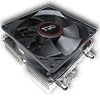
The installation of the Samurai Z could not be easier. Depending on your target system there are metal clips which have to be attached to the cooler.


Just plug in the clips into the heatsink. They make a very solid connection. To remove them you have to press two metal tabs together, then it can be easily removed.


For motherboard installation, here on Socket939, you hook the clips into the tabs from your retention kit and move two small metal levers. Done.
Apr 18th, 2024 02:29 EDT
change timezone
Latest GPU Drivers
New Forum Posts
- FINAL FANTASY XIV: Dawntrail Official Benchmark (47)
- What are you playing? (20451)
- EDP other basically constantly red while playing games (2)
- Realtek Modded Audio Driver for Windows 10/11 - Only for HDAUDIO (5675)
- AMD RX 7000 series GPU Owners' Club (1064)
- Will a RTX 4070 TI super bottleneck a Ryzen 9 7950X3D? (28)
- Identify my GPU - RX 570 8GB (or what?) (0)
- What's your latest tech purchase? (20253)
- 4K Gamers, How much VRAM do you have? (131)
- Your PC ATM (34483)
Popular Reviews
- Horizon Forbidden West Performance Benchmark Review - 30 GPUs Tested
- PowerColor Radeon RX 7900 GRE Hellhound Review
- ASUS GeForce RTX 4090 Matrix Platinum Review - The RTX 4090 Ti
- Fractal Design Terra Review
- Corsair 2000D Airflow Review
- Minisforum EliteMini UM780 XTX (AMD Ryzen 7 7840HS) Review
- Creative Pebble X Plus Review
- FiiO KB3 HiFi Mechanical Keyboard Review - Integrated DAC/Amp!
- ASUS GeForce RTX 4090 STRIX OC Review
- NVIDIA GeForce RTX 4090 Founders Edition Review - Impressive Performance
Controversial News Posts
- Sony PlayStation 5 Pro Specifications Confirmed, Console Arrives Before Holidays (105)
- NVIDIA Points Intel Raptor Lake CPU Users to Get Help from Intel Amid System Instability Issues (102)
- US Government Wants Nuclear Plants to Offload AI Data Center Expansion (98)
- Windows 10 Security Updates to Cost $61 After 2025, $427 by 2028 (82)
- Developers of Outpost Infinity Siege Recommend Underclocking i9-13900K and i9-14900K for Stability on Machines with RTX 4090 (82)
- TechPowerUp Hiring: Reviewers Wanted for Motherboards, Laptops, Gaming Handhelds and Prebuilt Desktops (71)
- Intel Realizes the Only Way to Save x86 is to Democratize it, Reopens x86 IP Licensing (70)
- AMD Zen 5 Execution Engine Leaked, Features True 512-bit FPU (63)