Thursday, November 18th 2010

Razer Improves The World's Favorite Gaming Keypad
Razer, the world's leading high-end precision gaming and lifestyle peripherals brand, today announced the Razer Nostromo gaming keypad, co-developed with Belkin and designed to give gamers the upper hand with cutting-edge ergonomics, tournament-grade controls, extreme customizability, and maximum comfort.
"A few years ago we had the privilege of working with Belkin to co-develop the highly successful Belkin n52te Speedpad." said Robert "RazerGuy" Krakoff, President, Razer. "The Razer Nostromo is an update to this illustrious gaming keypad to meet today's competitive gaming demands. Building on the Speedpad's proven ergonomic design, the Razer Nostromo incorporates the latest gaming technologies that Razer has developed over the past few years, including a new chipset and software drivers that allow all levels of gamers to program sophisticated command strings to help decimate their opponents."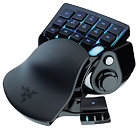
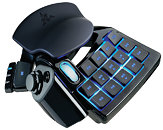
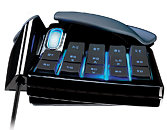
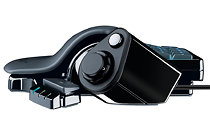 The Razer Nostromo features a 16-button keypad layout and form factor that is optimally designed for greater intuitive access to critical gaming commands across all game genres. For marathon gaming sessions, a soft-touch rubberized wrist pad cradles the palm and significantly reduces hand fatigue and wrist strain.
The Razer Nostromo gives players amazing key activation accuracy with its 16 fully-programmable Hyperesponse gaming buttons and eight-way directional thumb pad, engineered for rapid key actuation and crisp response. The programmable directional thumb pad can be used either for movement or as modifier keys to access auxiliary commands. In addition, the Razer Nostromo boasts several enhancements over its predecessor including the ability to switch instantly between eight keymaps (up from three), and the flexibility of storing up to twenty gaming profiles from the previous limit of ten.
Gamers can now also take advantage of the new onboard chipset and software driver that puts aside all previous programming limitations, as the new Razer Nostromo enables gamers to effortlessly program sophisticated macros of unlimited length. This all-new configurator software for the Razer Nostromo comes with an improved user-friendly interface that belies its advanced macro programming capabilities, allowing gamers to conveniently customize all the buttons with any game command to open up a massive repertoire of commands and combinations right under their fingertips.
The Razer Nostromo expert gaming keypad is designed to give gamers the upper hand with cutting edge ergonomics for intuitive game control and comfort. With an arsenal of tournament-grade controls including 16 fully programmable Hyperesponse keys, eight keymaps that can be switched between on-the-fly, twenty unique gaming profiles, and an eight-way directional thumb pad all integrated into one dedicated gaming keyboard, gamers will be prepared to take on any challenger.
The Razer Nostromo's all-new configurator software is as easy to use as it is deadly, allowing gamers to conveniently customize all the buttons with any game command or key binding to open up a massive repertoire of killer combinations right under their fingertips.
Razer Nostromo
Price: US $69.99 / €69.99
Availability:
Razerzone.com - Available Now
Worldwide - Available Now
Product Features:
"A few years ago we had the privilege of working with Belkin to co-develop the highly successful Belkin n52te Speedpad." said Robert "RazerGuy" Krakoff, President, Razer. "The Razer Nostromo is an update to this illustrious gaming keypad to meet today's competitive gaming demands. Building on the Speedpad's proven ergonomic design, the Razer Nostromo incorporates the latest gaming technologies that Razer has developed over the past few years, including a new chipset and software drivers that allow all levels of gamers to program sophisticated command strings to help decimate their opponents."

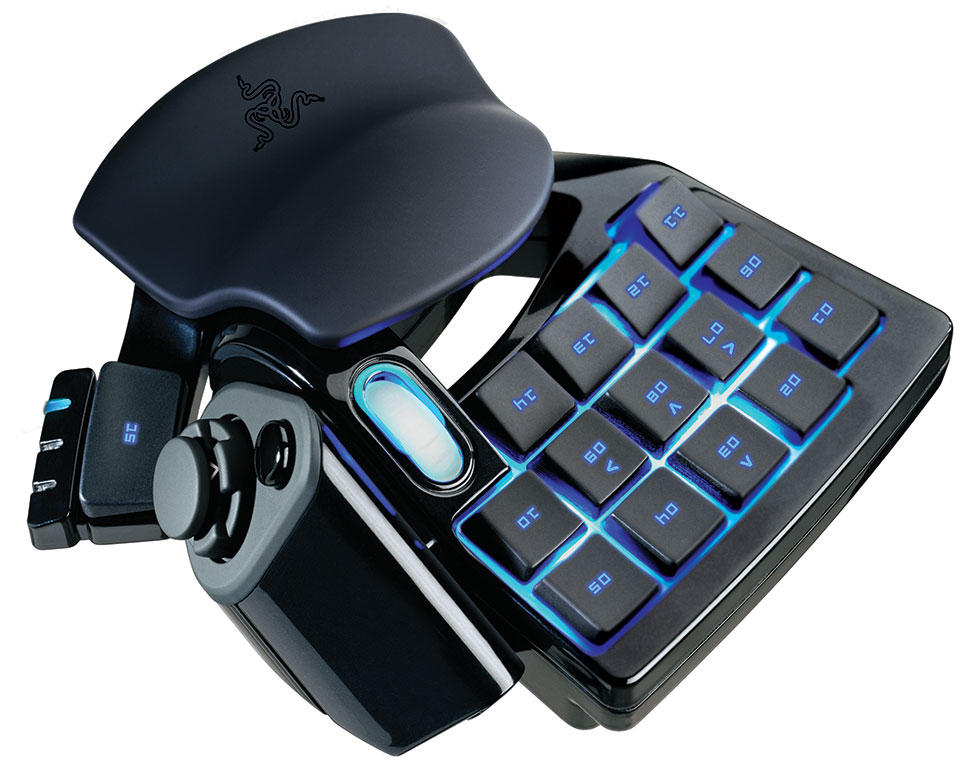

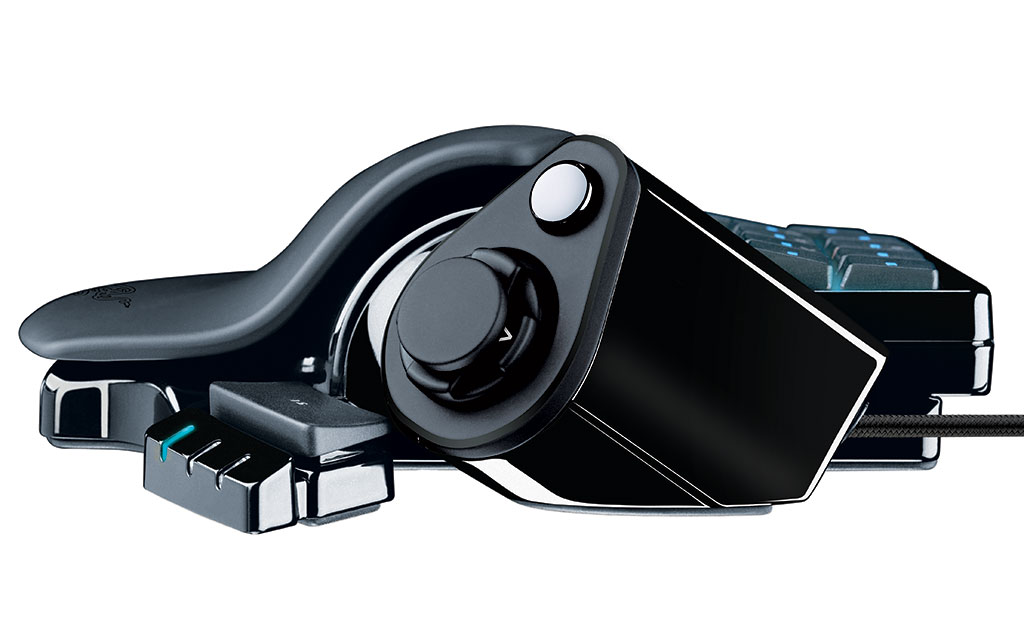
The Razer Nostromo gives players amazing key activation accuracy with its 16 fully-programmable Hyperesponse gaming buttons and eight-way directional thumb pad, engineered for rapid key actuation and crisp response. The programmable directional thumb pad can be used either for movement or as modifier keys to access auxiliary commands. In addition, the Razer Nostromo boasts several enhancements over its predecessor including the ability to switch instantly between eight keymaps (up from three), and the flexibility of storing up to twenty gaming profiles from the previous limit of ten.
Gamers can now also take advantage of the new onboard chipset and software driver that puts aside all previous programming limitations, as the new Razer Nostromo enables gamers to effortlessly program sophisticated macros of unlimited length. This all-new configurator software for the Razer Nostromo comes with an improved user-friendly interface that belies its advanced macro programming capabilities, allowing gamers to conveniently customize all the buttons with any game command to open up a massive repertoire of commands and combinations right under their fingertips.
The Razer Nostromo expert gaming keypad is designed to give gamers the upper hand with cutting edge ergonomics for intuitive game control and comfort. With an arsenal of tournament-grade controls including 16 fully programmable Hyperesponse keys, eight keymaps that can be switched between on-the-fly, twenty unique gaming profiles, and an eight-way directional thumb pad all integrated into one dedicated gaming keyboard, gamers will be prepared to take on any challenger.
The Razer Nostromo's all-new configurator software is as easy to use as it is deadly, allowing gamers to conveniently customize all the buttons with any game command or key binding to open up a massive repertoire of killer combinations right under their fingertips.
Razer Nostromo
Price: US $69.99 / €69.99
Availability:
Razerzone.com - Available Now
Worldwide - Available Now
Product Features:
- Ergonomic form factor and tournament-grade layout
- 16 fully programmable Hyperesponse keys
- Programmable 8-way directional thumb pad and scroll wheel
- Instantaneous switching between 8 key maps
- Unlimited macro lengths
- Stores up to 20 different game profiles
- Adjustable soft-touch wrist pad for exceptional comfort
- Backlit keypad and scroll wheel for total control even in dark conditions
- Enhanced Razer configurator software
33 Comments on Razer Improves The World's Favorite Gaming Keypad
However it's funny how Razer newsreleases always features words 'expert gaming', 'macro', 'on-the-fly' and 'pro'. And btw, I have nothing against Razer. In fact I use 2 of their products.
Then, the name Nostromo is ... problematic. There is already a Nostromo company, in the same business.
:nutkick:
IIRC, Logitech also makes something alike... G13 Gamepanel
But is this really practical during a fast paced shooter, p.e.?
I've never used one myself, but I can't see why they wouldn't be decent for FPS. I imagine the number of buttons might be a draw-back for RTS or MMOs, though.
I'm using one now and its awesome!
But this Razor one looks hot, (like de Ratsass Mouse, mailman)
they are also REALLY useful for things like photoshop and illustrator. a thumbstick and easy macro keys at hand are a blessing. WASD as Cut Copy paste delete for example, fly through my work.
also, anything that is boring and repetitive. a lot of time in coding applications for work i have to go through and rename hundreds of variables to a standard convention, removing automatic formatting by Adobe - this makes 10 minutes of work equal hours of repetitive copy paste deleting. and the scripting for logitech macros is very flexible.