Achilles/check out Achilles 2 for upgrades












Owner:
Posted:
September 4th 2009
Updated:
Viewed:
10,249 times
Rating:
 10 votes total
Fair (3.9)
Submit vote:
Please register on the forums & login to vote.
Key Features:


This modder's other projects:
System Specs:
Performed Mods:
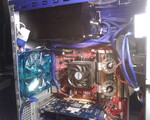
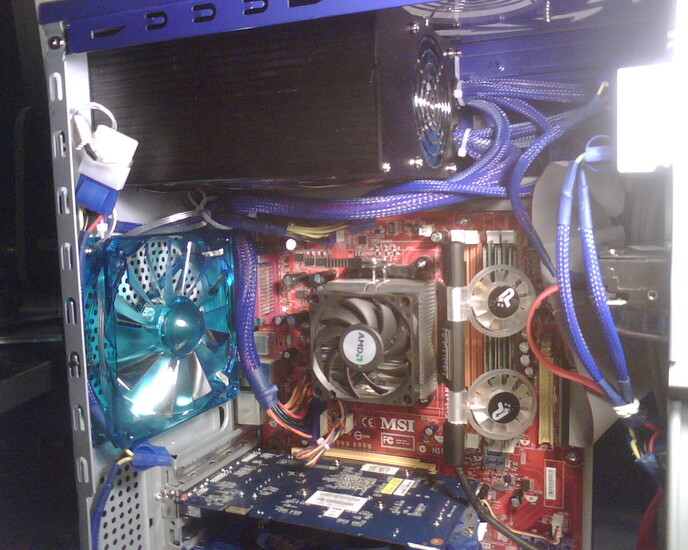
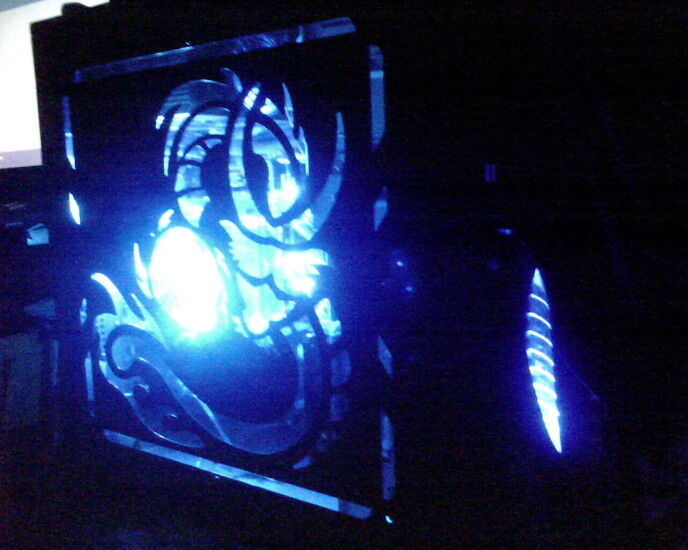
Thermaltake cyclo HD cooler from the bottom, with 80mm LED fan cooling from the front, both mounted in a 5.25 bay slot. 120mm coolermaster mounted in front (which is not doing much, the front panel covers the air port so i'm gonna have to mod that section and mount a crossflow fan in there) and a aerocool xtreme turbine venting the back, patriot memory cooling fans over the RAM, AzenX blitzstorm GPU PCI slot fan (70mm directional fan directly blowing into the GPU's fan and a 70mm exhaust blower taking out the heat), 80mm fan on side panel (stock) and i took out the 80mm on the top and left it to vent to cool off the PSU, plus the PSU is too big to mount the fan on the inside. All cables sleeved and tucked away as best i could. More, ALOT more additions coming (2 9800GTX's, and a better cpu heatsink and fan).
I don't overclock but i do play for hours, as well as my girlfriend's 3 or 4 hour stints on Star Wars and Tranformers. Hence the reason for the fans, i live in the desert and it gets hot as hell around here. With the AC on its ok, but not as well as i like.
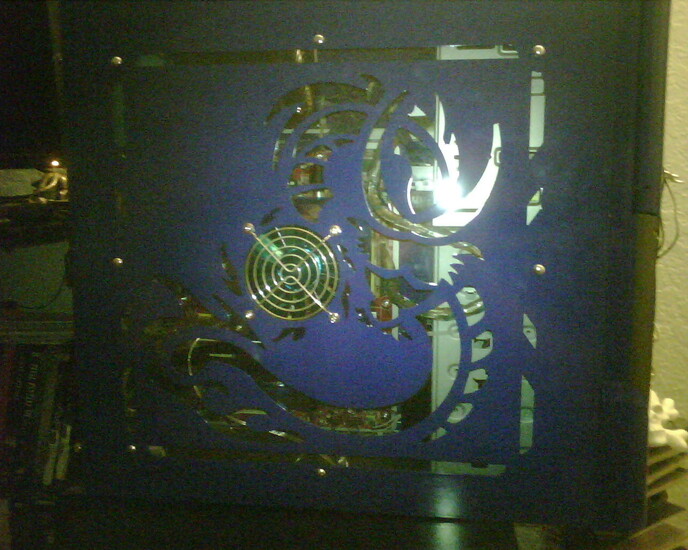
Got some more work done, i mounted a crossflow fan to bring in cool air from the bottom of the front panel. Cut out a section of the 120mm fan port and mounted it sitting at an angle so i could fabricate a port for the air flow. The air brought in had to be from a small port about 1.7 inches long and .5 inch wide! the fan itself is about 3 inches long (give or take a few cm) so the fabrication took a while, made completely from the hard plastic that all my pc components came packaged in! I also added a 120mm on the side panel with an 80mm-120mm adapter, a 120mm on the back with dual blue cold cathode lights. I changed out the old ass IDE cable with a lit up round one, gonna paint it, get a 750TX corsair psu and give it to my 10 year old son Roberto. This was mt first attempt to mod and upgrade a pc except that the mobo only reads X8 on the pci-e slots, it can't take DDR3 ram, and it's maxxed out with the 6000+ 95 watt AMD dual core 3.0Ghz cpu. My next rig is gonna be sick........
Apr 19th, 2024 15:37 EDT
change timezone
Latest GPU Drivers
New Forum Posts
- Linus watercools (46)
- [WIN11] 5700x3d Security processor Attestation: Not supported? (4)
- Will a RTX 4070 TI super bottleneck a Ryzen 9 7950X3D? (39)
- Is it possible to use Linux without the Terminal/command line? (27)
- Which air cooler for a ryzen 9 5900x (160)
- Which terminal emulator do you use the most? (9)
- I9 13890HX undervolting Suggestions (2)
- Whats your favourite Linux Distro? (52)
- DDR5 RAM Speeds and the future (50)
- What can be changed in a VBIOS file? (PCI vendor etc) (4)
Popular Reviews
- Horizon Forbidden West Performance Benchmark Review - 30 GPUs Tested
- PowerColor Radeon RX 7900 GRE Hellhound Review
- Fractal Design Terra Review
- Corsair 2000D Airflow Review
- Thermalright Phantom Spirit 120 EVO Review
- Minisforum EliteMini UM780 XTX (AMD Ryzen 7 7840HS) Review
- Creative Pebble X Plus Review
- FiiO KB3 HiFi Mechanical Keyboard Review - Integrated DAC/Amp!
- ASUS GeForce RTX 4090 STRIX OC Review
- NVIDIA GeForce RTX 4090 Founders Edition Review - Impressive Performance
Controversial News Posts
- Sony PlayStation 5 Pro Specifications Confirmed, Console Arrives Before Holidays (110)
- NVIDIA Points Intel Raptor Lake CPU Users to Get Help from Intel Amid System Instability Issues (102)
- US Government Wants Nuclear Plants to Offload AI Data Center Expansion (98)
- Windows 10 Security Updates to Cost $61 After 2025, $427 by 2028 (82)
- Developers of Outpost Infinity Siege Recommend Underclocking i9-13900K and i9-14900K for Stability on Machines with RTX 4090 (82)
- AMD "Strix Halo" Zen 5 Mobile Processor Pictured: Chiplet-based, Uses 256-bit LPDDR5X (76)
- TechPowerUp Hiring: Reviewers Wanted for Motherboards, Laptops, Gaming Handhelds and Prebuilt Desktops (72)
- Intel Realizes the Only Way to Save x86 is to Democratize it, Reopens x86 IP Licensing (70)
5 Comments on Achilles/check out Achilles 2 for upgrades
and i'm gonna paint the interior gloss black with 2 blue cold cathode light bars. One in the front hd mounting area and one on the bottom rail. I got that memory cooler on newegg...
www.newegg.com/Product/Product.aspx?Item=N82E16835241001
I'm lookin to up my os to 64bit so i'll be changing out my fatal1ty ram (or keep em and get 4 more gigs) so i may get a bigger better fan if the gpus leave me enough clearance.
The case is an Achilles, but i warn you. To get air in from the front is a bit of a challenge, and if you get a bigger power supply (it came with a 500w) you won't be able to mount the top panel fan, unless you want the fan to stick out from the top.