The Jenesis Device 1.2





Owner:
Posted:
August 19th 2007
Updated:
Viewed:
6,880 times
Rating:
 2 votes total
Fair (3.5)
Submit vote:
Please register on the forums & login to vote.
Key Features:

System Specs:
Performed Mods:
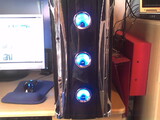
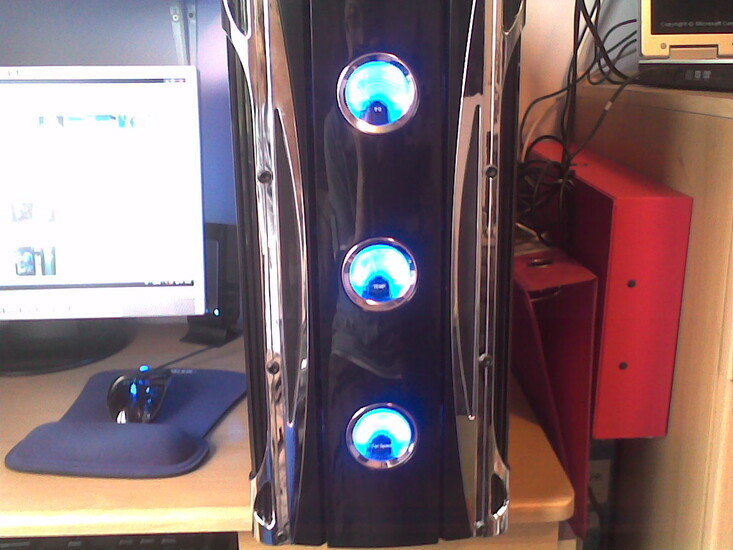
Blue UV cable sleeving, 2 12" UV cathodes, 2 12" blue cathodes, 2 4" blue cathodes, 1 6" blue 'bubble' cathode, 5 blue LED case fans, fan filters.
Changing the pictures to reflect the new wiring didn't want to work, so I created a new gallery entry.
This is my first PC build. Yes, I know the cables are shocking. Any advice about how to hide cables which are an inch in diameter and ramrod-stiff is appreciated. Obviously, the general theme is blue.
Apr 26th, 2024 01:42 EDT
change timezone
Latest GPU Drivers
New Forum Posts
- Horizontal black lines popping up on my screen? (4)
- What's your latest tech purchase? (20341)
- Which new games will you be buying? (316)
- Alphacool CORE 1 CPU block - bulging with danger of splitting? (20)
- Black screen after muting (5)
- What phone you use as your daily driver? And, a discussion of them. (1481)
- What are you playing? (20530)
- Secure boot already open help (0)
- TPU's Nostalgic Hardware Club (18465)
- Post your Speedometer 3.0 Score (36)
Popular Reviews
- Fractal Design Terra Review
- Thermalright Phantom Spirit 120 EVO Review
- Corsair 2000D Airflow Review
- ASUS GeForce RTX 4090 STRIX OC Review
- NVIDIA GeForce RTX 4090 Founders Edition Review - Impressive Performance
- ASUS GeForce RTX 4090 Matrix Platinum Review - The RTX 4090 Ti
- MSI GeForce RTX 4090 Suprim X Review
- Gigabyte GeForce RTX 4090 Gaming OC Review
- MSI GeForce RTX 4090 Gaming X Trio Review
- MSI GeForce RTX 4090 Suprim Liquid X Review
Controversial News Posts
- Sony PlayStation 5 Pro Specifications Confirmed, Console Arrives Before Holidays (117)
- Windows 11 Now Officially Adware as Microsoft Embeds Ads in the Start Menu (111)
- NVIDIA Points Intel Raptor Lake CPU Users to Get Help from Intel Amid System Instability Issues (106)
- AMD "Strix Halo" Zen 5 Mobile Processor Pictured: Chiplet-based, Uses 256-bit LPDDR5X (101)
- US Government Wants Nuclear Plants to Offload AI Data Center Expansion (98)
- AMD's RDNA 4 GPUs Could Stick with 18 Gbps GDDR6 Memory (88)
- Developers of Outpost Infinity Siege Recommend Underclocking i9-13900K and i9-14900K for Stability on Machines with RTX 4090 (85)
- Windows 10 Security Updates to Cost $61 After 2025, $427 by 2028 (84)
3 Comments on The Jenesis Device 1.2
I like how youve redone the wiring, its loads better :) It can be hard to hide ALL of the wiring (tbh, I gave up on trying with my system)
All in all, a very good first build :)
PS: a little tip, the black converter that the cathodes plug in to is easily hidden in the hdd area with some double sided sticky pads ;)
Good idea on the mounting, just make sure it doesnt get hot and effect your graphics card ;) (tbh Ive never checked to see if it generates heat)