 1
1
Akasa Integral P2NES 2.5" IDE/SATA Review
A Closer Look & Installation »Packaging


As always, the outer package of the Integral P2NES is kept in white, black and red. This is the same layout as every other Akasa hard drive enclosure. The back lists all the features of the P2NES in several different languages.

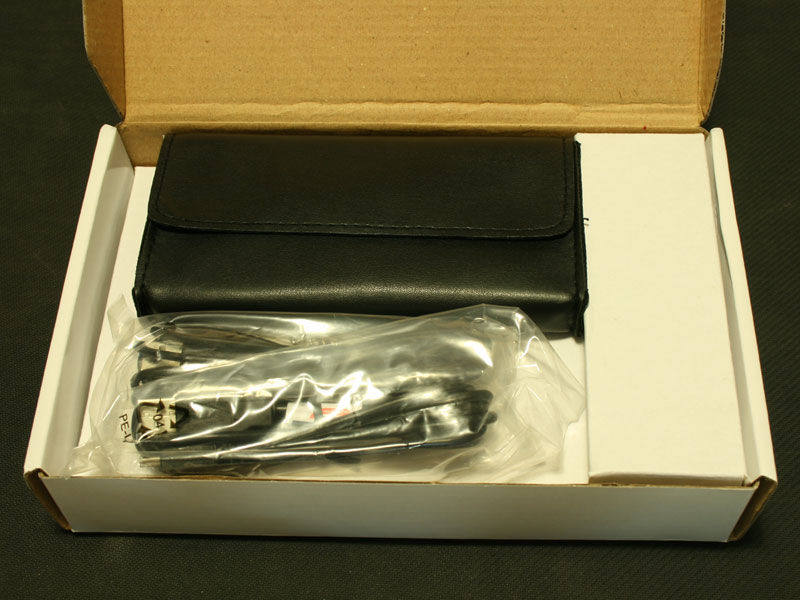
The outer, colorful box is very thin, thus a simple white sturdy inner one is needed to protect the contents. All the parts are arranged inside this and the Integral P2NES actually ships placed inside the included pouch.
Contents


The pouch is held shut by a Velcro piece. Akasa also packaged the brand new enclosure with a plastic bag to further protect it. This makes four layers of protection: outer box, inner package, pouch and plastic bag. Besides that you will find a well written manual, USB 2.0 cable, eSATA cable and the DC to USB 2.0 power cable. You better have two free USB 2.0 ports if you want to power and use the device over the eSATA interface. If you choose to utilize the USB 2.0 interface, you should be happy to hear that you won't need any additional power cables, as the device can be powered with that single cable. If you are willing to carry a power adapter around, Akasa sells one which will fit the P2NES. That way you only need to use one USB 2.0 plug to use the device.
Apr 26th, 2024 22:00 EDT
change timezone
Latest GPU Drivers
New Forum Posts
- FINAL FANTASY XIV: Dawntrail Official Benchmark (73)
- Your PC ATM (34509)
- Rare GPUs / Unreleased GPUs (1877)
- looking to build a new system and im considering asrock brand but i have some doubts/concerns. (15)
- AAF Optimus DCH Audio Modded Driver for Windows 10/11 - For ALL HDAUDIO Enumerator Chips (652)
- Help me identify rx 580 card ? (0)
- Strange system crashes out of nowhere help (9)
- What phone you use as your daily driver? And, a discussion of them. (1494)
- Secure boot already open help (11)
- TechPowerUp Screenshot Thread (MASSIVE 56K WARNING) (4213)
Popular Reviews
- Ugreen NASync DXP4800 Plus Review
- HYTE THICC Q60 240 mm AIO Review
- Quick Look: MOONDROP CHU 2 Budget In-Ear Monitors
- MOONDROP x Crinacle DUSK In-Ear Monitors Review - The Last 5%
- Thermalright Phantom Spirit 120 EVO Review
- Upcoming Hardware Launches 2023 (Updated Feb 2024)
- CeBIT 2008: Akasa Review
- CeBIT 2008: Cyber E Sport Review
- Alienware Pro Wireless Gaming Keyboard Review
- Gigabyte GeForce RTX 4070 Ti Super Gaming OC Review
Controversial News Posts
- Windows 11 Now Officially Adware as Microsoft Embeds Ads in the Start Menu (135)
- Sony PlayStation 5 Pro Specifications Confirmed, Console Arrives Before Holidays (117)
- NVIDIA Points Intel Raptor Lake CPU Users to Get Help from Intel Amid System Instability Issues (106)
- AMD "Strix Halo" Zen 5 Mobile Processor Pictured: Chiplet-based, Uses 256-bit LPDDR5X (103)
- US Government Wants Nuclear Plants to Offload AI Data Center Expansion (98)
- AMD's RDNA 4 GPUs Could Stick with 18 Gbps GDDR6 Memory (95)
- Developers of Outpost Infinity Siege Recommend Underclocking i9-13900K and i9-14900K for Stability on Machines with RTX 4090 (85)
- Windows 10 Security Updates to Cost $61 After 2025, $427 by 2028 (84)