 37
37
EK Water Blocks EK Supreme Review
Performance »Installation


To install the EK Supreme waterblock, the motherboard was completely removed from the system. The second picture above shows the order in which the mounting hardware will be applied.
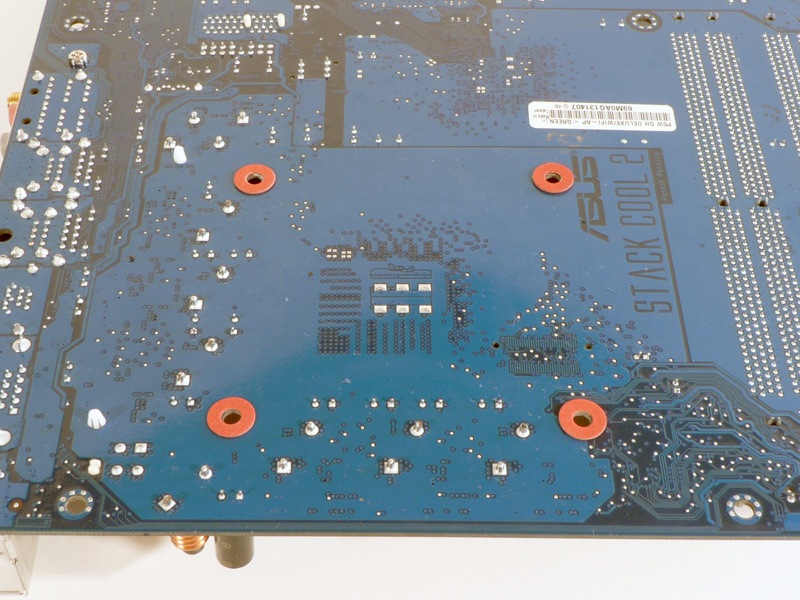
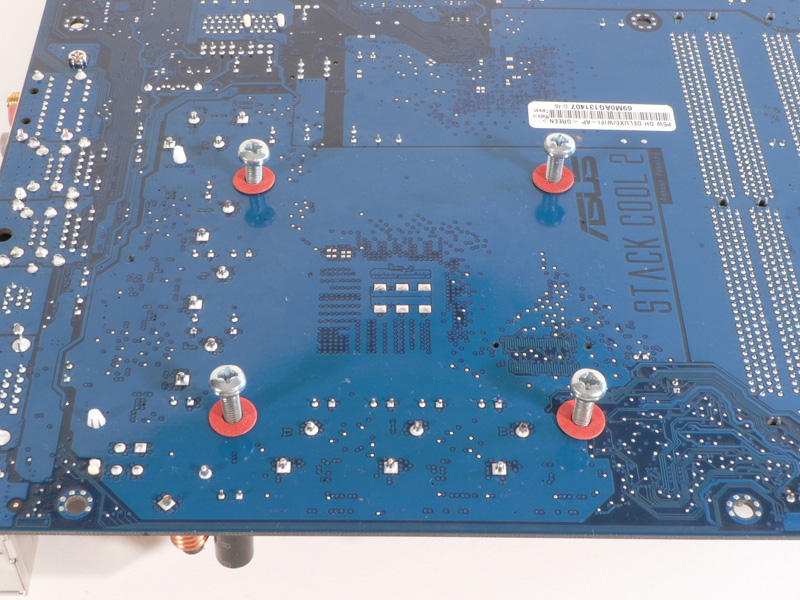
With the motherboard turned upside-down, four of the felt washers were laid around the mounting holes. Next, the four M4 screws were inserted into the holes.

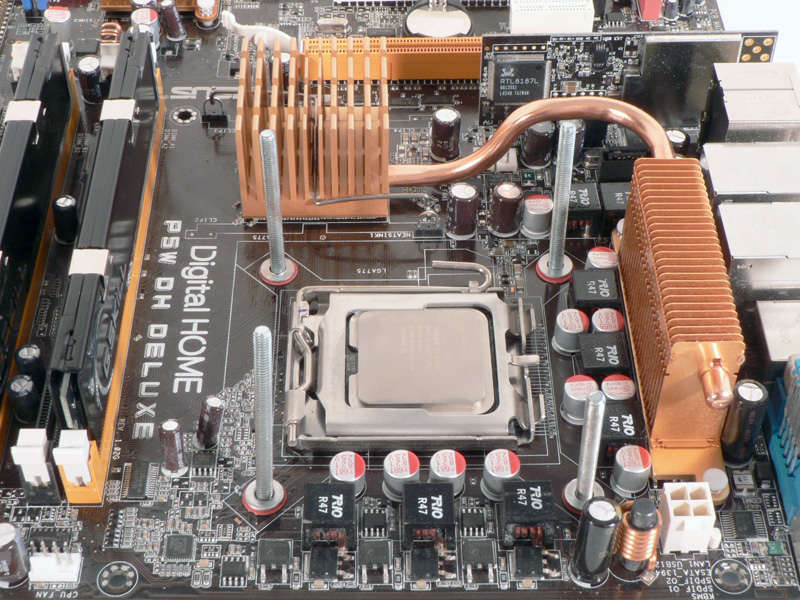
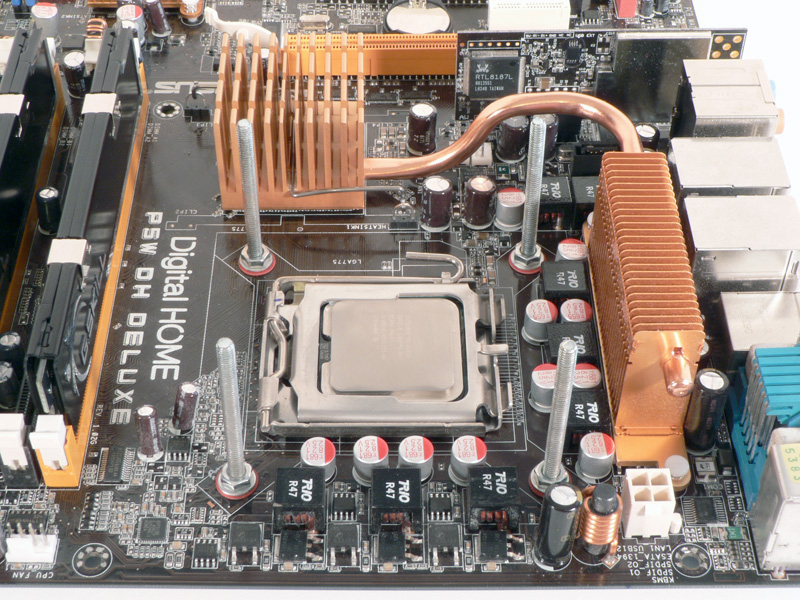
The motherboard was turned right-side up for the rest of the hardware to be applied. Four more felt washers were placed over the screws, followed by four metal washers and then the nuts. The screws should be well-tightened to prevent them from coming loose while removing the block.
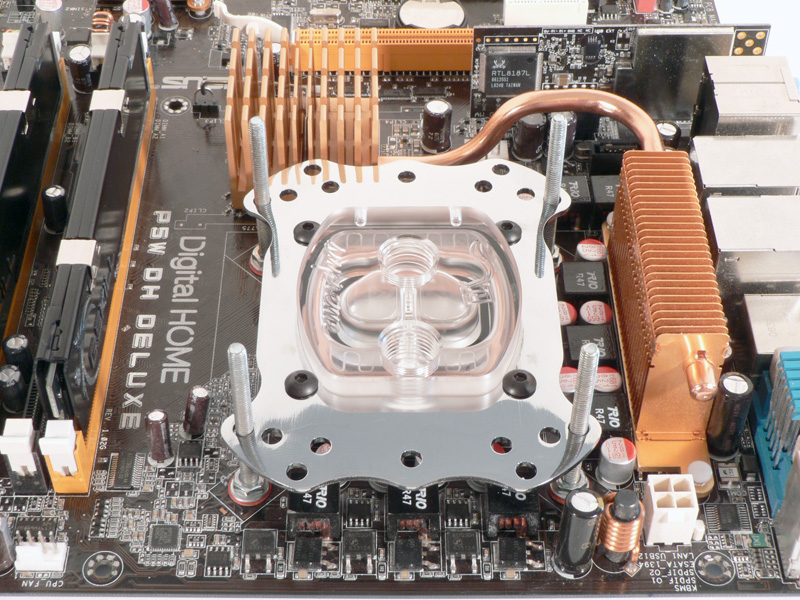


With the thermal compound applied according to the manufacturer's directions, the EK Supreme was placed on top of the CPU socket with the screws sliding through the appropriate mounting holes. Four springs and four thumbscrews complete the installation.

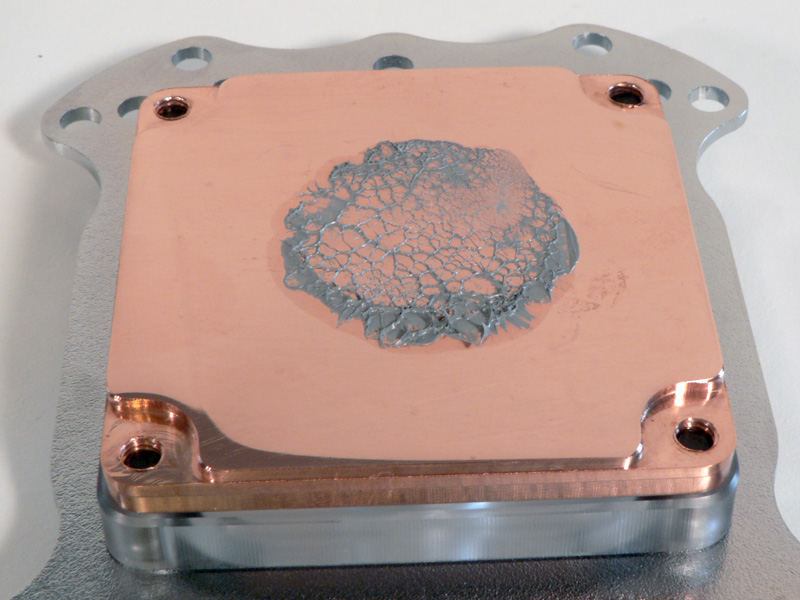
Immediately the block was removed and the surfaces checked for contact. The thermal paste was spread out very well, and the layer was very thin in the center. The paste on the base of the EK Supreme looks as if it was sucked back toward the middle when the block was removed, which caused the darker ring around the edge.
Installation Notes
The springs included with the EK Supreme are extremely stiff. Because of this, the installation guide recommends using a light amount of tension on the thumb nuts to avoid warping the motherboard. I noticed the warping starting to occur on my board as the nuts were tightened. To prevent this, EK has an optional backplate for LGA775 installation, and I purchased one of the backplates online. The testing was completed with the backplate installed, although it is not shown in the images above. Also, please note that when the backplate is installed, the M4 screws are barely long enough to start threading the nuts onto them. I had a lot of difficulty getting the third and fourth thumb nuts in place. After contacting Eddy about this issue, he told me that EK would possibly replace the current screws with ones that are about 5mm longer in the near future.
Apr 27th, 2024 07:56 EDT
change timezone
Latest GPU Drivers
New Forum Posts
- Rare GPUs / Unreleased GPUs (1878)
- Should I install Windows 10 or 11 for my new device (27)
- Help me identify rx 580 card ? (2)
- rx 6500 xt anisotropic filtering not working (3)
- List of NPU-optimized apps and games (1)
- What phone you use as your daily driver? And, a discussion of them. (1498)
- wireless mic for pc (3)
- What are you playing? (20543)
- Asus Crosshair X670E - CPU Package temps (11)
- looking to build a new system and im considering asrock brand but i have some doubts/concerns. (16)
Popular Reviews
- Ugreen NASync DXP4800 Plus Review
- HYTE THICC Q60 240 mm AIO Review
- MOONDROP x Crinacle DUSK In-Ear Monitors Review - The Last 5%
- Upcoming Hardware Launches 2023 (Updated Feb 2024)
- Thermalright Phantom Spirit 120 EVO Review
- FiiO K19 Desktop DAC/Headphone Amplifier Review
- Alienware Pro Wireless Gaming Keyboard Review
- Quick Look: MOONDROP CHU 2 Budget In-Ear Monitors
- AMD Ryzen 7 7800X3D Review - The Best Gaming CPU
- Gigabyte GeForce RTX 4070 Ti Super Gaming OC Review
Controversial News Posts
- Windows 11 Now Officially Adware as Microsoft Embeds Ads in the Start Menu (137)
- Sony PlayStation 5 Pro Specifications Confirmed, Console Arrives Before Holidays (117)
- NVIDIA Points Intel Raptor Lake CPU Users to Get Help from Intel Amid System Instability Issues (106)
- AMD "Strix Halo" Zen 5 Mobile Processor Pictured: Chiplet-based, Uses 256-bit LPDDR5X (103)
- US Government Wants Nuclear Plants to Offload AI Data Center Expansion (98)
- AMD's RDNA 4 GPUs Could Stick with 18 Gbps GDDR6 Memory (95)
- Developers of Outpost Infinity Siege Recommend Underclocking i9-13900K and i9-14900K for Stability on Machines with RTX 4090 (85)
- Windows 10 Security Updates to Cost $61 After 2025, $427 by 2028 (84)