 9
9
Everglide DKTBoard Gaming Keyboard Review
Value & Conclusion »Performance
Gaming
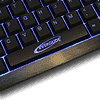
The DKTBoard is intended for gaming, thus this is the first area we look at. Each key of the keyboard is covered in a rough, rubberized surface. This is very similar to that of the Razer Lycosa, but feels noticably rougher and harder. Using the keyboard with longer finger nails means that the keys act like a tad like sanding paper. It may have been better to make the keys smoother.Playing games on the keyboard does work well, once you get used to the surface. Movements and actions in games like Crysis can be performed fast and accurately. This goes for all first person action games. Playing other types like strategy in form of Command & Conquer 3 does require you to hit more keys than usual, especially if you know all the shortcuts. In such a situations the key surface does pose a larger problem. I actually had to cut my nails down to a bare minimum to reduce the effect as much as possible. Gamers with long nails or girls will have a hard time with the DKTBoard.
Office and Windows
Most of us won't exchange the keyboard on our desk, when switching between gaming and everyday work in Windows. In such situations, proper key placement and feel of each are an important factor. The DKTBoard has an indented numpad to make space for the cursor buttons. These on the other hand feel smaller than the ones found on a standard one. Going for the right keyboard arrow is often followed by hitting the 0 button. Due to the compact nature of the DKTBoard, such a unique placement could not be avoided.The feel of the keys, with its soft, but noticable pressure point is very comfortable. The pushback mechanism of the DKTBoard is very balanced. This means that the keys do push back a bit and help you raise your finger to move over to the next key stroke, but on the other hand are not to forceful nor do they stay down to long.
The overall noise level - or the lack thereof - is great. It is certainly one of the quieter keyboards out there, but there are others out there which manage to produce even less noise. Nonetheless, going from a standard OEM one to the DKTBoard is a great and noticable improvement.
May 14th, 2024 04:23 EDT
change timezone
Latest GPU Drivers
New Forum Posts
- not impressed - nvme vs ssd (87)
- Homeworld 3 [Official Thread] (35)
- Soundbar or 2.1 speaker for virtual 3d audio in PC games... (19)
- Speed Shift settings to explain (0)
- The sands of time have run out, Son of Durotan. (Warcraft III Fan Club/Memories Thread) (3)
- Which RAM for AMD 7950X3D (17)
- Post your Cinebench R23 Score (2956)
- What are you playing? (20637)
- Dell Workstation Owners Club (3087)
- Build From Old Parts (9)
Popular Reviews
- Homeworld 3 Performance Benchmark Review - 35 GPUs Tested
- ZMF Caldera Closed Planar Magnetic Headphones Review
- Corsair MP700 Pro SE 4 TB Review
- ThundeRobot ML903 NearLink Review
- Upcoming Hardware Launches 2023 (Updated Feb 2024)
- AMD Ryzen 7 7800X3D Review - The Best Gaming CPU
- Bykski CPU-XPR-C-I CPU Water Block Review - Amazing Value!
- CHERRY XTRFY M64 Pro Review
- ASUS Radeon RX 7900 GRE TUF OC Review
- ASRock Radeon RX 7900 XT Phantom Gaming White Review
Controversial News Posts
- Intel Statement on Stability Issues: "Motherboard Makers to Blame" (266)
- AMD to Redesign Ray Tracing Hardware on RDNA 4 (227)
- Windows 11 Now Officially Adware as Microsoft Embeds Ads in the Start Menu (172)
- NVIDIA to Only Launch the Flagship GeForce RTX 5090 in 2024, Rest of the Series in 2025 (152)
- Sony PlayStation 5 Pro Specifications Confirmed, Console Arrives Before Holidays (119)
- AMD Hits Highest-Ever x86 CPU Market Share in Q1 2024 Across Desktop and Server (118)
- AMD's RDNA 4 GPUs Could Stick with 18 Gbps GDDR6 Memory (114)
- AMD Ryzen 9 7900X3D Now at a Mouth-watering $329 (104)