 10
10
Gigabyte Odin GT 800W Review
The PSU »Introduction

I would like to thank GIGABYTE for kindly providing the PSU sample.
The GIGABYTE Odin GT is a very special power supply. It allows you to connect the PSU to your PC via USB for control of many features. You can control the output voltage for example or adjust the fan speeds manually. It is also possible to monitor the power draw, current or a number of voltages.
Specifications from manufacturer
- Software control PSU, for maximum performance
- Active PFC, high efficiency power circuit design, 80+
- 4-rail 12V+ design, capable to supply higher power output
- Over-voltage, over-current, under-voltage and short – circuit protection
- 14cm cooling fan, low noise silent design with fan curve control
- Best reliability Japan made capacitors
- Environment friendly, RoHS &WEEE regulations
- Smart Cable Management for best air flow
- Adjustable alarm setting for system health
Packaging

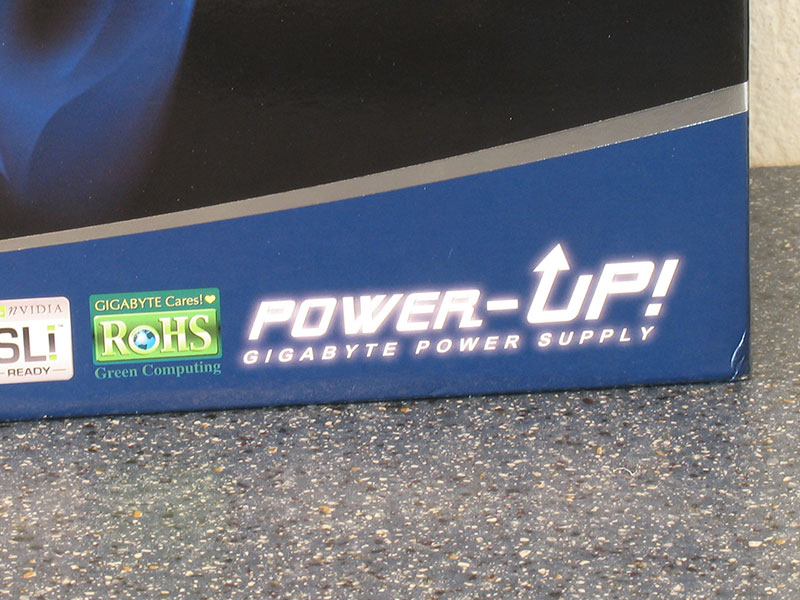

Nice slogan! The rest of the package lists all the important features, a screenshots of the P-Tuner application is included as well. However, if this unit was on a crowded shop shelf I would have never guessed that its special feature is software control over many aspects of the PSU. Some bigger text would have helped.
Box contents:
- Power supply unit
- Bag with cables
- Instruction Manual, Two Screw Packages
- Temperature sensors + cables
- PCI Slot Bracket

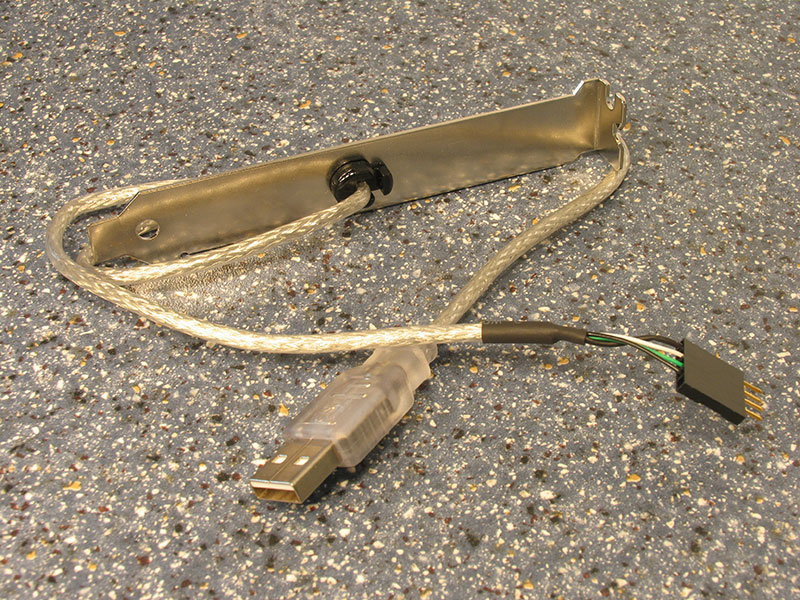
Usually you connect the power supply directly to an internal USB header on your motherboard. Should you not have such a header, or you already used all of them, you can use this bracket and its cable to cleanly route the PSU's interface cable to the outside of the case to plug it into a USB connector.
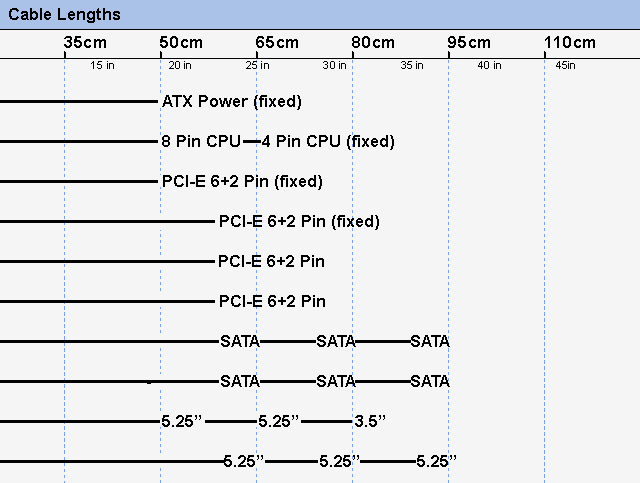
| Connectors | Main Power | 5.25" | Floppy | 4 Pin CPU | SerialATA | PCI-E Aux Power |
|---|---|---|---|---|---|---|
| ATX 20+4 Pin | 5 | 1 | 3 | 6 | 4x6+2 |
Apr 26th, 2024 07:38 EDT
change timezone
Latest GPU Drivers
New Forum Posts
- Horizontal black lines popping up on my screen? (10)
- Best SSD for system drive (86)
- The Official Linux/Unix Desktop Screenshots Megathread (695)
- What's your latest tech purchase? (20347)
- Share your AIDA 64 cache and memory benchmark here (2918)
- Secure boot already open help (1)
- What are you playing? (20535)
- TPU's Nostalgic Hardware Club (18472)
- Last game you purchased? (258)
- Alphacool CORE 1 CPU block - bulging with danger of splitting? (22)
Popular Reviews
- HYTE THICC Q60 240 mm AIO Review
- MOONDROP x Crinacle DUSK In-Ear Monitors Review - The Last 5%
- Alienware Pro Wireless Gaming Keyboard Review
- Upcoming Hardware Launches 2023 (Updated Feb 2024)
- Thermalright Phantom Spirit 120 EVO Review
- Crucial T500 2 TB Review
- ASUS Radeon RX 7900 GRE TUF OC Review
- RTX 4090 & 53 Games: Ryzen 7 5800X vs Ryzen 7 5800X3D Review
- NVIDIA RTX 4090: 450 W vs 600 W 12VHPWR - Is there any notable performance difference?
- FiiO K19 Desktop DAC/Headphone Amplifier Review
Controversial News Posts
- Windows 11 Now Officially Adware as Microsoft Embeds Ads in the Start Menu (123)
- Sony PlayStation 5 Pro Specifications Confirmed, Console Arrives Before Holidays (117)
- NVIDIA Points Intel Raptor Lake CPU Users to Get Help from Intel Amid System Instability Issues (106)
- AMD "Strix Halo" Zen 5 Mobile Processor Pictured: Chiplet-based, Uses 256-bit LPDDR5X (101)
- US Government Wants Nuclear Plants to Offload AI Data Center Expansion (98)
- AMD's RDNA 4 GPUs Could Stick with 18 Gbps GDDR6 Memory (89)
- Developers of Outpost Infinity Siege Recommend Underclocking i9-13900K and i9-14900K for Stability on Machines with RTX 4090 (85)
- Windows 10 Security Updates to Cost $61 After 2025, $427 by 2028 (84)