 8
8
OCZ XTC Memory Cooler Review
Installation »Introduction
We all know OCZ for their high performance memory modules and good power supplies, but they have a lot of useful accessories for overclockers and modders, too.Today I want to introduce you to one of their newest products in cooling, the XTC Memory Cooler. Even though it is designed specifically for the new XTC heatspreaders on the OCZ memory modules, you can use that cooler for all other memory too.
OCZ Technology, an innovator in high performance memory, makes cooling and enhancing your memory easier than ever. Expanding on OCZ’s proprietary XTC (Xtreme Thermal Convection) heatspreader technology, the new XTC Cooler air-cools your modules, improving memory performance, stability, and longevity to allow enthusiasts to tweak their memory more freely due to superior active cooling.
The XTC Cooler attaches to your motherboard's DIMM socket retention levers. While the fans cool your system memory, glowing LED fans illuminate your memory subsystem.
Specification
From OCZ website:- Cools DDR1 or DDR2 memory modules
- Improves overclocking performance on all memory modules
- Optimized for the OCZ XTC* heatspreader design
- 2 60mm ultra-low noise fans deliver superior cooling
- Blue fan LEDs
- Aluminum-based
- OCZ 1 Year Warranty
Packaging

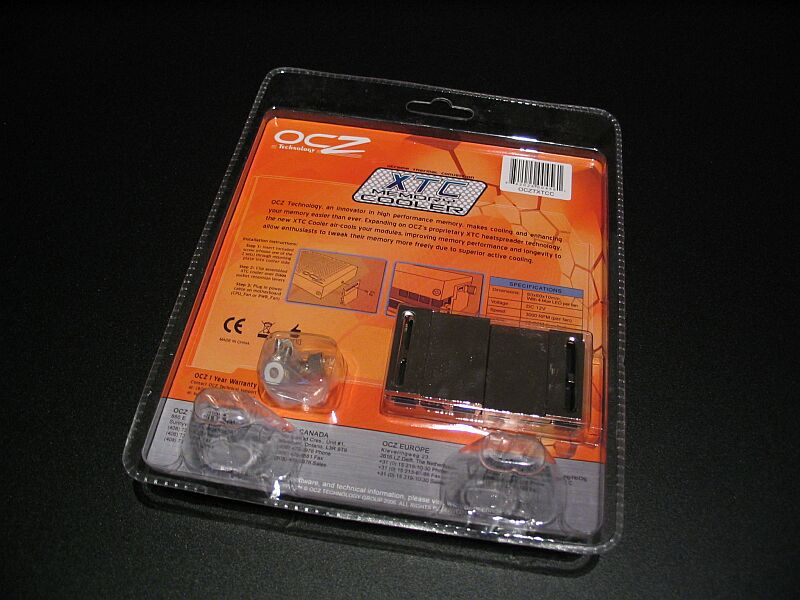
Box contents:
- XTC Memory Cooler
- Two different mounting kits
- Quick Installation Guide

The Cooler
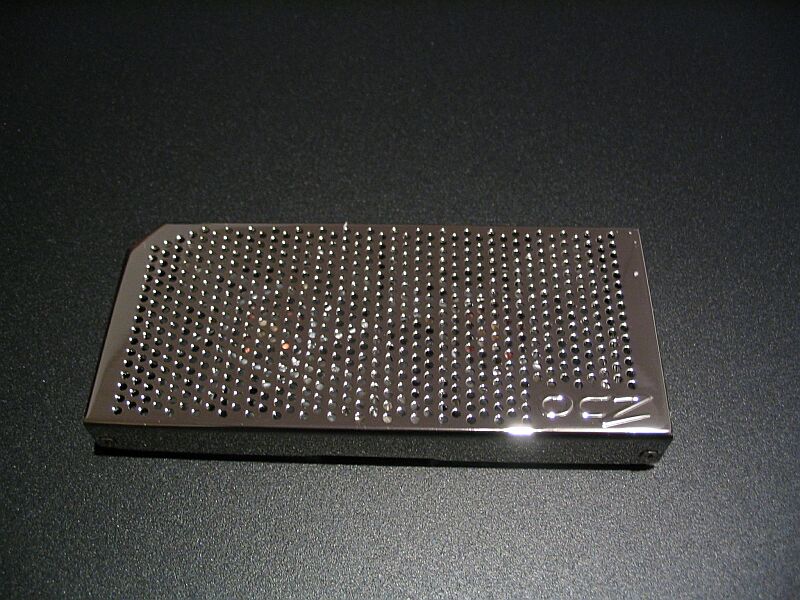

The cooler looks really precious with its shiny surface. The two fans are transparent and every single fan has four blue LEDs installed. Those LEDs light up with the voltage you supply to the fans, so you can adjust the intensity of the light with a fan controller etc.
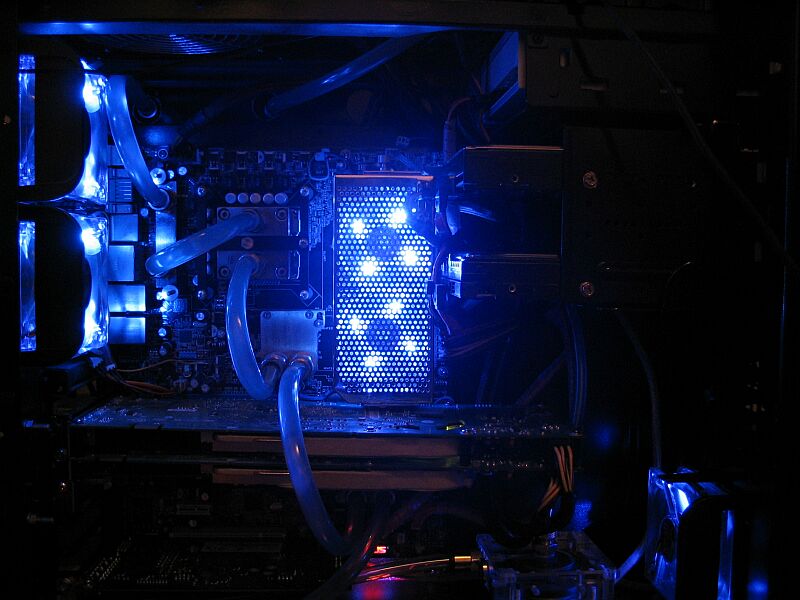
Finally a pic while the cooler is in action. Personally I think the LEDs are a bit too bright, but that's just my opinion.
Jul 25th, 2025 17:51 CDT
change timezone
Latest GPU Drivers
New Forum Posts
- EVGA 3080ti crashing w/in 20 mins in GPU intensive games, but only in my new AMD build despite running cooler (15)
- Intel cpu Ark website database gone? (8)
- Kindly help me to complete my new PC build... (9)
- Budget friendly upgrading from 970? (1)
- Samsung 870 EVO - Beware, certain batches prone to failure! (1277)
- Corsair RM850x (2021) 12V Rail Dropping — Causing Crashes While Gaming (39)
- Motherboard Recommendation ? (3)
- R-T-B's house of Hisense Firmware (35)
- Intel I7-12700F TPL settings help (0)
- Does a bigger case actually run quieter if you’re using the same number of fans? (3)
Popular Reviews
- Noctua NF-A12x25 G2 PWM Fan Review
- MSI MPG B850I Edge Ti Wi-Fi Review
- UPERFECT UMax 24 Review
- Cougar OmnyX Review
- TerraMaster F4-424 Max Review - The fastest NAS we've tested so far
- VAXEE XE V2 Wireless Review
- Sharkoon OfficePal C10 Review - Affordable and Decent
- Thermal Grizzly WireView Pro Review
- Upcoming Hardware Launches 2025 (Updated May 2025)
- Lian Li O11 Dynamic Mini V2 Review
TPU on YouTube
Controversial News Posts
- Some Intel Nova Lake CPUs Rumored to Challenge AMD's 3D V-Cache in Desktop Gaming (140)
- AMD Radeon RX 9070 XT Gains 9% Performance at 1440p with Latest Driver, Beats RTX 5070 Ti (131)
- AMD's Upcoming UDNA / RDNA 5 GPU Could Feature 96 CUs and 384-bit Memory Bus (122)
- NVIDIA GeForce RTX 5080 SUPER Could Feature 24 GB Memory, Increased Power Limits (115)
- NVIDIA DLSS Transformer Cuts VRAM Usage by 20% (99)
- AMD Sampling Next-Gen Ryzen Desktop "Medusa Ridge," Sees Incremental IPC Upgrade, New cIOD (97)
- NVIDIA Becomes First Company Ever to Hit $4 Trillion Market-Cap (94)
- Windows 12 Delayed as Microsoft Prepares Windows 11 25H2 Update (92)