Thursday, February 8th 2024
ReBarUEFI is a Boot Time Module that Enables Resizable BAR on Some Older Platforms
Officially, support for resizable BAR on the Intel platform begins with the 10th Gen Core "Comet Lake," and for AMD, the Ryzen 3000 "Zen 2." It is a PCI-SIG feature that allows the software to see the entire amount of video memory on your graphics card as a single contiguous addressable block, rather than through 256 MB apertures—a workaround for the original PCI Express specification as the industry was transitioning to it from AGP. The PCI-SIG had introduced resizable BAR way back during the PCI-Express 2.0 specification (late 2000s), although none of the GPU or platform vendors of the time bothered to implement it. Resizable BAR is known to have a positive impact on performance for modern GPUs from NVIDIA and AMD; although its most profound performance impact is on the Intel Arc "Alchemist" GPUs, which suffer a large performance penalty without it.
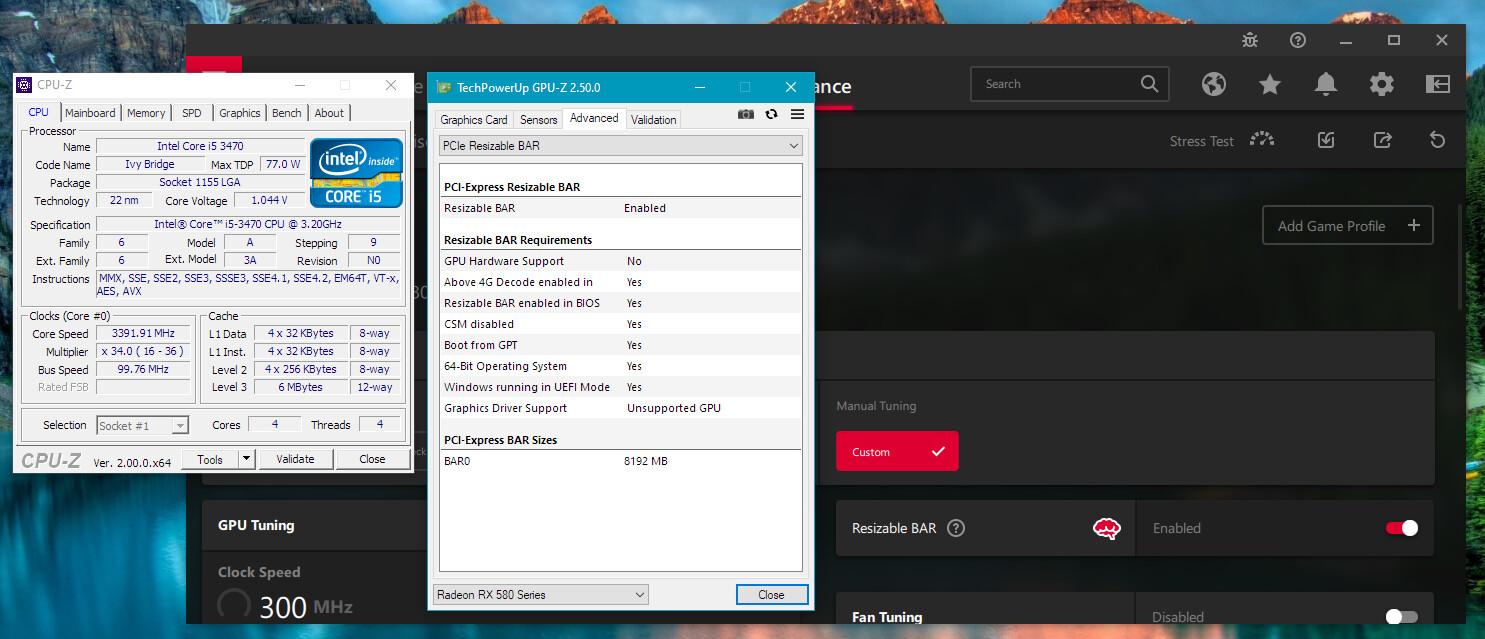
ReBarUEFI by xCuri0 is a UEFI DXE driver mod, which requires you to know how to modify the UEFI firmware of your motherboard. The ReBarUEFI mod calls for a motherboard that implements UEFI, the older legacy BIOS won't do. The industry transitioned to UEFI in the early 2010s, roughly around the time of Intel "Sandy Bridge." UEFI DXE drivers provide basic support for the various hardware on your system. The ReBarUEFI driver informs software that the platform is capable of resizable BAR. Some motherboards may require you to enable the "Above 4G Decode" setting. The author claims that users on platforms as old as 2nd Gen Core "Sandy Bridge" have had success in getting resizable BAR to work.
Sources:
xCuri0 (Github), VideoCardz
ReBarUEFI by xCuri0 is a UEFI DXE driver mod, which requires you to know how to modify the UEFI firmware of your motherboard. The ReBarUEFI mod calls for a motherboard that implements UEFI, the older legacy BIOS won't do. The industry transitioned to UEFI in the early 2010s, roughly around the time of Intel "Sandy Bridge." UEFI DXE drivers provide basic support for the various hardware on your system. The ReBarUEFI driver informs software that the platform is capable of resizable BAR. Some motherboards may require you to enable the "Above 4G Decode" setting. The author claims that users on platforms as old as 2nd Gen Core "Sandy Bridge" have had success in getting resizable BAR to work.
28 Comments on ReBarUEFI is a Boot Time Module that Enables Resizable BAR on Some Older Platforms
Any ideas?