 3
007 First Light Handheld Performance Review
Conclusion »ASUS ROG Xbox Ally X, ASUS ROG Ally X, and MSI Claw 8 Optimized Settings

If you plan to play 007 First Light on the ROG Xbox Ally X, we recommend setting Textures to High and Anisotropic Filtering to 16x, Shadows, Reflections, and Terrain to Medium, and everything else to Low. Resolution should be set to 900p, FSR to Quality, and feel free to bump the power limit to 35 W. This combination results in average performance of 40 FPS or higher, with occasional dips into the high and mid-30s during car chases and scenes featuring lots of NPCs or large explosions. You can drop Shadows to Low and claw back a few extra frames if you want, but we found the game playable even in the mid-30s.

Since 007 First Light doesn't include Global Illumination on the other handhelds, you can use the same settings we recommend for the ROG Xbox Ally X regardless of which device you own, as well as push the TDP to the max. Again, for a slight but noticeable performance boost, you can lower Shadows to Low. The only tweaks you should do is dropping textures to Medium on the original ASUS ROG Ally and bumping them up to Ultra on the MSI Claw 8.
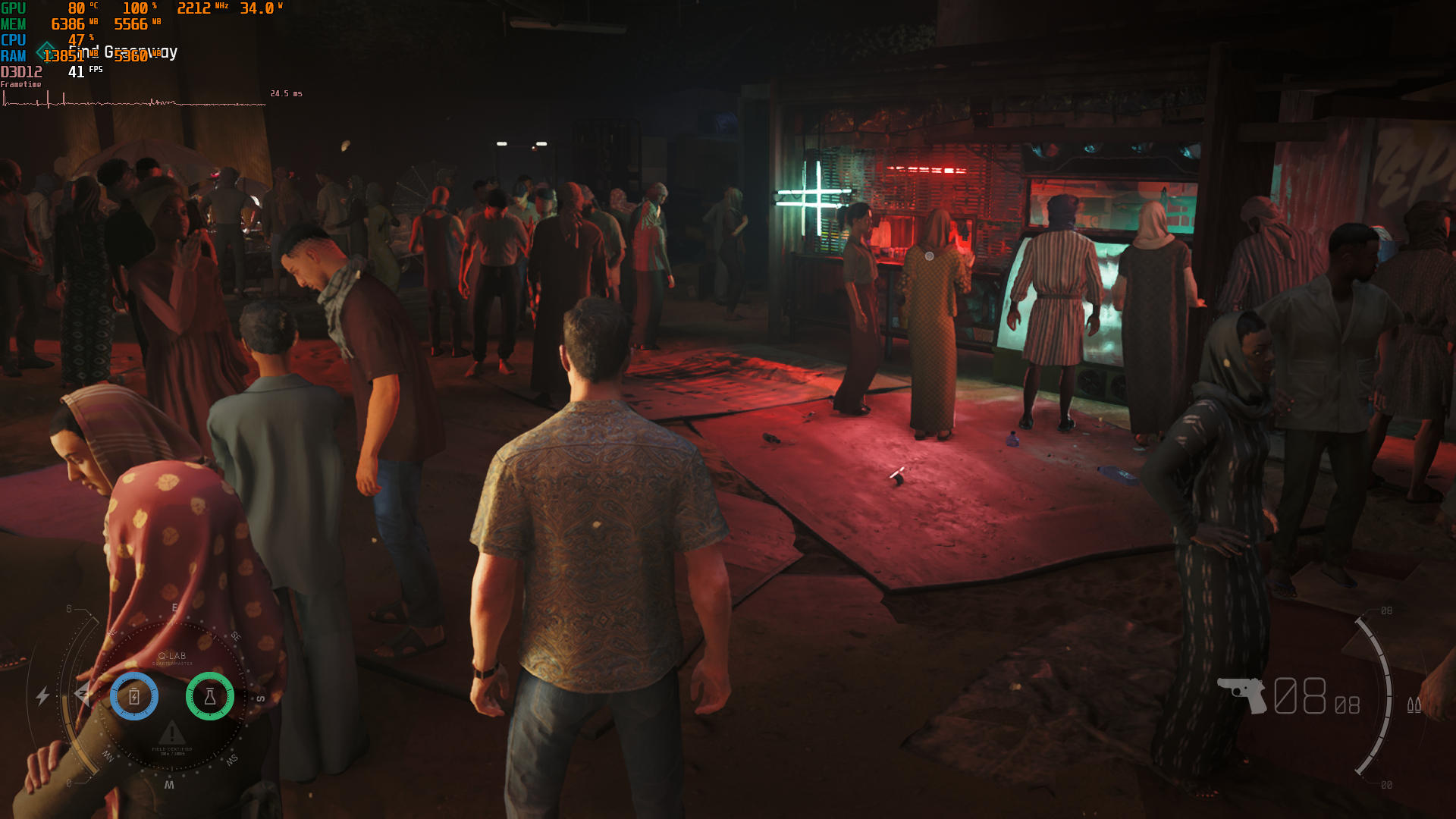
Honestly, 900p with the Quality FSR preset doesn't look that bad, especially because the native TAA implementation leaves a lot to be desired and looks quite poor even on compact handheld screens.
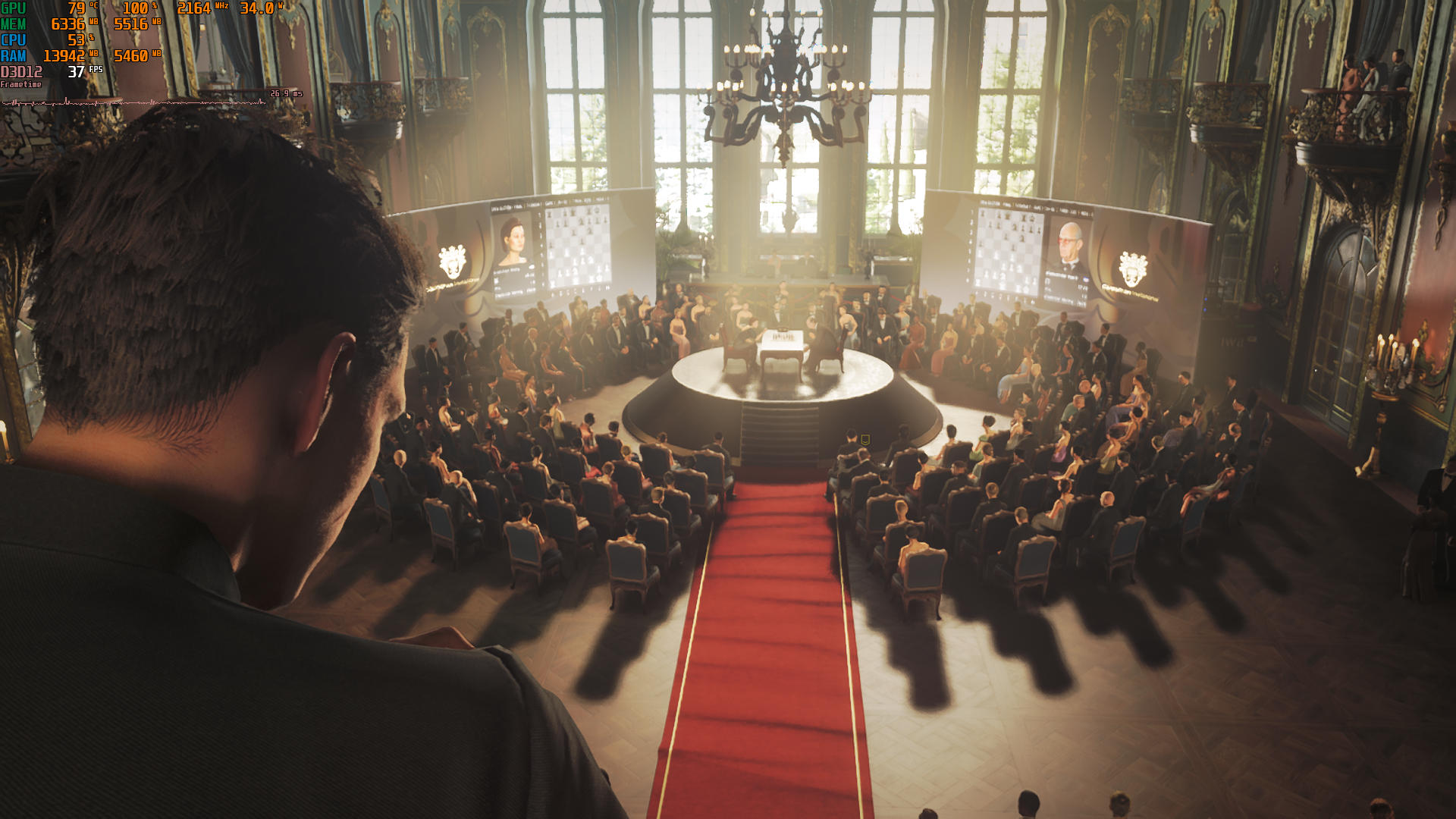
You can expect about two hours of gameplay on the Xbox Ally X and ROG Ally X with our optimized settings, less than an hour on the original ROG Ally, and more than two hours on the Claw 8.
Nov 19th, 2026 21:48 PST
change timezone
Latest GPU Drivers
New Forum Posts
- Anthrophics IPO (9)
- How to prevent OLED burn damage due to PC freezes or power outtages? (39)
- Honestly, do you care about GTA VI? (177)
- TPU's Nostalgic Hardware Club (22172)
- RX 7600 + Ryzen 5 5600GT getting the same FPS as my old RX 6500 XT – What am I missing? (5)
- GTA VI (11)
- GPU Temperatures Rise Very Quickly in FurMark – Is This Normal? (18)
- Time to upgrade CPU and MOBO (72)
- WarpCoreBench scores! (77)
- Dual B70 or Dual R9700 Pro on Linux (13)
Popular Reviews
- AMD Zen 6 Technical Deep Dive
- Ugreen NASync DXP4800 GT Review
- Acemagic Retro X3 Review
- Upcoming Hardware Launches 2027 (Updated Nov 2026)
- Pulsar Office Tour & First Look at P1 Dual-Sensor Mouse
- Corsair RM1200e (Second Generation) Review
- Biwin Black Opal NV7400 2 TB Review
- Chieftec Iceberg PRO 360 DARK Review
- AMD Ryzen 7 9800X3D Memory Performance Scaling
- AMD Ryzen 7 9800X3D Review - The Best Gaming Processor
TPU on YouTube
Controversial News Posts
- NVIDIA Co-Founder and CEO Jensen Huang Officially Resigns (490)
- Report: Jensen Huang Eyes NVIDIA Comeback (224)
- Open Letter Asking NVIDIA to Reinstate Jensen Huang Passes 115,000 Signatures (184)
- OpenAI CEO Argues Home PCs Waste the World's Limited DRAM Supply (152)
- NVIDIA Launches Investigation Into Jensen Huang's Relationship With Suspected Chinese Spy (136)
- Intel "Raptor Lake Next" 16-Core and 20-Core CPUs Surface (130)
- Legendary Game Studio BioWare Shuts Down Following EA Layoffs (104)
- Dell CEO Says the Memory Shortage Will Get Worse in 2027 (95)