 9
ACEMAGIC K1 Review
(9 Comments) »Introduction

The ACEMAGIC K1 is a compact desktop built around Intel's Core i5-12600H, paired with up to 32 GB of DDR4 memory and a 1 TB NVMe SSD. At around US$360, it mostly targets home office users, students, and small businesses that need desktop-like CPU performance in a very small footprint. Windows 11 Pro comes preinstalled, it supports up to three 4K displays, and as you will see in the benchmark results, it has the processing headroom for multitasking, content work, and even some light gaming if you manage expectations on the graphics side.

Intel's Core i5-12600H brings a 12-core, 16-thread hybrid design that combines Performance and Efficient cores to handle foreground tasks and background processes at the same time. Boost speeds up to 4.5 GHz and 18 MB of Smart Cache give it plenty of headroom for office workloads, large spreadsheets, browser-heavy workflows, and light content creation. The 45 W TDP places it above ultra-low-power Mini-PC chips, but still in a range that makes sense for a compact system designed to balance performance and thermals. It comes paired with Intel Iris Xe integrated graphics, which at this point is starting to show its age, especially next to newer integrated solutions like Intel Arc or AMD's Radeon 780M, 880M, and 890M that deliver a noticeable jump in graphics performance.
The K1 uses two SO-DIMM slots with DDR4-3200 support and can take up to 64 GB total, which keeps upgrades simple and affordable. Storage is just as flexible, with two M.2 2280 slots running at PCIe 3.0 x4, and one of them also supporting SATA drives, so you can reuse an older SSD alongside a faster NVMe primary drive.
Display output is decent for a system in this range, supporting three 4K displays at 60 Hz through HDMI 2.0, DisplayPort 1.4b, and a full-featured USB 3.2 Gen 2 Type-C port with DisplayPort output. This makes it easy to build a multi-monitor setup for spreadsheets, development work, or editing. Networking includes Wi-Fi 6 and Bluetooth 5.2 via an M.2 2230 module, plus Gigabit Ethernet for wired setups. Around the chassis, there is a good mix of USB 3.2 Gen 2 and Gen 1 Type-A ports on both the front and rear, along with the Type-C port and a standard 3.5 mm audio jack.
Going into my benchmark suite, I was curious to see how the 12600H would hold up today, especially against newer Ryzen AI and Core Ultra systems in the charts. On the CPU side, there is still some life left in this chip, so I expected solid productivity and compute numbers for its price point. Another big question was graphics performance, since (as I noted above) Iris Xe has been significantly surpassed by newer integrated solutions, and it's likely that this system isn't meant for anything beyond everyday work.
| Specifications | |
|---|---|
| CPU | Intel Core i5-12600H, 12 Cores/16 Threads Base: 2.7 GHz (P-core)/2.0 GHz (E-core) Boost up to 4.5 GHz 18 MB Intel Smart Cache |
| Socket | BGA1744 |
| Graphics | Intel Iris Xe Graphics Up to 1.40 GHz Dynamic Frequency 80 Execution Units |
| Memory | 16 GB DDR4-3200 (Single Channel) or 32 GB (2× 16 GB) DDR4-3200 Dual Channel 2× SO-DIMM slots, supports up to 64 GB |
| Storage | 2× M.2 2280 1× PCIe 3.0 NVMe 1× PCIe 3.0/SATA |
| Display Output | 1× HDMI 2.0 (4K @ 60 Hz) 1× DisplayPort 1.4b (4K @ 60 Hz) 1× USB 3.2 Gen 2 Type-C (10 Gbps, DP 4K @ 60 Hz) Triple display support |
| I/O Ports | Front: 2× USB 3.2 Gen 2 Type-A (10 Gbps) Rear: 4× USB 3.2 Gen 1 Type-A (5 Gbps) 1× USB 3.2 Gen 2 Type-C (DP 1.4, 10 Gbps) 1× HDMI 2.0 1× DisplayPort 1.4b 1× Gigabit Ethernet (10/100/1000 Mbps) 1× 3.5 mm Audio Jack 1× DC-In 1× Power Button |
| Networking | Wi-Fi 6 (M.2 2230) Bluetooth 5.2 1× RJ45 Gigabit Ethernet |
| Cooling System | High-speed centrifugal fan Dual heat pipes + dual heat dissipation fins Dual air outlet design Bottom intake, right & rear exhaust |
| TDP | 45 W (54 W cooling system, 90 W power adapter) |
| Power Supply | DC 19 V/4.74 A, 5.5 × 2.1 mm connector |
| Chassis | Silver shell with black logo ABS + PC construction 128.2 × 128.2 × 41 mm |
| Operating System | Windows 11 Pro (preinstalled) |
| Package Contents | Main unit Power adapter HDMI cable Mounting bracket + screws User manual |
| Pricing | $359.99 |
| Product Page | ACEMAGIC K1 |
Packaging and Contents
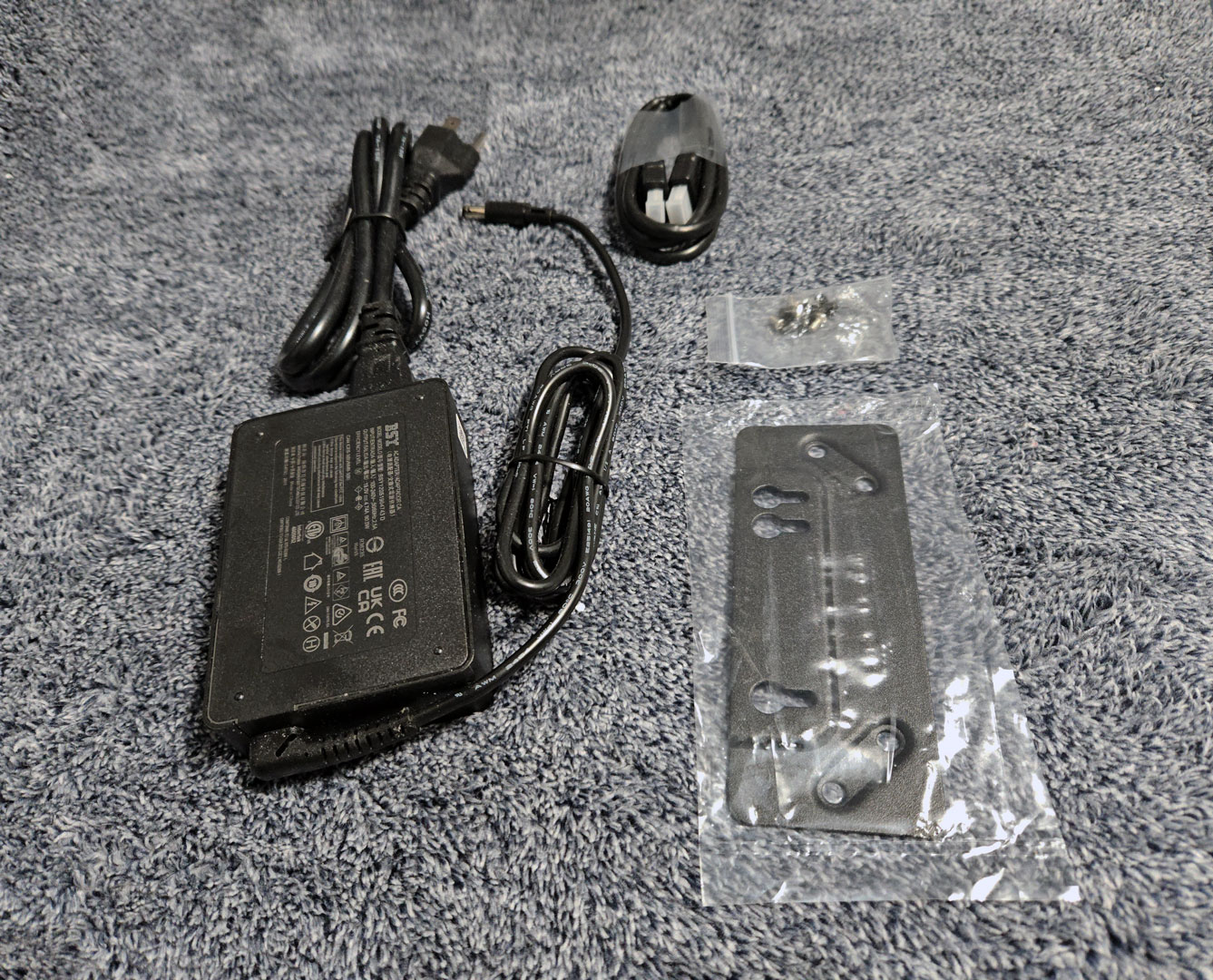
The included accessories are fairly typical for a Mini-PC in this category. In the box, ACEMAGIC provides the external power adapter and power cable, along with a VESA mounting bracket and the necessary screws for attaching the system to the back of a monitor or wall mount. A small screw pack is also included for mounting, and there is a basic HDMI cable to get the system connected to a display right away. It is a simple bundle, but everything needed to power the system and mount it behind a monitor is included.
Design and Build
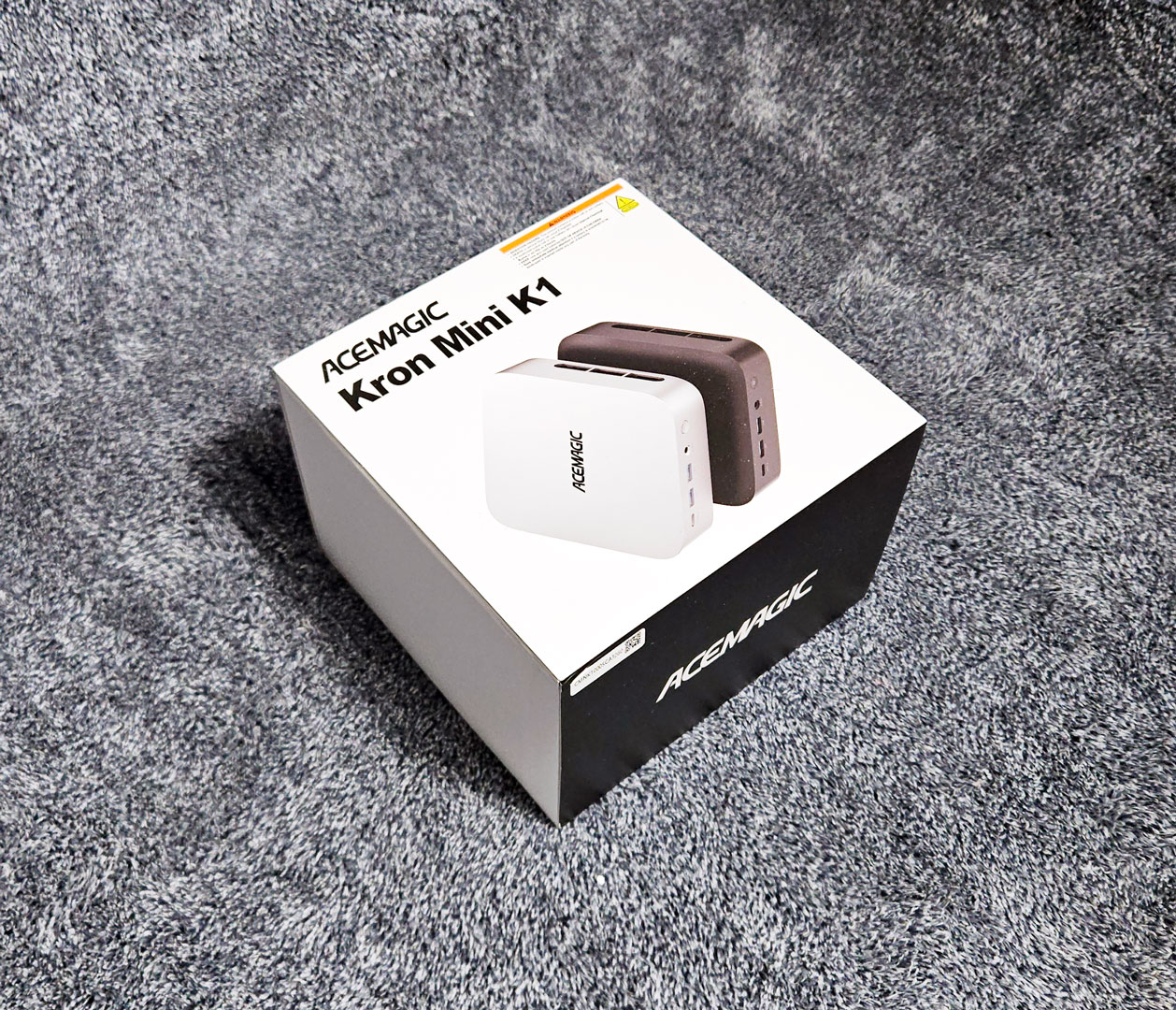
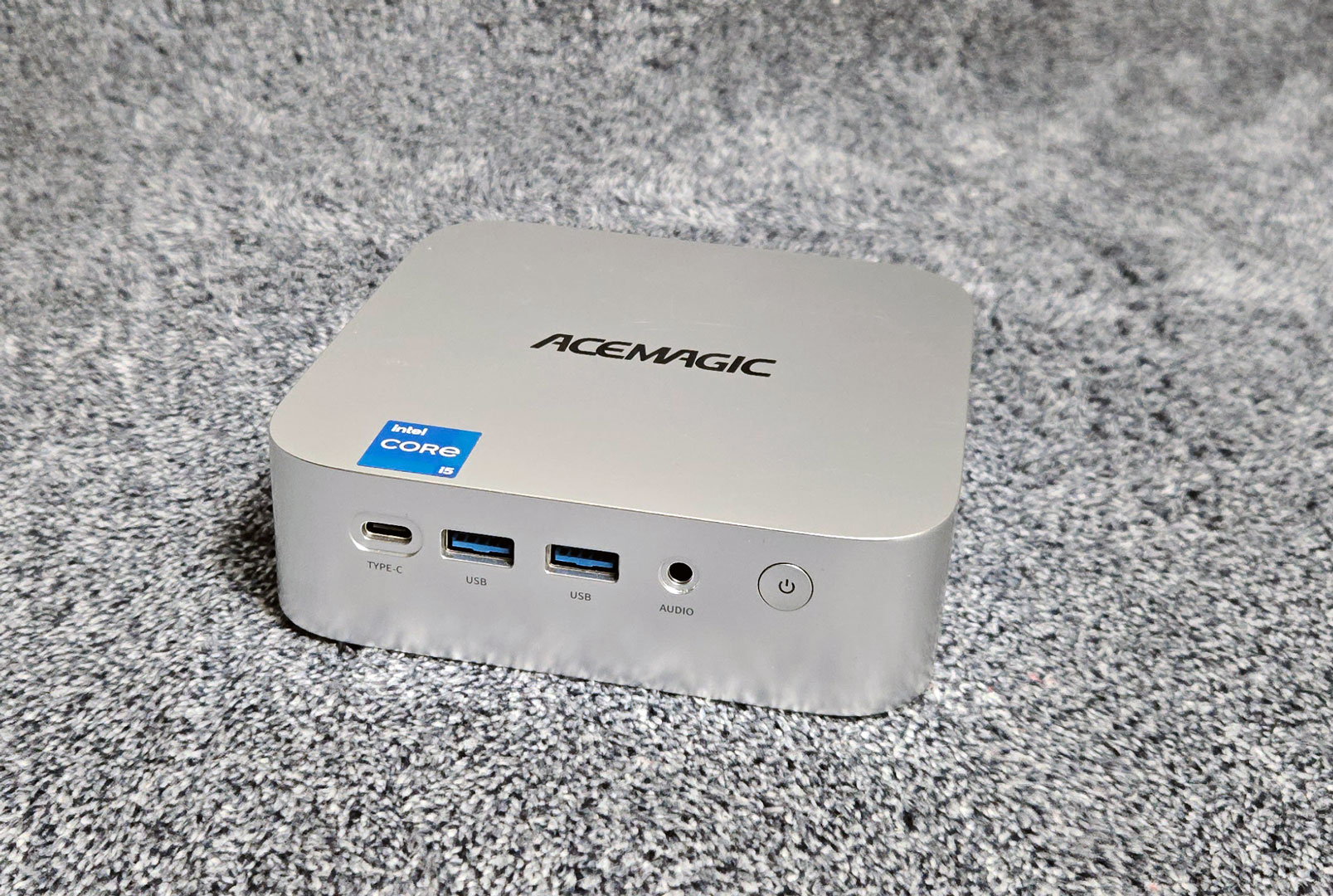
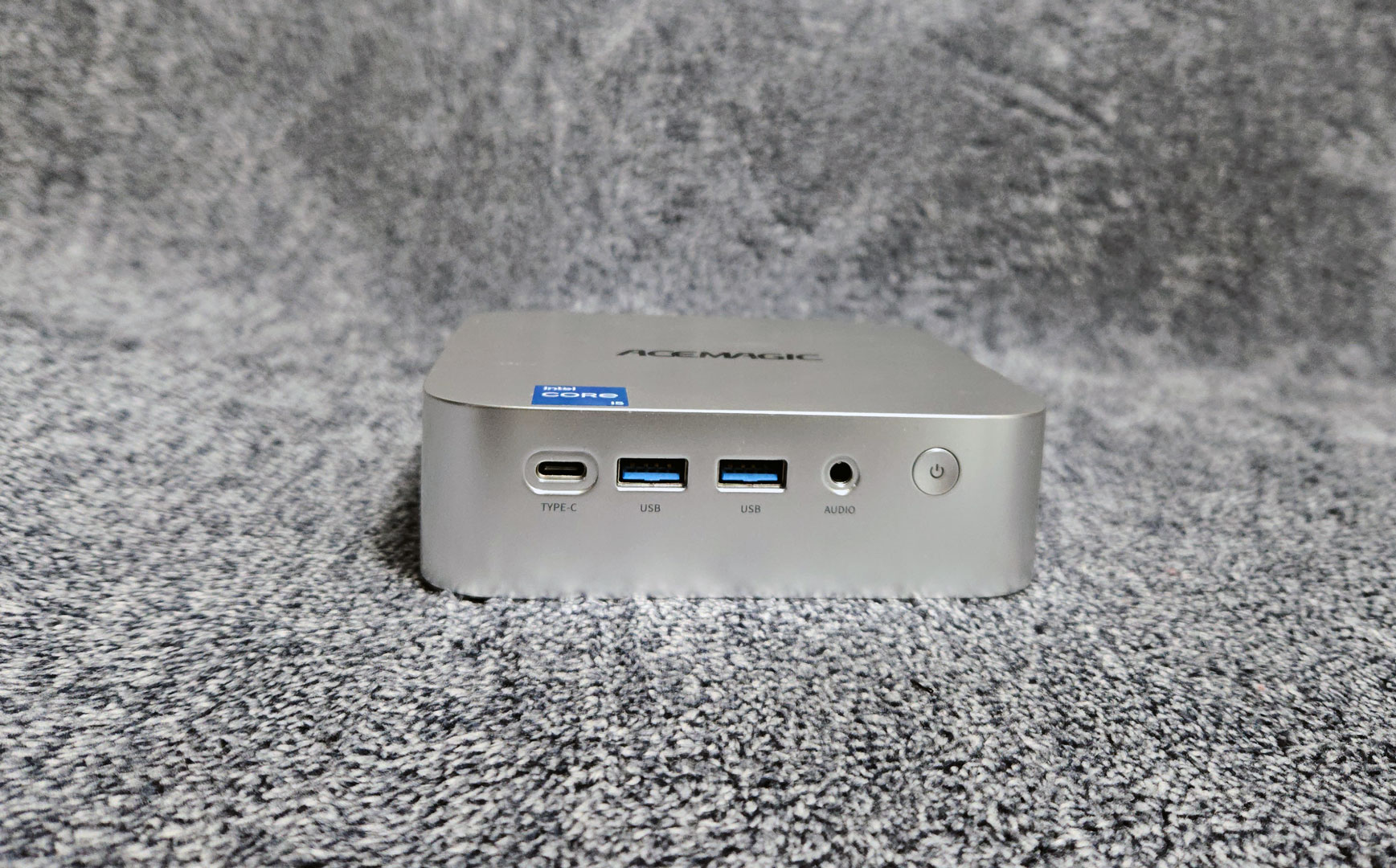
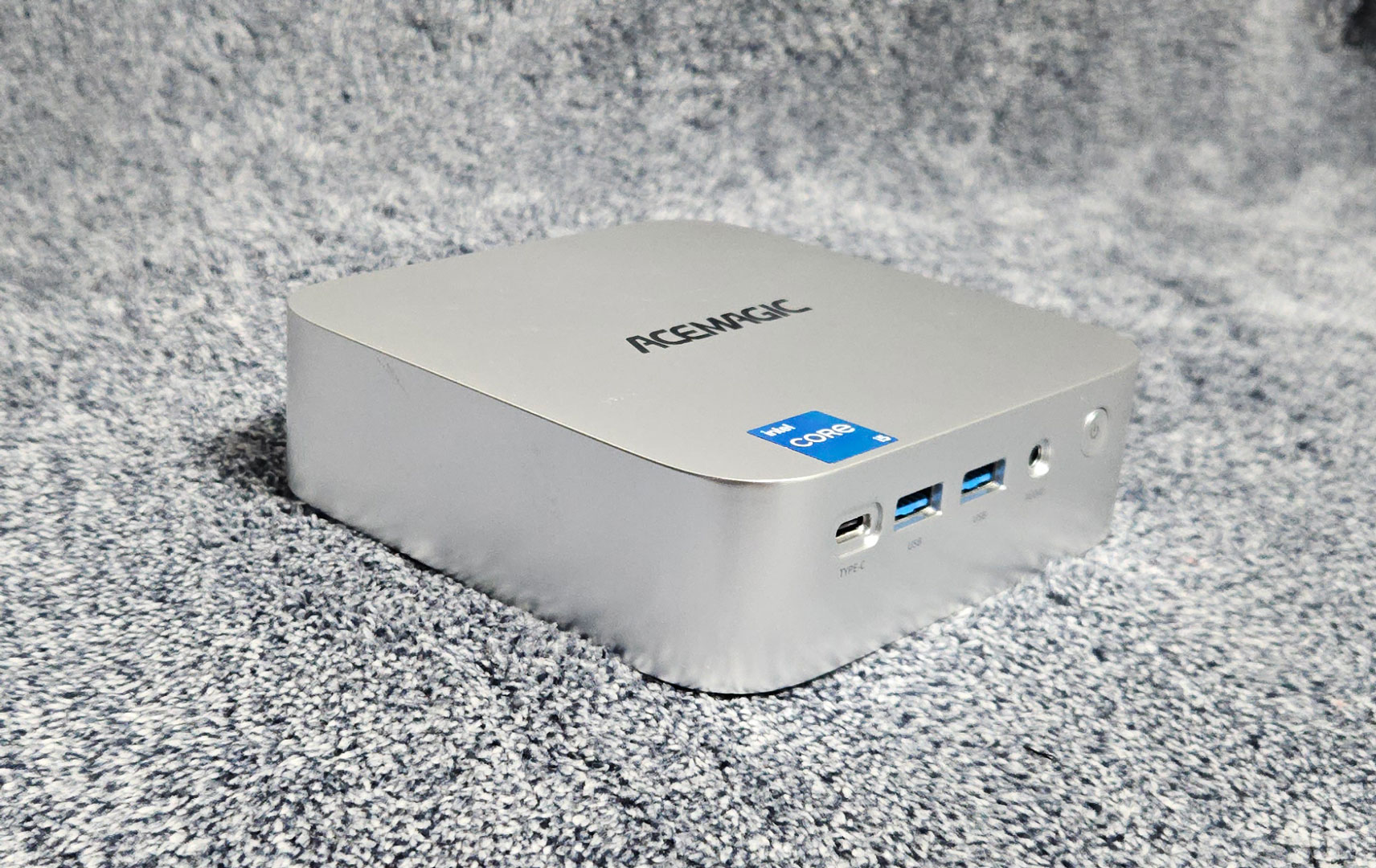
The ACEMAGIC K1 follows the usual compact Mini-PC footprint with a square chassis measuring 128.2 × 128.2 × 41 mm. The enclosure uses a silver ABS and polycarbonate shell, with softly rounded corners and a clean top surface featuring the ACEMAGIC logo. Overall, the design is very simple, and the overall finish feels solid for a system in this price range. Four rubber feet lift the chassis slightly off the desk, allowing air to enter through the bottom intake while also preventing vibration from transferring to the surface beneath it.
On the front panel is a USB 3.2 Gen 2 Type-C port rated at 10 Gbps, which also supports DisplayPort output for video. Next to it are two USB 3.2 Gen 2 Type-A ports, also rated at 10 Gbps. A standard 3.5 mm audio jack follows for headphones or speakers. The power button sits on the right side of the front panel and features an integrated LED indicator.
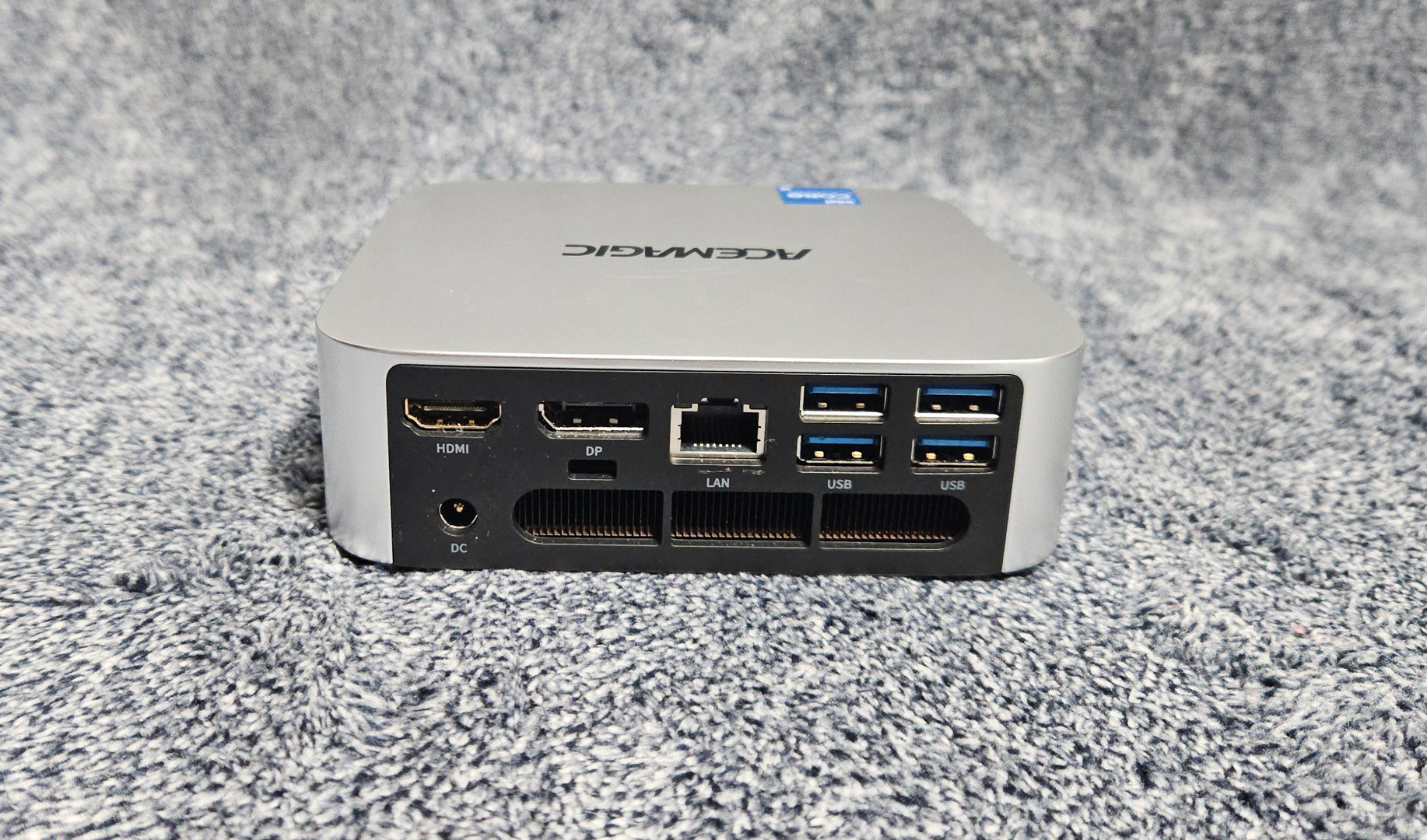
The rear panel contains the bulk of the connectivity, including an HDMI 2.0 port supporting up to 4K resolution at 60 Hz, as well as a DisplayPort 1.4b connector, which is also capable of driving a 4K display at 60 Hz. Combined with the front USB-C DisplayPort output, the system supports three displays simultaneously.
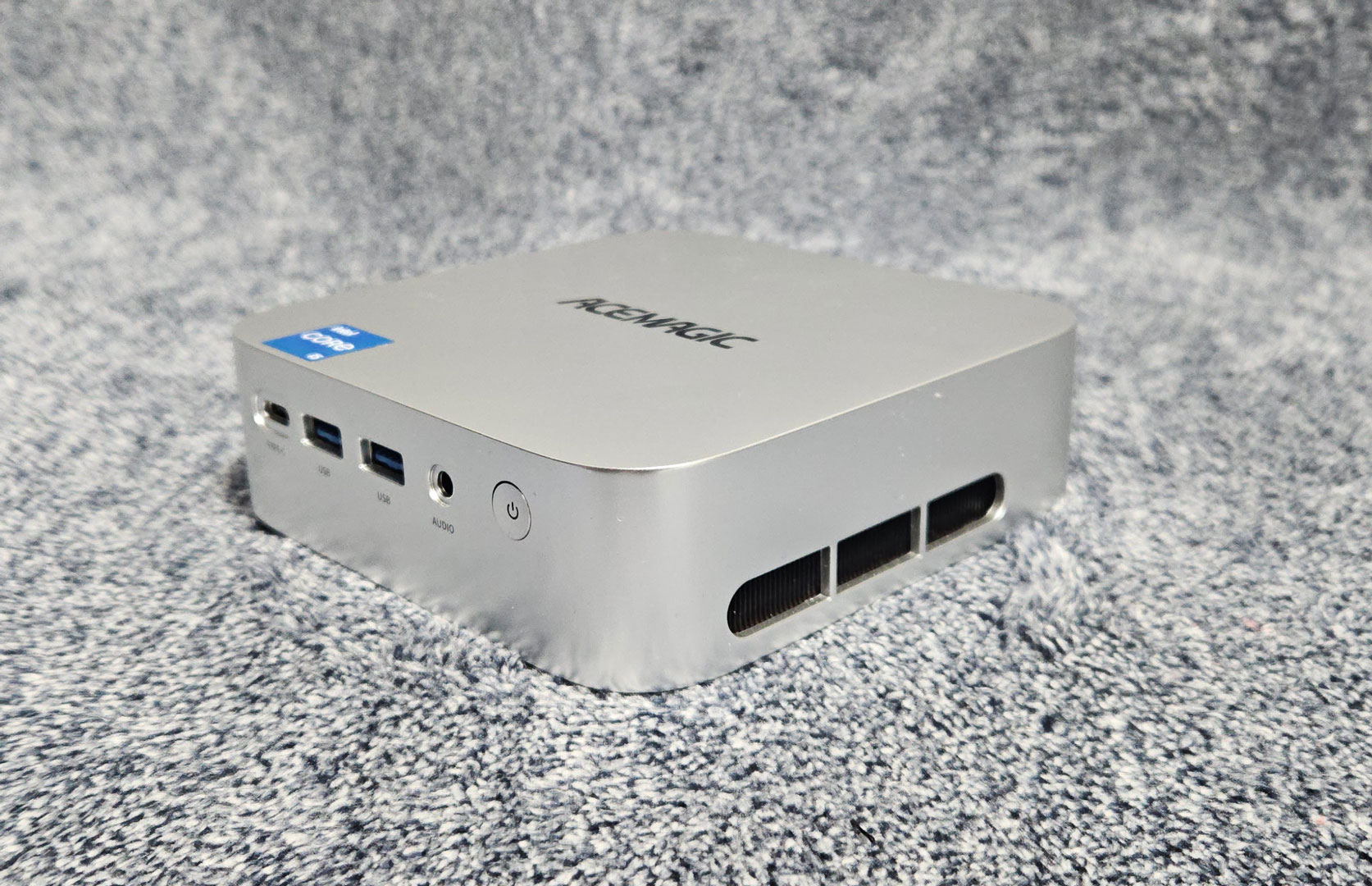
Ventilation is integrated into the sides and rear of the system. Air enters through the bottom panel and is pulled through the internal heatsink assembly by the fan. Heat is exhausted through long horizontal vents along the right side and rear panel.
For networking, the K1 features a Gigabit Ethernet port located near the center of the rear panel. Wireless connectivity comes from an internal Wi-Fi 6 module with Bluetooth 5.2 support. Four USB 3.2 Gen 1 Type-A ports, each rated at 5 Gbps, are positioned toward the right side of the rear panel as well as the usual DC-in power connector for the included 90 W power adapter.
A large ventilation opening runs horizontally across the rear of the chassis just below the display and network ports.
Our Patreon Silver Supporters can read articles in single-page format.
Nov 20th, 2026 14:03 PST
change timezone
Latest GPU Drivers
New Forum Posts
- Honestly, do you care about GTA VI? (208)
- When you could finally run Crysis maxed out? (63)
- WarpCoreBench scores! (80)
- GTA VI (20)
- Anthrophics IPO (25)
- GeekMagic Ultra Smart WiFi Weather Station (8)
- Very unusual two gaming-pc scenarios. (35)
- Can i play GTA 6 now? (Joke) (14)
- How to prevent OLED burn damage due to PC freezes or power outtages? (47)
- Zen 3 IF/IMC degradation (239)
Popular Reviews
- AMD Zen 6 Technical Deep Dive
- Ugreen NASync DXP4800 GT Review
- Microsoft Surface Laptop Ultra Review - The Next-gen Arm Laptop
- Corsair RM1200e (Second Generation) Review
- Acemagic Retro X3 Review
- Upcoming Hardware Launches 2027 (Updated Nov 2026)
- Pulsar Office Tour & First Look at P1 Dual-Sensor Mouse
- Biwin Black Opal NV7400 2 TB Review
- AMD Ryzen 7 9800X3D Memory Performance Scaling
- AMD Ryzen 7 9800X3D Review - The Best Gaming Processor
TPU on YouTube
Controversial News Posts
- NVIDIA Co-Founder and CEO Jensen Huang Officially Resigns (490)
- Report: Jensen Huang Eyes NVIDIA Comeback (255)
- Open Letter Asking NVIDIA to Reinstate Jensen Huang Passes 115,000 Signatures (184)
- OpenAI CEO Argues Home PCs Waste the World's Limited DRAM Supply (152)
- NVIDIA Launches Investigation Into Jensen Huang's Relationship With Suspected Chinese Spy (136)
- Intel "Raptor Lake Next" 16-Core and 20-Core CPUs Surface (130)
- Legendary Game Studio BioWare Shuts Down Following EA Layoffs (104)
- Dell CEO Says the Memory Shortage Will Get Worse in 2027 (95)