 0
Acemagic Retro X3 Review
(0 Comments) »Introduction

Acemagic continues to expand its retro-inspired Mini-PC lineup with the Retro X3, a more affordable alternative to the Retro X5 I reviewed earlier. The two systems share much of the same design, with a gray enclosure and oversized red power button that resemble a miniature game console from the late 1980s. Inside, however, the X3 takes a different approach, using AMD's Ryzen 7 H 255 processor and Radeon 780M integrated graphics. Having already spent time with the more powerful X5, I was interested to see how much performance the X3 gives up and whether its lower price makes it a better option for everyday computing and some gaming.

The Retro X3 uses AMD's Ryzen 7 H 255, an eight-core, 16-thread Zen 4 processor (a rebranded 8745H) paired with Radeon 780M graphics. That is a step-down from the Retro X5's Zen 5 Ryzen AI 9 HX 370 and RDNA 3.5 Radeon 890M, but it's still quite capable hardware for a compact Windows desktop. It's especially interesting for someone who likes the design and wants to play older games, use emulators, or mix occasional PC gaming with everyday office work.
The biggest compromise with this configuration is the permanently installed memory, which is something to consider before choosing the X3. My review unit has 16 GB of LPDDR5-6400 soldered directly to the motherboard, so there is no option to swap it for larger modules later. That could become a limitation for anyone planning to keep the system for several years, especially when some similarly priced Mini-PCs support replaceable SO-DIMMs. Storage is a different matter, with two M.2 2280 PCIe 4.0 slots and a 1 TB Bestoss GM888 SSD already installed in my system. There is also USB4, 2.5 GbE networking, and enough USB-A connectivity that most people won't immediately need a hub.
The Radeon 780M is an older integrated GPU based on RDNA 3, but it still performs reasonably well in lighter games and everyday applications. More demanding titles will require lower settings or resolutions, as the gaming results show. I also appreciate that Acemagic has kept the Retro X5's distinctive design and connectivity, even with the X3's lower price. Let's get into it.
| Specifications | |
|---|---|
| CPU | AMD Ryzen 7 H 255 (Zen 4, 4 nm) 8 cores/16 threads 3.8 GHz base, up to 4.9 GHz boost No dedicated NPU |
| GPU | AMD Radeon 780M integrated graphics 12 RDNA 3 compute units, up to 2.6 GHz Shared system memory |
| Memory | Tested: 16 GB LPDDR5-6400 Soldered onboard; not replaceable or expandable Other memory configurations vary by market |
| Storage | Tested: 1 TB Bestoss GM888 PCIe 4.0 NVMe SSD 2× M.2 2280 PCIe 4.0 x4 NVMe slots One slot occupied by the supplied SSD Retail SSD capacity varies by configuration |
| Display Outputs | HDMI 2.1 (up to 4K at 60 Hz) DisplayPort 2.0 DisplayPort 1.4 via USB4 Up to three displays |
| Connectivity | Front: 1× USB4 Type-C (40 Gbps), 2× USB-A (10 Gbps), 3.5 mm audio jack, power button |
| Networking | 2.5 GbE wired networking Wi-Fi 6E and Bluetooth 5.2 |
| Cooling | Active cooling with centrifugal fan, dual heat pipes, and separate exhaust paths |
| Operating System | Windows 11 Pro (review unit) |
| Power Supply | External 19 V/6.3 A power adapter (approximately 120 W) Barrel-style DC input |
| Dimensions | 128.2 × 128.2 × 44 mm |
| Weight | Not specified for the tested configuration |
| Color | Gray with dark front trim and red power button |
| Accessories | Power adapter HDMI cable VESA mount and screws User manual |
| Pricing | Approximately $549.00 USD (512 GB SSD model) No official price for the 1 TB SSD configuration, as it is currently unavailable |
Packaging and Contents


The Retro X3 comes in a much smaller and simpler box than the Retro X5, whose presentation was a fun extension of the whole retro-console theme. Here, the computer is packed quite tightly into a plain retail package, with the accessories kept underneath. It still does the job of protecting the system, but anyone expecting the same unboxing experience as the X5 will find this one more ordinary.

Alongside the PC, Acemagic includes a power adapter, HDMI cable, VESA mounting hardware, and a user manual. It's a fairly standard selection of accessories for a Mini-PC, with everything needed to connect the system to a display.
Design and Build


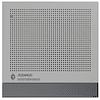
Acemagic has kept a lot of the Retro X5 charm with the X3, with its gray, squared-off shell, contrasting front trim, ventilation pattern across the top, and red power button. It's made from plastic, but the finish looks tidy and the compact 128.2 × 128.2 × 44 mm enclosure is easy to fit beside a monitor. I appreciate styling that is unique without adding lights or other LED decorations that would get distracting during regular work.
The front is where you'll find the red power button, two 10 Gbps USB-A ports, a 40 Gbps USB4 Type-C connector, and a 3.5 mm audio jack. Having USB4 on a system at this price is welcome, especially for a fast external SSD or a dock, while the two USB-A ports are useful for peripherals you connect and disconnect often. The power button is much larger than the usual tiny Mini-PC switch.

Around the back are four more USB-A ports, one HDMI output, one DisplayPort connection, 2.5 Gb Ethernet, and the DC power input. That's six USB-A connections altogether. The rear USB 3.2 Gen 1 ports run at 5 Gbps, while the front USB 3.2 Gen 2 Type-A connections support 10 Gbps, but that's fine for devices like keyboards, mice, and printers, and support for three displays broadens the X3's usefulness as an everyday PC.


The sides have long ventilation openings, with intake openings on the bottom and exhaust paths along the side and rear. There's also a small release slider on each side for the top cover, which turns out to be one of my favorite features of the case. Acemagic has avoided hiding the service screws under adhesive feet, making the first step of opening the PC simple, and the small rubber feet keep the enclosure slightly raised to give the intake some clearance.
This article is not public yet. Patreon Gold Supporters can read it early.
Nov 12th, 2026 07:03 PST
change timezone
New Forum Posts
- Unallocated space in ssd , is it normal? (15)
- Can you guess Which game it is? (316)
- Your PC ATM (36406)
- Youtube channel video downloader, not playlist. (0)
- budget home NAS – X79, X99 or another platform? (139)
- Hey all my intro & love for retro computers (102)
- TPU's Nostalgic Hardware Club (22147)
- What are you playing? (26207)
- So I fixed the r36s “k36” variant and clone with an Onn 128gb sd card and the Onn sd card reader and it BOOTED..so real neat! Take a look. (2)
- When you could finally run Crysis maxed out? (49)
Popular Reviews
- AMD Zen 6 Technical Deep Dive
- Upcoming Hardware Launches 2027 (Updated Nov 2026)
- NZXT C1200 Platinum Review
- XPG NIMBUS PLUS Review - Mid-range Chair With Strong Competitors
- NZXT H7 RGB+ Review
- Montech King 95 3D PRO Review
- NZXT H5 Review
- Phantom Blade Zero Performance Benchmark Review - 35 GPUs Tested
- Gigabyte Z890I Aorus Ultra Review
- INNOCN 45C1R Review - Two QHD Screens, Zero Bezels
TPU on YouTube
Controversial News Posts
- OpenAI CEO Argues Home PCs Waste the World's Limited DRAM Supply (152)
- NVIDIA Launches Investigation Into Jensen Huang's Relationship With Suspected Chinese Spy (136)
- Intel "Raptor Lake Next" 16-Core and 20-Core CPUs Surface (130)
- Legendary Game Studio BioWare Shuts Down Following EA Layoffs (104)
- Dell CEO Says the Memory Shortage Will Get Worse in 2027 (95)
- NVIDIA GeForce RTX 50-Series Scheduled for up to $500 Price Hike This Week (89)
- AMD Radeon Owners Can Now Run Nearly Every DLSS Feature Through Fan-Made Mod (80)
- Modder Fits RTX 5090 With Four 8-Pin Connectors, Halving Current per Wire (80)