 1
A-DATA Super Info SD Card 512MB Review
(1 Comment) »Introduction
ADATA is mostly known for its high end DDR memory aimed at the enthusiast market, which is a shame because they manufacture some other memory products that are really good and sell for a decent price. One of these not so known memory types that A-DATA produces is the Super Info SD Series cards. The special thing about these cards is that they have a small display on the back that can display some useful information.Today I will be taking a look at the A-DATA Super Info SD 512MB card.
Specifications from ADATA Technology:
- SD with EPD to show its availability capacity
- Bi-stable EPD without embedded battery
- Support the interface of the Secure Digital Card Standard
- Support Error Correcting Code (ECC) function to detect and correct errors
- Support In System Programming (ISP) function to load the firmware
- Support Wear Leverage function to maximize data endurance
The Package
ADATA ships its cards in a standard hard blister pack. The Super Info SD card isn't bundled with any accessories. The specifications list is on the front of the package and you can see what special features this card has and that it doesn't require a battery to power the embedded display.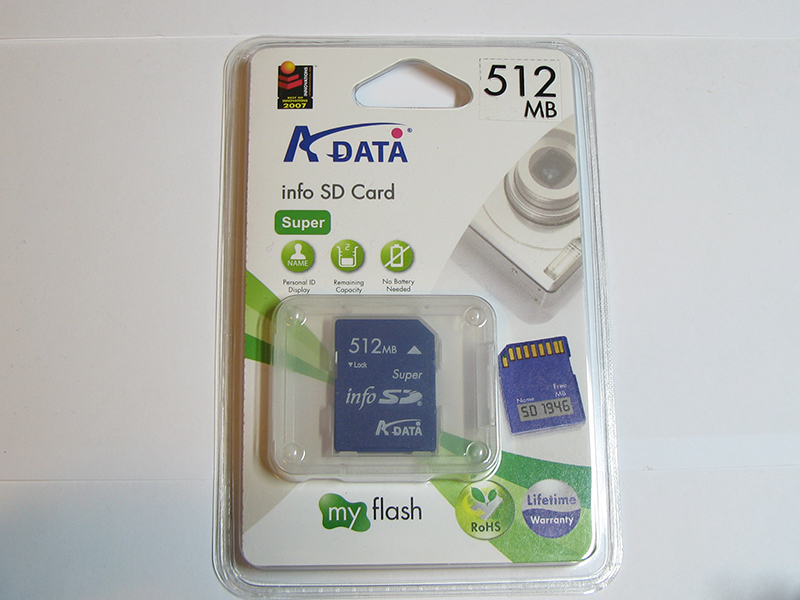

The card doesn't come with any accessories besides from a hard plastic carrying case.

Closer Examination
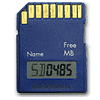
One of the special things about this particular SD card is the fact that it has a small display on the back. The display can show the name which you have assigned to it via windows explorer and the remaining capacity of the card.

The display shows 2 characters that you can assign to it, by default the card is named SD (Secure Digital). After the two characters there are 4 numbers which together show the remaining capacity in MB of the card.

Above you can see the display in action, I loaded a picture onto the card from my PC and set the name of the drive to FS which are my initials. The little display is quite clear and calculator style. It doesn't require any battery to work because it's a stable LCD display. I think that the little display is a nice idea which it makes it easy for you to label your SD cards, and get a quick overview of capacity without having to insert it into a PC or digital camera.
Our Patreon Silver Supporters can read articles in single-page format.
Nov 24th, 2026 08:50 CST
change timezone
Latest GPU Drivers
New Forum Posts
- HP ZBook 17 G3 i7 – black screen and fans running at max speed after switching SSD to GPT (1)
- Your PC ATM (36487)
- Increasing Power Limit? (30)
- GTA VI (33)
- I forced a 16 Year Old 64GB SSD to write 1 PETABYTE (And it didn't die) (194)
- Games at first startup always worse why? (0)
- Strange PC issues with Z690 setup (2)
- How to prevent OLED burn damage due to PC freezes or power outtages? (58)
- Which ryzen am5 cpu ? (201)
- AI generated images... (234)
Popular Reviews
- Microsoft Surface Laptop Ultra Review - The Next-gen Arm Laptop
- ASRock X870E Challenger Wi-Fi White Review
- Upcoming Hardware Launches 2027 (Updated Nov 2026)
- Corsair RM1200e (Second Generation) Review
- AMD Ryzen 7 9800X3D Review - The Best Gaming Processor
- AMD Zen 6 Technical Deep Dive
- AMD Ryzen 7 7700X3D Review
- Pulsar Office Tour & First Look at P1 Dual-Sensor Mouse
- Phantom Blade Zero Performance Benchmark Review - 35 GPUs Tested
- Ugreen NASync DXP4800 GT Review
TPU on YouTube
Controversial News Posts
- NVIDIA Co-Founder and CEO Jensen Huang Officially Resigns (492)
- Jensen Huang Reinstated as CEO of NVIDIA (448)
- Report: Jensen Huang Eyes NVIDIA Comeback (281)
- Open Letter Asking NVIDIA to Reinstate Jensen Huang Passes 115,000 Signatures (184)
- OpenAI CEO Argues Home PCs Waste the World's Limited DRAM Supply (152)
- NVIDIA Launches Investigation Into Jensen Huang's Relationship With Suspected Chinese Spy (136)
- Intel "Raptor Lake Next" 16-Core and 20-Core CPUs Surface (130)
- NVIDIA GeForce RTX 50-Series Scheduled for up to $500 Price Hike This Week (89)