 16
Aerocool Klaw Review
(16 Comments) »Value and Conclusion
- The Aerocool Klaw clocks in at around US$70.
- Cool, embedded lighting elements
- Three fans out of the box
- Really cool-looking, RGB-equipped front panel
- Fully featured RGB/fan-control unit
- Remote control to adjust it all
- Fans are very quiet on low setting
- Metal shroud to hide PSU and HDDs
- Ability to install up to six hard drives without any compromises
- Can hold liquid cooling in front and top
- Magnetic dust filter on top
- Plenty of room for large CPU coolers and long GPUs
- Glass side side panels
- Some parts, especially the rear, feel a bit thin and fragile
- Two USB 3.0 ports as opposed to the current configuration would have been nicer
- Tight motherboard fit
- 3.5" HDD cage doesn't hug drive properly
- Fans are pretty unique and proprietary, so you will loose out on the RGB elements if you replace these
- Breakout covers in the back of chassis
- Long PSUs won't fit
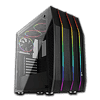
The Aerocool Klaw essentially uses the same chassis frame as the Tor, but goes a different route regarding looks and RGB implementation. While it also comes with three fans, all of them are equipped with addressable RGB. On top of that, the front also features three strips of addressable lighting.
In addition to this, you are able to install more fans or upgrade to liquid cooling easily because of the numerous vents inside the Klaw. Aerocool has also managed to include a magnetic dust filter on top and a metal shroud in the interior. Naturally, as this chassis is geared towards gamers, the Klaw can accept both large CPU coolers and long GPUs.
On the flip-side, Aerocool had to make a few compromises to be able to afford such a price tag by opting for a case frame that is trying to hide some entry-level elements underneath that cool mid-range feature set. The biggest issue for some may be the tight PSU bay as things were already iffy with the compact Antec unit—this is probably the biggest thing you want to watch out for. On top of that is the somewhat outdated I/O with two USB 2.0, but only a single USB 3.0 port. We can say that USB 3.0 has now established itself with even more affordable motherboards, and a case should reflect that change. Last but not least, the frame feels a bit simple and thin in places, which could be a source of disappointment for buyers.
However, circling back to its affordable price, these issues don't carry nearly as much weight as they would if the Klaw were priced $20–$30 higher. Keeping that in mind, the Aerocool Klaw is the perfect case for those wanting a really cool-looking chassis for their build with lots of lighting elements, especially for those on a tight budget. And let's be honest—in combination, looks and price are what primarily drive this market segment.


In addition to this, you are able to install more fans or upgrade to liquid cooling easily because of the numerous vents inside the Klaw. Aerocool has also managed to include a magnetic dust filter on top and a metal shroud in the interior. Naturally, as this chassis is geared towards gamers, the Klaw can accept both large CPU coolers and long GPUs.
On the flip-side, Aerocool had to make a few compromises to be able to afford such a price tag by opting for a case frame that is trying to hide some entry-level elements underneath that cool mid-range feature set. The biggest issue for some may be the tight PSU bay as things were already iffy with the compact Antec unit—this is probably the biggest thing you want to watch out for. On top of that is the somewhat outdated I/O with two USB 2.0, but only a single USB 3.0 port. We can say that USB 3.0 has now established itself with even more affordable motherboards, and a case should reflect that change. Last but not least, the frame feels a bit simple and thin in places, which could be a source of disappointment for buyers.
However, circling back to its affordable price, these issues don't carry nearly as much weight as they would if the Klaw were priced $20–$30 higher. Keeping that in mind, the Aerocool Klaw is the perfect case for those wanting a really cool-looking chassis for their build with lots of lighting elements, especially for those on a tight budget. And let's be honest—in combination, looks and price are what primarily drive this market segment.
Nov 21st, 2026 16:59 PST
change timezone
Latest GPU Drivers
New Forum Posts
- Ryzen or Intel system (7)
- TPU's Nostalgic Hardware Club (22183)
- Honestly, do you care about GTA VI? (227)
- repair an NVIDIA Quadro M4000 (0)
- 1 - 5 person file storage server equivalent accasible from anywhere + general VM server. (4)
- Windows 11 General Discussion (7748)
- RX 580 2048SP 8GB - SK Hynix - Ardiyes - BIOS Needed (2)
- UPS what one to get? (23)
- Local LLM General Discussion (694)
- Can you guess Which game it is? (345)
Popular Reviews
- Microsoft Surface Laptop Ultra Review - The Next-gen Arm Laptop
- Corsair RM1200e (Second Generation) Review
- Pulsar Office Tour & First Look at P1 Dual-Sensor Mouse
- Upcoming Hardware Launches 2027 (Updated Nov 2026)
- Ugreen NASync DXP4800 GT Review
- AMD Ryzen 7 9800X3D Review - The Best Gaming Processor
- Biwin Black Opal NV7400 2 TB Review
- AMD Zen 6 Technical Deep Dive
- Phantom Blade Zero Performance Benchmark Review - 35 GPUs Tested
- Acemagic Retro X3 Review
TPU on YouTube
Controversial News Posts
- NVIDIA Co-Founder and CEO Jensen Huang Officially Resigns (492)
- Report: Jensen Huang Eyes NVIDIA Comeback (261)
- Open Letter Asking NVIDIA to Reinstate Jensen Huang Passes 115,000 Signatures (184)
- OpenAI CEO Argues Home PCs Waste the World's Limited DRAM Supply (152)
- NVIDIA Launches Investigation Into Jensen Huang's Relationship With Suspected Chinese Spy (136)
- Intel "Raptor Lake Next" 16-Core and 20-Core CPUs Surface (130)
- NVIDIA GeForce RTX 50-Series Scheduled for up to $500 Price Hike This Week (89)
- Intel Razor Lake Gets a 12 P-Core bLLC Chip With No E-Cores, Per Leak (86)