 67
AMD Ryzen 7 9800X3D Memory Performance Scaling
(67 Comments) »Introduction

For most of the last 20 years, overclocking the graphics card has been the single best free performance boost for gamers. However, the additional performance gained over the years lost much of its impact when AMD and NVIDIA introduced power limits and encrypted the VBIOS to prevent easy modifications. Processor overclocking also offers some free performance gains, but it too has become more restricted in recent years. It started off promising with a single core and the highest possible frequency, but as core counts increased, so did power consumption and thermal output. With desktop CPUs now featuring up to 16 cores and the next generation expected to more than double that, performance per watt becomes an increasingly important factor in maintaining those high clock frequencies, but thermal constraints often keep the additional overclocking headroom from taking center stage.
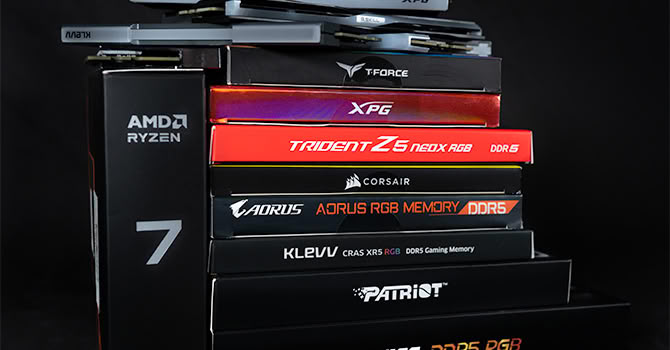
When PC enthusiasts have limited options available, every component is analyzed to squeeze out a few extra frames in games. Memory and its actual benefits are among the less understood components in a computer. While essential for a computer to function, questions often arise about how much is needed, how fast it should be, and what those strings of numbers attached to the speed really mean? The basics of memory are best left for another article, but it's important to note that ever since AMD separated the CPU cores and memory controller onto different dies connected by Infinity Fabric, DRAM latency has become a primary bottleneck for gaming performance. This shift has sparked renewed interest in memory overclocking as enthusiasts chase lower latency numbers.
AMD's 3D V-Cache technology has completely shifted the landscape for AMD latency chasers. With the Ryzen 7 9800X3D boasting a hefty 96 MB of L3 cache, the core question arises: if the processor rarely needs to urgently access system memory, does the type of RAM you choose still matter? To answer this, we assembled eight distinct memory configurations, covering the entire spectrum of options an AM5 buyer might realistically consider.
Test System
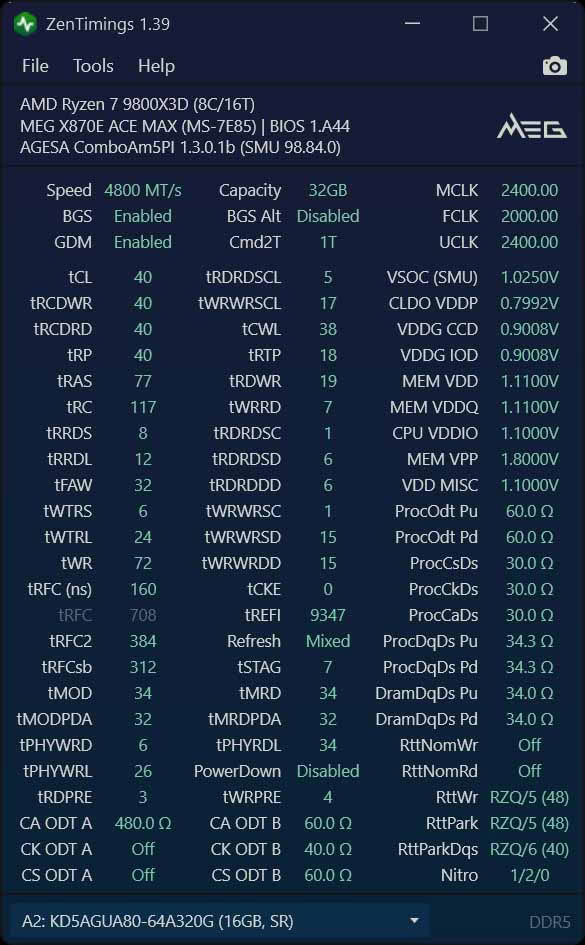
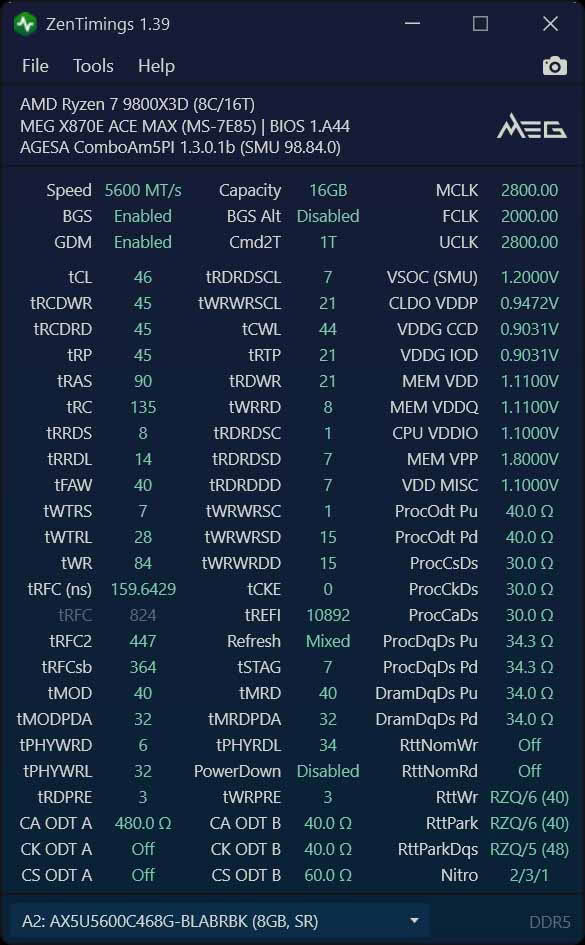
In typical TechPowerUp style, let's dive into the performance nuances of various DDR5 memory configurations. Starting with the JEDEC baselines, we have the DDR5-4800 CL40 in a 2x 16 GB single-rank setup at 1.10 V. This is your standard fare, often found in prebuilts or older systems. Alongside it, the JEDEC DDR5-5600 CL46 as 2x 8 GB offers a slight bump in frequency but has fewer memory chips as covered in our XPG Lancer Blade RGB DDR5-5600 16 GB CL46 Review. However, it still remains within the realm of typical lower-end consumer setups and prebuilts.The recent appearance of a single 16 GB stick of DDR5-6000 CL30 in combo bundles with motherboards and CPUs is particularly noteworthy in the context of the ongoing RAM pricing challenges, providing a potential cost-saving measure. By using only half the memory interface, or one channel, we can closely examine the performance implications. The results are quite telling, shedding light on how memory bandwidth and overall system responsiveness are affected when operating with a reduced channel configuration. It's an intriguing development that could influence purchasing decisions for those looking to balance performance and budget.
Stepping into the realm of better XMP/EXPO settings, we find the DDR5-6000 CL30 ULL operating at a reasonable 1.35 V. This configuration showcases the potential for tighter timings without significantly increasing voltage, offering a taste of what Ultra Low Latency memory can achieve. For more details, you can check out the G.SKILL Trident Z5 NeoX RGB 6000 CL30 32 GB Review. Moving on, we have the DDR5-6400 CL32 setups, available in both 2x 16 GB single-rank and 2x 32 GB dual-rank configurations. This comparison will allow us to explore the impact of rank versus frequency, providing valuable insights into how these elements affect overall system performance.
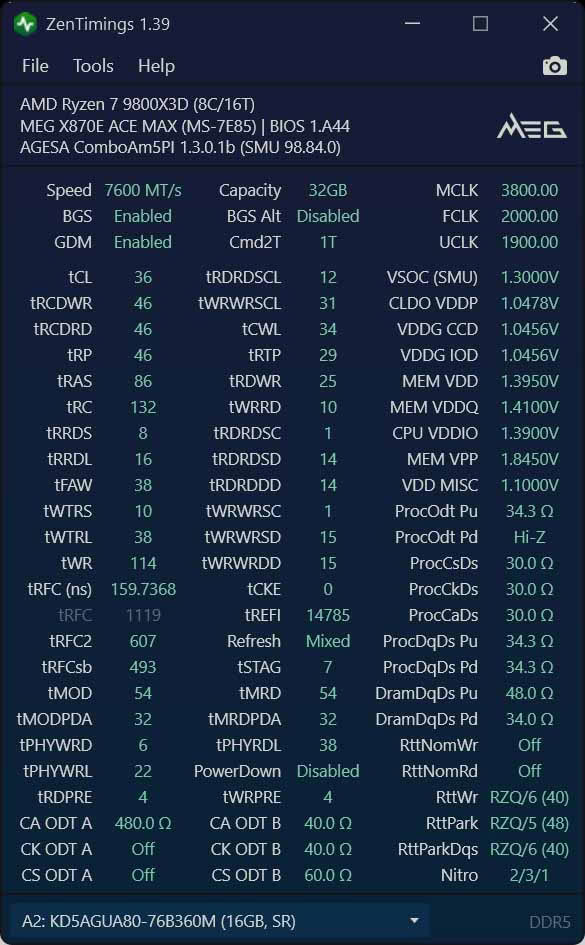
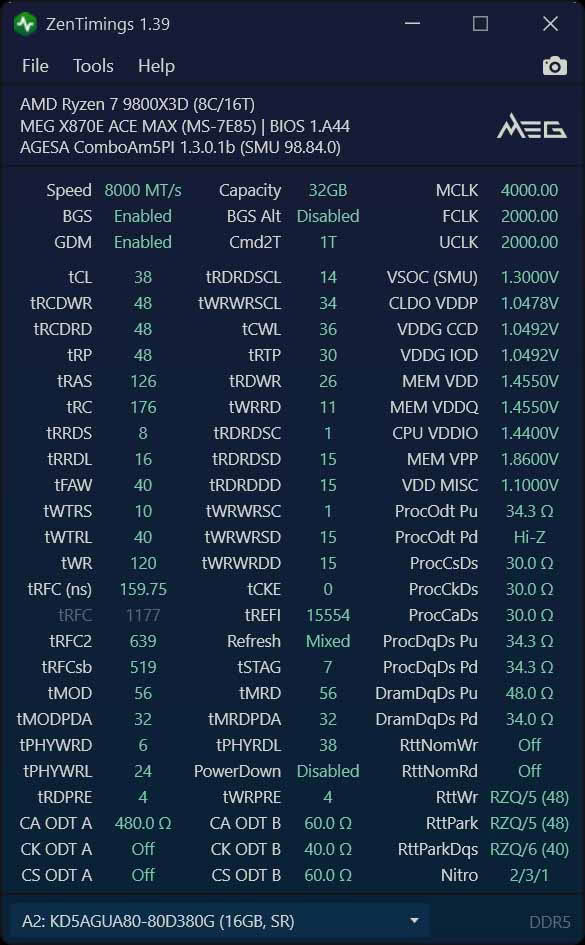
Pushing the boundaries further, the DDR5-7600 CL36 and DDR5-8000 CL38 at 1.45 V step into the enthusiast-performance arena. These configurations necessitate a 2:1 divider for the memory controller, showcasing what happens when you push the limits of current DDR5 technology. Across these configurations, we observe a 25% variance in measured latency from the most economical to the priciest setup. This range provides ample room for enthusiasts to fine-tune their systems, balancing cost against performance to suit their specific needs.
In this article, we do our best to maintain consistency by running every game through the same comprehensive suite on identical hardware. On the synthetic and productivity side, we used AIDA64's memory read, write, copy, and latency tests, along with Cinebench R23 and R24, and y-cruncher 2.5B. For graphics and CPU benchmarks, 3DMark Time Spy Extreme, Steel Nomad, and CPU Profile were included, as well as UL Procyon Photo and Video Editing benchmarks. Our gaming suite was extensive, covering eight popular titles: Palworld, Baldur's Gate 3, Elden Ring, Resident Evil 9, Spider-Man Remastered, Forza Horizon 6, Counter-Strike 2, and Cyberpunk 2077. Each game was benchmarked at resolutions of 1920x1080, 2560x1440, and 3840x2160, all on the High preset using an RTX 4090. We reported results as average frame rates along with 95th percentile, 5th percentile, 1% lows, and 0.1% lows.
The additional tests provide a more comprehensive view of the 9800X3D's performance capabilities. By re-running the full 1080p gaming suite with Precision Boost Overdrive enabled, we can observe how memory scaling measures up against another free performance enhancement available to 9800X3D users. A second test was conducted to minimize GPU influence. The graphics card was effectively removed from the equation. Counter-Strike 2 was tested at 1080p on Low settings, achieving frame rates well over 600 FPS. This allowed for a comparison between the slowest and fastest memory options, complete with full frame time analyses and FPS distribution histograms. This setup arguably presents the most unbiased scenario to evaluate the impact of fast memory. The results are detailed in the following sections.
| Test System Memory 2026 | |
|---|---|
| Processor: (AMD) | AMD Ryzen 7 9800X3D Zen 5, 8 cores/16 threads |
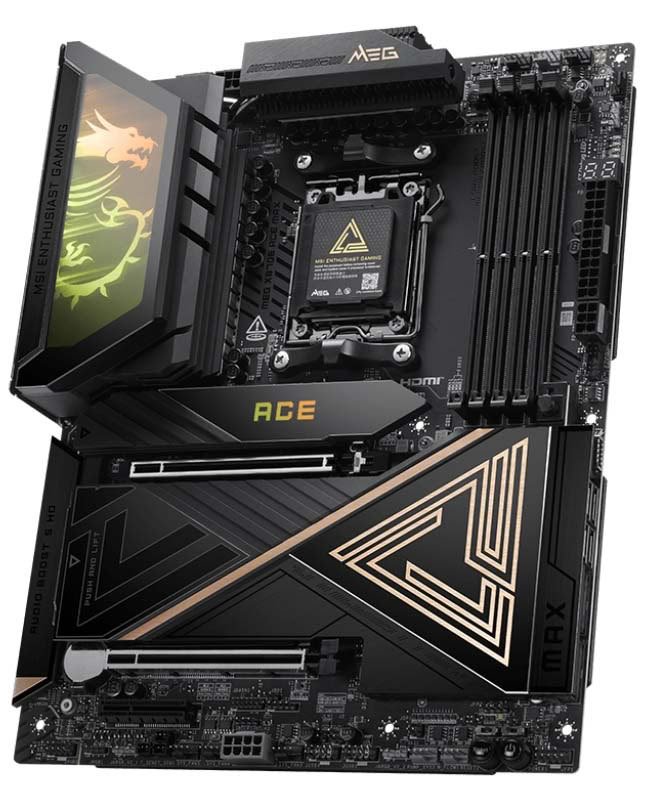
| Motherboard: | MEG X870E ACE MAX |
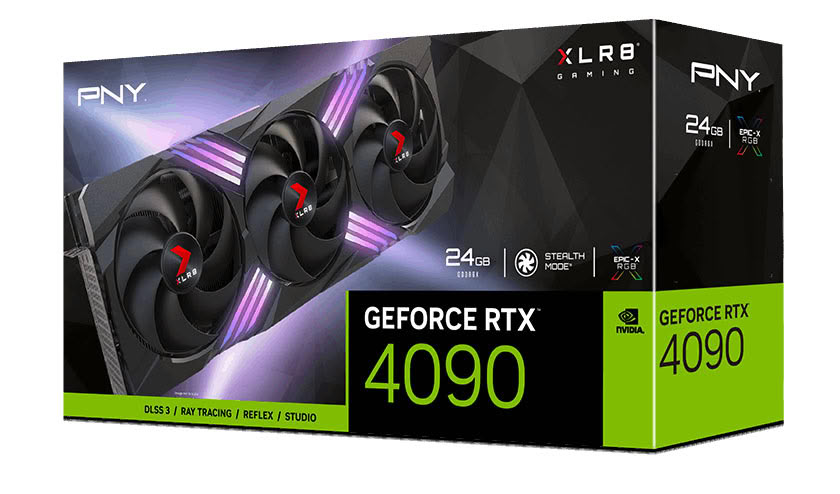
| Graphics Card: | GeForce RTX 4090 |
| Cooling: | Custom Watercooling Loop |
| Harddisk: | 1 TB M.2 NVMe Gen 3 (OS) 1 TB M.2 NVMe Gen 4 (Data) |
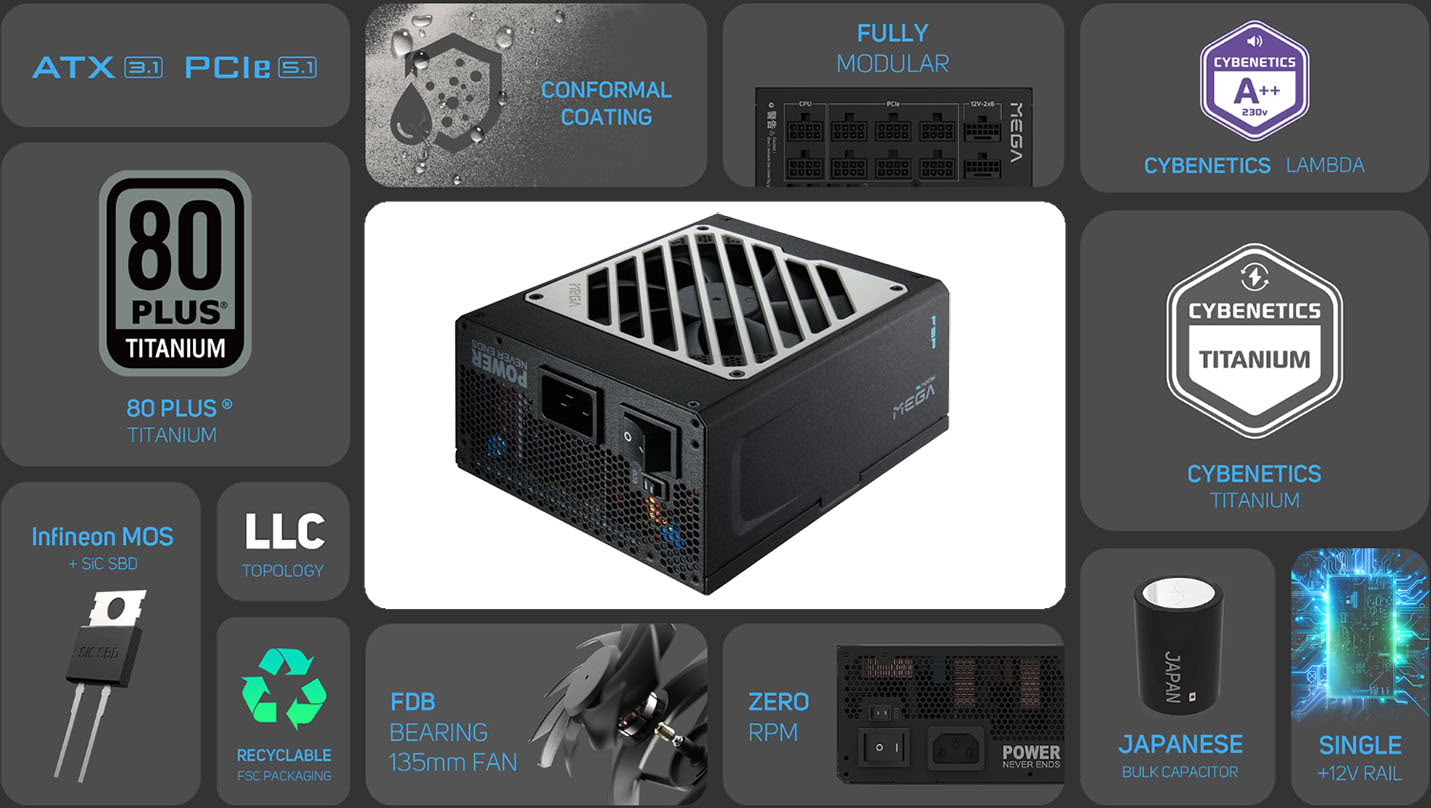
| Power Supply: | FSP MEGA TI Titanium 1650 W |
| Case: | Primochill Praxis Wetbench |
| Software: | Windows 11 Professional 64-bit |
| Drivers: | (RTX 4090) NVIDIA GeForce 610.88 WHQL |
Memory Kit Specifications / Comparison
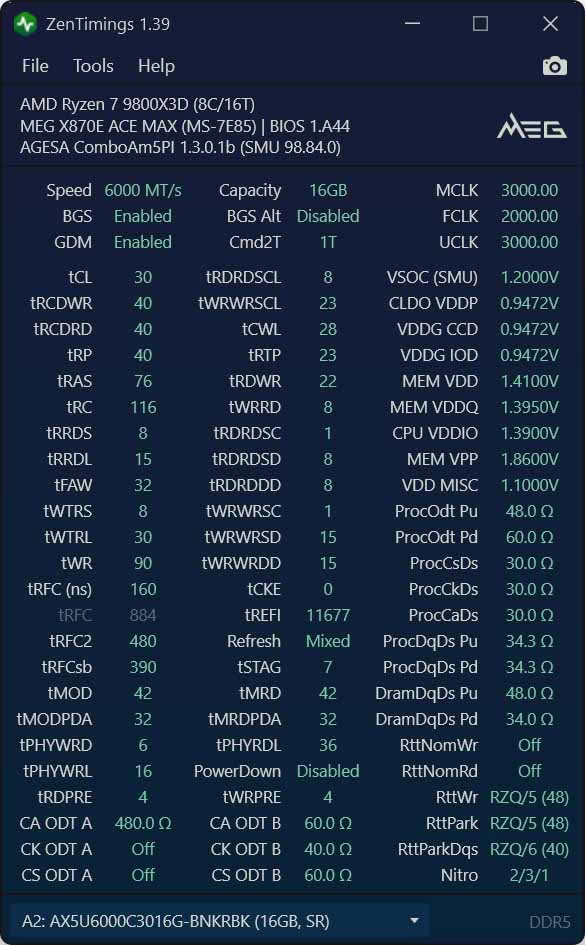
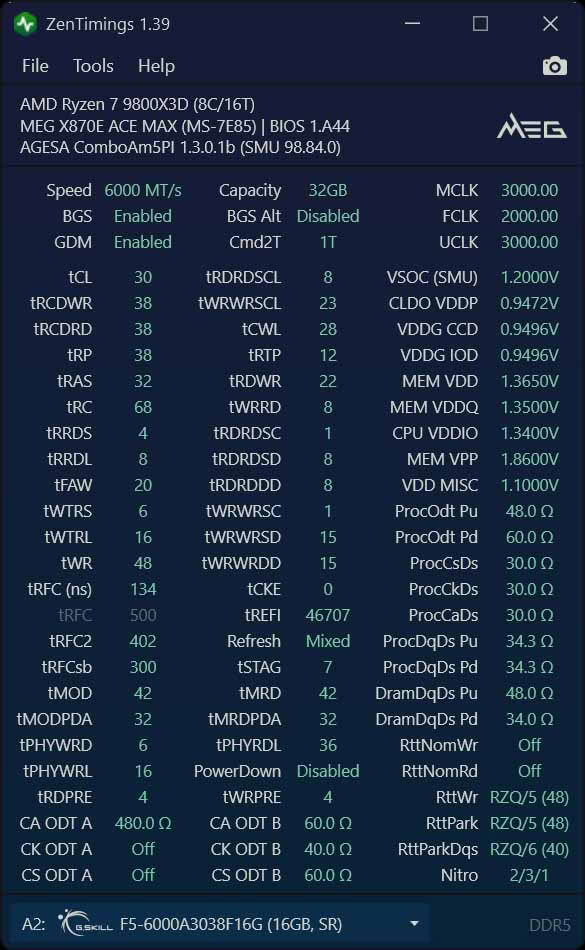
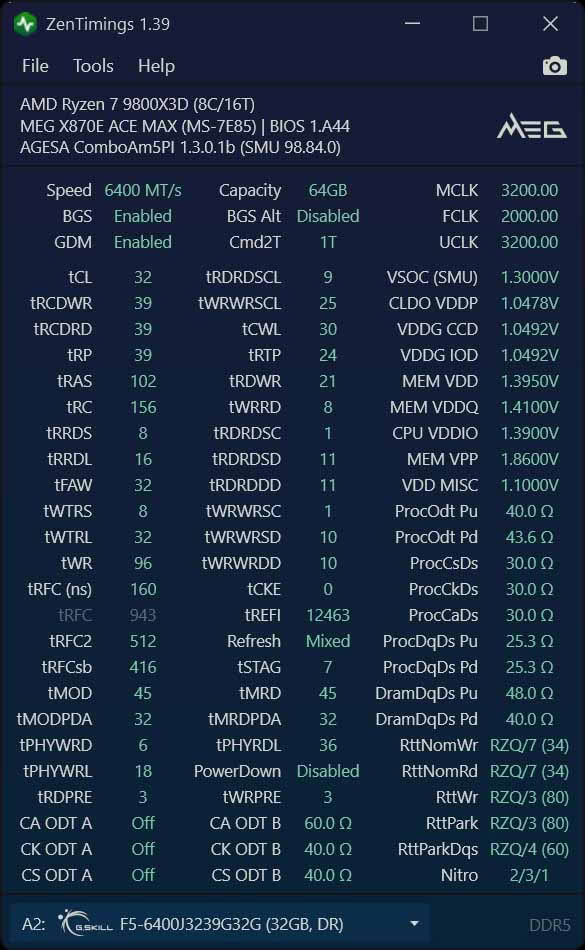
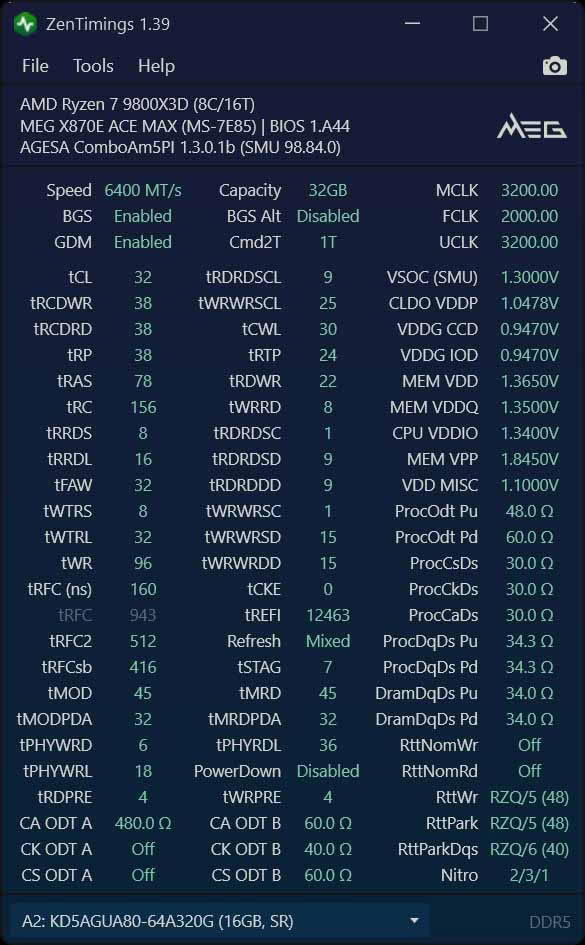
Supporting Hardware
Our Patreon Silver Supporters can read articles in single-page format.
Nov 18th, 2026 13:38 PST
change timezone
Latest GPU Drivers
New Forum Posts
- Can i play GTA 6 now? (Joke) (6)
- Very unusual two gaming-pc scenarios. (12)
- Dell Workstation Owners Club (3513)
- Any other old-timers here planning to play WoW Forever? (151)
- Time to upgrade CPU and MOBO (33)
- The Filthy, Rotten, Nasty, Helpdesk-Nightmare picture clubhouse (2876)
- WarpCoreBench scores! (67)
- Honestly, do you care about GTA VI? (144)
- Acer Predator BiFrost Radeon RX 9070 OC (9)
- DTS DCH Driver for Realtek HDA [DTS:X APO4 + DTS Interactive] (2814)
Popular Reviews
- Acemagic Retro X3 Review
- Upcoming Hardware Launches 2027 (Updated Nov 2026)
- AMD Zen 6 Technical Deep Dive
- ASUS ROG Strix B850-I Gaming Wi-Fi7 W Review
- Corsair HX1000i Shift Crystal Review
- Biwin Black Opal NV7400 2 TB Review
- Chieftec Iceberg PRO 360 DARK Review
- AMD Ryzen 7 9800X3D Review - The Best Gaming Processor
- Pulsar Office Tour & First Look at P1 Dual-Sensor Mouse
- Phantom Blade Zero Performance Benchmark Review - 35 GPUs Tested
TPU on YouTube
Controversial News Posts
- NVIDIA Co-Founder and CEO Jensen Huang Officially Resigns (478)
- Report: Jensen Huang Eyes NVIDIA Comeback (187)
- Open Letter Asking NVIDIA to Reinstate Jensen Huang Passes 115,000 Signatures (184)
- OpenAI CEO Argues Home PCs Waste the World's Limited DRAM Supply (152)
- NVIDIA Launches Investigation Into Jensen Huang's Relationship With Suspected Chinese Spy (136)
- Intel "Raptor Lake Next" 16-Core and 20-Core CPUs Surface (130)
- Legendary Game Studio BioWare Shuts Down Following EA Layoffs (104)
- Dell CEO Says the Memory Shortage Will Get Worse in 2027 (95)