 9
APNX V1-W Review
Review System Setup »A Closer Look - Inside
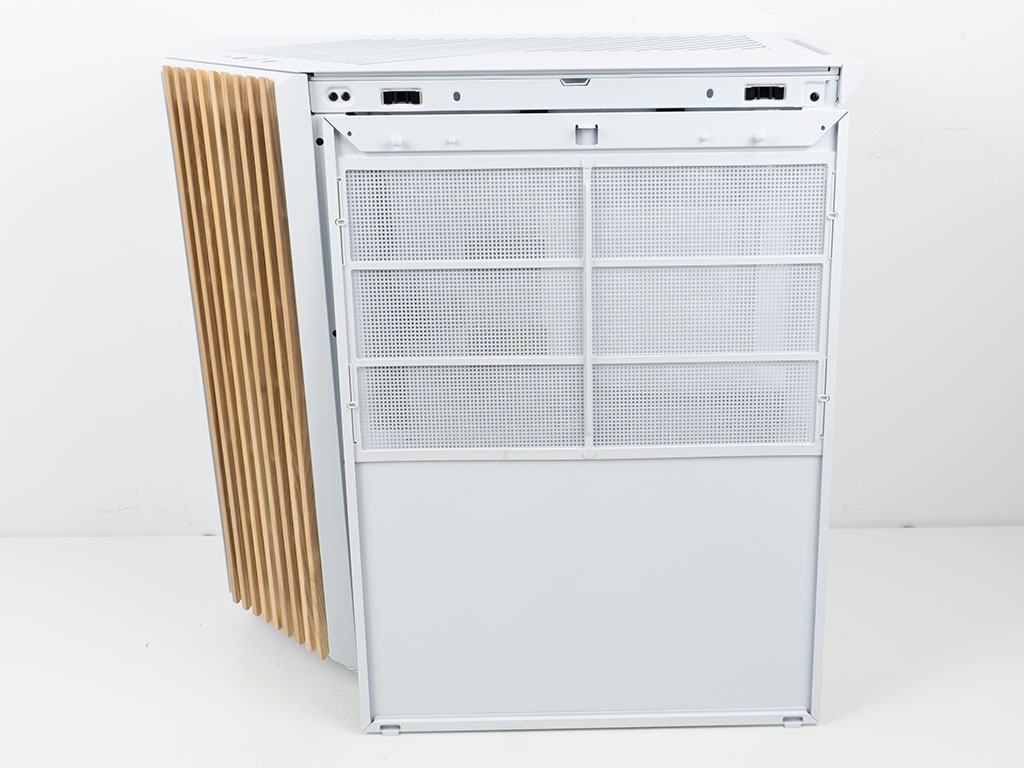
To gain access to the interior, you have to pull off the top panel first and then remove a single screw holding each of the individual panels in place. The steel one also comes with a removable, all white dust filter which is a very nice detail.
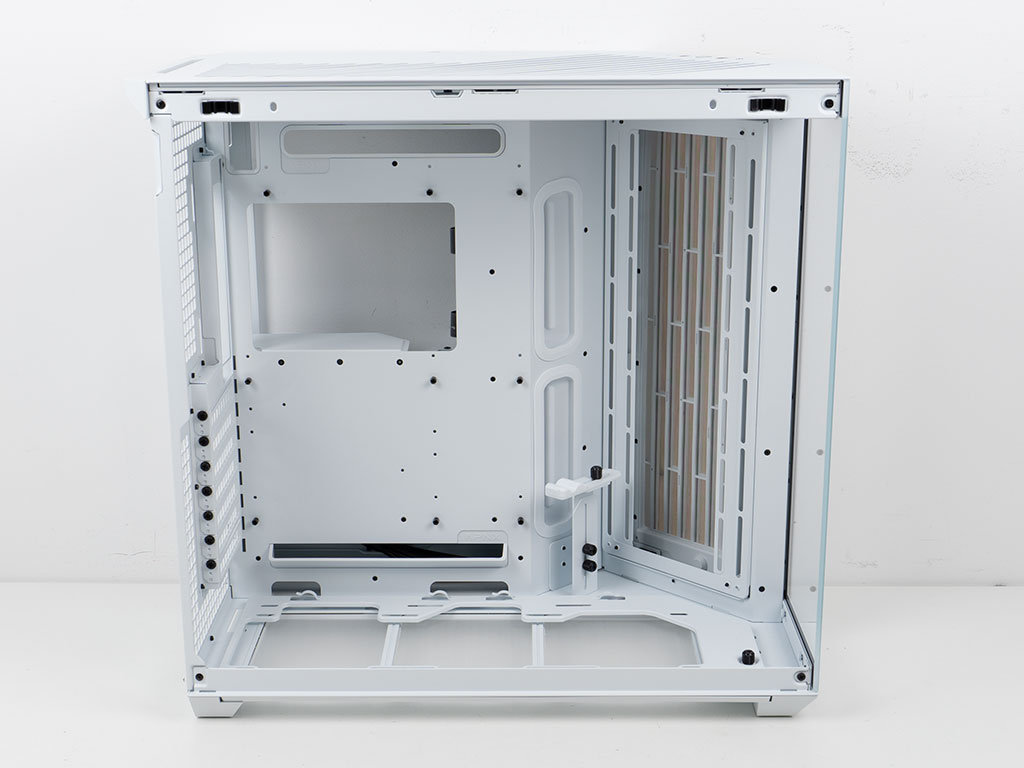
The interior of the APNX V1-W is pretty traditionally laid out for what is essentially a dual-chamber chassis. Naturally the 45° element adds a bit of uniqueness to the looks, but you still get to work with an upright motherboard, horizontal GPU and cooling in the top and bottom. The chassis employs some interesting looking openings for cable management in matching color to the rest of the chassis.
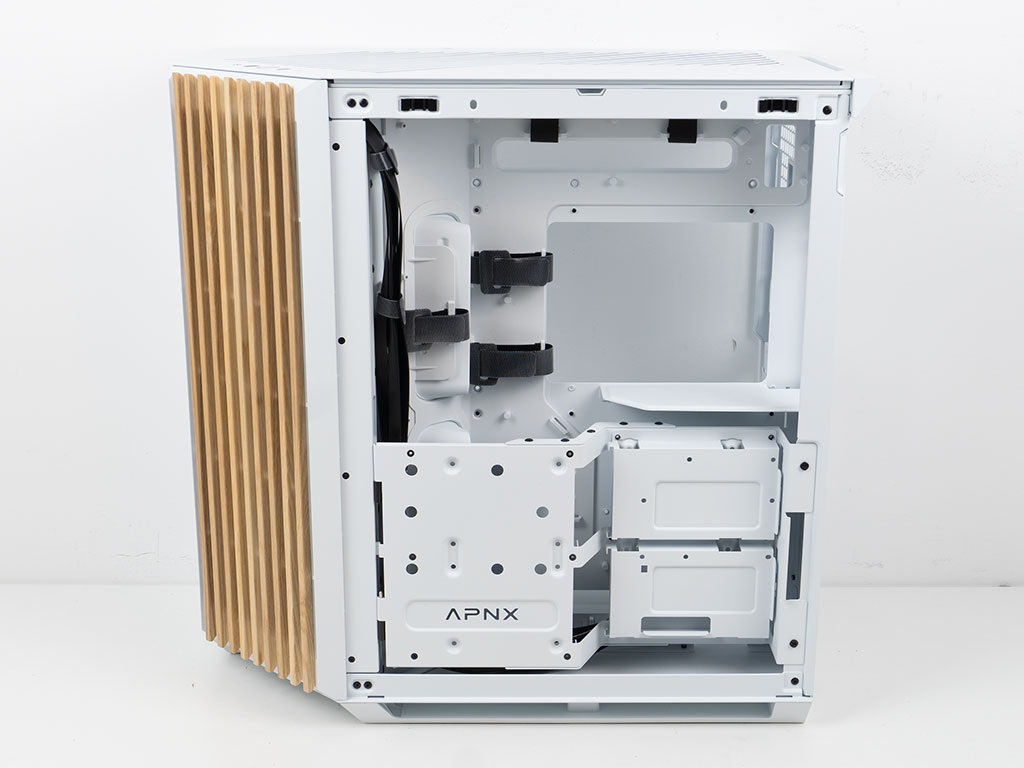
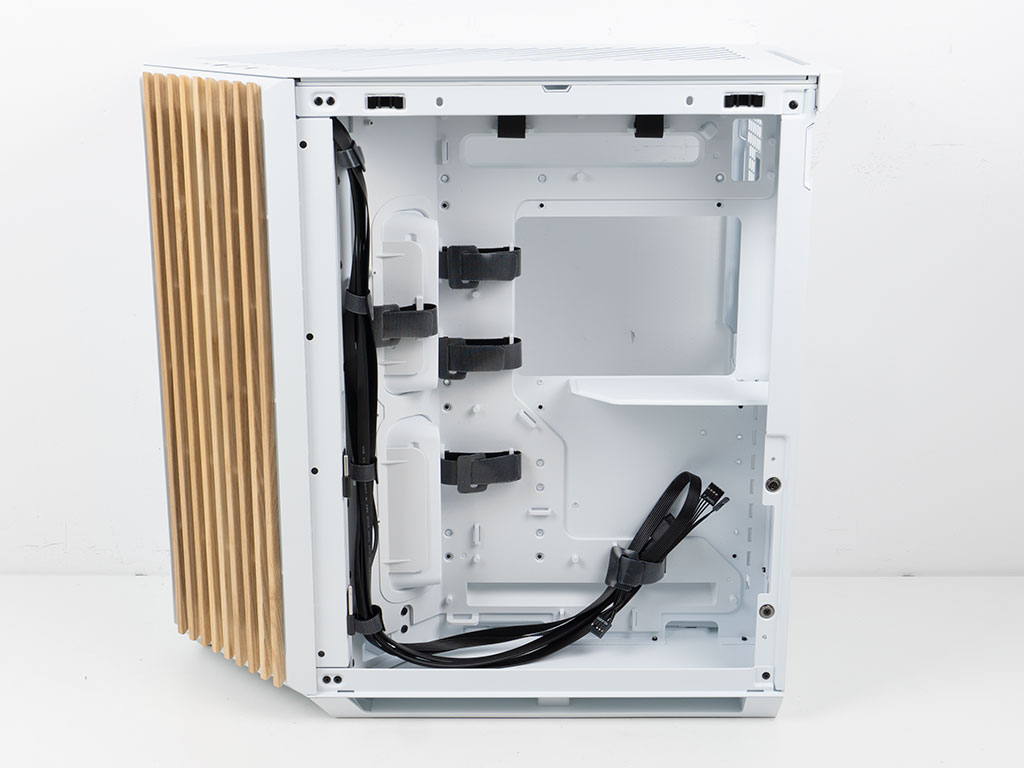
That said, turning it around, it quickly becomes pretty apparent that APNX has spent a lot of time when designing and tooling the case. The HDD cage is hinged and held in place by two screws as well as a pair of magnets. Removing it, you can feast your eyes on a simple but very functional backside. The V1-W is not BTF capable, but there is no immediately apparent reason why not. Odds are the design and tooling of this chassis were too far along before BTF really hit the mainstream in recent times.
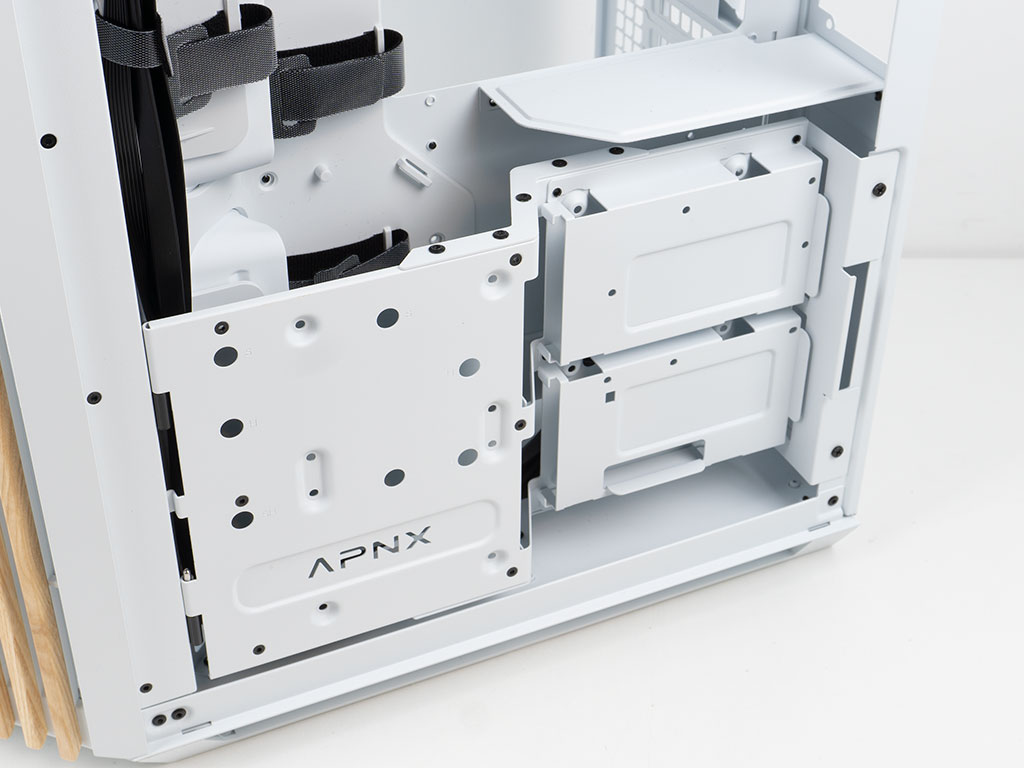
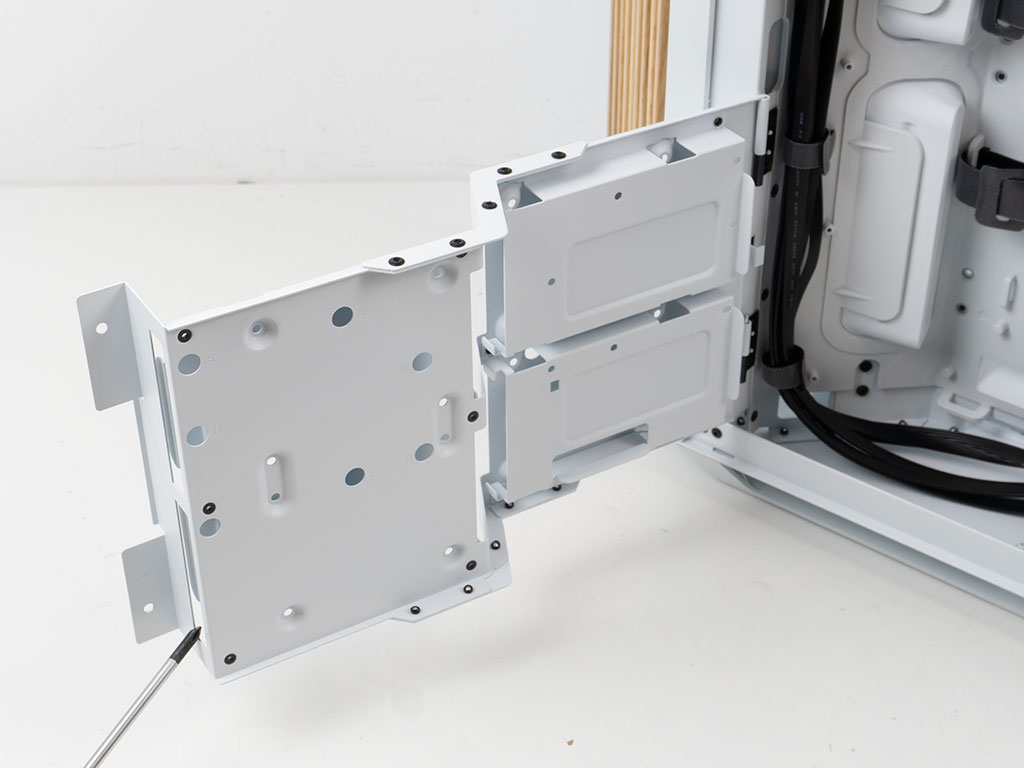
Between the two images of the backside, there is the removal of the HDD cage. The one employed in the V1-W is engineered extremely well to provide you with good-sized storage bays. Each "wing" of the cage can hold a pair of 2.5" drives in addition to another 2.5" or 3.5" unit for a total of six drives.

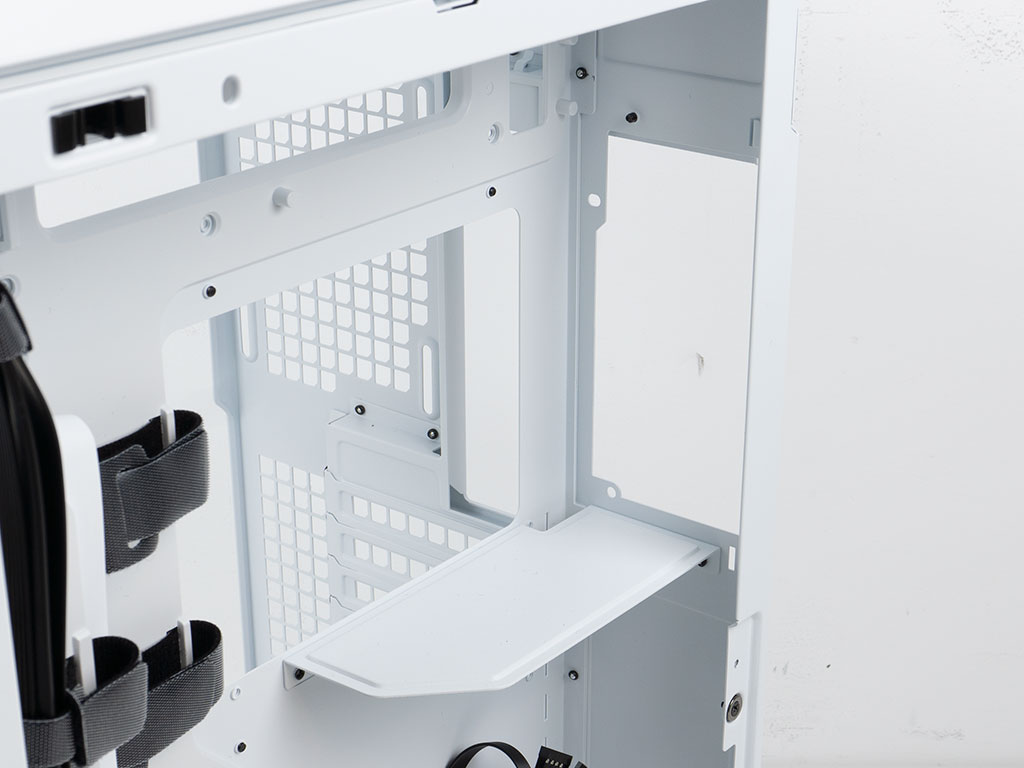
On the back, there are a total of eleven, differently dimensioned Velcro strips with the IO wiring already pre-routed nicely. On top of that, there are a few plastic hooks for zip ties and additional cable management. This will work just fine, but there is plenty of space to have included even more. The PSU bay is simple, but also perfectly functional. The cable management at the top does not use the same shape cover as the bottom, as it would interfere with 280 mm radiator setups otherwise. That said, it would have been nice have some sort of covering design here regardless.
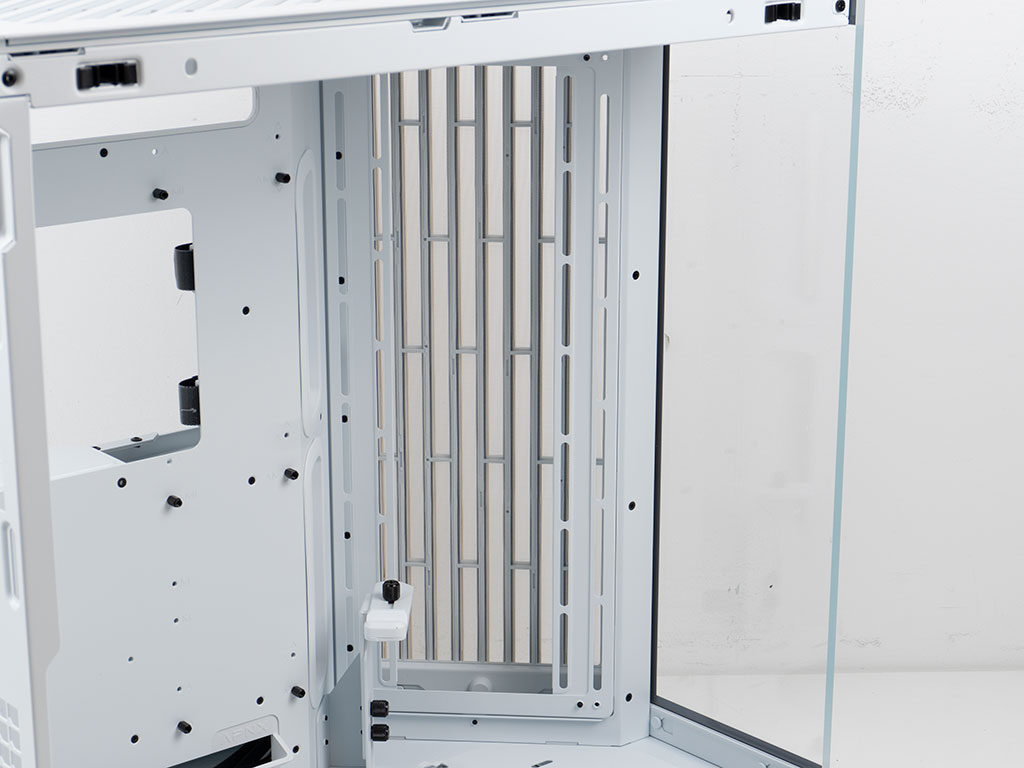
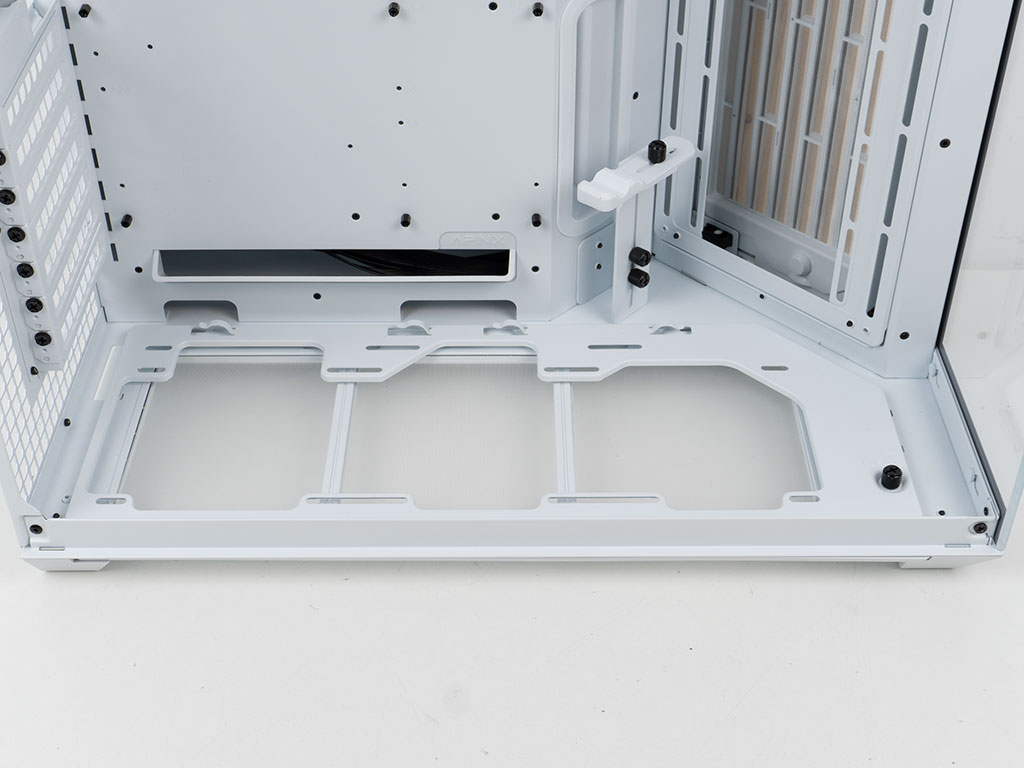
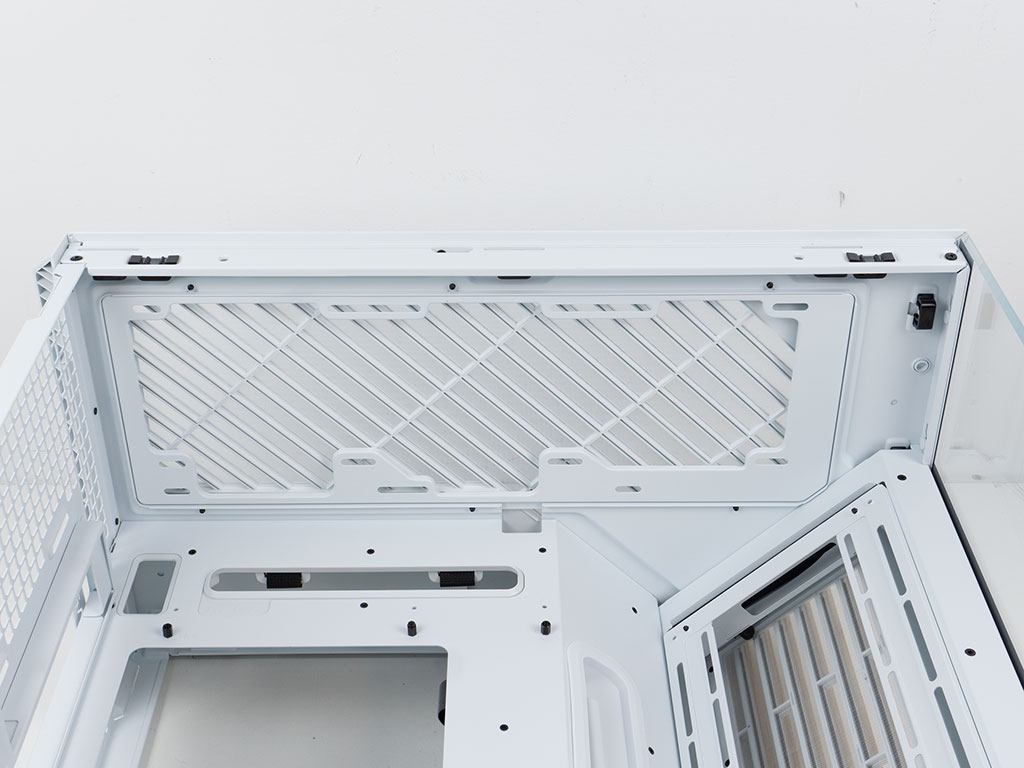
Due to the angled shape of the V1-W, you still get most of the benefit of active cooling pulling air into the case, but it also means that you have to make do with a slightly shorter GPU clearance than most cases of this size. That said, at 395 mm, it should easily fit all but the biggest pixel pushers on the market. Both the top and bottom offer the same cooling potential. APNX even included a few metal clips and dedicated routing holes to allow for cable management of any floor mounted fans.
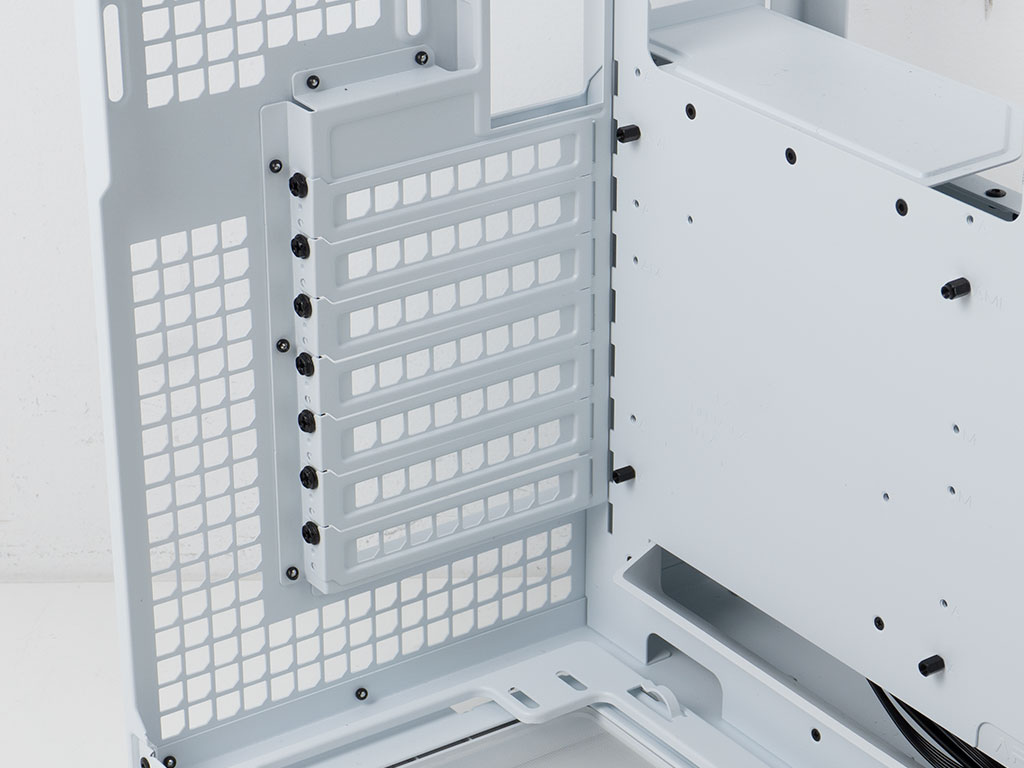
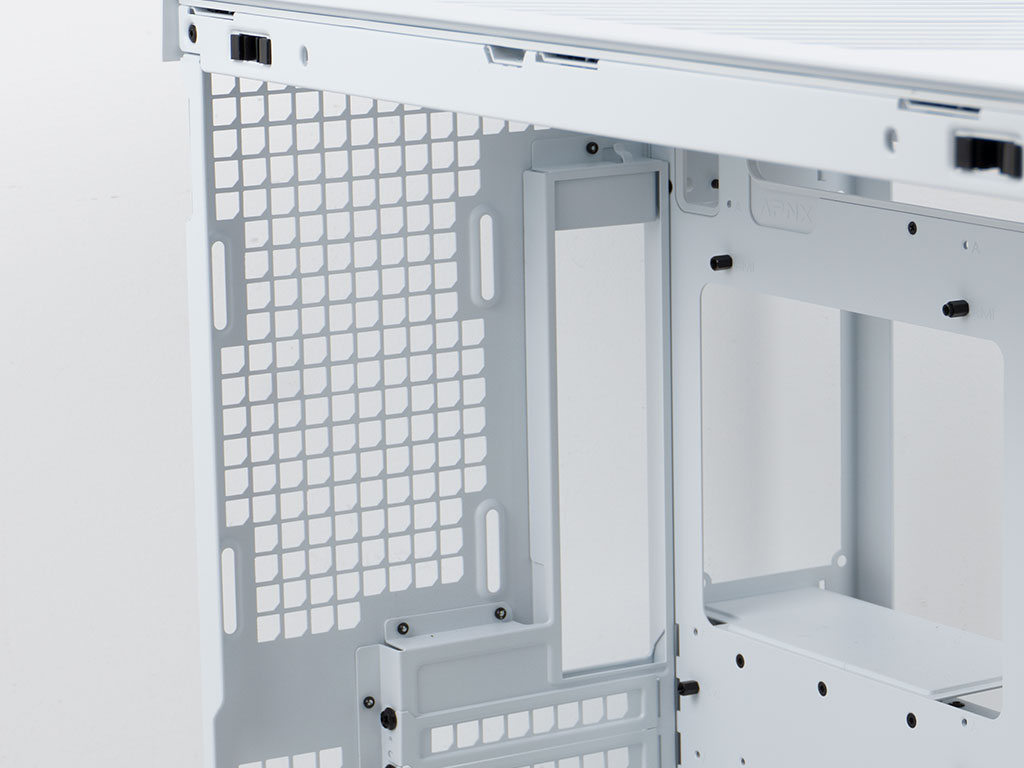
In the rear, the seven expansion slots are already high enough off the floor of the chassis so that you can easily accommodate both ATX boards and potent cooling without issue. The rear fan mount is also flexible enough that you could opt for a compact 120 mm AIO or radiator setup here. From this angle you can also see the small covered portion of the motherboard tray at the top, as the case ships with the motherboard stand-offs at the lower location.
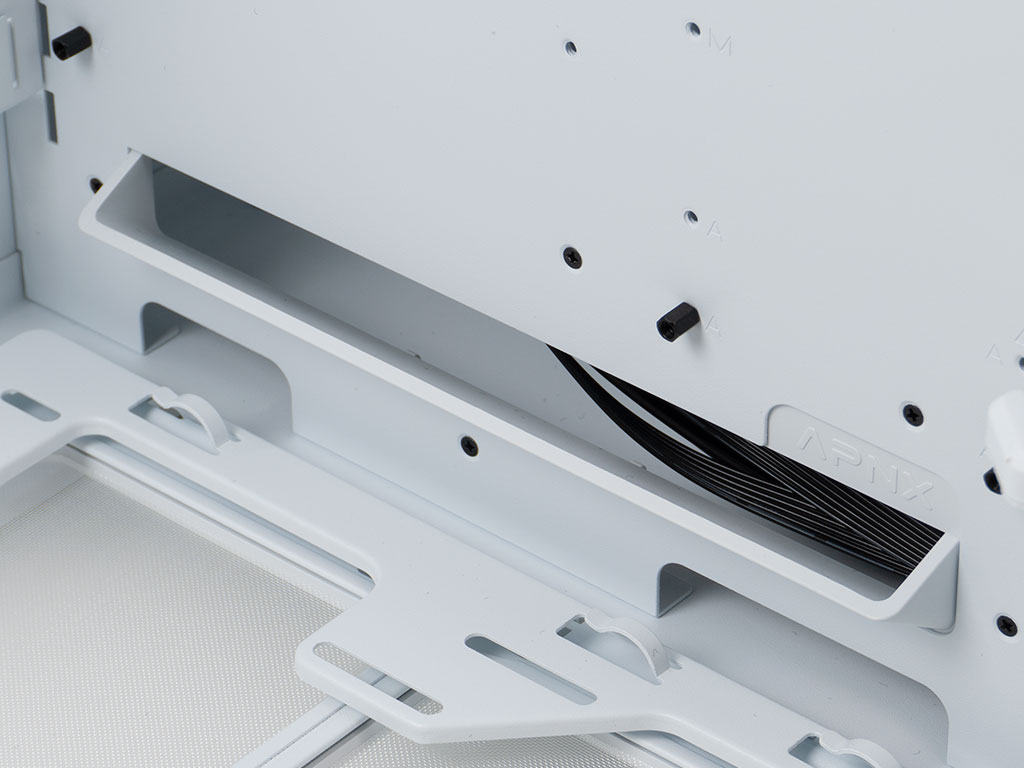
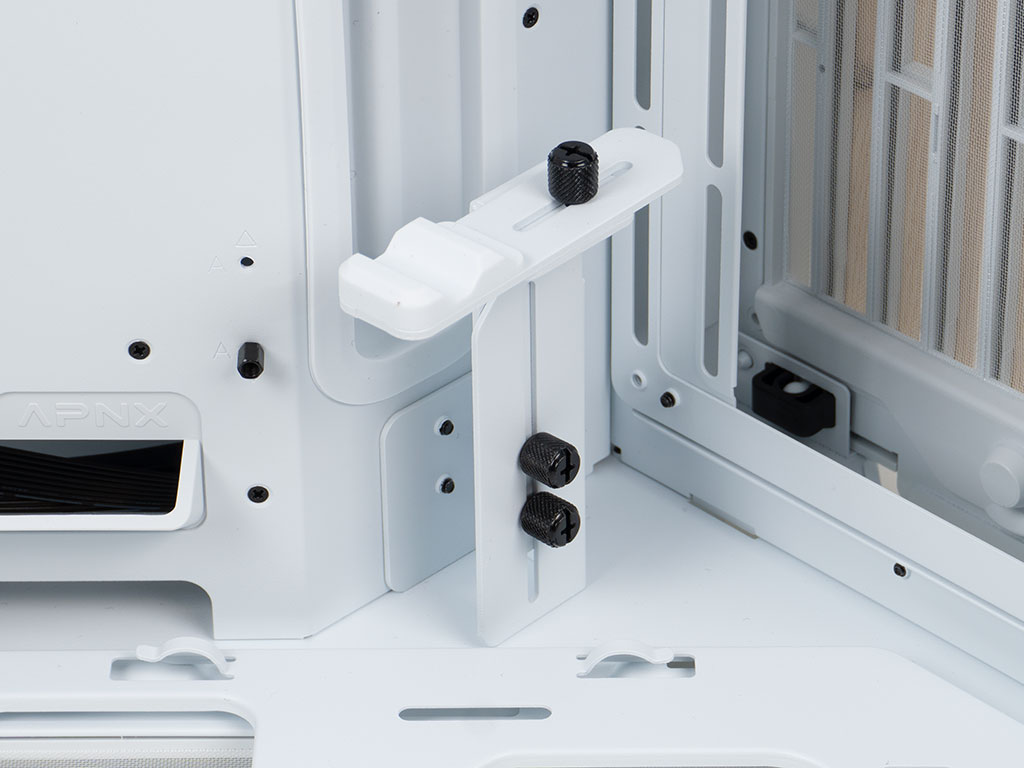
Unlike the opening for cable management at the top edge of the motherboard, the bottom one has a bit of a guide to route cables upward and keep things as tidy as possible. The APNX V1-W also includes a well-designed metal GPU support that sports a rubber tip. You can adjust not only its height but also rotate the top to avoid any fans from your graphics card easily.

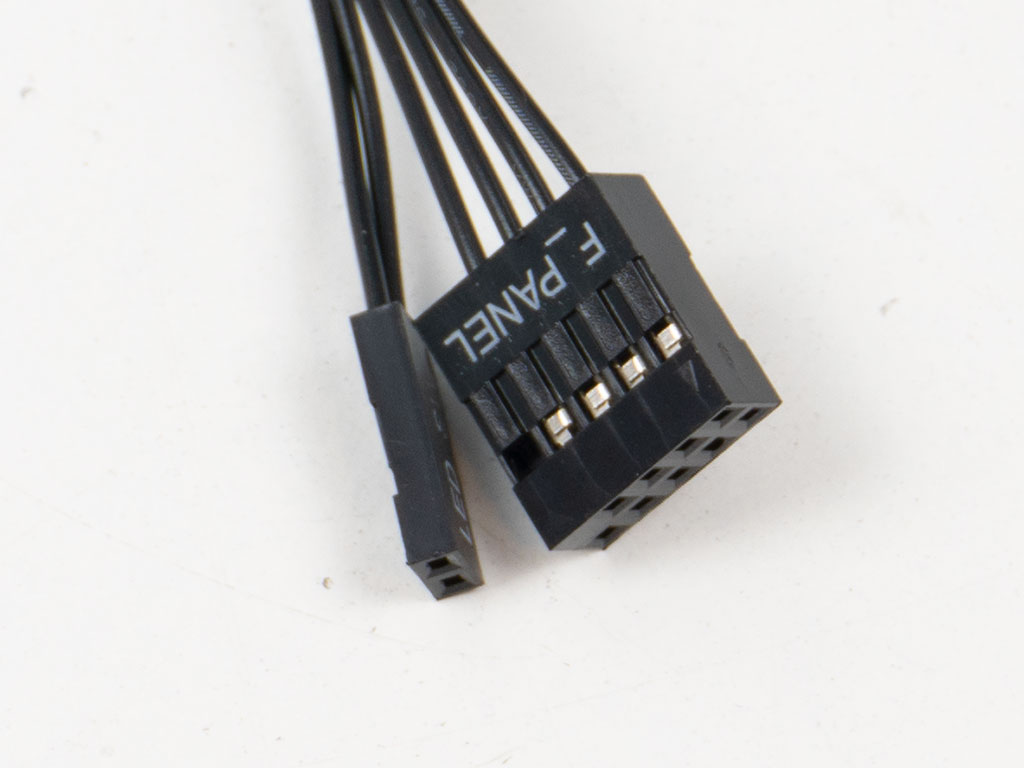
The black accents within the white V1-W continue with the all-black sleeving on the cables within the chassis. Both USB cables are using flat-band variants which will make cable management a bit nicer. While the use of a unified front panel connector is welcome, it also means that you will not be able to use the unlabeled secondary button for reset. That wire is exclusively intended for LED control. If APNX had used a single row 5-pin plug and left the first pin empty much like some USB 2.0 devices that only require one USB 2.0 port, then this would have allowed for the flexibility to wire up that button to reset as an alternative.
Nov 23rd, 2026 07:10 CST
change timezone
Latest GPU Drivers
New Forum Posts
- RAM overclock cause worse feeling than JEDEC (4)
- UPS what one to get? (50)
- What are you playing? (26242)
- Increasing Power Limit? (11)
- Battlefield 6 (964)
- Your PC ATM (36461)
- repair an NVIDIA Quadro M4000 (3)
- GTA VI (23)
- Honestly, do you care about GTA VI? (272)
- Youtube channel video downloader, not playlist. (2)
Popular Reviews
- Microsoft Surface Laptop Ultra Review - The Next-gen Arm Laptop
- Corsair RM1200e (Second Generation) Review
- Upcoming Hardware Launches 2027 (Updated Nov 2026)
- Pulsar Office Tour & First Look at P1 Dual-Sensor Mouse
- Ugreen NASync DXP4800 GT Review
- AMD Ryzen 7 9800X3D Review - The Best Gaming Processor
- AMD Zen 6 Technical Deep Dive
- Phantom Blade Zero Performance Benchmark Review - 35 GPUs Tested
- AMD Ryzen 7 5800X3D 10th Anniversary Review
- Biwin Black Opal NV7400 2 TB Review
TPU on YouTube
Controversial News Posts
- NVIDIA Co-Founder and CEO Jensen Huang Officially Resigns (492)
- Report: Jensen Huang Eyes NVIDIA Comeback (269)
- Open Letter Asking NVIDIA to Reinstate Jensen Huang Passes 115,000 Signatures (184)
- OpenAI CEO Argues Home PCs Waste the World's Limited DRAM Supply (152)
- NVIDIA Launches Investigation Into Jensen Huang's Relationship With Suspected Chinese Spy (136)
- Intel "Raptor Lake Next" 16-Core and 20-Core CPUs Surface (130)
- NVIDIA GeForce RTX 50-Series Scheduled for up to $500 Price Hike This Week (89)
- Intel Razor Lake Gets a 12 P-Core bLLC Chip With No E-Cores, Per Leak (86)