 6
Arctic Xtender VG Review
Review System Setup »A Closer Look - Inside
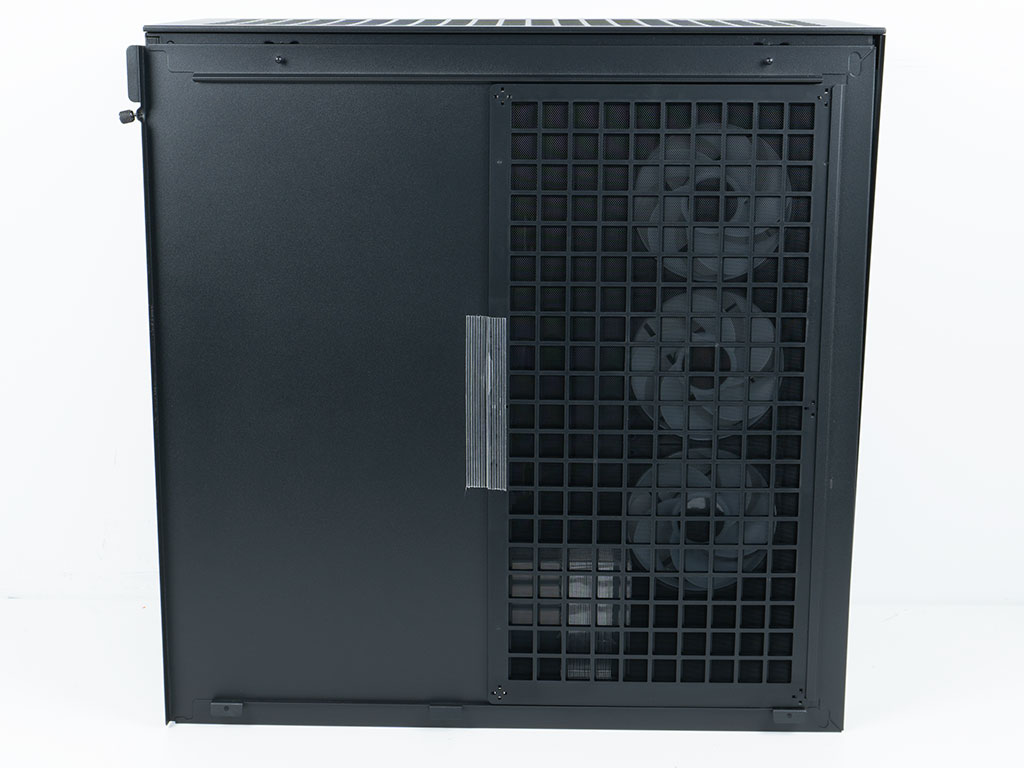
Before diving into the interior of the Arctic Xtender VG, it is worth showing the fine mesh dust filter behind the metal side panel. A similar one can also be found embedded underneath the top cover.
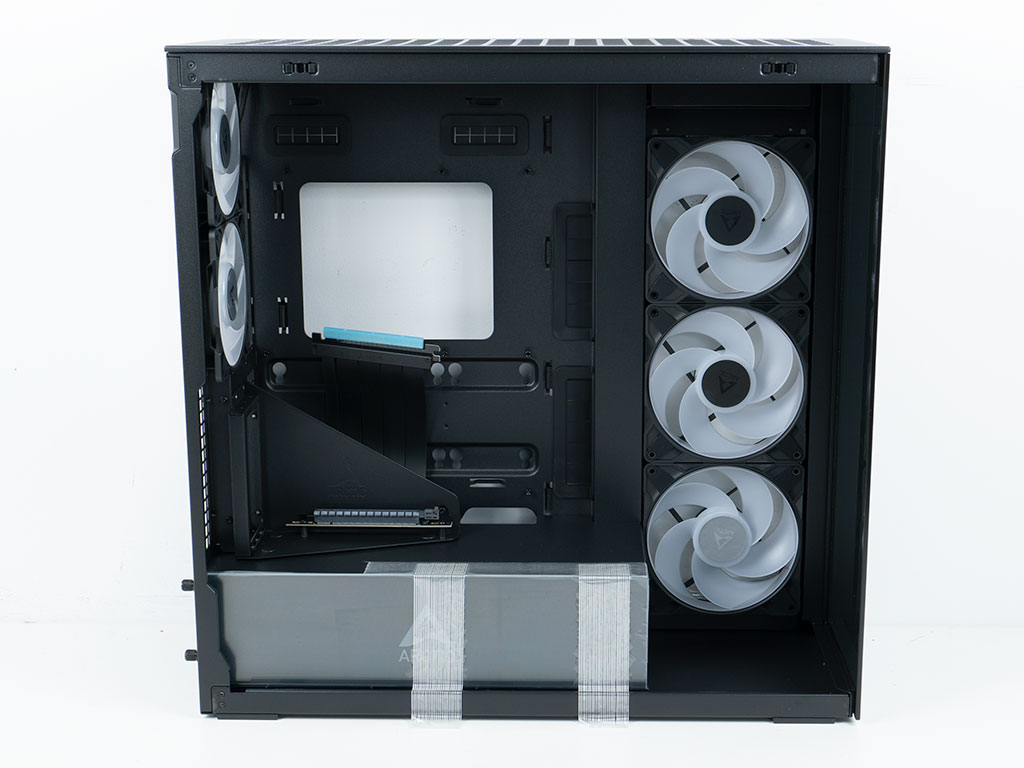
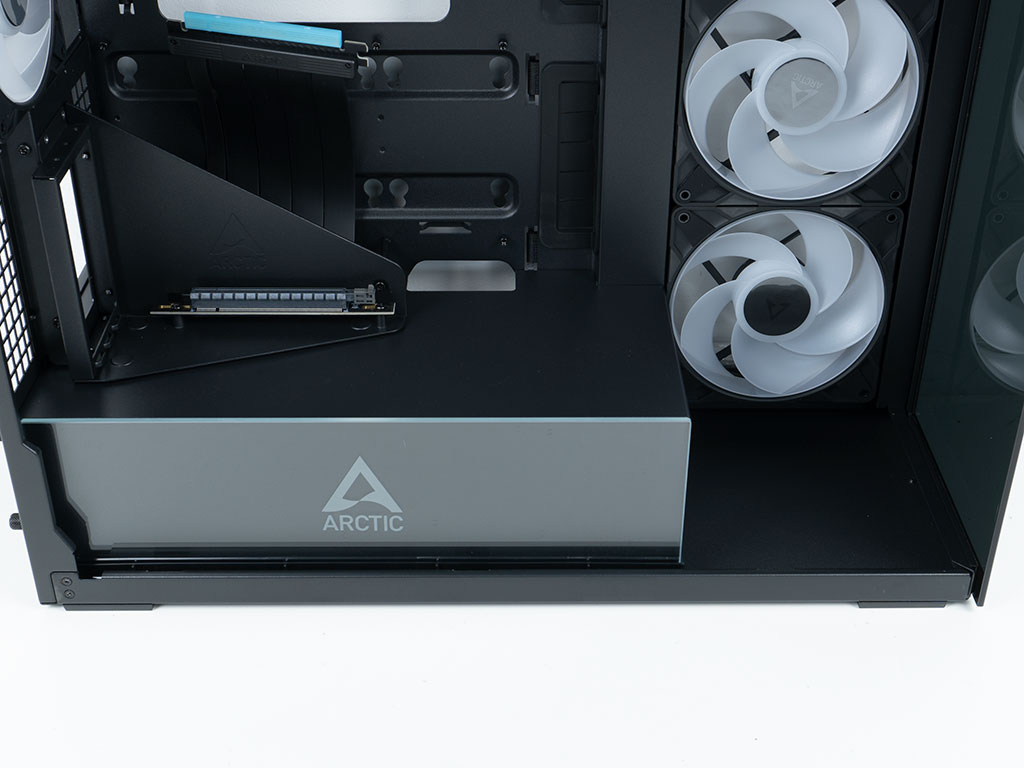
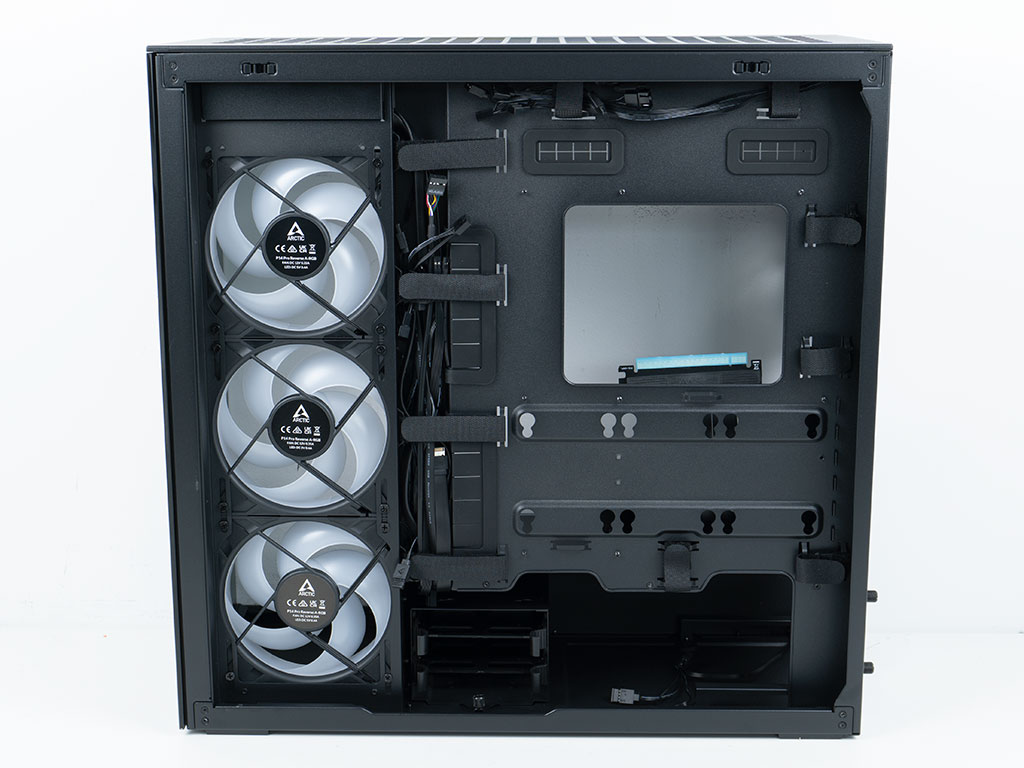
Opened up, the interior of the chassis utilizes the same modern layout most towers opt for these days. The glass panel on the shroud is secured by tape and protected by a thin plastic film, just like the exterior glass elements. This is where you will see the prominent branding of the case. The glass layer incorporates an A-RGB element consisting of 12 LEDs, which interfaces using the generic 3-pin A-RGB connector. The shroud is cut short to allow for the three side intake fans or any AIO of up to 420 mm in size to fit. On the backside everything looks functional and clean thanks to the grommets on the sides and along the top of the motherboard tray. The Arctic Xtender VG lacks the cutouts for BTF motherboards, so you will have to utilize a classic forward facing connector equipped motherboard. The chassis can fit every format up to E-ATX, with a maximum width of 285 mm.
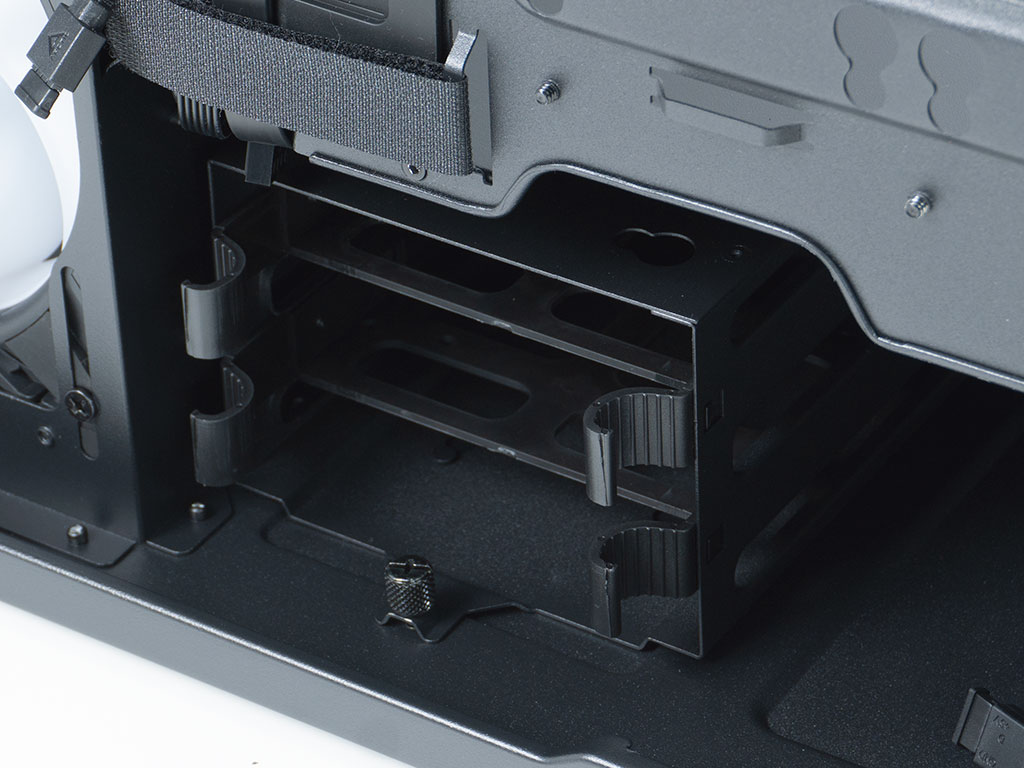
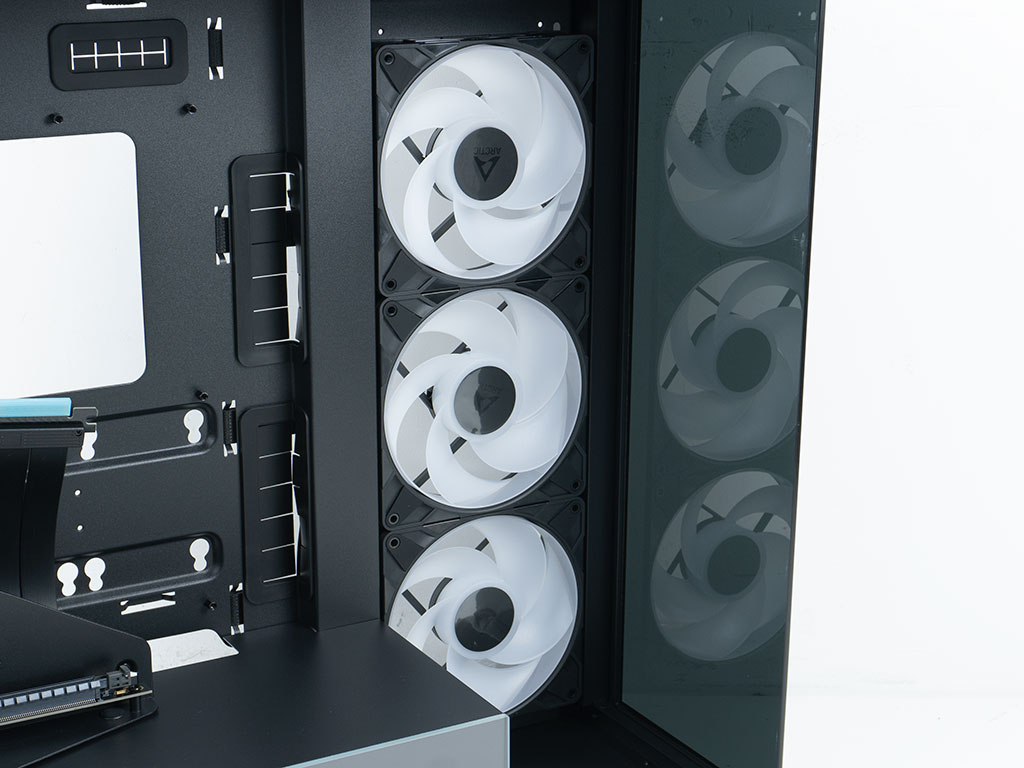
In the front of the shroud, you will find a removable HDD cage which can hold two 2.5" or 3.5" drives thanks to the individual plastic trays, as well as a single 2.5" variant on top of the cage itself. The three 140 mm intake fans that otherwise take up the height of the front are retail P14 Pro Reverse ARGB. Once again Arctic is leveraging their own products inside this case, which is great to see, while also allowing you to buy and add more of the exact same models as needed.
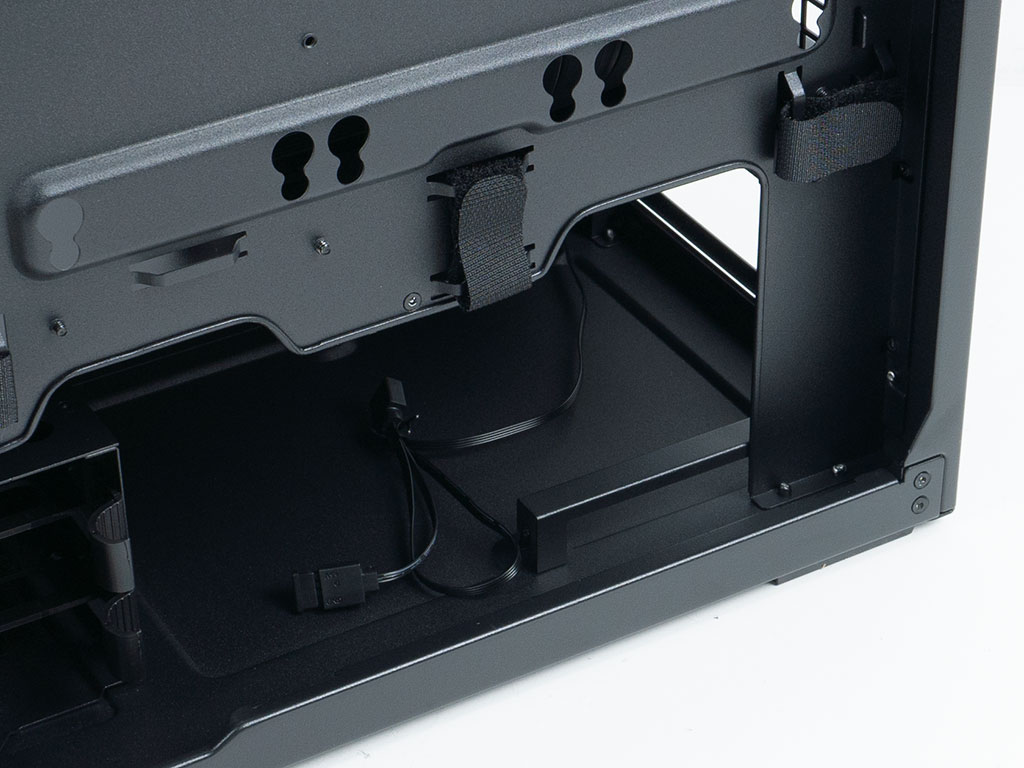
In the rear, the PSU bay is accessible, but viewed from this angle it is clear why the Xtender VG requires the mounting frame in the rear so that the unit can be slid into place. It will rest on elevated rails, so that the fan has access to air in general. This could also be the reason why the side panel vent is larger than it needs to be. As the shroud is completely solid, that would be the only opening to draw air in from. While that is not as efficient as having a vent in the floor underneath the PSU itself, this setup should be functionally fine.
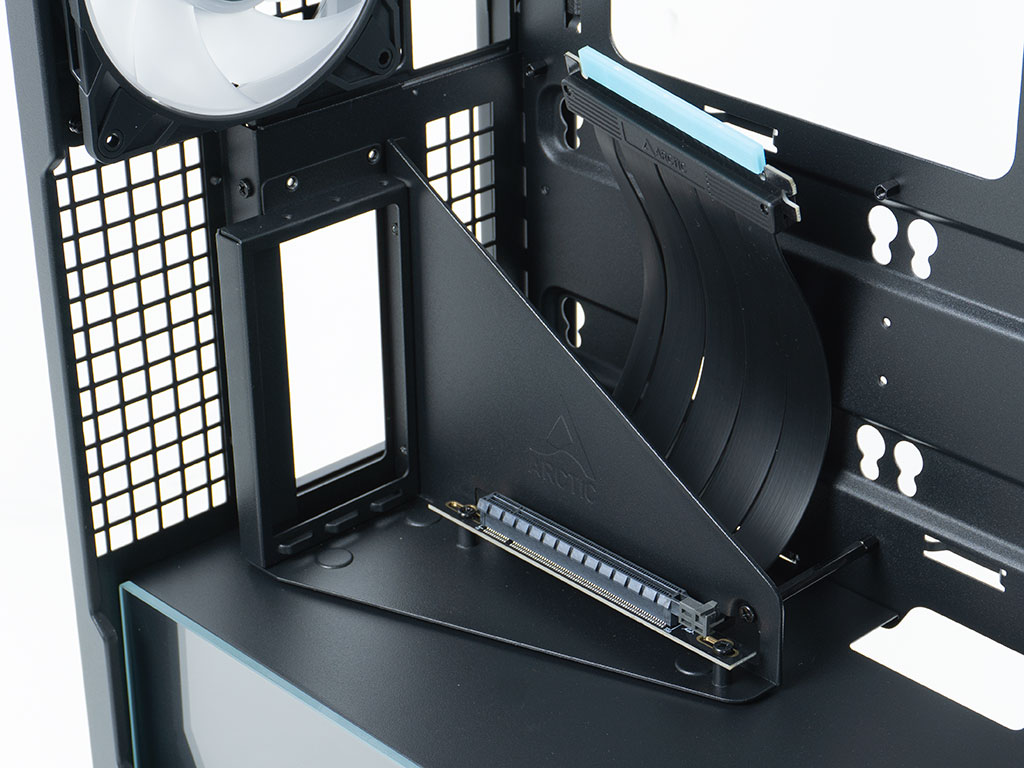
While the vertical GPU mount looked like it only had dual-slot capabilities, viewing it from within it is clear that it will easily fit any thickness of GPU, but only two slots would be accessible from the rear That is perfectly fine as that is where the rear port connections are anyway. Another reason for moving the whole bracket away so far from the motherboard is the ability to keep 337 mm GPU limit when installing liquid cooling on the side intake area. If the GPU was horizontal, you would be forced to stay below that limit.
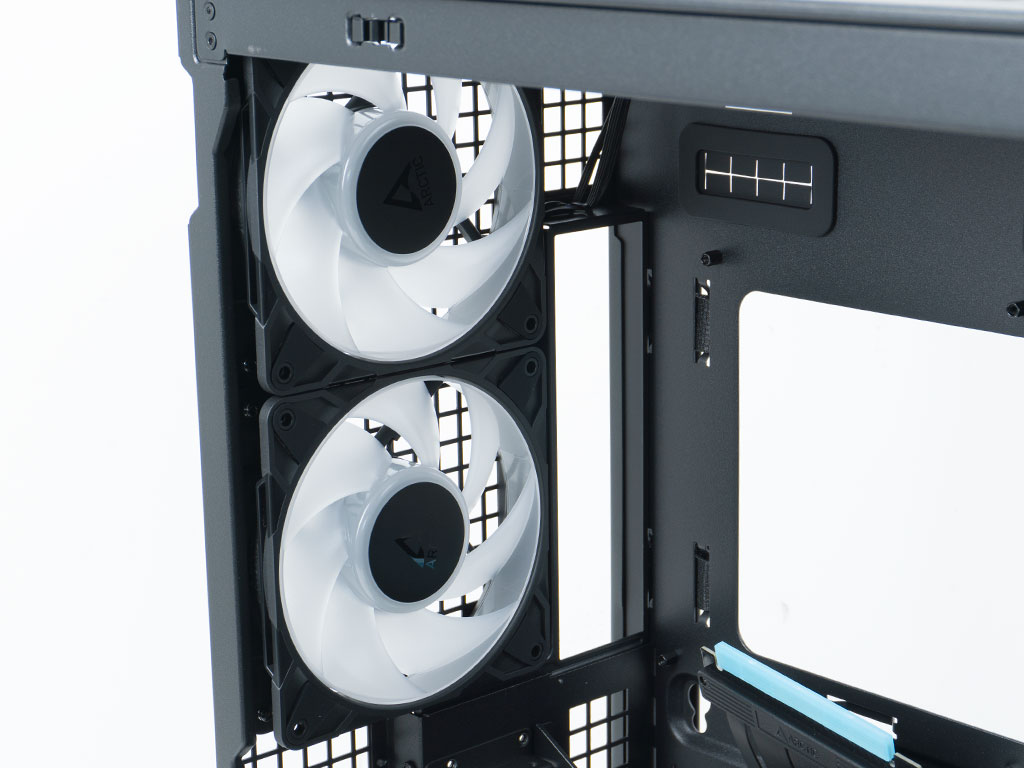
At the very top, there are two retail-grade P12 Pro fans, which also sport hub mounted A-RGB elements, much like the three larger 140 mm variants on the side of the chassis.
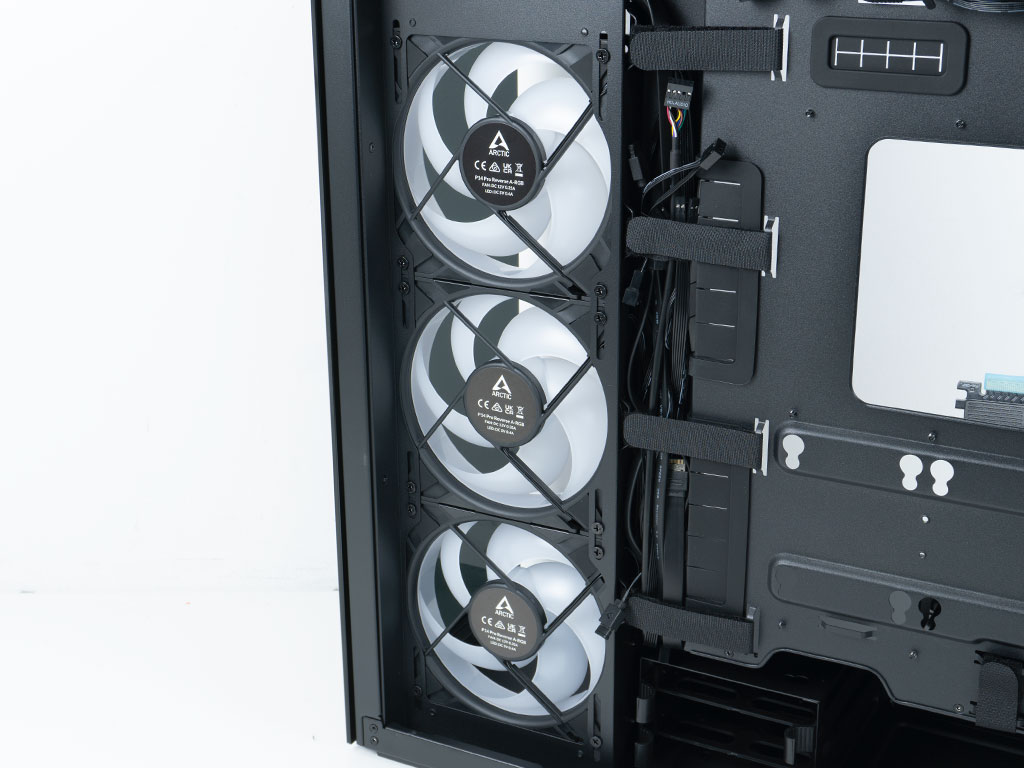
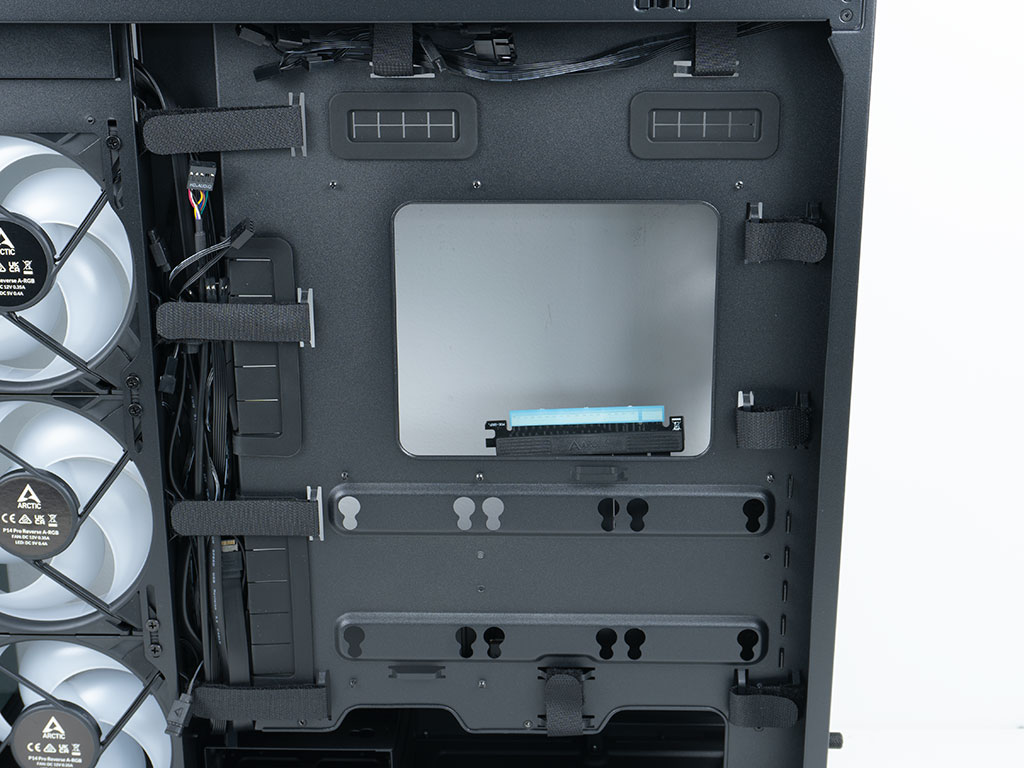
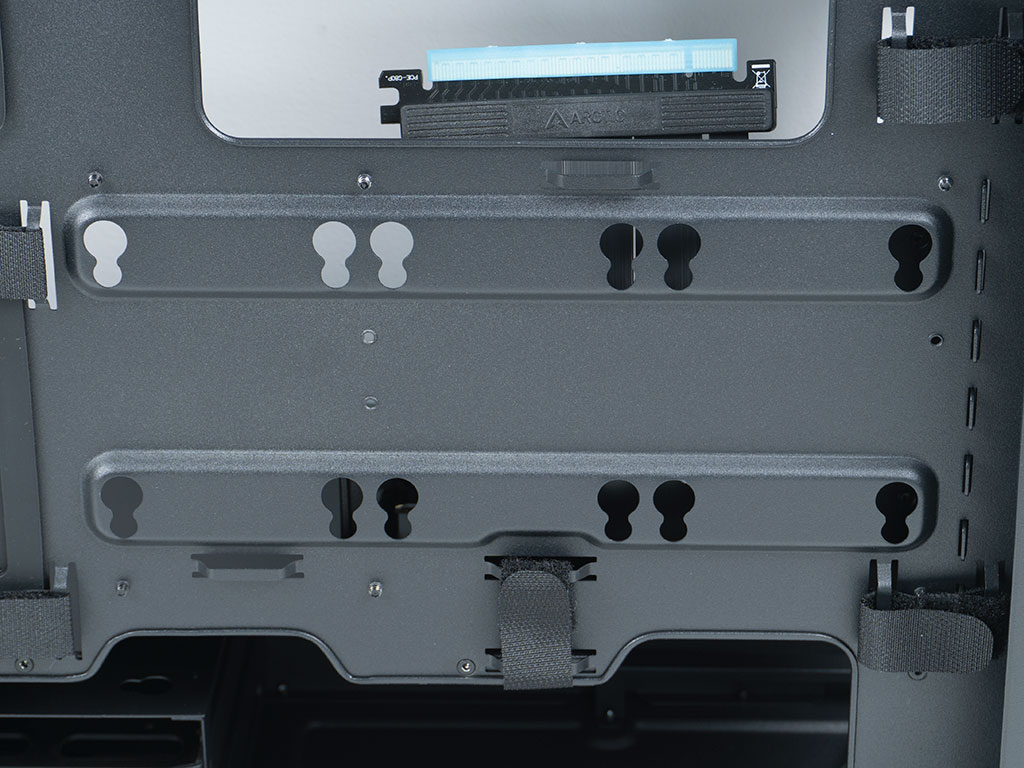
Taking a quick peek at the backside of those three larger fans, you can clearly see the model name and number, meaning that these are truly the same units as you could buy in retail. Some brands at times have "special" editions of their retail fans inside cases, with turn out to be simpler versions. A total of ten large, pre-installed Velcro strips are present to help you with your cable management. Considering the layout and numbers, odds are you could potentially skip zip ties altogether—especially as Arctic provides additional Velcro strips inside the accessories box. Underneath the opening for the CPU cooler backplate, there are three sets of openings to hang 2.5" drives. That means that the Arctic Xtender VG allows for up to six hard drives, with a maximum of two of those being 3.5" variants. That is plenty to appease the bulk of use cases these days.
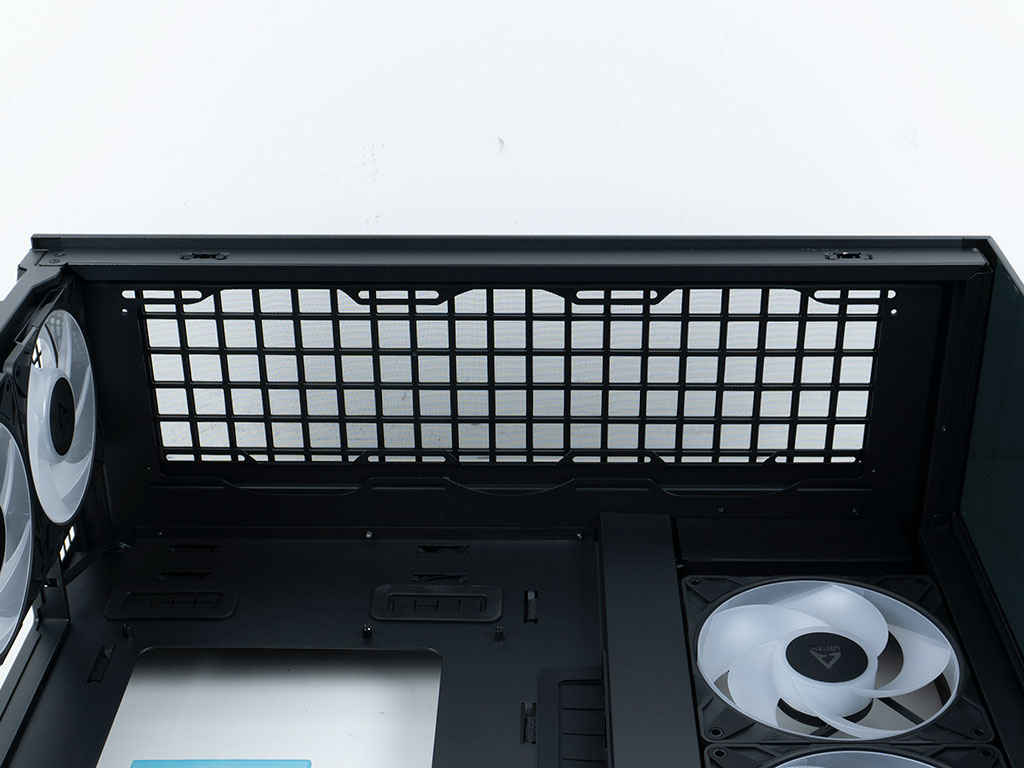
Looking at the ceiling, the large opening in the metal cover means that airflow is not restricted. There is plenty of headroom, so AIOs won't end up interfering with the motherboard components or even the side intake fans.
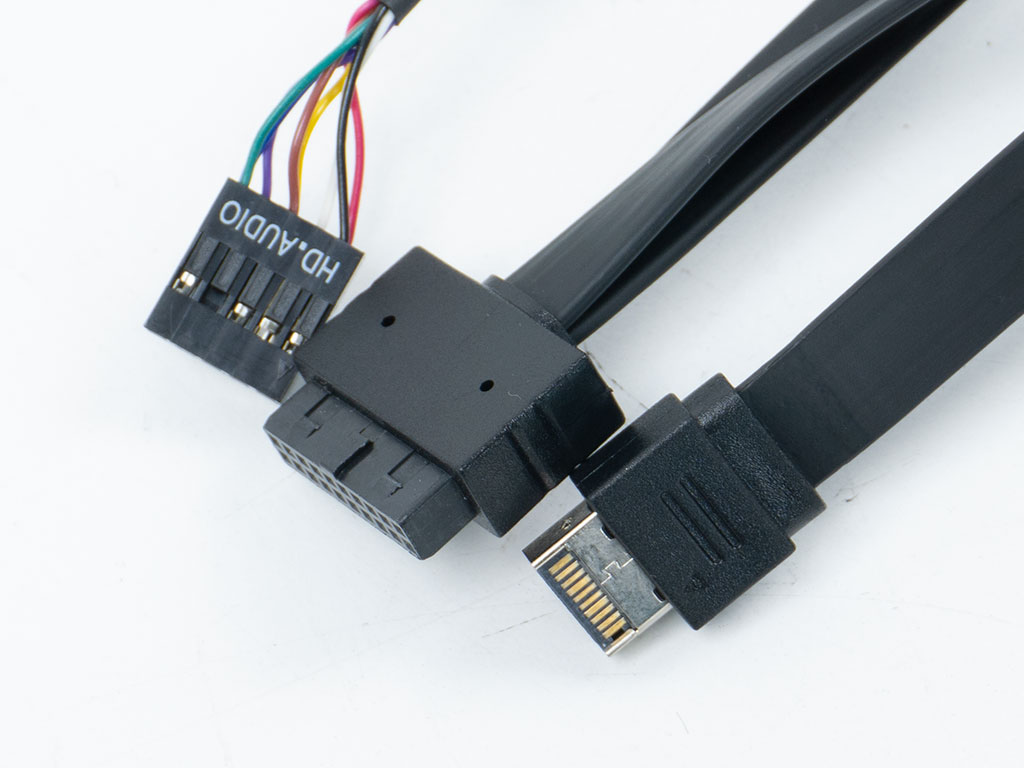
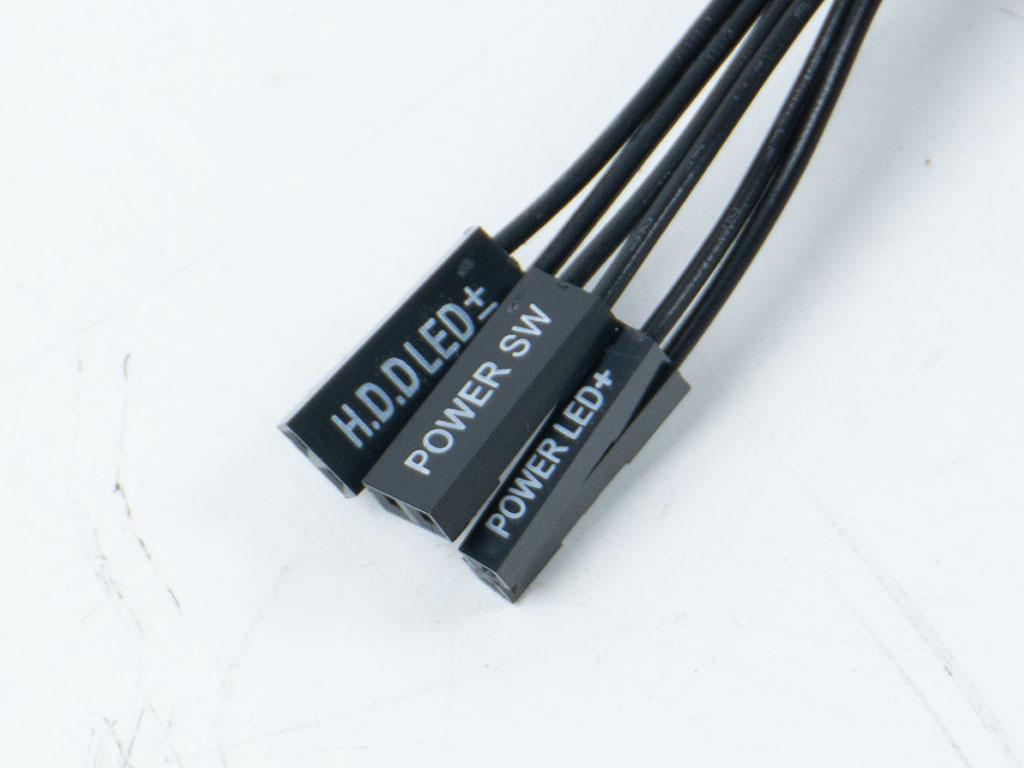
All the wires within the Arctic Xtender VG are of the default variety in all black. Flat-band cables are used for the USB interfaces for easier cable management. Arctic continues to use separate cables for the motherboard FP header. Here, a single unified connector would have been a welcome sight.
Nov 15th, 2026 17:36 CST
change timezone
Latest GPU Drivers
New Forum Posts
- Your PC ATM (36430)
- WarpCoreBench scores! (55)
- Local LLM General Discussion (691)
- What are you playing? (26223)
- Folding Pie and Milestones!! (10205)
- Asus Rog Maximus Z890 Extreme. (Various questions). (25)
- Power supply noise stops when I move the mouse (9)
- TPU's Nostalgic Hardware Club (22165)
- HP Office Jet 7740 Pro - Supply system problem with replacement cartridge (3)
- Recommendations Wanted - Affordable Enterprise SSD for Boot (9)
Popular Reviews
- AMD Zen 6 Technical Deep Dive
- ASUS ROG Strix B850-I Gaming Wi-Fi7 W Review
- Corsair HX1000i Shift Crystal Review
- Upcoming Hardware Launches 2027 (Updated Nov 2026)
- Montech King 95 3D PRO Review
- NZXT C1200 Platinum Review
- NZXT H7 RGB+ Review
- NZXT H5 Review
- Phantom Blade Zero Performance Benchmark Review - 35 GPUs Tested
- AMD Ryzen 7 9800X3D Review - The Best Gaming Processor
TPU on YouTube
Controversial News Posts
- NVIDIA Co-Founder and CEO Jensen Huang Officially Resigns (424)
- Open Letter Asking NVIDIA to Reinstate Jensen Huang Passes 115,000 Signatures (184)
- OpenAI CEO Argues Home PCs Waste the World's Limited DRAM Supply (152)
- NVIDIA Launches Investigation Into Jensen Huang's Relationship With Suspected Chinese Spy (136)
- Intel "Raptor Lake Next" 16-Core and 20-Core CPUs Surface (130)
- Legendary Game Studio BioWare Shuts Down Following EA Layoffs (104)
- Dell CEO Says the Memory Shortage Will Get Worse in 2027 (95)
- NVIDIA GeForce RTX 50-Series Scheduled for up to $500 Price Hike This Week (89)