 11
ASRock B550 PG Riptide Review
(11 Comments) »Introduction

It has been just over a year since AMD released the budget-friendly B550 chipset, and it continues to be a smash hit among consumers. Like the X570, It also provides PCIe Gen4 support to the AM4 socket, but keeps the focus on a lower entry price. These two things are the biggest selling points of the B550. With the launch of the X570 chipset in mid-2019 came an unexpected price hike that left many AMD fans frustrated, as many consumers felt they were taken advantage of with an early adopter tax for the PCIe Gen4 support.
AMD's answer to appease the community was to release the B550 chipset that still includes PCIe Gen4 support, but at a lower entry price point, with a few internal cutbacks to reach that goal. The main change over X570 is the removal of the chipset fan and downgrade to the 4x PCIe 3.0 CPU uplink instead of 4x Gen 4.0. This in turn means all additional PCIe slots and M.2 sockets are not directly linked to the CPU operate at PCIe Gen3. Depending on the user, this change has minor implications as it still supports the same CPUs and has PCIe Gen4 support, which is the main feature on both B550 and X570.
Following the ASRock X570S PG Riptide, the B550 variant aims to replicate the same features that made the other a successful product for a gamer on a budget. The B550 PG Riptide taps into the APU market as well with an included HDMI output and the ability to easily replace the CPU at a later date to any of the Zen 2 (3000) or Zen 3 (5000) series lineup.

In today's review, we will be taking a close look at the ASRock B550 PG Riptide. Featuring a PCIe 4.0-ready solution with 2.5 GbE Ethernet powered by the Killer E3001G, Wi-Fi Ready, DDR4-4933+ memory support, unique GPU support bracket, and ASRock's software suite to round out the experience, the time has come to jump in and find out what the Riptide is all about!
Specifications
| Specifications | |
|---|---|
| CPU Support: | AMD AM4 Socket Ryzen™ 2000, 3000, 4000 G-Series, and 5000 Series Desktop Processors |
| Power Design: | CPU Power: 10-phase Memory Power: 1-phase |
| Chipset: | AMD B550 |
| Integrated Graphics: | Dependent on installed CPU |
| Memory: | 4x DIMM, supports dual-channel DDR4-4933+ (OC) |
| BIOS: | AMI UEFI BIOS |
| Expansion Slots: | 1x PCIe 4.0 x16 (from CPU) 2x PCIe 3.0 x16 Slot 1x PCIe 3.0 x1 Slot |
| Storage: | 6x SATA 6 Gb/s ports 2x M.2 Socket |
| Networking: | 1x Intel Killer E3100G 2.5 Gb Ethernet |
| Rear Ports: | 1x Antenna Bracket 1x HDMI Port 1x Optical SPDIF Out Port 1x USB 3.2 Gen2 Type-A Port (10 Gb/s) 1x USB 3.2 Gen2 Type-C Port (10 Gb/s) 6x USB 3.2 Gen1 Ports 2x USB 2.0 Ports1x RJ-45 LAN Port with LED 1x BIOS Flashback Button 5x HD Audio Jacks |
| Audio: | 1x Realtek ALC897 Codec |
| Fan Headers: | 3x 4-pin |
| Form Factor: | ATX Form Factor: 12 x 9.6 in.; 30.5 x 24.4 cm |
| Exclusive Features: |
|
Packaging and Contents


Looking at the front of the box, you can see the Riptide logo and product name. A row of logos at the bottom describe product features, like the B550 chipset, AMD Ryzen CPU support, ASRock Polychrome Sync RGB software, and HDMI output. The HDMI logo is included because the rear I/O supports video output for APUs.
Flipping the box around, the back has all the highlights: a top-down shot of the board, several panels detailing prominent features, like the 10-phase VRM, Killer 2.5G Lan, and graphics card holder. A diagram outlining the rear I/O and the specification list are also present, making for a well-executed box design that matches the board nicely. It is clearly laid out and quickly explains the features, which makes the buying decision much easier.

The accessories are the basics one should expect to see if not strictly an OEM product. This one includes two SATA cables, the manual, installation disk, and a sticker. The rear I/O shield is not integrated into the motherboard. The extra hardware is a GPU support bracket that uses two of the same standoffs as the motherboard. We will give that a more in-depth look later in the review.
The full list of accessories includes:
- Quick installation guide, support CD
- 2x SATA data cables
- M.2 socket standoff
- 2x Screws for M.2 sockets
- GPU support bracket
Board Layout


The ASRock B550 PG Riptide has the all too familiar aesthetic that is a standard look for 2021. It consists of a black PCB matched with black heatsinks and silver accents. Once the board is powered on, the logo in the bottom of the chipset heatsink has RGB LEDs that can be adjusted to your liking, or turned off completely.


The space surrounding the CPU socket is adequate for most air coolers. The VRM heatsink is fairly tall and will get in the way of any coolers reaching into this area.

There are two M.2 sockets on the ASRock B550 PG Riptide; one above the first PCIe x16 slot that supports PCIe 4.0 connectivity directly from the CPU and another below the second PCIe x16 slot, which runs through the B550 chipset with a Gen 3.0 interface instead. Only the top M.2 socket features a full-coverage heatsink.


The ASRock B550 PG Riptide offers three PCI Express x16 slots, with the top slot steel-reinforced and PCIe 4.0 compatible. The other two are using the Gen3 interface instead. While both are physically x16 slots, neither is wired as such. The middle PCIe slot is 4x and the bottom slot 1x Gen 3.0. Both are connected to the B550 chipset.
The board has a total of six SATA 6 Gb/s ports on the side, angled 90 degrees from the board. As often is the case, not all SATA ports will be functional if the second M.2 socket is used. Ports five and six will be disabled due to bandwidth allocations. This is common to a lot of motherboards, and if not mentioned in the specifications on the product page, the information can be found in the product manual.

Above the audio section is the M.2 socket (Key E) for Wi-Fi. It supports type 2230 WiFi/BT PCIe WiFi modules. The manual states no additional PCIe slots will be disabled when this M.2 socket is in use.


One of ASRock's selling points of the PG Riptide is this GPU support bracket. The bracket uses two of the same mounting holes as the motherboard. Instead of using the supplied screws with the case, ASRock has included two sets of screws for different types of threads depending on your standoffs. I don't think using thread locker glue on the screws was a smart choice. It certainly could come out on its own, which seems intentional, but will take the motherboard case standoffs with it if you ever decide to remove the motherboard.
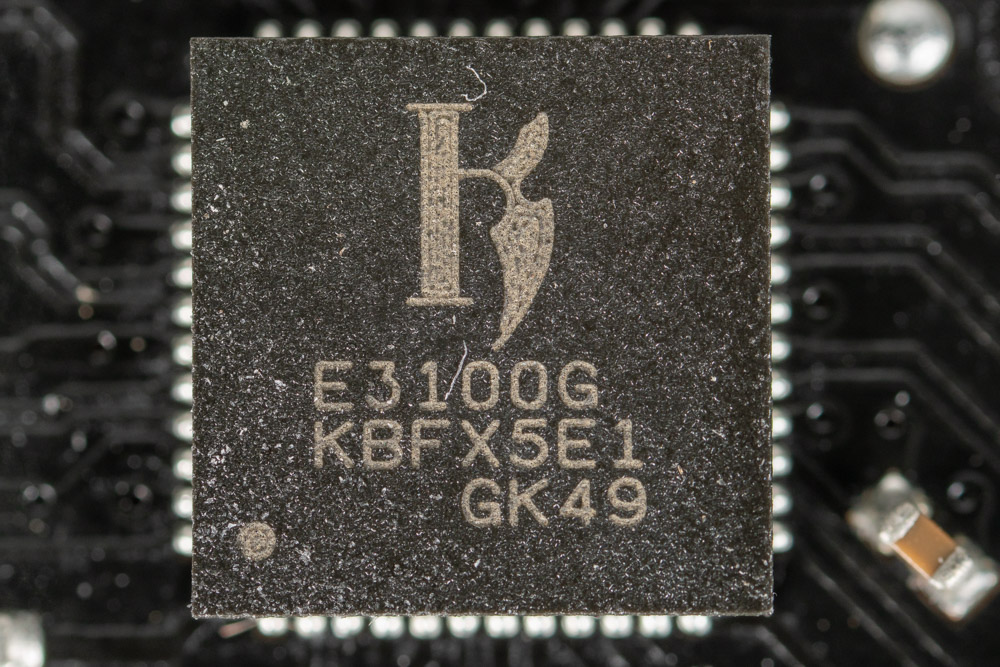
Networking on the ASRock B550 PG Riptide is handled by a Killer E3001G 2.5 Gb/s controller. This NIC requires specific drivers to be installed to function.

The I/O section is filled with a number of USB ports, which is nice to see as practically everything PC related is USB oriented. However, only the light blue ports in the center can be considered high-speed as these are 10 Gb/s. The blue USB ports only provide 5 Gb/s of bandwidth.
Also included is the PS/2 port that could be handy for backwards compatibility, as well as USB 2.0 for any OS that does not support USB 3.0. Next to the legacy USB 2.0 ports is an HDMI output. No information is provided on the HDMI revision. With 4K at 60 Hz listed as supported, it has to be HDMI 2.0, as the bandwidth would otherwise be too low.
- 1x Antenna bracket (empty)
- 1x PS/2 mouse/keyboard port
- 1x HDMI port
- 1x Optical SPDIF Out port
- 1x USB 3.2 Gen2 Type-A Port (10 Gb/s)
- 1x USB 3.2 Gen2 Type-C Port (10 Gb/s)
- 4x USB 3.2 Gen1 ports
- 2x USB 2.0 ports
- 1x RJ-45 LAN port with LED
- BIOS flashback button with LED
- HD audio jacks
Our Patreon Silver Supporters can read articles in single-page format.
Nov 16th, 2026 10:59 CST
change timezone
Latest GPU Drivers
New Forum Posts
- Can you guess Which game it is? (333)
- Asus Rog Maximus Z890 Extreme. (Various questions). (28)
- Without Jensen, PC gaming will be (7)
- RX 6700 XT ~2 s screen + cursor freezes with FreeSync: FPO VRAM clock hang, fixed with a longer vblank (MPO stays on) (0)
- I don’t know been building “by hand” for years and we at the point where “Server Quality” is mentioned, is this the future of it or will it continue? (41)
- Honestly, do you care about GTA VI? (68)
- Warning for Windows 10 and 11 users running newer AMD GPU drivers (62)
- TPU's WCG/BOINC Team (34803)
- HP Office Jet 7740 Pro - Supply system problem with replacement cartridge (5)
- ProArt X870E-CREATOR WIFI - Bifurcation~Complication (12)
Popular Reviews
- ASUS ROG Strix B850-I Gaming Wi-Fi7 W Review
- Corsair HX1000i Shift Crystal Review
- AMD Zen 6 Technical Deep Dive
- Upcoming Hardware Launches 2027 (Updated Nov 2026)
- Acemagic Retro X3 Review
- Montech King 95 3D PRO Review
- NZXT C1200 Platinum Review
- Phantom Blade Zero Performance Benchmark Review - 35 GPUs Tested
- AMD Ryzen 7 9800X3D Review - The Best Gaming Processor
- NZXT H7 RGB+ Review
TPU on YouTube
Controversial News Posts
- NVIDIA Co-Founder and CEO Jensen Huang Officially Resigns (431)
- Open Letter Asking NVIDIA to Reinstate Jensen Huang Passes 115,000 Signatures (184)
- OpenAI CEO Argues Home PCs Waste the World's Limited DRAM Supply (152)
- NVIDIA Launches Investigation Into Jensen Huang's Relationship With Suspected Chinese Spy (136)
- Intel "Raptor Lake Next" 16-Core and 20-Core CPUs Surface (130)
- Legendary Game Studio BioWare Shuts Down Following EA Layoffs (104)
- Dell CEO Says the Memory Shortage Will Get Worse in 2027 (95)
- Report: Jensen Huang Eyes NVIDIA Comeback (90)