 6
ASRock B860 Challenger Wi-Fi Review
(6 Comments) »Value and Conclusion
- The ASRock B860 Challenger Wi-Fi is available online for US$130
- Very affordable price tag
- PCIe Gen 5 SSD and GPU support
- Acceptable SSD and VRM temperatures even with high-end hardware
- Two SSD heatsinks, one being tool-free
- Eight Type-A USB ports
- Seven fan headers, some with decent power output
- Four SATA ports
- No bandwidth sharing
- EFI and software are very dated and lack modern features
- No USB ports or headers faster than USB 3.0
- No Thunderbolt 4
- Only two video outputs
- Low-end audio
- No optical audio output
- No CPU overclocking support
- LGA1851 has no upgrade path
- Minimal accessories
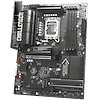
Making an appealing motherboard for less than $150 is always a difficult task, but it's something ASRock seems very good at. In fact, it does pretty well all the way up to $300 in terms of offering great value, good performance and often including features the competition lacks at the same price points. The ASRock B860 Challenger Wi-Fi maintains that reputation, and despite some obvious cuts to hit its current $130 price tag, these are generally sensible and expected.
The obvious ones are ALC897 audio, the lack of Thunderbolt 4—although that's rare on B860 anyway—low-end CPU power delivery, and USB 3.0 being the fastest you'll see from any ports or headers. The fact is none of these decisions will likely concern those on low budgets, and the board even coped with our extended stress test with a Core Ultra 9 285K as well, while preventing our PCIe Gen 5 SSD from throttling for part of its stress test too.
While it's not a match for more expensive options, it certainly punches above its weight and seems like a solid way to save cash and keep costs to a minimum. Opting for what is at the moment a dead-end CPU socket is a personal choice depending on your own needs. Given we'll likely see CPU and motherboard price cuts for LGA1851 over the coming months, there will undoubtedly be bargains to be had, and some could even make sense if your upgrade cycle just got an unwanted extension thanks to the annoying situation with current hardware pricing.
If you find yourself in the position where LGA1851 makes sense, should you opt for the B860 Challenger Wi-Fi if you need something for less than $150? It certainly ticks nearly all boxes you'd expect from a modern Intel motherboard, and to get audio, cooling or design upgrades you'll simply need to spend $50 or so more on something like the excellent ASRock Phantom Gaming Z890 Lightning Wi-Fi, which currently costs $190.
What about similarly-priced options? As usual, ASRock is its own worst enemy as we have the ASRock B860 Steel Legend Wi-Fi at the top of our list for an affordable B860 board, and it's also had a big price cut from $200 to just $140. It ticks way more boxes too, with triple monitor support, Thunderbolt 4, Realtek ALC1220 audio and even a USB 3.2 Gen 2x2 20 Gbps Type-C header. Those upgrades are absolutely worth an extra 10 bucks, although it does only have Wi-Fi 6. Still, if they're of zero use to you, then that cash could be put to better use, in which case the B860 Challenger Wi-Fi is a good buy.


The obvious ones are ALC897 audio, the lack of Thunderbolt 4—although that's rare on B860 anyway—low-end CPU power delivery, and USB 3.0 being the fastest you'll see from any ports or headers. The fact is none of these decisions will likely concern those on low budgets, and the board even coped with our extended stress test with a Core Ultra 9 285K as well, while preventing our PCIe Gen 5 SSD from throttling for part of its stress test too.
While it's not a match for more expensive options, it certainly punches above its weight and seems like a solid way to save cash and keep costs to a minimum. Opting for what is at the moment a dead-end CPU socket is a personal choice depending on your own needs. Given we'll likely see CPU and motherboard price cuts for LGA1851 over the coming months, there will undoubtedly be bargains to be had, and some could even make sense if your upgrade cycle just got an unwanted extension thanks to the annoying situation with current hardware pricing.
If you find yourself in the position where LGA1851 makes sense, should you opt for the B860 Challenger Wi-Fi if you need something for less than $150? It certainly ticks nearly all boxes you'd expect from a modern Intel motherboard, and to get audio, cooling or design upgrades you'll simply need to spend $50 or so more on something like the excellent ASRock Phantom Gaming Z890 Lightning Wi-Fi, which currently costs $190.
What about similarly-priced options? As usual, ASRock is its own worst enemy as we have the ASRock B860 Steel Legend Wi-Fi at the top of our list for an affordable B860 board, and it's also had a big price cut from $200 to just $140. It ticks way more boxes too, with triple monitor support, Thunderbolt 4, Realtek ALC1220 audio and even a USB 3.2 Gen 2x2 20 Gbps Type-C header. Those upgrades are absolutely worth an extra 10 bucks, although it does only have Wi-Fi 6. Still, if they're of zero use to you, then that cash could be put to better use, in which case the B860 Challenger Wi-Fi is a good buy.
Nov 18th, 2026 13:24 PST
change timezone
Latest GPU Drivers
New Forum Posts
- Can i play GTA 6 now? (Joke) (5)
- Very unusual two gaming-pc scenarios. (11)
- Dell Workstation Owners Club (3513)
- Any other old-timers here planning to play WoW Forever? (151)
- Time to upgrade CPU and MOBO (33)
- The Filthy, Rotten, Nasty, Helpdesk-Nightmare picture clubhouse (2876)
- WarpCoreBench scores! (67)
- Honestly, do you care about GTA VI? (144)
- Acer Predator BiFrost Radeon RX 9070 OC (9)
- DTS DCH Driver for Realtek HDA [DTS:X APO4 + DTS Interactive] (2814)
Popular Reviews
- Acemagic Retro X3 Review
- Upcoming Hardware Launches 2027 (Updated Nov 2026)
- AMD Zen 6 Technical Deep Dive
- ASUS ROG Strix B850-I Gaming Wi-Fi7 W Review
- Corsair HX1000i Shift Crystal Review
- Biwin Black Opal NV7400 2 TB Review
- Chieftec Iceberg PRO 360 DARK Review
- AMD Ryzen 7 9800X3D Review - The Best Gaming Processor
- Phantom Blade Zero Performance Benchmark Review - 35 GPUs Tested
- Pulsar Office Tour & First Look at P1 Dual-Sensor Mouse
TPU on YouTube
Controversial News Posts
- NVIDIA Co-Founder and CEO Jensen Huang Officially Resigns (478)
- Report: Jensen Huang Eyes NVIDIA Comeback (187)
- Open Letter Asking NVIDIA to Reinstate Jensen Huang Passes 115,000 Signatures (184)
- OpenAI CEO Argues Home PCs Waste the World's Limited DRAM Supply (152)
- NVIDIA Launches Investigation Into Jensen Huang's Relationship With Suspected Chinese Spy (136)
- Intel "Raptor Lake Next" 16-Core and 20-Core CPUs Surface (130)
- Legendary Game Studio BioWare Shuts Down Following EA Layoffs (104)
- Dell CEO Says the Memory Shortage Will Get Worse in 2027 (95)