 6
ASRock B860 Challenger Wi-Fi Review
Component Analysis »Board Layout

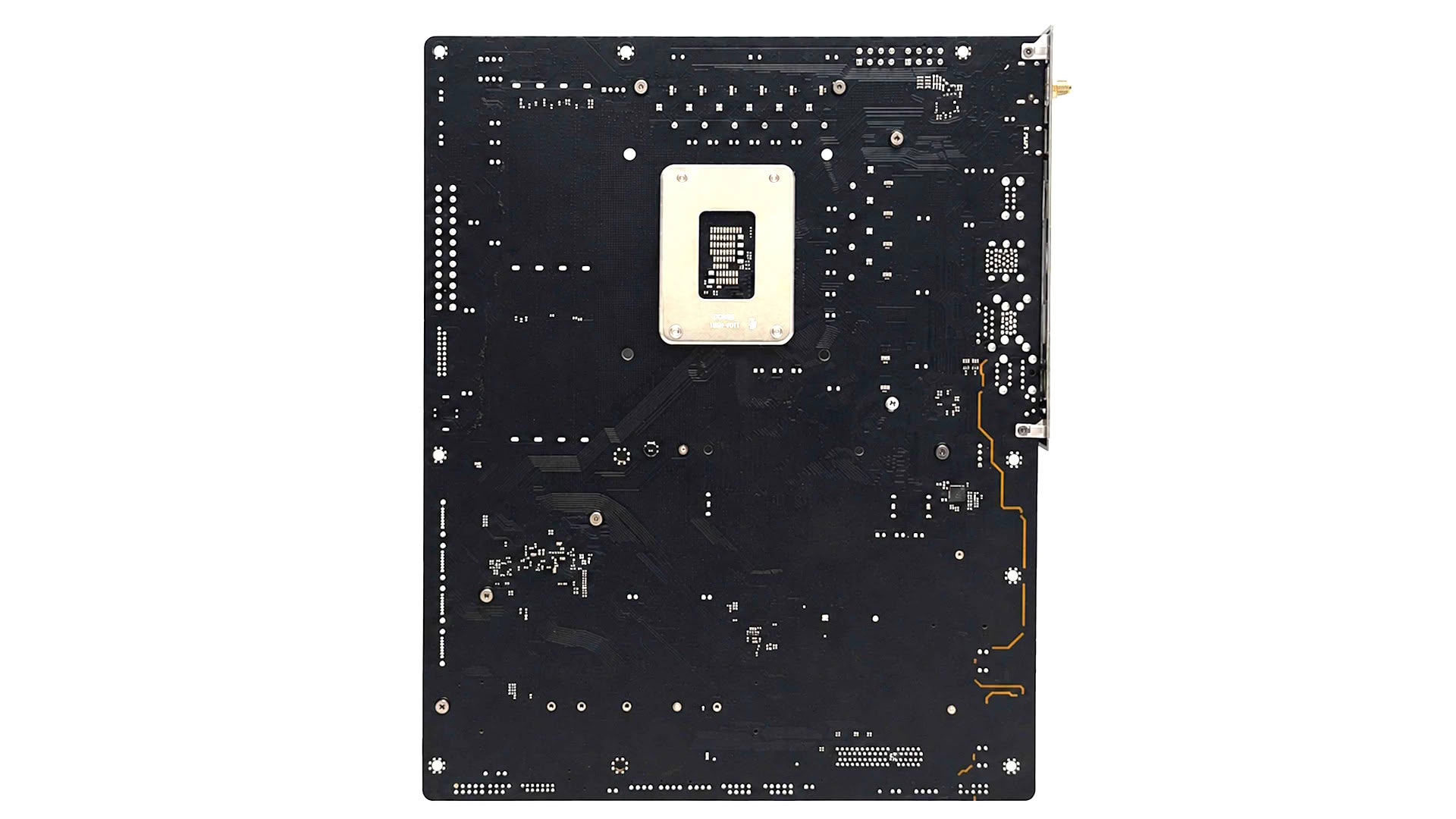
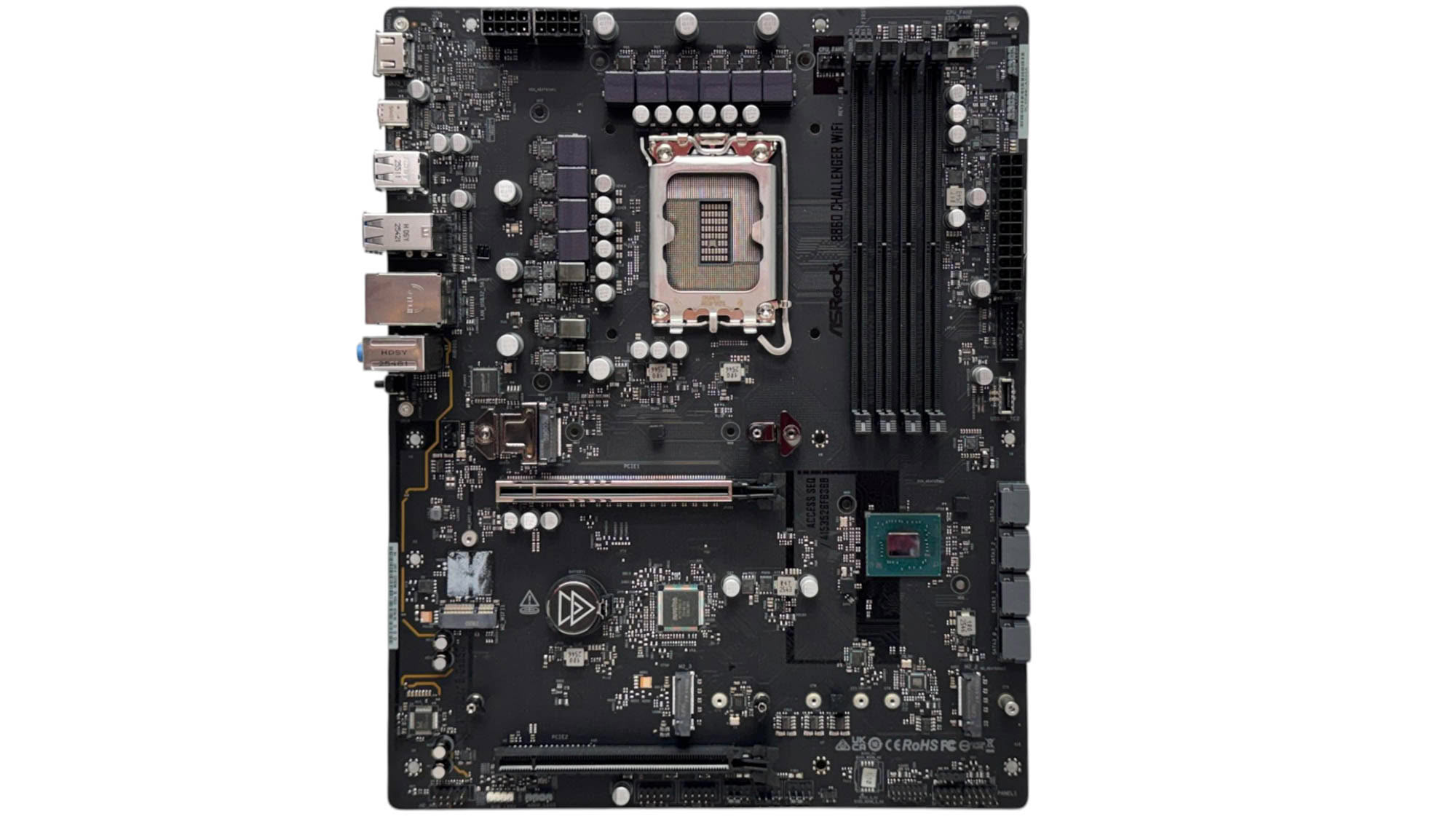
ASRock has still managed to create an eye-catching motherboard with the B860 Challenger Wi-Fi despite its very low price tag, with a snazzy tinted fascia over the primary VRM heatsink and a black PCB that would look good in any black case. The only downside is that there's quite a lot of exposed PCB, but a graphics card will cover most of this.
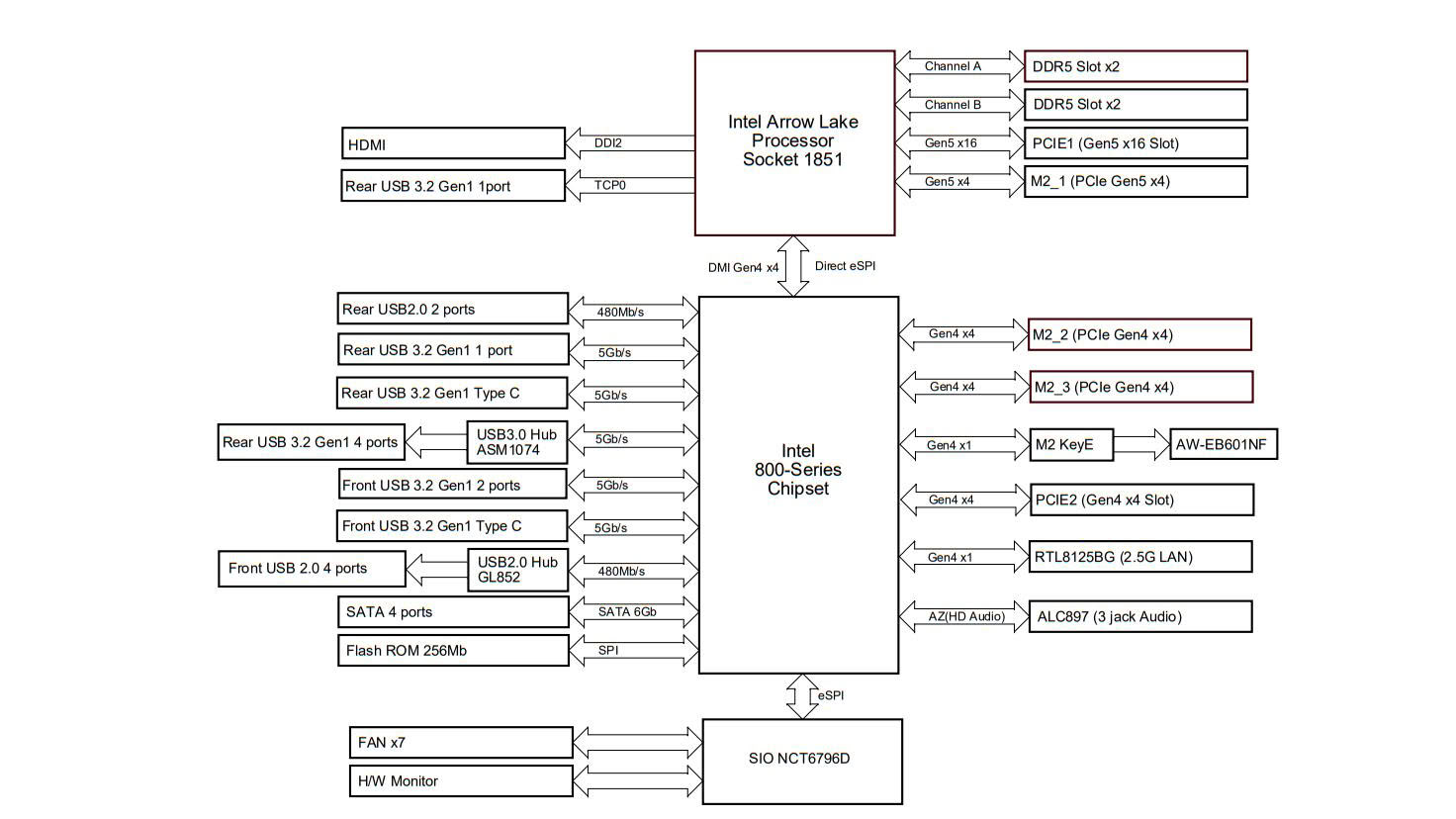
There's no bandwidth sharing for the three M.2 ports and two PCIe slots, but that's due to there being only one PCIe Gen 5 M.2 port, with the other two being PCIe Gen 4 with four lanes a piece, no Thunderbolt 4 and nothing faster than USB 3.0 across all USB ports and headers. However, these are understandable and reasonable corners that have been cut to hit this price point. The top PCIe slot is of course PCIe Gen 5-capable, while the slot below is PCIe Gen 4 and has four lanes.
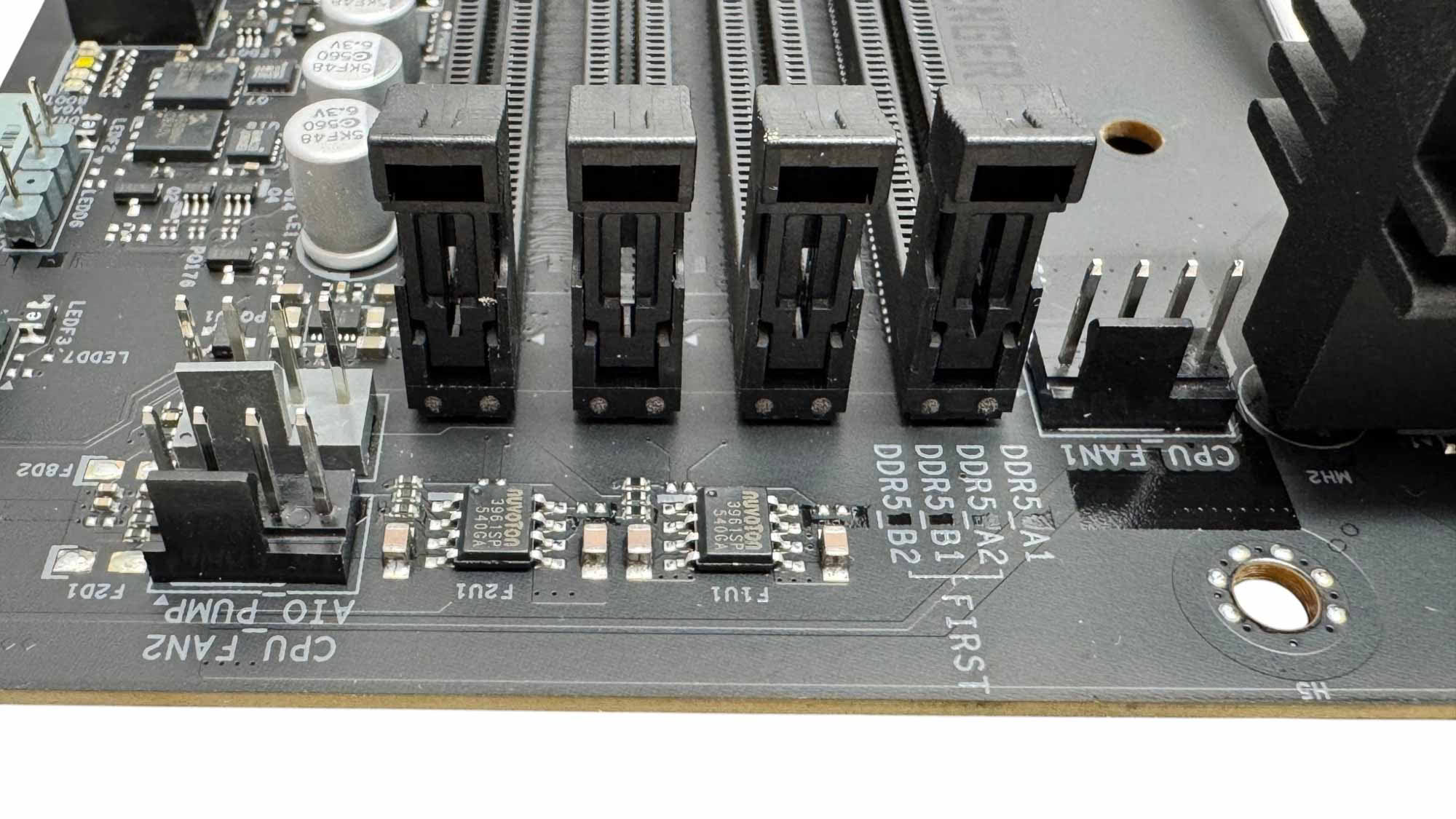
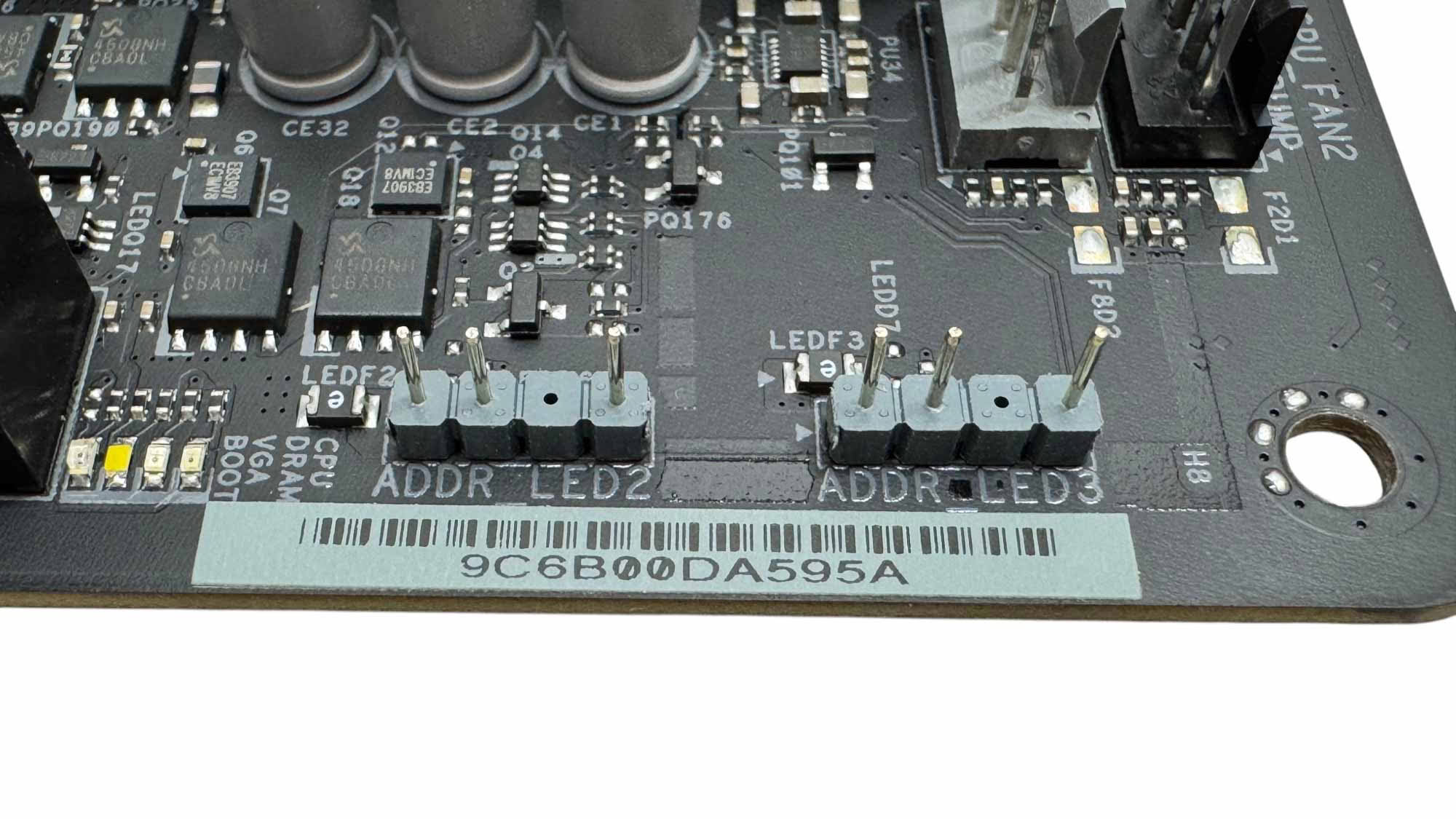
There are seven 4-pin fan headers, with up to 36 W/3 A available from select headers, which is an impressive feat for a motherboard at this price. The top right corner has three of these plus two 3-pin ARGB headers.
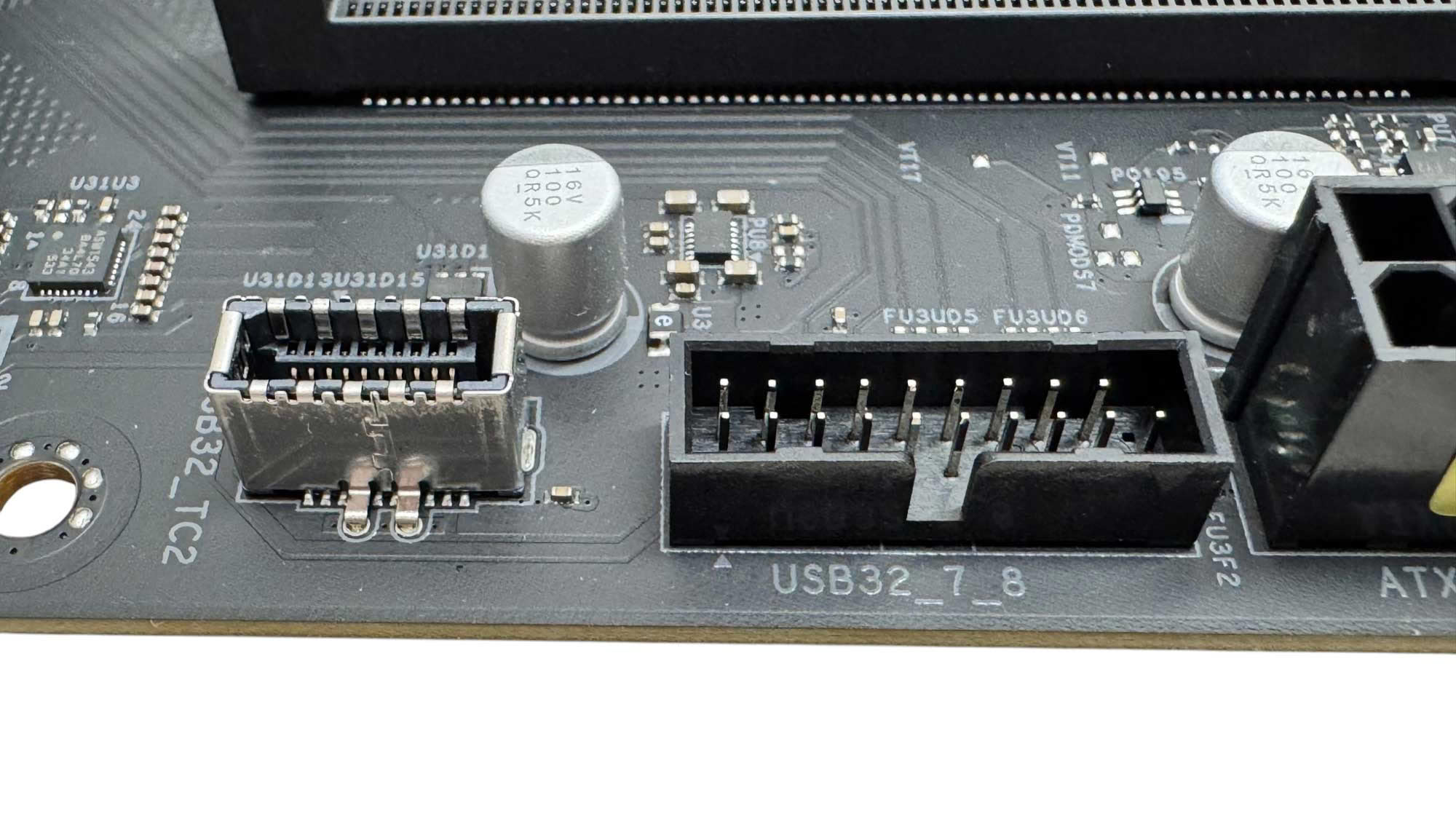
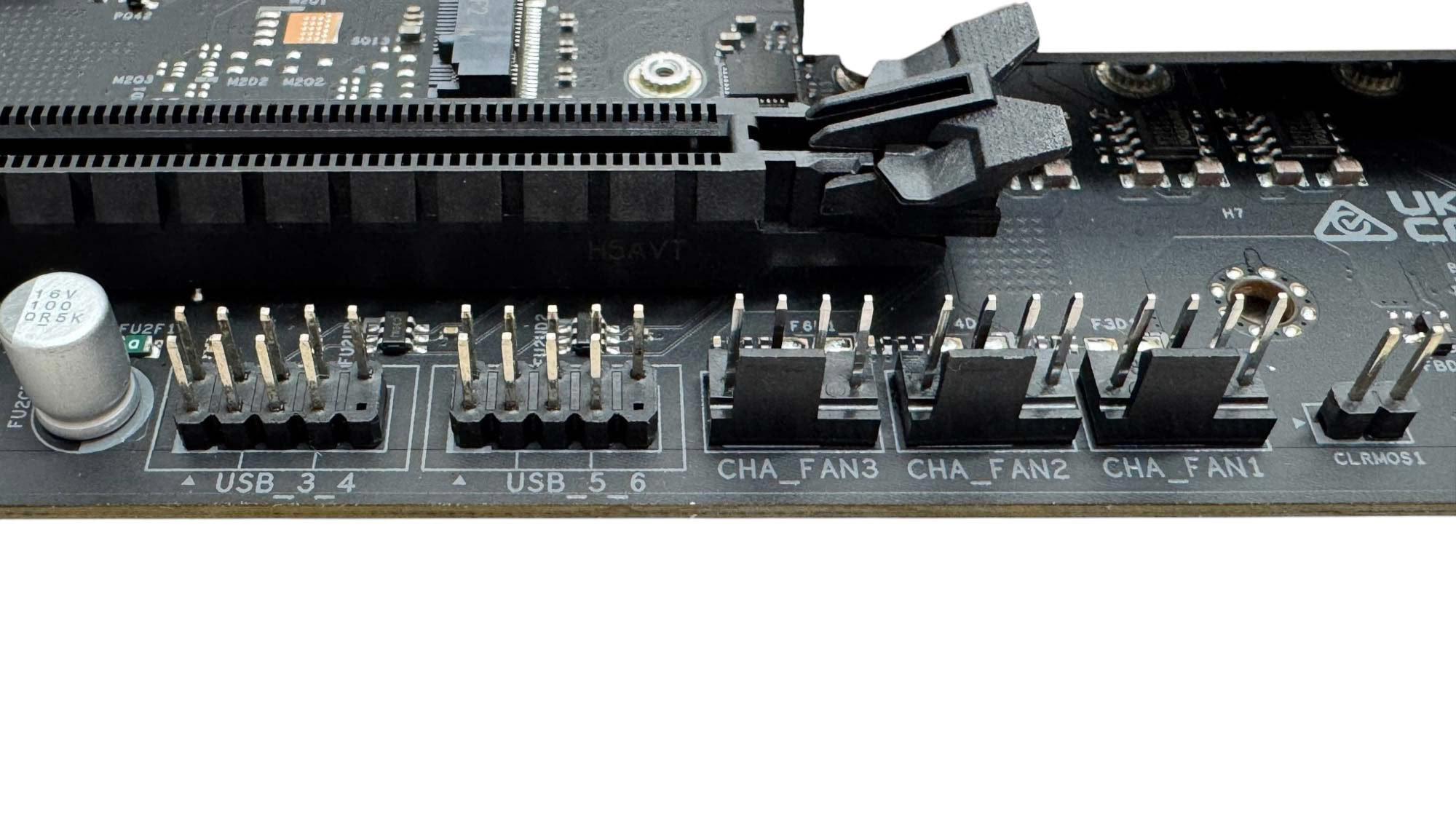
The Type-C header is capped at USB 3.0, which is a little disappointing, but it still has a theoretical limit of 625 MB/sec, with many of the faster USB 3.0 SSDs out there usually seeing close to that. While USB 3.2 Gen 2 10 Gbps would see double that, this is again not too harsh a compromise given who the board is marketed at. An additional three fan headers are located at the base of the PCB along with two USB 2.0 headers.
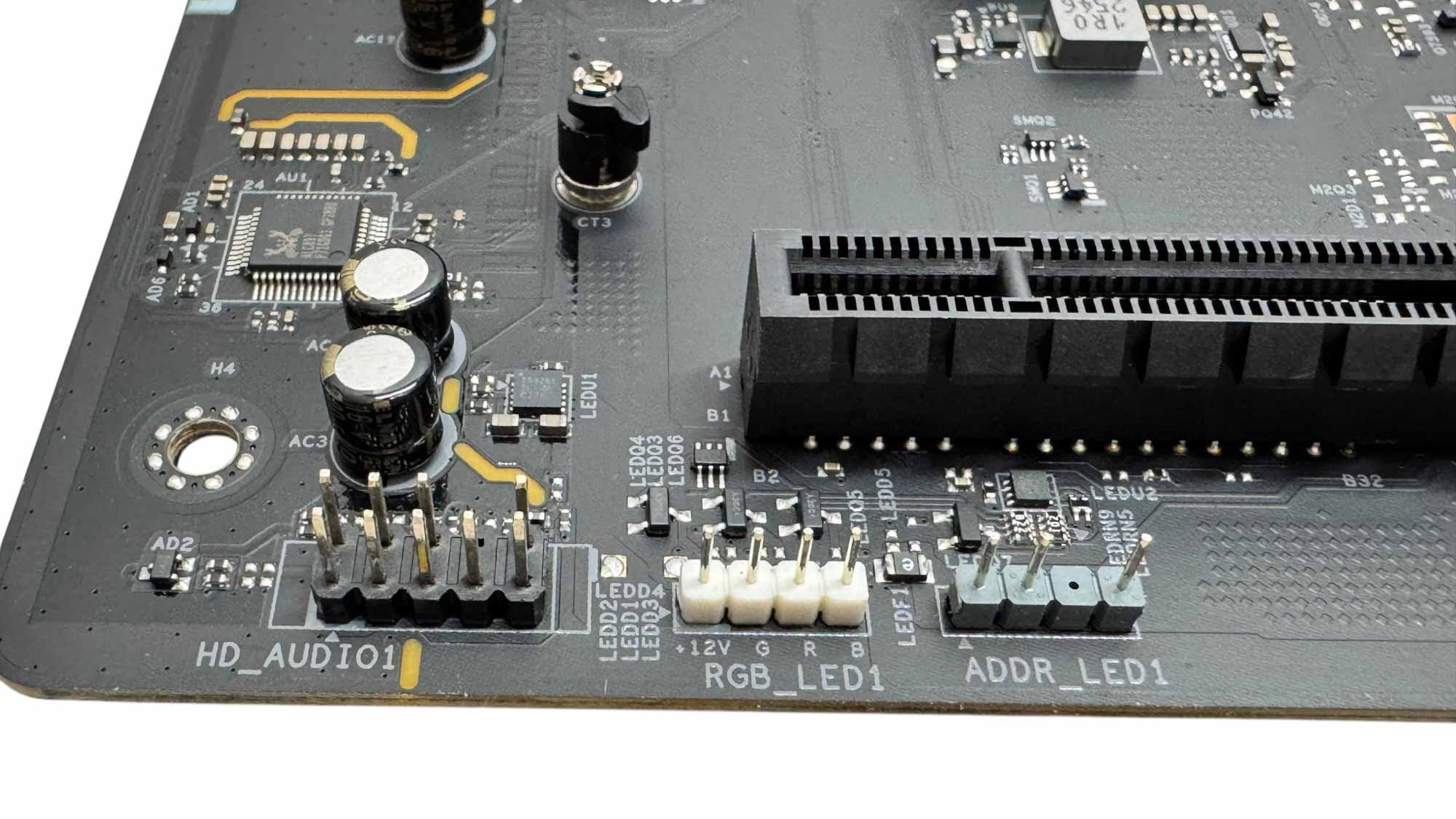
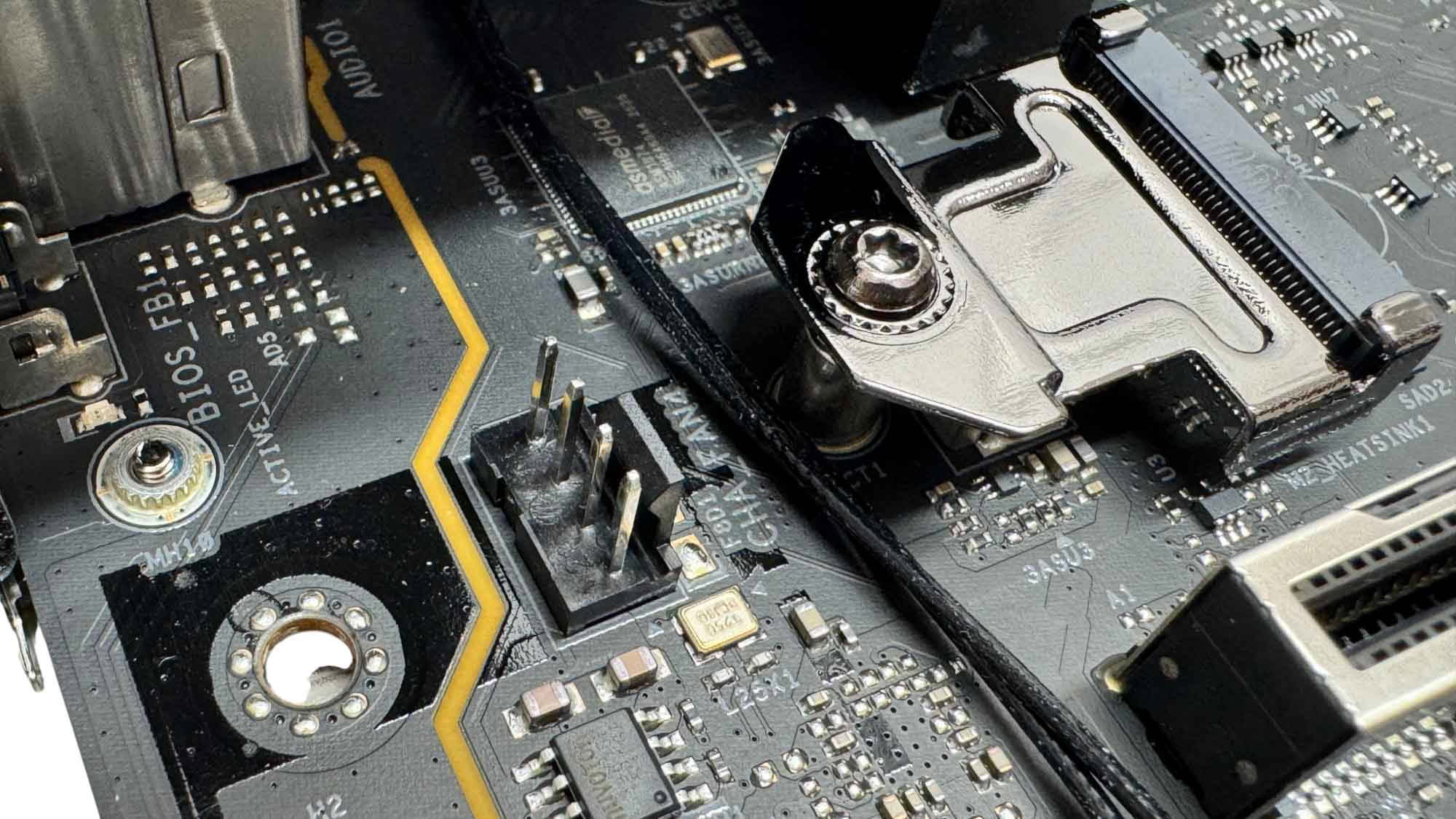
The bottom left corner features two final RGB headers with one 3-pin ARGB and one 4-pin RGB, next to which sits the audio header. The seventh and final fan header sits just below the rear I/O panel and is ideally placed for powering rear case fans.
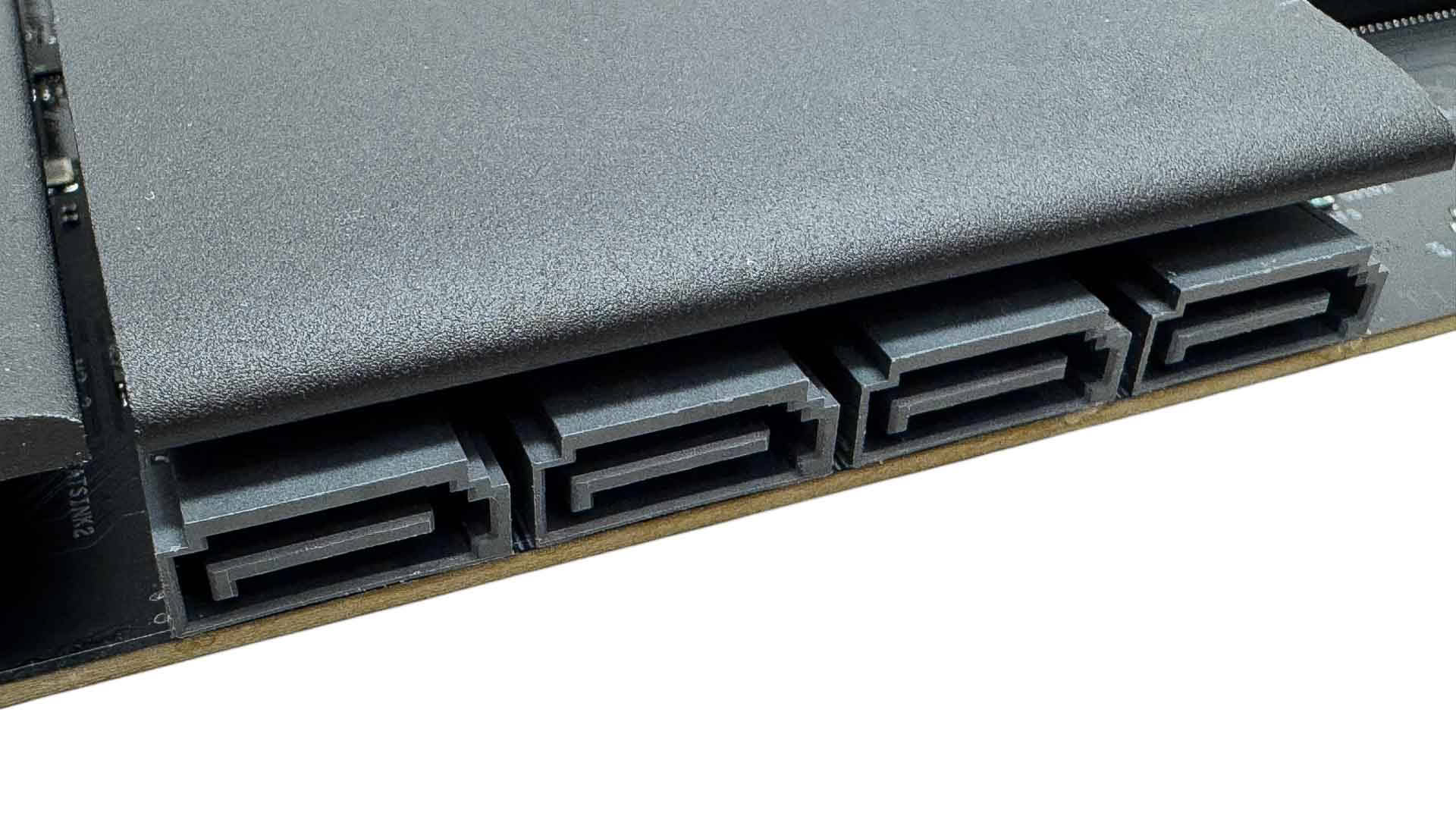
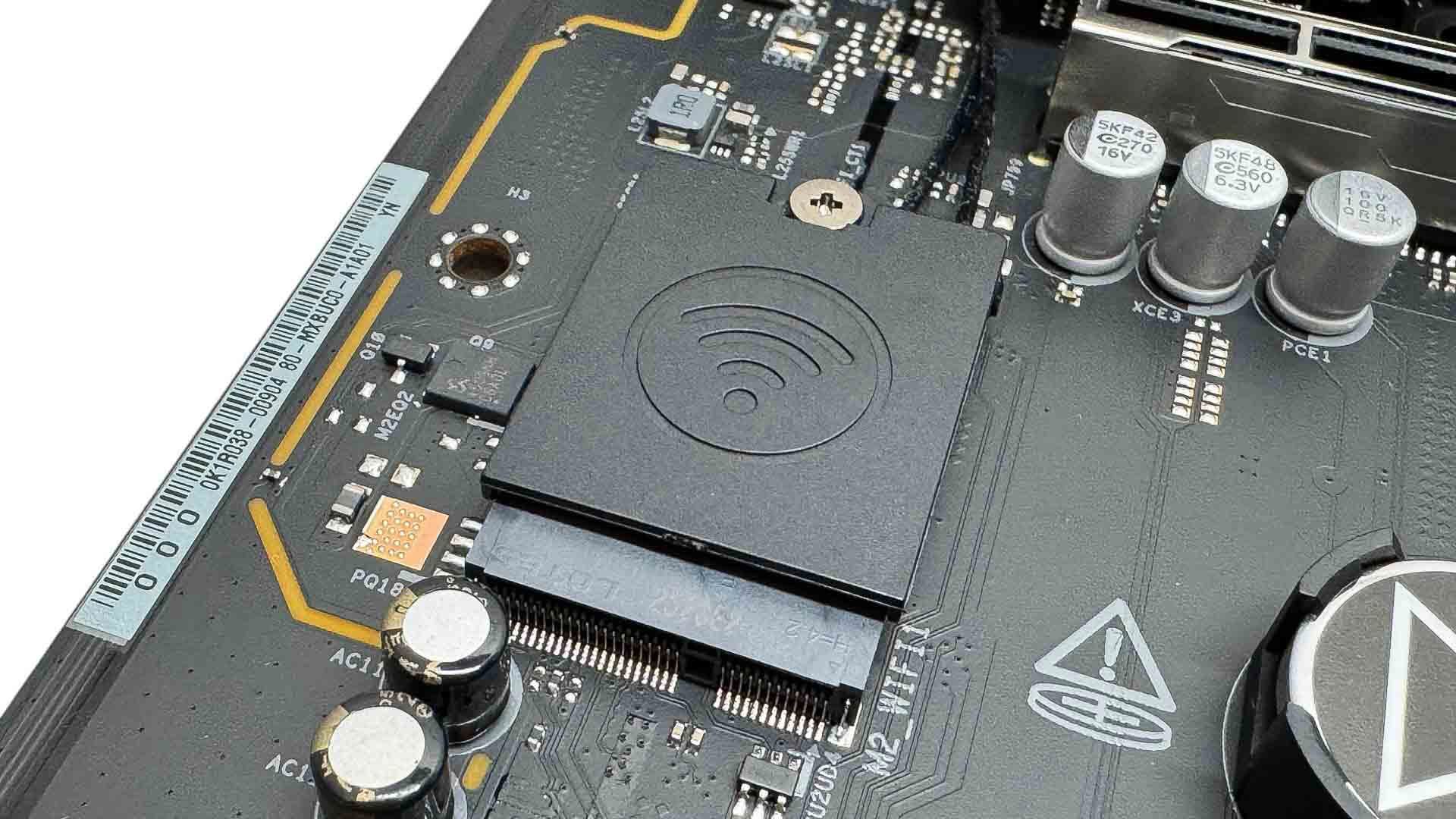
ASRock would have been forgiven for dropping to two SATA ports here, but it's still managed to include four. This is probably more important at this price range given potential owners looking to save money will likely be transplanting older SATA devices from their previous PC rather than considering extremely expensive M.2 SSDs. The Wi-Fi 7 module is located flat on the PCB next to the primary PCIe slot. This makes it easily removable should you wish to swap it out for something else.
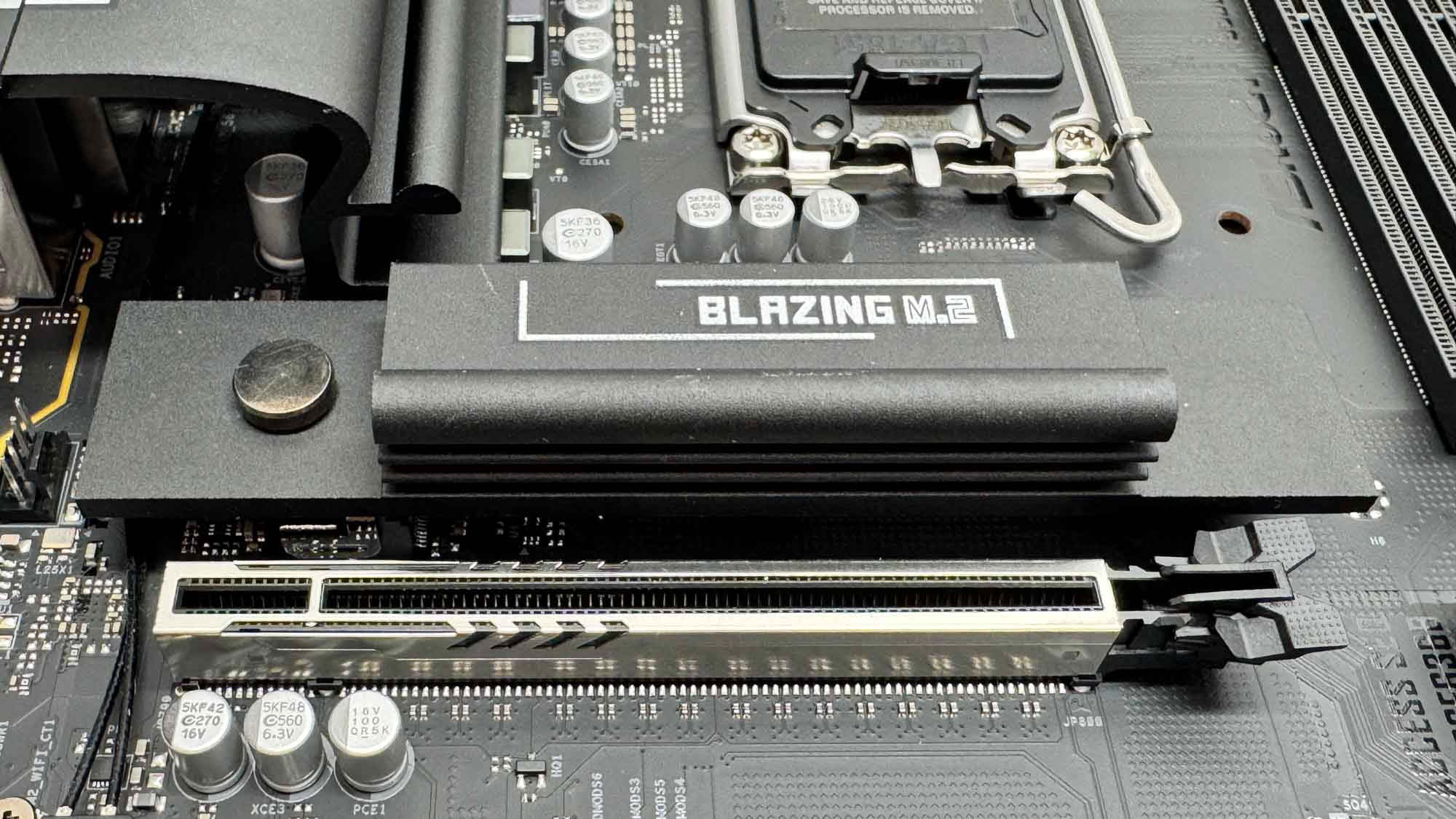
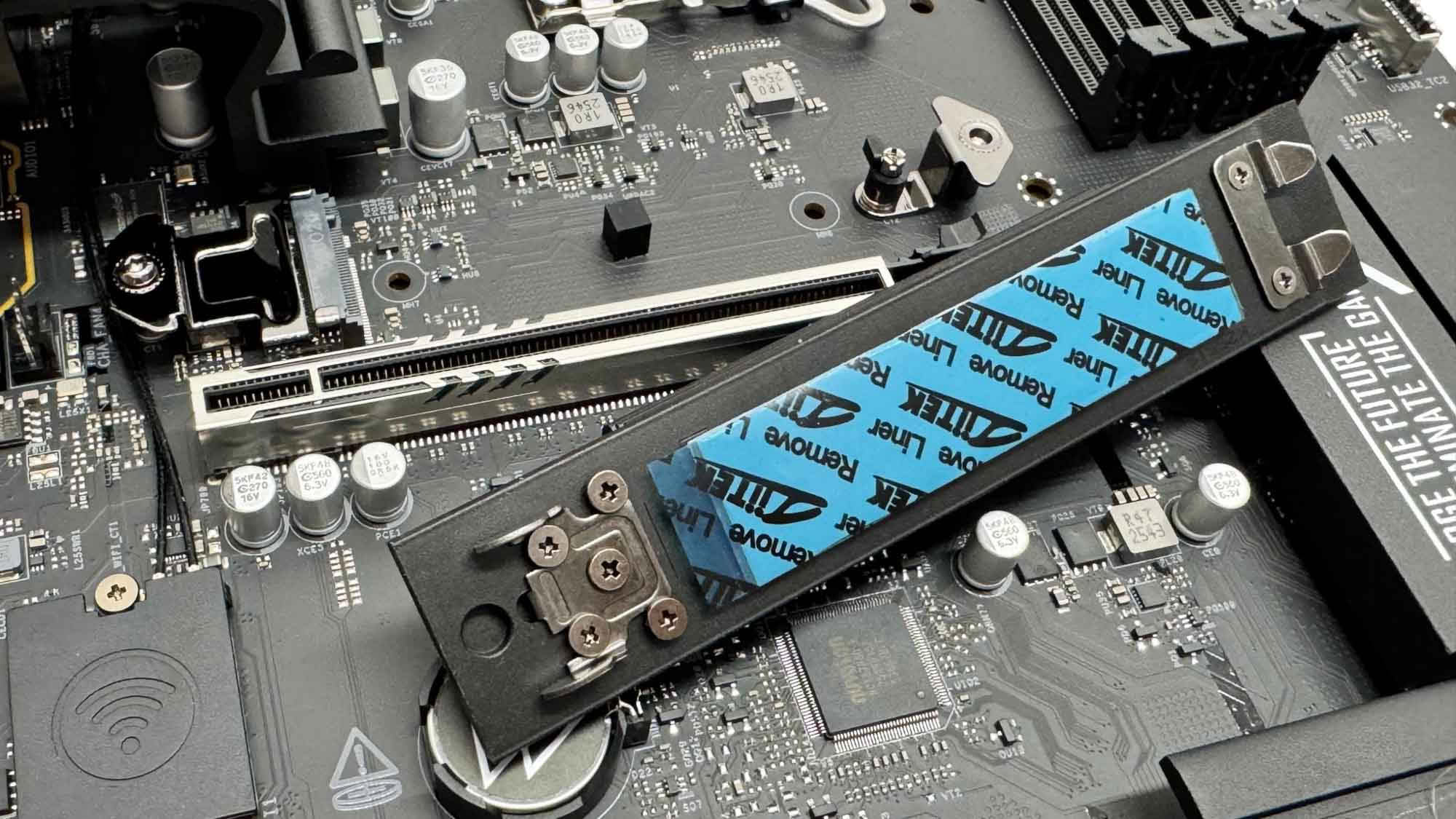
The primary M.2 heatsink serving the top M.2 port is the larger of the two included and features a simple tool-free mechanism. Unfortunately, double-sided heatsinks will see their underside components left to fend for themselves as there's no underside cooling here. Again, the easy way around this is to get a single-sided SSD such as Samsung's 9100 Pro or Kingston Fury Renegade G5. The target audience will be thinking of PCIe Gen 4 SSDs, at least for the foreseeable future.
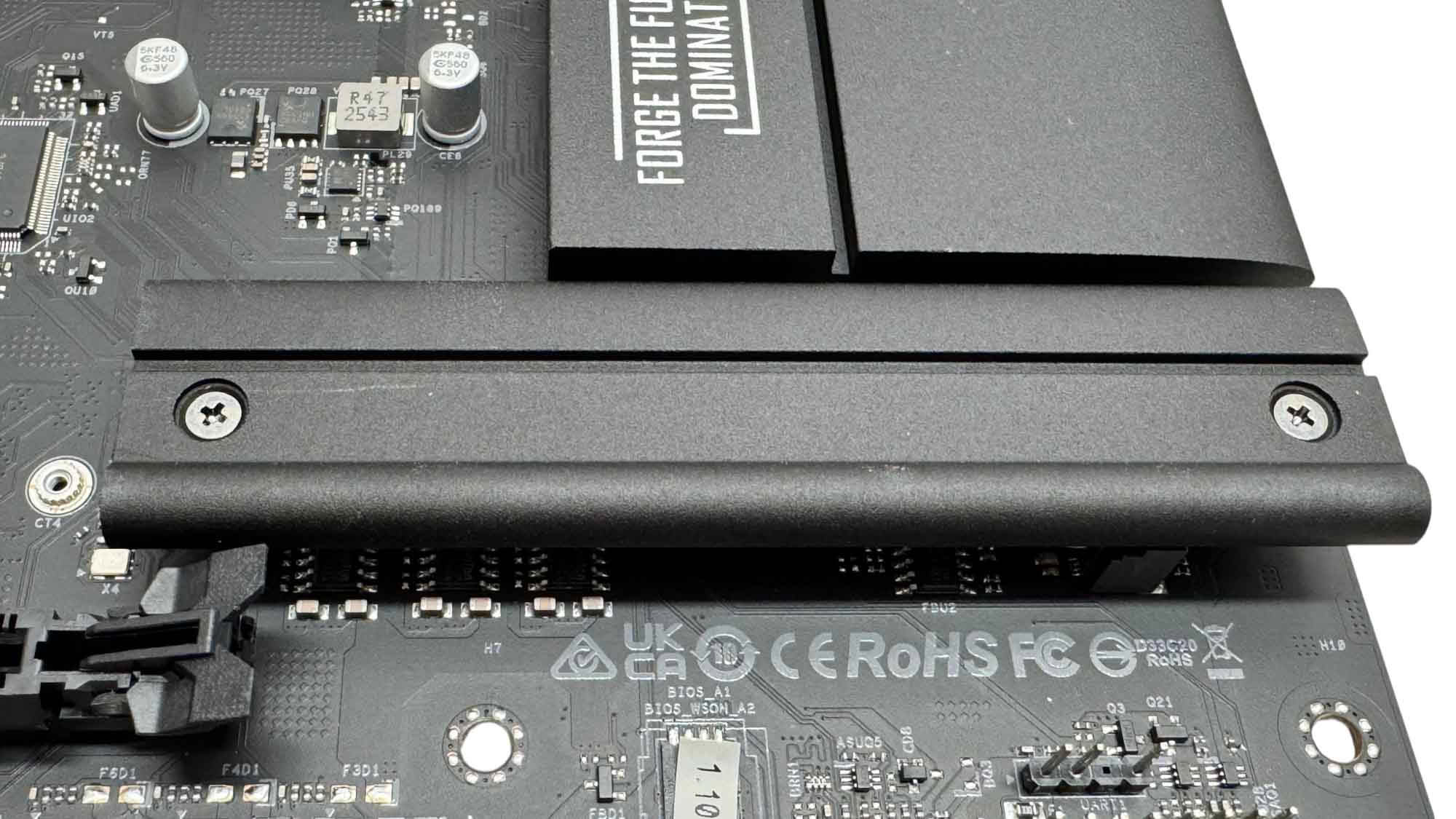
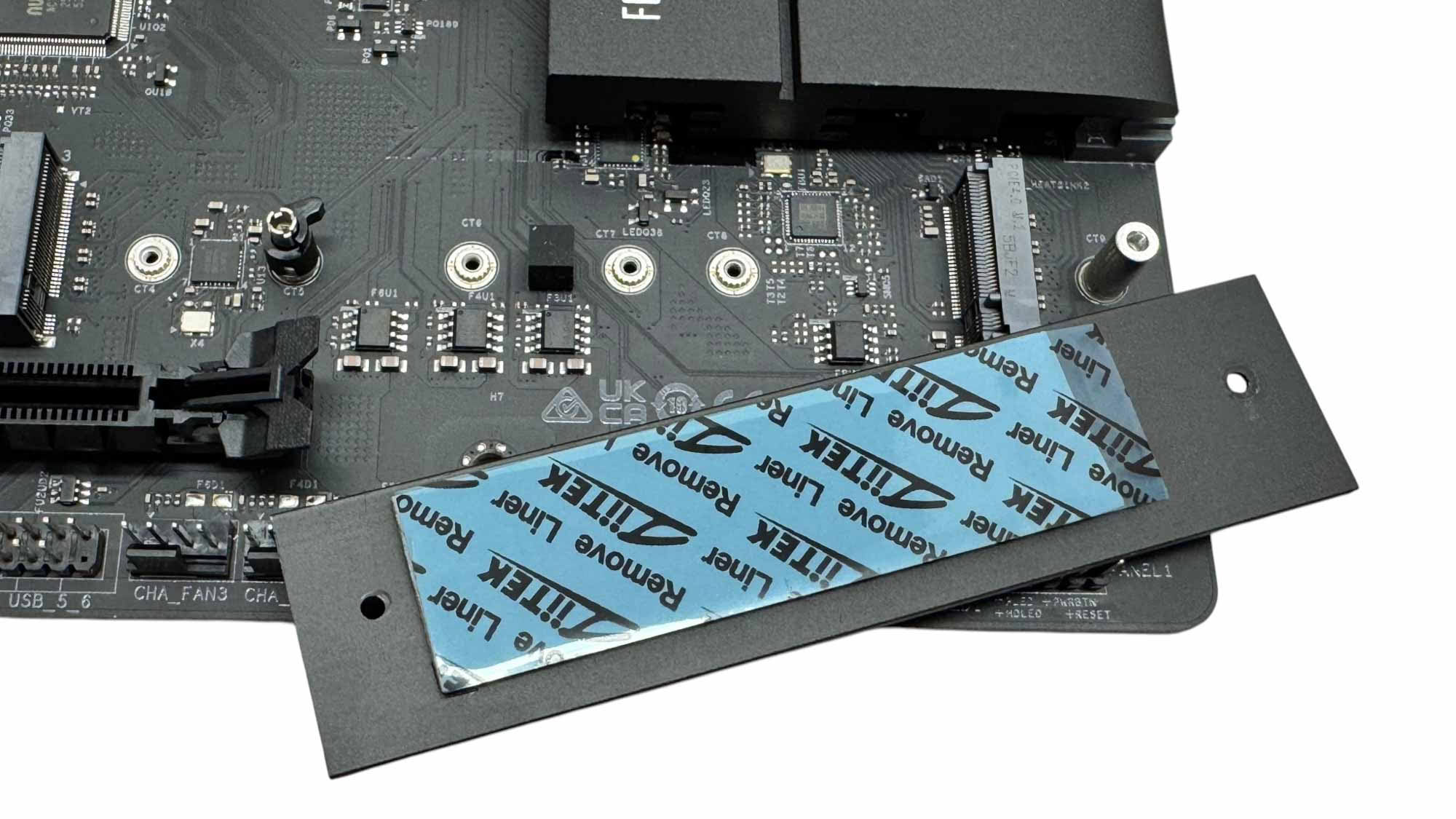
The second heatsink is not tool-free, and annoyingly the screws are not captive either so they are easily lost. Unsurprisingly, there's no underside cooling here as that's largely pointless with an M.2 port that's limited to Gen 4 SSDs. It would have been good to see a third heatsink for the adjacent Gen 4 slot too, but again it's a sensible compromise to keep costs low. Even with triple-slot GPUs, all three M.2 ports and both heatsinks are accessible.
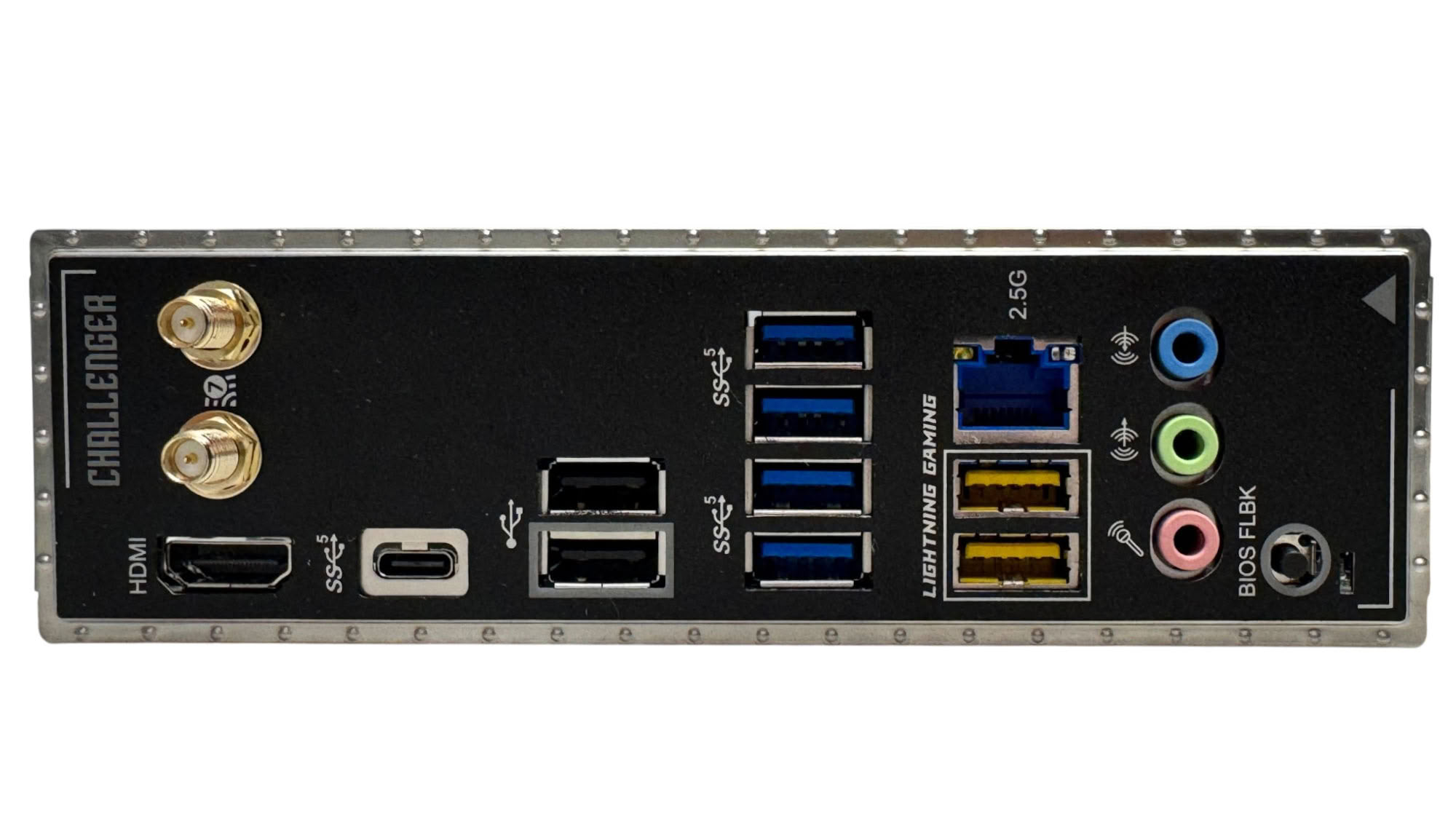
The rear I/O panel has an impressive eight Type-A USB ports and six of them are USB 3.0, which is way above average at this price. There's a Type-C port too, which is also limited to USB 3.0. Sadly, there's just a single video output so triple monitor setups using a CPU alone won't be possible. We also have standard Wi-Fi connectors, 2.5 Gbps Ethernet and three audio jacks, with no optical output here. The only button on the board here is for USB BIOS flashback, which seems a little pointless given Intel has likely released its final CPUs for the socket, but it can still be useful if you run into updating issues.
Nov 18th, 2026 13:24 PST
change timezone
Latest GPU Drivers
New Forum Posts
- Can i play GTA 6 now? (Joke) (5)
- Very unusual two gaming-pc scenarios. (11)
- Dell Workstation Owners Club (3513)
- Any other old-timers here planning to play WoW Forever? (151)
- Time to upgrade CPU and MOBO (33)
- The Filthy, Rotten, Nasty, Helpdesk-Nightmare picture clubhouse (2876)
- WarpCoreBench scores! (67)
- Honestly, do you care about GTA VI? (144)
- Acer Predator BiFrost Radeon RX 9070 OC (9)
- DTS DCH Driver for Realtek HDA [DTS:X APO4 + DTS Interactive] (2814)
Popular Reviews
- Acemagic Retro X3 Review
- Upcoming Hardware Launches 2027 (Updated Nov 2026)
- AMD Zen 6 Technical Deep Dive
- ASUS ROG Strix B850-I Gaming Wi-Fi7 W Review
- Corsair HX1000i Shift Crystal Review
- Biwin Black Opal NV7400 2 TB Review
- Chieftec Iceberg PRO 360 DARK Review
- AMD Ryzen 7 9800X3D Review - The Best Gaming Processor
- Phantom Blade Zero Performance Benchmark Review - 35 GPUs Tested
- Pulsar Office Tour & First Look at P1 Dual-Sensor Mouse
TPU on YouTube
Controversial News Posts
- NVIDIA Co-Founder and CEO Jensen Huang Officially Resigns (478)
- Report: Jensen Huang Eyes NVIDIA Comeback (187)
- Open Letter Asking NVIDIA to Reinstate Jensen Huang Passes 115,000 Signatures (184)
- OpenAI CEO Argues Home PCs Waste the World's Limited DRAM Supply (152)
- NVIDIA Launches Investigation Into Jensen Huang's Relationship With Suspected Chinese Spy (136)
- Intel "Raptor Lake Next" 16-Core and 20-Core CPUs Surface (130)
- Legendary Game Studio BioWare Shuts Down Following EA Layoffs (104)
- Dell CEO Says the Memory Shortage Will Get Worse in 2027 (95)