 4
ASRock NUC BOX-358H Review
(4 Comments) »Introduction

ASRock Industrial has been making compact NUC-style PCs for years, with its Intel-based NUC BOX models joining the AMD-powered 4X4 BOX family. The company also offers slimmer NUC models and fanless systems designed for industrial use, so it has plenty of experience fitting capable hardware into small enclosures. The NUC BOX-358H is one of its latest models, bringing Intel's Panther Lake architecture and Arc B390 integrated graphics to a desktop that takes up very little space. Unlike many of the Mini-PCs I've reviewed recently, this one comes as a barebones system, meaning you'll need to provide your own memory and storage. I actually like having that flexibility, but it does mean factoring in the cost of those components when comparing it with a fully configured Mini-PC.
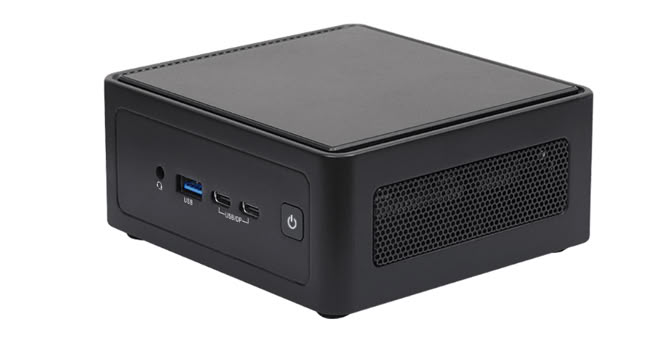
Inside is Intel's Core Ultra X7 358H, a 16-core, 16-thread processor with four performance cores, eight efficiency cores, and four low-power efficiency cores. It also features Intel's Arc B390 integrated graphics with 12 Xe3 cores, which is probably what I'm most interested in testing. Integrated graphics have improved quite a bit over the past few generations, and I'm curious to see what Intel's latest hardware can do in games that have traditionally been challenging for Mini-PCs, particularly at 1080p. There's also a 50 TOPS NPU for supported AI applications, although its usefulness will depend on the software you're running.
ASRock Industrial has managed to fit quite a bit of expandability into the NUC BOX-358H, despite its small 117.5 × 110 × 49 mm chassis. There are two replaceable DDR5 SO-DIMM slots supporting up to 128 GB of memory at DDR5-7200, along with two M.2 SSD connections. One supports PCIe 5.0 and full-length M.2 2280 drives, while the other uses PCIe 4.0 and the smaller 2242 format. Connectivity is equally generous, with dual 2.5 GbE ports, Thunderbolt 4, and support for four displays. All of this makes it an appealing option for a compact workstation, development system, or small homelab, especially for anyone who wants the freedom to upgrade individual components down the road. It can even be mounted behind a monitor using the included VESA bracket, keeping the desk completely free.
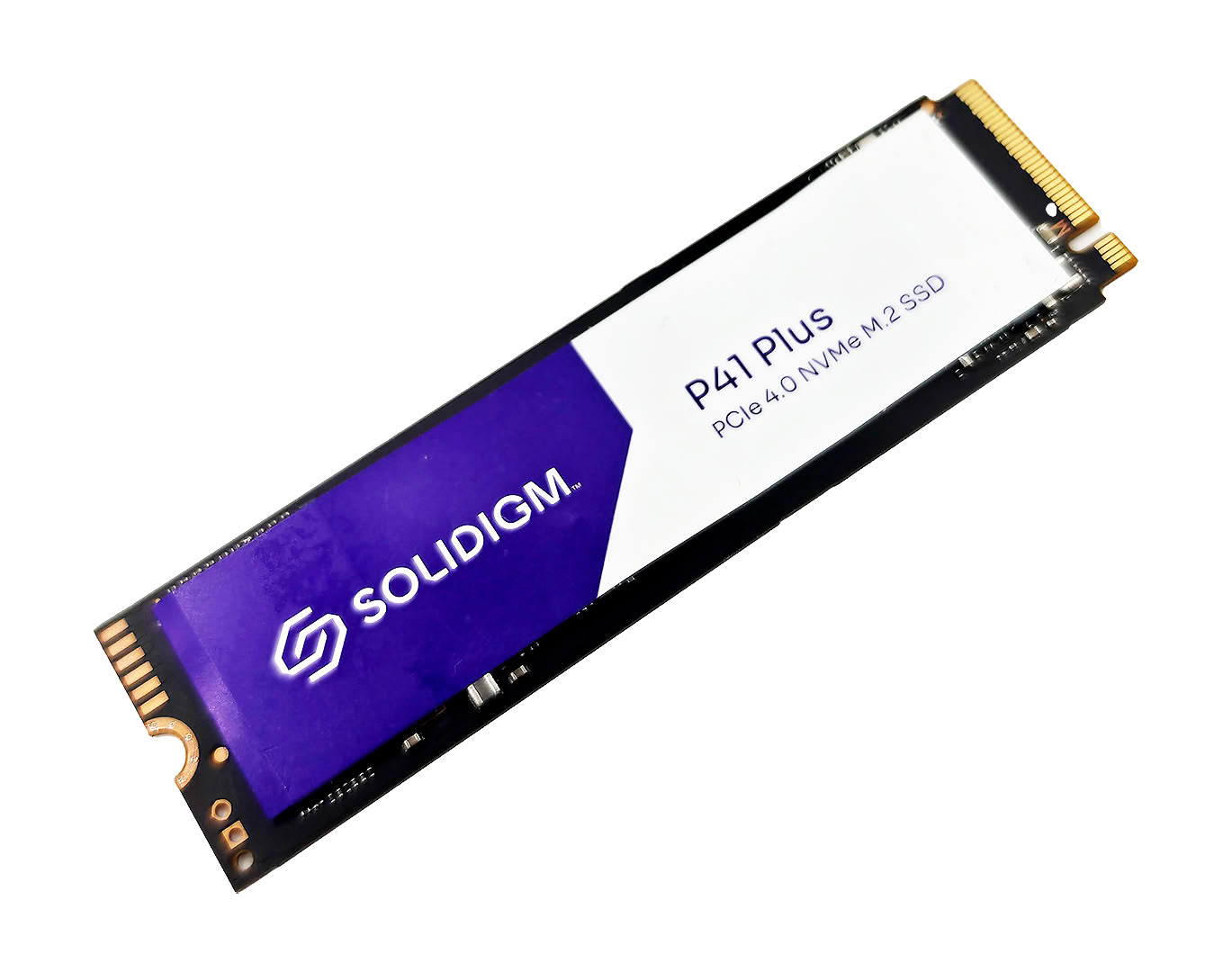
For this review, I installed 32 GB of dual-channel DDR5-5600 memory and a 1 TB Solidigm P41 Plus SSD, both supplied separately from the barebone. The memory runs below the system's advertised DDR5-7200 capability, which is worth mentioning because integrated graphics share system memory and can benefit from higher bandwidth. The storage results will also reflect the SSD I installed, not the full potential of the PCIe 5.0 interface. With everything set up, I ran the NUC BOX-358H through my usual CPU, application, and gaming benchmarks to see how Intel's new platform compares with the other Mini-PCs I've tested, and whether this barebone approach is worth considering.
| Specifications | |
|---|---|
| CPU | Intel Core Ultra X7 358H (Panther Lake-H) 16 cores/16 threads: 4P + 8E + 4LPE Up to 4.8 GHz Dedicated NPU rated at 50 TOPS |
| GPU | Intel Arc B390 integrated graphics 12 Xe cores, up to 2.5 GHz Shared system memory |
| Memory | Tested: 32 GB (2× 16 GB) dual-channel DDR5-5600 Two replaceable DDR5 SO-DIMM slots Up to 128 GB; DDR5-7200 support Barebone: memory sold separately |
| Storage | Tested: 1 TB Solidigm P41 Plus, PCIe 4.0 x4 NVMe One M.2 Key M PCIe 5.0 x4 slot (2242/2280) One M.2 Key M PCIe 4.0 x4 slot (2242) Intel VMD RAID 0/1 support Barebone: SSD sold separately |
| Display Outputs | 2× HDMI 2.1 DisplayPort 2.1 through USB4/Thunderbolt 4 DisplayPort 1.4a through the second USB-C port Up to four displays |
| Connectivity | Front: 1× USB-A (10 Gbps), 1× USB4/Thunderbolt 4, 1× USB-C (20 Gbps), headphone/microphone jack, power button |
| Networking | Intel I226LM + I226V 2.5GbE Wi-Fi 7 and Bluetooth 6.0 |
| Cooling | Active fan cooling |
| Operating System | Tested with Windows 11 Pro Operating system supplied separately from the barebone |
| Power Supply | External 19 V/120 W adapter 12-24 V DC input support |
| Dimensions | 117.5 × 110 × 49 mm |
| Weight | 1.0 kg nominal barebone weight |
| Color | Black |
| Accessories | Power adapter VESA mounting bracket and mounting screws M.2 screw |
| Pricing | $989.99 USD listed barebone price RAM, SSD, and operating system are additional * Pricing is reflected at the time of publication |
Design and Build
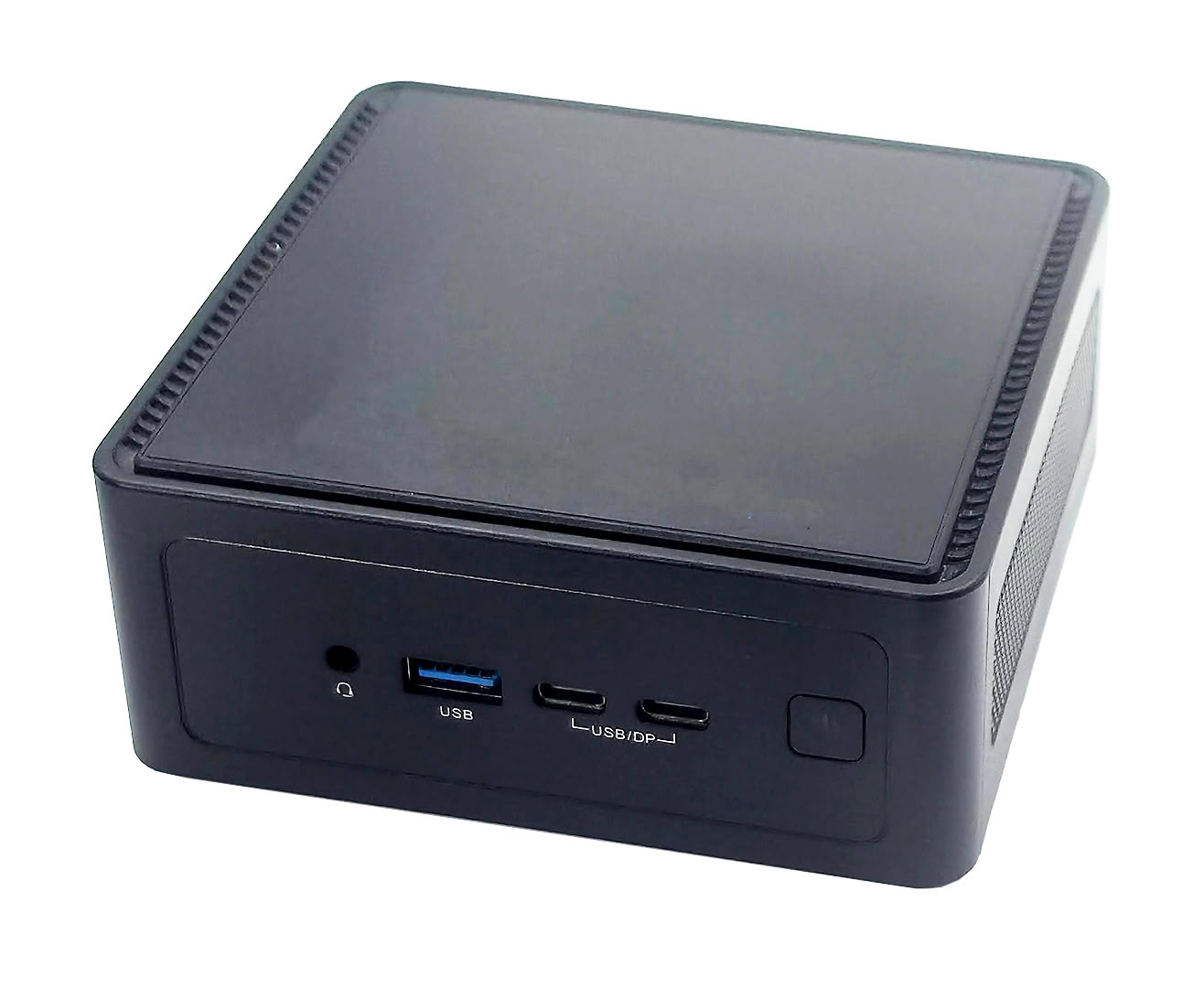
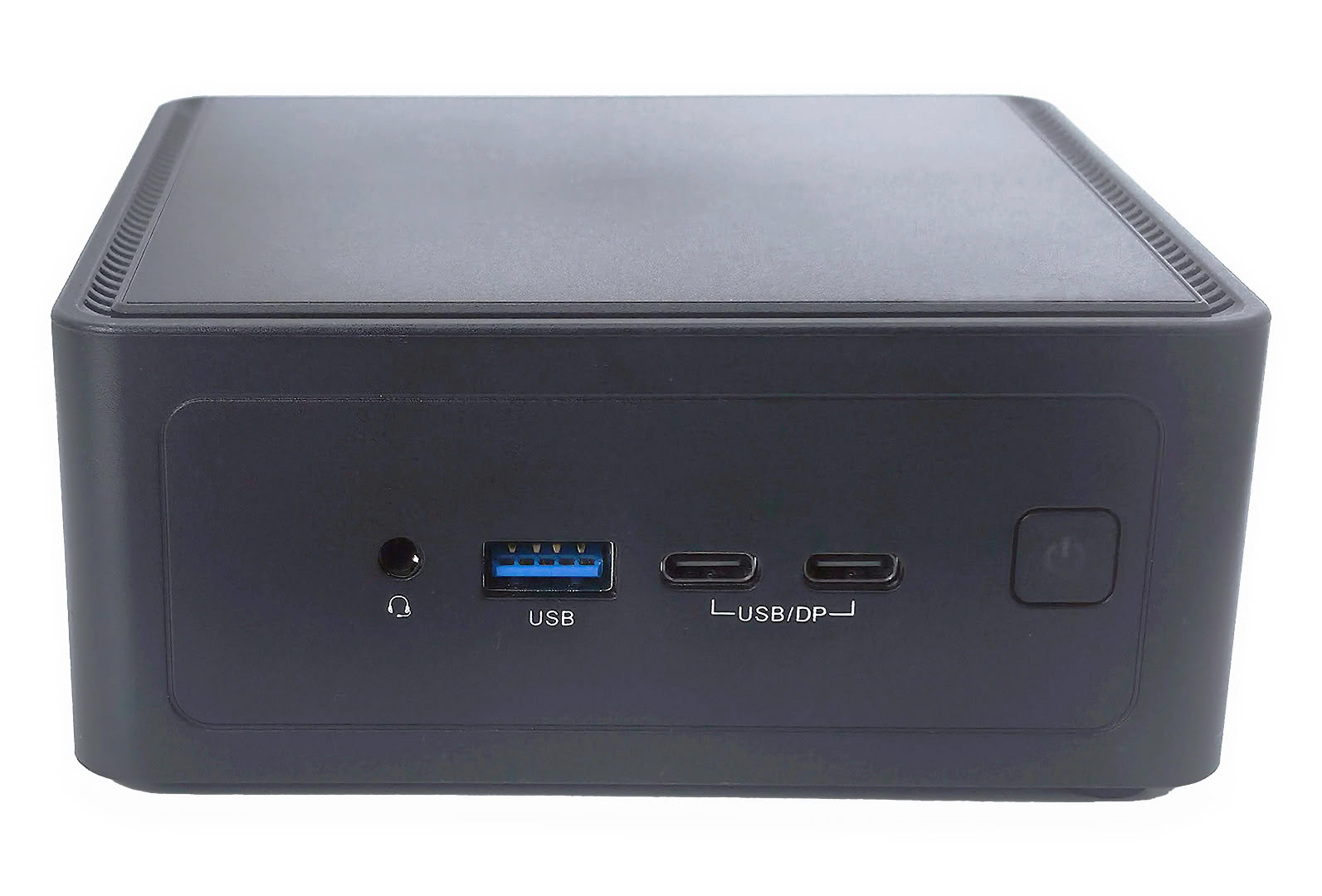
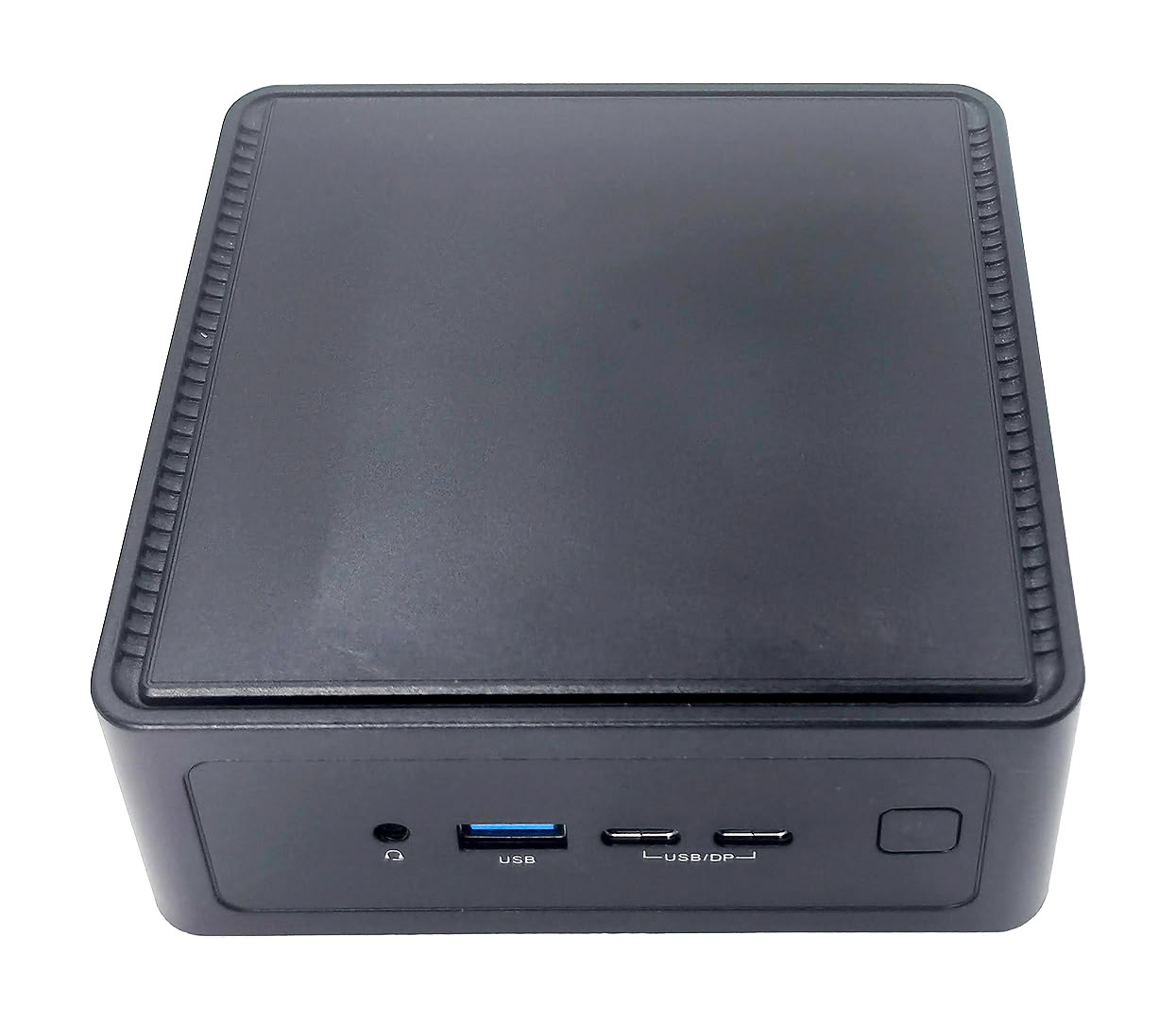
At 117.5 × 110 × 49 mm, the NUC BOX-358H follows the familiar ASRock Industrial enclosure design with a black finish, rounded corners, and little decoration.
Most connections that someone would reach for during the day are on the front, beside the power button. A headphone/microphone jack and a 10 Gbps USB-A port accompany two USB-C connectors, but the two Type-C ports have different capabilities. One provides USB4/Thunderbolt 4 with DisplayPort 2.1 output, and the other provides 20 Gbps USB connectivity with DisplayPort 1.4a. Both being at the front is convenient for removable storage, although a permanently connected dock or USB-C monitor adds a cable across the front of the desk.
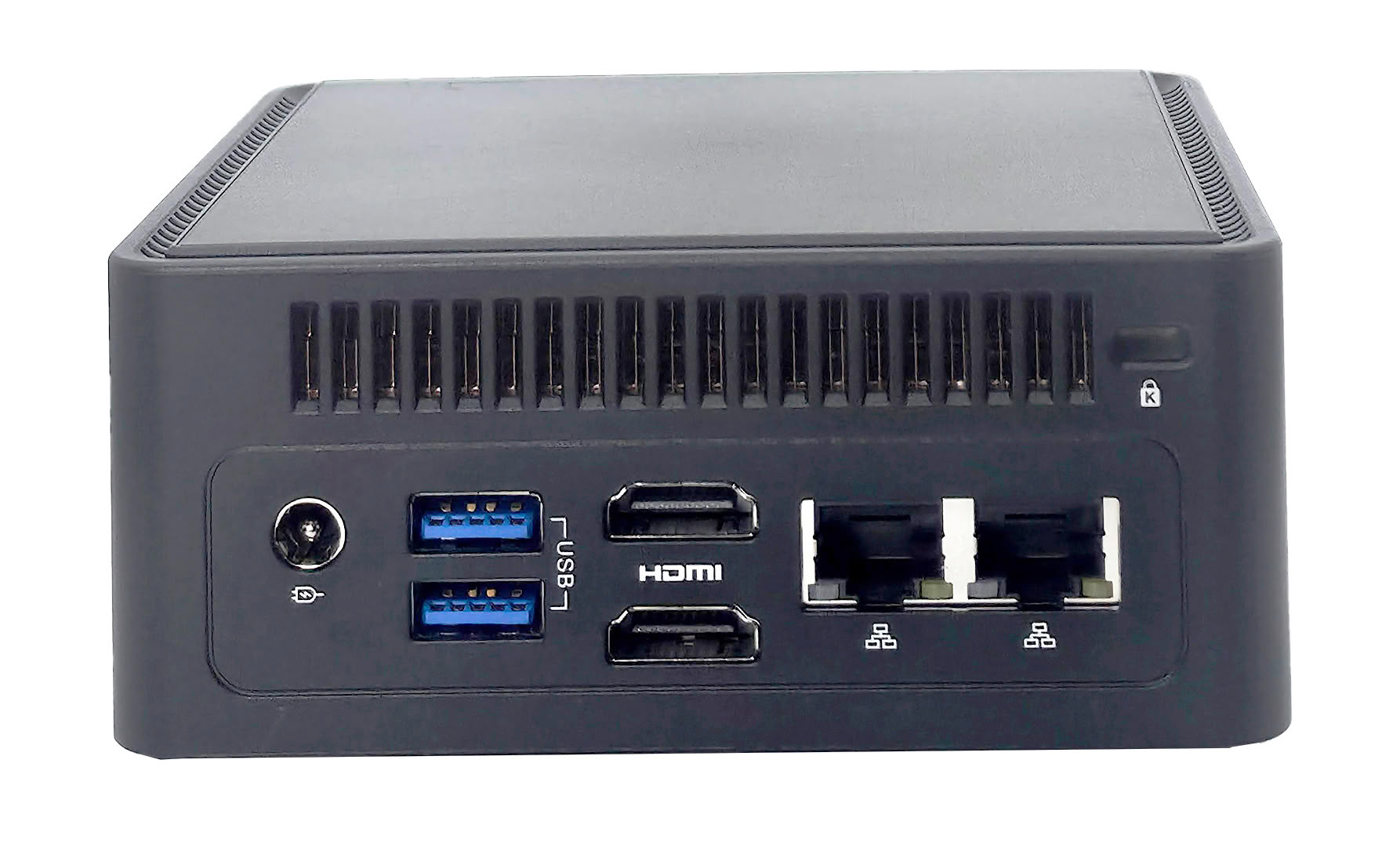
Around the rear, the pair of HDMI outputs and dual Ethernet connections provide several options for a desk with multiple displays and wired networking. The two RJ-45 ports use Intel I226LM and I226V controllers, each supporting 2.5 GbE. There are also two 10 Gbps USB-A ports, a barrel-style DC input, and a security slot above the connection area. That leaves three USB-A ports across the entire system, so several wired peripherals can consume the available ports quickly. Wi-Fi 7 and Bluetooth 6.0 provide wireless alternatives where suitable.
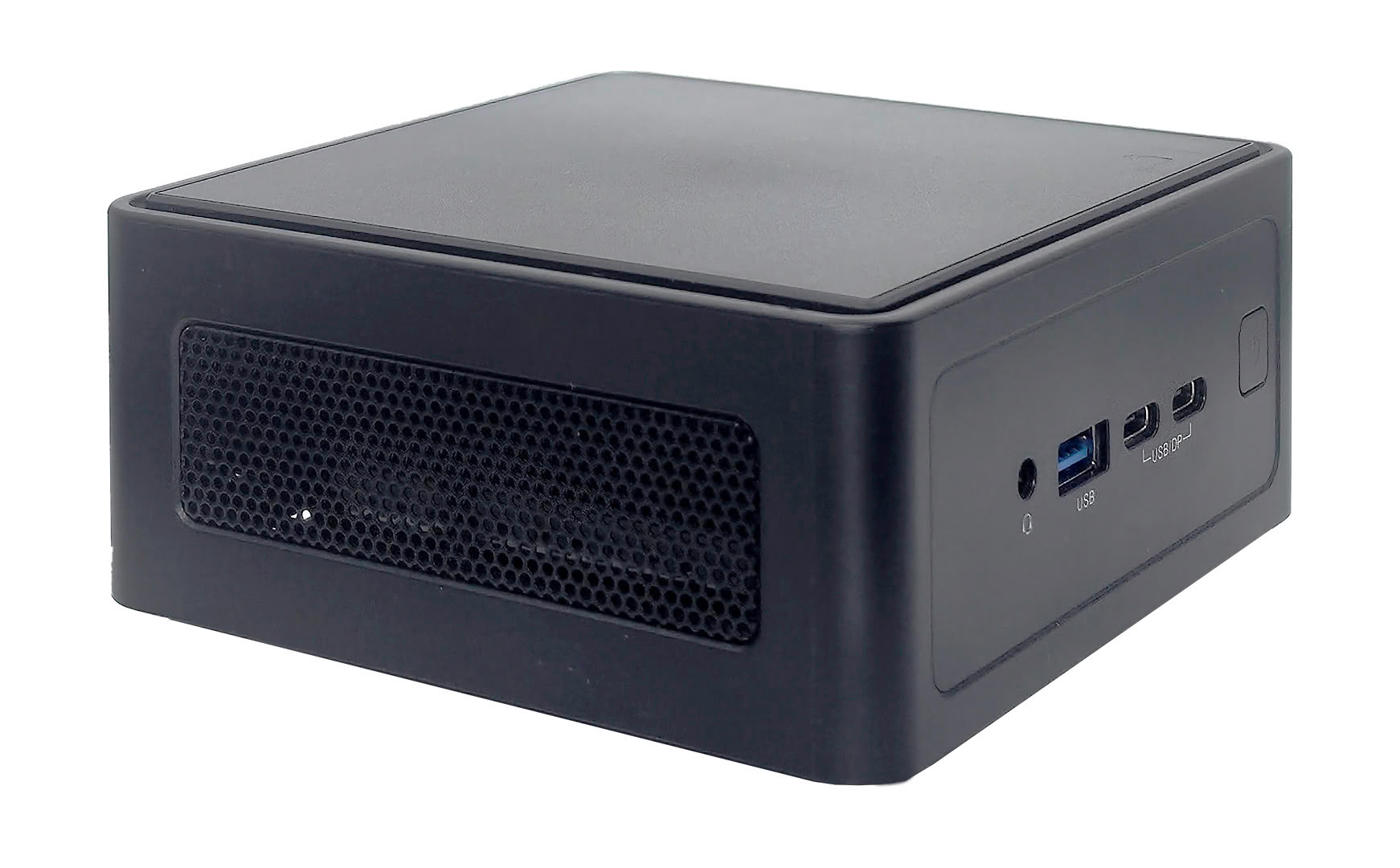
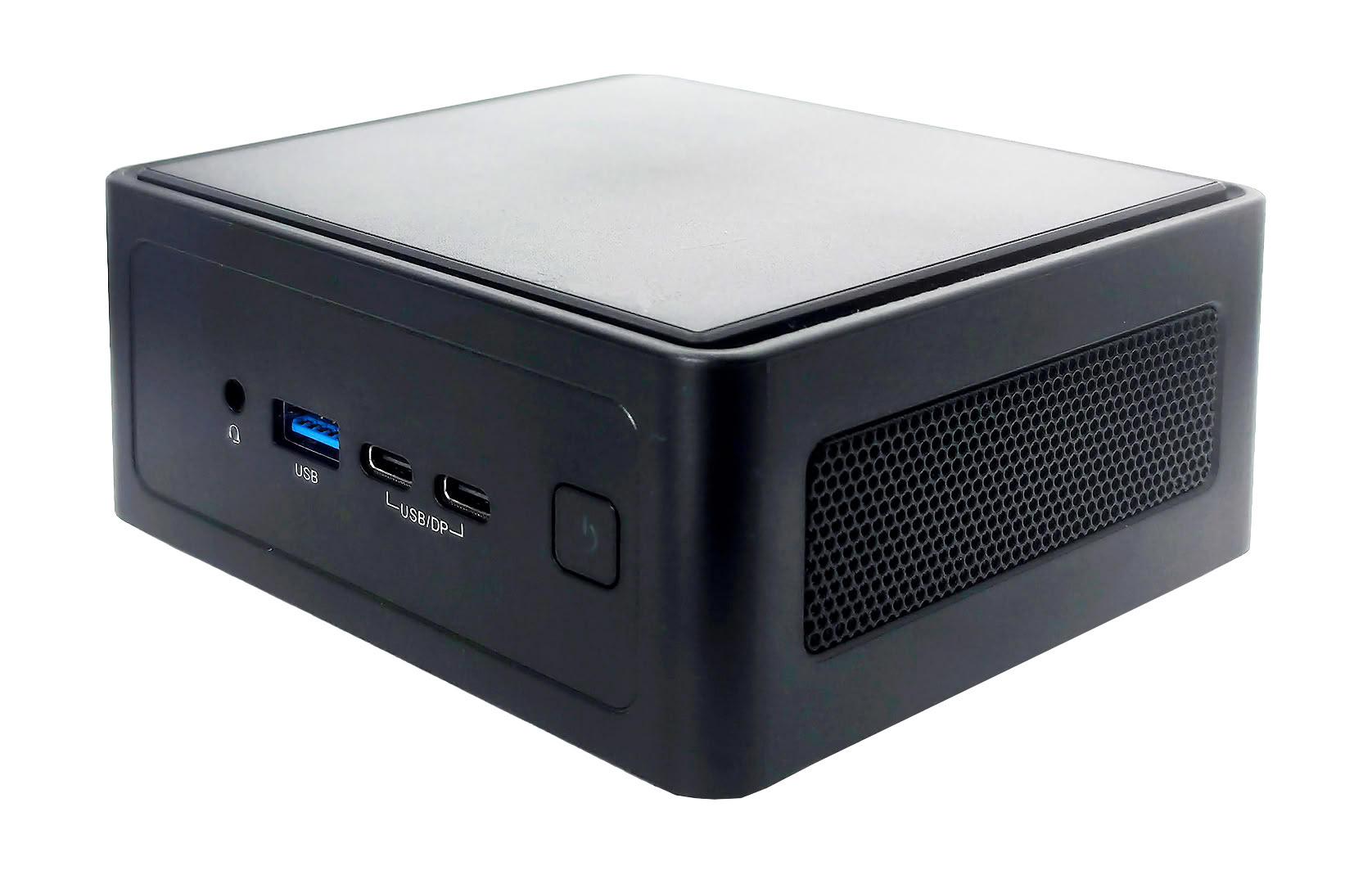
Ventilation occupies the sides and the upper rear of the enclosure, while the plain top panel keeps the exterior visually simple. The underside provides access to the mounting arrangement and removable bottom cover. The included adapter supplies 120 W at 19 V through the rear DC connector. ASRock lists a two-year host warranty, with exclusions for the casing, frame, fastenings, and accessories; the warranty for separately installed memory and storage is independent.
A Look Inside
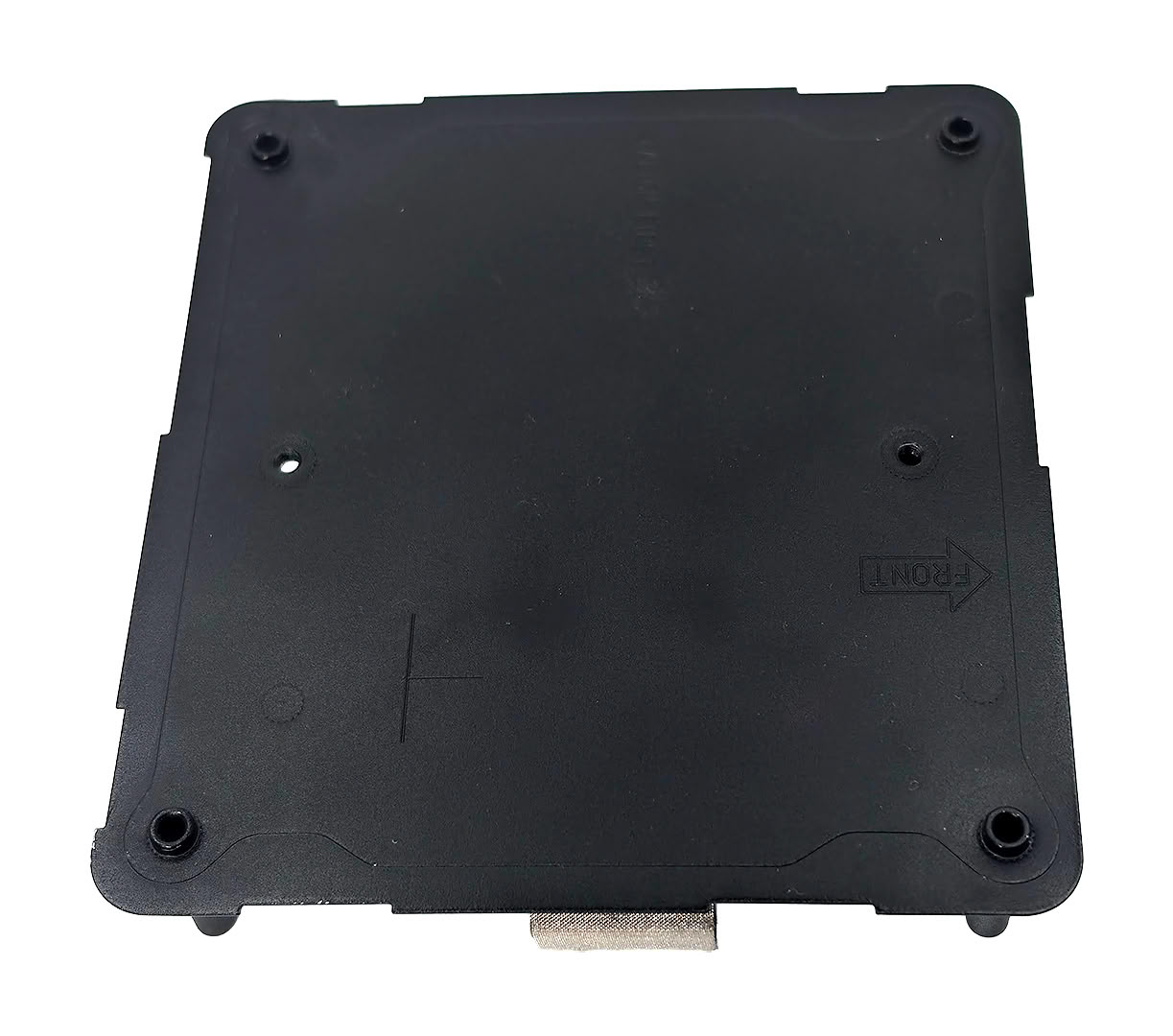
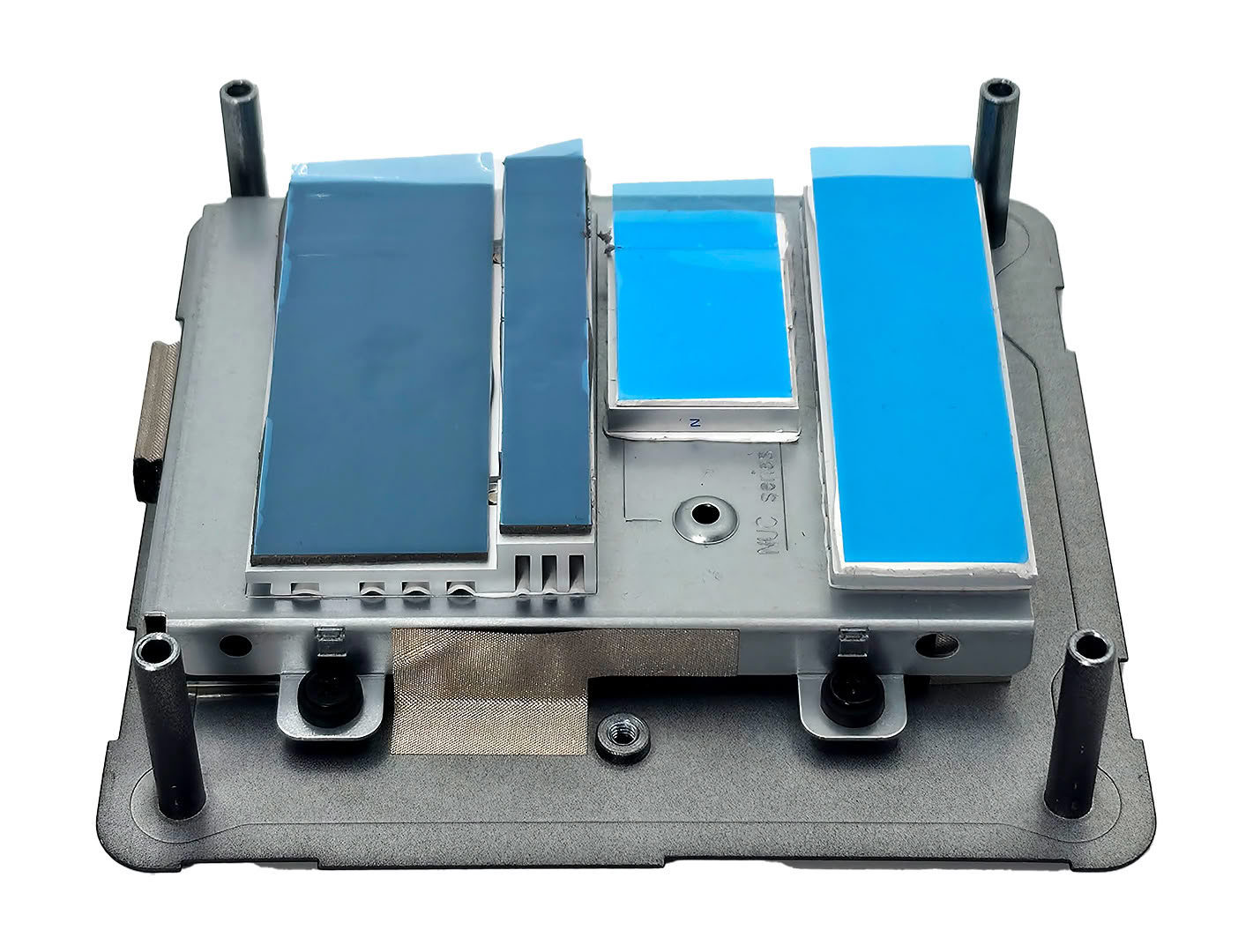
Removing the four screws underneath lets you lift off the bottom cover and reach the memory and storage slots. The motherboard can stay in place while you install the RAM and SSD, so there's little disassembly involved. Before putting the cover back on, remove the protective films from the heatsink contact surfaces, so they can make proper contact with the components.
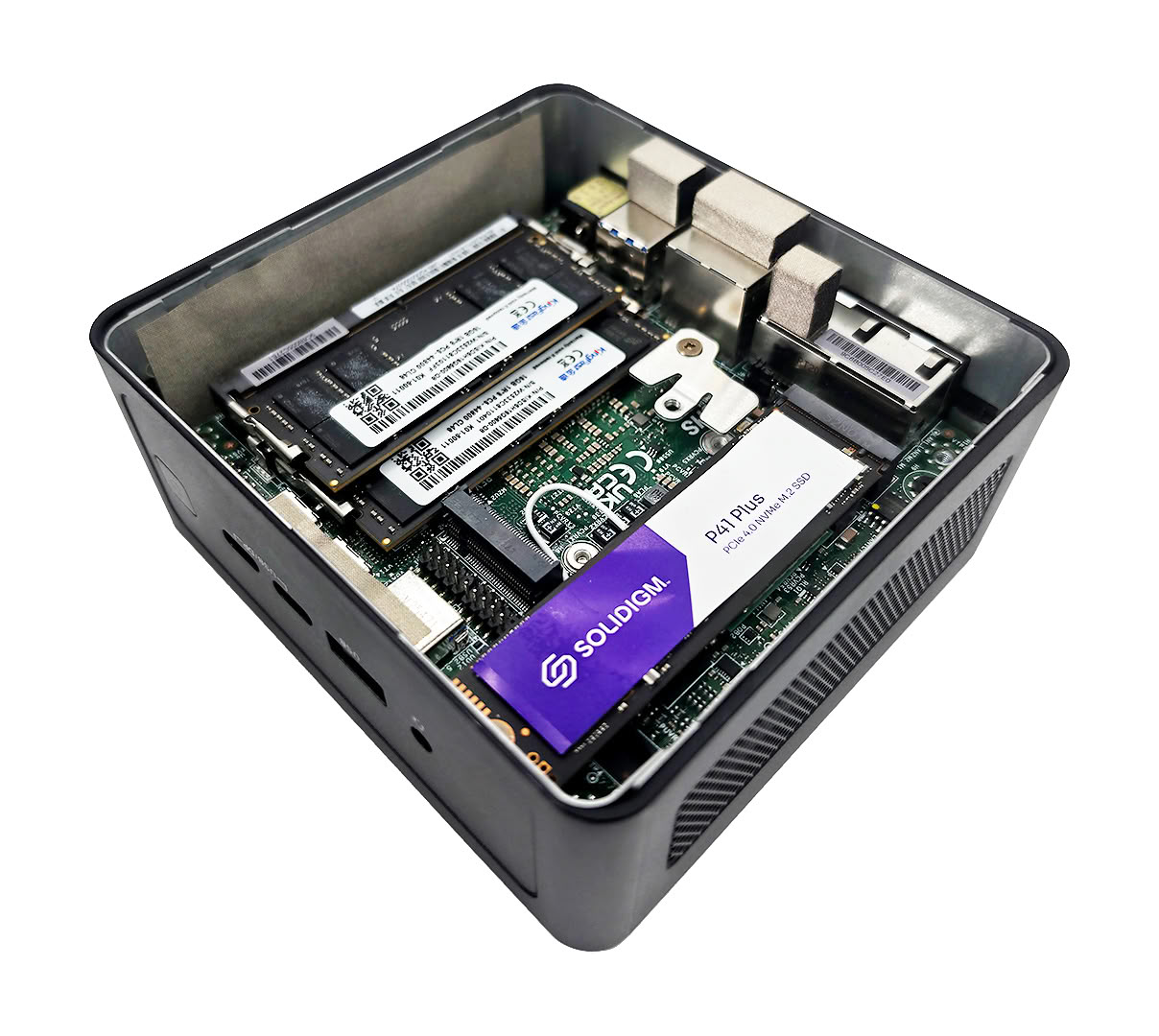
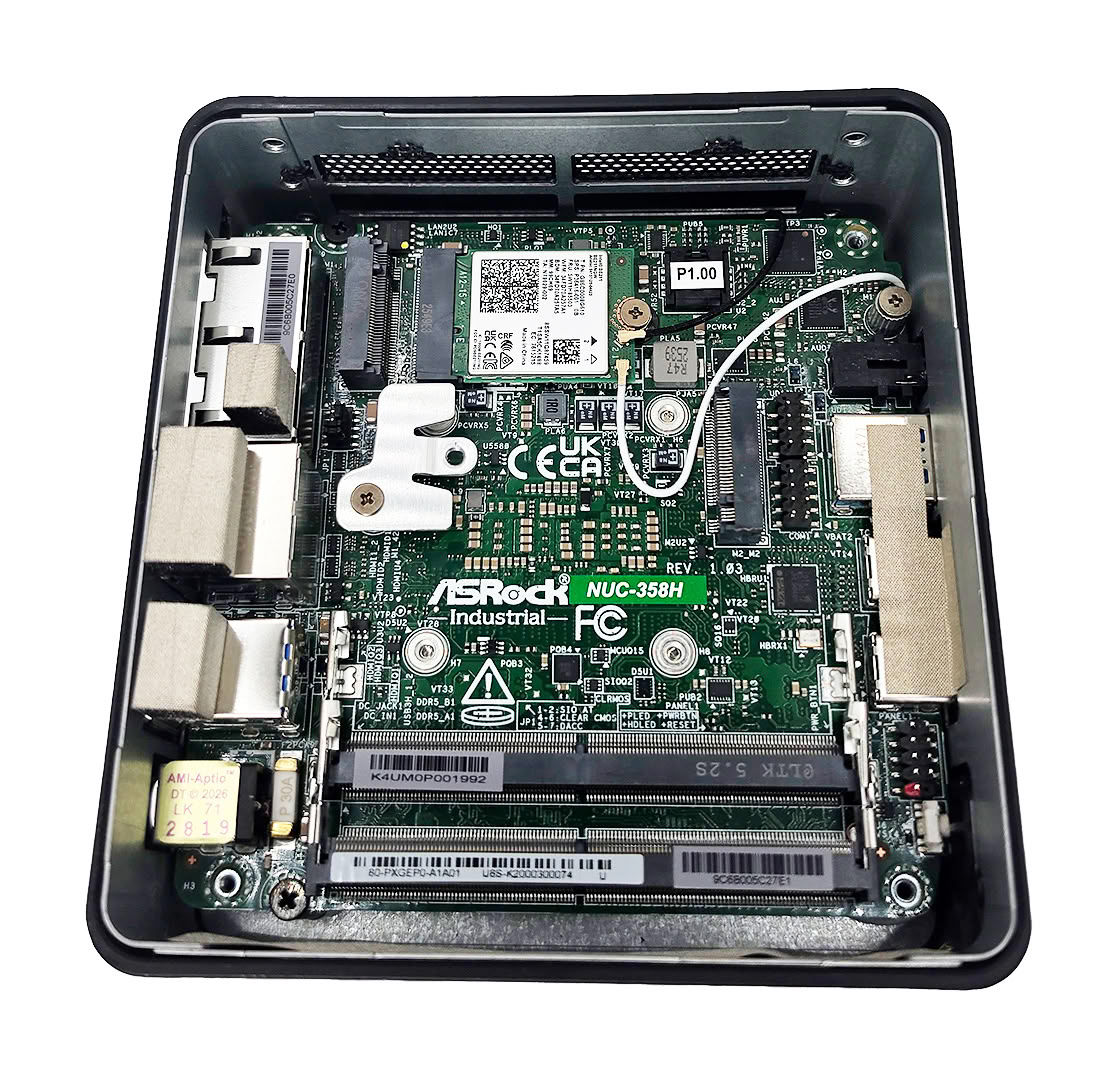
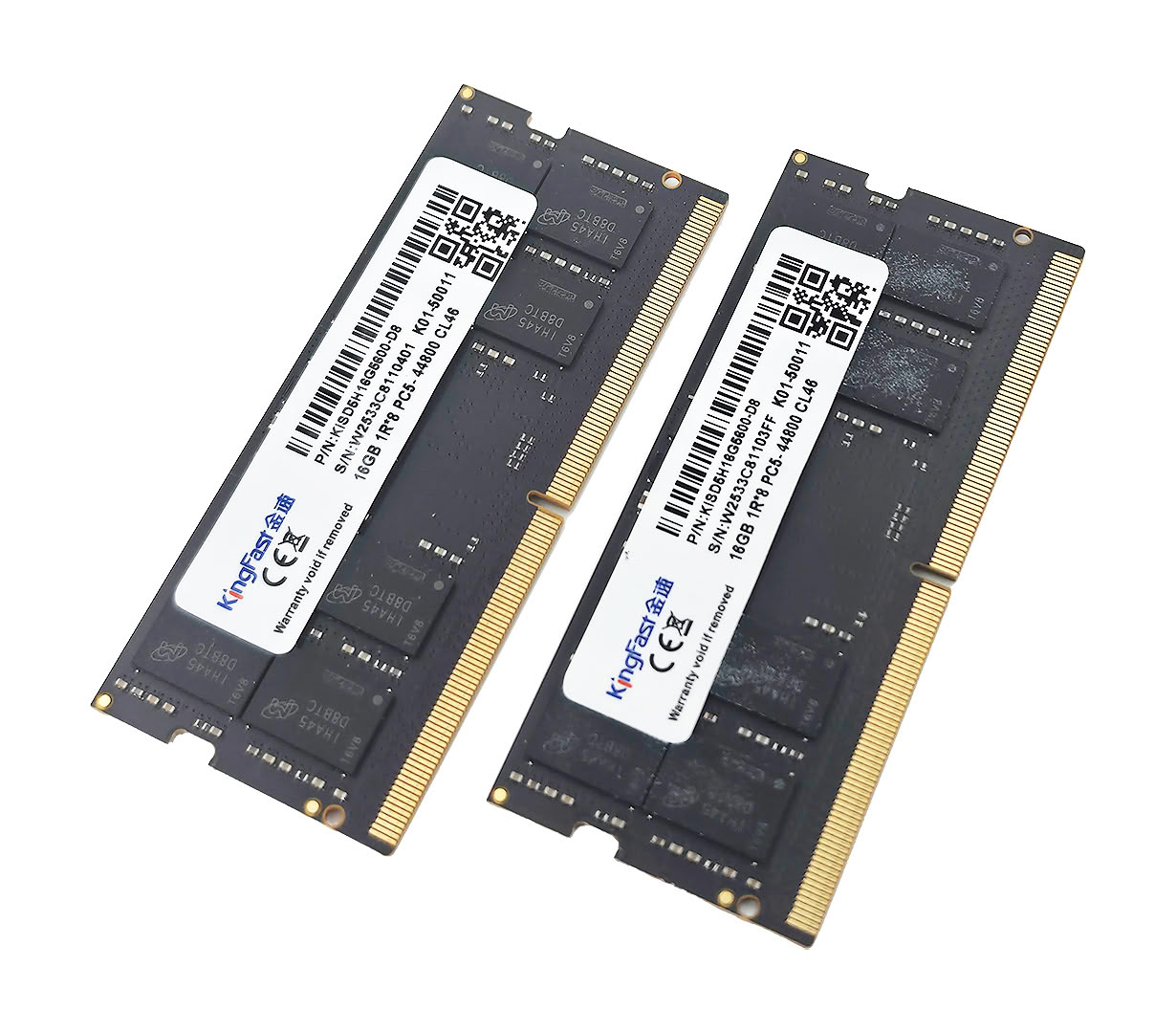
Two SO-DIMM slots allow the review configuration's pair of 16 GB modules to be replaced as memory requirements change. The installed modules operate at 5,600 MT/s in dual-channel mode, with 46-46-46-90 timings. ASRock lists support up to DDR5-7200 and offers a barebones kit without memory/storage, but the testing in this review used a DDR5-5600 configuration throughout benching. In addition, the M.2 Key E wireless card provides Wi-Fi 7 and Bluetooth 6.0, with support for the 6 GHz band on a compatible network.
The primary PCIe 5.0 x4 connection supports an M.2 2280 SSD, with an alternative mounting arrangement for a shorter drive, while the secondary PCIe 4.0 x4 connector accepts M.2 2242.
Our Patreon Silver Supporters can read articles in single-page format.
Nov 26th, 2026 16:14 CST
change timezone
Latest GPU Drivers
New Forum Posts
- weird problem with Asus Maximus Hero z890 motherboard VRM (1)
- Exploring Local LLMs: Models, Hardware and Setup Experiences (5)
- WarpCoreBench scores! (112)
- What's your main Black Friday / Cyber Monday purchase? (23)
- Wireless Internet sharing between PC and router both-ways, is it possible? (26)
- TPU's WCG/BOINC Team (34811)
- ASUS Prime 5060 ti 16gb x4 instead of x8 PCIe (10)
- Windows 10 Power save mode. See what program that cause sleep to fail. (1)
- Mouse Pad advice - Shidenkai out of production? (1)
- Can you guess Which game it is? (370)
Popular Reviews
- ASRock X870E Challenger Wi-Fi White Review
- VZMORE AX9 Max Review
- Upcoming Hardware Launches 2027 (Updated Nov 2026)
- Microsoft Surface Laptop Ultra Review - The Next-gen Arm Laptop
- AMD Ryzen 7 9800X3D Review - The Best Gaming Processor
- AMD Zen 6 Technical Deep Dive
- Phantom Blade Zero Performance Benchmark Review - 35 GPUs Tested
- Corsair RM1200e (Second Generation) Review
- Montech CyberFlow ARGB 360 Review
- Pulsar Office Tour & First Look at P1 Dual-Sensor Mouse
TPU on YouTube
Controversial News Posts
- Jensen Huang Reinstated as CEO of NVIDIA (606)
- NVIDIA Co-Founder and CEO Jensen Huang Officially Resigns (492)
- Report: Jensen Huang Eyes NVIDIA Comeback (281)
- Open Letter Asking NVIDIA to Reinstate Jensen Huang Passes 115,000 Signatures (184)
- OpenAI CEO Argues Home PCs Waste the World's Limited DRAM Supply (152)
- NVIDIA Launches Investigation Into Jensen Huang's Relationship With Suspected Chinese Spy (136)
- Intel Razor Lake Gets a 12 P-Core bLLC Chip With No E-Cores, Per Leak (94)
- NVIDIA GeForce RTX 50-Series Scheduled for up to $500 Price Hike This Week (89)