 37
ASRock Phantom Gaming X870 Nova Wi-Fi Review
(37 Comments) »Value and Conclusion
- The ASRock Phantom Gaming X870 Nova Wi-Fi is currently listed online for $300
- Competitive pricing
- Excellent VRM temperatures
- 36 W charging over front panel 20 Gbps Type-C port
- Decent M.2 temperatures
- USB4 and Wi-Fi 7
- PCIe Gen 5 GPU and M.2 support
- Plenty of both Type-A and Type-C USB ports
- Tool-free M.2 installation
- EFI needs an overhaul, especially fan control
- Only one tool-free M.2 heatsink
- Second PCIe Gen 5 M.2 slot shares bandwidth with USB4 ports
- No fan headers near rear case fan location
- Only two SATA ports
- Somewhat limited fan header power
- ASRock X870E Taichi Lite is only $20 more
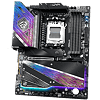
Saying the ASRock Phantom Gaming X870 Nova Wi-Fi is a great board for the money is a relatively easy statement to make as it doesn't fall massively short in any critical area, is well-priced, looks good, and performed well in our tests. If you want a board that ticks practically every box, especially where the latest tech is concerned, then it should be on your shortlist.
Features such as USB4 Type-C ports, Wi-Fi 7, PCIe Gen 5 GPU and M.2 SSD support—with two of the latter to play with—as well as a 20 Gbps USB 3.2 Gen 2x2 front panel Type-C header with 36 W charging are all here. It also has plenty of USB ports, a thermistor probe header and its VRM temperatures are excellent. The M.2 SSD temperatures were well below average (a good result) and both the PCIe Gen 5 M.2 slots prevented our SSD from throttling in extended workloads, too.
There are areas where some small improvements would make for a much better all-round package though. For starters, the EFI feels dated and is missing some key options, such as some tweaking tools in the fan control section that the competition has, not all its M.2 heatsinks are tool-free, it doesn't have a thread-less Wi-Fi antenna, and we'd prefer to see a fan header near the I/O panel to cater for rear case fans. There is a little bit of bandwidth sharing, but that's to be expected on an X870 motherboard at this price. The board has lots of ports, but not all of them can be used all the time without compromises. That's far from unusual, but it pays to be aware of what those limitations are. For example, here you can't use the second PCIe Gen 5 M.2 slot at full speed while having the USB4 ports fully enabled.
The competition is plentiful too. We've mentioned the Gigabyte X870 Aorus Elite Wi-Fi 7 and this is maybe a touch better-looking, has more SATA ports and fan headers, with those fan headers having more power overall, all of its M.2 heatsinks are tool-free, and it has an extra PCIe Gen 5 M.2 port, too. It also comes in white as well as black. The Nova also has close competition with some X870E boards, with the MSI MAG X870E Tomahawk Wi-Fi and ASRock's own X870E Taichi Lite both only costing an extra $20-30 and offering a little extra bandwidth as well as even better temperatures in some areas. The X870E Taichi Lite, so long as your case supports E-ATX, is in a different league in a number of areas, such as offering triple the number of SATA ports and thermistor headers. There's also the ASUS ROG Strix X870-A Gaming Wi-Fi, which costs about the same and, like MSI, boasts a much better EFI and is a little more attractive, especially if you're building a white themed PC, but it doesn't beat the ASRock board in many areas, having fewer M.2 ports, slower Ethernet, similar bandwidth sharing and less powerful fan headers. Then of course we have B850 boards, which can save a lot of cash while still offering many of the same options. The ASRock B850 Steel Legend Wi-Fi is $100 less, has more SATA ports as well as PCIe Gen 5-capable PCIe and M.2 ports besides Wi-Fi 7, but lacks USB4, and has limited fan header power and generally less on the connectivity front too. It's VRM temperatures aren't as impressive, but something it did exceptionally well was cool our PCIe Gen 4 and Gen 5 SSDs.
Still, if you need more of the latest tech as well as more bandwidth and are aware of its minor limitations, then the ASRock Phantom Gaming X870 Nova Wi-Fi is a great motherboard. However, some of its slightly more expensive X870E siblings have received price cuts over the last few months making them very tempting higher-end alternatives for just a little more.
Nov 25th, 2026 21:47 CST
change timezone
Latest GPU Drivers
New Forum Posts
- Claude credits purchased on or after Dec. 7 now have an expiry date (14)
- AI generated images... (235)
- Exploring Local LLMs: Models, Hardware and Setup Experiences (1)
- What's your main Black Friday / Cyber Monday purchase? (10)
- Smokin Hot Lappy (10)
- Gacha Games - Discussions, Pulls, Updates, etc. (1165)
- Linpack Xtreme Released (511)
- Sexy Hardware Close-Up Pic Clubhouse. (10345)
- AAF Optimus Modded Driver For Windows 10 & 11 - Only for HDAUDIO Chips [WINDOWS 11 RECOMMENDED] (1155)
- Which ryzen am5 cpu ? (219)
Popular Reviews
- ASRock X870E Challenger Wi-Fi White Review
- VZMORE AX9 Max Review
- Upcoming Hardware Launches 2027 (Updated Nov 2026)
- Microsoft Surface Laptop Ultra Review - The Next-gen Arm Laptop
- AMD Ryzen 7 9800X3D Review - The Best Gaming Processor
- AMD Zen 6 Technical Deep Dive
- Corsair RM1200e (Second Generation) Review
- Phantom Blade Zero Performance Benchmark Review - 35 GPUs Tested
- Pulsar Office Tour & First Look at P1 Dual-Sensor Mouse
- Ocypus lota P1000 Review
TPU on YouTube
Controversial News Posts
- Jensen Huang Reinstated as CEO of NVIDIA (573)
- NVIDIA Co-Founder and CEO Jensen Huang Officially Resigns (492)
- Report: Jensen Huang Eyes NVIDIA Comeback (281)
- Open Letter Asking NVIDIA to Reinstate Jensen Huang Passes 115,000 Signatures (184)
- OpenAI CEO Argues Home PCs Waste the World's Limited DRAM Supply (152)
- NVIDIA Launches Investigation Into Jensen Huang's Relationship With Suspected Chinese Spy (136)
- Intel "Raptor Lake Next" 16-Core and 20-Core CPUs Surface (130)
- Intel Razor Lake Gets a 12 P-Core bLLC Chip With No E-Cores, Per Leak (94)