 37
ASRock Phantom Gaming X870 Nova Wi-Fi Review
Component Analysis »Board Layout

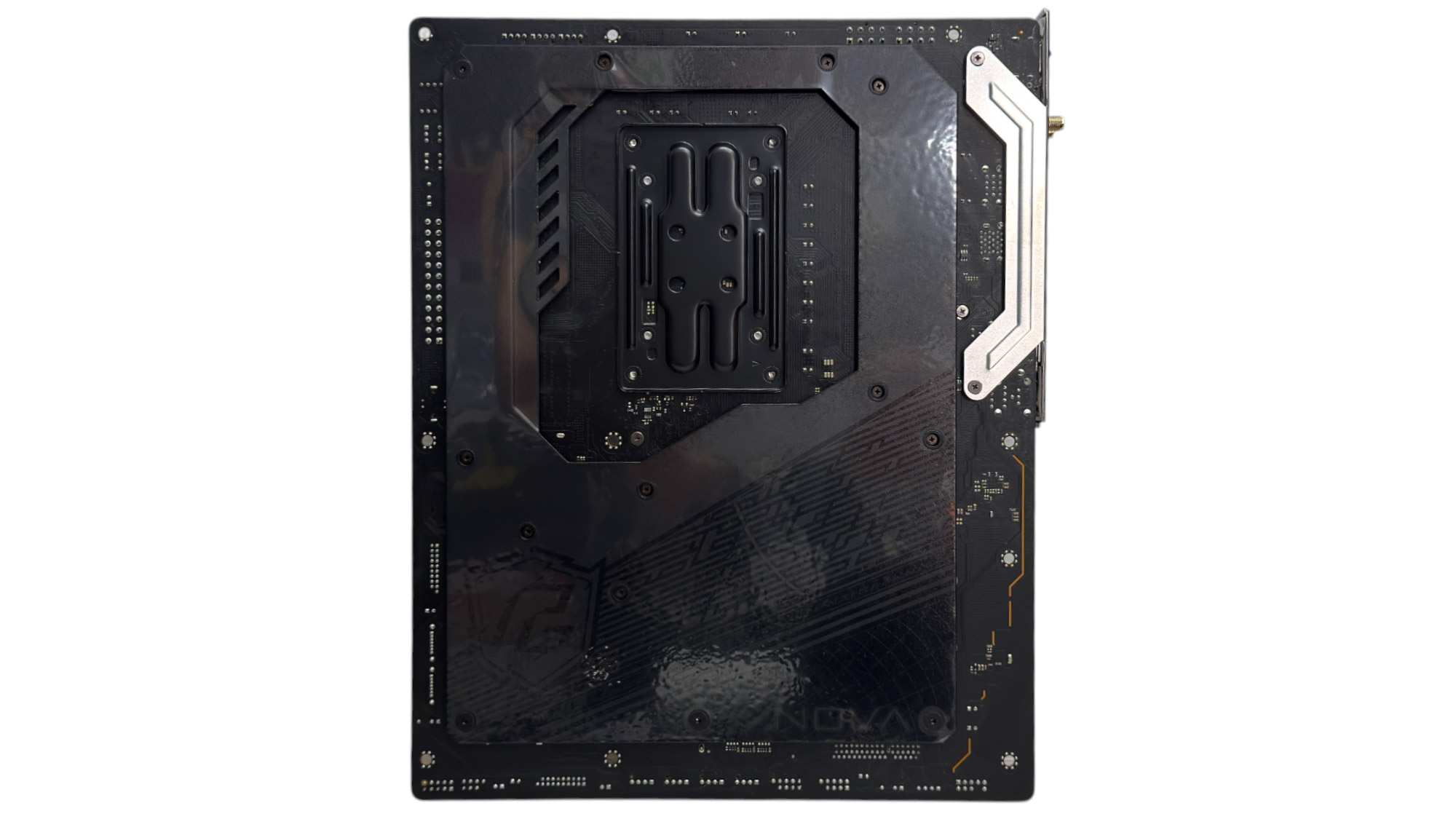
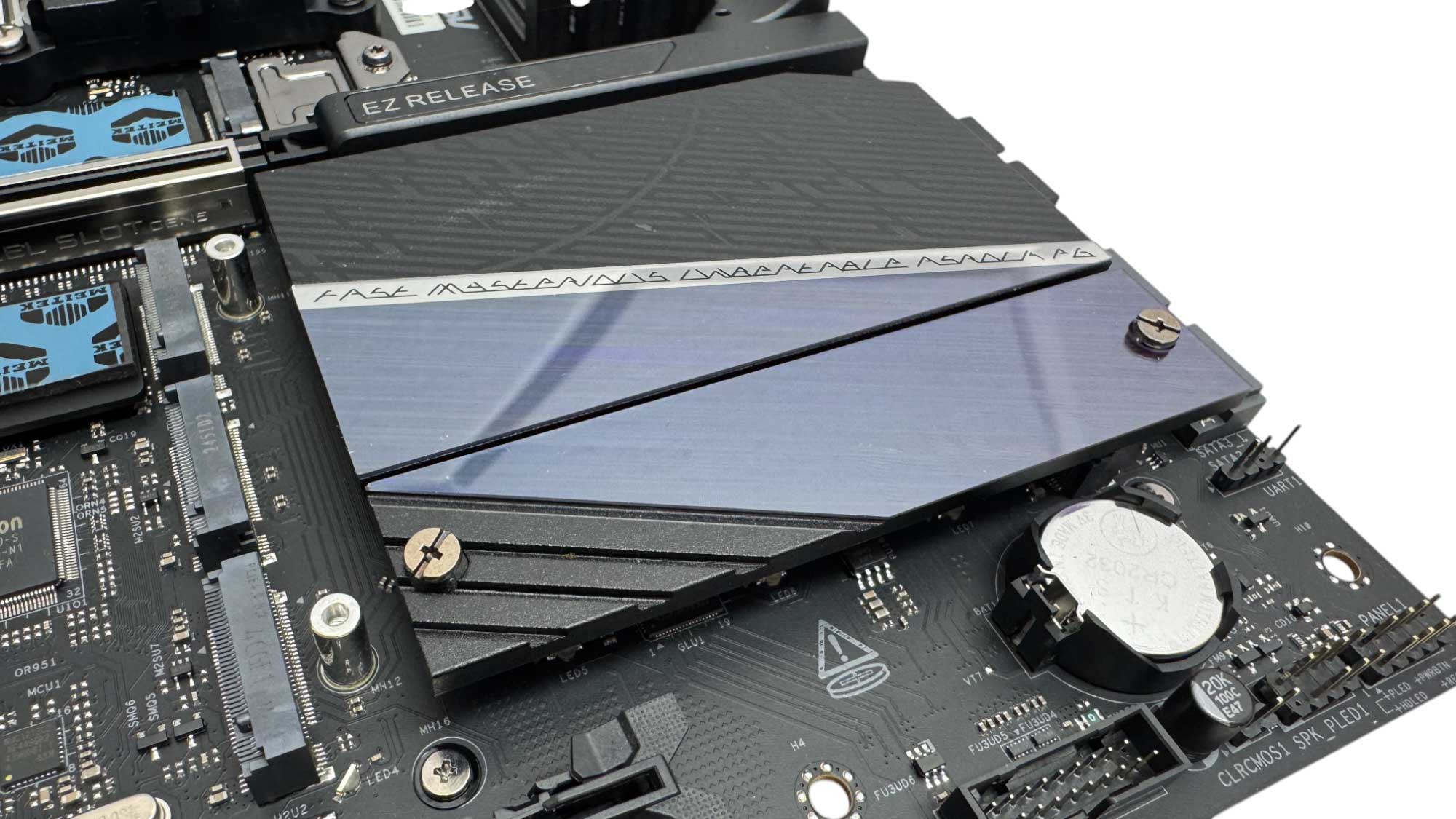
The ASRock Phantom Gaming X870 Nova Wi-Fi is quite imposing with its large VRM heatsinks and extensive array of M.2 heatsinks covering all five M.2 ports, with the primary PCIe Gen 5 M.2 port located above your GPU. The rear of the PCB features a large backplate that uses thermal pads to passively cool both banks of MOSFETs, which is a nice touch given the comparatively low price tag.
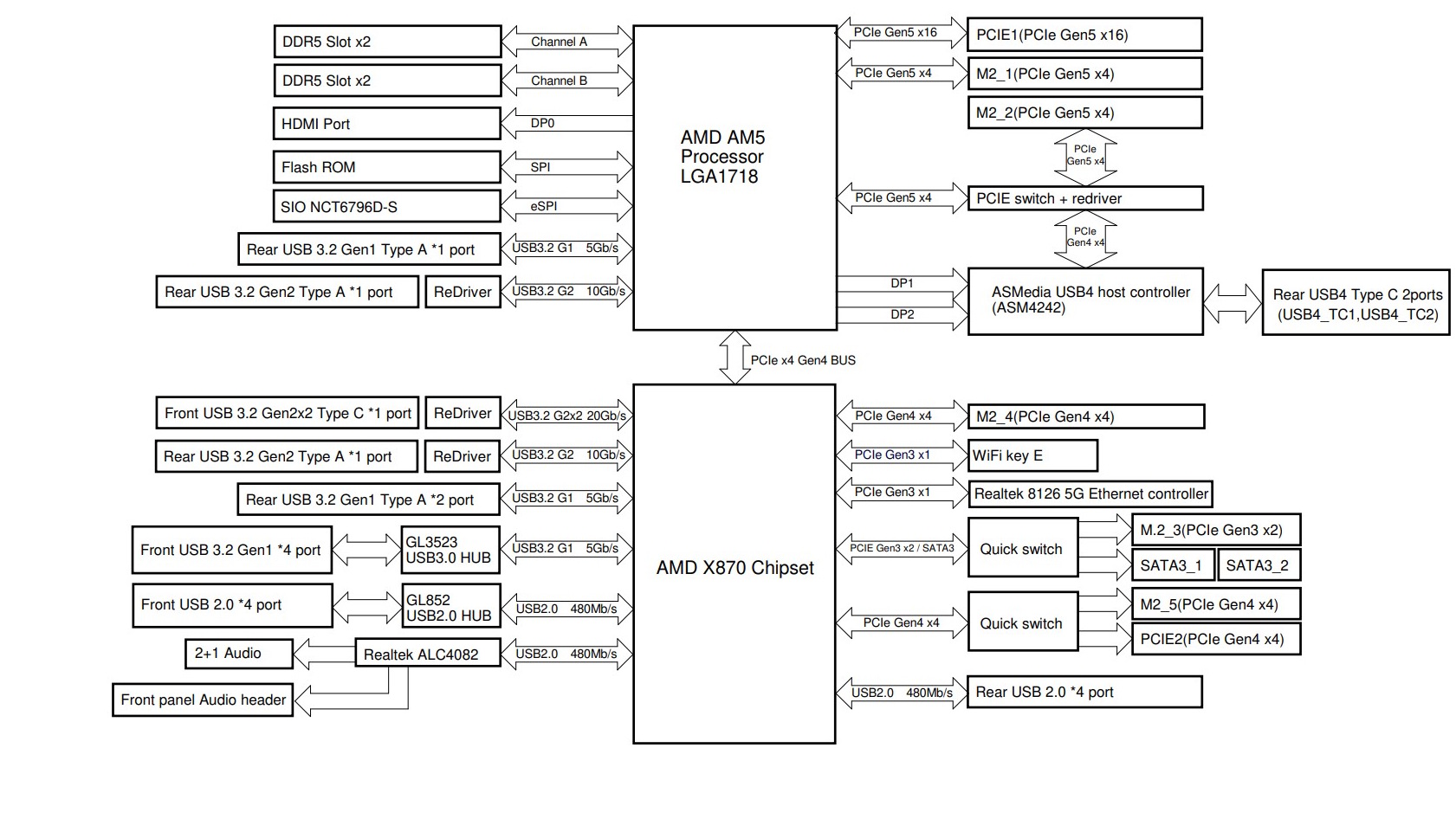

A common source of bandwidth sharing is between PCIe Gen 5 M.2 and USB4, here the second PCIe Gen 5 M.2 slot shares bandwidth with those ports. Using an SSD in this slot will see the USB4 ports disabled and for some reason the M.2 port drops from x4 to x2 as well. This will see the PCIe Gen 5 SSD speed cut in half, but you can force it back up to x4 using a switch in the EFI. So long as you're happy to lose the USB4 ports, it's therefore possible to run two PCIe Gen 5 SSDs concurrently. The only other sharing occurs with the third M.2 slot—which is limited to PCIe Gen 3—and the SATA ports, with the latter being disabled if the former is used, while using the fifth M.2 slot will see the second PCIE slot cut from x4 to x2.

Something ASRock is good at is finding a way to get power, reset and LED POST code displays onto so many of its boards. These are good for out of case testing and overclocking and the LED display defaults to the CPU temperature too—useful for double-checking your CPU cooling is okay on a new build while you're installing Windows. The top right corner is also where you'll find three of the seven fan headers. The CPU fan header is limited to just 12 W/1 A, which is perhaps not ideal for running a trio of high-power fans from, but the rest have a pool of up 36 W/3 A.

The Type-C front panel supports up to USB 3.2 Gen 2x2 20 Gbps, so can be used with some of the faster external SSDs out there. It also supports Power Delivery 3.0, offering up to 36 W charging through your case's Type-C front panel, which is potentially useful for charging smartphones and tablets. ASRock's EZ-Release for your graphics card is one of many implementations of enhanced release mechanism that remove the need to fiddle around under your graphics card to find the standard small lever. Here, you simply pull the lever to the right and your GPU is released.
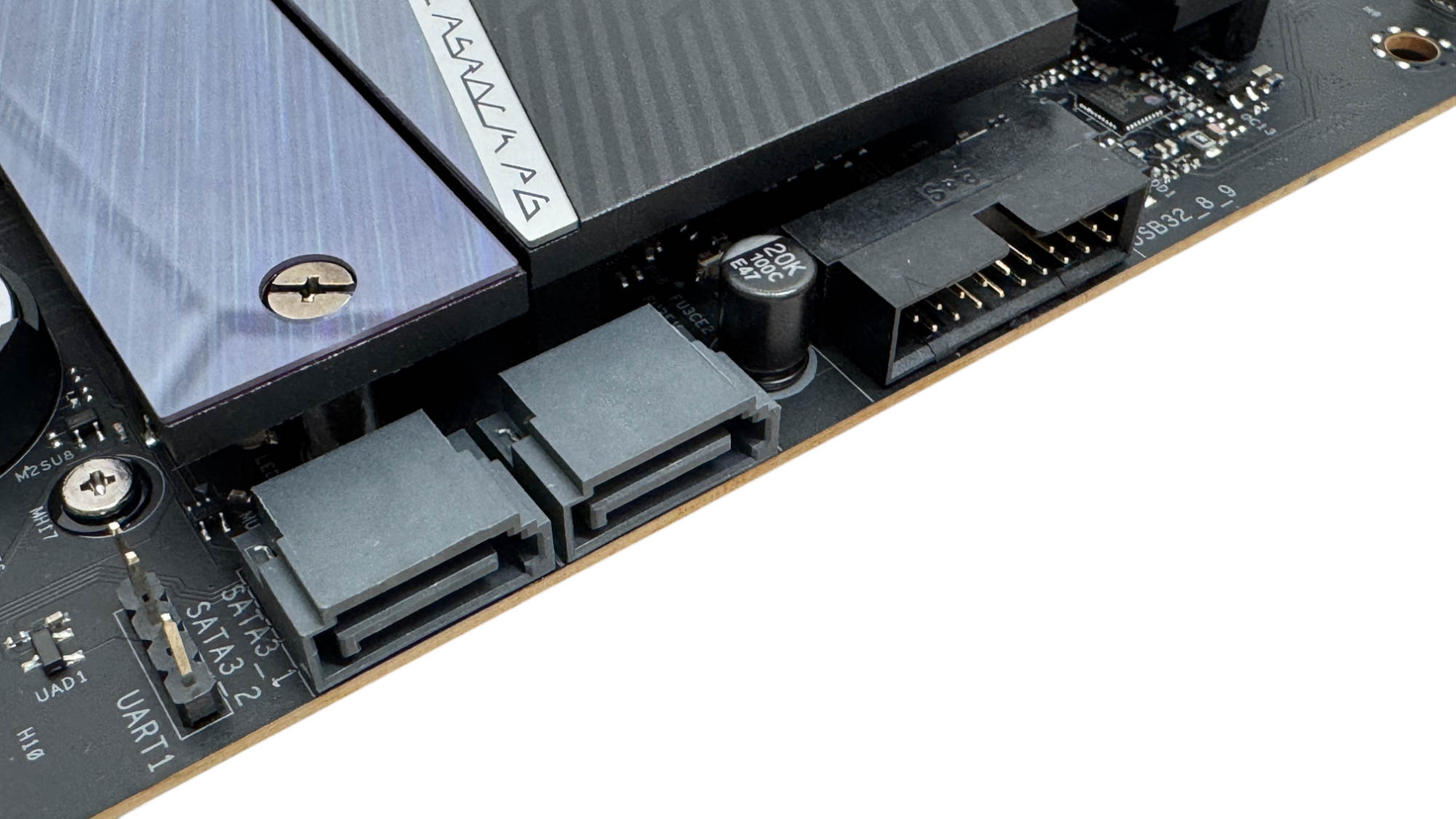
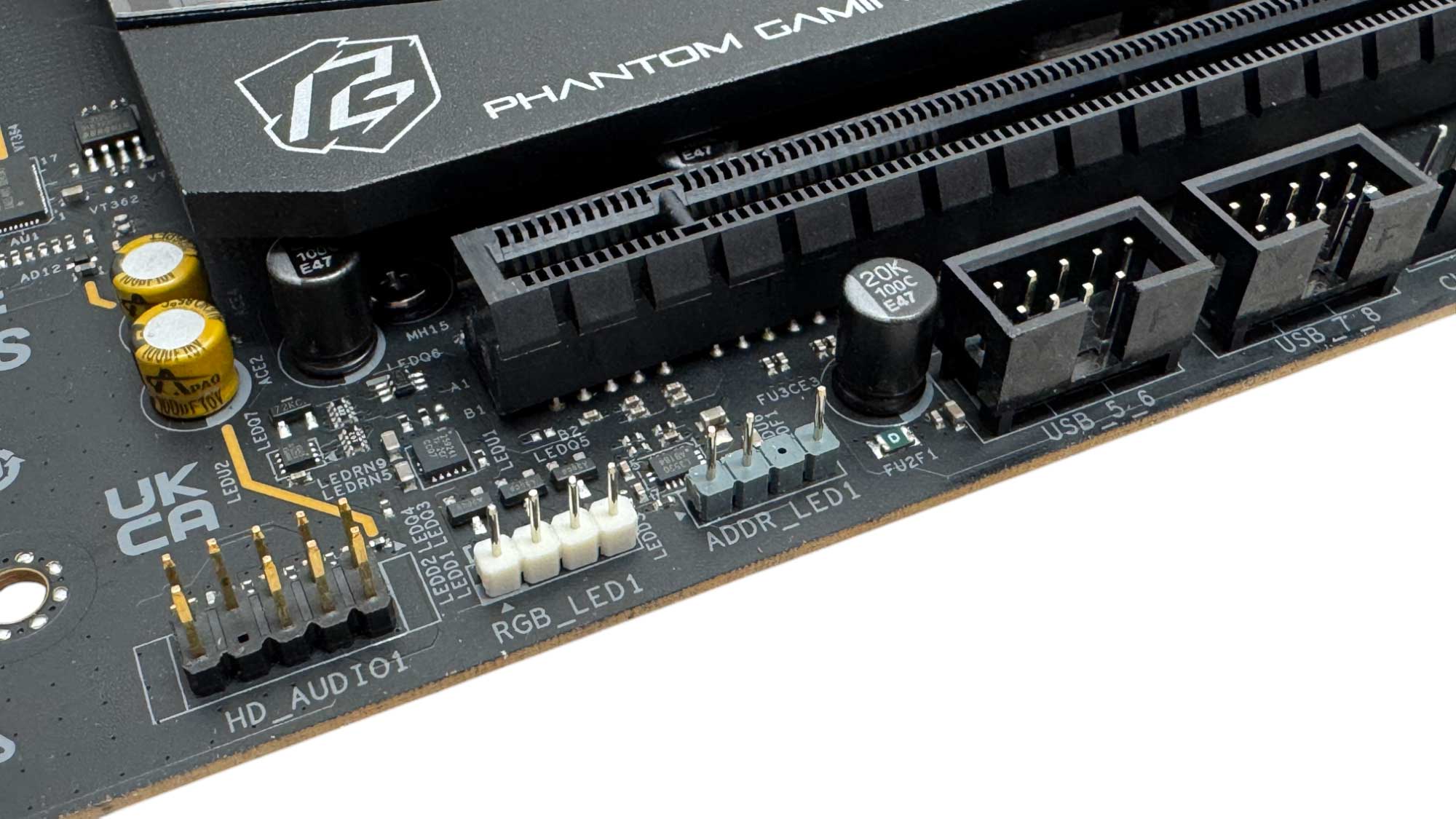
Having just two SATA ports is perhaps a disadvantage compared to others in this price range, with the Gigabyte X870 Aorus Elite Wi-Fi 7, for example, offering four. The base of the PCB is also home to a further 3-pin ARGB header besides a 4-pin RGB header.

The rest of the fan headers sit in a row at the base of the board. We'd prefer one to be near the rear of the case for rear case fans. As it stands, in larger cases, you may need a fan extension cable to get from the rear fan to any of the fan headers. We also get a 2-pin thermistor header for use with the included thermal probe or a third party coolant probe. You can assign fans to this header in the EFI or software.
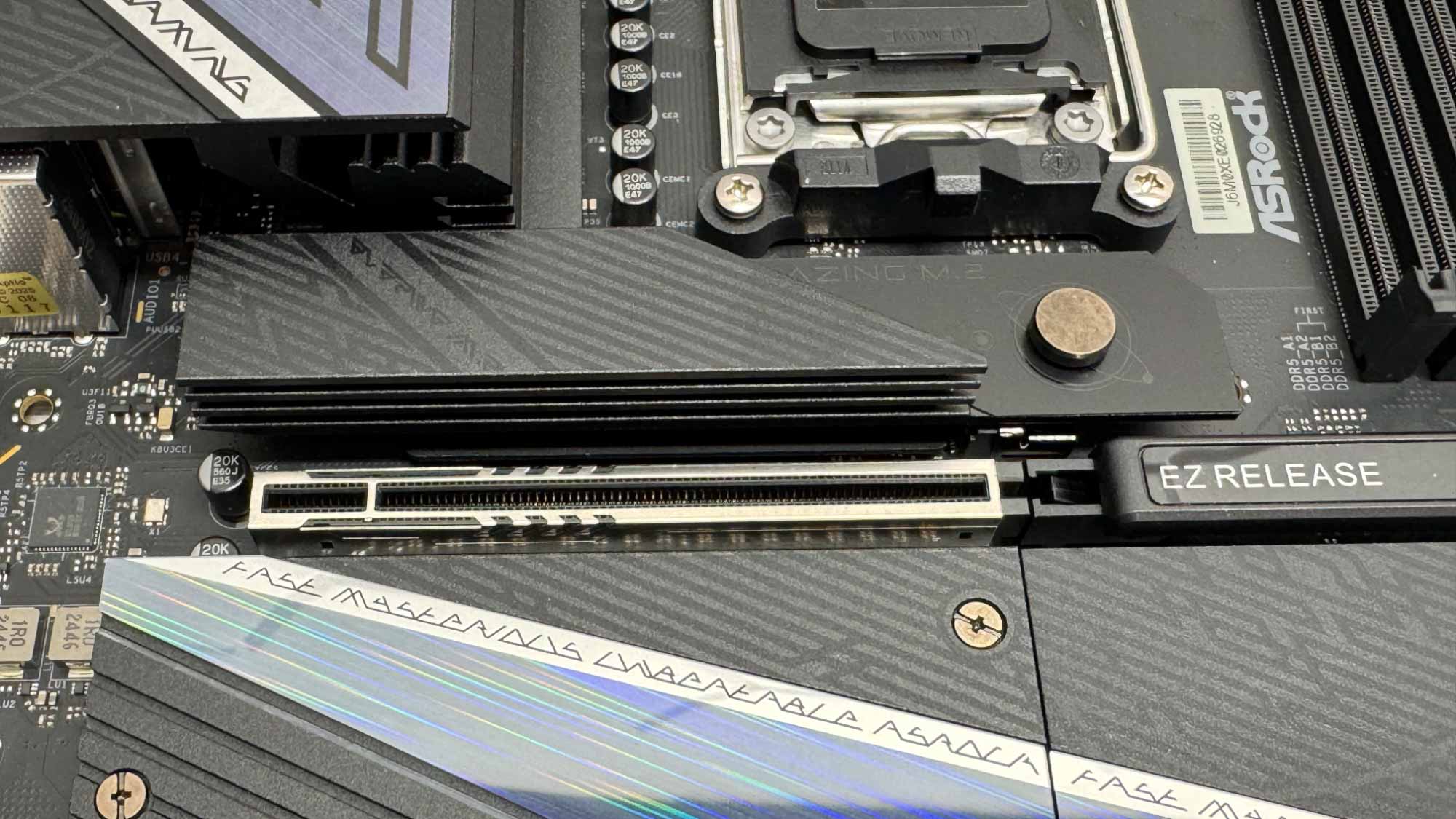
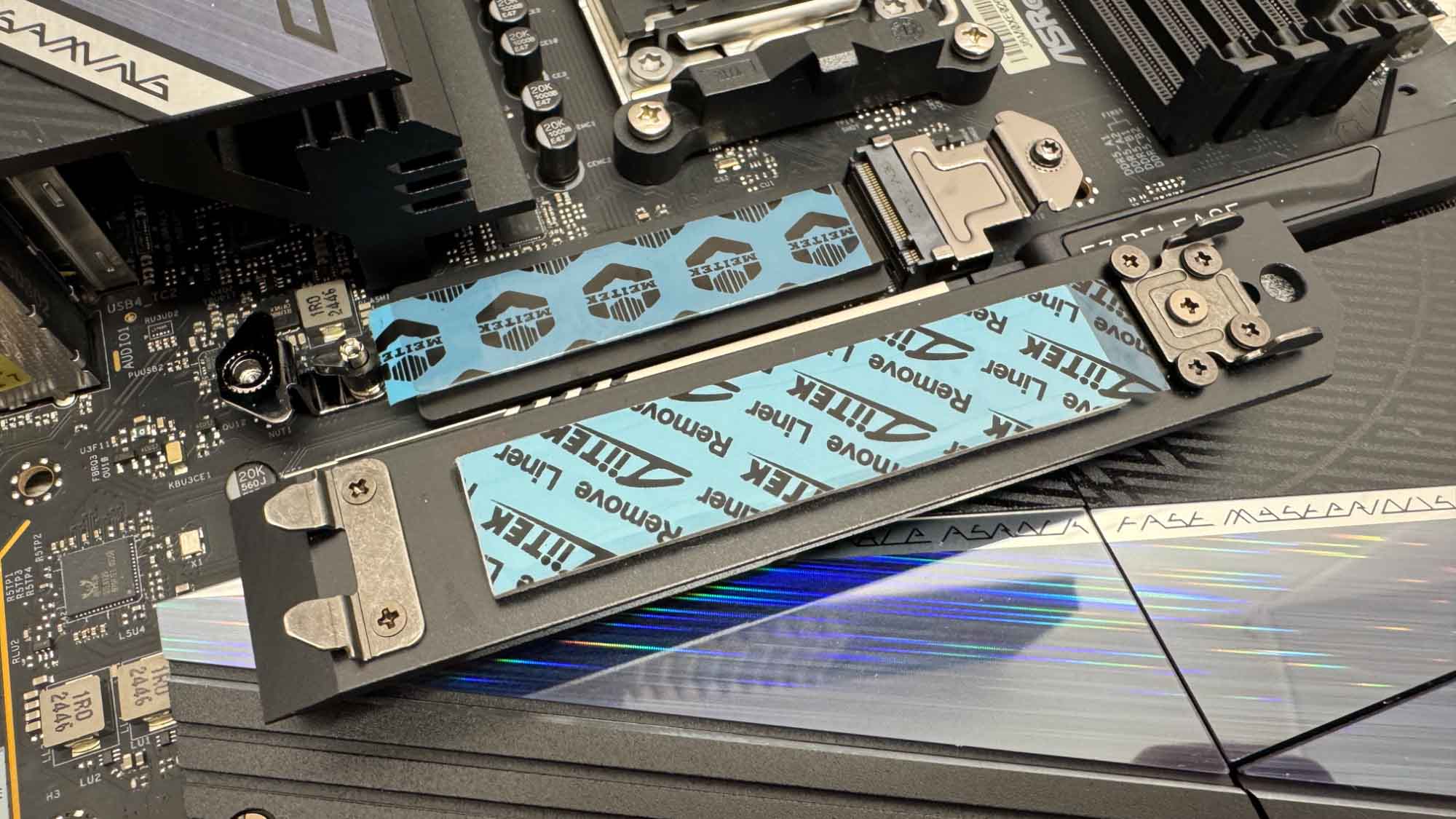
ASRock's tool-free M.2 design extends to all SSD installations, but not all heatsinks, with only the top slot benefitting from a clip-on heatsink. This is at least cooled on both sides so should hopefully fare well with our PCIe Gen 5 SSD. It's also out of the way of your graphics card and has a little more volume and surface area than you might expect from these cheaper boards.
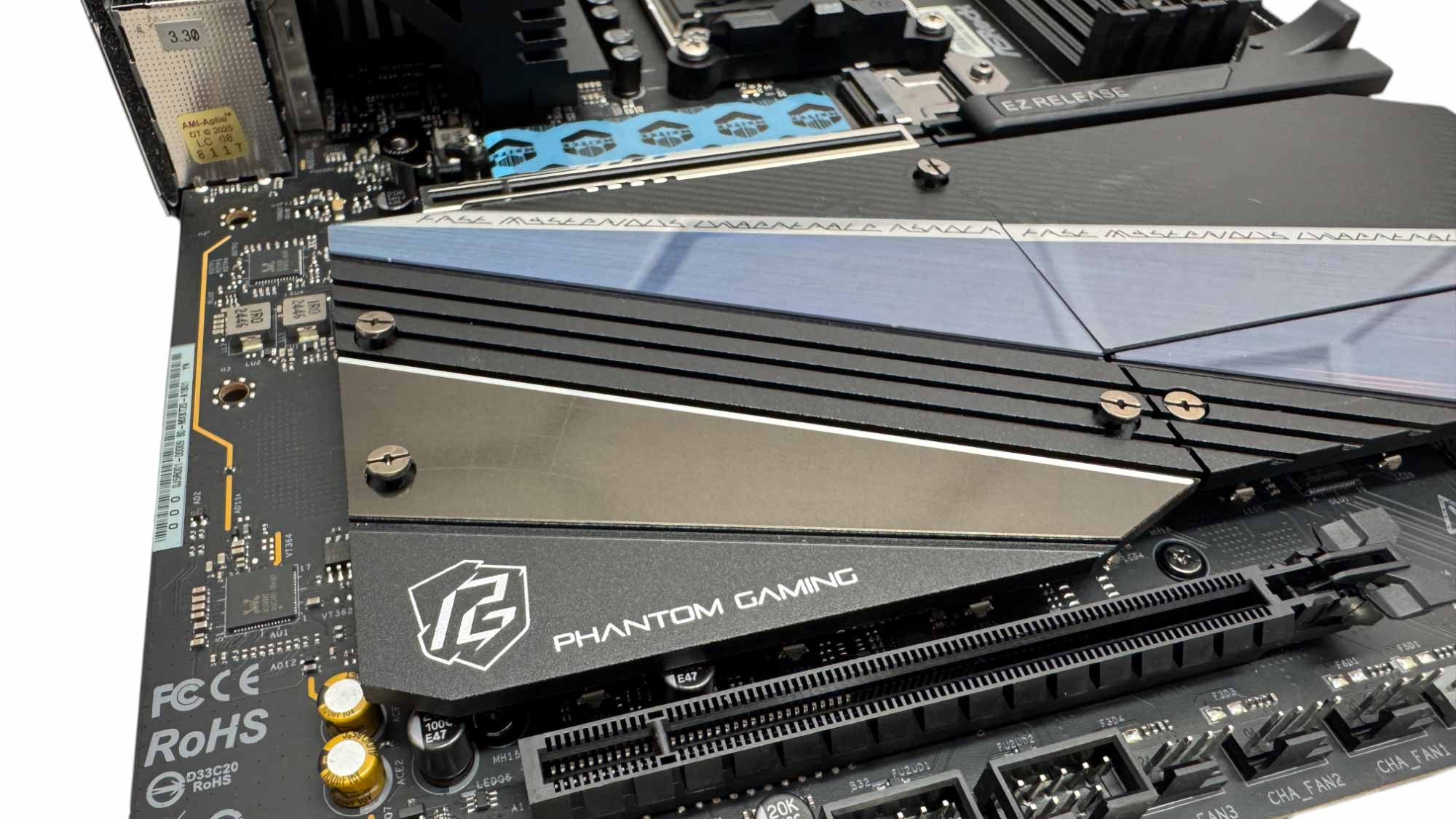

The next three slots are all under a single screwed-on heatsink, with the top slot here supporting PCIe Gen 5 SSDs and also benefitting from double-sided cooling. This proved to be a little a tricky to install, with the requirement to line up the four screws underneath. We'd definitely like to see a transition to tool-free here and again, this is something the competing Gigabyte X870 Aorus Elite Wi-Fi 7 offers.
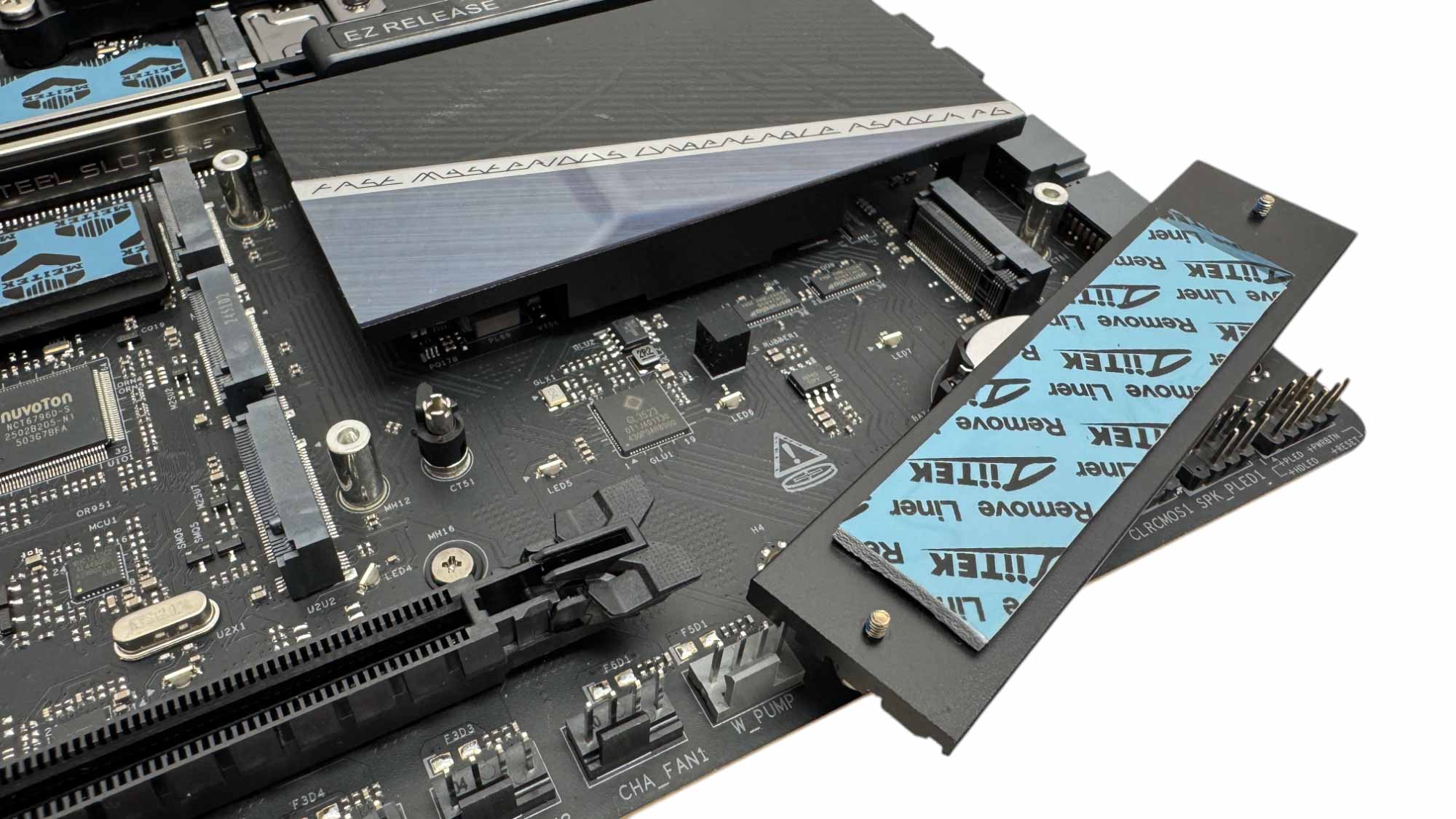
The final slot offers a home for a PCIe Gen 4 SSD and is again cooled on one side with a screwed-on heatsink. This should still be able to effectively cool any PCIe Gen 4 SSD.
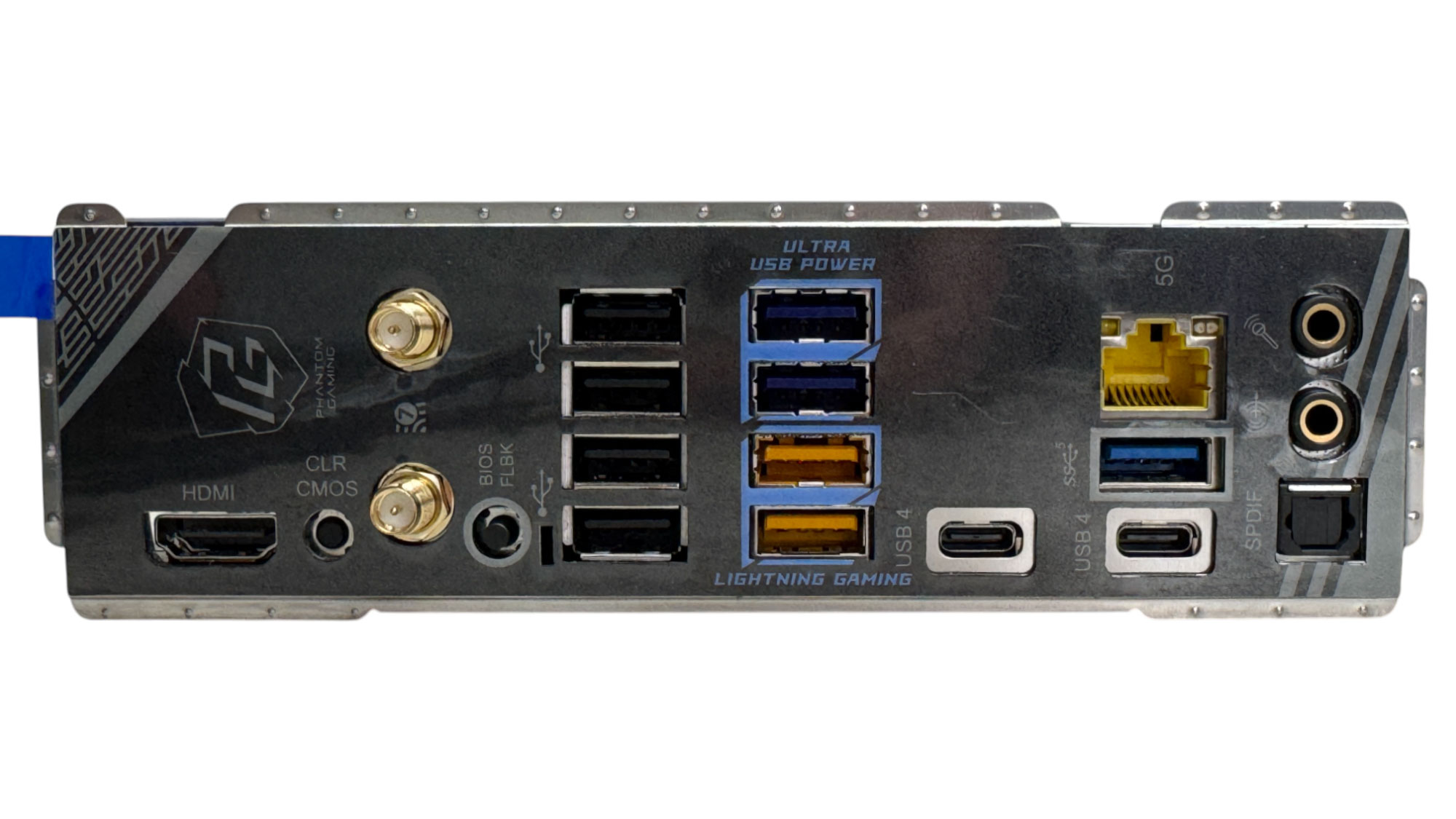
The rear I/O panel is reasonably well-equipped with nine Type-A ports, four of these being USB 2.0, three being USB 3.0 and two giving you 10 Gbps courtesy of USB 3.2 Gen 2. The Lightning Gaming ports supposedly offer low jitter and latency by utilizing two different controller interfaces, while the blue Ultra USB Power Ports provide 5 V power derived from the +12 V rail, which ASRock claims offers less voltage droop and interference compared to a standard 5 V rail. Being X870, USB4 40 Gbps is guaranteed, and we have two USB4 Type-C ports here that support also 15 W charging. ASRock doesn't use modern screw-free Wi-Fi connectors here, so there's just the usual thread for standard Wi-Fi antennas to tap into the Wi-Fi 7 module. Next to these we have an HDMI port—with the two USB4 ports supporting HDCP 2.3 for compatible Type-C displays—plus CMOS clear and USB BIOS Flashback buttons. The onboard audio has your typical audio jacks and optical output, while ASRock offers 5 Gbps Ethernet.
Nov 25th, 2026 16:12 CST
change timezone
Latest GPU Drivers
New Forum Posts
- Which ryzen am5 cpu ? (217)
- UPS what one to get? (74)
- More Nova Lake specs (5)
- TPU's Nostalgic Hardware Club (22206)
- Share your CPUZ Benchmarks! (2680)
- X79 and/or rampage IV OC'ing thread for those of us still left.... (2457)
- Asus Rog Maximus Z890 Extreme. (Various questions). (38)
- Can you guess Which game it is? (362)
- Claude credits purchased on or after Dec. 7 now have an expiry date (13)
- Adventure: Running 8/9th gen Coffee Lake CPUs on Z170 motherboard (ASUS Maximus VIII Ranger) (393)
Popular Reviews
- ASRock X870E Challenger Wi-Fi White Review
- Microsoft Surface Laptop Ultra Review - The Next-gen Arm Laptop
- VZMORE AX9 Max Review
- Upcoming Hardware Launches 2027 (Updated Nov 2026)
- AMD Ryzen 7 9800X3D Review - The Best Gaming Processor
- AMD Zen 6 Technical Deep Dive
- Corsair RM1200e (Second Generation) Review
- Phantom Blade Zero Performance Benchmark Review - 35 GPUs Tested
- Pulsar Office Tour & First Look at P1 Dual-Sensor Mouse
- Ocypus lota P1000 Review
TPU on YouTube
Controversial News Posts
- Jensen Huang Reinstated as CEO of NVIDIA (570)
- NVIDIA Co-Founder and CEO Jensen Huang Officially Resigns (492)
- Report: Jensen Huang Eyes NVIDIA Comeback (281)
- Open Letter Asking NVIDIA to Reinstate Jensen Huang Passes 115,000 Signatures (184)
- OpenAI CEO Argues Home PCs Waste the World's Limited DRAM Supply (152)
- NVIDIA Launches Investigation Into Jensen Huang's Relationship With Suspected Chinese Spy (136)
- Intel "Raptor Lake Next" 16-Core and 20-Core CPUs Surface (130)
- Intel Razor Lake Gets a 12 P-Core bLLC Chip With No E-Cores, Per Leak (94)