 19
ASRock Phantom Gaming X870 Riptide Wi-Fi Review
Component Analysis »Board Layout


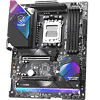
The Phantom Gaming X870 Riptide Wi-Fi has the familiar blue and purple details of other boards we've seen in the Riptide range and there's onboard RGB lighting too beneath the lower M.2 heatsink. All three M.2 ports are equipped with heatsinks and the VRM cooling seems decent too. It's an attractive board for the cash.
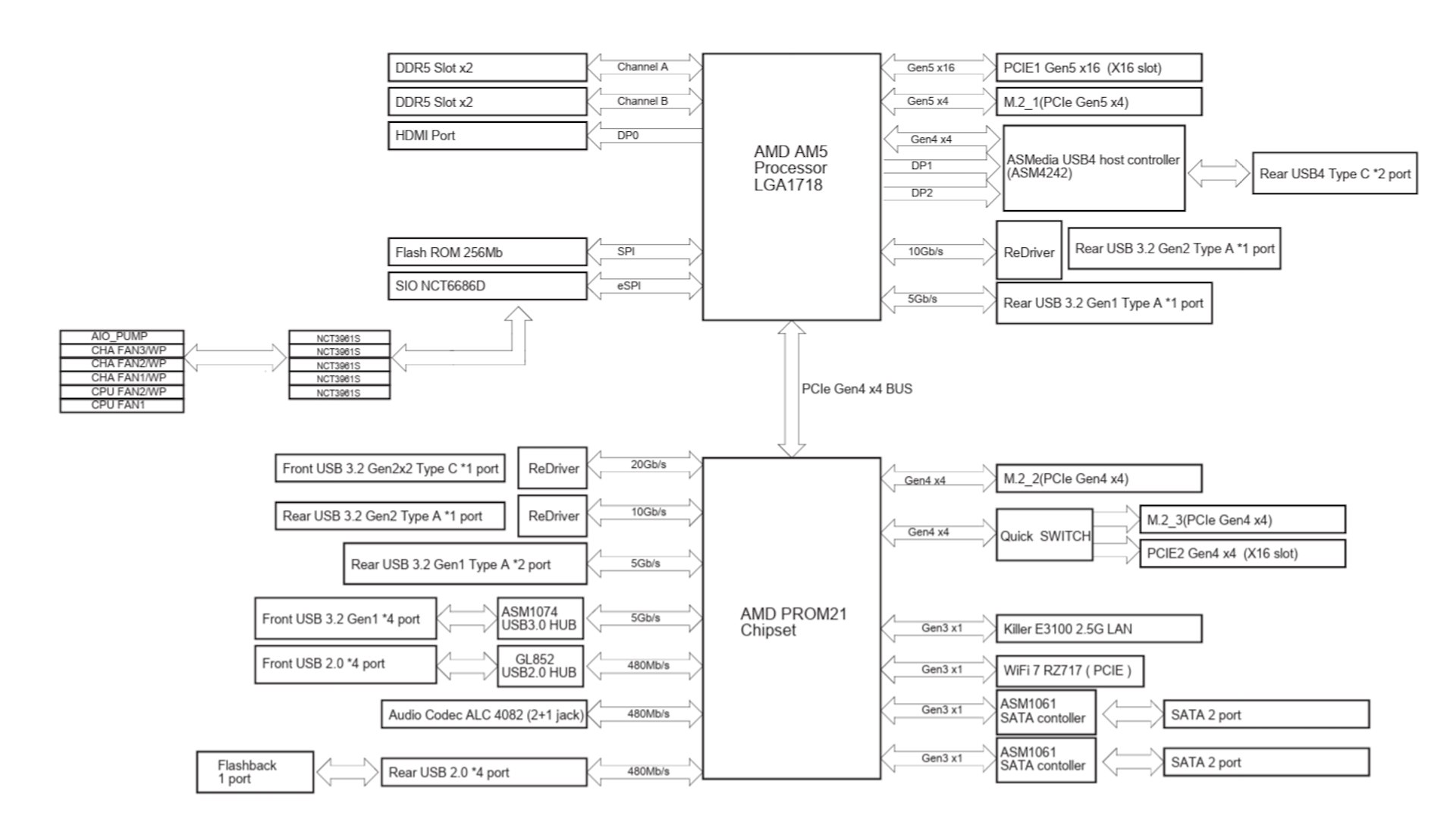

There's minimal bandwidth sharing, largely thanks to the PCB being equipped with just two PCIe slots and three M.2 ports. The lower PCIe slot and third M.2 port share bandwidth and can't be used at the same time, with the M.2 port disabling the PCIe slot if used.

Six fan headers is a decent amount on a board at this price and three are handily located next to the CPU socket for powering multiple fans and pumps. The primary CPU fan header is limited to just 12 W/1 A, but the rest offer up to 36 W/ 3 A, so are much more flexible when it comes to powering several high-power fans. There are also two 3-pin ARGB headers here too, which again are ideally situated for providing lighting control to CPU coolers and front case fans.


ASRock continues its impressive record of going all-out with its Type-C front panel header, offering USB 3.2 Gen 2x2 20 Gbps support, so is able to handle external storage device speeds up to 2,500 MB/s. However, there's no enhanced power delivery, which is admittedly expecting too much at this price. Given its original price tag, its four SATA ports would be the norm, but below $200 it's common to see this cut to two. These are still useful if you have a few older drives you want to transfer over to your new system.
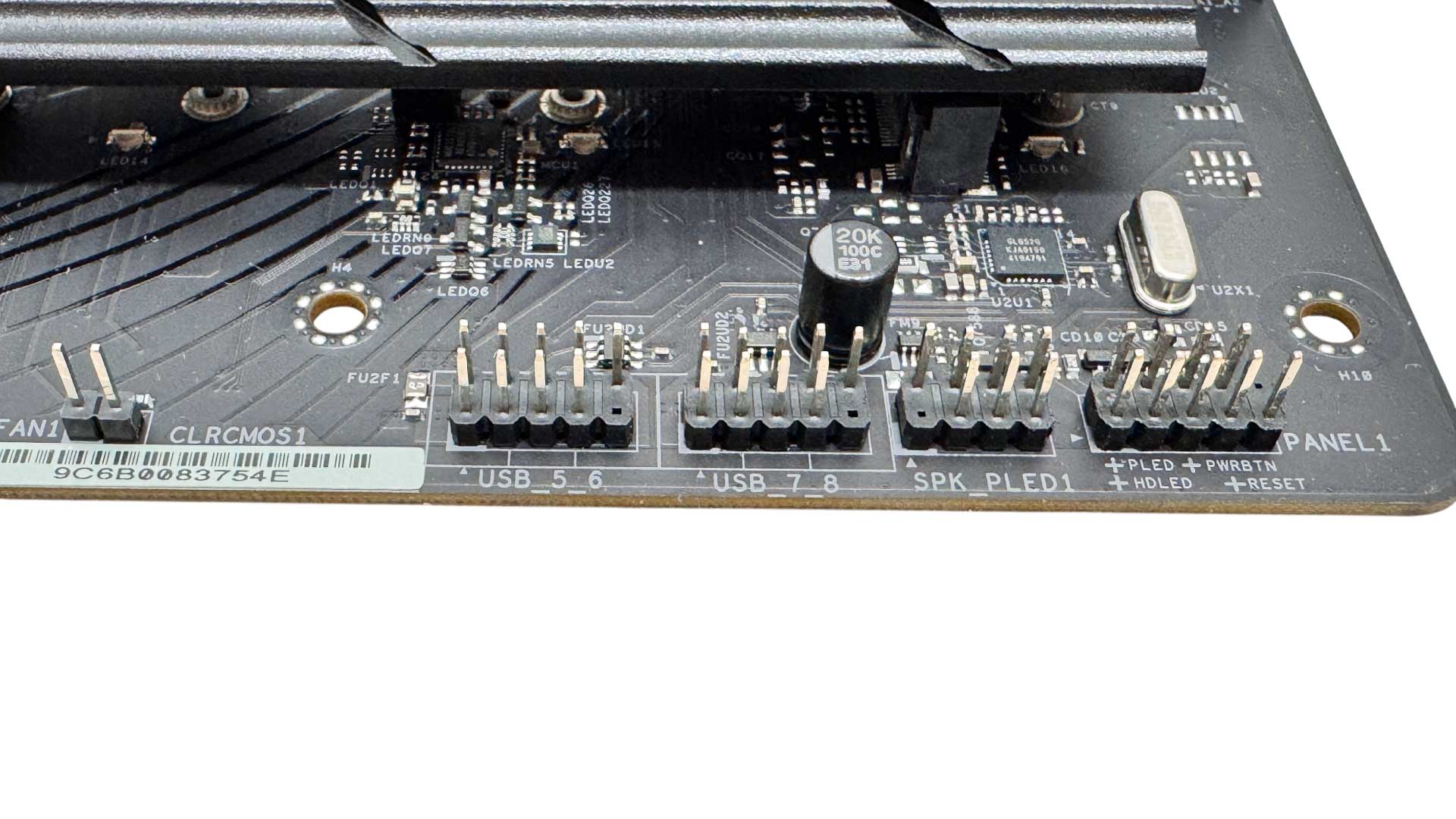
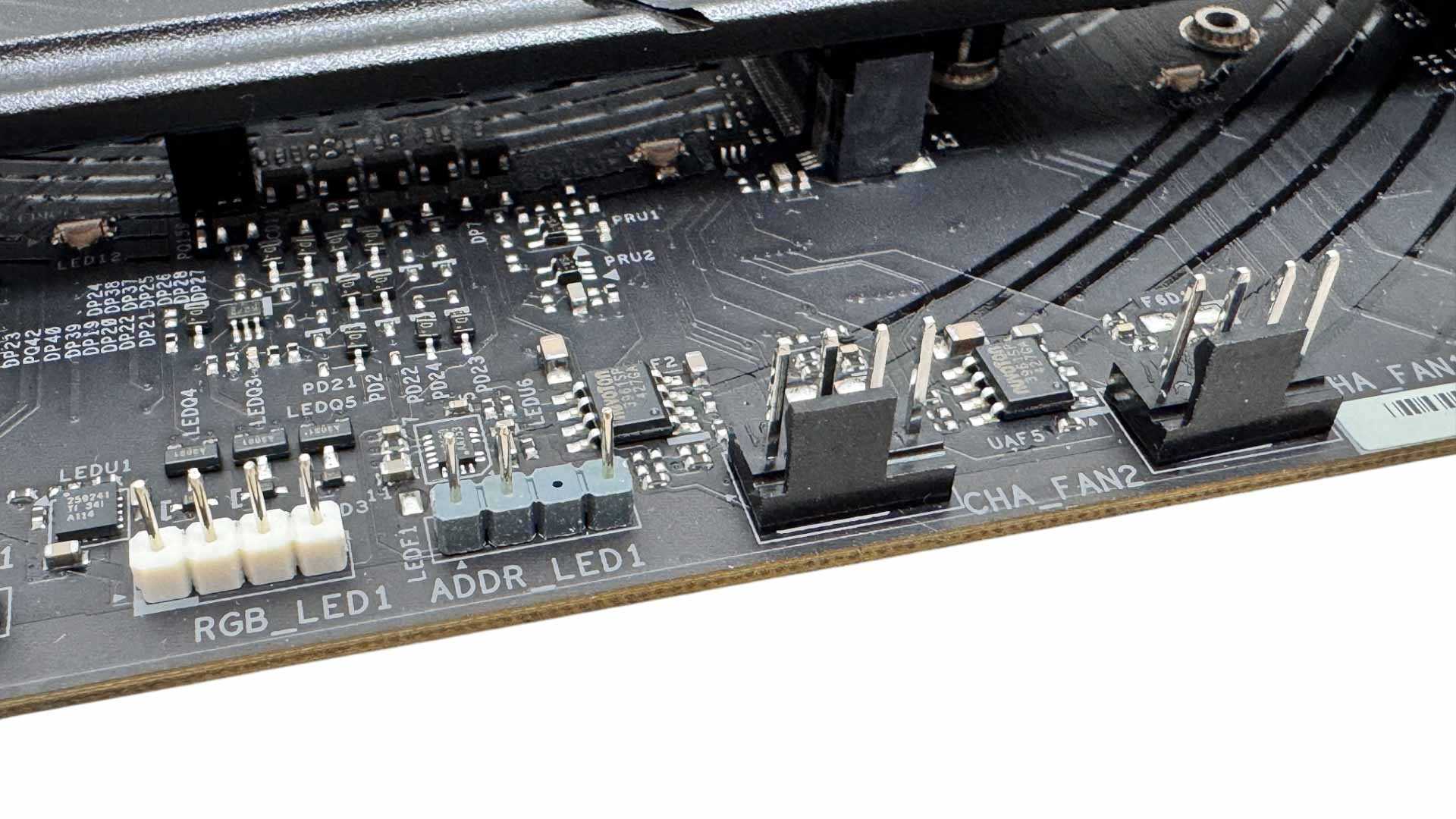
The lower part of the board has a further two 4-pin fan headers plus both 3-pin ARGB and 4-pin RGB headers. There are no power, reset or CMOS clear buttons on the PCB, so resetting the BIOS will need to be done using the jumper here. This is next to two USB 2.0 headers, a speaker header and the front panel header.
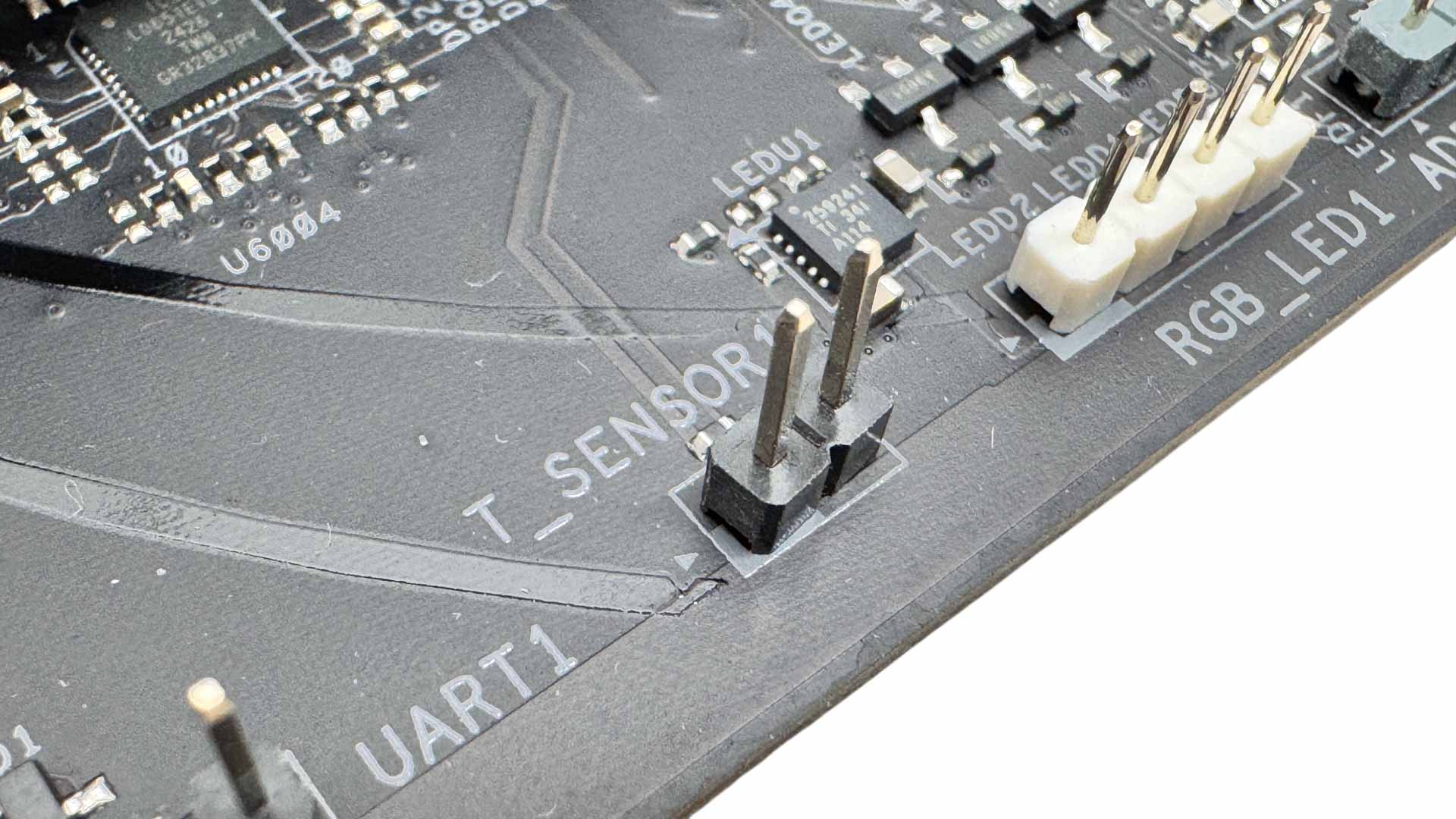
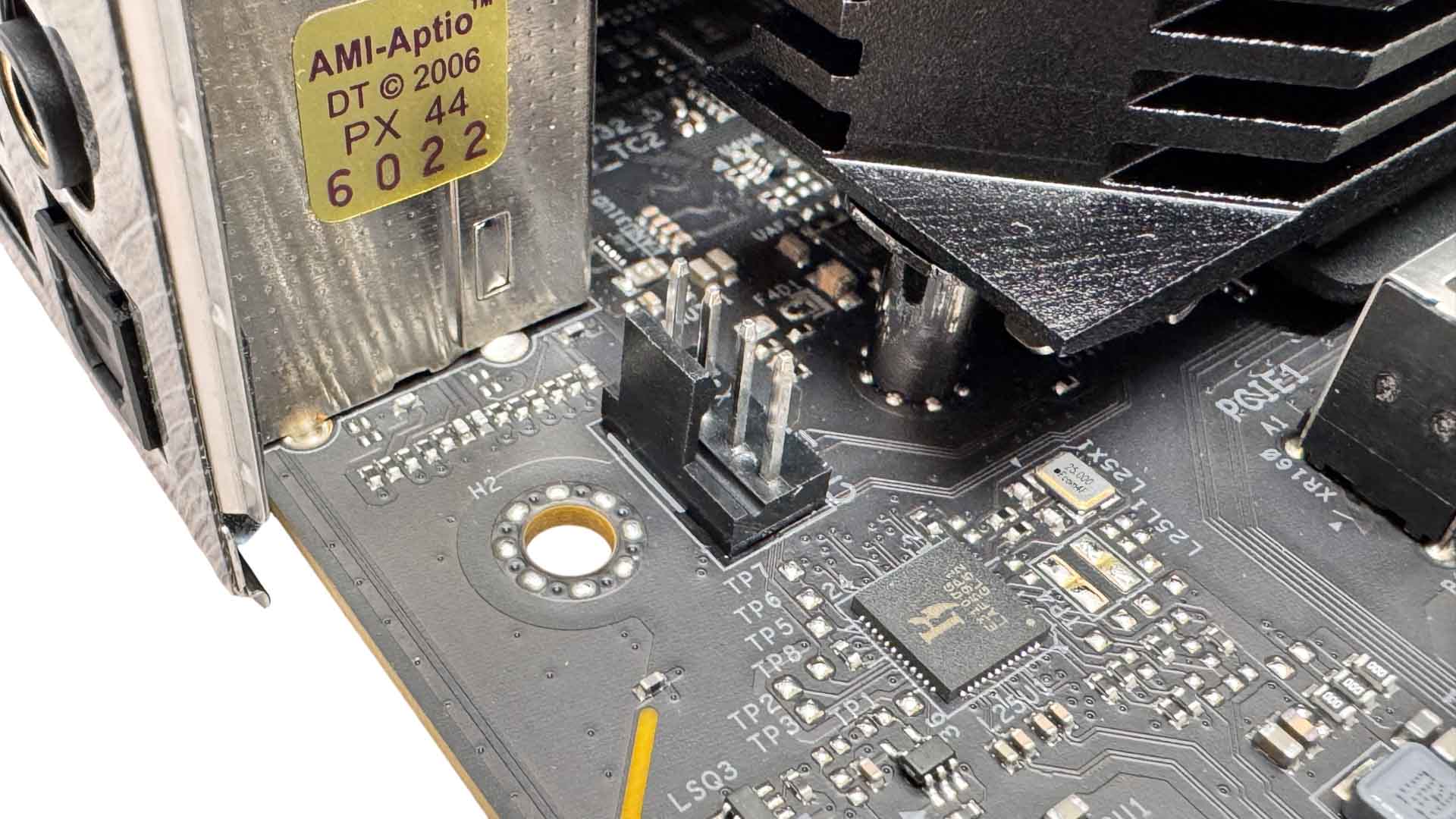
ASRock maintains its impressive ability to include a 2-pin thermistor header, and includes a probe in the box too so you can attach this to a particular spot in your case or to a piece of hardware and control fans based on its temperature. Alternatively, you could use this header with a coolant probe. The final fan header is located next to the rear I/O panel, so is well-located for powering rear case fans.
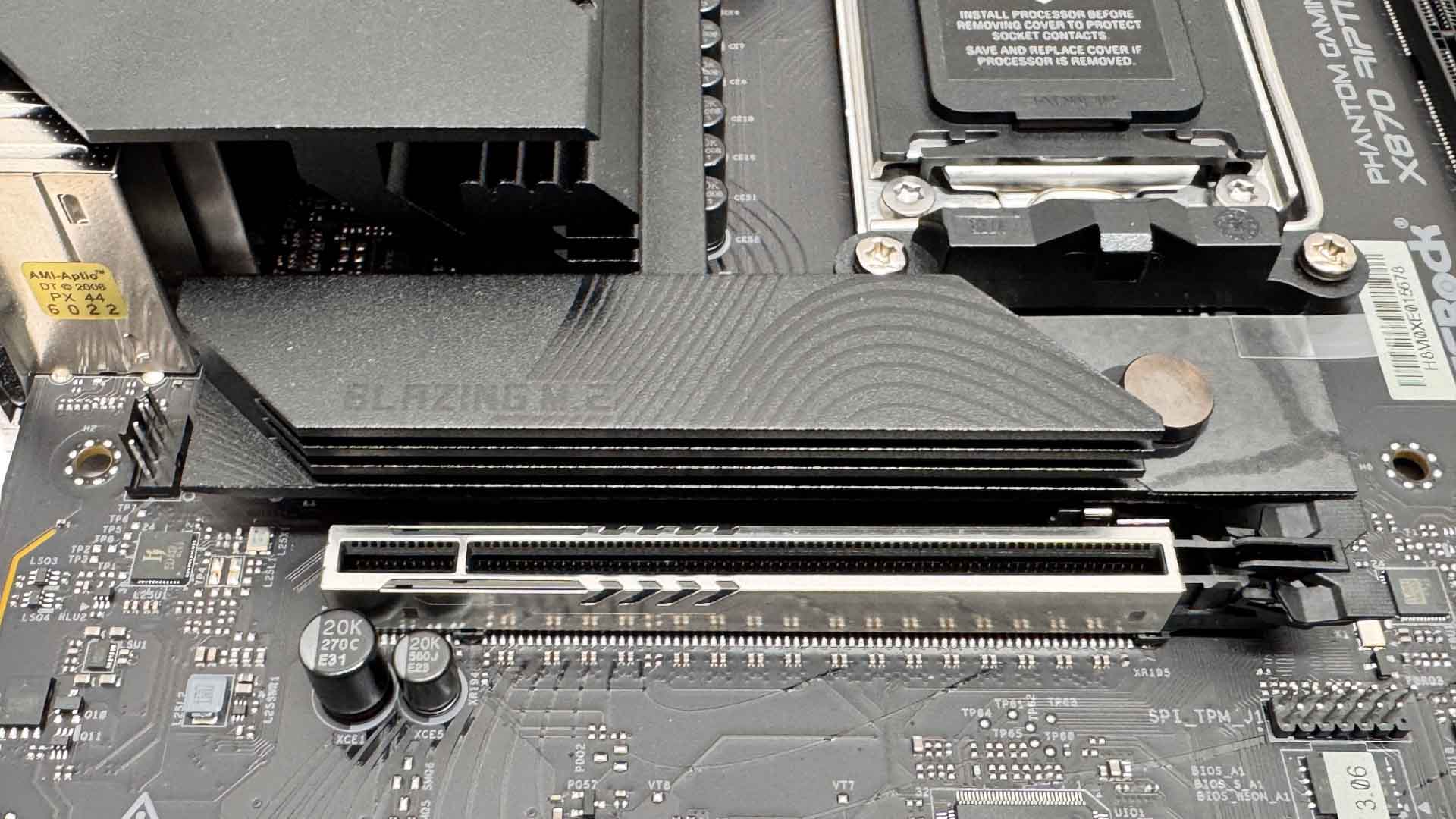
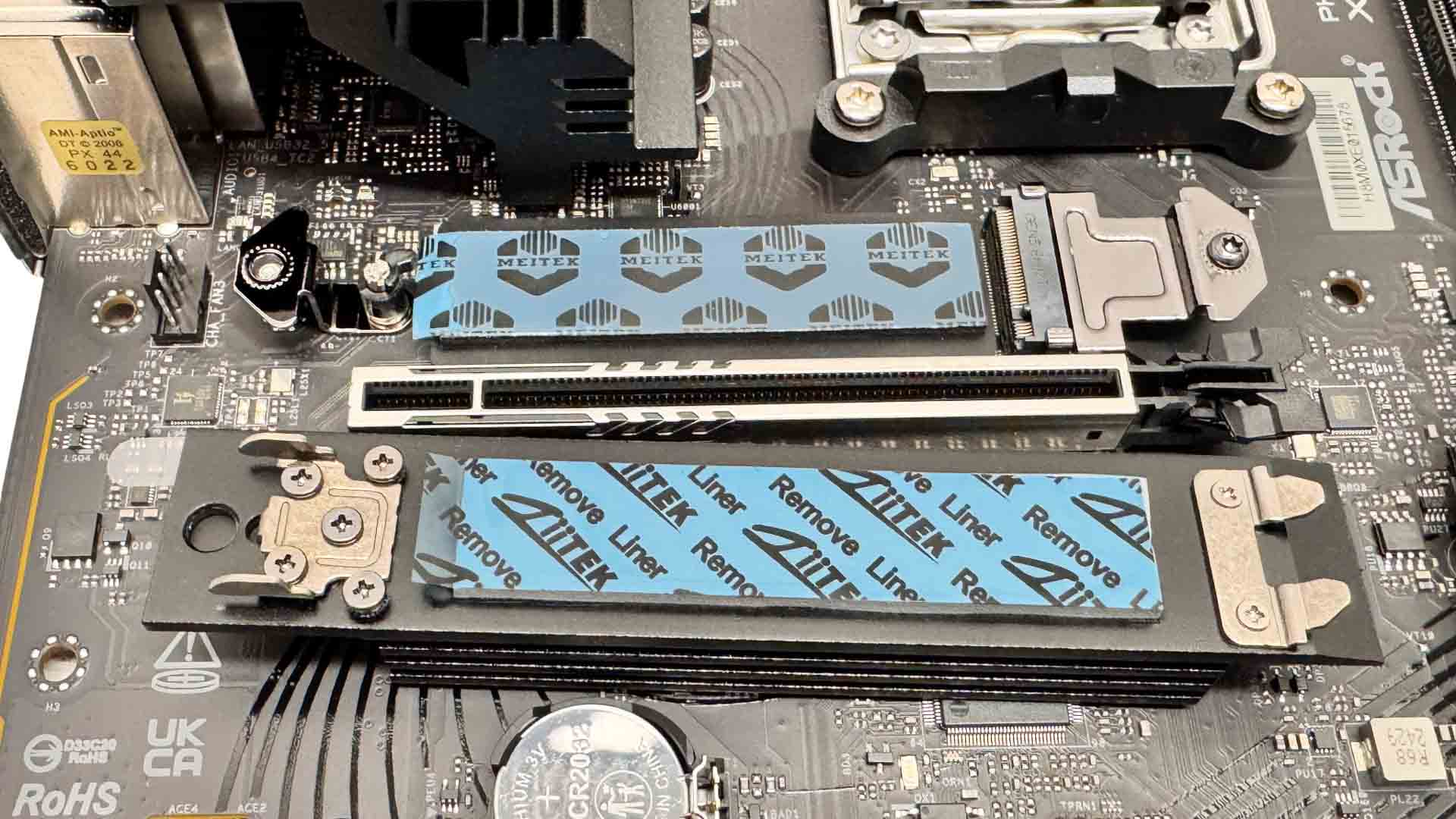
There are three M.2 ports and all are equipped with heatsinks, with the top port being the only one that's PCIe Gen 5 compatible. The heatsink here is reasonably large, tool-free, and the SSD is cooled on both sides so should see decent performance whatever model you opt for.
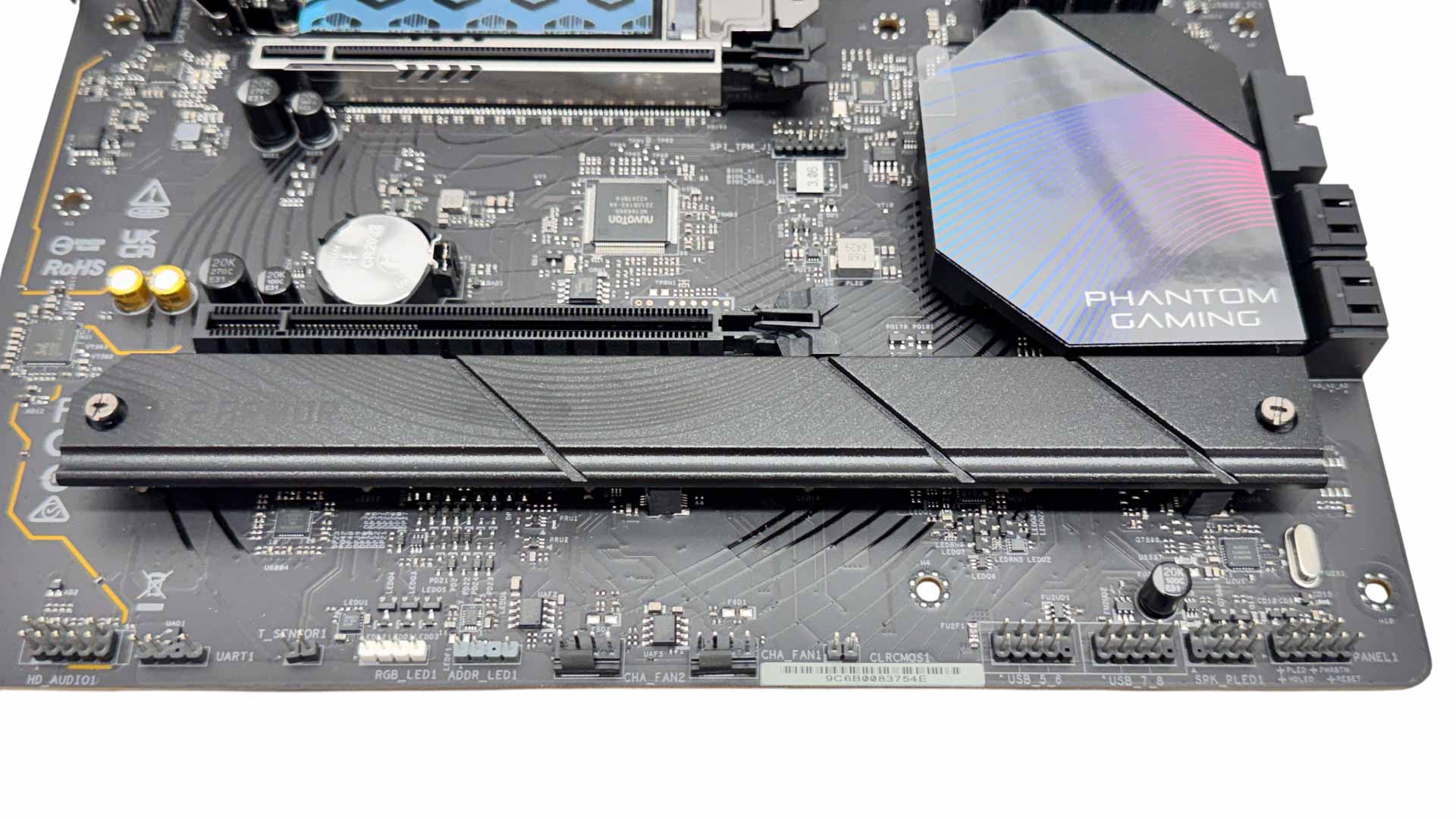
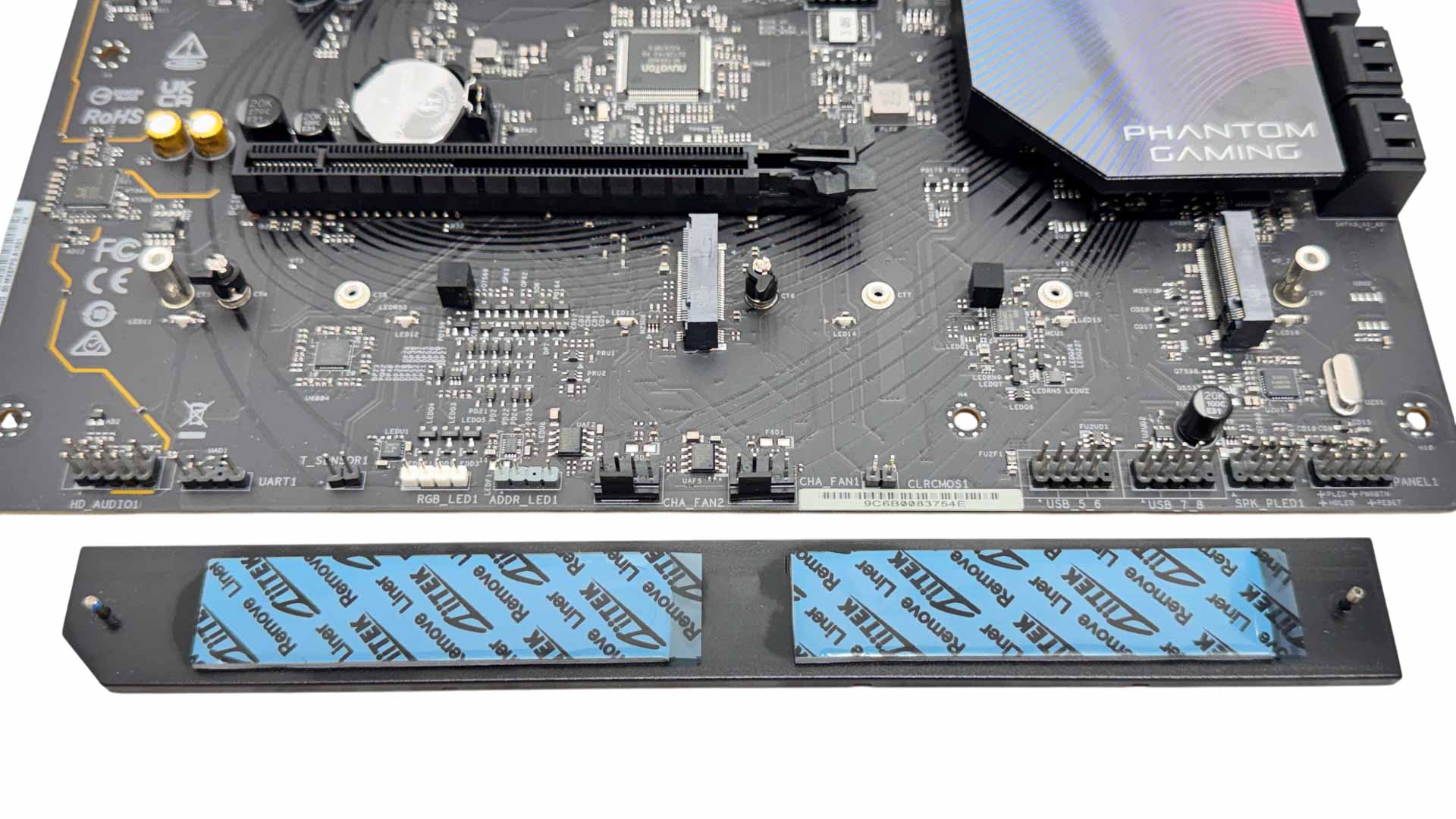
The lower two ports are PCIe Gen 4 and cooled by a single large heatsink that will require a screwdriver and a bit of patience to align the screws. There's no need to cool PCIe Gen 4 SSDs on both sides, so we just have topside thermal pads here. The slot on the left you'll want to avoid if you're using the PCIe slot above as the latter will be disabled.
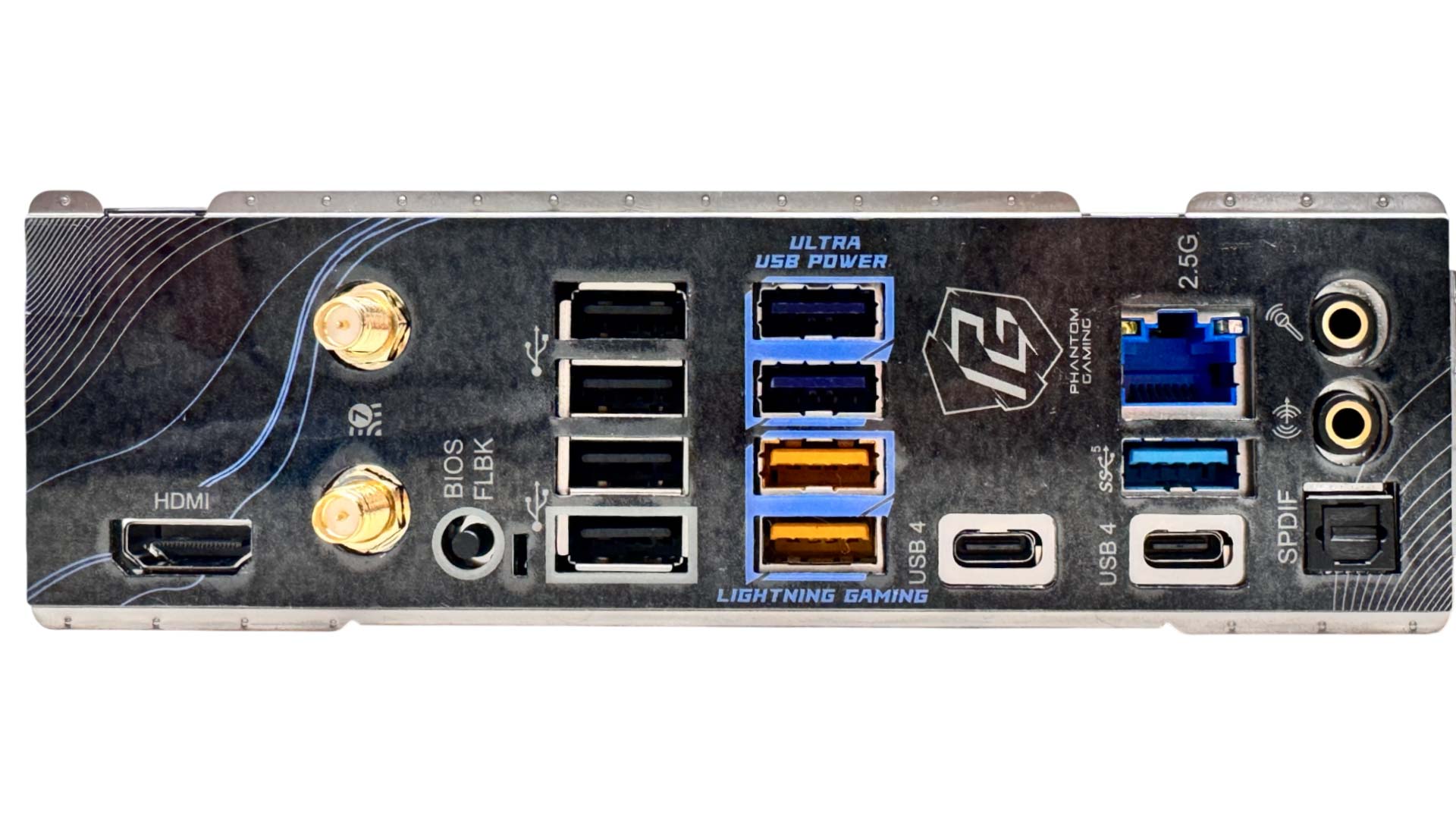
The rear I/O panel has the familiar Ultra USB Power and Lighting Gaming Type-A USB ports that are on other ASRock boards. The blue Ultra USB Power powers are fed from the +12 V rail offering less voltage droop and interference according to ASRock. The yellow Lighting Gaming powers have lower latency and jitter by using a pair of controller interfaces. There are nine Type-A ports in total, comprising four USB 2.0 and three USB 3.0, while the two blue Ultra USB Power Type-A ports are USB 3.2 Gen 2 10 Gbps. We also have two Type-C USB4 40 Gbps ports.
They double as DisplayPort outputs with an HDMI port making a third video output. There are standard Wi-Fi connectors and next to these is a USB BIOS flashback button. We also have 2.5 Gbps Ethernet, a pair of audio jacks and optical output.
Nov 22nd, 2026 18:19 CST
change timezone
Latest GPU Drivers
New Forum Posts
- Increasing Power Limit? (5)
- What are you playing? (26240)
- UPS what one to get? (48)
- Honestly, do you care about GTA VI? (265)
- Your PC ATM (36458)
- Gacha Games - Discussions, Pulls, Updates, etc. (1157)
- Last game you purchased? (1414)
- Making a game in Godot engine (19)
- Intel D270 (5)
- X870E AORUS ELITE WIFI7 thread with setting and OC (69)
Popular Reviews
- Microsoft Surface Laptop Ultra Review - The Next-gen Arm Laptop
- Corsair RM1200e (Second Generation) Review
- Upcoming Hardware Launches 2027 (Updated Nov 2026)
- Pulsar Office Tour & First Look at P1 Dual-Sensor Mouse
- Ugreen NASync DXP4800 GT Review
- AMD Ryzen 7 9800X3D Review - The Best Gaming Processor
- AMD Zen 6 Technical Deep Dive
- AMD Ryzen 7 5800X3D 10th Anniversary Review
- Phantom Blade Zero Performance Benchmark Review - 35 GPUs Tested
- Biwin Black Opal NV7400 2 TB Review
TPU on YouTube
Controversial News Posts
- NVIDIA Co-Founder and CEO Jensen Huang Officially Resigns (492)
- Report: Jensen Huang Eyes NVIDIA Comeback (266)
- Open Letter Asking NVIDIA to Reinstate Jensen Huang Passes 115,000 Signatures (184)
- OpenAI CEO Argues Home PCs Waste the World's Limited DRAM Supply (152)
- NVIDIA Launches Investigation Into Jensen Huang's Relationship With Suspected Chinese Spy (136)
- Intel "Raptor Lake Next" 16-Core and 20-Core CPUs Surface (130)
- NVIDIA GeForce RTX 50-Series Scheduled for up to $500 Price Hike This Week (89)
- Intel Razor Lake Gets a 12 P-Core bLLC Chip With No E-Cores, Per Leak (86)