 7
ASRock X299 Extreme4 Review
(7 Comments) »Introduction

Well, here we are again with another ASRock motherboard review. This time, however, ASRock prefaced sending me the hardware with a quip that they are billing this board as the "Ultimate Mainstream X299 Motherboard". The board, of course, is the ASRock X299 Extreme4. The ultimate board? Really? With a really affordable $200 price tag (affordable for this platform), that seems a grand claim. How do we assess this claim?
Here's what ASRock says about this board:
"ASRock X299 Extreme4 compares to other entry-level X299 motherboards. It can fully support both KabyLake-X and SkyLake-X CPUs, with a 11-phase power design and a massive VRM heatsink so it can even support Core i9-7980XE with ease. This makes the X299 Extreme4 become the best mainstream X299 motherboard."
Well now. The best mainstream X299 motherboard? To make that claim seems pretty grand for sure, but to me, there is a clear reason why they can confidently do so: the dual 8-pin VRM means this board is ready for the Core i9-7980XE, with a huge heatsink that will help the VRM push Intel's monstrous 18-core CPU when overclocking, but staying cool enough so as not to throttle. There are many boards in the entry-level category for the X299 platform that are limited to 275W–300W power draw. The behemoth Core i9-7980XE CPU can easily draw that 300W at stock with MultiCore Enhancement enabled, meaning the Core i9-7980XE will crush the VRM of many of those boards just at "stock". So with all that in mind, I strapped my own Core i9-7980XE CPU into the ASRock X299 Extreme4, powered it up, and immediately began overclocking. Let's take a look.

Specifications
| Specifications | |
|---|---|
| CPU Support: | Supports Intel Core X-Series Processor Family for the LGA 2066 Socket |
| Power Design: | CPU Power: 11 phase Memory Power: 2 phase |
| Chipset: | Intel X299 |
| Integrated Graphics: | N/A |
| Memory: | 8x DIMM, Support Quad Channel DDR4-4200 (OC)+ Max. 128 GB |
| BIOS: | 128 MB AMI UEFI BIOS |
| Expansion Slots: | 3x PCIe 3.0 x16 slot (electrical connectivity varies by installed CPU) 1x PCIe 3.0 x1 slot |
| Storage: | 8x SATA 6 Gb/s port (Intel X299) 1x M.2 port (front, 2230/2242/2260/2280/22110 devices, PCIe 3.0 x4 and SATA 6 Gb/s) 2x M.2 port (front, 2230/2242/2260/2280 devices, PCIe 3.0 x4 and SATA 6 Gb/s) |
| Networking: | 1x Intel I219-V |
| Rear Ports: | 1x PS/2 Mouse Port 1x PS/2 Keyboard Port 1x Optical SPDIF Out Port 2x USB 2.0 Ports (Supports ESD Protection) 1x USB 3.1 Gen2 Type-A Port (10 Gb/s) (ASMedia ASM3142) (Supports ESD Protection) 1x USB 3.1 Gen2 Type-C Port (10 Gb/s) (ASMedia ASM3142) (Supports ESD Protection) 4x USB 3.1 Gen1 Ports (Supports ESD Protection) 1x RJ-45 LAN Port with LED (ACT/LINK LED and SPEED LED) 1x Clear CMOS Button HD Audio Jacks: Rear Speaker / Central / Bass / Line in / Front Speaker / Microphone |
| Audio: | Realtek ALC1220 Audio Codec |
| Fan Headers: | 5x 4-pin |
| Form Factor: | ATX Form Factor: 12.0-in x 9.6-in, 30.5 cm x 24.4 cm |
| Exclusive Features: |
|
Packaging and Contents

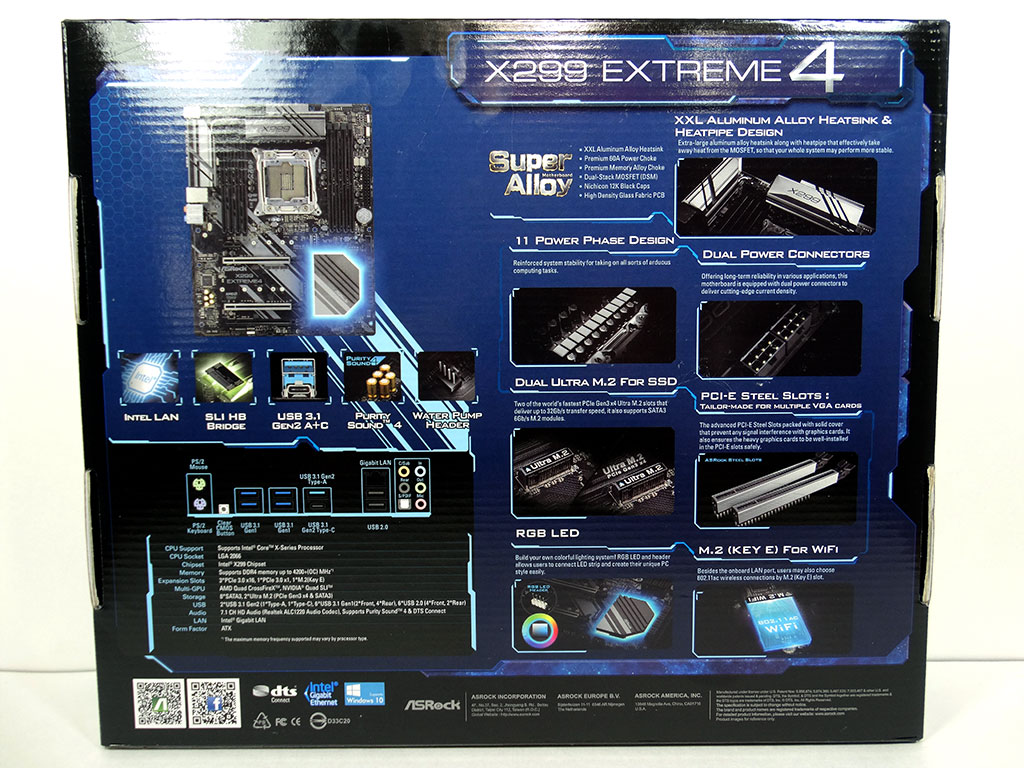
As per the usual for us here at TPU, the first thing we look at is the box. Although highly repetitive, box design and styling can play an important part with board products, especially when manufacturers do things like ASRock does here. The box is simple and to the point both front and rear, but a bit too flashy for what it is, though that's not what's so special about this board's box.
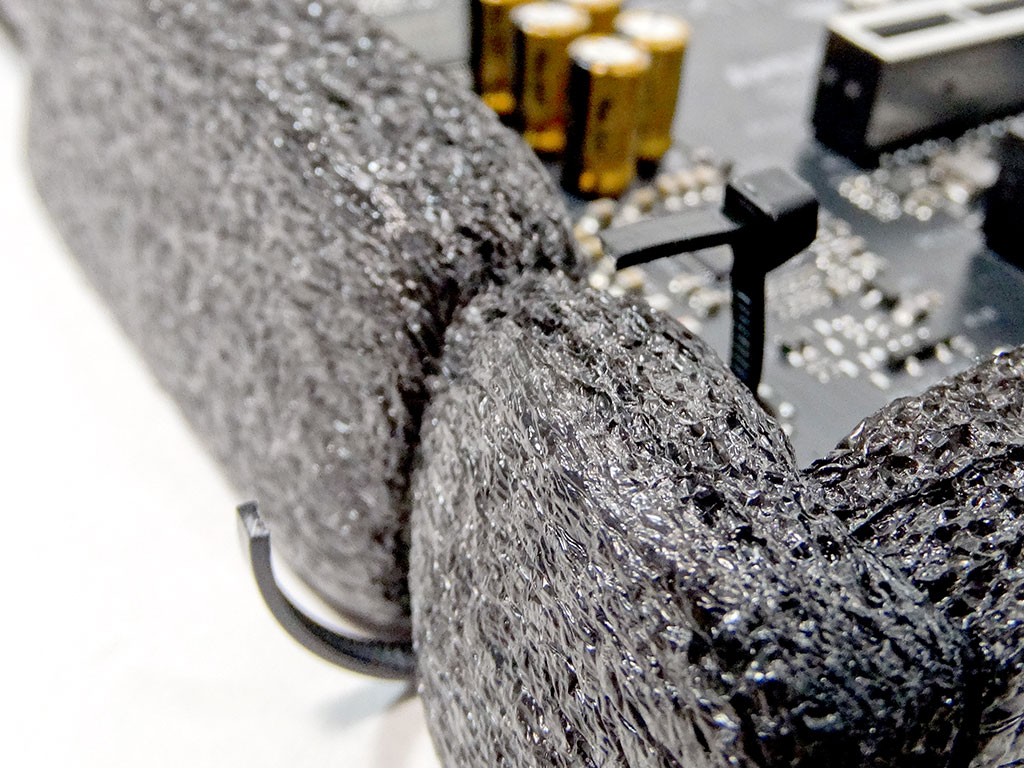
What IS special is that ASRock cradles the majority of the motherboards they ship in a decent layer of closed-cell foam, which helps save boards from shipping and handling damages that might occur between the factory and your doorstep or local store. Having spent considerable time working at PC stores building systems, I personally understand and appreciate things like this. When you build 300+ systems a week, having to rebuild one once the system hits stability testing is a huge pain, and this simple foam surround nearly completely eliminates dead-on-arrival motherboards.
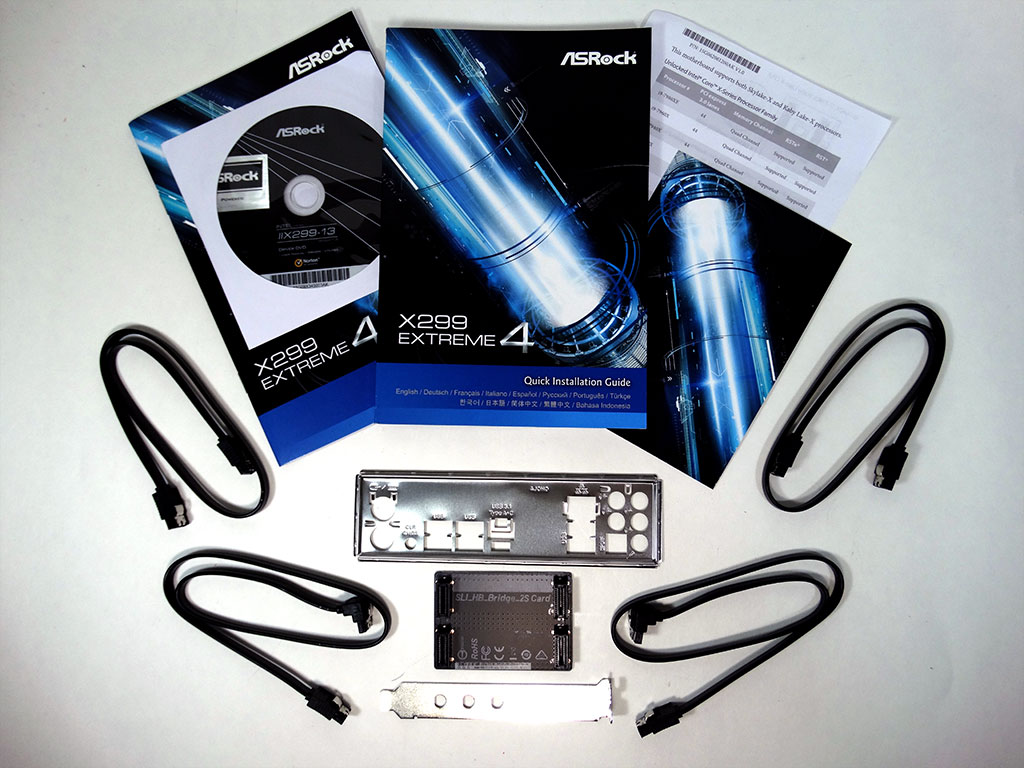
There are a few accessories included in the box. Here's what I found:
- Quick installation guide, manual, support DVD, and other papers
- 1x Rear I/O cover
- 4x SATA 6Gb/s cables
- 1x HB SLI bridge
- 1x Wi-Fi bracket
- 3x M.2 screws
Our Patreon Silver Supporters can read articles in single-page format.
Nov 15th, 2026 09:29 CST
change timezone
Latest GPU Drivers
New Forum Posts
- Power supply noise stops when I move the mouse (2)
- Recommendations Wanted - Affordable Enterprise SSD for Boot (5)
- budget home NAS – X79, X99 or another platform? (149)
- WireView Pro II GPU Alignment: Wired | Variant: Black (1)
- Planning for Prolonged High Prices and Maintaining What You Already Have (74)
- Technical Issues - TPU Main Site & Forum (2026) (409)
- What generation of Wi-Fi do you use at home (98)
- I'll flash a ASUS ROG Strix RX480 O8G in Cause of Code 43, as a Newbie (5)
- Honestly, do you care about GTA VI? (58)
- Is this anyhow possible, that a GPU (ROG Strix RX480 O8G) can crash the whole PC after "ReFlash" in normal Mode? (2)
Popular Reviews
- AMD Zen 6 Technical Deep Dive
- ASUS ROG Strix B850-I Gaming Wi-Fi7 W Review
- Corsair HX1000i Shift Crystal Review
- Upcoming Hardware Launches 2027 (Updated Nov 2026)
- Montech King 95 3D PRO Review
- NZXT C1200 Platinum Review
- NZXT H7 RGB+ Review
- NZXT H5 Review
- Phantom Blade Zero Performance Benchmark Review - 35 GPUs Tested
- AMD Ryzen 7 9800X3D Review - The Best Gaming Processor
TPU on YouTube
Controversial News Posts
- NVIDIA Co-Founder and CEO Jensen Huang Officially Resigns (413)
- OpenAI CEO Argues Home PCs Waste the World's Limited DRAM Supply (152)
- NVIDIA Launches Investigation Into Jensen Huang's Relationship With Suspected Chinese Spy (136)
- Intel "Raptor Lake Next" 16-Core and 20-Core CPUs Surface (130)
- Open Letter Asking NVIDIA to Reinstate Jensen Huang Passes 115,000 Signatures (116)
- Legendary Game Studio BioWare Shuts Down Following EA Layoffs (104)
- Dell CEO Says the Memory Shortage Will Get Worse in 2027 (95)
- NVIDIA GeForce RTX 50-Series Scheduled for up to $500 Price Hike This Week (89)