 21
ASRock X570S PG Riptide Review
(21 Comments) »Final Thoughts and Conclusion
- The ASRock X570S PG Riptide is available for US$185.
- Fanless X570 chipset
- Dedicated WiFi slot
- Unique GPU support bracket
- RGB support/headers
- 2x Gen4 M.2 slots
- Great entry-level audio
- Technically a 4 + 2-phase VRM
- Poor VRM thermals
- Mediocre overclocking
- Additional PCIe x16 slots are wired for PCIe x4
- Two SATA ports are disabled with a second M.2 SSD installed
- 2.5 GbE Ethernet requires special drivers
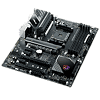
Now that we have reached the end of the review, it is time to consolidate what makes the ASRock X570S PG Riptide a great buy for some and a poor choice for others. As a tradition, I will start with the things that stand out in a negative way and finish this review on a positive note.
Those who read through the VRM thermals and overclocking sections of this review already know what I am about to bring up. For the rest who may have skipped around, here is a refresher on the subject: ASRock's choice not to place a heatsink over the SoC VRM section is a real issue for those who want to tinker with the CPU. I do agree that overclocking an AMD Ryzen CPU is a bit of a waste considering Precision Boost does an already excellent job, but one could argue lower power consumption and temperatures could be accomplished with a voltage offset and set CPU frequency. The BIOS is not setup for easy navigation, making undervolting and setting the CPU clock frequency a chore to set up for a benefit from said offset.
In some instances, having a fixed all-core overclock benefits certain applications more than a single-core boost. It really depends on the type of application and needs of the user. That being said, I cannot recommend using this board for any sort of precision overclocking. Vdroop is tremendously high when maxing out load-line calibration (LLC). Couple this with the SoC power stages not having a heatsink and memory overclocking becomes a game of chance. Without raising the SoC voltage above the default 1.1 V, it might not be possible to run DDR4-3600 to DDR4-4000 in synchronous mode with the Infinity Fabric clock. I highly suggest making sure direct airflow moves over the entire VRM section during long periods of use.
The last complaint is mostly nitpicking. I do not like how every additional x16 PCIe slot besides the one closest to the CPU socket is wired for Gen4 x4 instead of x8. Let me clarify—I do not like that the second x16 slot is only wired for x4. The last PCIe slot of most AMD X570 boards is normally x4 as it is routed through the chipset. ASRock loses points for marketing three x16 slots when in fact only the one closest to the CPU truly is x16. Everything else is routed through the chipset at x4 bandwidth.
Let's now switch and focus on what ASRock has done right to make this motherboard a smart buying decision for those on a budget. For starters, a fanless X570 chipset is a welcome addition. No longer do you have to hear the whine of a clogged fan or keep an eye on it just in case it stops functioning. The X570 chipset comes with more bandwidth over the budget B550 to allow for an additional M.2 Gen4 slot as well as more PCIe 1X or 4X connectivity for things that do not need x8 or x16 bandwidth allocation. If you plan on using all the PCIe slots to the fullest, this is an option. However, understand that this motherboard does not have any auxiliary power going to the PCIe expansion slots, meaning all power provided by the PCIe slots is coming from the 24-pin connector.
Another notable feature is the great on-board audio. When I say great, I mean it scored well for using the ALC897 codec. Those enjoying Hi-fi audio will either have an external DAC/amp or an add-on sound card. Many others will use wireless headsets or a set of USB-DAC headphones common for gaming. Those few left who choose to use the on-board audio will have to make do, and it could be a lot worse. At least there is no hissing thanks to the audio section being traced off to avoid electrical noise interference.
ASRock has placed RGB lighting on the chipset heatsink. Either you are a fan of RGB or you are not, but it is minor enough not to spell out "RGB" big, loud, and proud. This motherboard also has 12 V and 5 V headers for additional lighting, which is more or less the standard for RGB support these days.
The final bit comes in the form of something I have not seen paired with any other motherboard as of yet. What I am referring to is the GPU-mounting bracket that uses the motherboard case standoffs to support the weight of a heavy graphics card. Many of us have seen an over-sized GPU installed and wondered what kind of stress it is puts on the PCIe slot and card's PCB. While this bracket only partially supports the graphics card from the bottom, it is enough to warrant a closer look for those who want that extra support.
While the ASRock X570S PG Riptide isn't something I would personally buy because it simply does not meet my needs, it is something to consider for gamers on a tight budget. It ticks off all the basic necessities for someone who is all about the plug and play mentality—someone who doesn't want to play around with memory or CPU settings and rather just lets all the auto-features and CPU boosting do what it is designed for. I think this ASRock X570S PG Riptide will be right on the line for many; some will see it as a horrible product, while others may see it for what it is: a motherboard for a gaming-oriented PC if on a limited budget.
Nov 23rd, 2026 23:59 CST
change timezone
Latest GPU Drivers
New Forum Posts
- The time has come to upgrade...my desktop (0)
- Which ryzen am5 cpu ? (198)
- Your PC ATM (36481)
- SATA drive 1.4 GBps with Intel X25-E on Windows 98! (42)
- RAM overclock cause worse feeling than JEDEC (10)
- DTS DCH Driver for Realtek HDA [DTS:X APO4 + DTS Interactive] (2819)
- WarpCoreBench scores! (96)
- Increasing Power Limit? (20)
- Gacha Games - Discussions, Pulls, Updates, etc. (1162)
- RX 580 2048SP 8GB - SK Hynix - Ardiyes - BIOS Needed (4)
Popular Reviews
- Microsoft Surface Laptop Ultra Review - The Next-gen Arm Laptop
- ASRock X870E Challenger Wi-Fi White Review
- Upcoming Hardware Launches 2027 (Updated Nov 2026)
- Corsair RM1200e (Second Generation) Review
- AMD Ryzen 7 9800X3D Review - The Best Gaming Processor
- AMD Zen 6 Technical Deep Dive
- AMD Ryzen 7 7700X3D Review
- Pulsar Office Tour & First Look at P1 Dual-Sensor Mouse
- Ugreen NASync DXP4800 GT Review
- Phantom Blade Zero Performance Benchmark Review - 35 GPUs Tested
TPU on YouTube
Controversial News Posts
- NVIDIA Co-Founder and CEO Jensen Huang Officially Resigns (492)
- Jensen Huang Reinstated as CEO of NVIDIA (393)
- Report: Jensen Huang Eyes NVIDIA Comeback (278)
- Open Letter Asking NVIDIA to Reinstate Jensen Huang Passes 115,000 Signatures (184)
- OpenAI CEO Argues Home PCs Waste the World's Limited DRAM Supply (152)
- NVIDIA Launches Investigation Into Jensen Huang's Relationship With Suspected Chinese Spy (136)
- Intel "Raptor Lake Next" 16-Core and 20-Core CPUs Surface (130)
- NVIDIA GeForce RTX 50-Series Scheduled for up to $500 Price Hike This Week (89)