 14
ASRock X870 Live Mixer Wi-Fi Review
(14 Comments) »Value and Conclusion
- The ASRock X870 Live Mixer Wi-Fi is currently listed online for $230
- Attractive price
- Loads of USB ports
- Excellent VRM temperatures
- Acceptable PCIe Gen 5 SSD temperatures
- Tool-free SSD heatsink
- Split lower M.2 heatsinks
- RGB lighting
- Dual PCIe Gen 5 SSD support
- USB 3.2 Gen 2x2 20 Gbps Type-C front panel header
- Thermistor header
- Decent fan header power
- EFI needs a refresh
- EFI fan control missing features the competition includes
- Software is very dated
- No enhanced GPU release mechanism
- X3D Turbo Mode 2.0 isn't particularly revolutionary
- USB4 ports share bandwidth with second PCIe Gen 5 M.2 port
- Third and fourth M.2 ports share bandwidth with lower PCIe slots
- Lower M.2 heatsinks are not tool-free
- No power, reset or CMOS clear buttons
- No LED POST code display
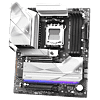
Getting hold of an X870 chipset motherboard less than $250 is one thing, but one that hasn't had its features cut drastically in some areas to offer X870's benefits over B850 is even harder. It's something we've seen plenty of times, meaning you have to really want the USB4 support, extra bandwidth or connectivity that AMD's more premium chipset offers. How does the ASRock X870 Live Mixer Wi-Fi fare here then?
Well, the premium over its B850 counterpart is around $40 and even less compared to other alternatives such as the excellent ASRock Phantom Gaming B850 Riptide Wi-Fi. The extra cash gets you that USB4 support as well as faster Ethernet, additional PCIe Gen 5 M.2 support, more M.2 ports and heatsinks plus a couple more vCore power phases.
Despite it being considerably cheaper than competition offering similar features, its VRMs kept cool even dealing with a Ryzen 9 9950X under full load for half an hour and even more impressive was it preventing our PCIe Gen 5 SSD from throttling. That's something plenty of competing boards have failed to do so if you're planning on overclocking or hammering your shiny new PCIe Gen 5 SSD on a regular basis, the X870 Live Mixer Wi-Fi has your back.
We also like the fact its lower M.2 heatsinks, while not all tool-free - are split, allowing you to get at three M.2 slots without the need to remove your graphic card, so long as it's triple-slot or thinner. There's also a thermistor header for probes to be used and tied into the fan control and there's decent power available over most of its fan headers too.
However, there's little here that will benefit you compared to decent B850 options if you're using a single SSD and have no USB4 or Thunderbolt 4 devices. Most B850 options have WI-Fi 7 and PCIe Gen 5 GPU and SSD support, and many include USB 3.2 Gen 202 20 Gbps Type-C headers too, so it comes down to what else is on offer here.
Unfortunately, a lot of ASRock's cheaper boards have done well when it comes to VRM and SSD temperatures and the X870 Live Mixer Wi-Fi doesn't completely remove bandwidth sharing either. You'll have to lose the USB4 ports if you want to use the second PCIe Gen 5 M.2 port, and both lower PCIe slots share bandwidth with the lower M.2 ports.
The future may see more of a need for M.2 PCIe Gen 5 ports and maybe even USB4, but at the moment that extra $40 difference between this and the B850 Live Mixer Wi-Fi can buy a decent air cooler. The Phantom Gaming B850 Riptide Wi-Fi also saves you cash and is one of our favorite options for around $200.
Spending a little more money might not have resulted in much six months ago, but plenty of boards that retailed for over $300 a while back can now leave you with change from $270. The MSI MAG X870E Tomahawk W-Fi is a good example, costing just $260. For the extra $30 or so, there's less bandwidth sharing compared to the X870 Live Mixer Wi-Fi, IT has four rather than two SATA ports, a better EFI and 27 W power delivery over its USB Type-C front panel header It's maybe a little more well-rounded as a result.
Still, if the X870 Live Mixer Wi-Fi meets your needs, and stepping down or up in price doesn't work, there's very little here to disappoint and a lot that ASRock gets right that means it's more than capable of sitting at the heart of a high-end overclocked AMD PC, and that's an impressive feat for a motherboard leaving you with change from $250.


Well, the premium over its B850 counterpart is around $40 and even less compared to other alternatives such as the excellent ASRock Phantom Gaming B850 Riptide Wi-Fi. The extra cash gets you that USB4 support as well as faster Ethernet, additional PCIe Gen 5 M.2 support, more M.2 ports and heatsinks plus a couple more vCore power phases.
Despite it being considerably cheaper than competition offering similar features, its VRMs kept cool even dealing with a Ryzen 9 9950X under full load for half an hour and even more impressive was it preventing our PCIe Gen 5 SSD from throttling. That's something plenty of competing boards have failed to do so if you're planning on overclocking or hammering your shiny new PCIe Gen 5 SSD on a regular basis, the X870 Live Mixer Wi-Fi has your back.
We also like the fact its lower M.2 heatsinks, while not all tool-free - are split, allowing you to get at three M.2 slots without the need to remove your graphic card, so long as it's triple-slot or thinner. There's also a thermistor header for probes to be used and tied into the fan control and there's decent power available over most of its fan headers too.
However, there's little here that will benefit you compared to decent B850 options if you're using a single SSD and have no USB4 or Thunderbolt 4 devices. Most B850 options have WI-Fi 7 and PCIe Gen 5 GPU and SSD support, and many include USB 3.2 Gen 202 20 Gbps Type-C headers too, so it comes down to what else is on offer here.
Unfortunately, a lot of ASRock's cheaper boards have done well when it comes to VRM and SSD temperatures and the X870 Live Mixer Wi-Fi doesn't completely remove bandwidth sharing either. You'll have to lose the USB4 ports if you want to use the second PCIe Gen 5 M.2 port, and both lower PCIe slots share bandwidth with the lower M.2 ports.
The future may see more of a need for M.2 PCIe Gen 5 ports and maybe even USB4, but at the moment that extra $40 difference between this and the B850 Live Mixer Wi-Fi can buy a decent air cooler. The Phantom Gaming B850 Riptide Wi-Fi also saves you cash and is one of our favorite options for around $200.
Spending a little more money might not have resulted in much six months ago, but plenty of boards that retailed for over $300 a while back can now leave you with change from $270. The MSI MAG X870E Tomahawk W-Fi is a good example, costing just $260. For the extra $30 or so, there's less bandwidth sharing compared to the X870 Live Mixer Wi-Fi, IT has four rather than two SATA ports, a better EFI and 27 W power delivery over its USB Type-C front panel header It's maybe a little more well-rounded as a result.
Still, if the X870 Live Mixer Wi-Fi meets your needs, and stepping down or up in price doesn't work, there's very little here to disappoint and a lot that ASRock gets right that means it's more than capable of sitting at the heart of a high-end overclocked AMD PC, and that's an impressive feat for a motherboard leaving you with change from $250.
Nov 18th, 2026 17:29 PST
change timezone
Latest GPU Drivers
New Forum Posts
- Without Jensen, PC gaming will be (44)
- [Poll] 12V-2x6 Connector Protection: What Are You Using? (WireView / Ampinel / Equalizer / Other / Nothing) (40)
- Time to upgrade CPU and MOBO (36)
- Got a new laptop! What should I do with it? (6)
- What are you playing? (26235)
- Can i play GTA 6 now? (Joke) (8)
- Honestly, do you care about GTA VI? (147)
- Dell Workstation Owners Club (3514)
- Making a game in Godot engine (2)
- Last game you purchased? (1406)
Popular Reviews
- Acemagic Retro X3 Review
- Upcoming Hardware Launches 2027 (Updated Nov 2026)
- AMD Zen 6 Technical Deep Dive
- Ugreen NASync DXP4800 GT Review
- Pulsar Office Tour & First Look at P1 Dual-Sensor Mouse
- Biwin Black Opal NV7400 2 TB Review
- Sapphire Radeon RX 7700 XT Pure Review
- Chieftec Iceberg PRO 360 DARK Review
- ASUS ROG Strix B850-I Gaming Wi-Fi7 W Review
- Sapphire Radeon RX 7700 XT Pulse Review
TPU on YouTube
Controversial News Posts
- NVIDIA Co-Founder and CEO Jensen Huang Officially Resigns (481)
- Report: Jensen Huang Eyes NVIDIA Comeback (196)
- Open Letter Asking NVIDIA to Reinstate Jensen Huang Passes 115,000 Signatures (184)
- OpenAI CEO Argues Home PCs Waste the World's Limited DRAM Supply (152)
- NVIDIA Launches Investigation Into Jensen Huang's Relationship With Suspected Chinese Spy (136)
- Intel "Raptor Lake Next" 16-Core and 20-Core CPUs Surface (130)
- Legendary Game Studio BioWare Shuts Down Following EA Layoffs (104)
- Dell CEO Says the Memory Shortage Will Get Worse in 2027 (95)