 14
ASRock X870 Live Mixer Wi-Fi Review
Component Analysis »Board Layout

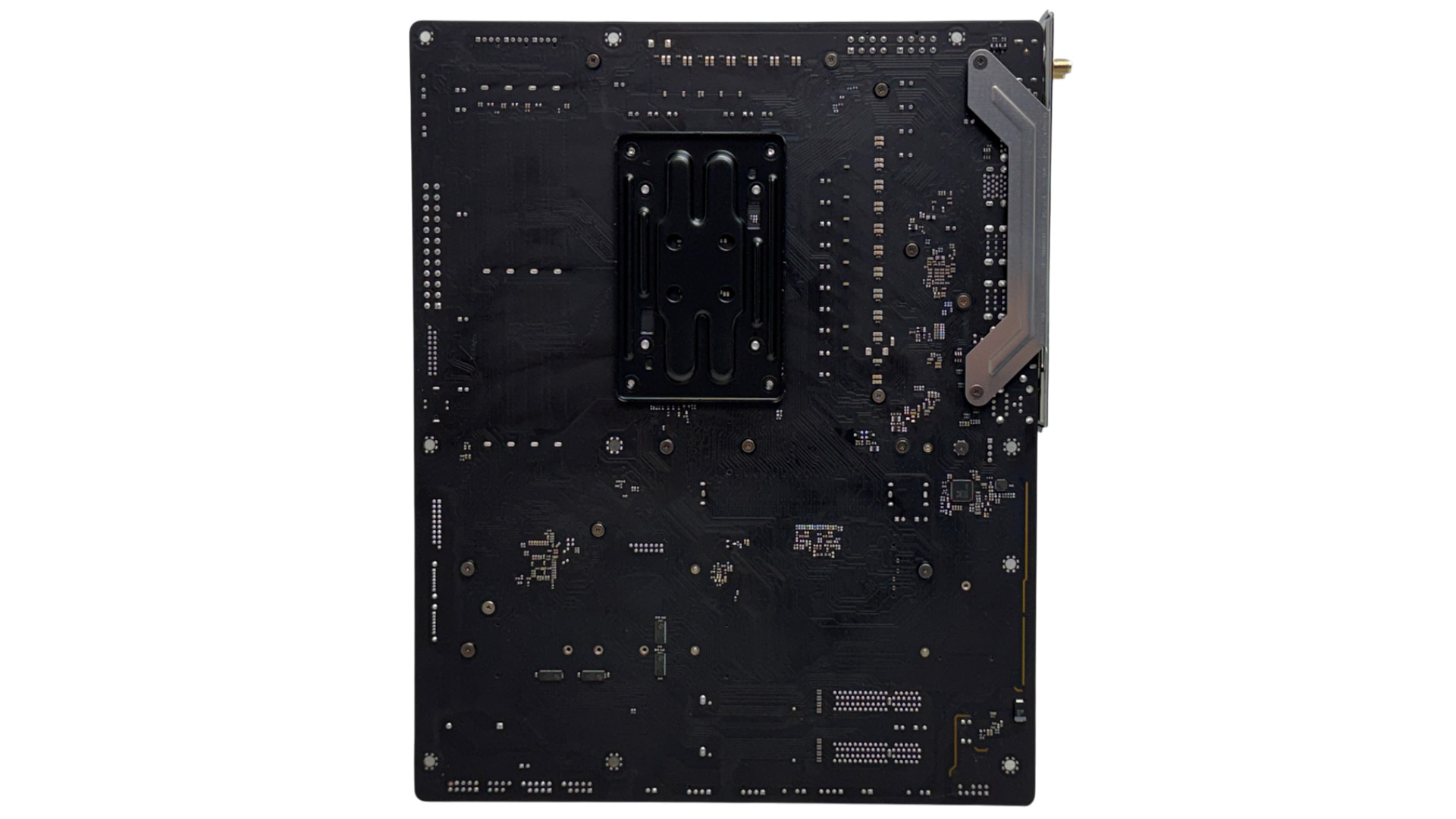
For the price, this is a very good-looking motherboard with oversized heatsinks finished in a moody gunmetal gray. We even get RGB lighting underneath the lower M.2 heatsink. The expansion options are decent too with three PCIe x16 slots and all of those heatsinks have M.2 ports underneath them, with the lower portion split in two, so the lower ports can be accessed even with a graphics card installed.

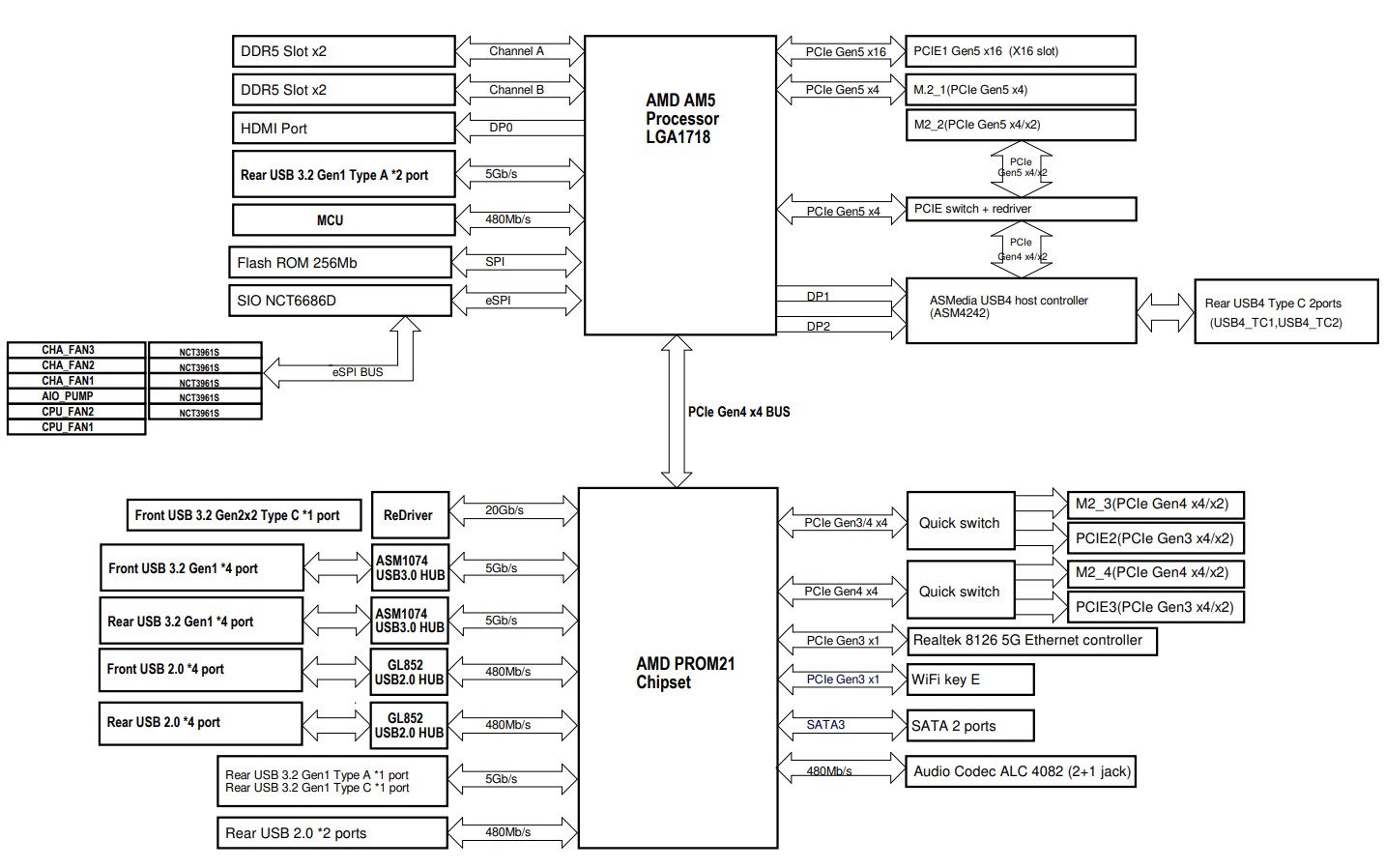
As expected, there is a modicum of bandwidth sharing. The second PCIe Gen 5 M.2 slot shares bandwidth with the USB4 Type-C ports on the rear panel so used at the same time will see each run with half the PCIe lanes and your SSD speed, for example will be cut in half assuming it requires four lanes. Additionally, if the third M.2 port is used, the second PCIe slot drops from four to two lanes with a similar relationship with the fourth M.2 slot and third PCIe slot.
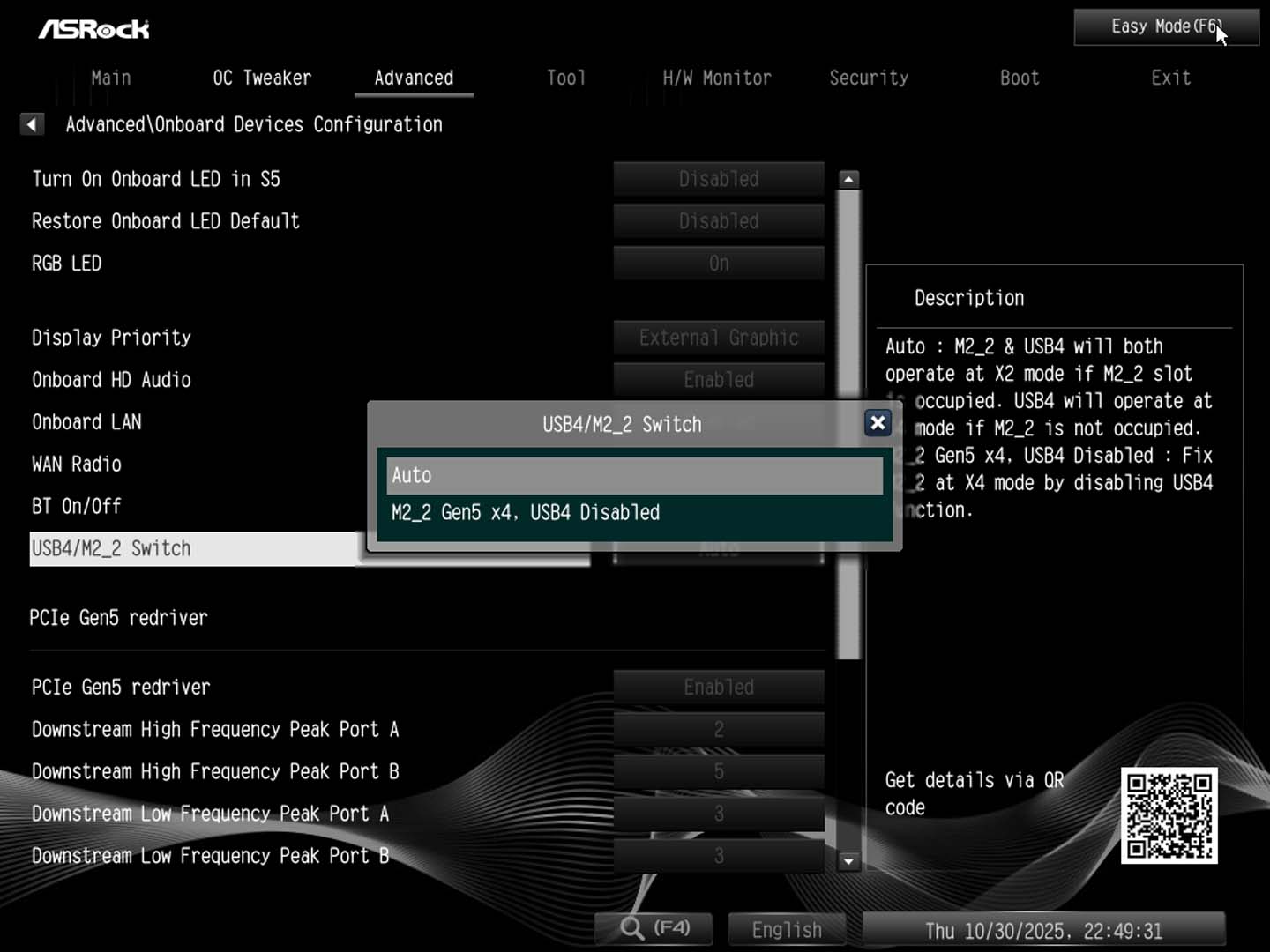
If you're not bothered by USB4 then you can manually switch all required lanes to feed the M.2 port instead for full bandwidth.

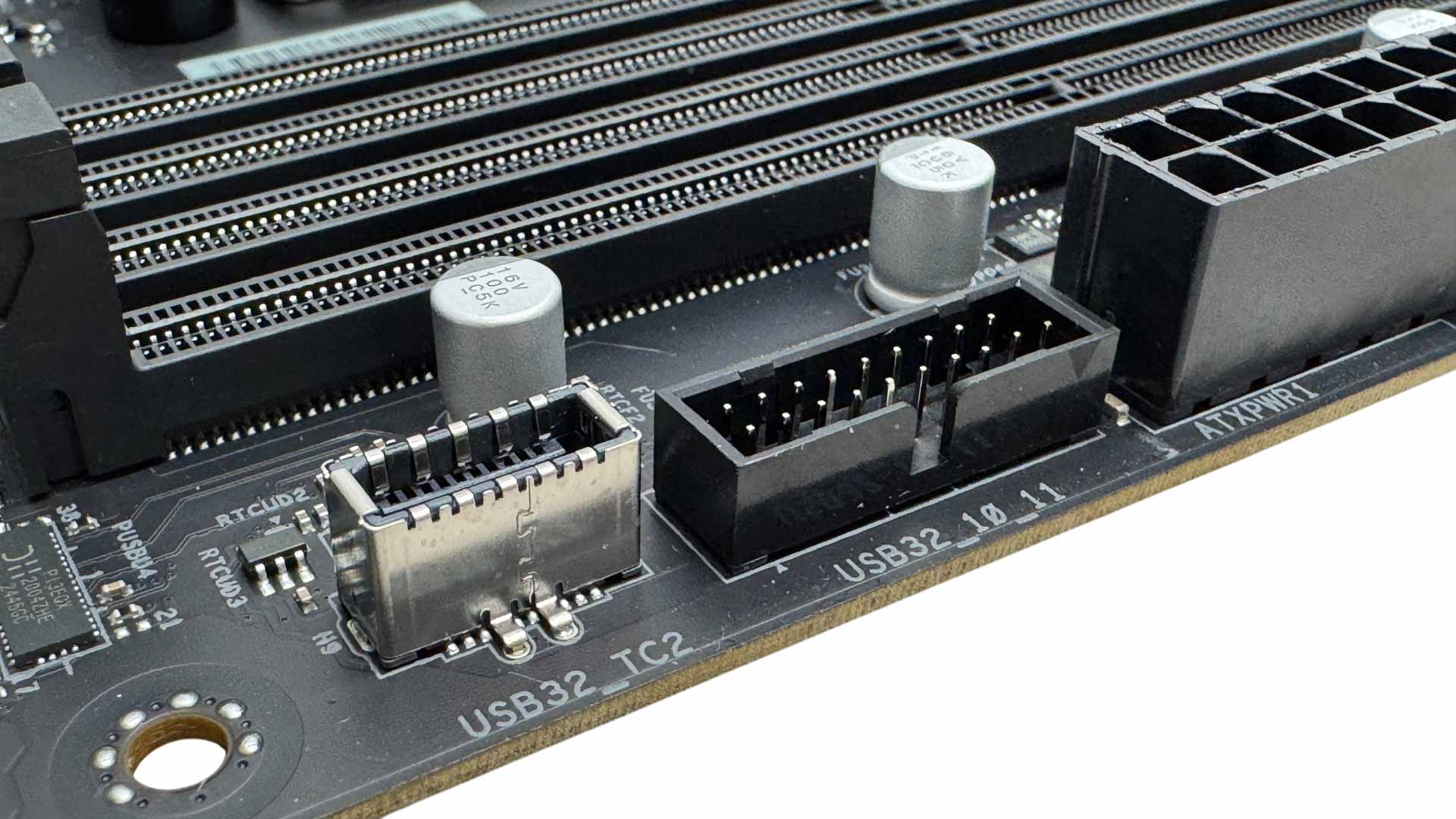
There are six fan headers in total, with the CPU header limited to 12 W/1 A, but the rest offering up to 36 W/3 A each. The three fan headers in the top right corner are well-placed to handle AIO liquid cooler fans and pumps. Three or more high-power fans may push the CPU header to it's limit, though, so as usual we'd recommend checking the draw from your fans and using additional headers if you want to power numerous powerful fans. The Type-C front panel header offers USB 3.2 Gen 2x2 20 Gbps support, but doesn't have any enhanced power delivery. That's unlikely at this price though.
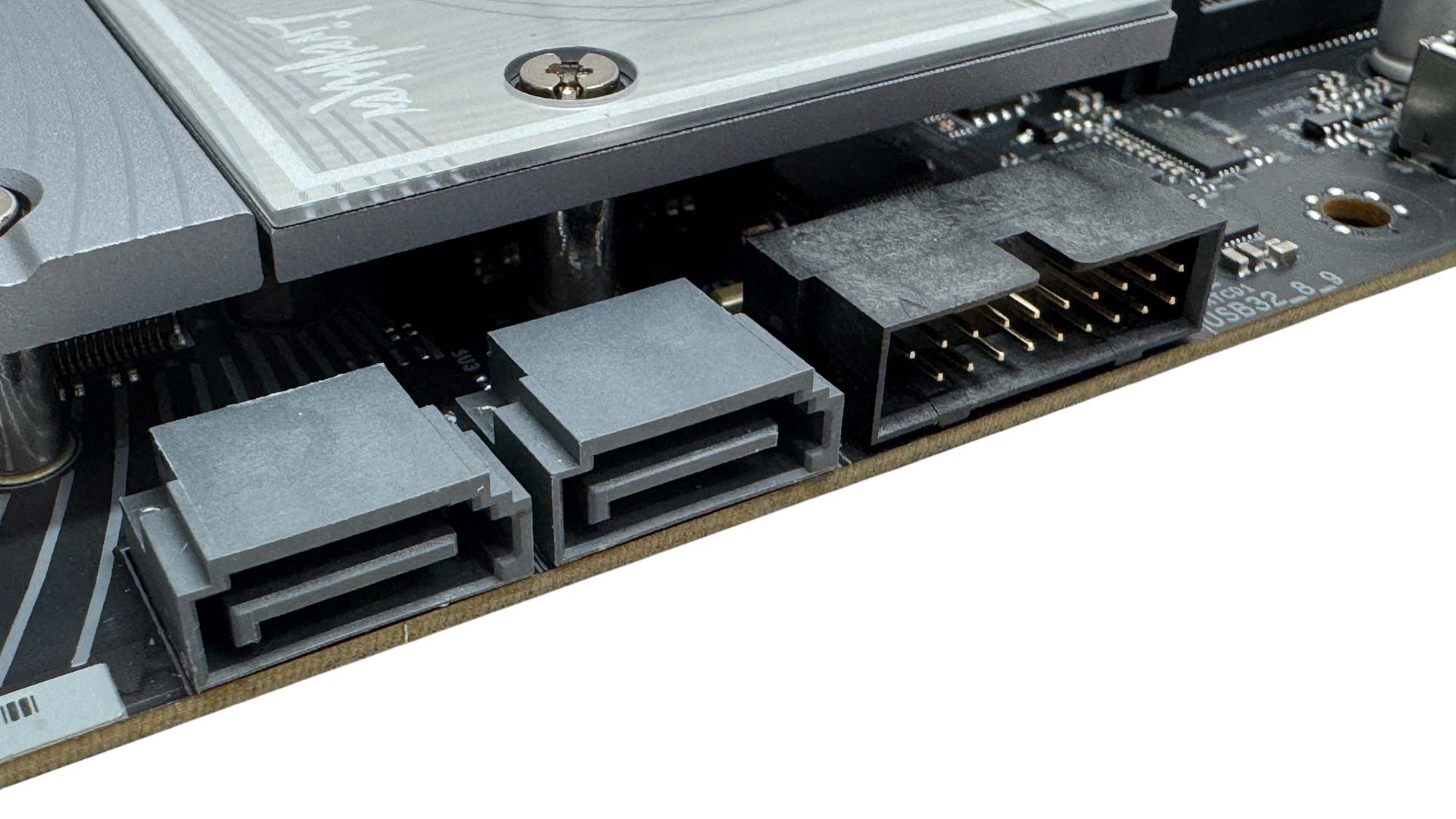
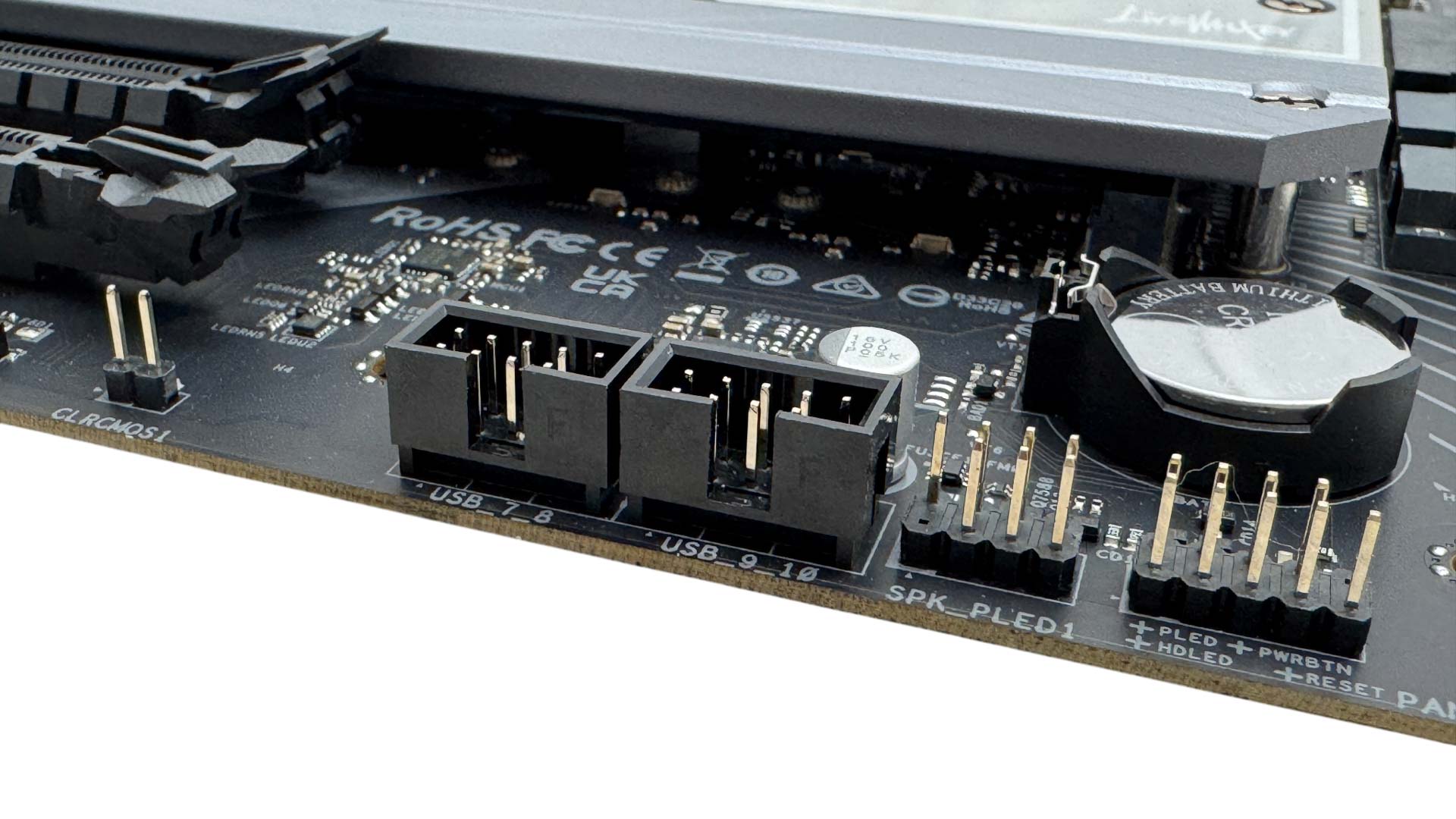
A potentially limiting factor for some will be the two SATA ports. Four is more common even in this price bracket, so it's worth noting if you have a bunch of hard disks you want to transplant from another system. The CR032 battery and CMOS clear jumper are easily accessed, but there's no CMOS clear button.
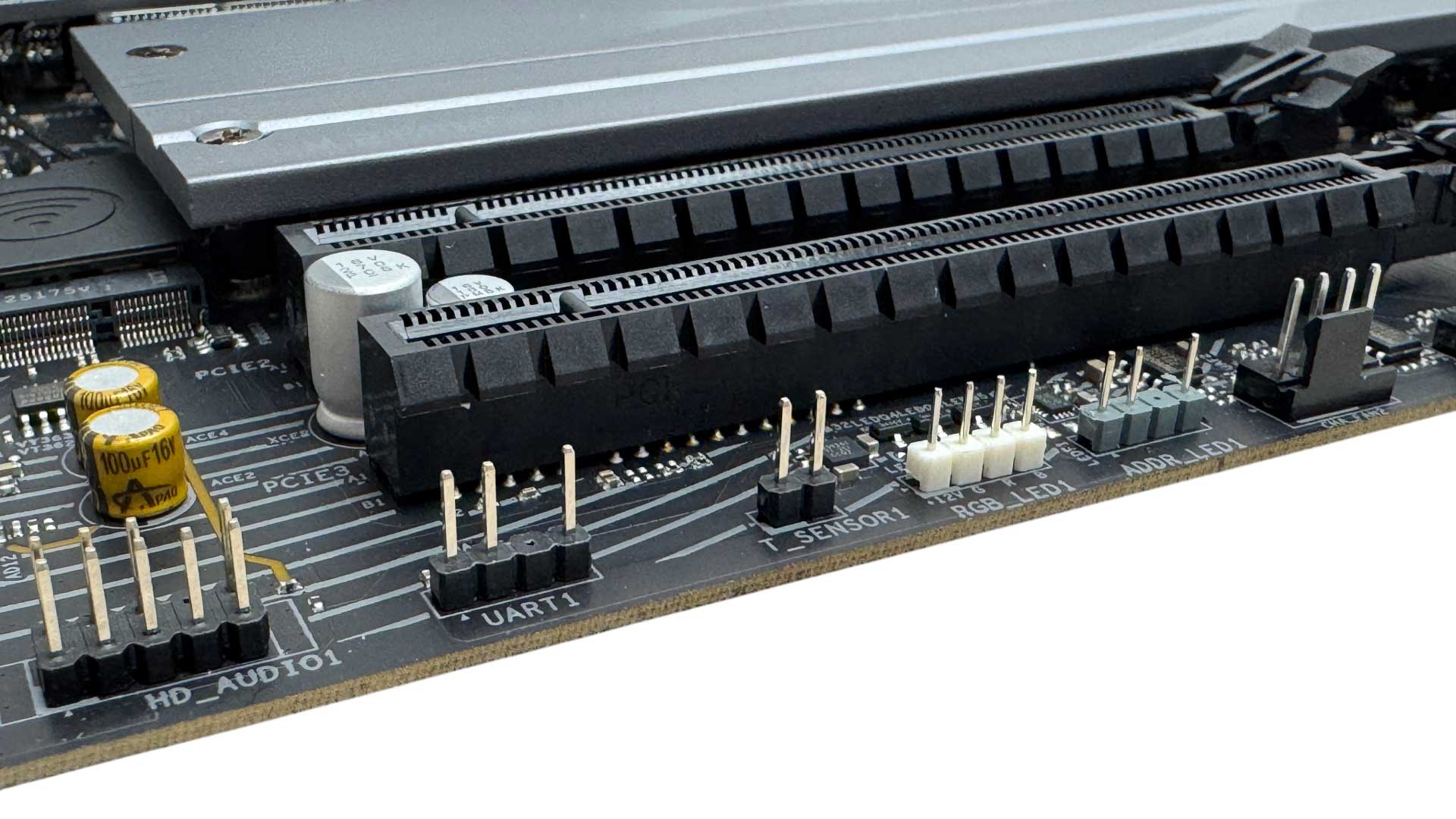
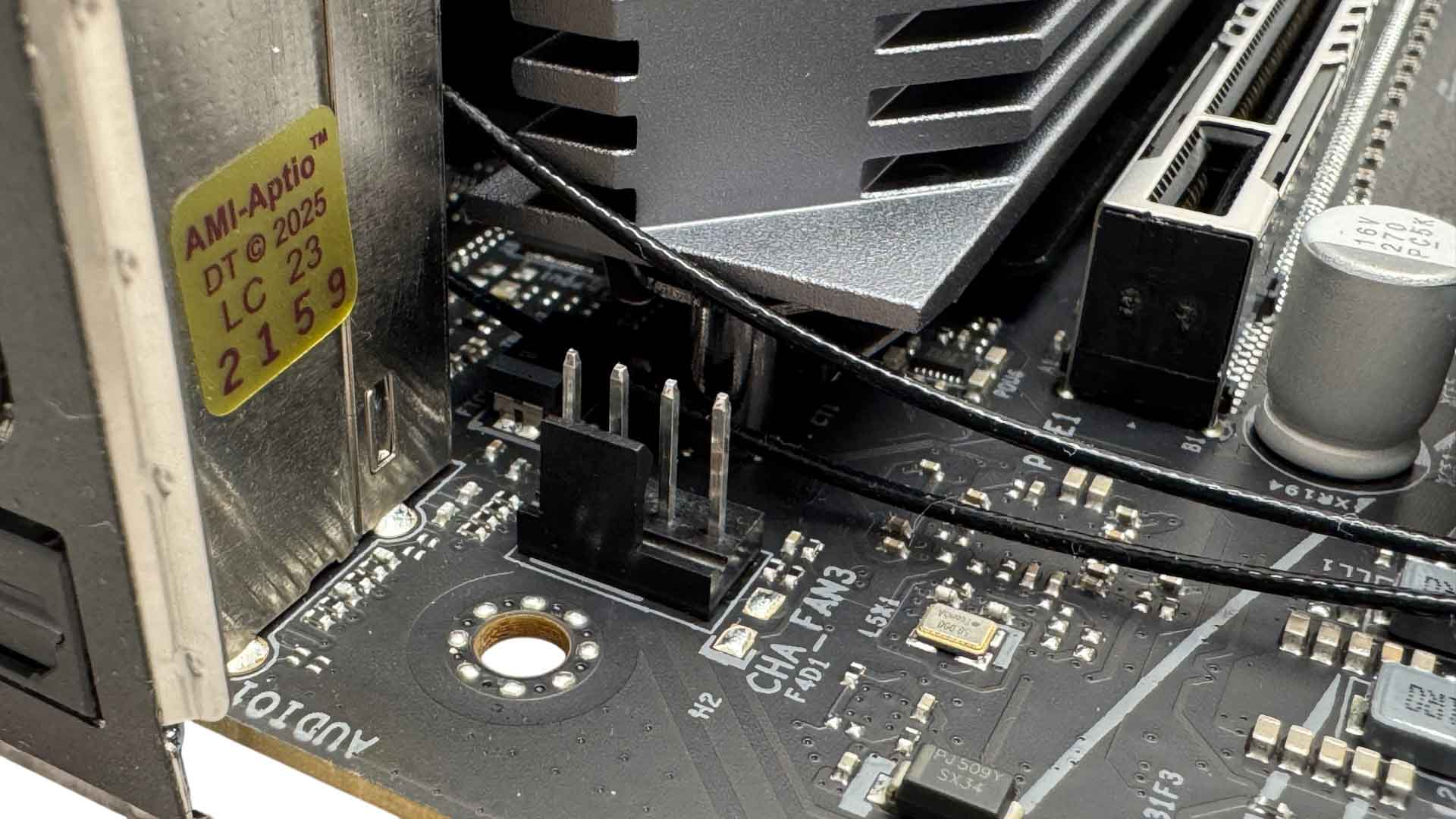
The 2-pin thermistor header is located at the base of the PCB long with 4-pin RGB and three-pin ARGB headers and two more fan headers. The sixth header is located next to the I/O panel so is will placed for powering rear fans.
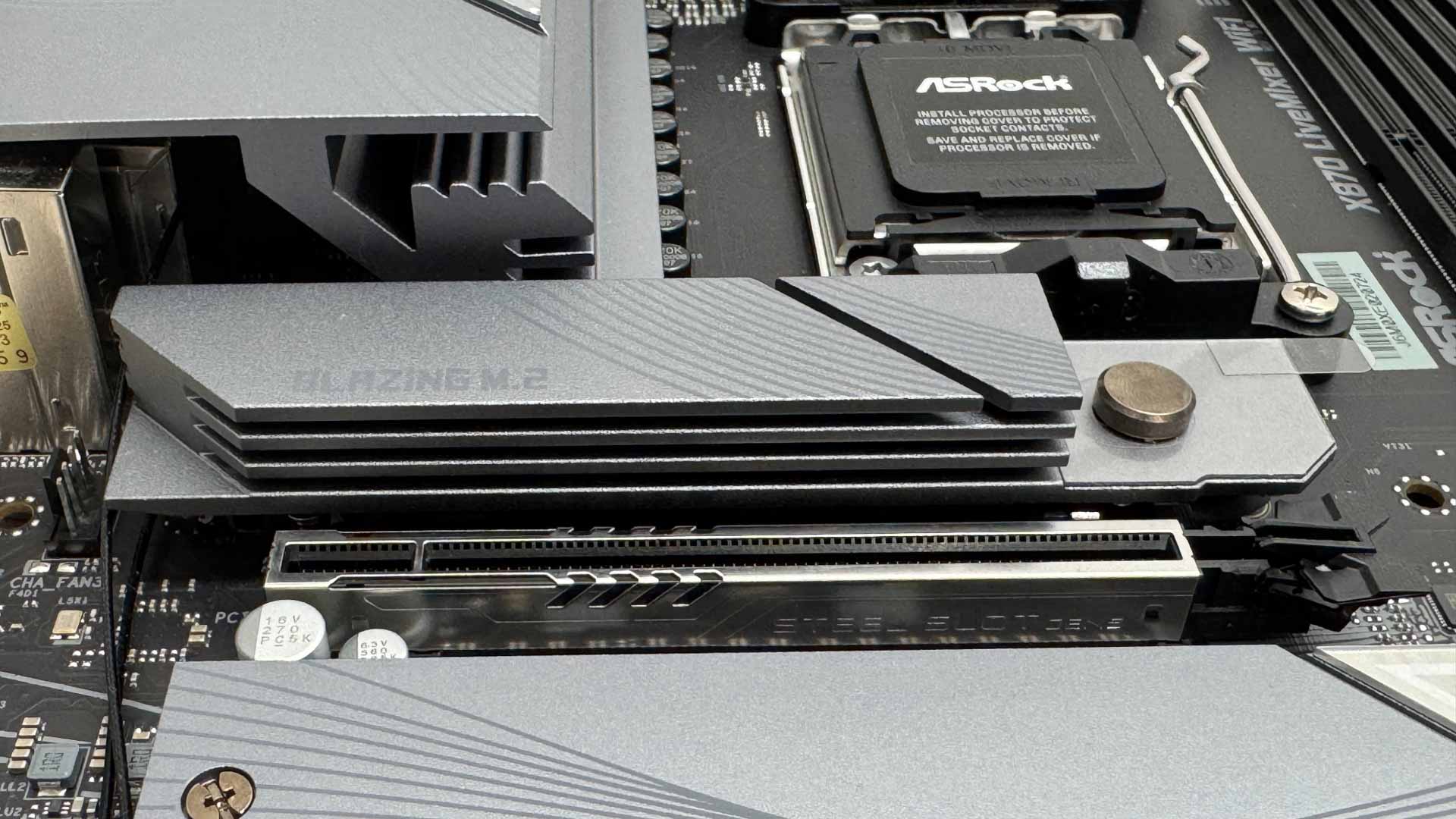
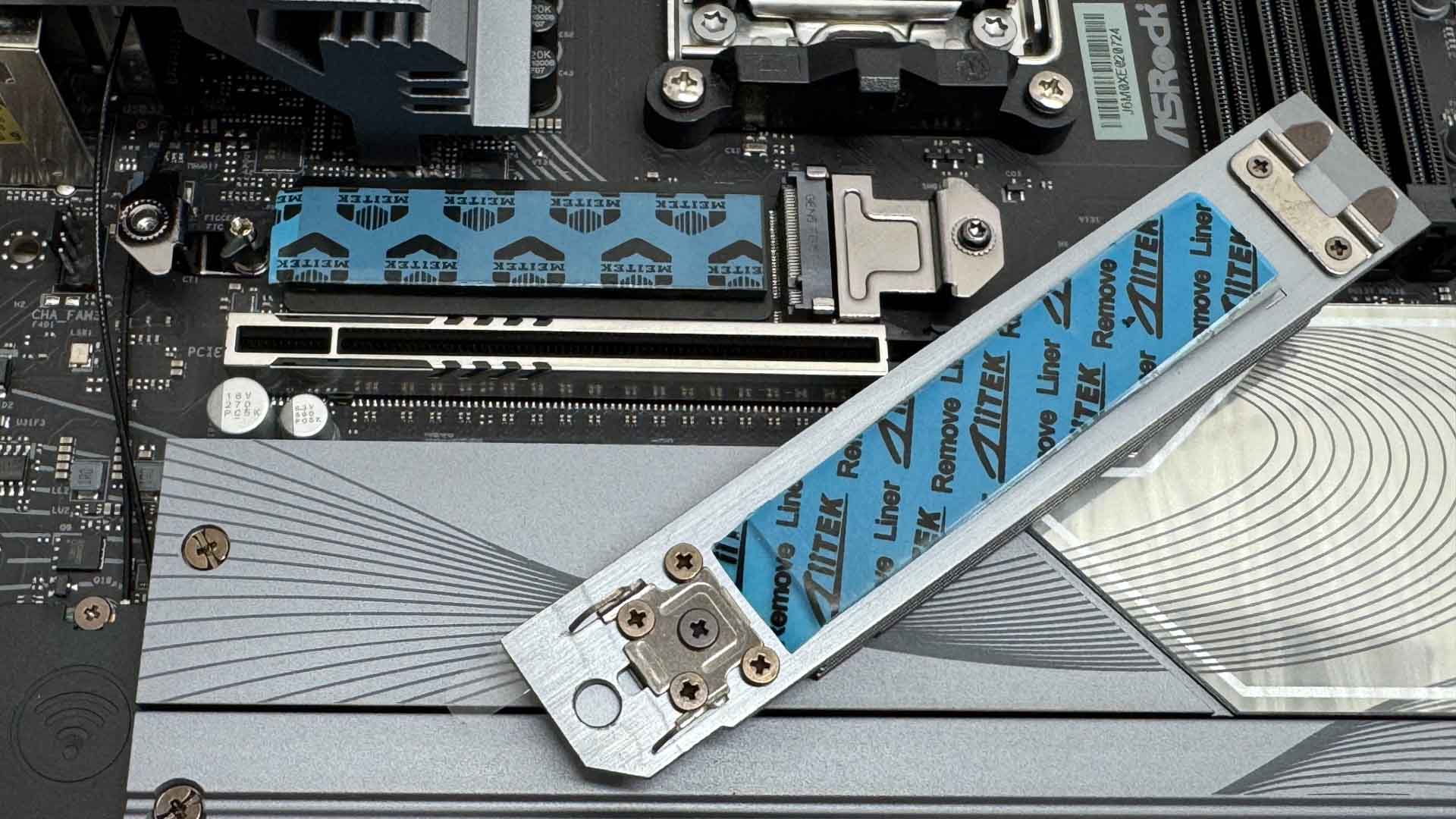
The top M.2 port is the only one to feature top and bottom cooling of SSDs and is also the only tool-free heatsink. All SSD ports are tool-free and the top heatsink is relatively large, so there's hope it fares well in our thermal tests.
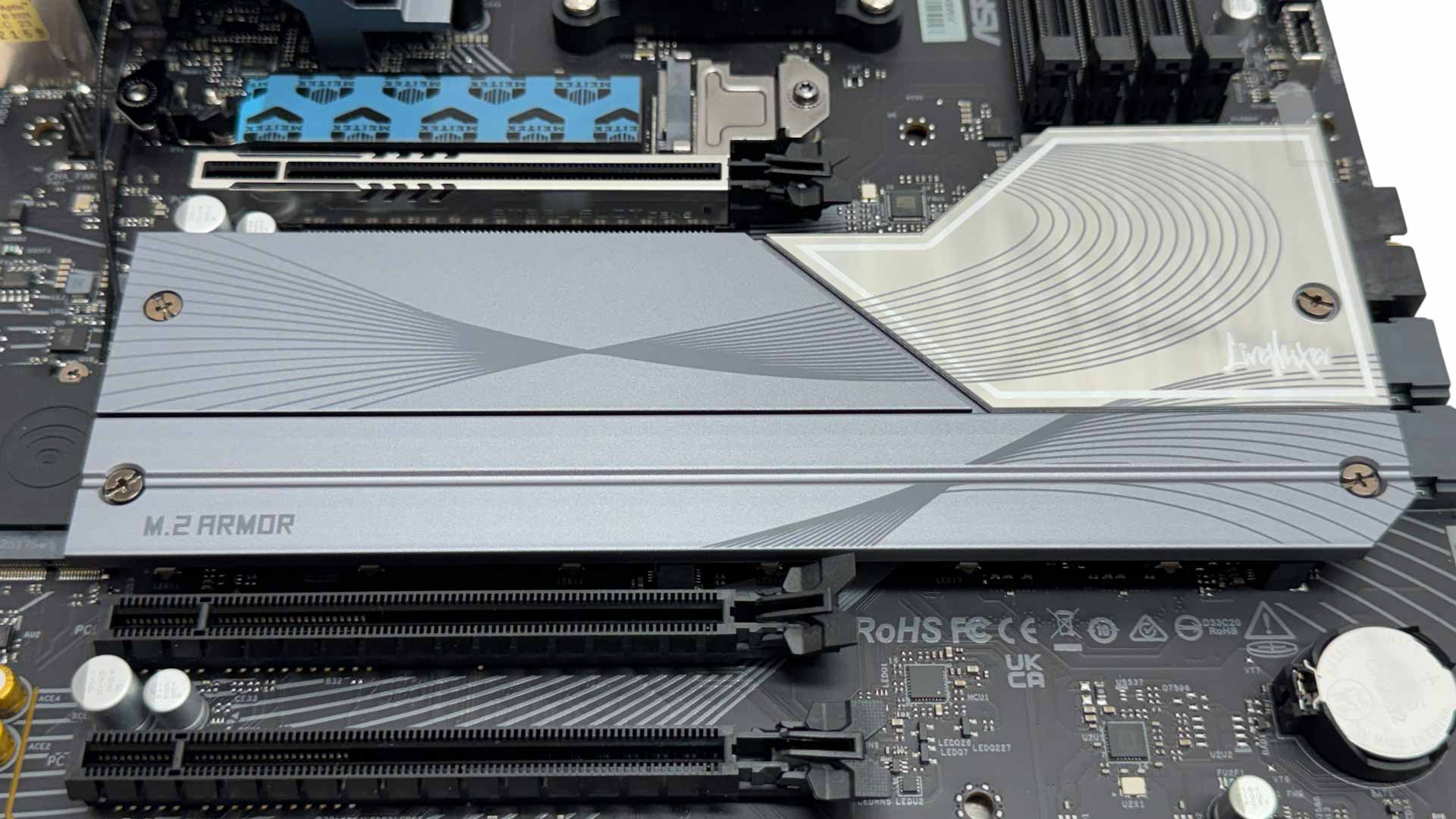
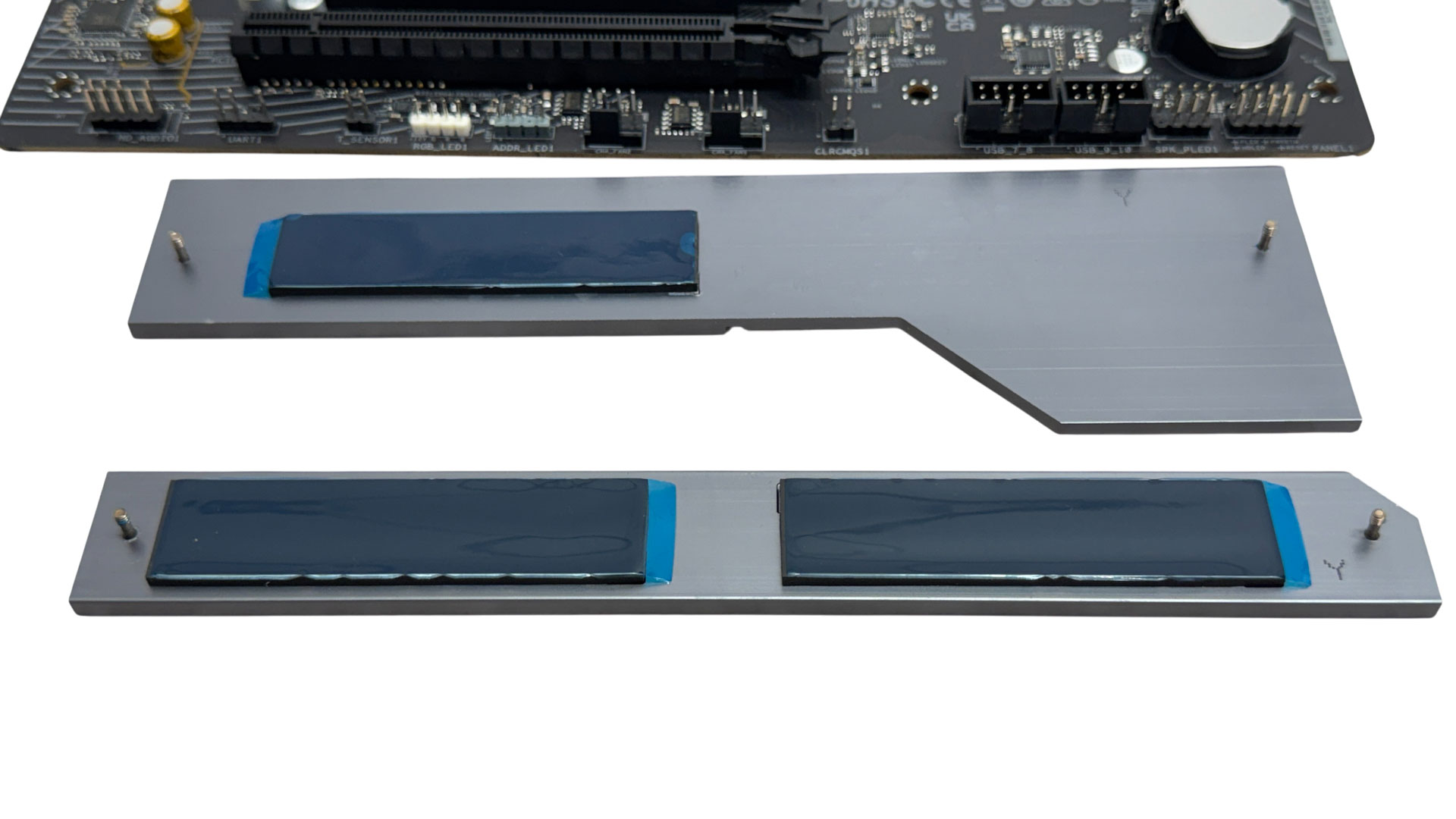
As previously mentioned, the lower SSD cooling is split between two heatsinks so using the lower two PCIe Gen 4 M.2 ports will mean you can access them even with a graphics card installed, with the only exception being something monstrous that's thicker than three slots. The top slot here is PCIe Gen 5 capable and has the larger of the two heatsinks, but lacks underside cooling.
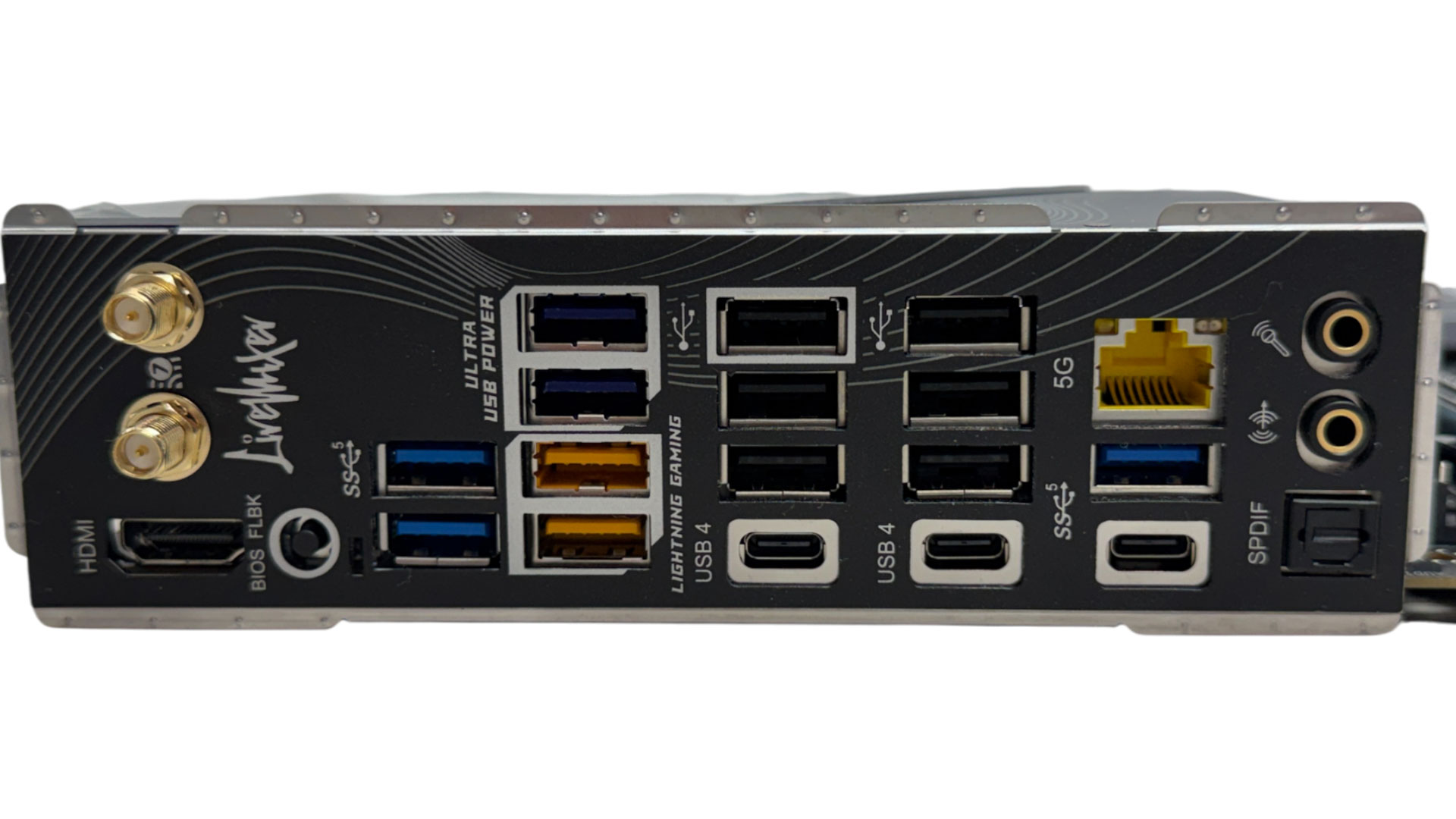
It's a USB party on the rear I/O panel with an impressive 13 Type-A USB ports, although none of these are USB 3.2 Gen 2 10 Gbps, instead with six USB 2.0 and seven USB 3.0. The Lightning Gaming ports offer low latency and jitter by utilizing two different controller interfaces, while the 5 V power provided by the blue Ultra USB Power Ports is derived from the +12 V rail. ASRock claims this offers less voltage droop and interference.
There are standard Wi-Fi antenna ports and an HDMI port, with the USB4 ports doubling as DisplayPort outputs if you're using your CPUs graphics. There's a USB BIOS Flashback button and a third Type-C port limited again to USB 3.0 like the Type-A ports. However, ASRock has managed to include 5 Gbps Ethernet, while we have the usual pair of audio jacks and optical output.
Nov 18th, 2026 16:03 PST
change timezone
Latest GPU Drivers
New Forum Posts
- Honestly, do you care about GTA VI? (147)
- Got a new laptop! What should I do with it? (4)
- Dell Workstation Owners Club (3514)
- Making a game in Godot engine (2)
- [Poll] 12V-2x6 Connector Protection: What Are You Using? (WireView / Ampinel / Equalizer / Other / Nothing) (39)
- Last game you purchased? (1406)
- Time to upgrade CPU and MOBO (34)
- Can i play GTA 6 now? (Joke) (7)
- What are you playing? (26234)
- Very unusual two gaming-pc scenarios. (12)
Popular Reviews
- Acemagic Retro X3 Review
- Upcoming Hardware Launches 2027 (Updated Nov 2026)
- AMD Zen 6 Technical Deep Dive
- Ugreen NASync DXP4800 GT Review
- Biwin Black Opal NV7400 2 TB Review
- Pulsar Office Tour & First Look at P1 Dual-Sensor Mouse
- Chieftec Iceberg PRO 360 DARK Review
- Sapphire Radeon RX 7700 XT Pure Review
- ASUS ROG Strix B850-I Gaming Wi-Fi7 W Review
- Sapphire Radeon RX 7700 XT Pulse Review
TPU on YouTube
Controversial News Posts
- NVIDIA Co-Founder and CEO Jensen Huang Officially Resigns (478)
- Report: Jensen Huang Eyes NVIDIA Comeback (193)
- Open Letter Asking NVIDIA to Reinstate Jensen Huang Passes 115,000 Signatures (184)
- OpenAI CEO Argues Home PCs Waste the World's Limited DRAM Supply (152)
- NVIDIA Launches Investigation Into Jensen Huang's Relationship With Suspected Chinese Spy (136)
- Intel "Raptor Lake Next" 16-Core and 20-Core CPUs Surface (130)
- Legendary Game Studio BioWare Shuts Down Following EA Layoffs (104)
- Dell CEO Says the Memory Shortage Will Get Worse in 2027 (95)