 1
ASRock X870E Challenger Wi-Fi White Review
(1 Comment) »Value and Conclusion
- The ASRock X870E Challenger Wi-Fi White is available for US$280 excl. tax
- Sub $300 price tag
- Decent audio and networking
- Excellent SSD temperatures
- Ten Type-A USB ports
- Decent VRM temperatures
- High power fan headers
- No bandwidth sharing
- Attractive color scheme
- Triple monitor support on the rear I/O panel
- High premium for white model
- Only one PCIe Gen 5 M.2 port
- Lower PCIe slots are PCIe Gen 3 and have low electrical lane counts
- EFI and software are dated and lack features
- No 2-pin thermistor probe headers
- No RGB lighting
- Only two SATA ports
- X870 boards are cheaper and offer similar specifications
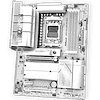
When an X870E motherboard leaves you with plenty of change from $300, there will always be cuts to meet that price. Such compromises will either be acceptable or dealbreakers, depending on your needs. The ASRock X870E Challenger Wi-Fi White focuses on CPU power phases, USB ports and zero bandwidth sharing as its main credentials, and coupled with solid performance, there don't appear to be many reasons to look elsewhere on a $300 budget.
The arguments against buying it are in some areas quite significant, though, both in terms of saving money or getting more features for the same price. While it has an impressive 20 CPU vCore power phases, 10 rear Type-A USB ports and zero bandwidth sharing, that doesn't tell the whole story, and several boards we've reviewed offer similar for less or add useful features for just a little more cash. An issue for our specific white model is the premium for this color. The black model is identical, yet at the moment costs $60 less. In these costly times, that is money that is better spent elsewhere, and as we'll see below, there are much better-featured white motherboards for just a bit more too.
Let's start with what you can get for a bit less, and as usual, we have to mention ASRock's superb Phantom Gaming X870 Riptide Wi-Fi. Shaving $100 off the price, it also offers USB4, plenty of Type-A USB ports, albeit most a bit slower, and fared well in the VRM and SSD cooling tests too. While it has slower Ethernet and significantly fewer CPU power phases as well as an M.2 port and PCIe slot sharing bandwidth, its lower PCIe slots are of the newer PCIe 4 standard, and have more lanes, making them more flexible. It also has a 2-pin thermistor header. It's a far better buy if you can make do with slower integrated USB ports and Ethernet. Food for thought: PCIe add-in cards for 5 or even 10 Gb Ethernet are much cheaper than that $100 premium for the X870E Challenger.
Both variants of the MSI MAG X870E Tomahawk Wi-Fi—the original and the newer MAG X870E Tomahawk Max Wi-Fi—offer compelling alternatives too. The former is a little cheaper and while it has some bandwidth sharing and wasn't quite as good in the SSD cooling department, its VRMs were cooler, it has more SATA ports, two PCIe Gen 5 M.2 ports, and its Type-C header also supports 27 W power delivery. MSI's EFI is also superior. The newer Max model doesn't offer much more over the original than a larger BIOS chip.
The likes of the Gigabyte X870E Aorus Elite X3D Ice add even more features to the table for an extra $50 or so. You get a massive 65 W power delivery over the Type-C port, a beautiful white color scheme, full tool-less SSD heatsinks, more PCIe slot bandwidth in the lower slots, four SATA ports, and 2-pin thermistor headers to monitor custom watercooling.
The X870E Challenger Wi-Fi White is still a decent option below $300 if you must have a white motherboard, but it would certainly have picked up a few awards if it were the same price as the black model, which offers far better value. As it stands, there isn't really enough here to justify the significant extra outlay compared to the excellent Phantom Gaming X870 Riptide Wi-Fi, while similarly-priced options such as the MAG X870E Tomahawk Max Wi-Fi offer a more well-rounded feature set.
Nov 23rd, 2026 12:15 CST
change timezone
Latest GPU Drivers
New Forum Posts
- Increasing Power Limit? (14)
- What are you playing? (26252)
- Your PC ATM (36472)
- Last game you purchased? (1417)
- Anker SOLIX C2000 Gen 2 + PS400 Solarpanel (2)
- Without Jensen, PC gaming will be (55)
- Youtube channel video downloader, not playlist. (3)
- RAM overclock cause worse feeling than JEDEC (7)
- UPS what one to get? (55)
- TPU's Nostalgic Hardware Club (22200)
Popular Reviews
- Microsoft Surface Laptop Ultra Review - The Next-gen Arm Laptop
- Corsair RM1200e (Second Generation) Review
- Upcoming Hardware Launches 2027 (Updated Nov 2026)
- Pulsar Office Tour & First Look at P1 Dual-Sensor Mouse
- Ugreen NASync DXP4800 GT Review
- AMD Ryzen 7 9800X3D Review - The Best Gaming Processor
- AMD Zen 6 Technical Deep Dive
- ASRock X870E Challenger Wi-Fi White Review
- Phantom Blade Zero Performance Benchmark Review - 35 GPUs Tested
- AMD Ryzen 7 5800X3D 10th Anniversary Review
TPU on YouTube
Controversial News Posts
- NVIDIA Co-Founder and CEO Jensen Huang Officially Resigns (492)
- Report: Jensen Huang Eyes NVIDIA Comeback (276)
- Jensen Huang Reinstated as CEO of NVIDIA (261)
- Open Letter Asking NVIDIA to Reinstate Jensen Huang Passes 115,000 Signatures (184)
- OpenAI CEO Argues Home PCs Waste the World's Limited DRAM Supply (152)
- NVIDIA Launches Investigation Into Jensen Huang's Relationship With Suspected Chinese Spy (136)
- Intel "Raptor Lake Next" 16-Core and 20-Core CPUs Surface (130)
- NVIDIA GeForce RTX 50-Series Scheduled for up to $500 Price Hike This Week (89)