 0
ASRock X870E Challenger Wi-Fi White Review
Component Analysis »Board Layout
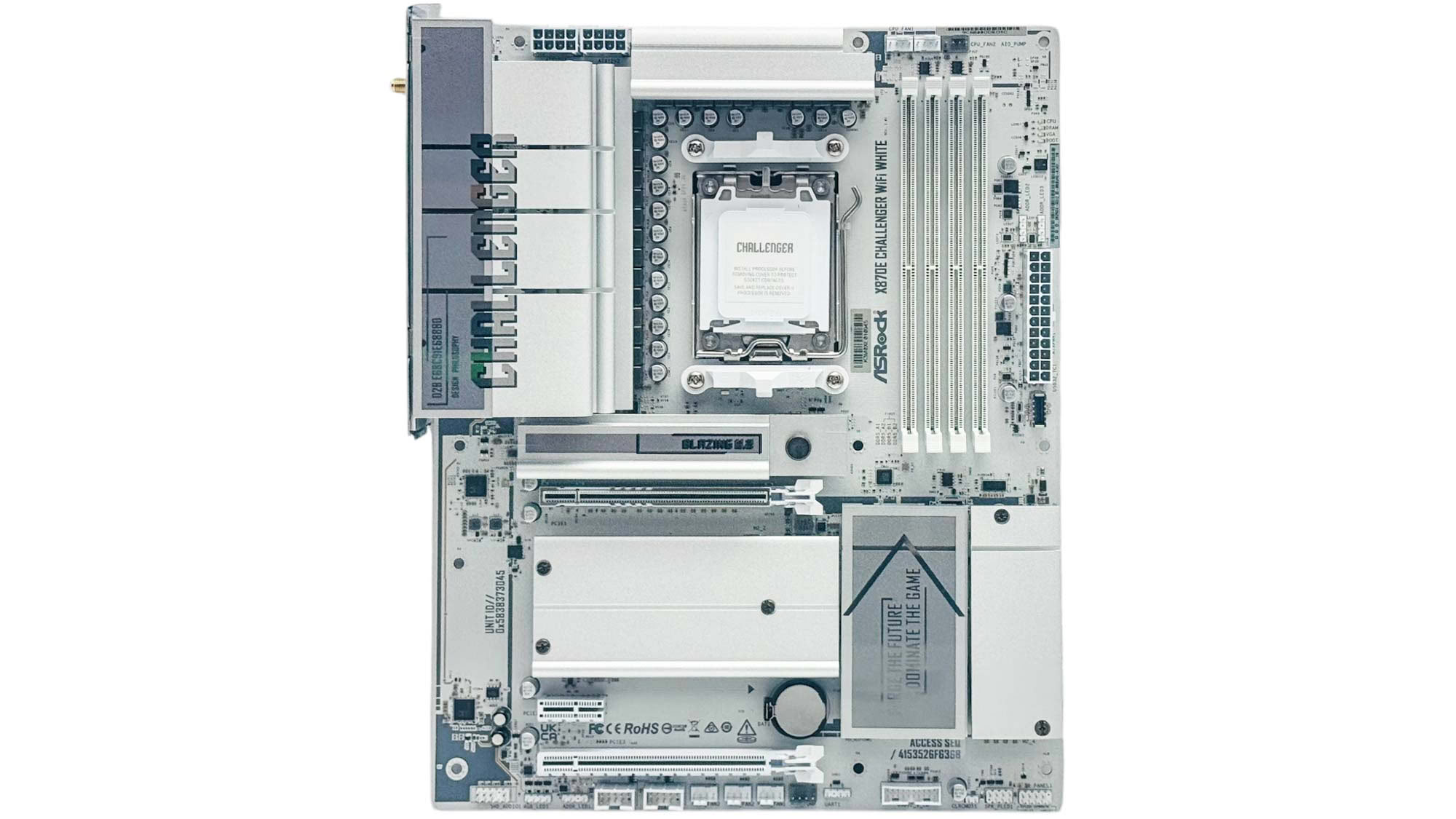
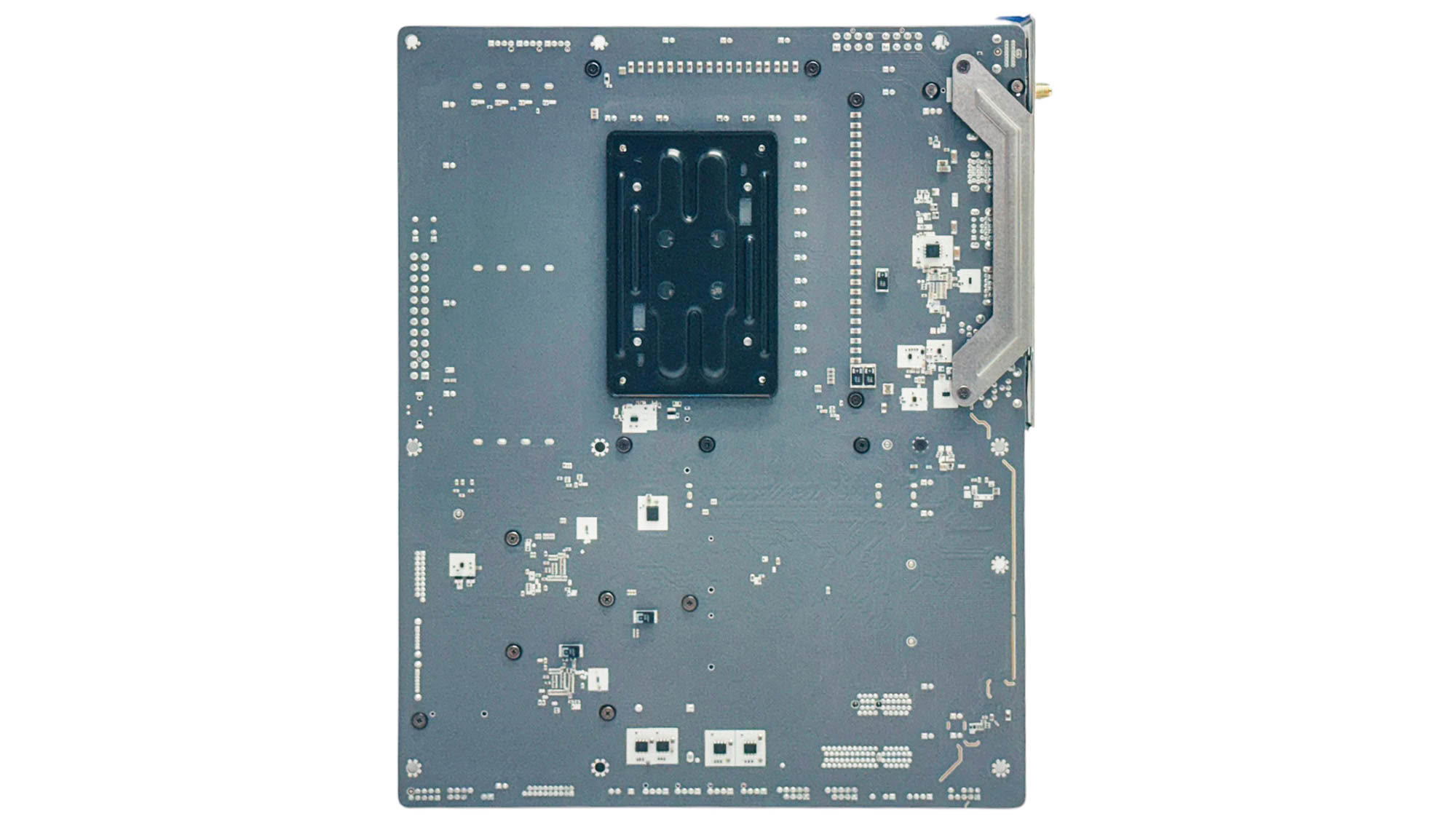
The color theme is slightly off-white along with silver-topped heatsinks with mirrored branding logos and text. It might not be the first choice for a pure white PC given there are whiter options out there, but it would still look great and provide some contrast. The rear of the PCB is plain gray and—unlike the more expensive ASRock X870E Taichi White—isn't equipped with a backplate.
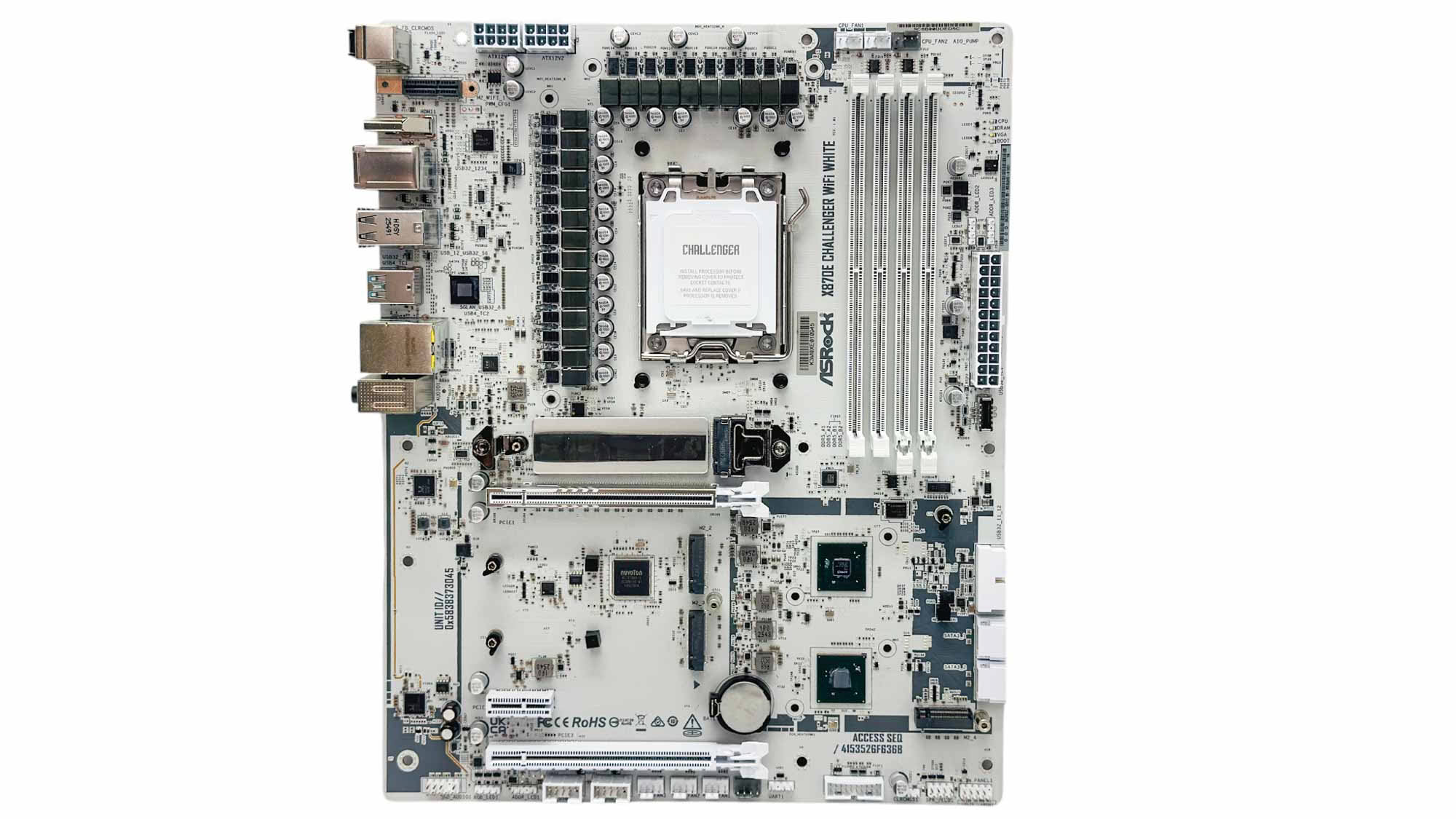
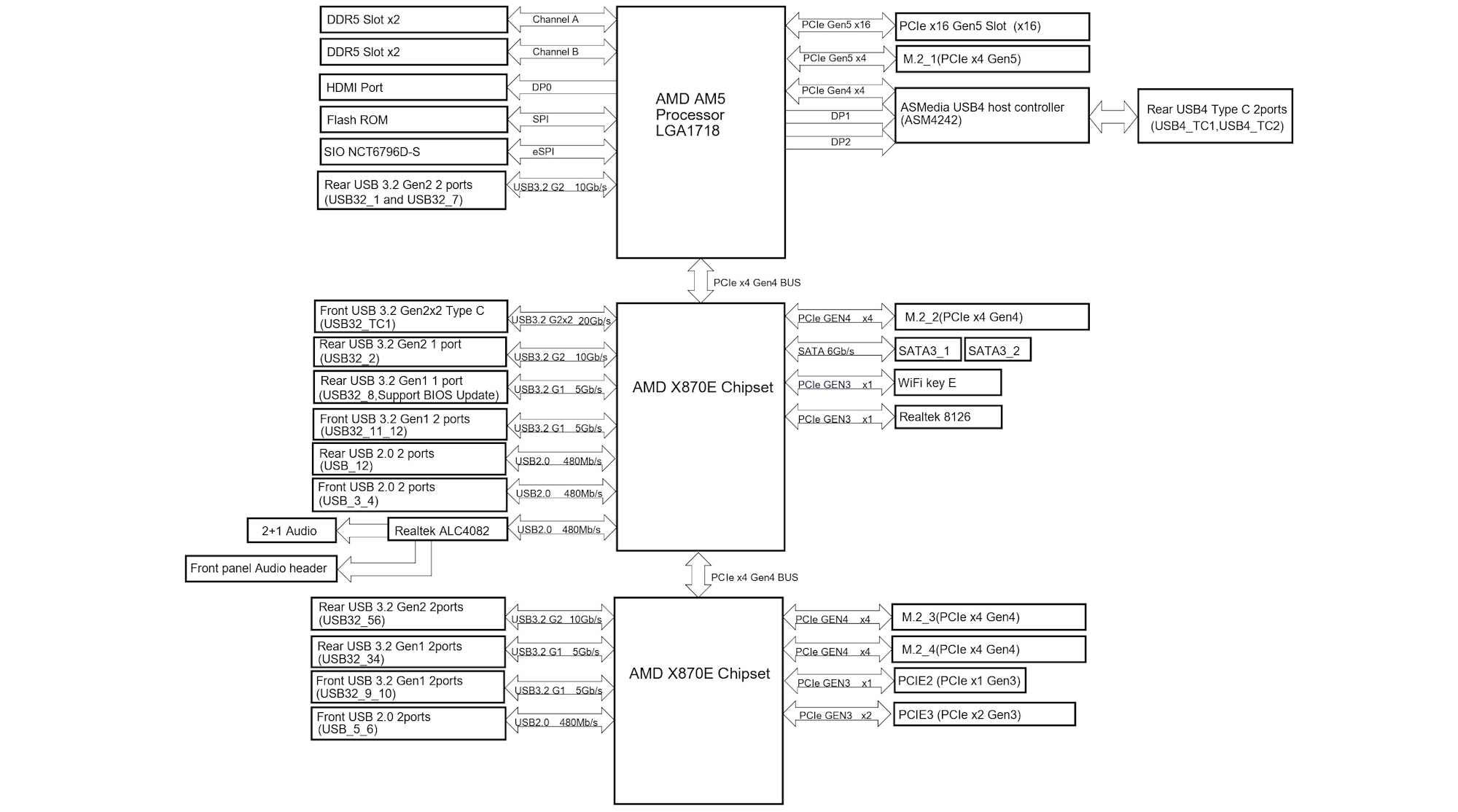
The X870E Challenger Wi-Fi White is quite limited when it comes to PCIe slots and M.2 ports, with both second and third PCIe slots limited to PCIe Gen 3 and with just two and one lanes respectively. Meanwhile, there's just a single PCIe Gen 5 M.2 port. This means the board is quite limited in terms of expansion possibilities for an X870E motherboard. The only real plus side is that because of the limited high-end bandwidth, there is no bandwidth sharing at all, so all ports and slots can be used concurrently at full speed.
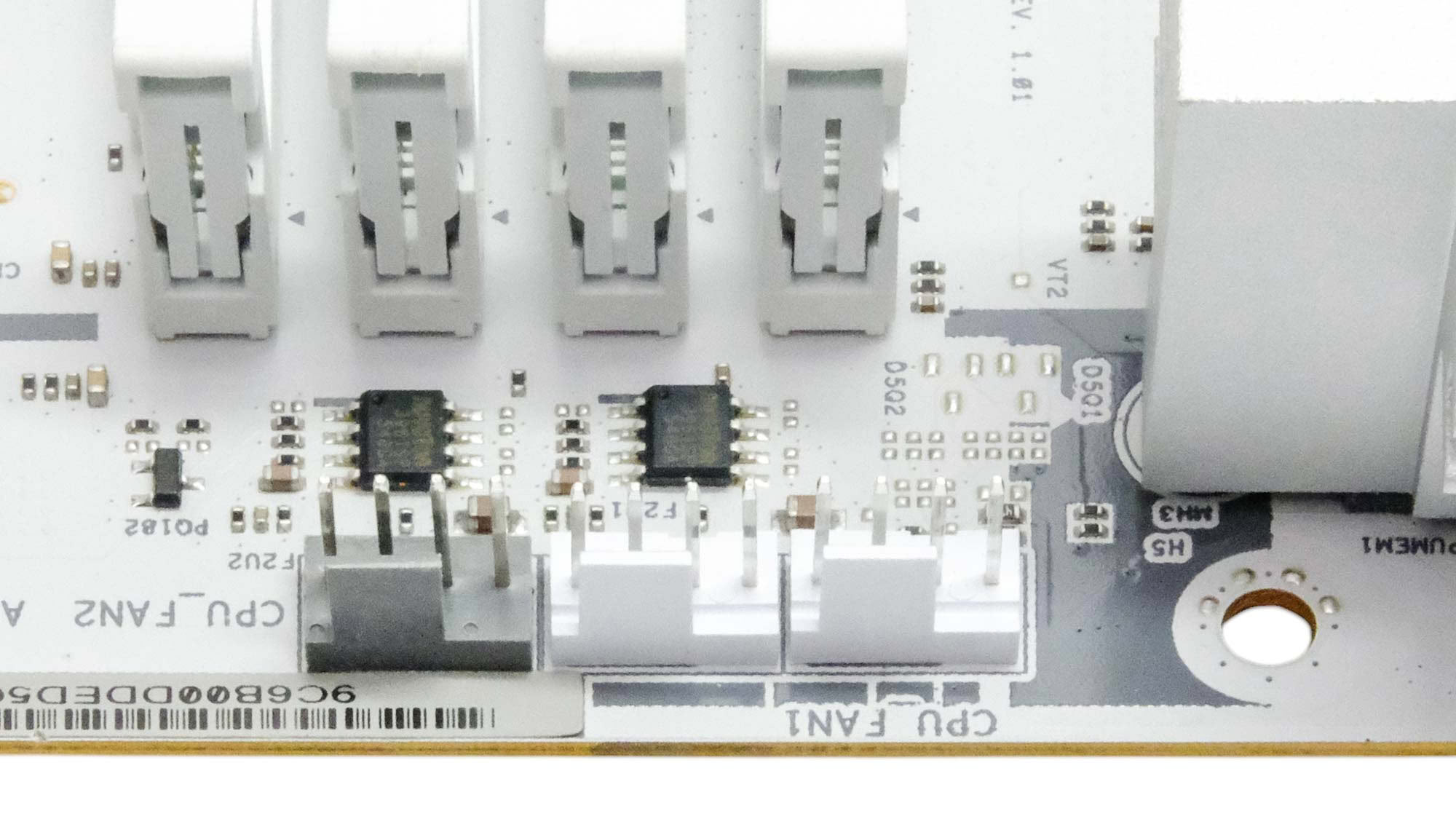
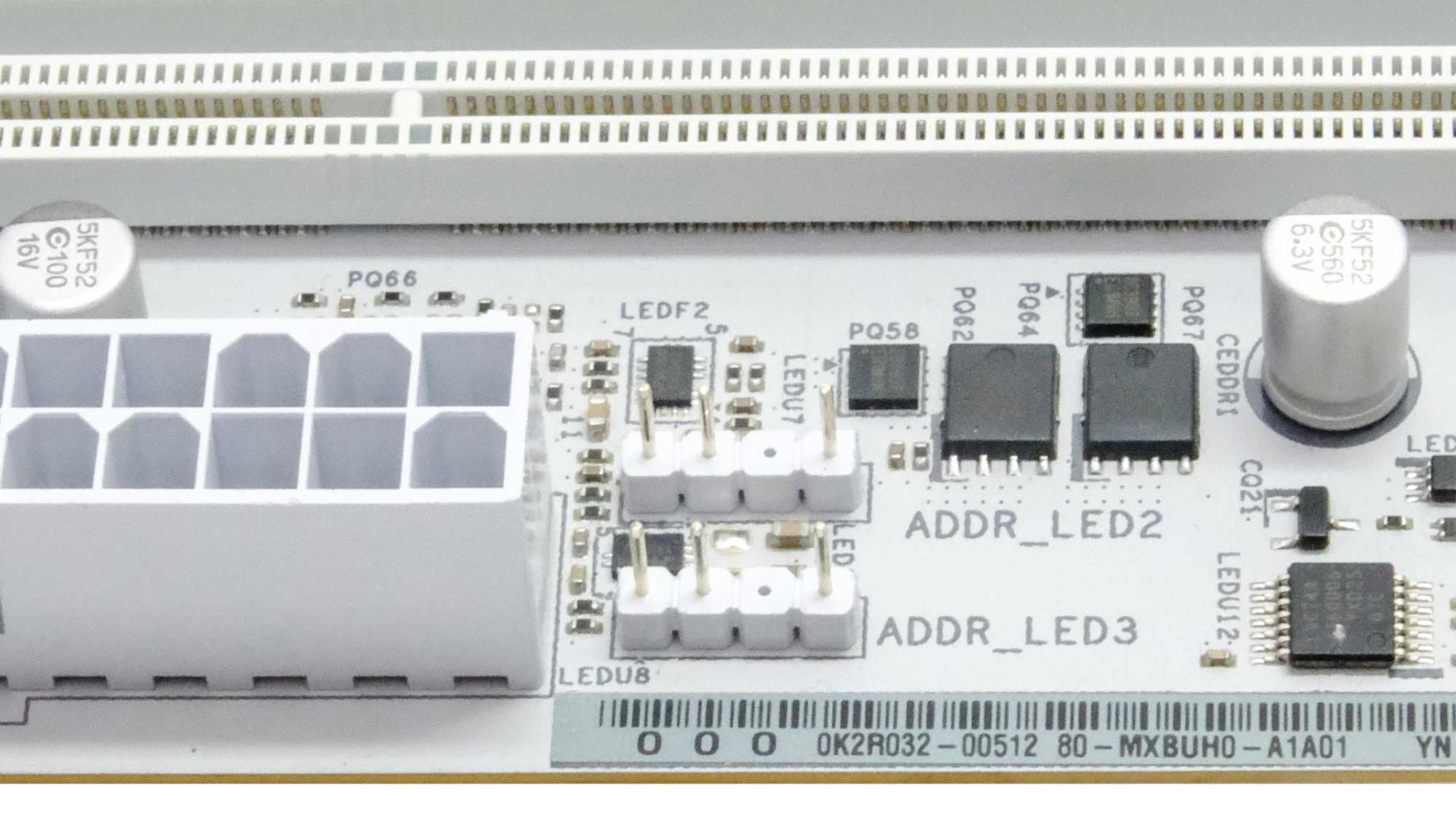
There are seven 4-pin fan headers in total, with three at the top of the PCB. The primary CPU fan header is limited to 12 W/1 A, but the rest offer 36 W/3 A. Down the edge of the PCB we also have a pair of 3-pin ARGB headers.
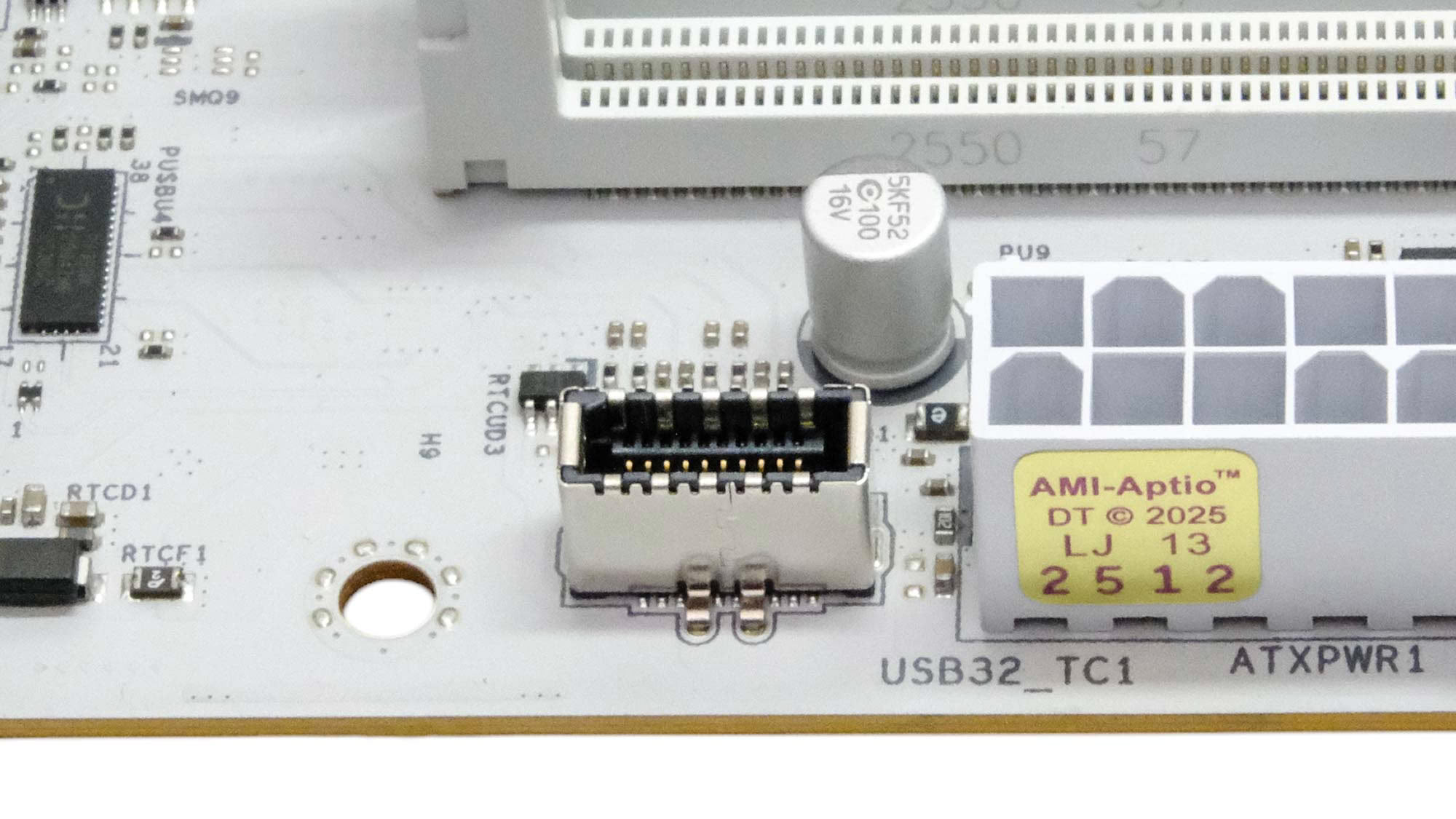
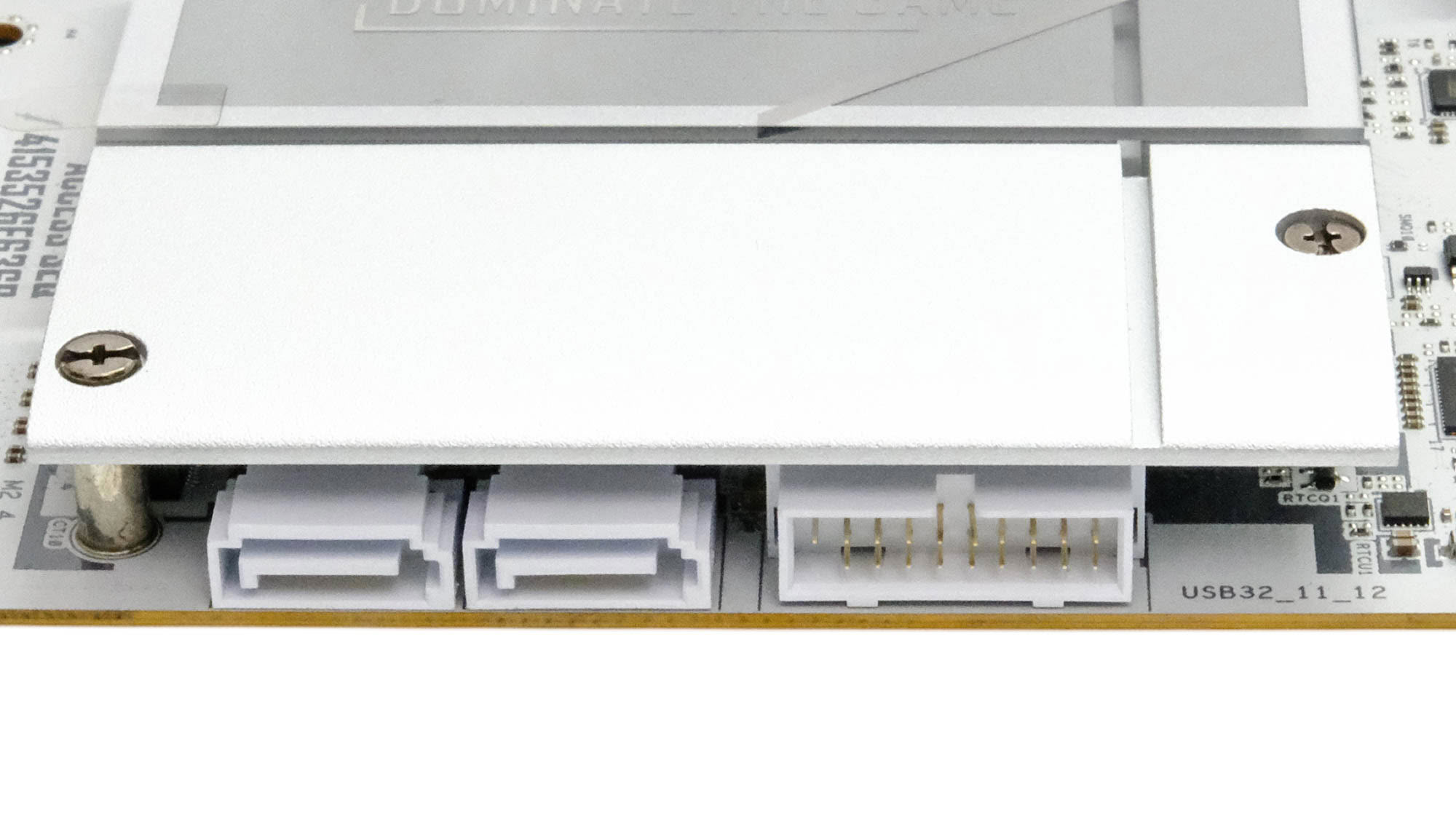
The Type-C front panel header offers USB 3.2 Gen 2x2 20 Gbps speeds, but it lacks any enhanced power delivery. ASRock continues the trend of mid-range motherboards shedding SATA ports, including only two here. Given how expensive storage is right now, this potentially leaves those looking to transplant older storage hardware at a disadvantage, unless they want to turn to tedious expansion cards to get more SATA ports.
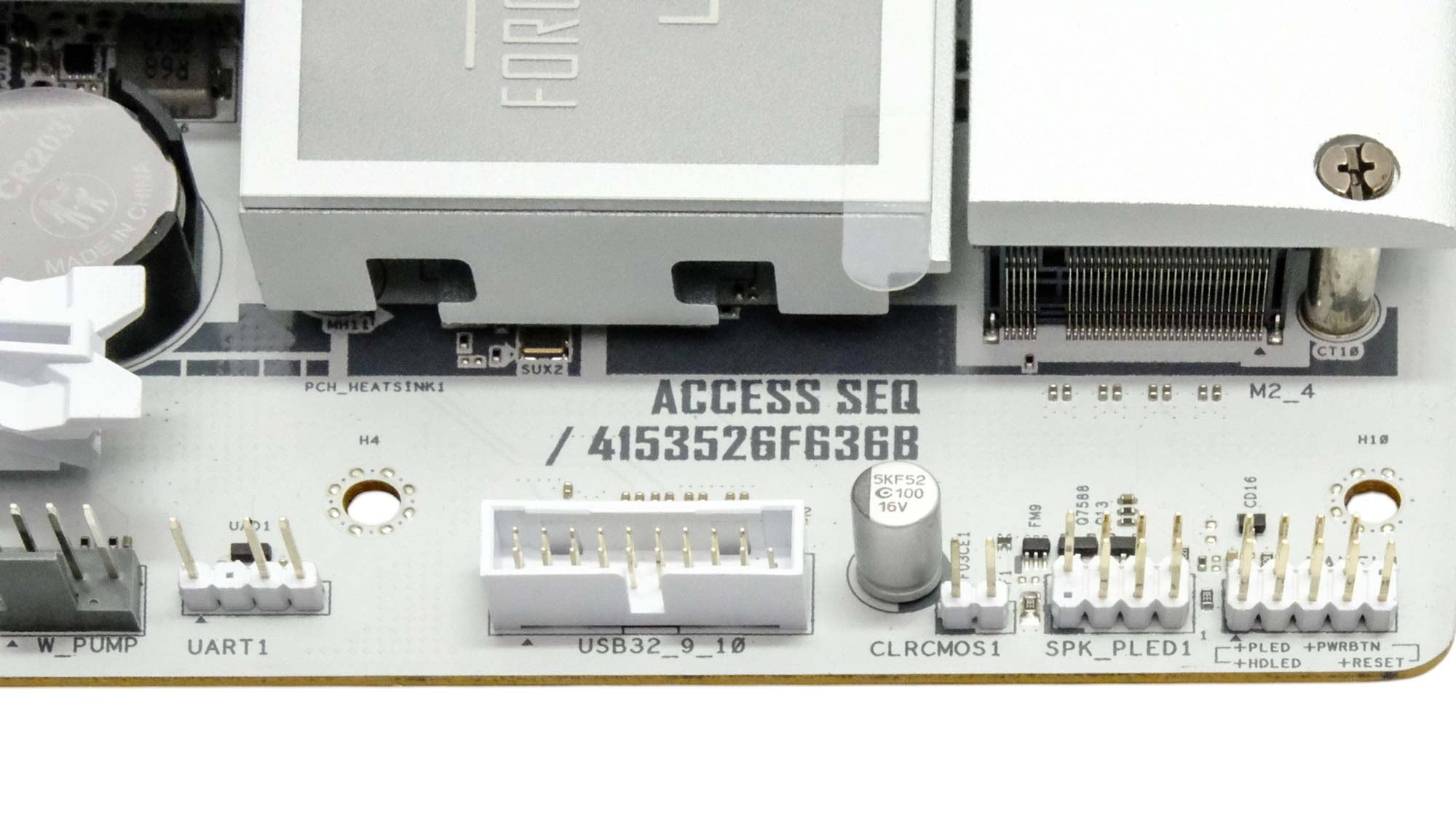
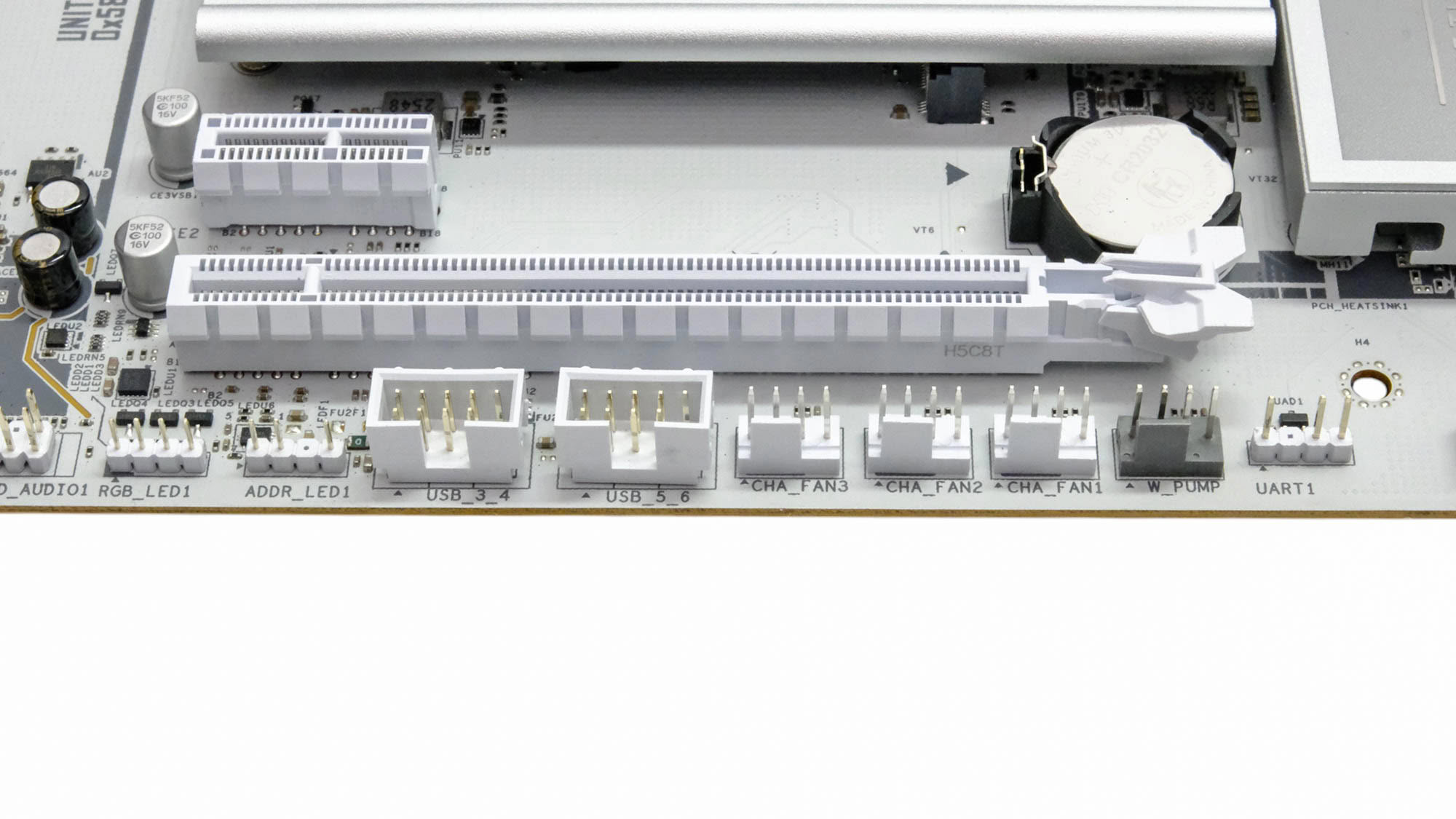
There's a second USB 3.0 header at the base of the PCB, which is where you'll find the CMOS clear jumper and front panel header. The remaining four fan headers are here too, along with two USB 2.0 headers as well as a third 3-pin ARGB header and a 4-pin RGB header. The two PCIe slots here are both PCIe Gen 3 and limited to just one and two lanes, respectively.
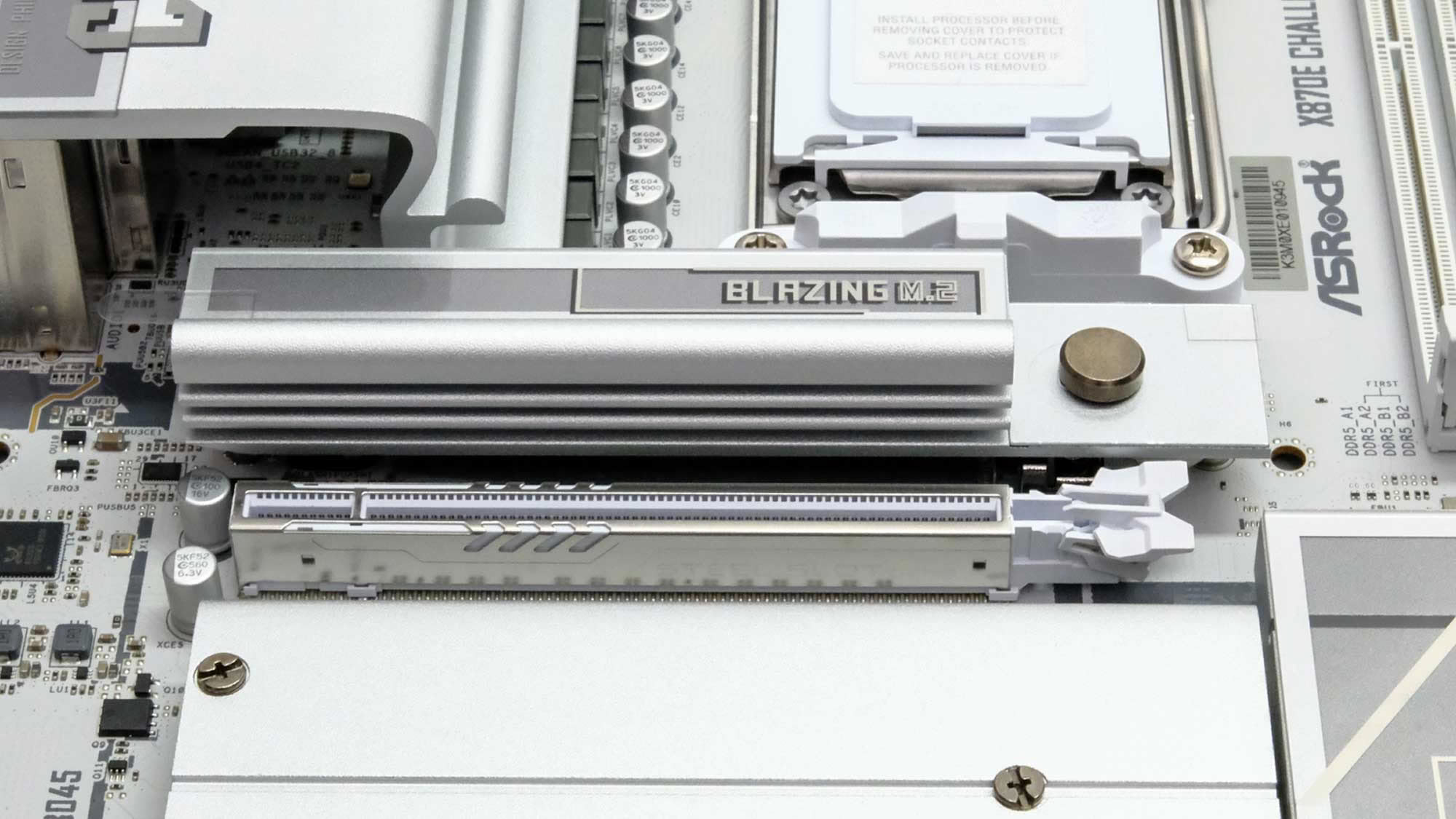
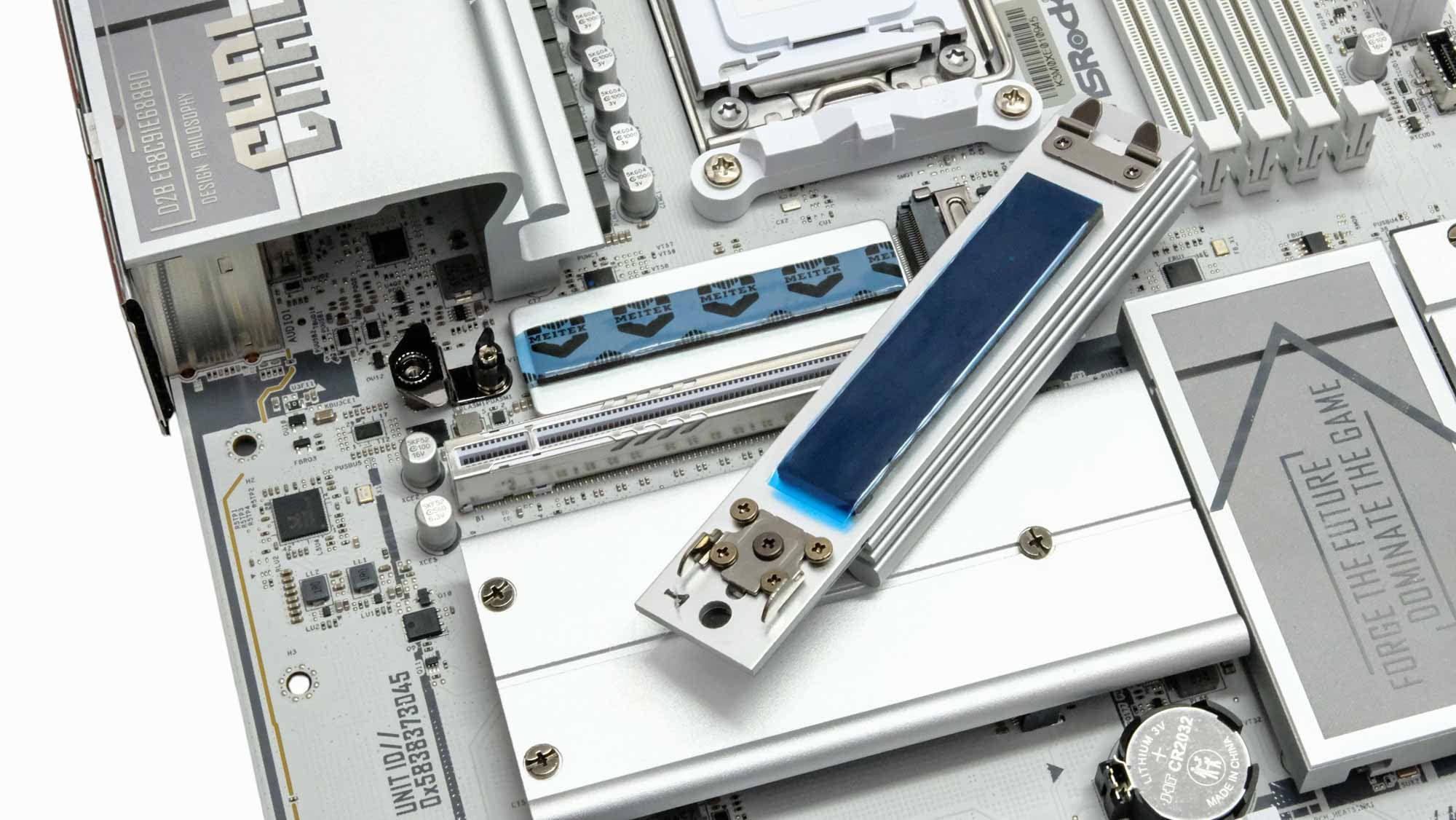
The primary M.2 heatsink for the lone PCIe Gen 5 M.2 port is large and tool-free and has numerous fins to boost surface area. Underneath are a full-length heatsink and thermal pad to cool double-sided SSDs. ASRock has performed excellently here in the past, so let's hope that trend continues.
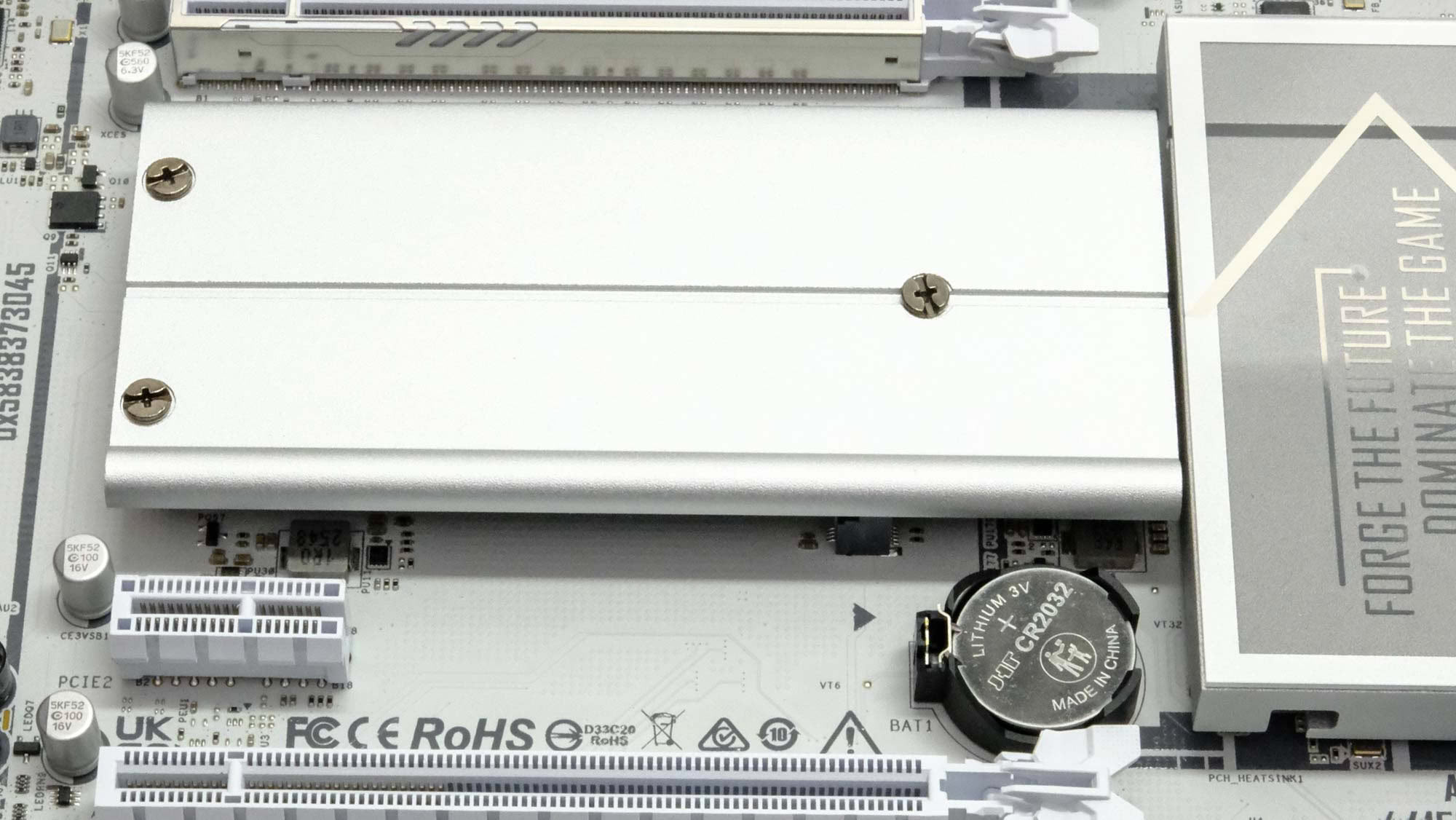
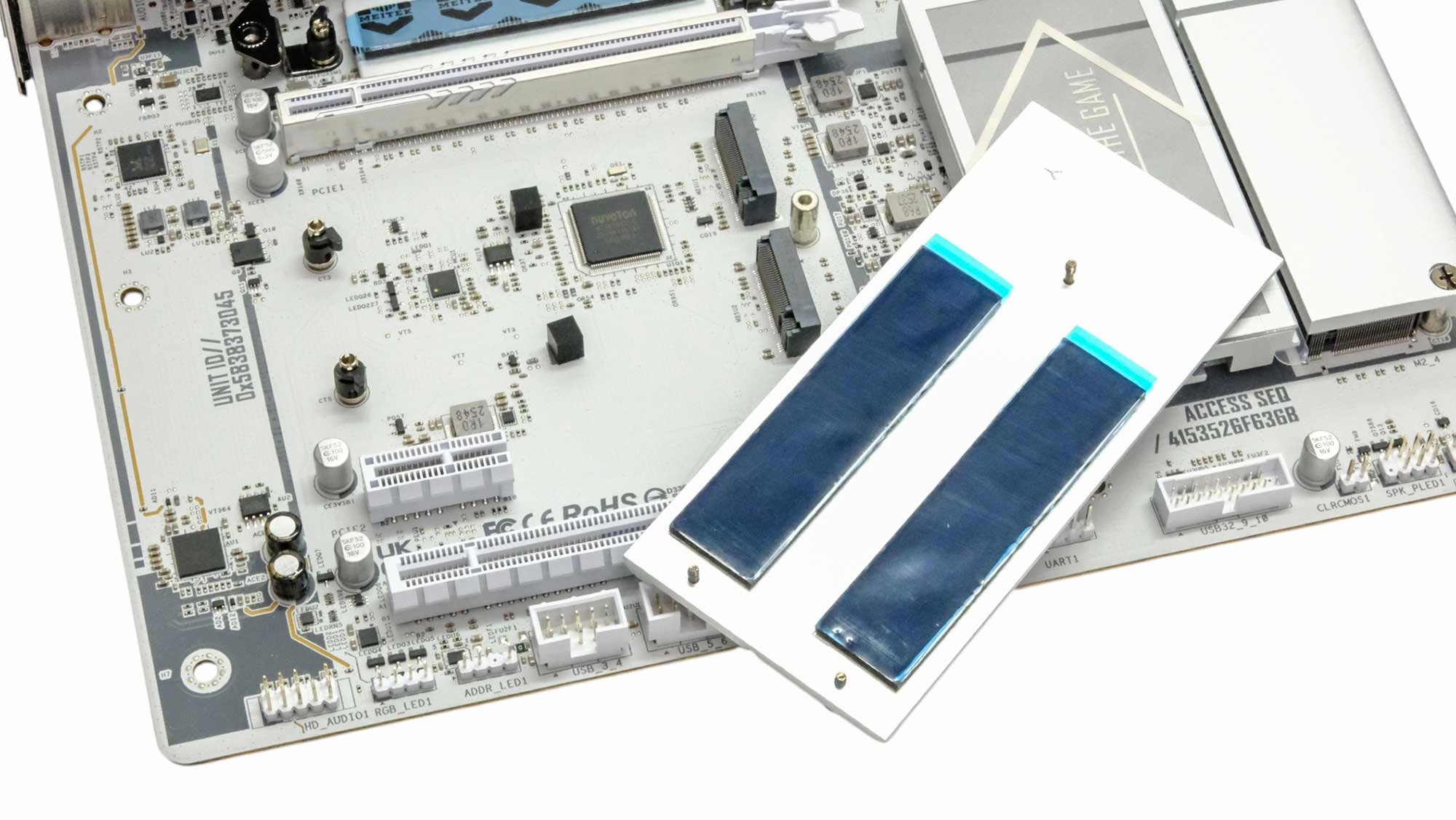
The next two M.2 ports are both PCIe Gen 4 and use a single flat heatsink between them. This isn't tool-free and can be a little fiddly to install as a result. There's no underside cooling here, but it's not needed for PCIe Gen 4 SSDs anyway.
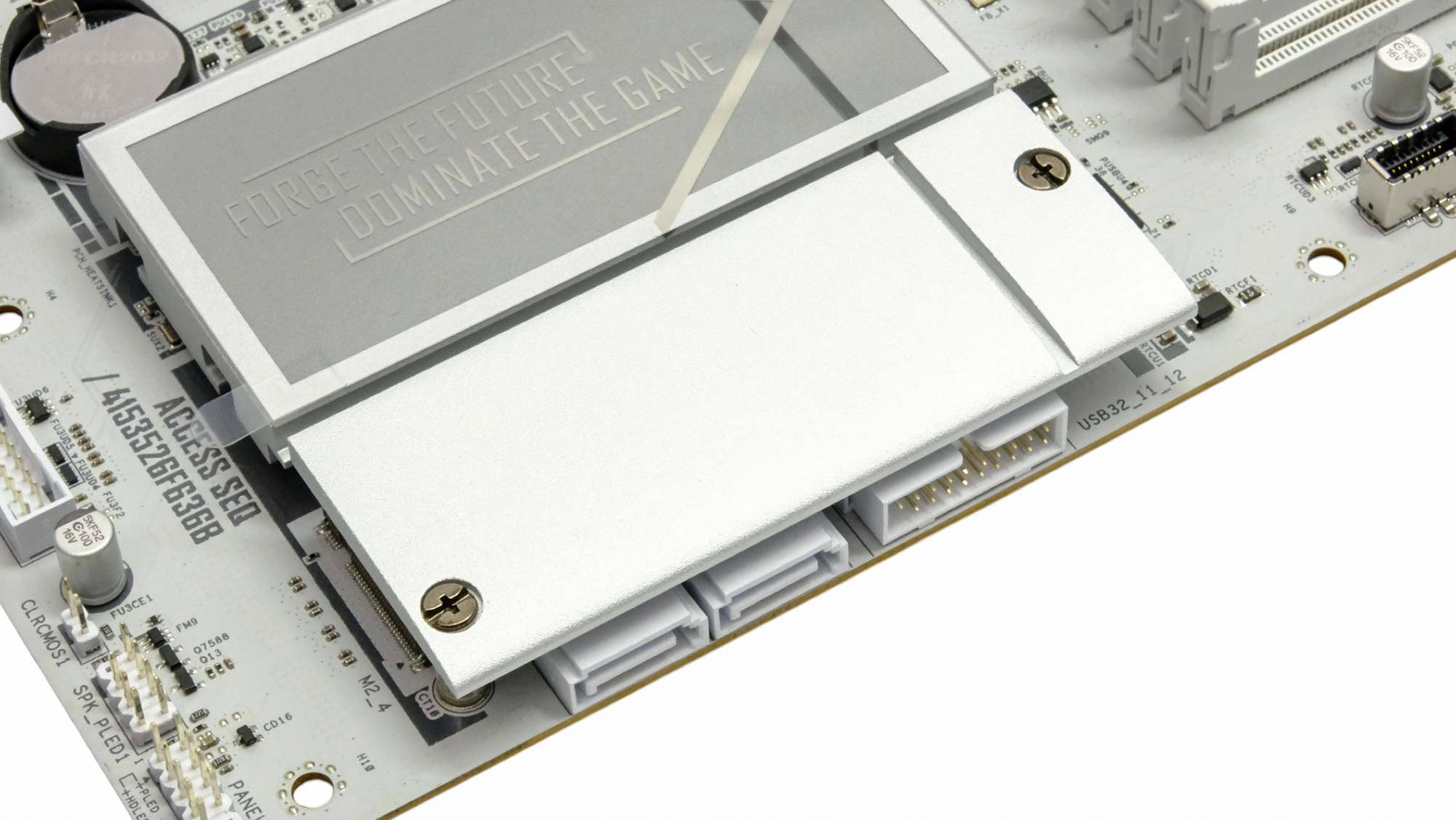
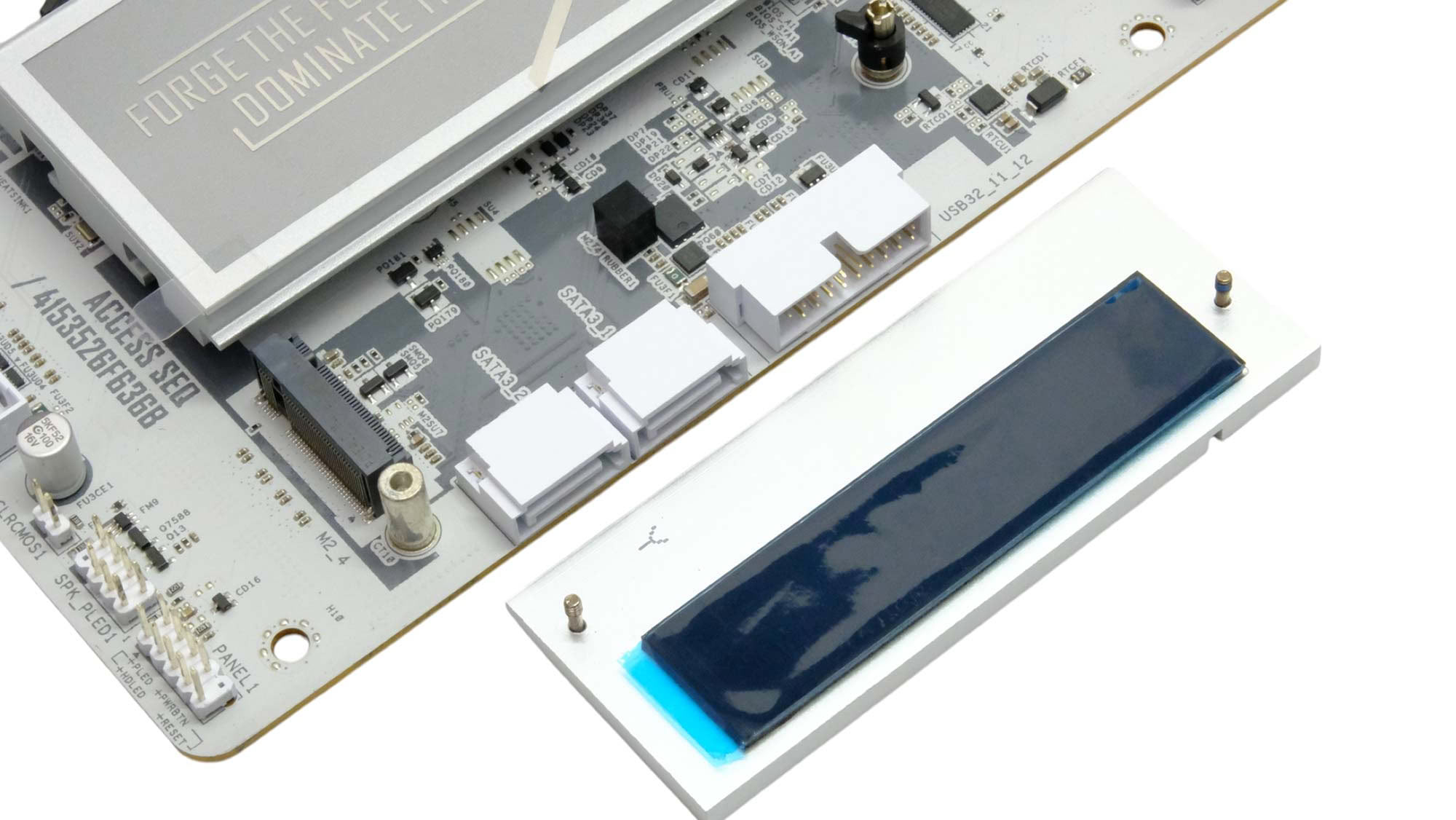
The fourth M.2 port sits at the edge of the PCB. Apart from offering a fourth slot, there isn't likely to be an advantage here, given it's still likely going to be blocked by your graphics card.
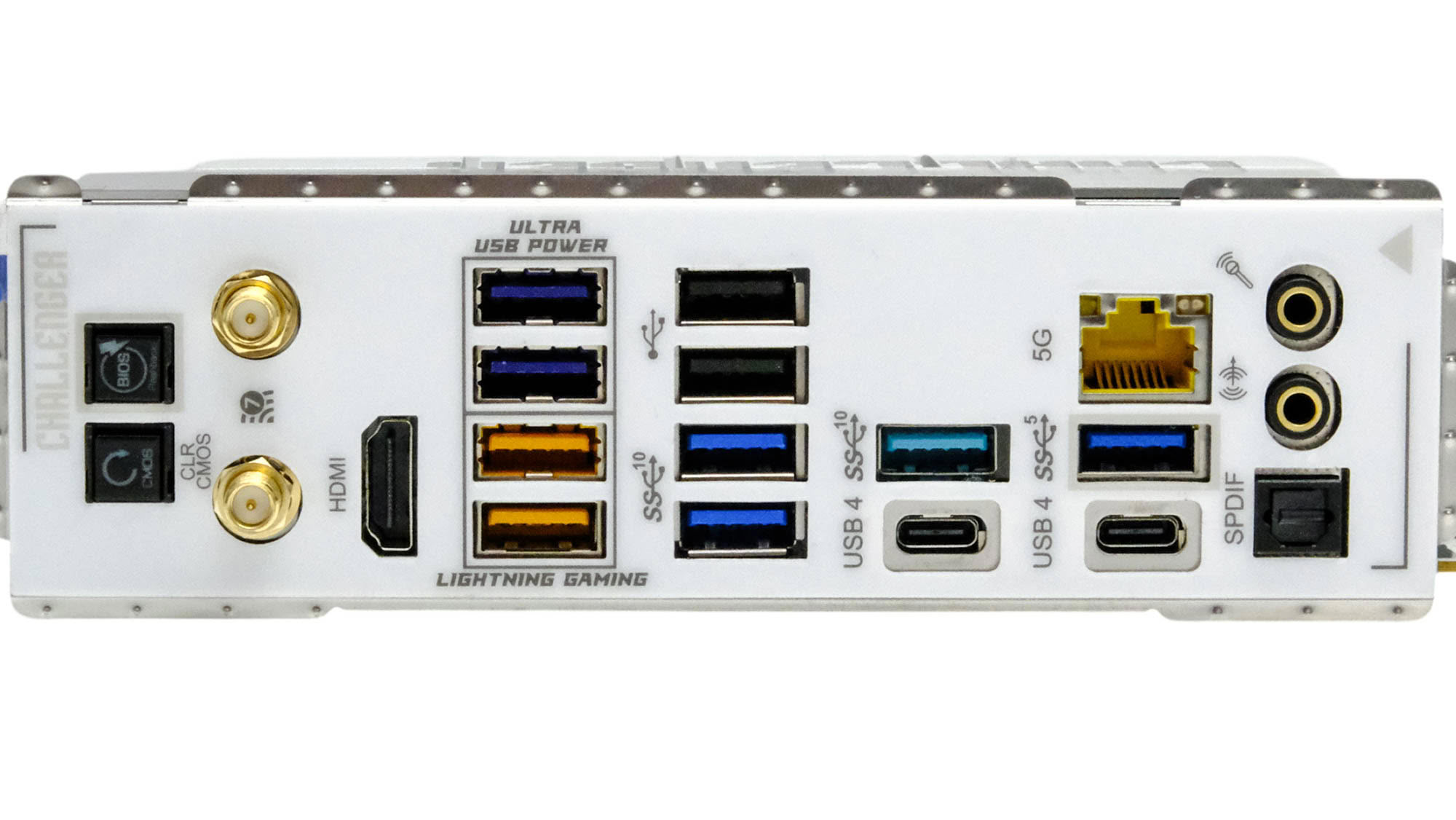
A total of 10 Type-A USB ports is an impressive number and all but two are faster than USB 2.0. There's a pair of USB4 Type-C ports, which can double as DisplayPort outputs, so combined with the HDMI port there's scope for triple monitor support without a discrete GPU. ASRock includes both CMOS clear and USB BIOS flashback buttons while four of its USB 3.0 Type-C ports are split between Ultra USB power, which uses the 12 V rail for power, which it claims delivers cleaner power for audio devices, and also Lightning Gaming ports, which route devices through independent controller interfaces. We also have a 5 Gbps Ethernet port, standard antenna threads for the Wi-Fi 7 module plus the usual two audio jacks and optical output.
Nov 23rd, 2026 10:55 CST
change timezone
Latest GPU Drivers
New Forum Posts
- What are you playing? (26248)
- Without Jensen, PC gaming will be (54)
- RAM overclock cause worse feeling than JEDEC (7)
- UPS what one to get? (55)
- TPU's Nostalgic Hardware Club (22200)
- Increasing Power Limit? (12)
- Nvidia re-acquires Jensen as CEO!! (3)
- Gigabyte AORUS RTX 5080 MASTER – Up to 30°C GPU Hotspot Delta! Is This Normal, a Cooling Defect, or Should I RMA? (15)
- repair an NVIDIA Quadro M4000 (4)
- Battlefield 6 (964)
Popular Reviews
- Microsoft Surface Laptop Ultra Review - The Next-gen Arm Laptop
- Corsair RM1200e (Second Generation) Review
- Upcoming Hardware Launches 2027 (Updated Nov 2026)
- Pulsar Office Tour & First Look at P1 Dual-Sensor Mouse
- Ugreen NASync DXP4800 GT Review
- AMD Ryzen 7 9800X3D Review - The Best Gaming Processor
- AMD Zen 6 Technical Deep Dive
- Phantom Blade Zero Performance Benchmark Review - 35 GPUs Tested
- AMD Ryzen 7 5800X3D 10th Anniversary Review
- Biwin Black Opal NV7400 2 TB Review
TPU on YouTube
Controversial News Posts
- NVIDIA Co-Founder and CEO Jensen Huang Officially Resigns (492)
- Report: Jensen Huang Eyes NVIDIA Comeback (275)
- Jensen Huang Reinstated as CEO of NVIDIA (196)
- Open Letter Asking NVIDIA to Reinstate Jensen Huang Passes 115,000 Signatures (184)
- OpenAI CEO Argues Home PCs Waste the World's Limited DRAM Supply (152)
- NVIDIA Launches Investigation Into Jensen Huang's Relationship With Suspected Chinese Spy (136)
- Intel "Raptor Lake Next" 16-Core and 20-Core CPUs Surface (130)
- NVIDIA GeForce RTX 50-Series Scheduled for up to $500 Price Hike This Week (89)