 42
ASRock X870E Taichi OCF Review
Component Analysis »Board Layout


There are some big, imposing heatsinks here, which is what you'd expect, but the left VRM heatsink is cooled by a large internal fan as well. More on that later. To boost overclocking potential, the board also has a one DIMM per channel configuration, for two slots in total. That still gives a maximum of 128 GB, and it's unlikely many would be able to afford even half that at the moment with the current RAM prices. The rear is covered by a backplate, which is not ideal for extreme overclocking, where many components are removed to protect against condensation, but it offers protection and potentially better cooling for the VRMs too. Thankfully it can always be removed, if necessary.
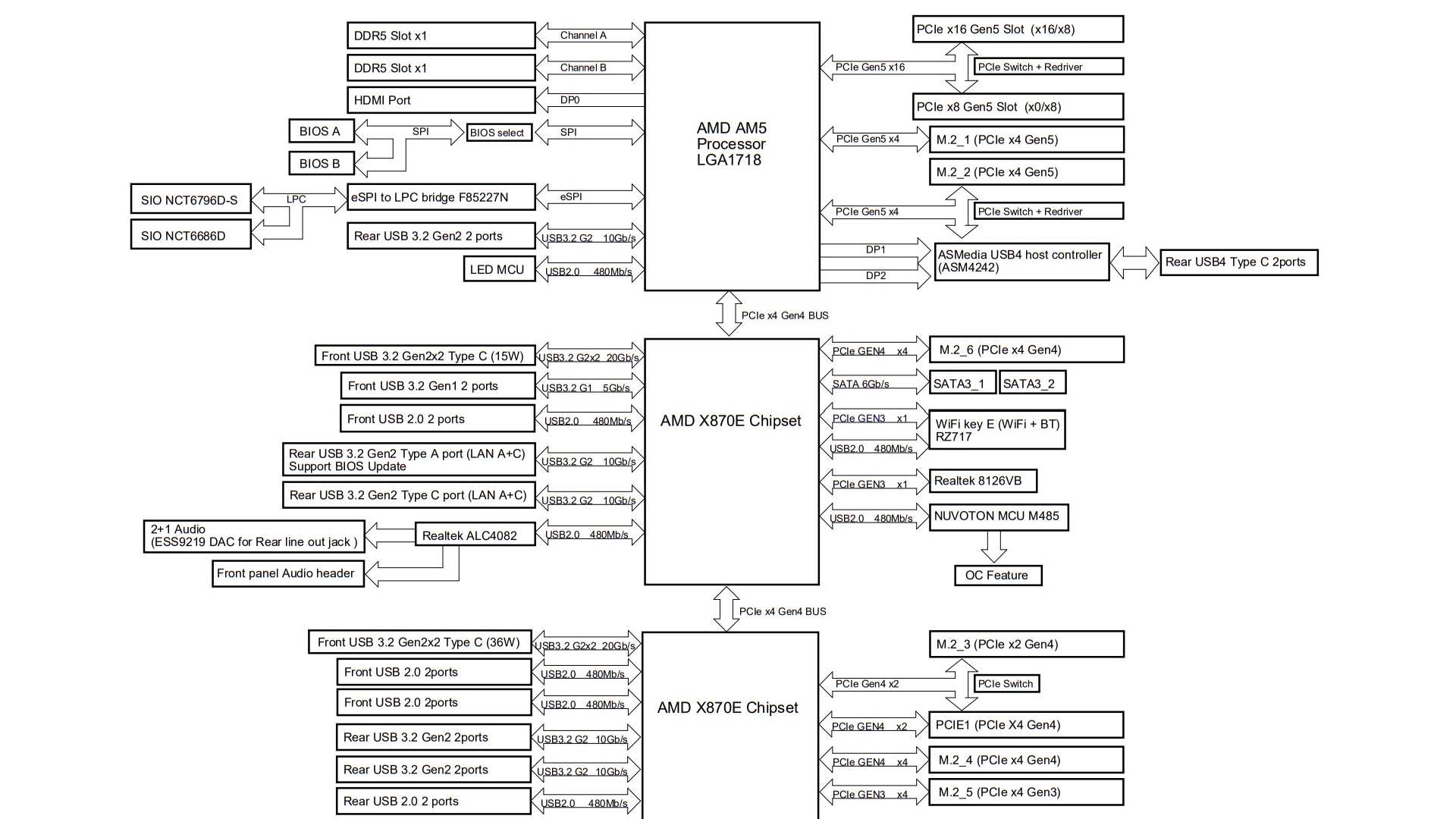

Bandwidth sharing is a little involved, but in short, the biggest compromise will be ditching the USB4 ports in favor of running dual PCIe Gen 5 M.2 SSDs, with the M2_2 port sharing bandwidth and dropping to two lanes each if the M.2 port is used. You'll need to manually switch the port to x4 mode in the EFI to get it operating at maximum bandwidth, but this will disable the two Type-C USB4 ports. As usual, the second PCIe Gen 5 x16 slot is limited to eight lanes, which it borrows from the primary slot when the former is used. Finally, the M2_3 port, which is PCIe Gen 4 and limited to just two lanes, will take them from the PCIe Gen 4 x4 slot, which falls to two lanes.


There are seven fan headers and three are located in the top right corner. The CPU_FAN1 header is limited to 12 W/1 A, so isn't ideal for connecting three or more fans that peak at more than 2,000rpm and/or have RGB lighting, as you might be sailing a little close to the edge, but thankfully all the other headers can handle 36 W/3 A each. Here we also have an LED POST code display, power and reset buttons, and two 3-pin ARGB headers. The five other larger buttons on the PCB here allow for base frequency adjustment up or down, while the numbered buttons allow the application of one of three profiles. There are also voltage measuring points.


There are two Type-C headers for your case, but it's the one nearest the 6-pin power connector that you'll want to pay attention to as it offers 36 W power delivery, suitable for charging most phones at decent speeds, while the one below tops out at just 15 W. The 6-pin PCIe connector should be used if you want the full Type-C power output, as it supplements power to these headers as well as PCIe slots. We also have retry and safeboot buttons for overclockers and a little further down we have two SATA ports, which are the only ones available.

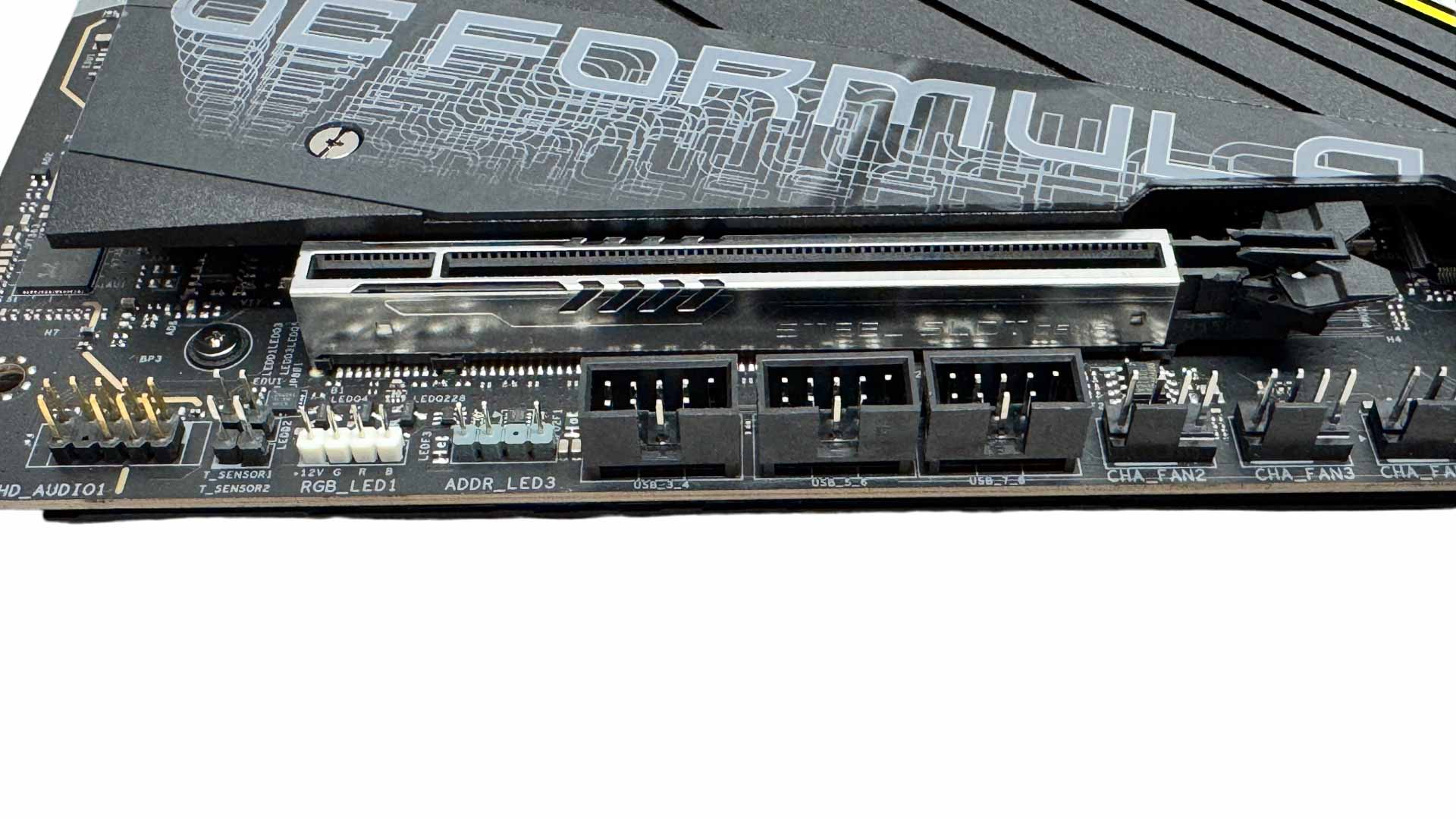
In the bottom right corner, we have two more extreme overclocking options, this time slow mode and LN2 mode switches. The bottom of the PCB is also host to three more fan headers, a trio of USB 2.0 headers, a third 3-pin ARGB header and 4-pin RGB header. To the left of these are the two 2-pin thermistor probe headers.
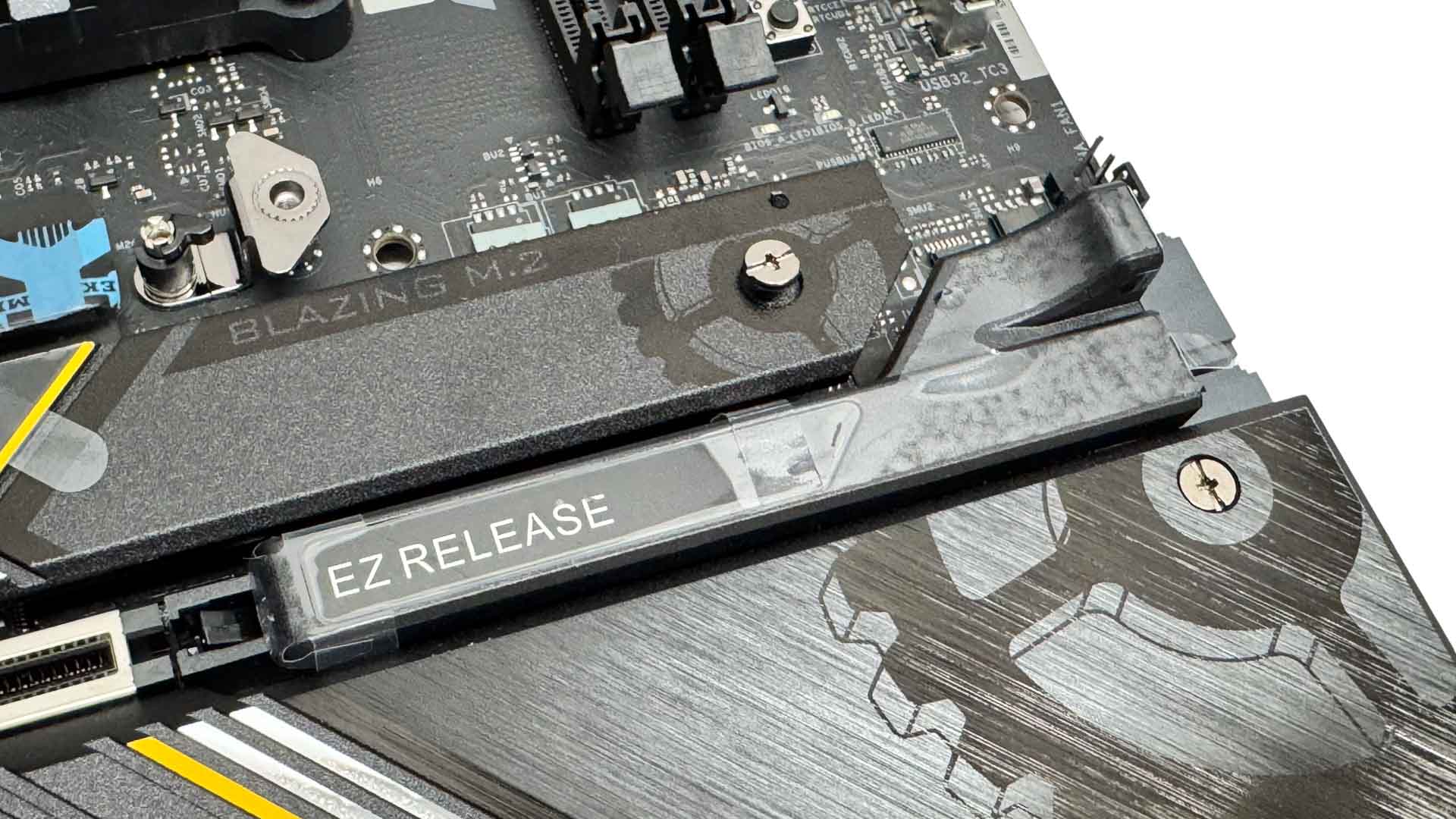
ASRock's version of enhanced GPU release is called Graphics Card EZ Release. This differs from the competition in that it's mostly just an extension of the usual lever, and pulling it towards the edge of the motherboard will release your GPU. It works well and is relatively sizeable, so is easy to access even with large GPUs and memory installed.
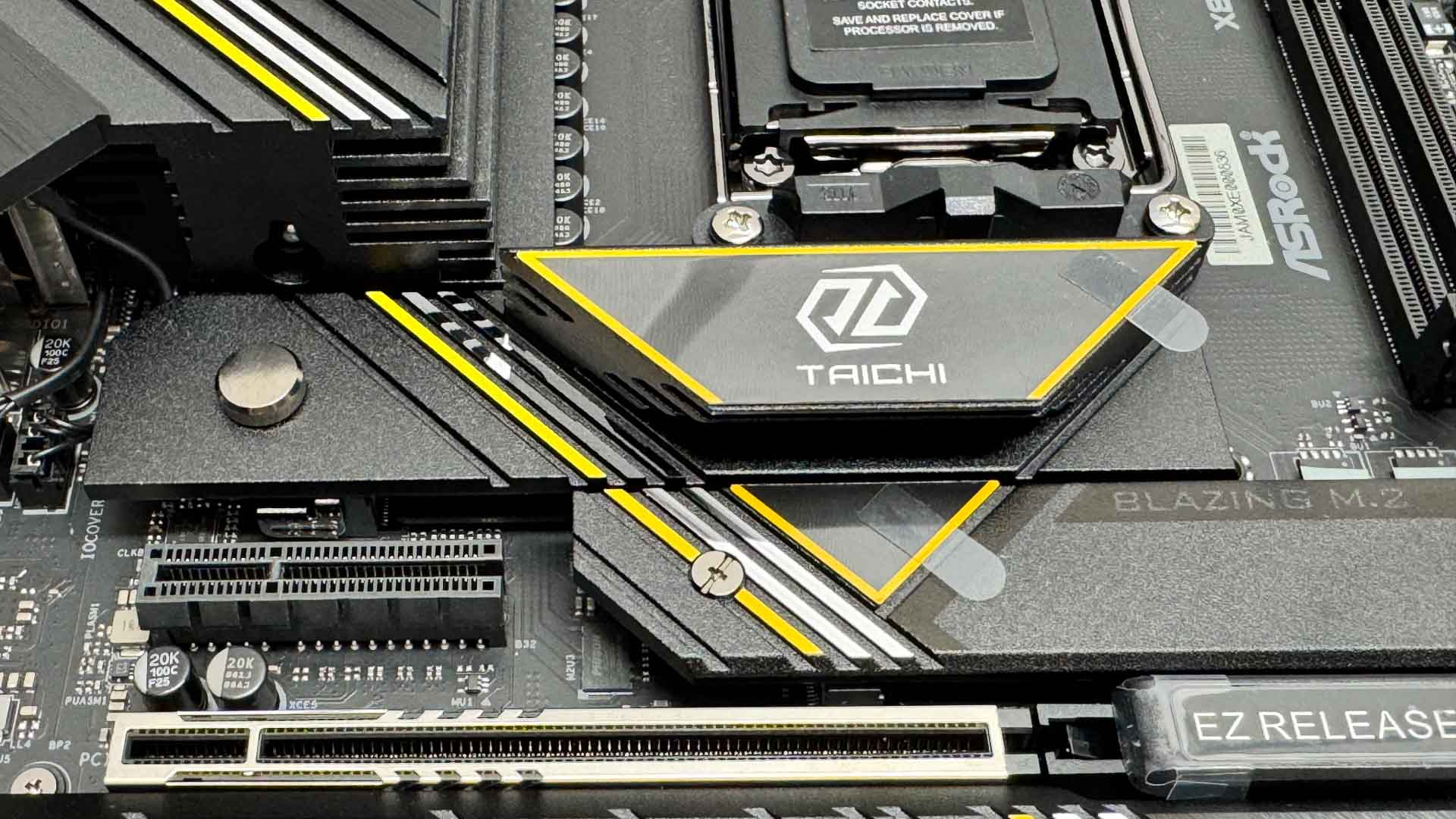
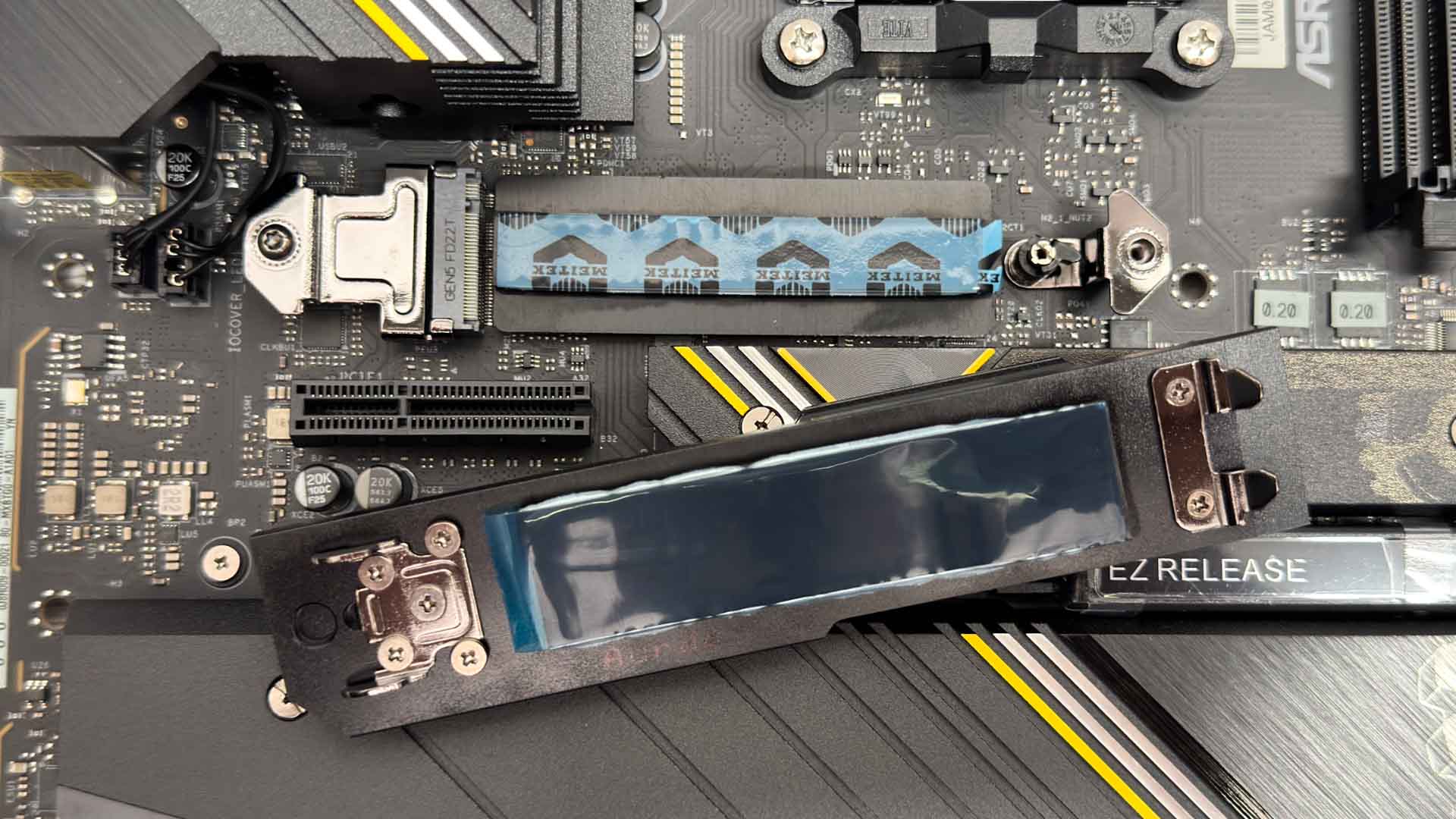
The top M.2 slot is PCIe Gen 5 compatible and SSDs are cooled on both sides with a relatively large heatsink on top. This is tool-free and sadly is the only one of three heatsinks to be so.
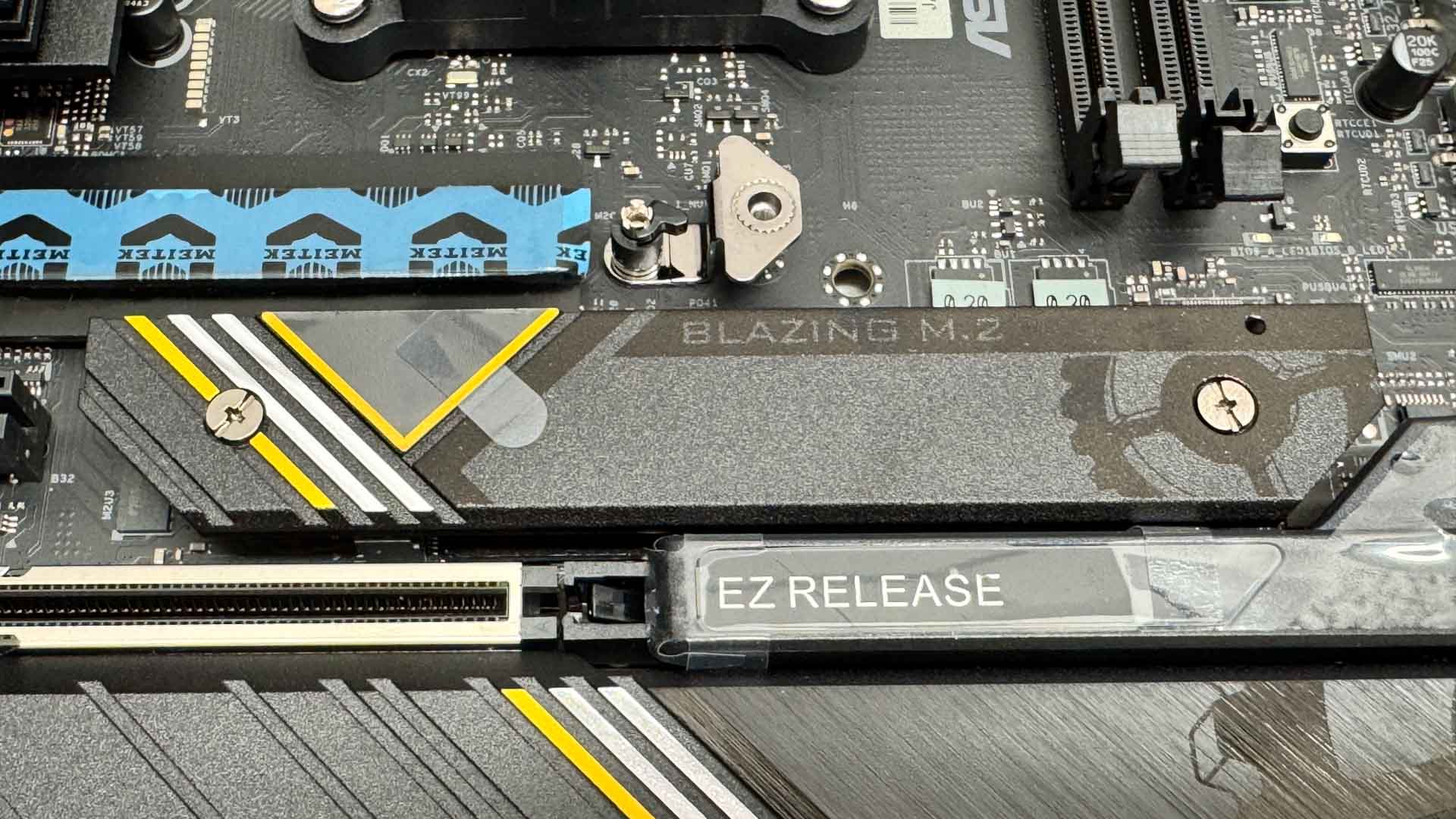
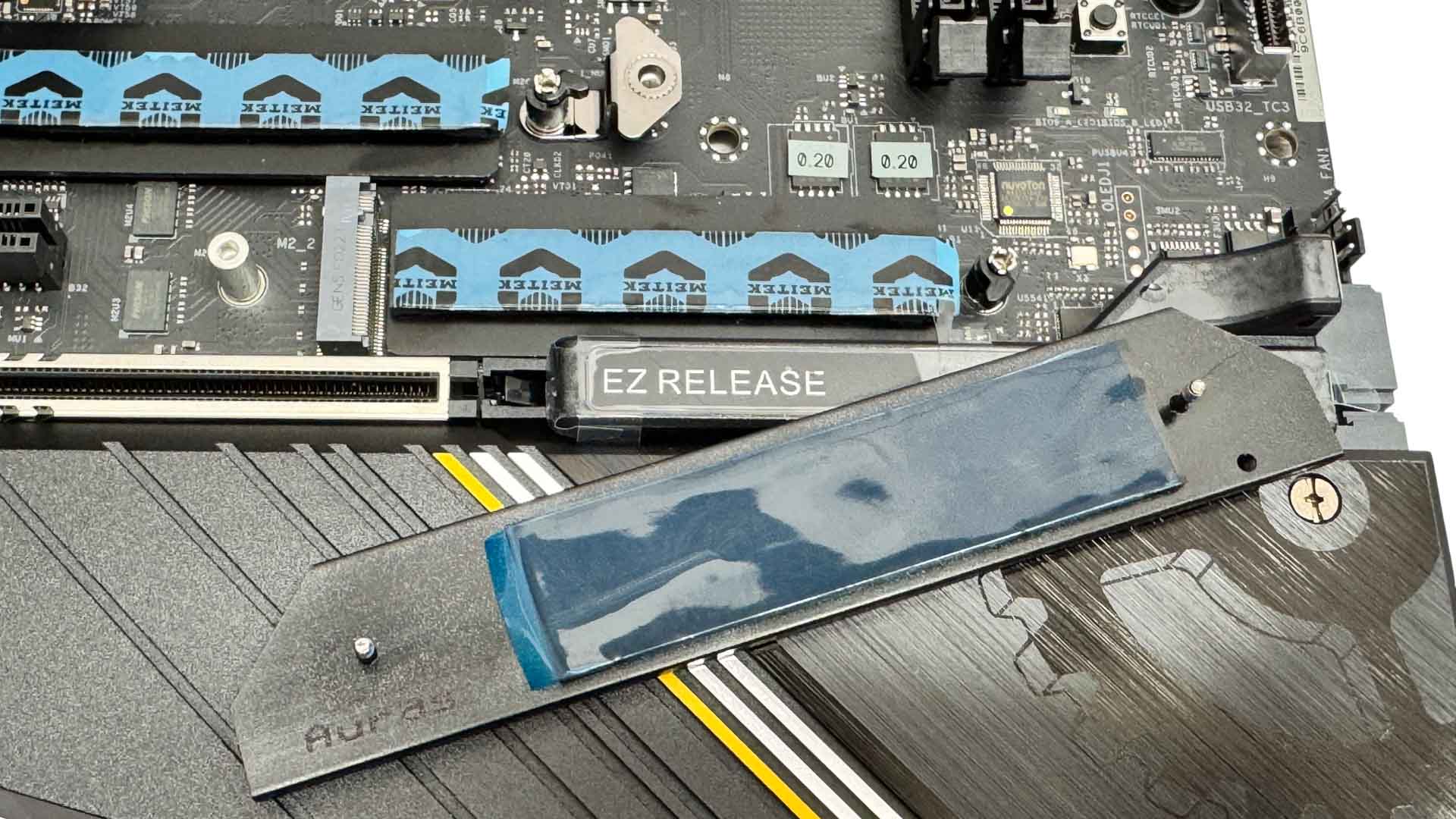
While the second heatsink is not tool-free, the PCIe Gen 5 M.2 slot beneath is again cooled on both sides and a big benefit for watercooling or LN2 users is that these slots are both accessible with a GPU installed, sitting above the primary PCIe Gen 5 x16 slot. As previously mentioned, this slot shares bandwidth with the USB4 ports, but you'll need to manually disable the latter in the BIOS to get full bandwidth to the M.2 port, which essentially runs with two PCIe lanes otherwise instead of four.
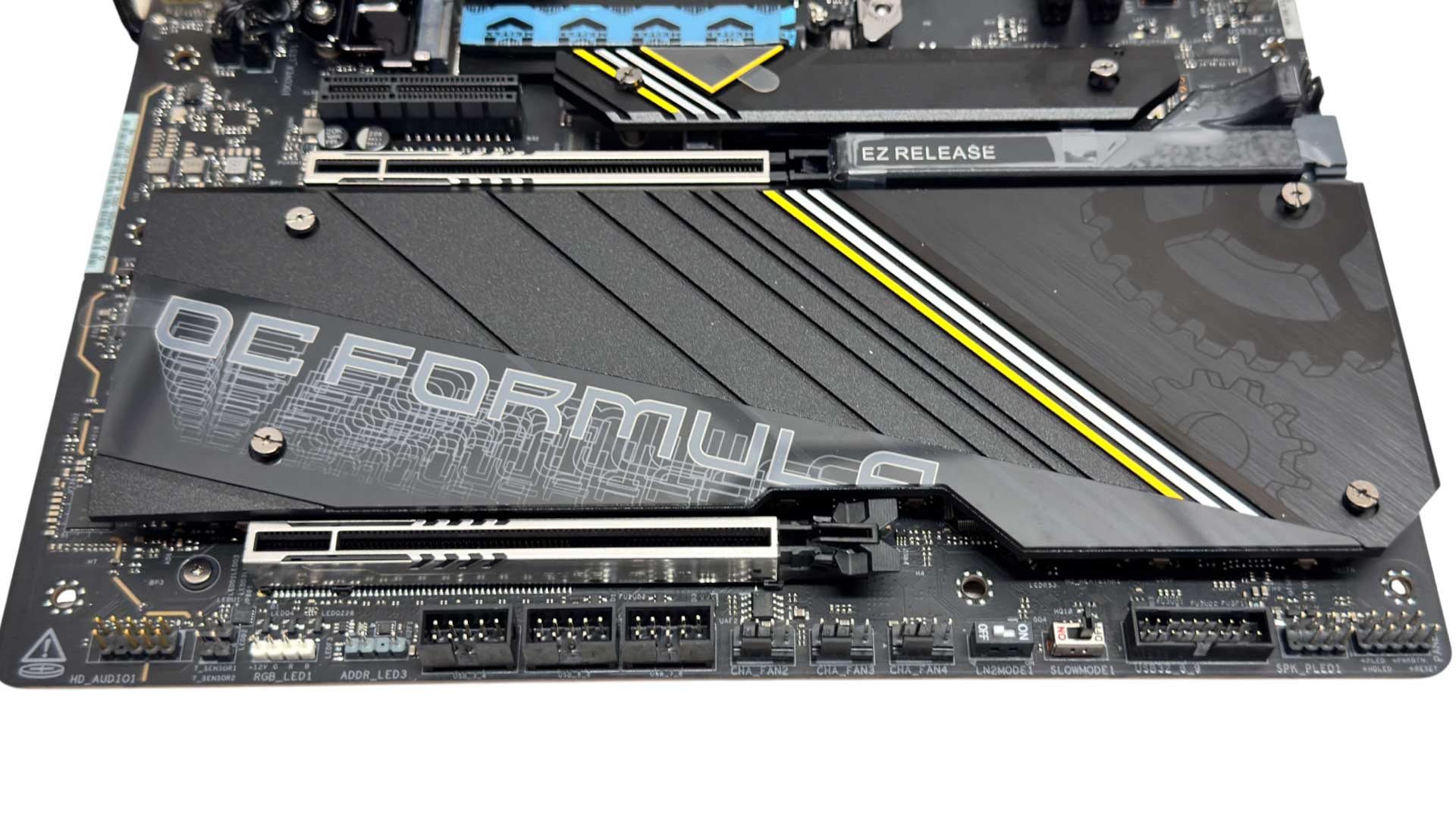
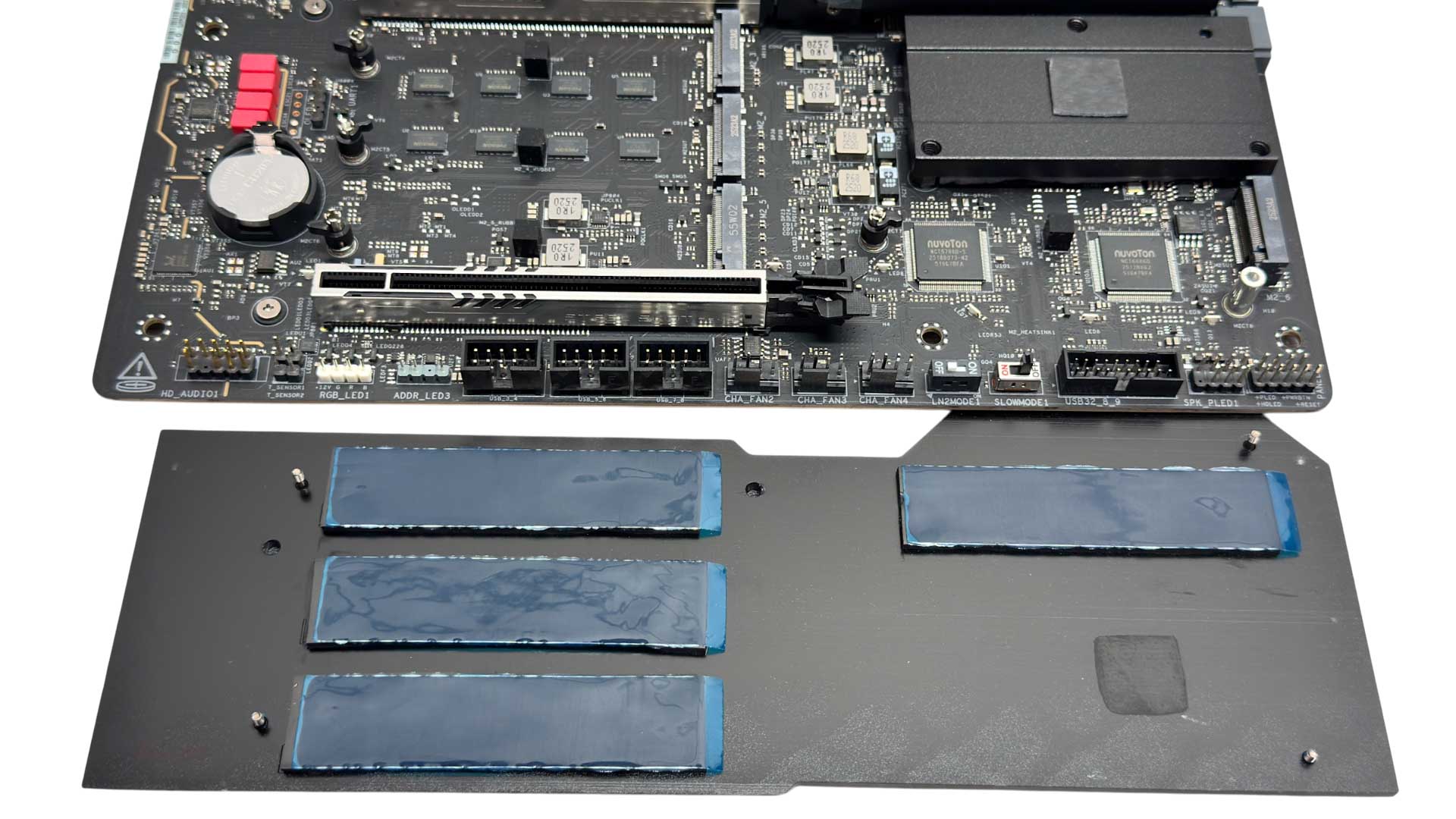
The lower heatsink is large and cools four M.2 ports, it is also attached to the chipset heatsink below using a thermal pad. Here we have a mix of bandwidth flavors, with two PCIe Gen 4 M.2 slots with four lanes a piece, one with just two lanes—which shares bandwidth with the PCIe x4 slot—while the fourth M.2 slot is only Gen 3 with four lanes. Lining up the four screws here is a little fiddly too.
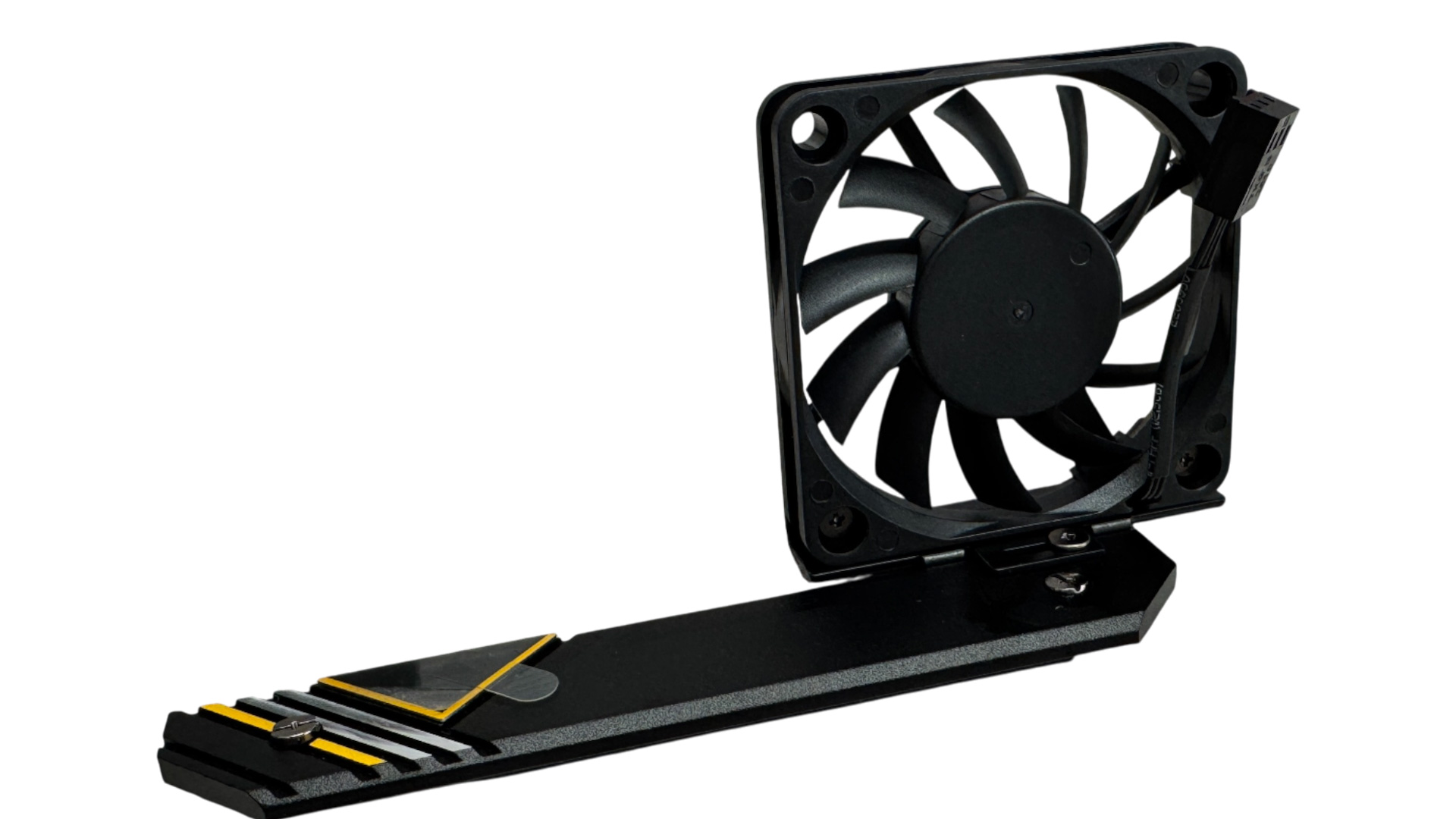
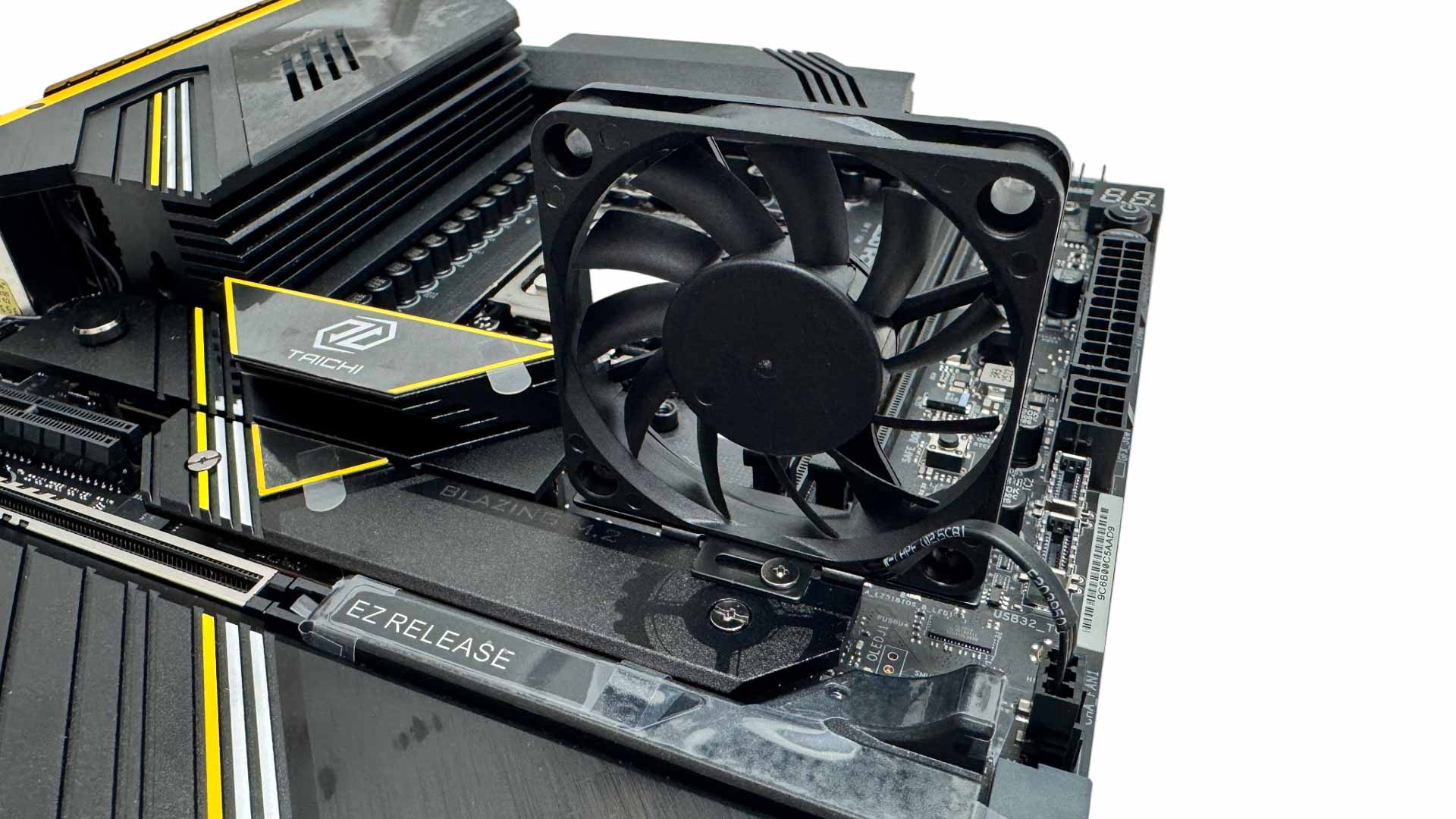
For those really pushing the envelope, the X870E Taichi OCF includes a 50 mm memory cooling fan. This attaches to the top of the second M.2 heatsink and includes a cable and connector that are the right length to reach to a nearby fan header.
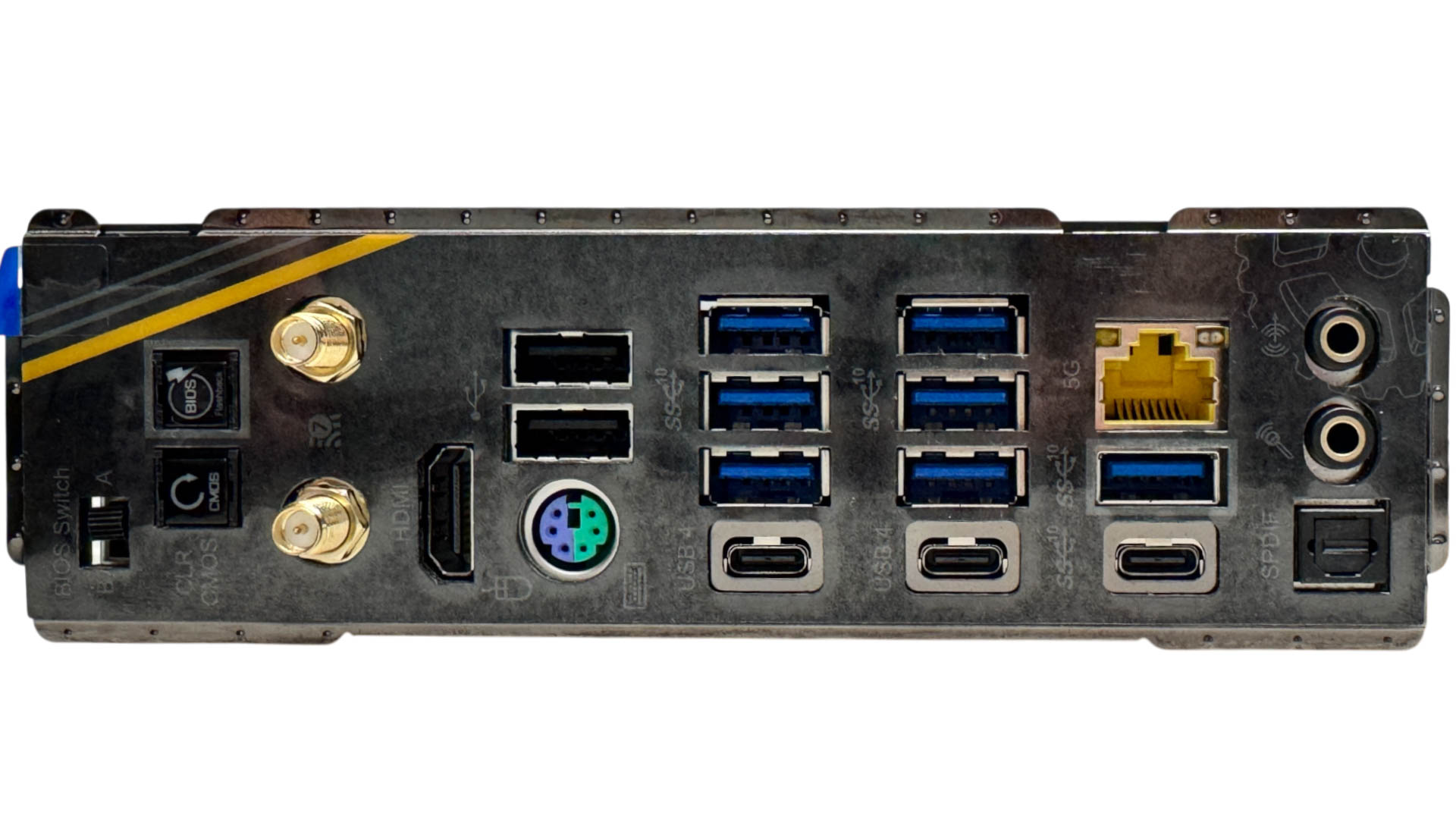
The rear I/O panel is blessed with a decent nine Type-A USB ports, the majority of which are USB 3.2 Gen 2 10 Gbps, as is one of the three Type-C ports, with the remaining two being USB4 and doubling as DisplayPort outputs for those without discrete GPUs. These are in addition to a single HDMI port. We also have CMOS clear and USB BIOS Flashback buttons next to the dual BIOS switch. The inclusion of a PS/2 port might seem strange, but it's here so you can still maintain control and avert any issues using USB devices under extreme conditions - essential for an extreme overclocking motherboard. We also have 5 Gbps Ethernet, standard Wi-Fi connectors, plus two audio mini jacks and an optical output.
Nov 17th, 2026 15:06 CST
change timezone
Latest GPU Drivers
New Forum Posts
- Help with fixing Overclock (1)
- Without Jensen, PC gaming will be (30)
- [Poll] 12V-2x6 Connector Protection: What Are You Using? (WireView / Ampinel / Equalizer / Other / Nothing) (23)
- Latest method for DTS/DDL for Logitech Z906 (0)
- What are you playing? (26232)
- Security Apps (1)
- Honestly, do you care about GTA VI? (128)
- Meeting point of those who broke their GPUs. Please share what GPUs you've burned, shattered, ionized or melted accidentally. (43)
- Voltage glitch hack to unlock fuse off part of GPU core ? (2)
- 9070 GRE 3.9ghz validation reached. (14)
Popular Reviews
- Acemagic Retro X3 Review
- Corsair HX1000i Shift Crystal Review
- AMD Zen 6 Technical Deep Dive
- Upcoming Hardware Launches 2027 (Updated Nov 2026)
- ASUS ROG Strix B850-I Gaming Wi-Fi7 W Review
- Phantom Blade Zero Performance Benchmark Review - 35 GPUs Tested
- AMD Ryzen 7 9800X3D Review - The Best Gaming Processor
- Chieftec Iceberg PRO 360 DARK Review
- Montech King 95 3D PRO Review
- NZXT C1200 Platinum Review
TPU on YouTube
Controversial News Posts
- NVIDIA Co-Founder and CEO Jensen Huang Officially Resigns (456)
- Open Letter Asking NVIDIA to Reinstate Jensen Huang Passes 115,000 Signatures (184)
- OpenAI CEO Argues Home PCs Waste the World's Limited DRAM Supply (152)
- NVIDIA Launches Investigation Into Jensen Huang's Relationship With Suspected Chinese Spy (136)
- Report: Jensen Huang Eyes NVIDIA Comeback (132)
- Intel "Raptor Lake Next" 16-Core and 20-Core CPUs Surface (130)
- Legendary Game Studio BioWare Shuts Down Following EA Layoffs (104)
- Dell CEO Says the Memory Shortage Will Get Worse in 2027 (95)