 39
ASRock X870E Taichi White Review
Component Analysis »Board Layout
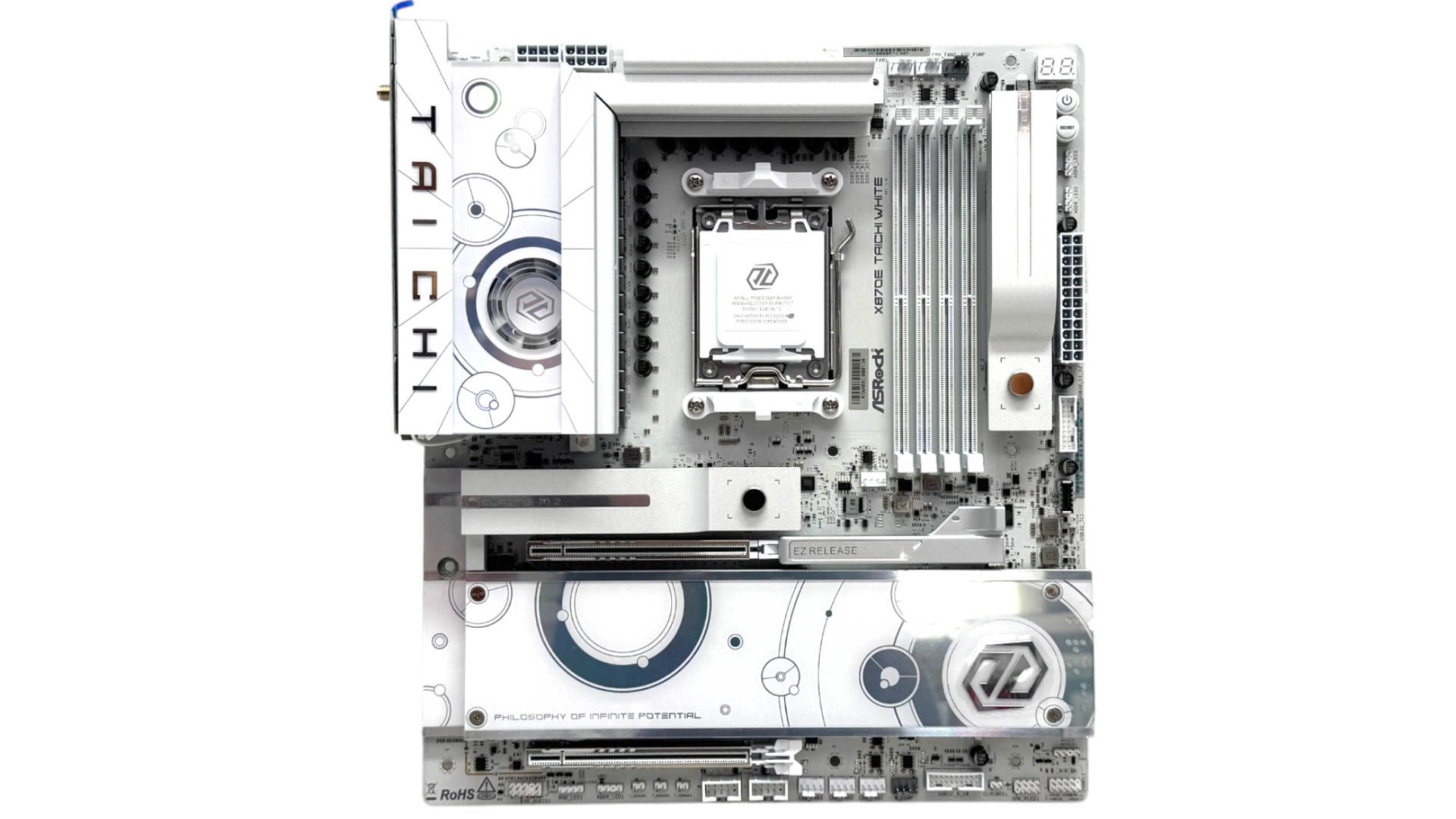
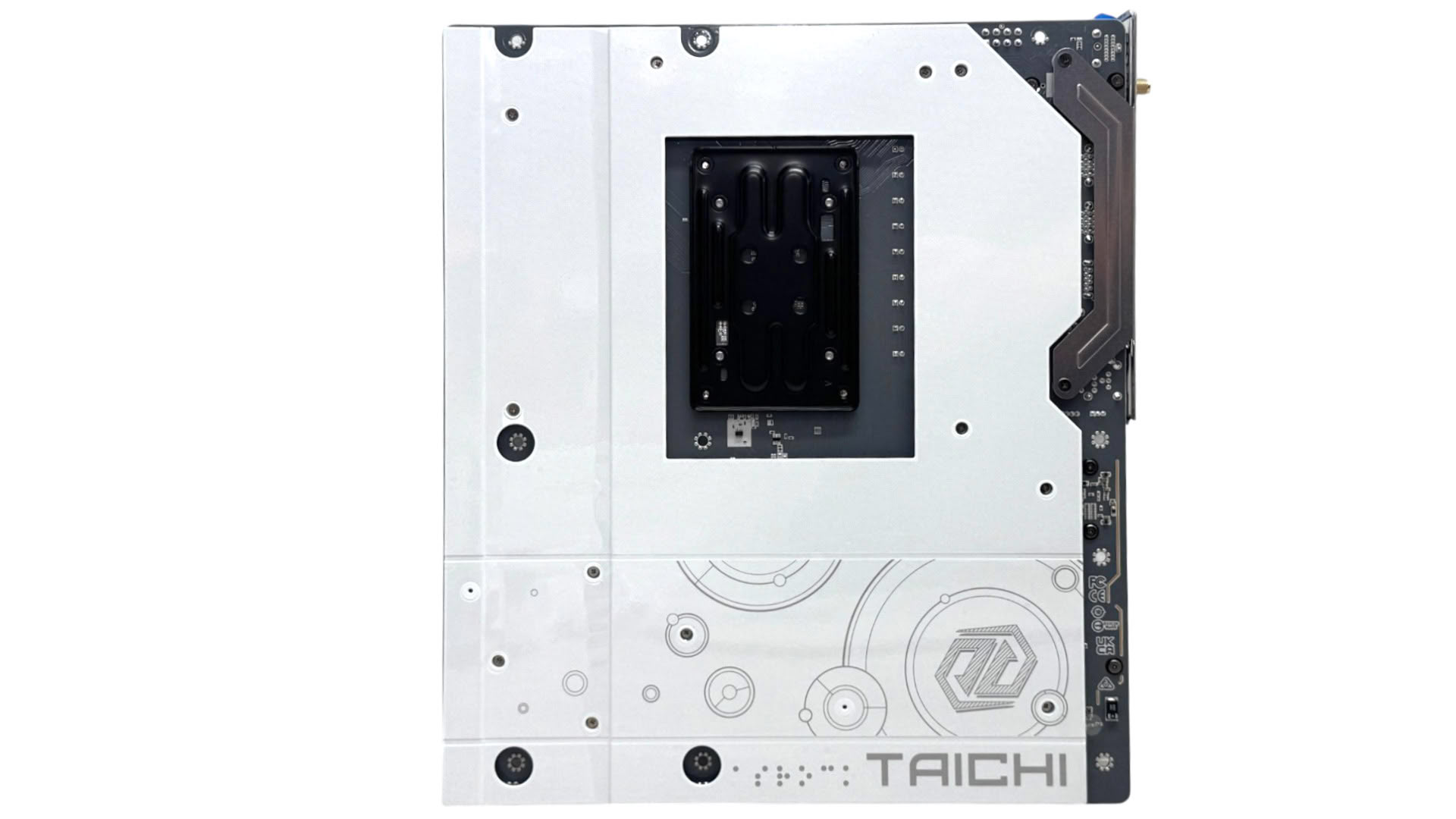
If you're building a white-themed PC then as well as the all-white accessory pack, even extending to the thermistor probes, the motherboard is equally eye catching. All ports, buttons and heatsinks are white and this extends to the VRM fan and large rear metal backplate. If you're not averse to white motherboards then this is easily one of the most visually stunning Taichi motherboards from ASRock.
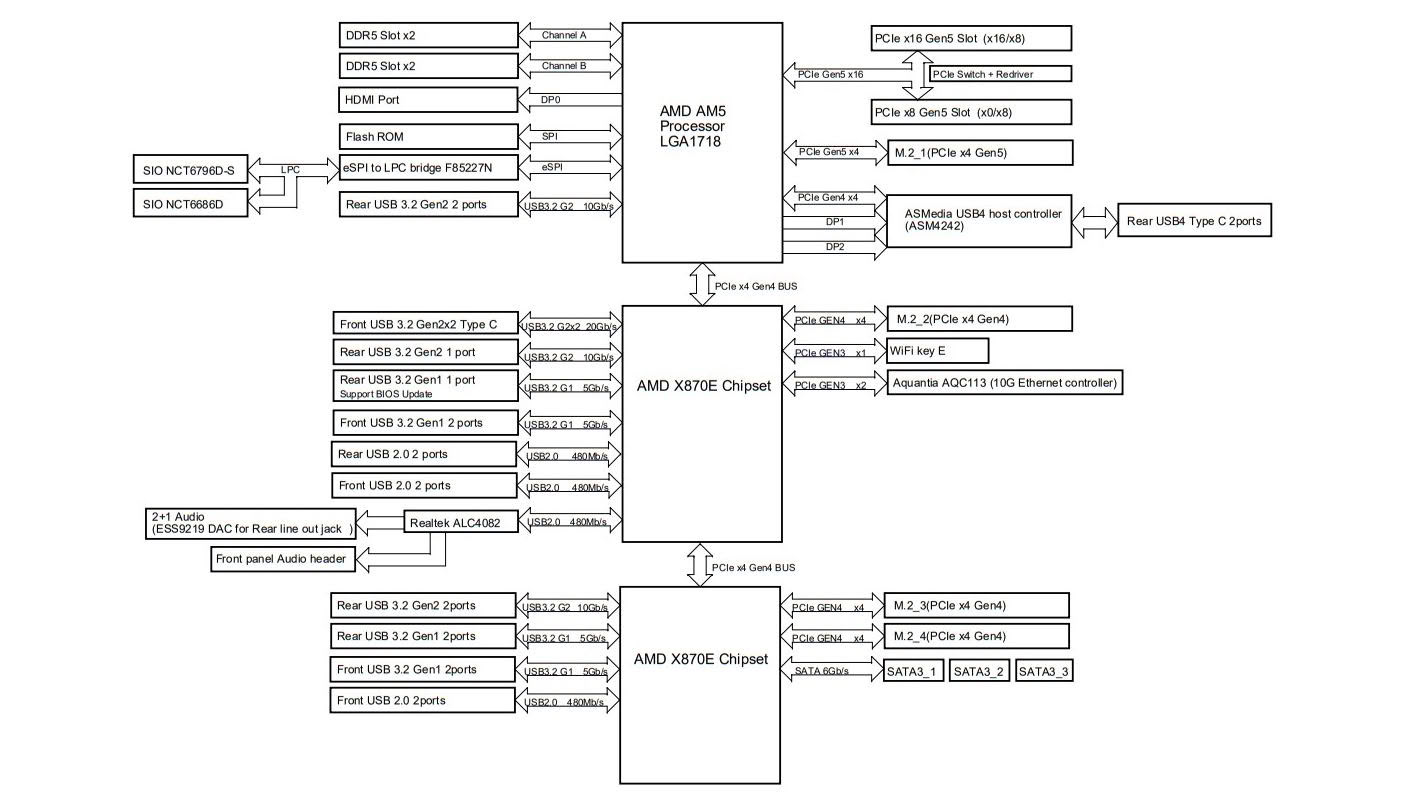
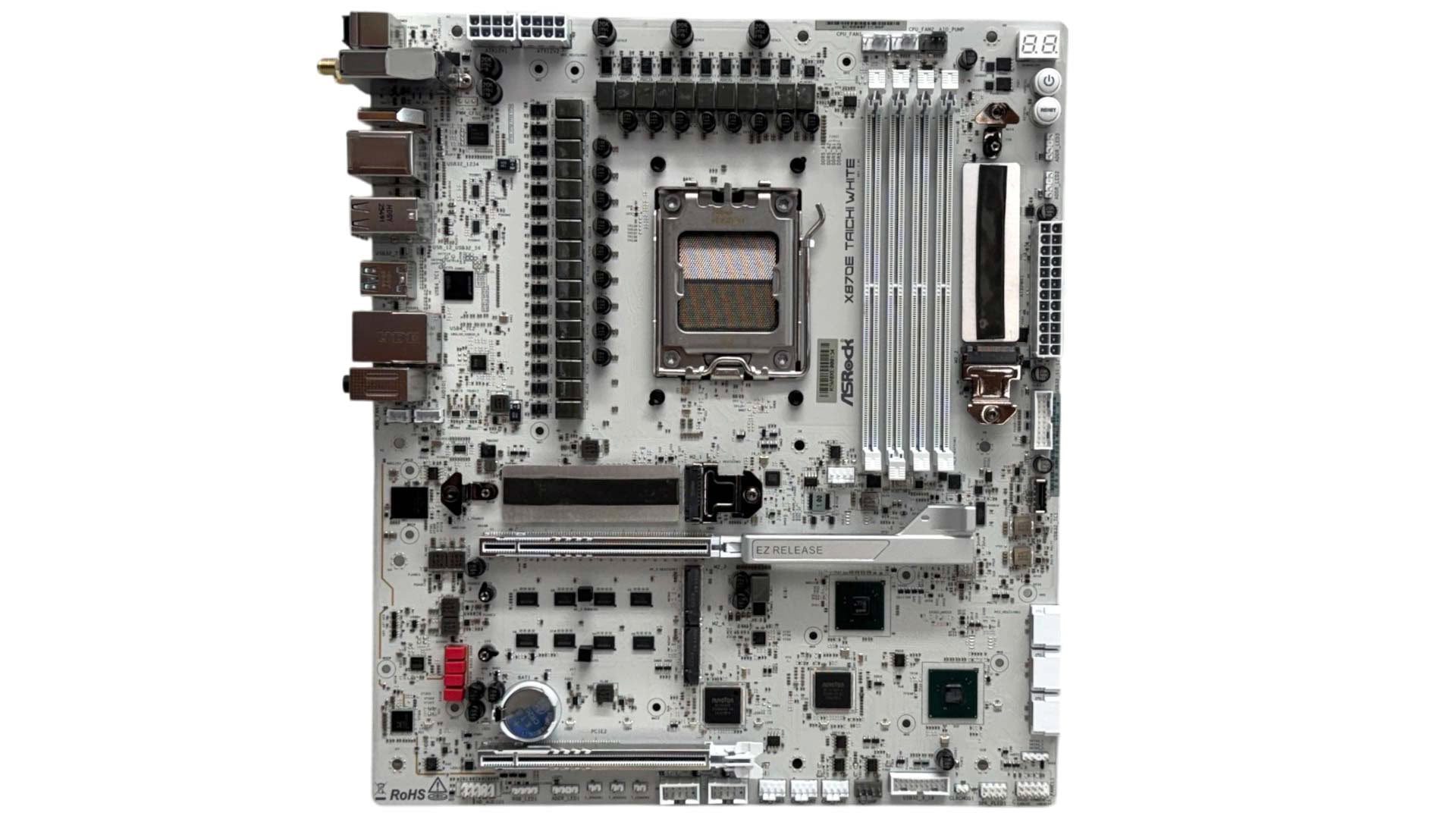
The fact the board doesn't suffer from any bandwidth sharing is down to it lacking PCIe Gen 5 M.2 ports compared to the competition. This allows all four M.2 ports—three PCIe Gen 4 and one PCIe Gen 5—as well as the primary PCIe slot to operate with full bandwidth at the same time, and without disabling the rear USB4 ports. This may put it at a disadvantage in the future when PCIe Gen 5 SSDs are the must-have items that Gen 4 SSDs are currently. In addition, the second PCIe slot cannot be used without stealing lanes from your graphics card, which is annoying if you have a sound card or other device you want to use. Its predecessor suffered the same limitations.
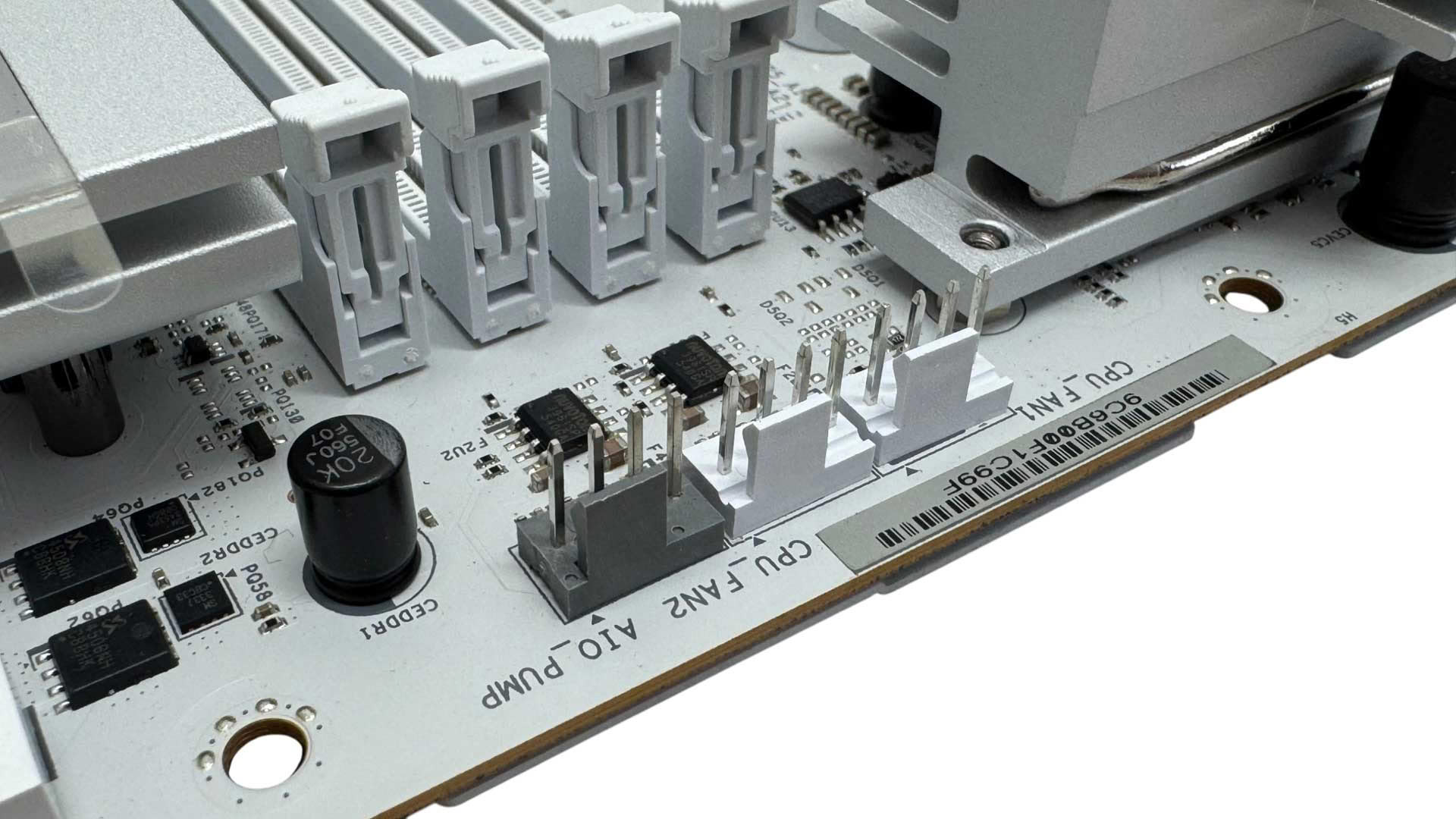
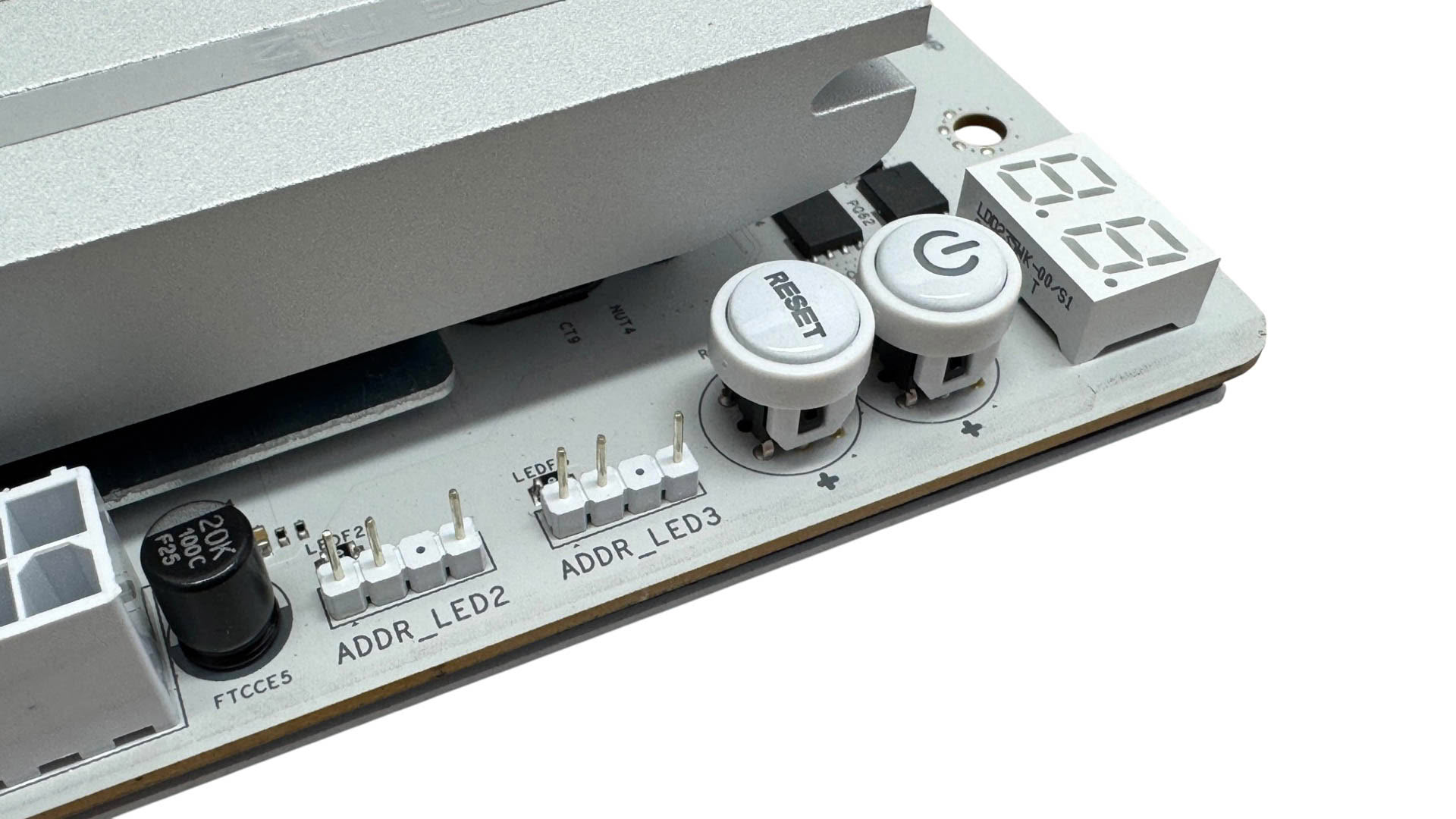
There are eight fan headers in total with the primary CPU fan header supports up to 12 W/1 A, but the rest support up to 36 W/3 A so the board is flexible when it comes to powering multiple powerful fans from single headers. The top right corner offers an LED POST code display, power and reset buttons and there are two 3-pin ARGB headers here too.
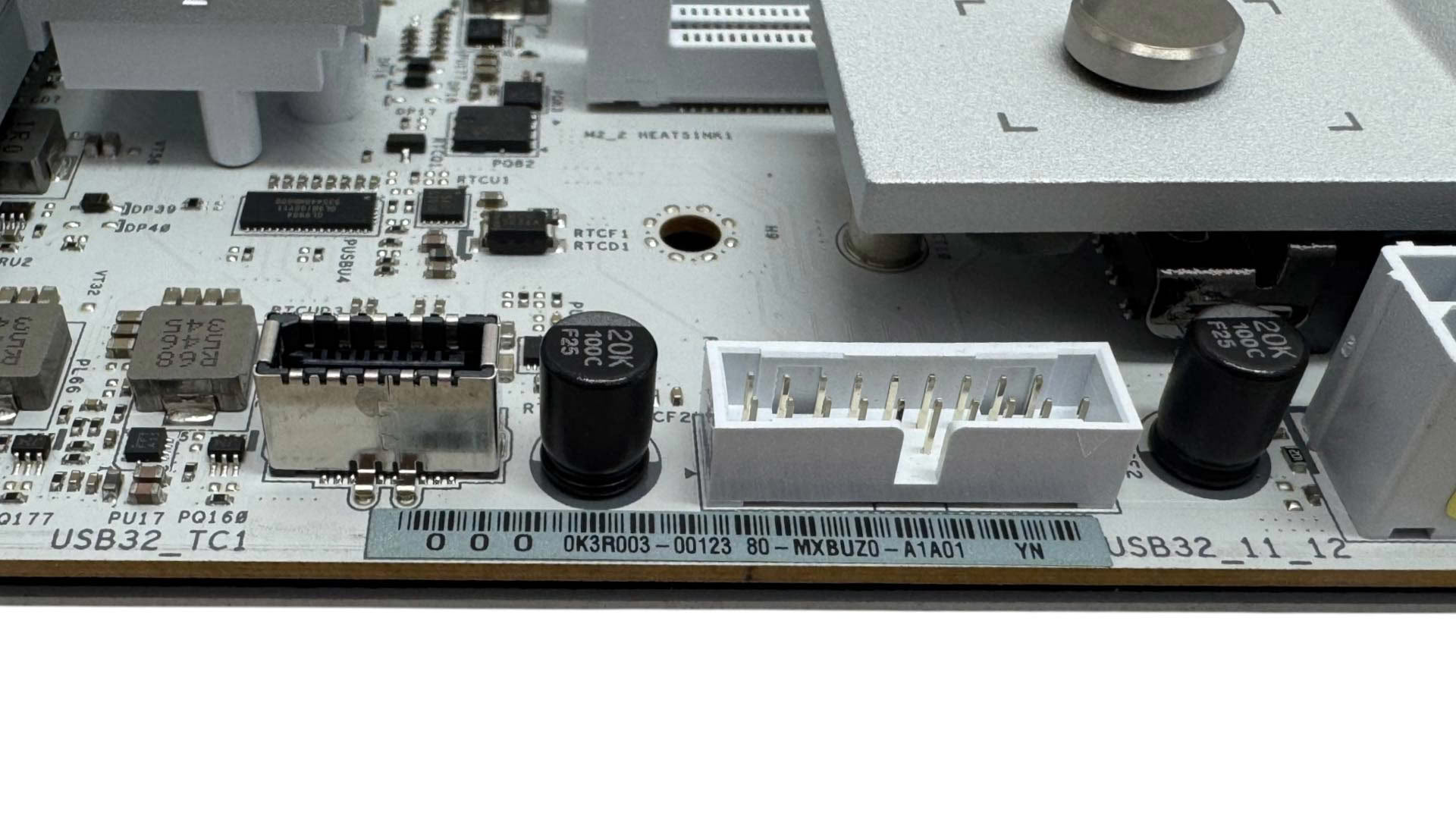
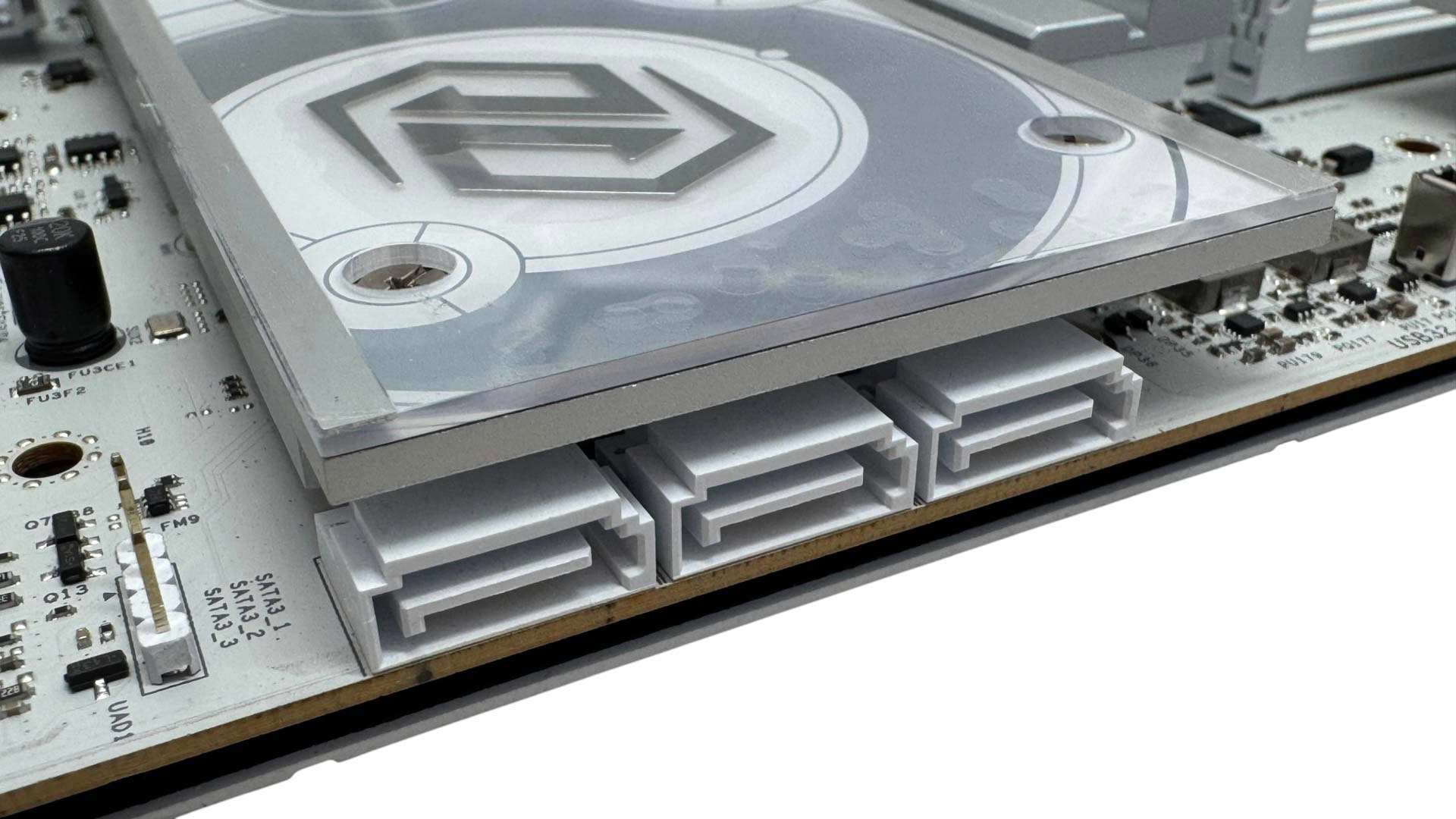
The Type-C header supports USB 3.2 Gen 2x2 20 Gbps, but sadly lacks the enhanced power delivery you'll see on many similarly priced boards. Next to this is one of two USB 3.0 headers. Oddly for an EATX motherboard, the X870E Taichi White only offers three SATA ports. This is half the amount of its predecessor too, with the extended heatsink here sitting in place of where the second row of ports were on the previous model. Three is likely enough for most people, but given the niche the board is in, the fact that smaller ATX models usually offer more makes this a questionable decision.
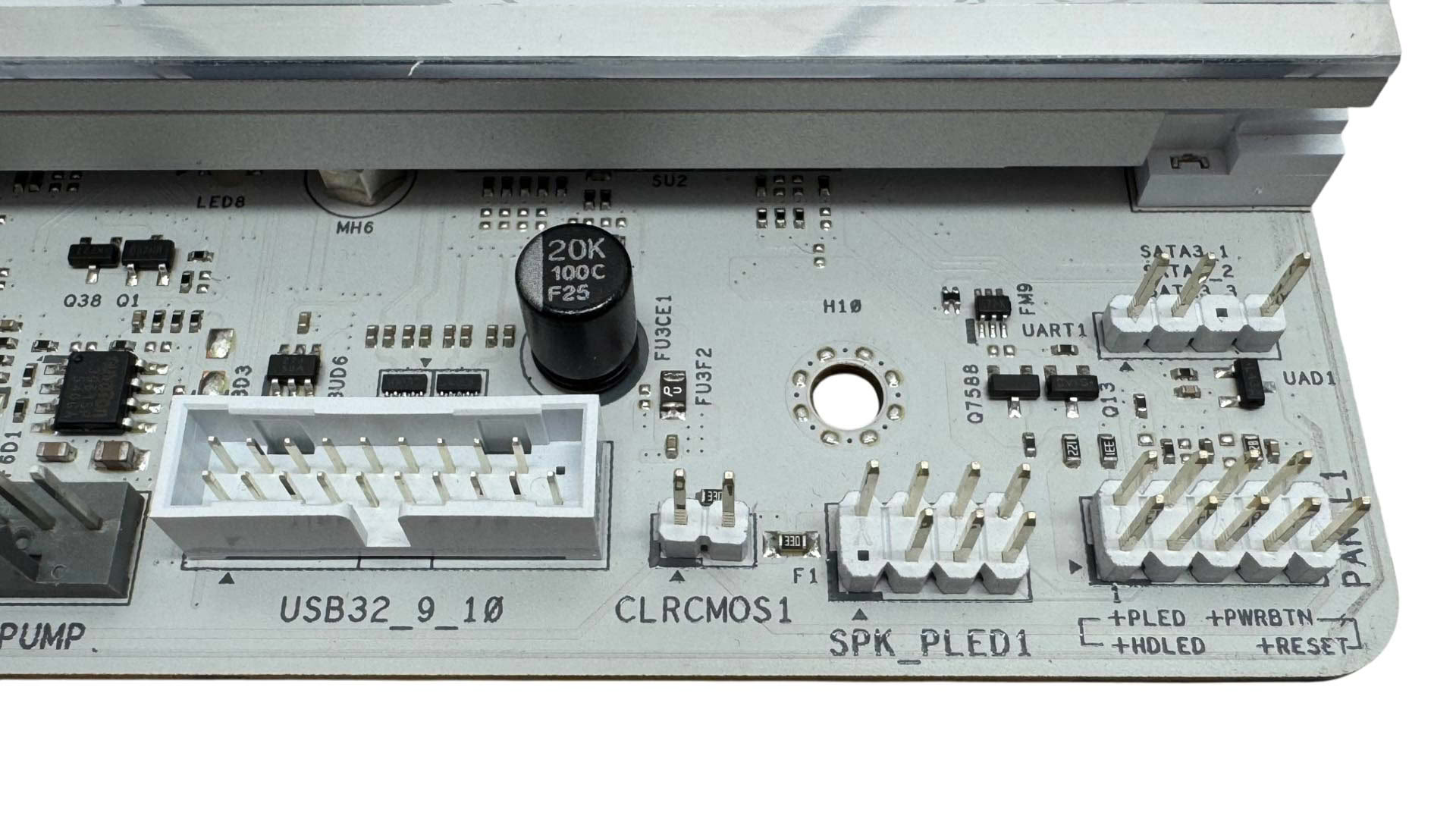
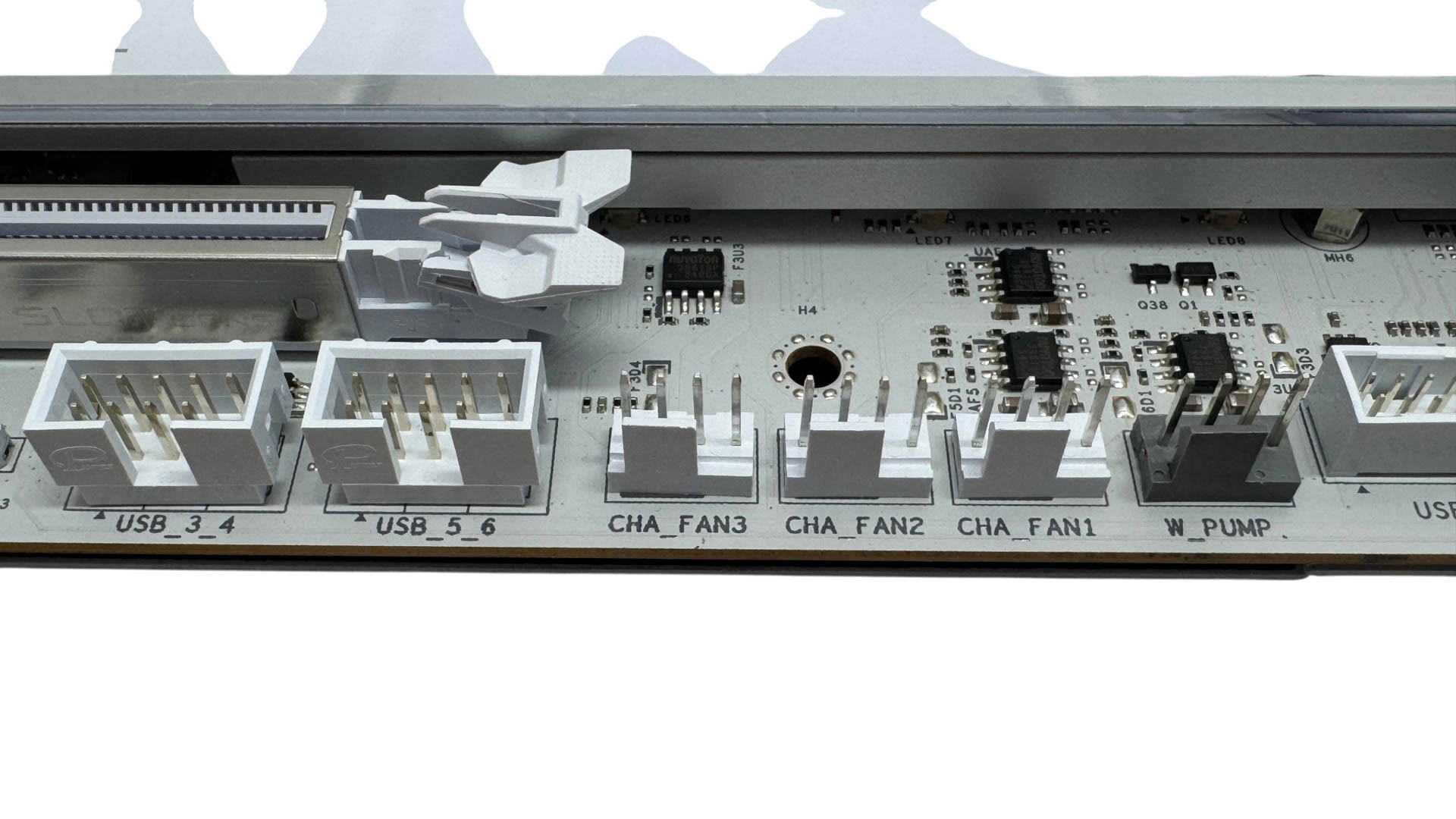
The bottom right corner offers a second USB 3.0 header, four more 4-pin fan headers and a pair of USB 2.0 headers.
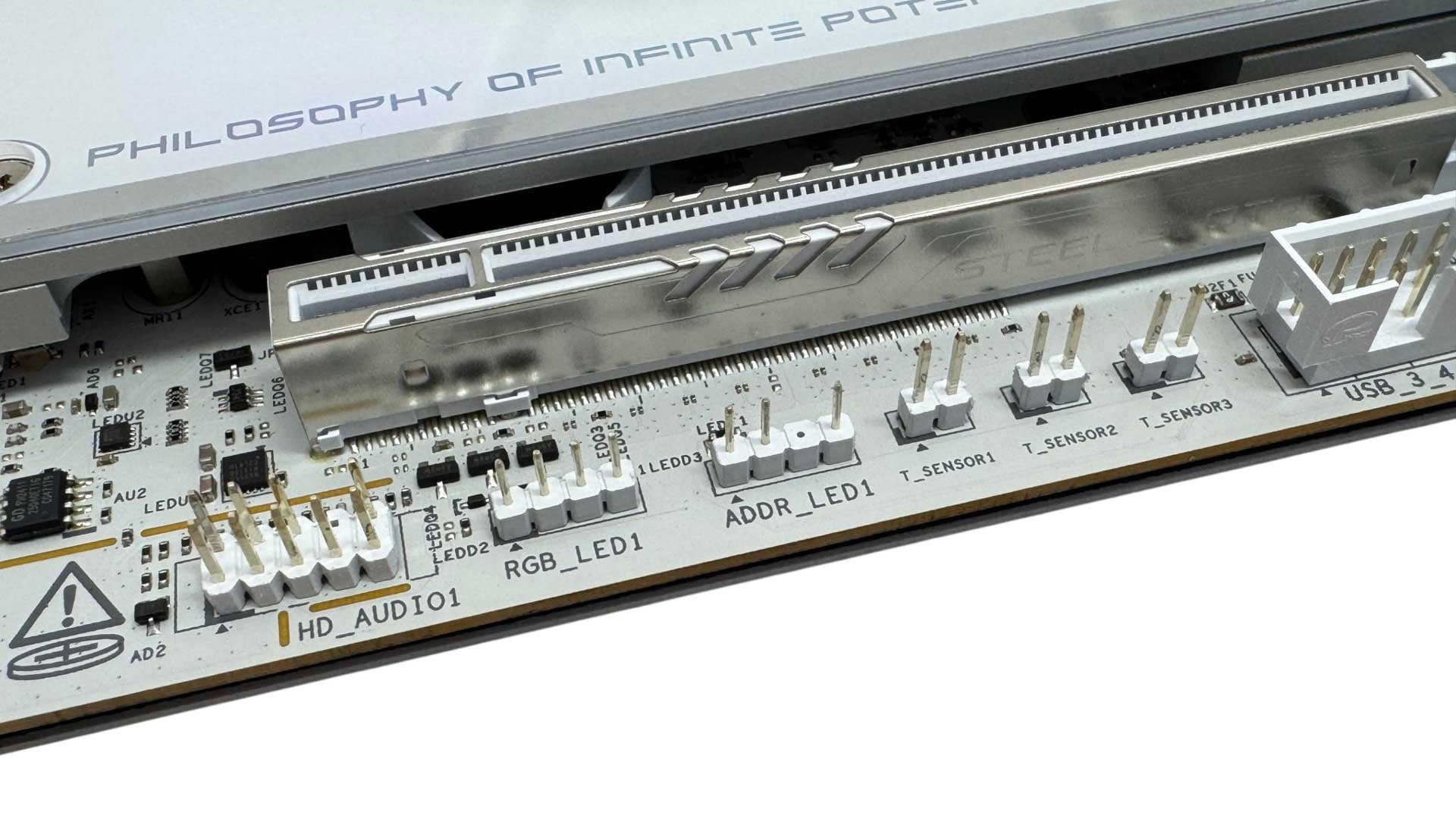
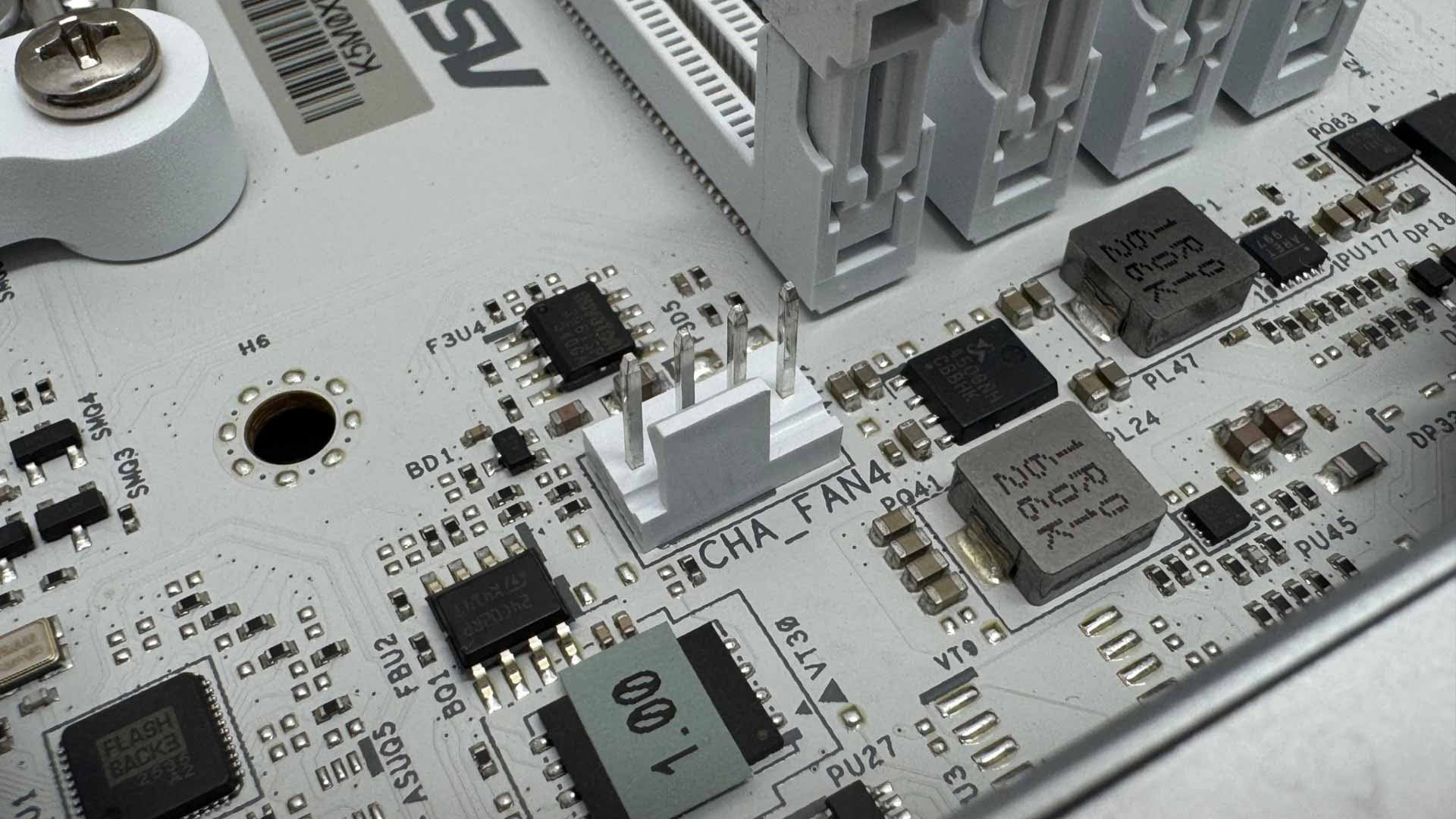
Further along and we have an impressive three thermistor probe headers, with three probes included in the box too, although these can alternatively be used with coolant probes to control radiator fans in a watercooling system of course. We also have a third 3-pin RGB header and single 4-pin RGB header along with the front audio header. The final fan header's location is somewhat odd, located to the bottom left of the DIMM slots. It's perhaps well-placed for powering an AIO liquid cooler pump or air cooler fan, but you already have three headers just above the DIMM slots for this.
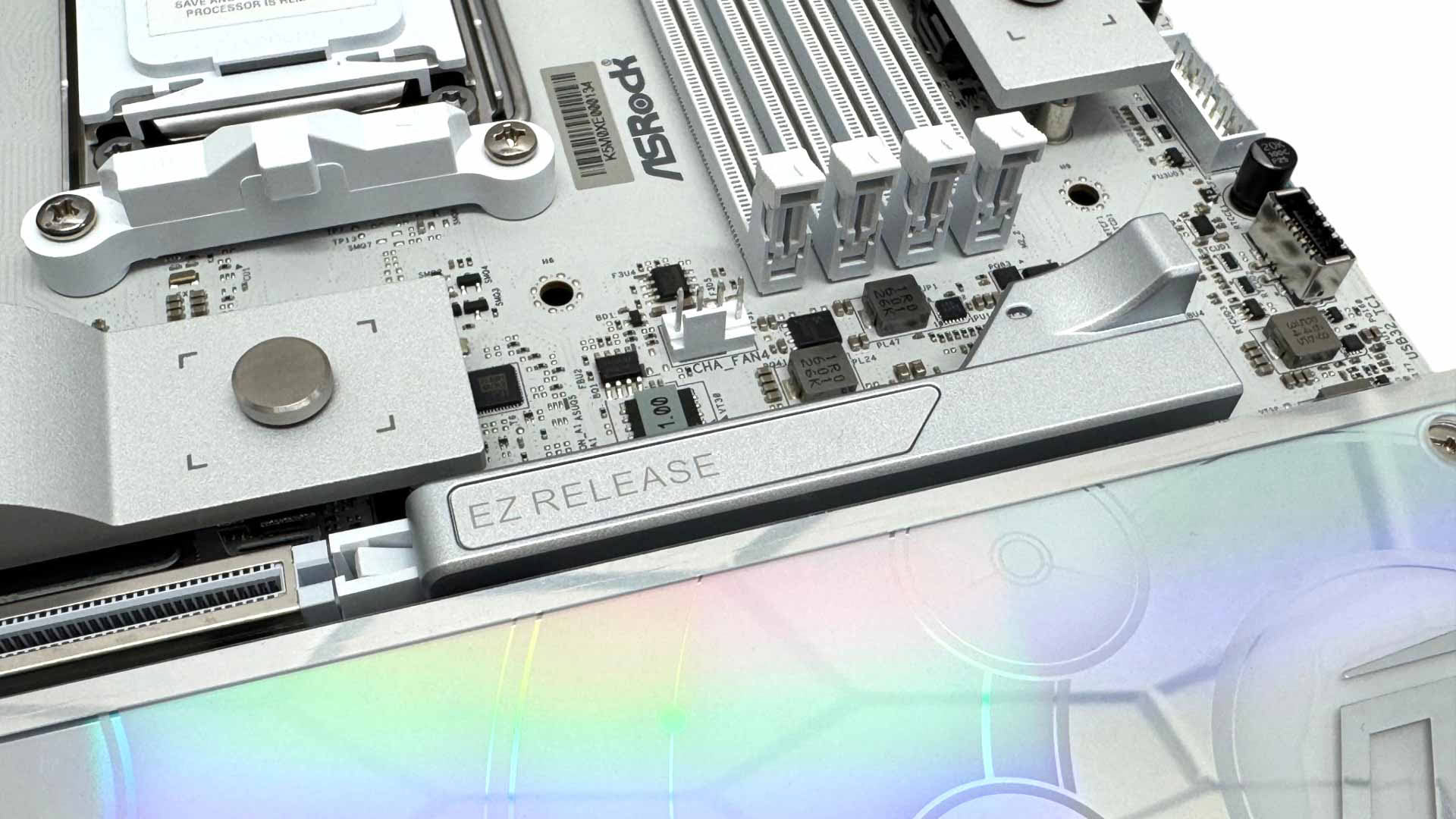
ASRock's Graphics card EZ Release is simple to use and is essentially just a sprung extension that automatically closes and locks your graphics card in place. This is more intuitive than the push to open, push to close options where it's not always obvious that you need to do the latter, meaning your graphics card wouldn't be locked in place.
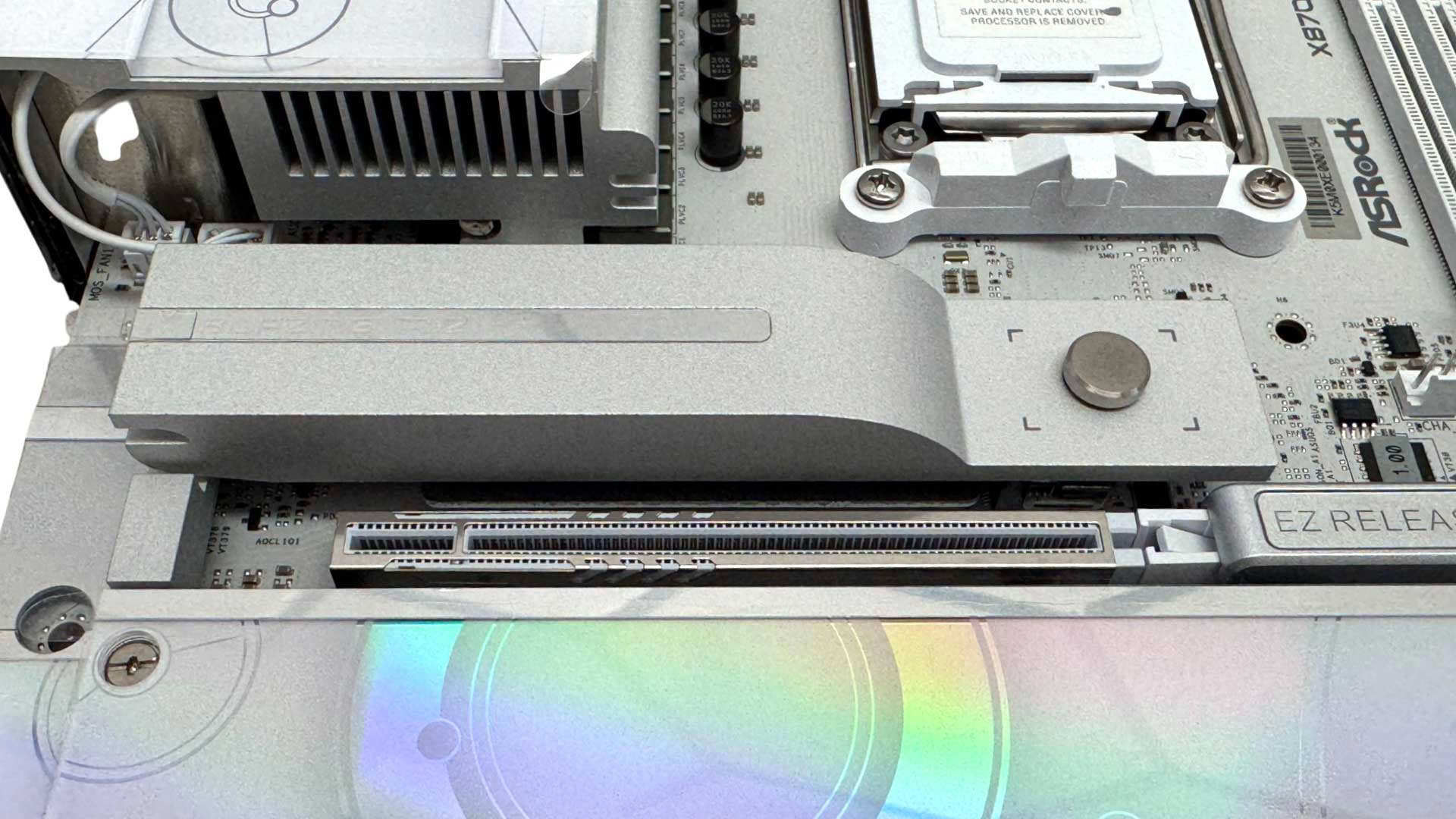
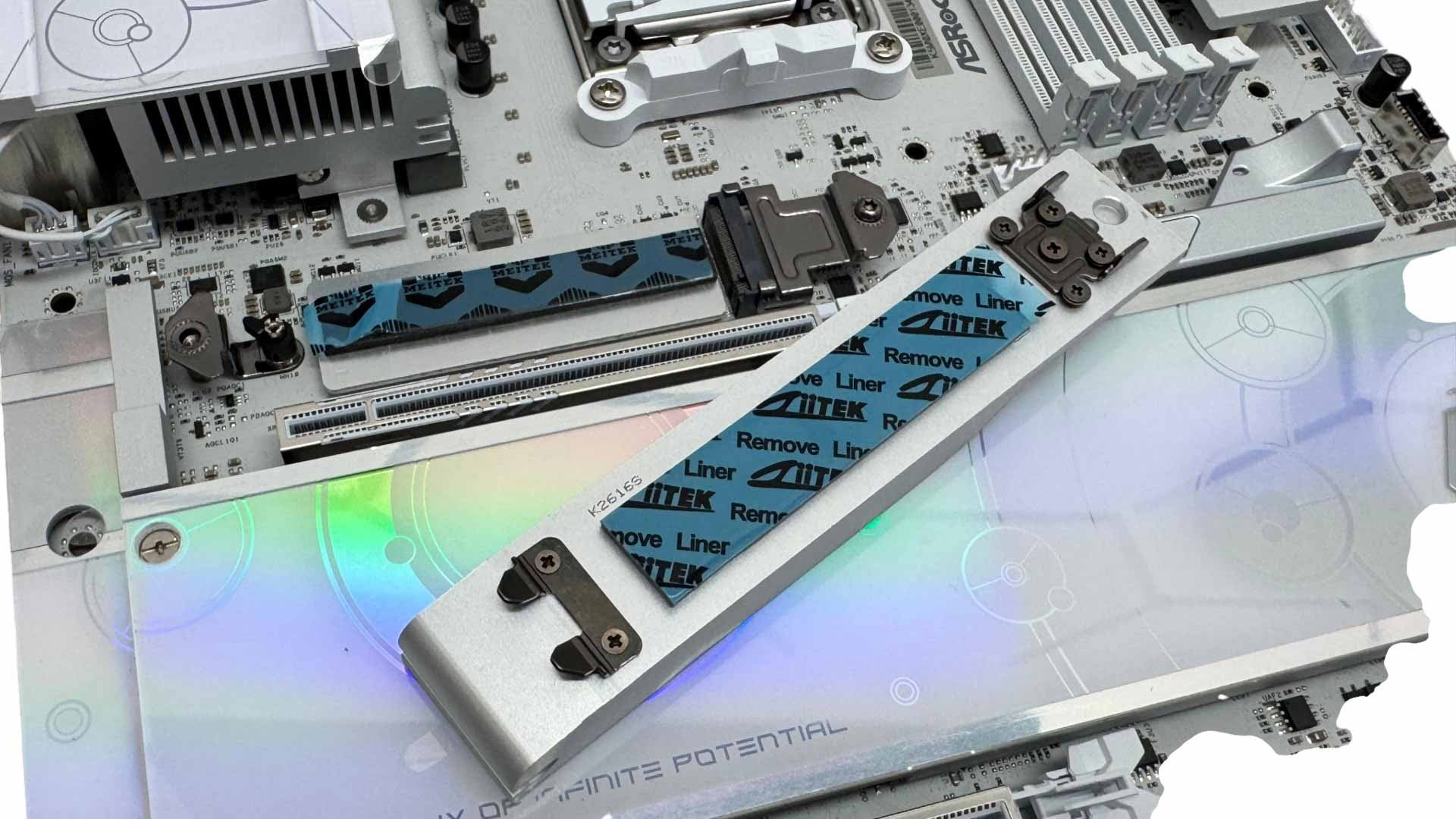
The single PCIe Gen 5 M.2 slot is cooled by a reasonably large tool-free heatsink, with the slot offering underside cooling too. Single-sided SSDs seem to be supported well by the thick thermal pad, so there's no need for additional supports to prevent the SSD bending.
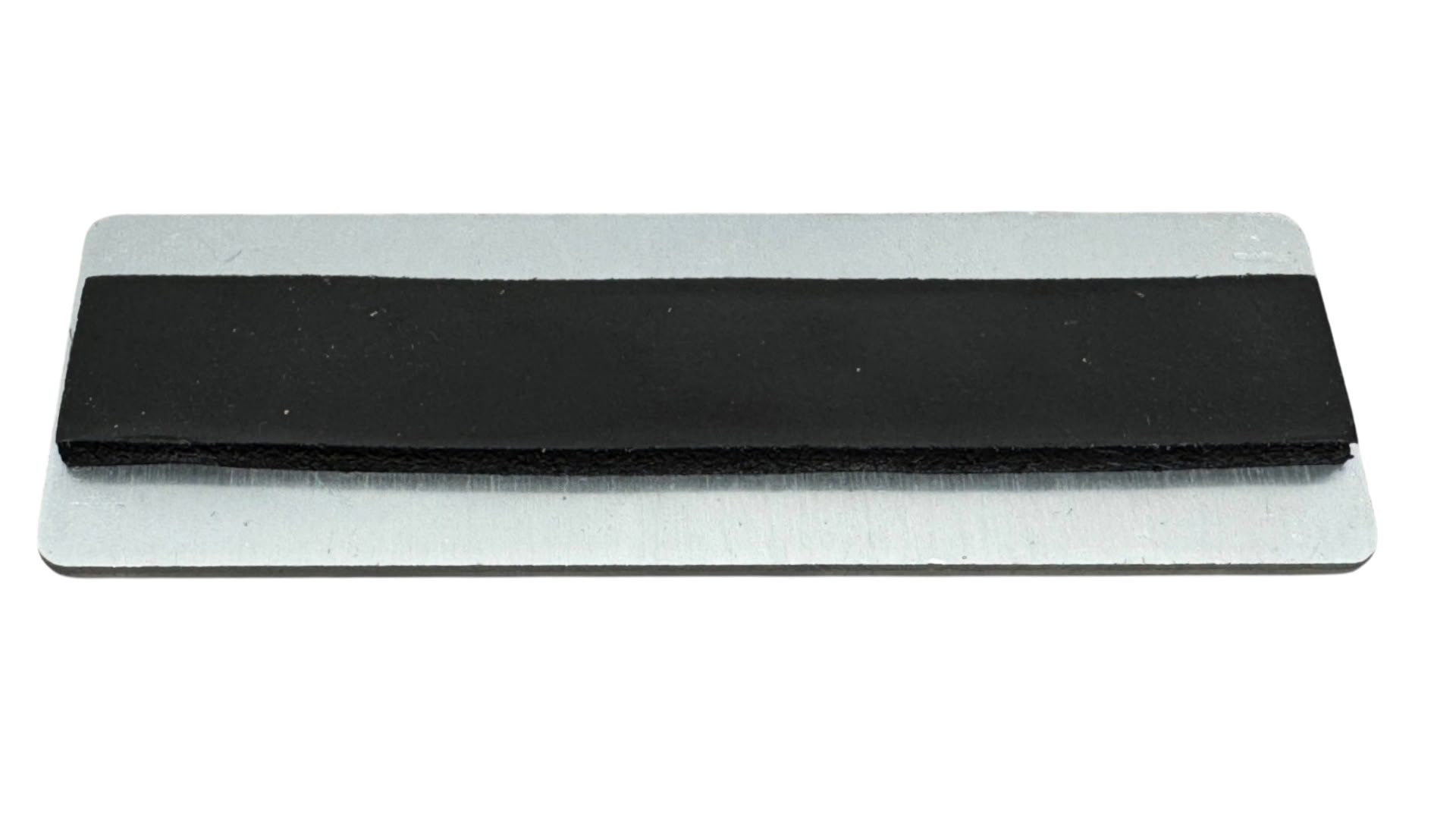
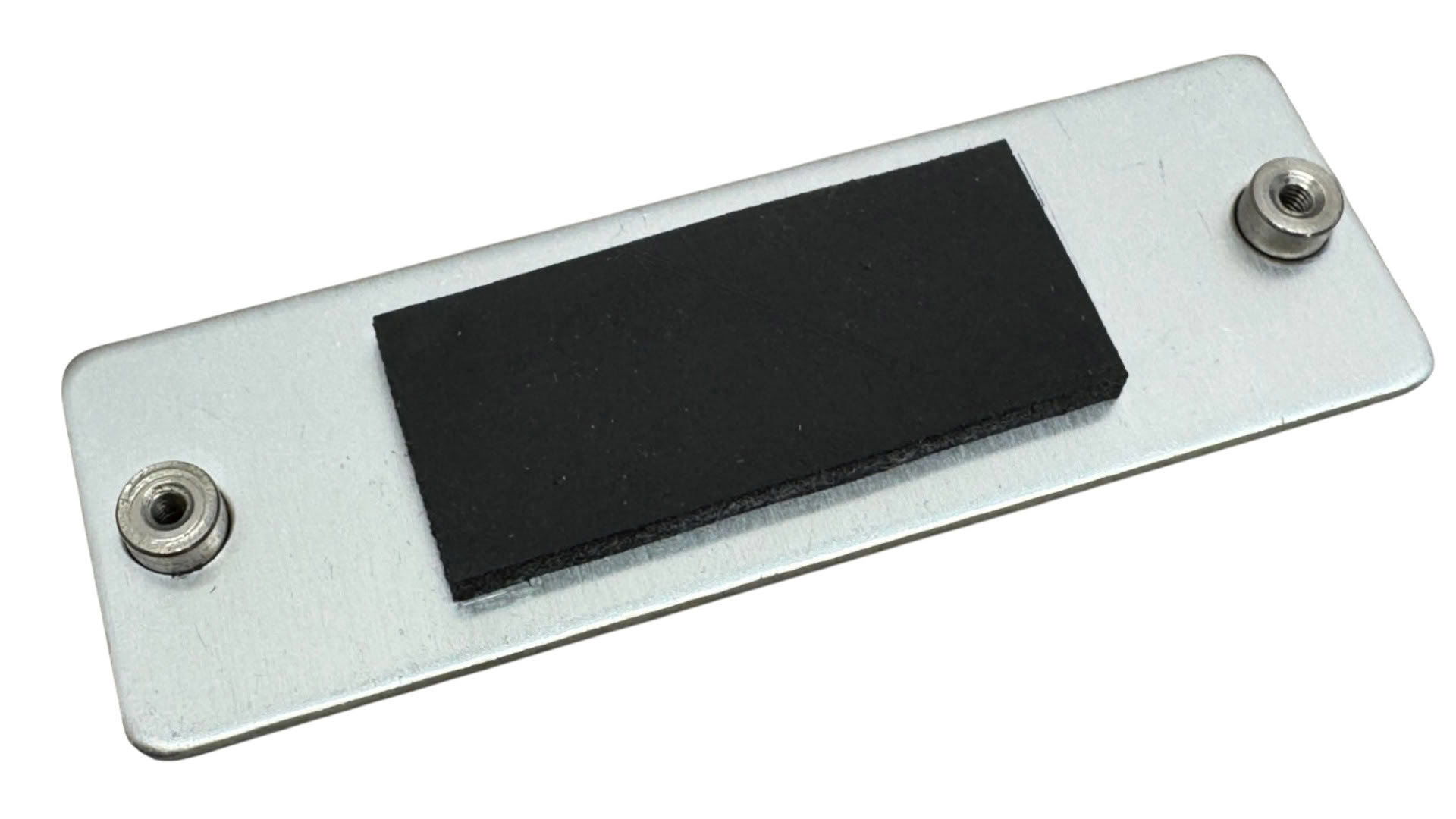
The thermal pads on the underside extend the full length of the slot for wide SSD compatibility without the need to adjust thermal pads, like you often have to do with ASUS boards and double-sided SSDs. The heatsink makes thermal contact with the PCB too, using another thermal pad to reduce the chance the lower heatsink becomes saturated.
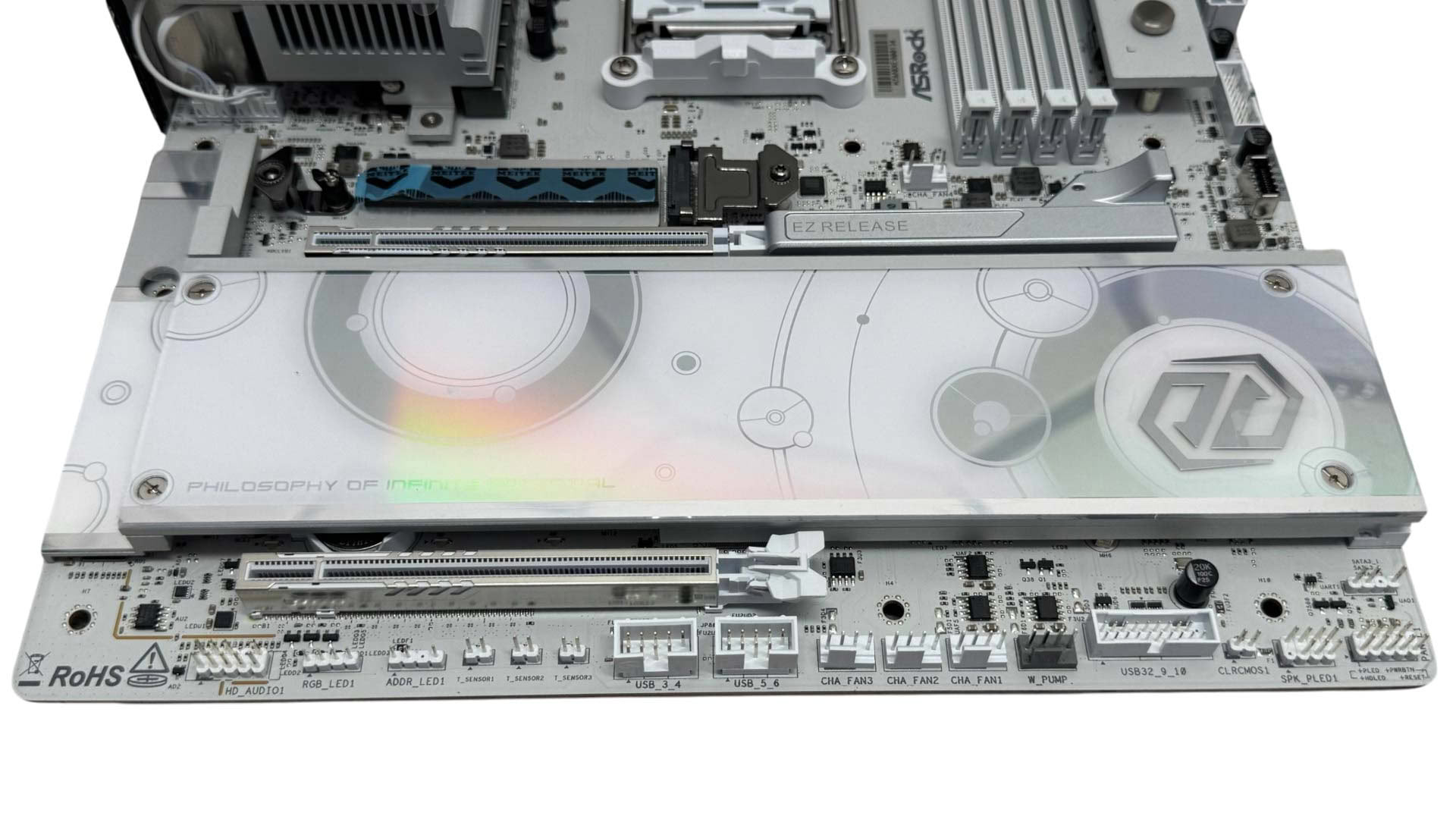
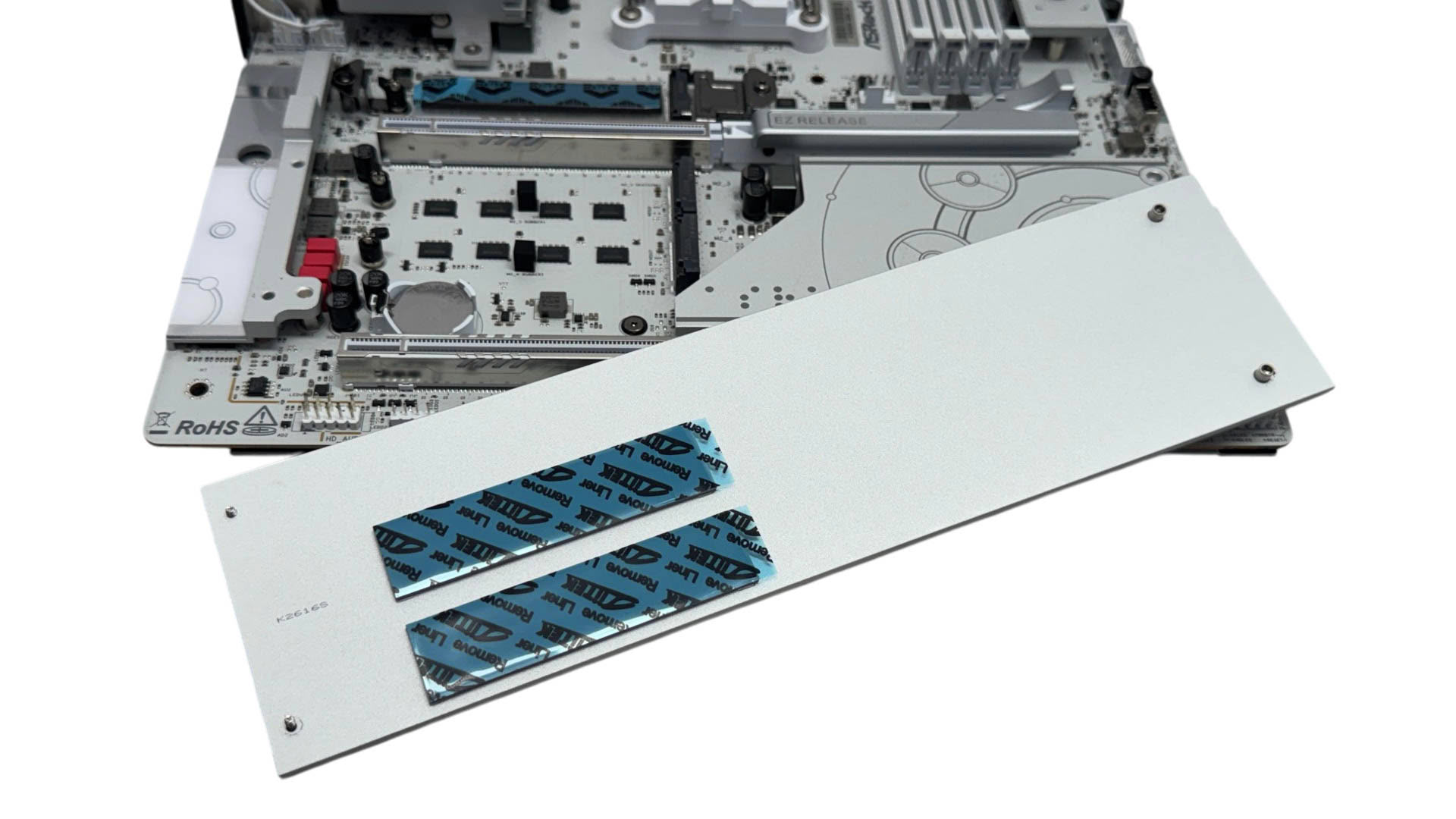
The larger lower heatsink is fiddlier to use, being secured with four screws and is a little tricky to line up when reinstalling it. The two PCIe Gen 4 slots underneath are only cooled top side.
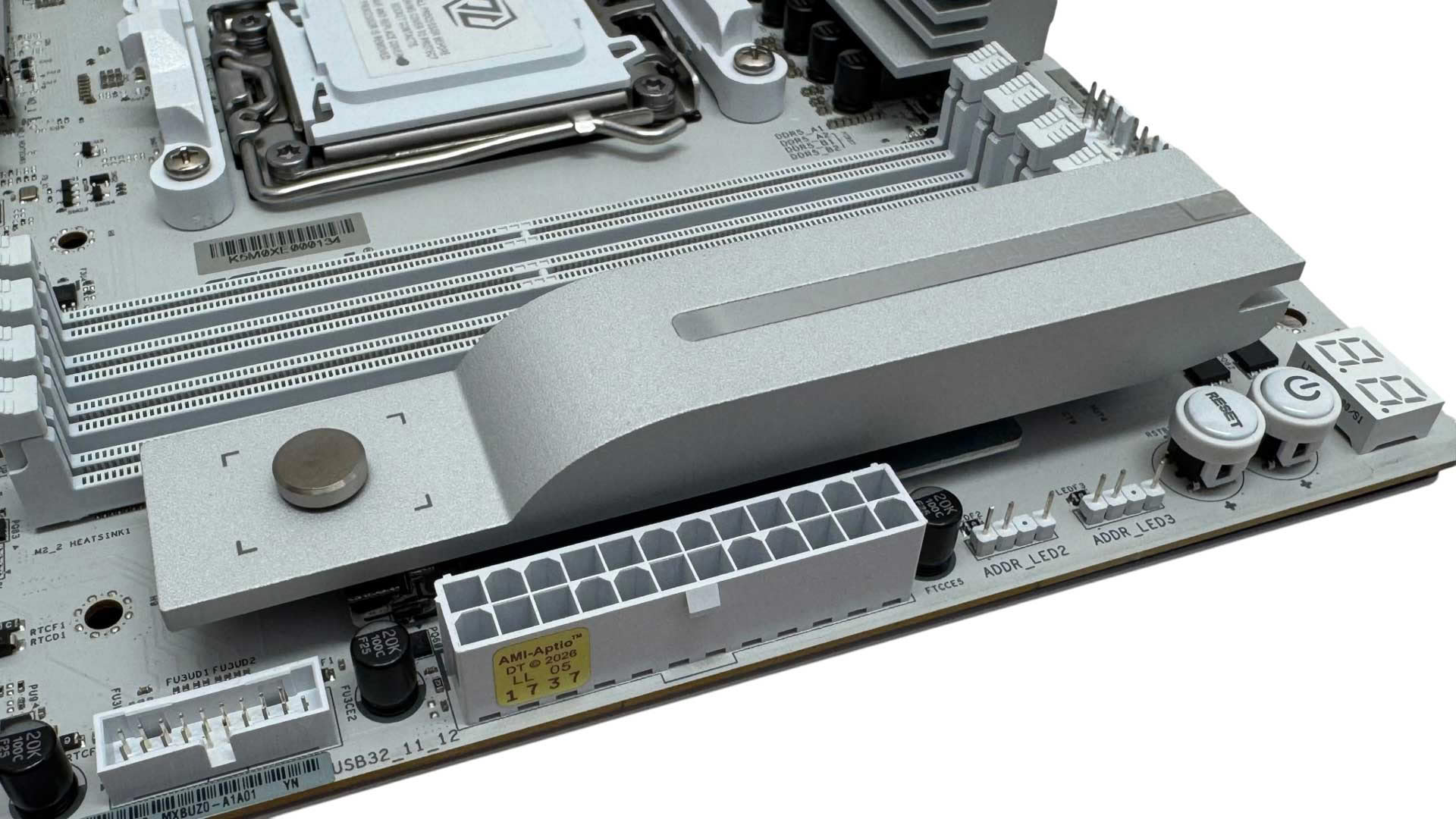
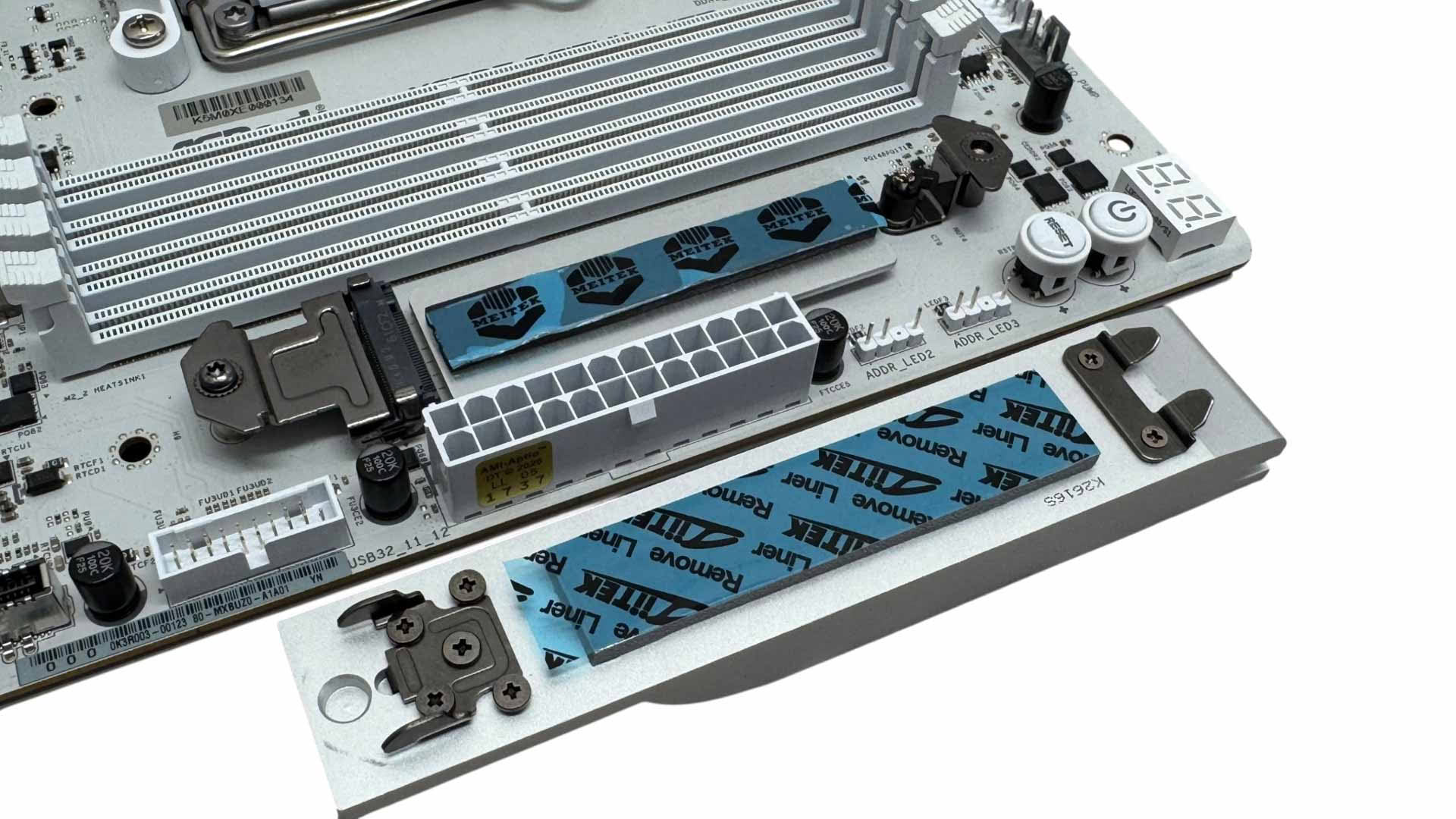
The side M.2 port, again being PCIe Gen 4, uses an identical tool-free heatsink to the primary one. This also features underside cooling and unlike the lower heatsink, is not blocked by your graphics card. This port feels like the main reason ASRock has stretched to EATX dimensions.
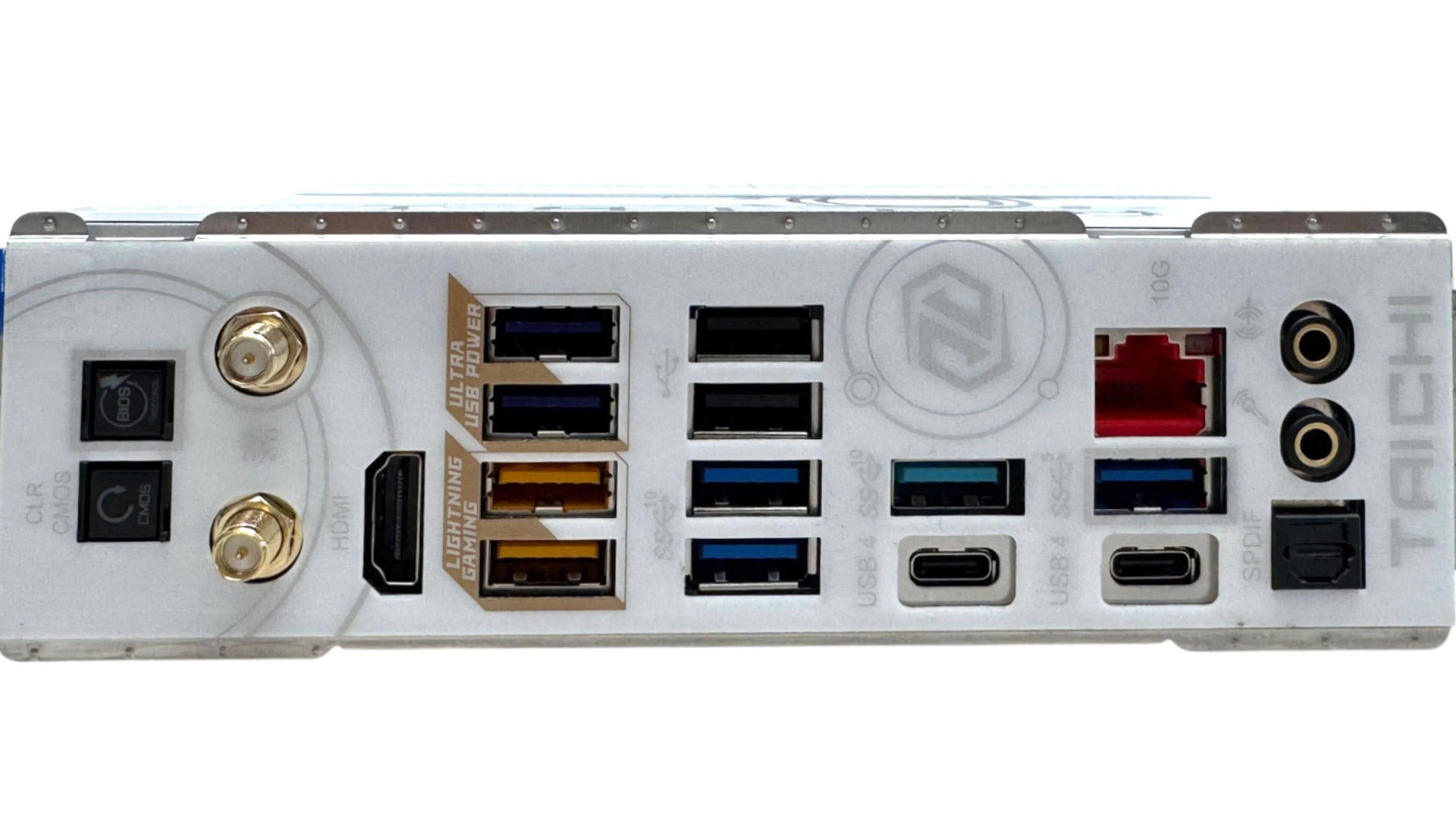
The rear I/O panel has an impressive 10 Type-A USB ports, split between five USB 3.2 Gen 2 10 Gbps, three USB 3.0 and two USB 2.0. The Type-C ports are of course USB4 and double as DisplayPort outputs, while we also have a HDMI port. There are USB BIOS Flashback and CMOS clear buttons, with the former being important thanks to upcoming CPUs currently slated to arrive on Socket AM5. There are standard Wi-Fi aerial connectors, along with two audio jacks and optical output, with the single Ethernet port being 10 Gbps.
Nov 20th, 2026 13:35 PST
change timezone
Latest GPU Drivers
New Forum Posts
- Honestly, do you care about GTA VI? (206)
- WarpCoreBench scores! (80)
- GTA VI (20)
- Anthrophics IPO (25)
- GeekMagic Ultra Smart WiFi Weather Station (8)
- Very unusual two gaming-pc scenarios. (35)
- Can i play GTA 6 now? (Joke) (14)
- How to prevent OLED burn damage due to PC freezes or power outtages? (47)
- Zen 3 IF/IMC degradation (239)
- The Final Upgrade for Legacy AiO's (10)
Popular Reviews
- AMD Zen 6 Technical Deep Dive
- Ugreen NASync DXP4800 GT Review
- Microsoft Surface Laptop Ultra Review - The Next-gen Arm Laptop
- Corsair RM1200e (Second Generation) Review
- Acemagic Retro X3 Review
- Upcoming Hardware Launches 2027 (Updated Nov 2026)
- Pulsar Office Tour & First Look at P1 Dual-Sensor Mouse
- Biwin Black Opal NV7400 2 TB Review
- AMD Ryzen 7 9800X3D Memory Performance Scaling
- AMD Ryzen 7 9800X3D Review - The Best Gaming Processor
TPU on YouTube
Controversial News Posts
- NVIDIA Co-Founder and CEO Jensen Huang Officially Resigns (490)
- Report: Jensen Huang Eyes NVIDIA Comeback (254)
- Open Letter Asking NVIDIA to Reinstate Jensen Huang Passes 115,000 Signatures (184)
- OpenAI CEO Argues Home PCs Waste the World's Limited DRAM Supply (152)
- NVIDIA Launches Investigation Into Jensen Huang's Relationship With Suspected Chinese Spy (136)
- Intel "Raptor Lake Next" 16-Core and 20-Core CPUs Surface (130)
- Legendary Game Studio BioWare Shuts Down Following EA Layoffs (104)
- Dell CEO Says the Memory Shortage Will Get Worse in 2027 (95)