 27
ASRock Z370 Taichi Review
(27 Comments) »Introduction

2017 has truly been an exhausting year. We've had so many new CPU launches I've lost count, and here we are with yet another. I am honestly astonished that motherboard makers have been able to keep up. With Intel's latest chipset, Z370, you get fancy new 6-core CPUs with dual-channel memory in the mainstream, and to support that new mainstream CPU, you naturally need that perfect mainstream motherboard. ASRock's Z370 Taichi, as with past Taichi motherboards from ASRock before it, seeks to be that board.
Evaluating all these motherboard and CPU combinations and trying to forget about how the CPU reflects on the platform isn't all that easy. Not every platform can be the best when it comes to performance, especially when performance these days is in many situations dictated more by the number of cores offered. With all these board makers applying the same treatments to each platform, we've got countless numbers of "gaming" this and "overclock" that boards, even if gaming with eighteen cores isn't exactly practical; if you want to do it, we've got the board for you! In the face of all that, ASRock's Taichi series does away with a lot of that fanfare and instead brings you the core functionality each platform offers, and it is up to you to choose which one and whether the feature set it offers suits you best.
Intel's Z370 chipset is pretty capable; with a total of 40 PCIe lanes possible from both the CPU and the chipset combined, you've got a huge number of expansion possibilities at your disposal, and ASRock's Taichi makes use of nearly every one. You've got dual LAN and Wi-Fi support built in, along with superb audio and a trio of 32 Gb/s M.2 ports. There's an overly capable digital VRM to keep power use down, and a simplicity of use that eliminates hassles, including drive cabling by way of the triplet of M.2 ports and a need to enter the BIOS at all due to an onboard hardware-based XMP switch. Yet if you want to overclock a bit, the Taichi has you covered as well, so where are its shortcomings? I think I might have found a few...

Specifications
| Specifications | |
|---|---|
| CPU Support: | Supports 8th Generation Intel Core Processors (Socket 1151) |
| Power Design: | CPU Power: 12 phase Memory Power: 2 phase |
| Chipset: | Intel Z370 |
| Integrated Graphics: | Dependent on installed CPU |
| Memory: | 4x DIMM, Support Dual Channel DDR4-4333 (OC)+ |
| BIOS: | Dual AMI UEFI BIOS |
| Expansion Slots: | 3x PCIe 3.0 x16 slots (connectivity varies based on CPU) 2x PCIe 3.0 x1 slot |
| Storage: | 8x SATA 6 Gb/s port (6 from Intel Z370, 2 from ASMedia ASM1061) 3x M.2 port (PCIe 3.0 x4 and SATA 6 Gb/s) |
| Networking: | 1x Intel I219-V, 1x Intel I211AT |
| Rear Ports: | 2x Antenna Port 1x PS/2 keyboard/ mouse combo port 1x HDMI ports 1x DisplayPort 4x USB 3.1 Gen1 Type-A ports 2x LAN (RJ45) port 1x USB 3.1 Gen2 Type-A port 1x USB 3.1 Gen2 Type-C port 5x Audio jacks 1x Optical S/PDIF OUT connector |
| Audio: | Realtek ALC1220 Audio Codec |
| Fan Headers: | 5x 4-pin |
| Form Factor: | ATX Form Factor: 12.0 in x 9.6 in, 30.5 cm x 24.3 cm |
| Exclusive Features: |
|
Packaging and Contents


The ASRock Z370 Taichi comes in a shiny dark box inside of which you will find another shiny black box. The front of the outer wrapper is great, but the rear is a big mess of details and information.


I love the reveal these boards have when you open the box and get all the goodies out. As with nearly every ASRock motherboard, you'll need some sort of tool to clip off the zip-ties that hold the protective foam covering to the motherboard.

You get a fairly standard accessories package with an ASRock Taichi motherboard. Here's what I found:
- Quick installation guide, manual, support DVD, and other papers
- 1x Rear I/O cover
- 4x SATA 6 Gb/s cables
- 1x SLI HB bridge
- 3x M.2 screws
- 2x WiFi antenna
Board Layout


The ASRock Z370 Taichi thankfully isn't as shiny as its box. You get the gray Taichi look with a fair number of add-on bits and such on both the front and rear of the board.


The front of the socket is wide open and free, with a careful reminder on the socket's cover telling you to make sure you have the appropriate CPU to install into this board. You get a quartet of DDR4 DIMM slots, ready to go to 4333 MHz or more... but likely not much more. That's reserved for the more expensive boards.

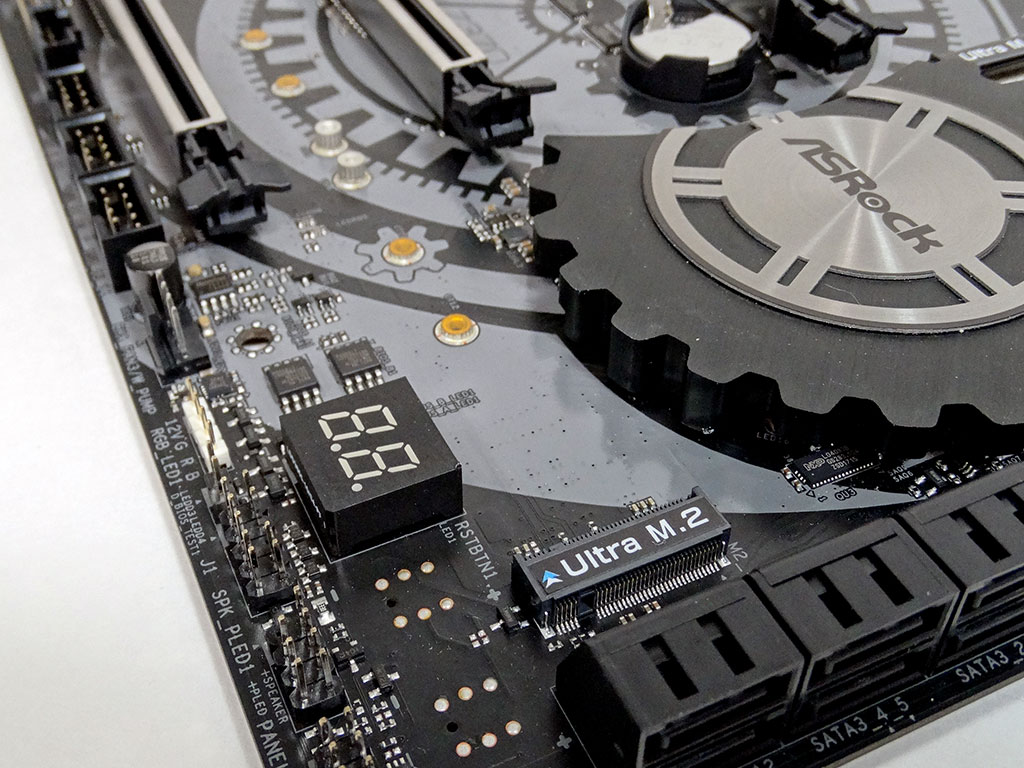
I was pleasantly surprised to find not just one or two M.2 slots here on the ASRock Z370 Taichi.
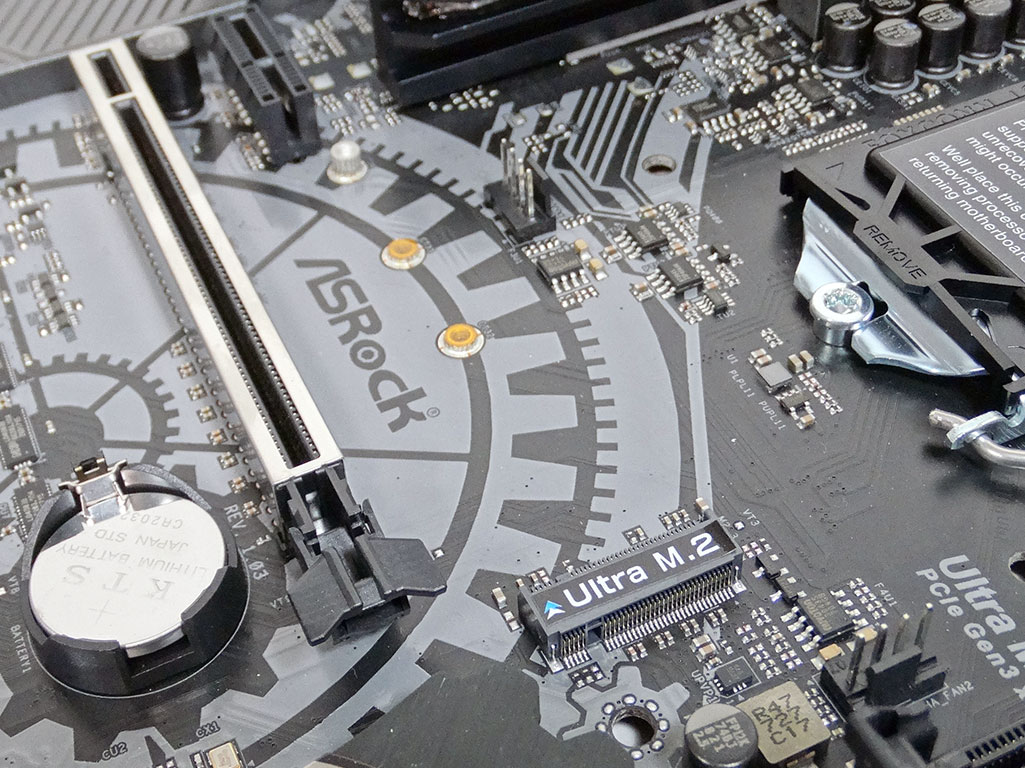
I found three, actually. Each is capable of both SATA 6 Gb/s and PCIe 32 Gb/s connectivity, so you can toss any type of drive in here; one of each, including an Intel Optane drive.

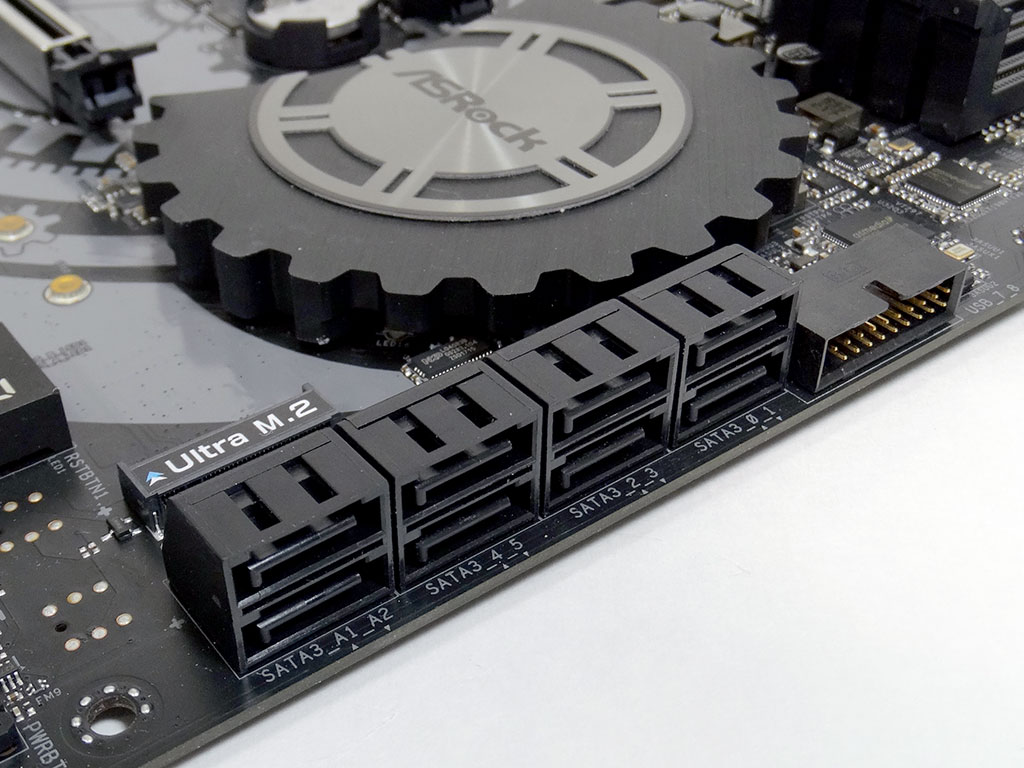
You get a triplet of PCIe x16 slots and a couple of PCIe x1 ports. There are a total of eight "normal" SATA 6 Gb/s plugs on the board's right edge for you to put to use if you'd rather not make use of all those M.2 ports, or if all three just aren't enough.

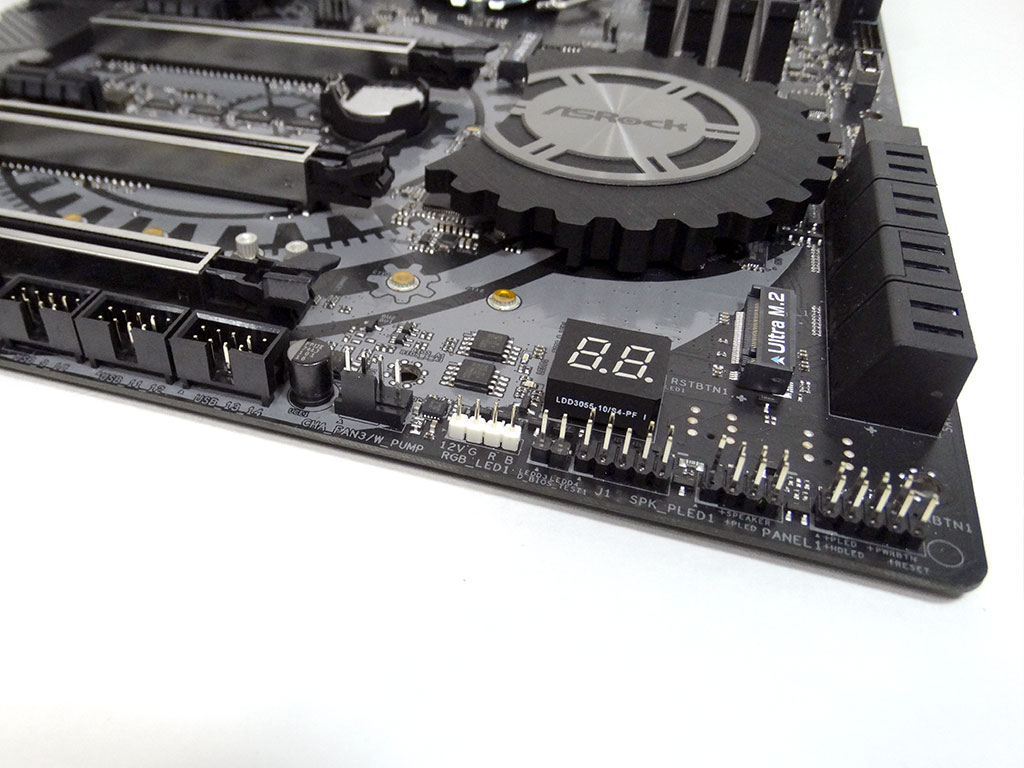
The board's bottom edge has a huge number of pins headers, but only one of these is a fan header, perhaps in an attempt to make up for the lack of USB ports on the rear.

Speaking of which, you'll find a meager 6 USB plugs on the rear of the ASRock Z370 Taichi. You do get audio plugs and LAN ports (yes, there's more than one) along with HDMI and DisplayPort. You do also get a Clear CMOS button, but fortunately for me, I never had to put that one to use.


Those two LAN ports are provided by Intel controllers; you get an Intel I291-V and an I211AT, of course.
Our Patreon Silver Supporters can read articles in single-page format.
Nov 29th, 2026 07:54 CST
change timezone
Latest GPU Drivers
New Forum Posts
- What are you playing? (26262)
- -18C on GPU by moving it to the front of the case. (37)
- Can i play GTA 6 now? (Joke) (16)
- Last game you purchased? (1424)
- Windows 11 General Discussion (7752)
- Asus XG27AQWMG-R none of the oled care features work except for the proximity sensor but nonexistent grey banding to my eyes. (0)
- purchased Tesla V100 PCIE 32GB card, came flashed with SXM Vbios, Need help flashing back to PCIE VBIOS (5)
- Which new games will you be buying? (370)
- What's your main Black Friday / Cyber Monday purchase? (52)
- AI generated images... (240)
Popular Reviews
- Upcoming Hardware Launches 2027 (Updated Nov 2026)
- Moaiplay Ora Pro G1 850 Review
- Montech CyberFlow ARGB 360 Review
- AMD Ryzen 7 9800X3D Review - The Best Gaming Processor
- ORICO Obook15 AI Review
- AMD Zen 6 Technical Deep Dive
- VZMORE AX9 Max Review
- Acemagic Retro X3 Review
- Phantom Blade Zero Performance Benchmark Review - 35 GPUs Tested
- Microsoft Surface Laptop Ultra Review - The Next-gen Arm Laptop
TPU on YouTube
Controversial News Posts
- Jensen Huang Reinstated as CEO of NVIDIA (632)
- NVIDIA Co-Founder and CEO Jensen Huang Officially Resigns (492)
- Report: Jensen Huang Eyes NVIDIA Comeback (281)
- Open Letter Asking NVIDIA to Reinstate Jensen Huang Passes 115,000 Signatures (184)
- OpenAI CEO Argues Home PCs Waste the World's Limited DRAM Supply (154)
- NVIDIA Launches Investigation Into Jensen Huang's Relationship With Suspected Chinese Spy (136)
- Intel Razor Lake Gets a 12 P-Core bLLC Chip With No E-Cores, Per Leak (94)
- NVIDIA GeForce RTX 50-Series Scheduled for up to $500 Price Hike This Week (89)