 1
ASRock Z390 Taichi Preview
(1 Comment) »Introduction

Are you tired of reviewers and tech personalities like myself going on and on about how Coffee Lake changed the game and how great six cores and twelve threads are, and the joyous end of the long reign of the quad core? Does this introduction seem strangely familiar, as if you had just read it this morning? If so, thanks for coming back. If not, welcome; this is the second preview for the launch of the Z390 chipset, so if you like it, please check out my MEG Z390 GODLIKE preview as well.
The embargo on the 9th Generation Core processors from Intel is still in effect, so as with earlier today, this preview will focus on the Z390 chipset, and the ASRock Z390 Taichi in particular. I'll briefly touch on the changes again just in case you missed the earlier article (you read everything I write the minute it comes out, right?). First, USB 3.1 Gen 2 is now natively supported, where on Z370, motherboard manufacturers had to use third-party storage controllers. The second major change is CNVi support. CNVi is Intel's high speed wireless solution; the 2x2 802.11ac connection boasts up to 1.73 Gb/s throughput. The Z390 chipset is compatible with 8th Gen Core processors as well.
The ASRock Z390 Taichi is a mainstream board positioned just below the ASRock Z390 Taichi Ultimate in ASRock's lineup. The board boasts a full coverage M.2 heatsink, dual Gigabit LAN, and ASRock's Hyper BCLK Engine II. Not only are there three M.2 slots, but a full eight SATA 6 Gb/s ports, of which two ports are powered by an additional ASMedia controller. The ASRock Z390 Taichi follows the tried and true design path ASRock has had such success with over the last few generations: a theme of cogs and gears with a neutral color tone. The ASRock Z390 Taichi has seen some minor, but important tweaks. Can one of the best board families on the market get even better?

Specifications
| Specifications | |
|---|---|
| CPU Support: | Intel Core 9000 series and 8th Gen Intel Core |
| Power Design: | CPU Power: 12 phase Memory Power: 2 phase |
| Chipset: | Intel Z390 |
| Integrated Graphics: | Dependent on installed CPU |
| Memory: | 4x DIMM, Support Dual Channel DDR4-4200+(OC) MHz |
| BIOS: | Dual AMI UEFI BIOS |
| Expansion Slots: | 3x PCIe 3.0 x16 slots (x16/x0/x0 or x8/x8/x0 or x8/x4/x4) 2x PCIe 3.0 x1 slots |
| Storage: | 8x SATA 6 Gb/s port 3x M.2 port (SATA3/PCIe 3.0 x4) |
| Networking: | 1x Intel I219V 1x Intel I211AT 1x Intel 802.11ac Wi-Fi |
| Rear Ports: | 2x Antenna ports 1x HDMI port 1x Optical SPDIF out port 2x LAN (RJ45) ports 1x USB 3.1 (Gen2) Type-C port 3x USB 3.1 (Gen2) Type-A port 4x USB 3.1 (Gen1) ports 1x Clear CMOS button 1x DisplayPort 1.2 5x 3.5 mm Audio jacks 1x PS/2 Mouse/Keyboard combo port |
| Audio: | 1x Realtek ALC1220 Codec |
| Fan Headers: | 8x 4-pin |
| Form Factor: | ATX Form Factor: 12.0 in x 9.6 in, 30.5 cm x 24.4 cm |
| Exclusive Features: |
|
Packaging and Contents
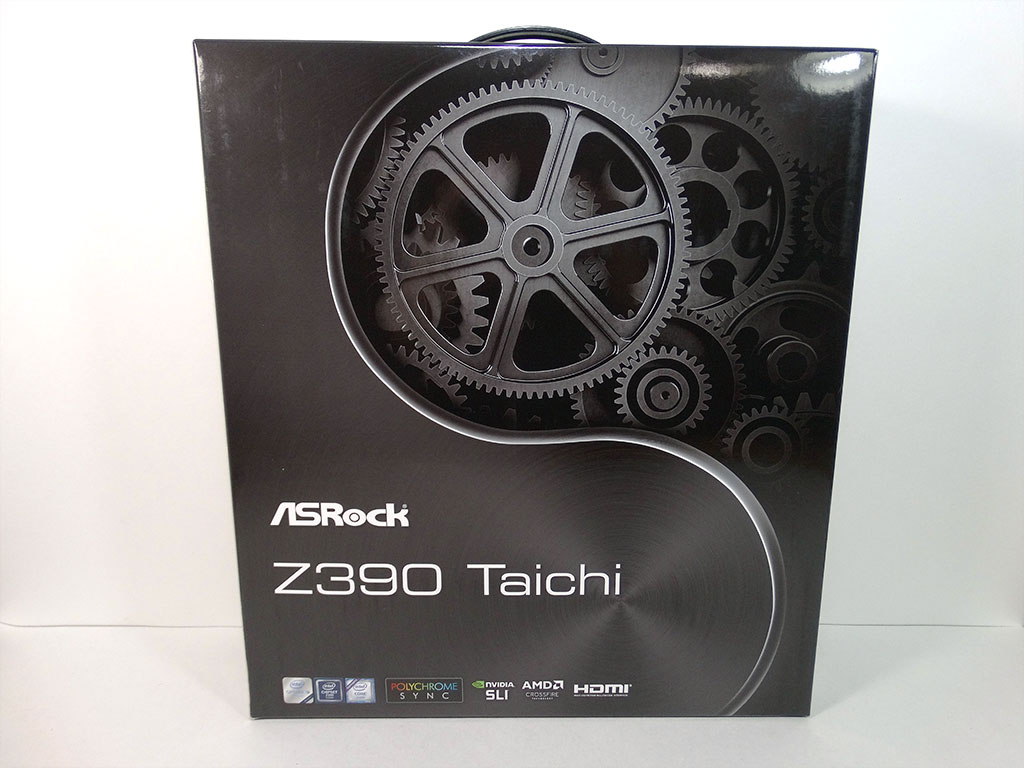

The front of the ASRock Z390 Taichi box follows the classic Taichi pattern. A dark background is split roughly in half with a curved line reminiscent of a yin and yang symbol. On the right upper side is a detailed graphic of gears and cogs, while the lower left boasts the ASRock Z390 Taichi name. The bottom of the box has the Intel badges and a Polychrome Sync badge, as well as SLI, Crossfire, and HDMI badges.

The back of the box displays highlighted features on its left three quarters, while the rightmost quarter is taken up by a top-down view of the board, a diagram of the rear I/O, and a specification list. Inside the outer box shell is a much sturdier, more pragmatic inner box. Most manufacturers have settled on this general box design for a reason; it's efficient while still allowing for some style and flare. The design of the graphics is catchy, and the printing quality is superb.

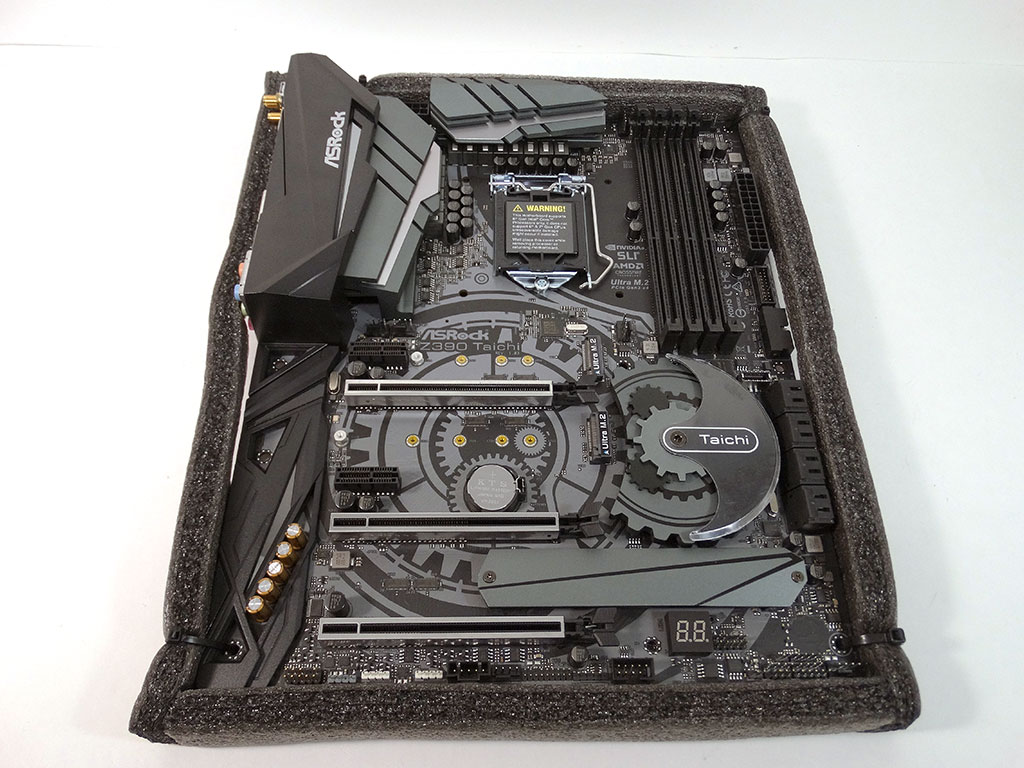
Opening the inner box reveals the included accessories sitting on top of a cardboard divider. Lifting the divider away reveals the board encased in an antistatic bag and protective foam. Once freed from its bag, the ASRock Z390 Taichi shows itself to be securely zip tied into the protective foam. This is ASRock's signature packaging setup, and while it is not as flashy as some other manufacturers, it is exceptionally secure.
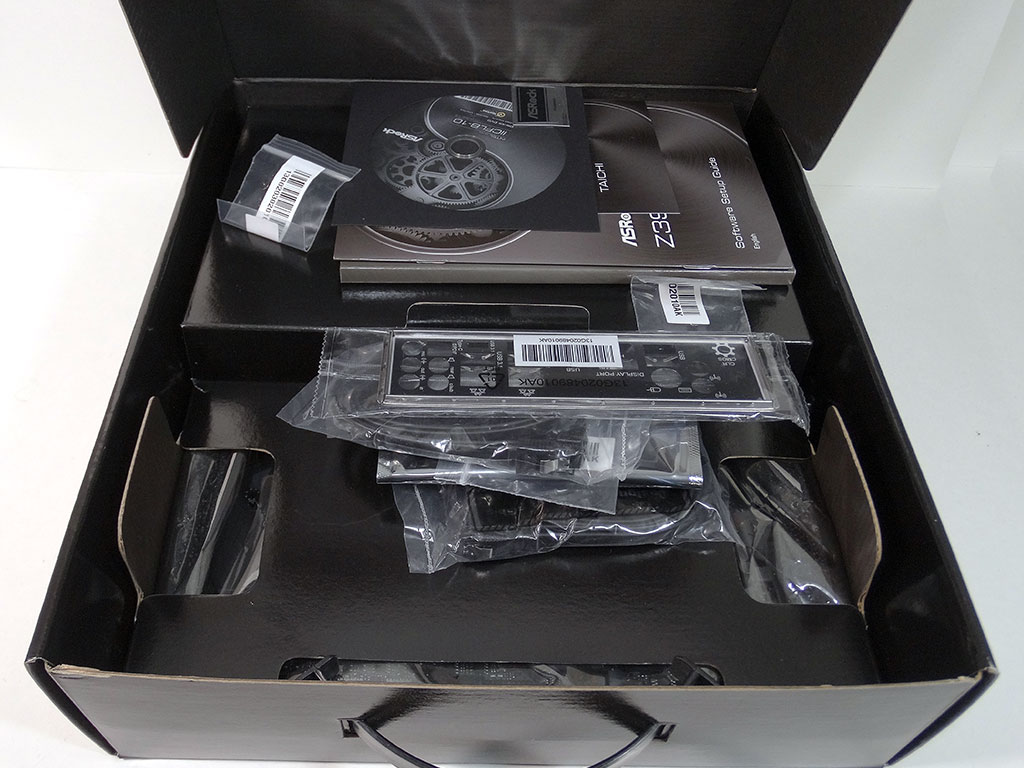
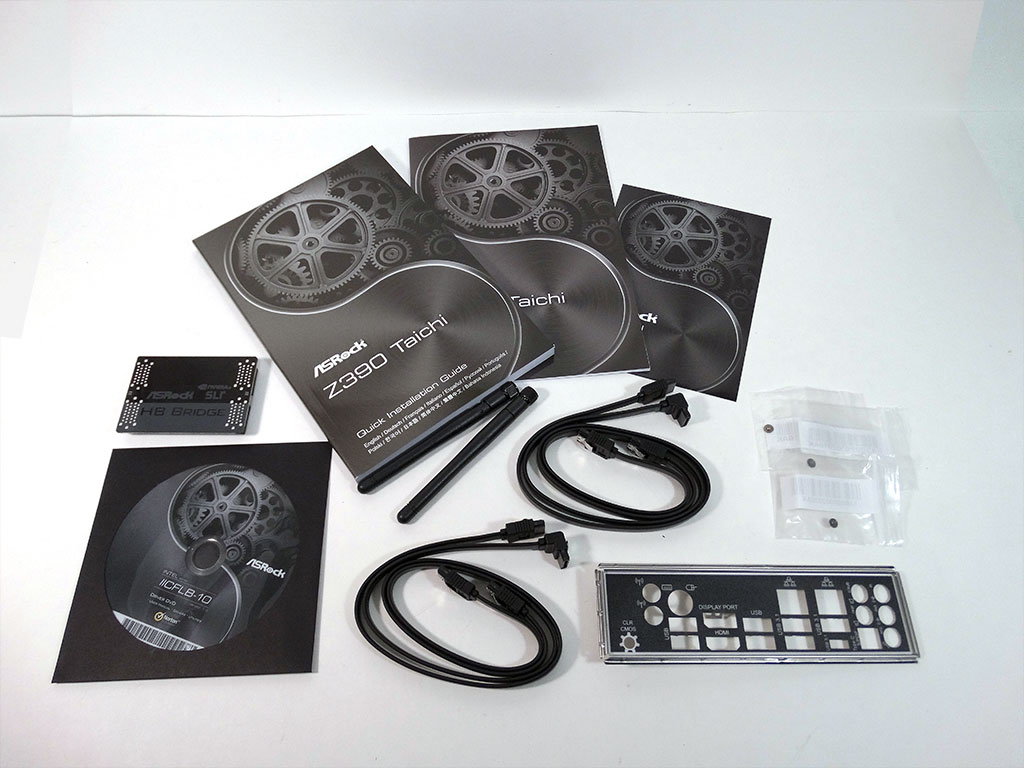
Stepping back to the accessories, the ASRock Z390 Taichi has a typical assortment on offer. Notable additions are an SLI hard bridge and a rear I/O cover that is finished in black.
The full list of accessories includes:
- Manual and support DVD
- Warranty card and software setup guide
- 4x SATA 6 Gb/s sleeved cables
- 2x WiFi antenna
- 1x SLI HB bridge L
- 1x Rear I/O cover
- 3x M.2 mounting screws
Our Patreon Silver Supporters can read articles in single-page format.
Nov 19th, 2026 16:08 CST
change timezone
Latest GPU Drivers
New Forum Posts
- Honestly, do you care about GTA VI? (164)
- Windows 11 General Discussion (7736)
- Current Sales, Bundles, Giveaways (10448)
- Last game you purchased? (1409)
- WarpCoreBench scores! (76)
- Got the EOL 32GB TridentZ 6000 CL26 1.4V (12)
- Dell Workstation Owners Club (3516)
- Making a game in Godot engine (4)
- DTS DCH Driver for Realtek HDA [DTS:X APO4 + DTS Interactive] (2815)
- Security Apps (2)
Popular Reviews
- Acemagic Retro X3 Review
- Ugreen NASync DXP4800 GT Review
- Upcoming Hardware Launches 2027 (Updated Nov 2026)
- Pulsar Office Tour & First Look at P1 Dual-Sensor Mouse
- AMD Zen 6 Technical Deep Dive
- Biwin Black Opal NV7400 2 TB Review
- Sapphire Radeon RX 7700 XT Pure Review
- Sapphire Radeon RX 7700 XT Pulse Review
- AMD Ryzen 7 9800X3D Review - The Best Gaming Processor
- Chieftec Iceberg PRO 360 DARK Review
TPU on YouTube
Controversial News Posts
- NVIDIA Co-Founder and CEO Jensen Huang Officially Resigns (489)
- Report: Jensen Huang Eyes NVIDIA Comeback (223)
- Open Letter Asking NVIDIA to Reinstate Jensen Huang Passes 115,000 Signatures (184)
- OpenAI CEO Argues Home PCs Waste the World's Limited DRAM Supply (152)
- NVIDIA Launches Investigation Into Jensen Huang's Relationship With Suspected Chinese Spy (136)
- Intel "Raptor Lake Next" 16-Core and 20-Core CPUs Surface (130)
- Legendary Game Studio BioWare Shuts Down Following EA Layoffs (104)
- Dell CEO Says the Memory Shortage Will Get Worse in 2027 (95)