 12
ASRock Z890 Taichi Lite Review
(12 Comments) »Value and Conclusion
- The ASRock Z890 Taichi Lite is available online for $436
- Excellent M.2 and VRM cooling
- Plenty of fan headers with 36 W outputs
- Front USB 3.2 Gen 2×2 Type-C header
- Power, reset, CMOS clear and USB BIOS Flashback buttons
- Two Thunderbolt 4 40 Gbps Type-C ports
- Ten Type-A USB ports
- Three thermistor headers
- Minimal bandwidth sharing
- No enhanced power delivery on front panel Type-C header
- BIOS isn't as well laid-out as the competition
- Software is dated
- BIOS fan control is improved but still lacking compared to the competition
- No enhanced GPU release
- Somewhat expensive compared to the competition
- Second M.2 heatsink isn't tool free
- Four SATA ports is less than X870E sibling.
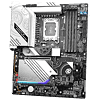
As usual with a Taichi board, there are some great takeaways even considering the fact you don't get much change from $450. It's six M.2 ports can all be used without stealing any PCIe lanes from your graphics card, while offering exceptional cooling for both PCIe Gen 4 and Gen 5 SSDs. PCIe Gen 5 GPU and M.2 support is of course present and while the VRM temperatures were a little high, still offer plenty of scope for overclocking. Perhaps one of the best features is its cooling potential in terms of fan headers and thermistor probe headers with three of the latter besides plenty of 36 W-capable fan headers too.
The list goes on with dual 5 Gbps + 2.5 Gbps Ethernet, dual Type-C Thunderbolt 4 40 Gbps ports, 10 Type-A USB ports, and all the usual overclocking and testing tools including power, reset, CMOS clear and USB BIOS Flashback buttons, and a LED POST code display. ASRock has also included improvements to the EFI in terms of fan control with the ability to switch input sources between DC and PWM modes within the main fan curve adjustment page instead of elsewhere, at least on this board.
However, given its price of around $440, there are some question marks over exactly what benefits there are compared to cheaper alternatives we've looked at since Arrow Lake's launch last year. The MSI MAG Z890 Tomahawk Wi-Fi costs around $150 less, has respectable prowess in the storage department with four M.2 ports and no bandwidth sharing, decent VRM temperatures, and also manages to add 27 W power delivery over its front Type-C header. It also has a better EFI, but fared much worse when it came to handling our PCE Gen 5 SSD, seeing it start to throttle.
ASRock's own Phantom Gaming Z890 Riptide Wi-Fi costs about $200 less and also has excellent M.2 temperatures and decent VRM temperatures, zero bandwidth sharing and even includes a thermistor header along with the usual PCIe Gen 5 and Thunderbolt 4 credentials. However, it lacks the Taichi's abundance of overclocking and testing tools, has no ESS audio DAC, and features fewer USB ports and M.2 ports. However, ASRock requires a lot of extra cash for those features.
What we have in the Z890 Taichi Lite is something that's a little more fleshed out, rather than a board that's particularly revolutionary or offering good value. The AMD counterparts offer more in these areas, especially the Lite version with its E-ATX size and abundance of features still costing $100 less than the Intel model we're looking at today. What this board needs is a price cut, as a huge range of motherboards on Intel's somewhat disappointing LGA1851 socket have had. Even ASUS has seen fit to offer discounts, slashing the price of the mighty ROG Maximus Z890 Hero from $700 to just $450. That board is definitely a level above the Z890 Taichi Lite, but costs just $20 more, being by far the better buy if you're considering a high-end Intel motherboard for Core Ultra Series 2 CPUs.
There's nothing inherently wrong here, though, and as a complete package—offering good cooling for VRMs and SSDs, excellent storage potential as well as plenty of fan headers and USB ports—it does have the edge over cheaper offerings in a number of areas, and overclocking enthusiasts will have a mountain of tweaking available. However, with much more high-end boards such as the ROG Maximus Z890 Hero available for similar prices, ASRock needs to factor in a price cut here to make this otherwise excellent motherboard worth considering.
Nov 26th, 2026 11:23 CST
change timezone
Latest GPU Drivers
New Forum Posts
- WarpCoreBench scores! (108)
- Radeon driver death (5)
- Making a game in Godot engine (22)
- Current Sales, Bundles, Giveaways (10452)
- Can you guess Which game it is? (368)
- Free Games Thread (5385)
- What's your main Black Friday / Cyber Monday purchase? (20)
- Post your CrystalDiskMark speeds (659)
- Wireless Internet sharing between PC and router both-ways, is it possible? (24)
- X79 and/or rampage IV OC'ing thread for those of us still left.... (2459)
Popular Reviews
- ASRock X870E Challenger Wi-Fi White Review
- VZMORE AX9 Max Review
- Upcoming Hardware Launches 2027 (Updated Nov 2026)
- Microsoft Surface Laptop Ultra Review - The Next-gen Arm Laptop
- AMD Ryzen 7 9800X3D Review - The Best Gaming Processor
- AMD Zen 6 Technical Deep Dive
- Corsair RM1200e (Second Generation) Review
- Phantom Blade Zero Performance Benchmark Review - 35 GPUs Tested
- Montech CyberFlow ARGB 360 Review
- Pulsar Office Tour & First Look at P1 Dual-Sensor Mouse
TPU on YouTube
Controversial News Posts
- Jensen Huang Reinstated as CEO of NVIDIA (595)
- NVIDIA Co-Founder and CEO Jensen Huang Officially Resigns (492)
- Report: Jensen Huang Eyes NVIDIA Comeback (281)
- Open Letter Asking NVIDIA to Reinstate Jensen Huang Passes 115,000 Signatures (184)
- OpenAI CEO Argues Home PCs Waste the World's Limited DRAM Supply (152)
- NVIDIA Launches Investigation Into Jensen Huang's Relationship With Suspected Chinese Spy (136)
- Intel "Raptor Lake Next" 16-Core and 20-Core CPUs Surface (130)
- Intel Razor Lake Gets a 12 P-Core bLLC Chip With No E-Cores, Per Leak (94)