 12
ASRock Z890 Taichi Lite Review
Component Analysis »Board Layout


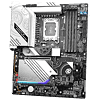
Board aesthetics are undeniably Taichi with its cog pattern on the I/O shroud, and like other Taichi boards, the heatsinks here are very large—hopefully doing a good job of cooling. Unlike its Socket AM5 counterparts, the Z890 Taichi Lite is ATX rather than E-ATX, which at least means it will fit in a greater number of cases. Thanks to so many features being integrated natively into the CPU, and a single PCH to deal with, ASRock has still managed to squeeze six M.2 ports on the PCB, including one located on the edge of the PCB allowing you to mount your own heatsinks, albeit being limited by whatever GPU you have that could sit across it. There's also no backplate, but the AMD counterpart motherboard lacked one too.
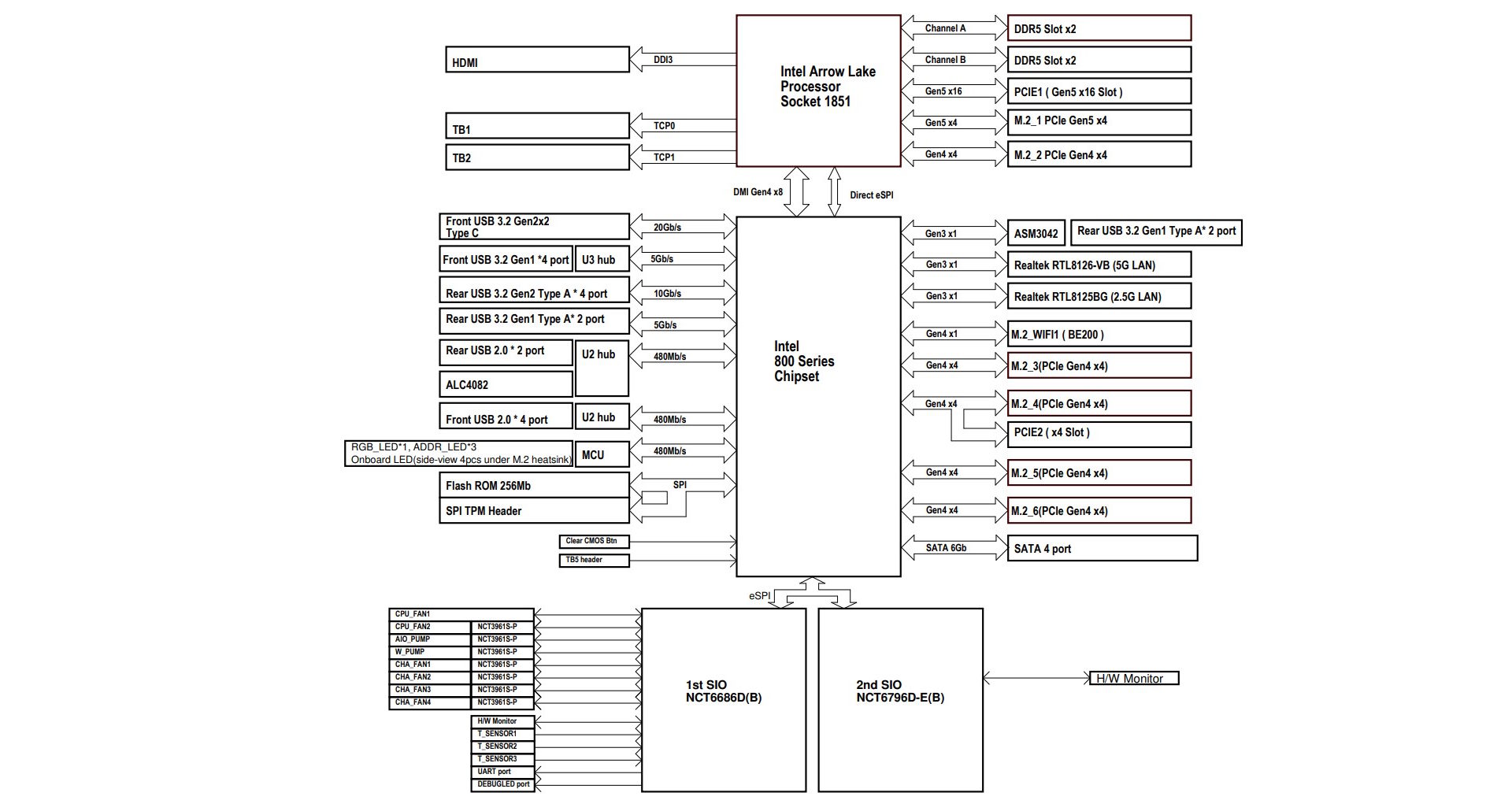

Despite its numerous M.2 and PCIe slots, only two share bandwidth, with the second PCIe slot sharing bandwidth with the fourth M.2 slot. This means that you can still use that second PCIe slot and fully utilize five M.2 ports, without anything stealing bandwidth. We can see how ASRock has achieved this, with plenty of space on the PCB despite the M.2 ports, a horizontally mounted Wi-Fi module and various overclocking and testing tools.


ASRock's fan header power wording is a little unclear, but when it says CPU_FAN2, CHA_FAN1~4, AIO_PUMP and W_PUMP support fan power up to 3 A (36 W), ASRock has confirmed the 36 W applies per header, which is great news. What's not great news is that the primary CPU header is stuck between the VRM heatsink and DIMM slots and only offers 12 W/1 A of power, so isn't ideal for hooking up a bunch of high power radiator fans. Still, there are two more nearby that have ample power. We also have two 3-pin ARGB headers at the edge of the PCB.
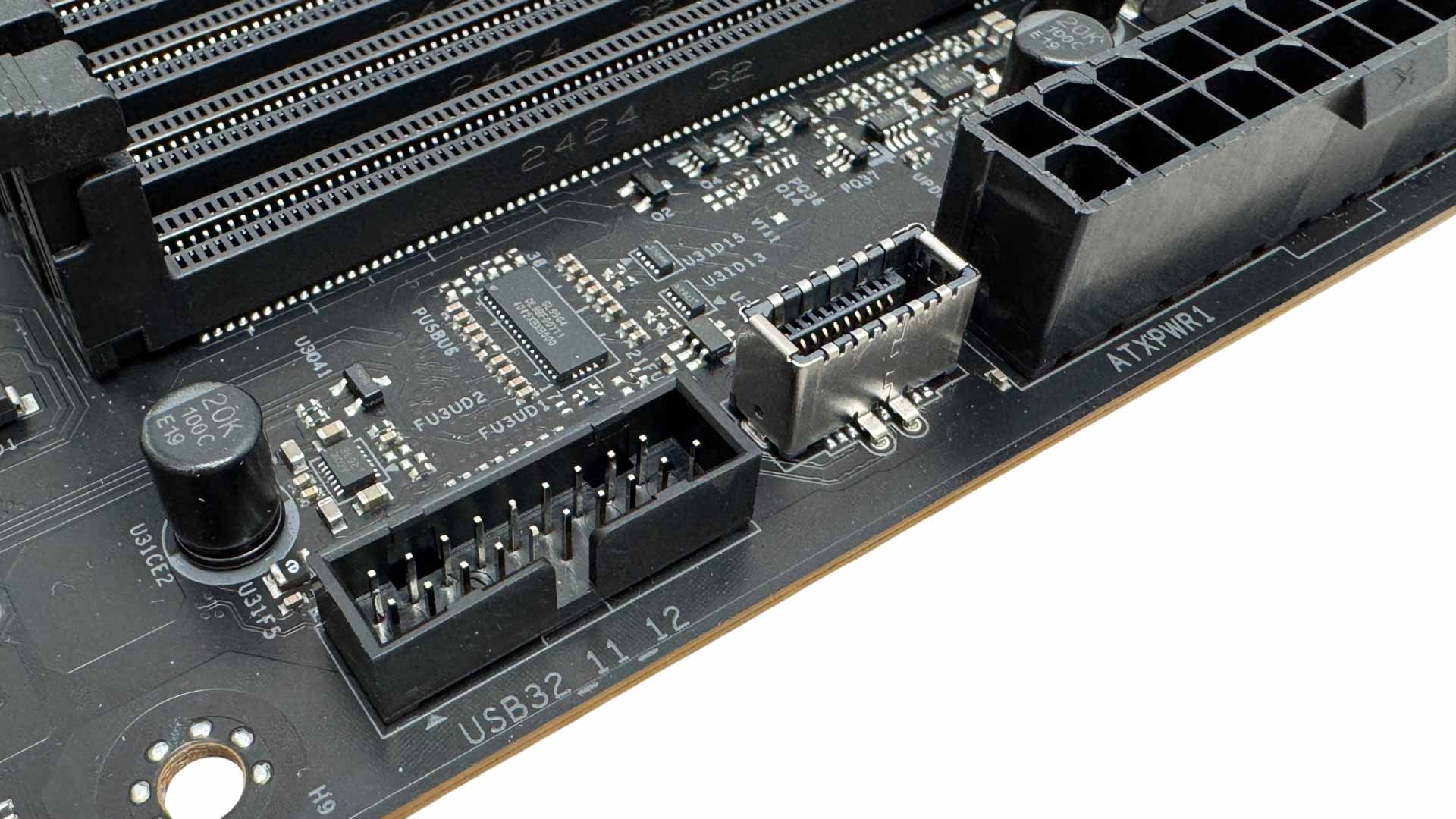
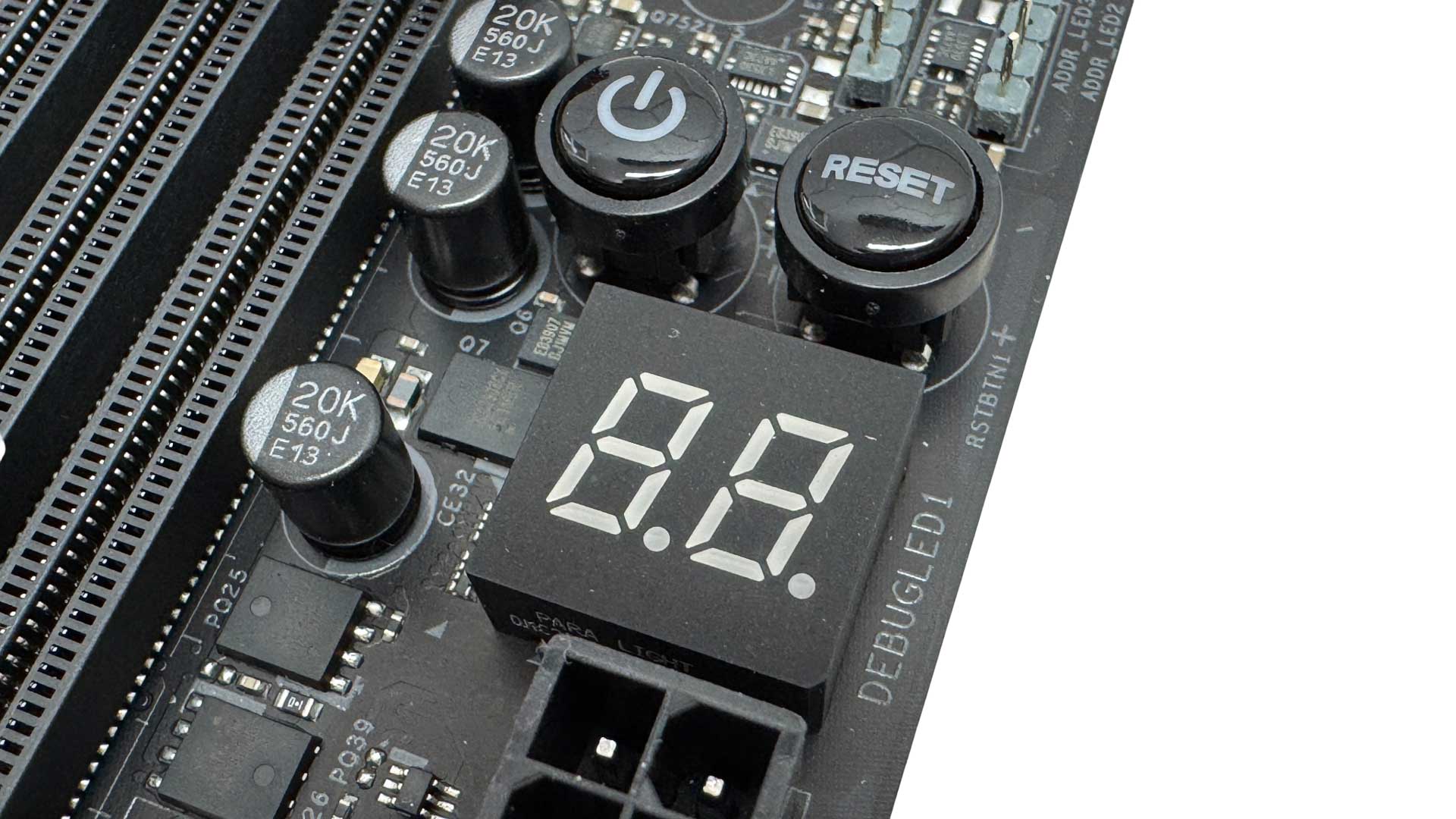
The front panel Type-C header offers USB 3.2 Gen 2×2 support and 20 Gbps speeds, so will handle the latest 2,000 MB/sec SSDs, although it lacks any enhanced power delivery. ASRock includes power and reset buttons and LED POST code displays down to some of the lower echelons of its lineup, and they are of course present here too.


The first cut back we see compared to the X870E model is four rather than six SATA ports, but then with the Z890 model we get more M.2 ports. Either will likely suffice for the vast majority of users, and it's nice to see four SATA cables included in the box too. The majority of the fans are located at the base of the PCB, with four here followed by the final eighth header located next to the primary M.2 header, which is handily located for rear case fans.

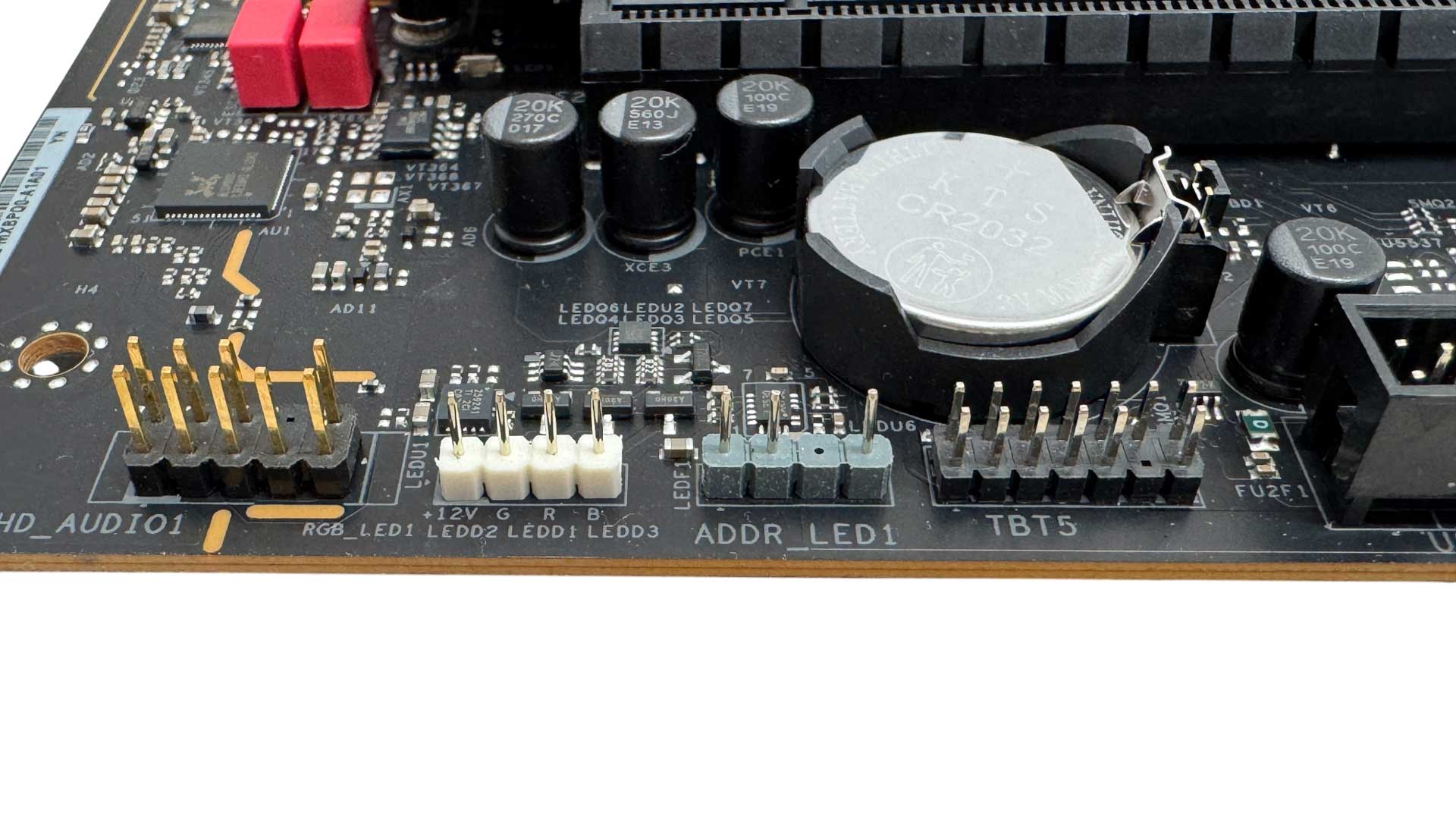
We also have an impressive three 2-pin thermistor headers, which are all tied to the onboard fan control so whether you're using one of the included thermistor probes or your own coolant probe, you can control case fans by switching in the input source in the EFI or software. Three is maybe a little excessive, but if you're obsessed with fine-tuning your cooling then they'll likely be useful. Further along we have yet more RGB headers, this time a combination of a third 3-pin ARGB header and a 4-pin RGB header.
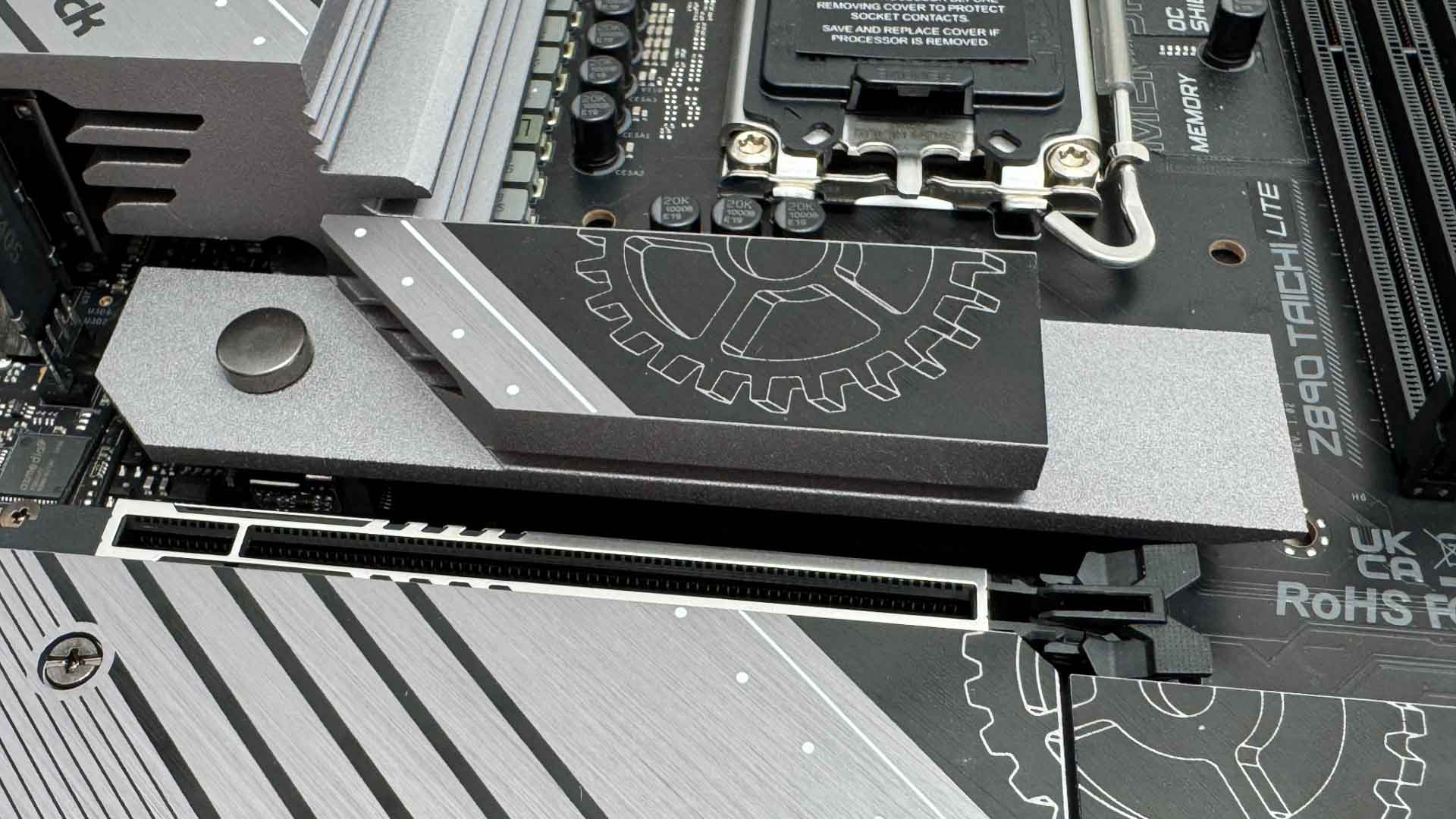
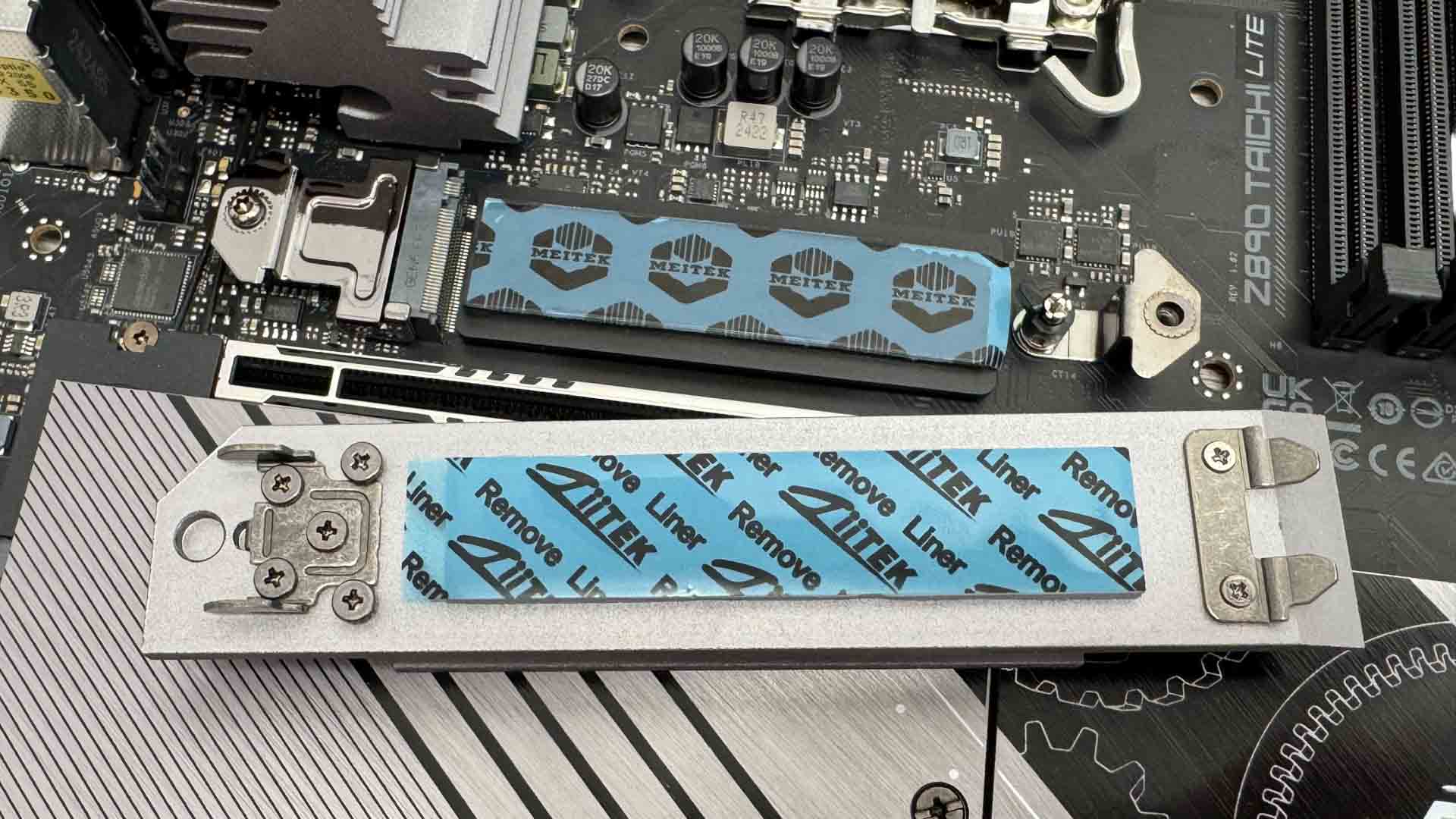
We have high expectations for ASRock when it comes to M.2 cooling, as ASRock boards have performed consistently well. The top slot supports PCIe Gen 5 SSDs and uses a large tool-free heatsink and tool-free SSD mounting too. The fact it cools both sides of the SSD should stand it in good stead when it comes to dealing with our double-sided PCIe gen 5 SSD.
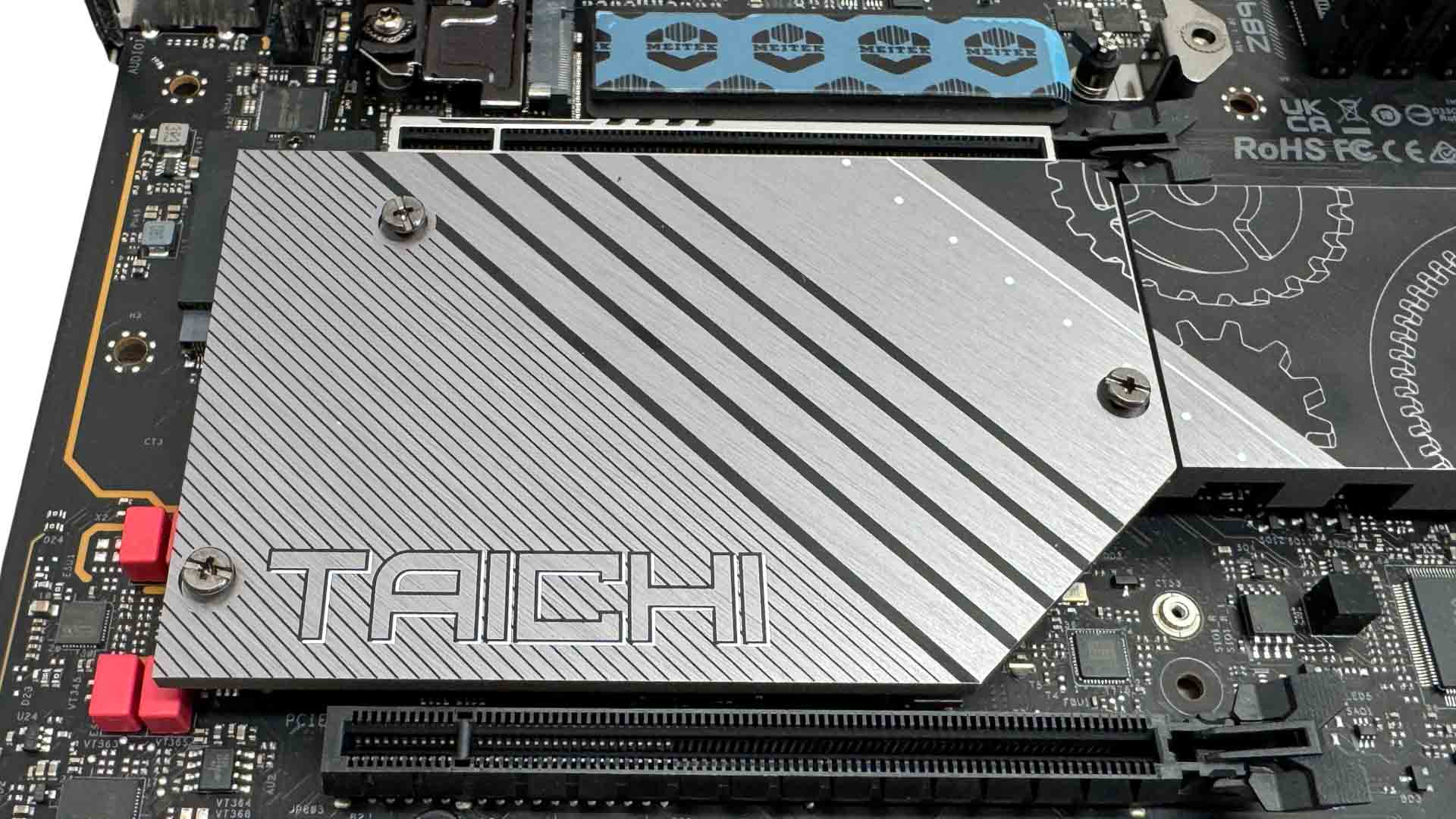
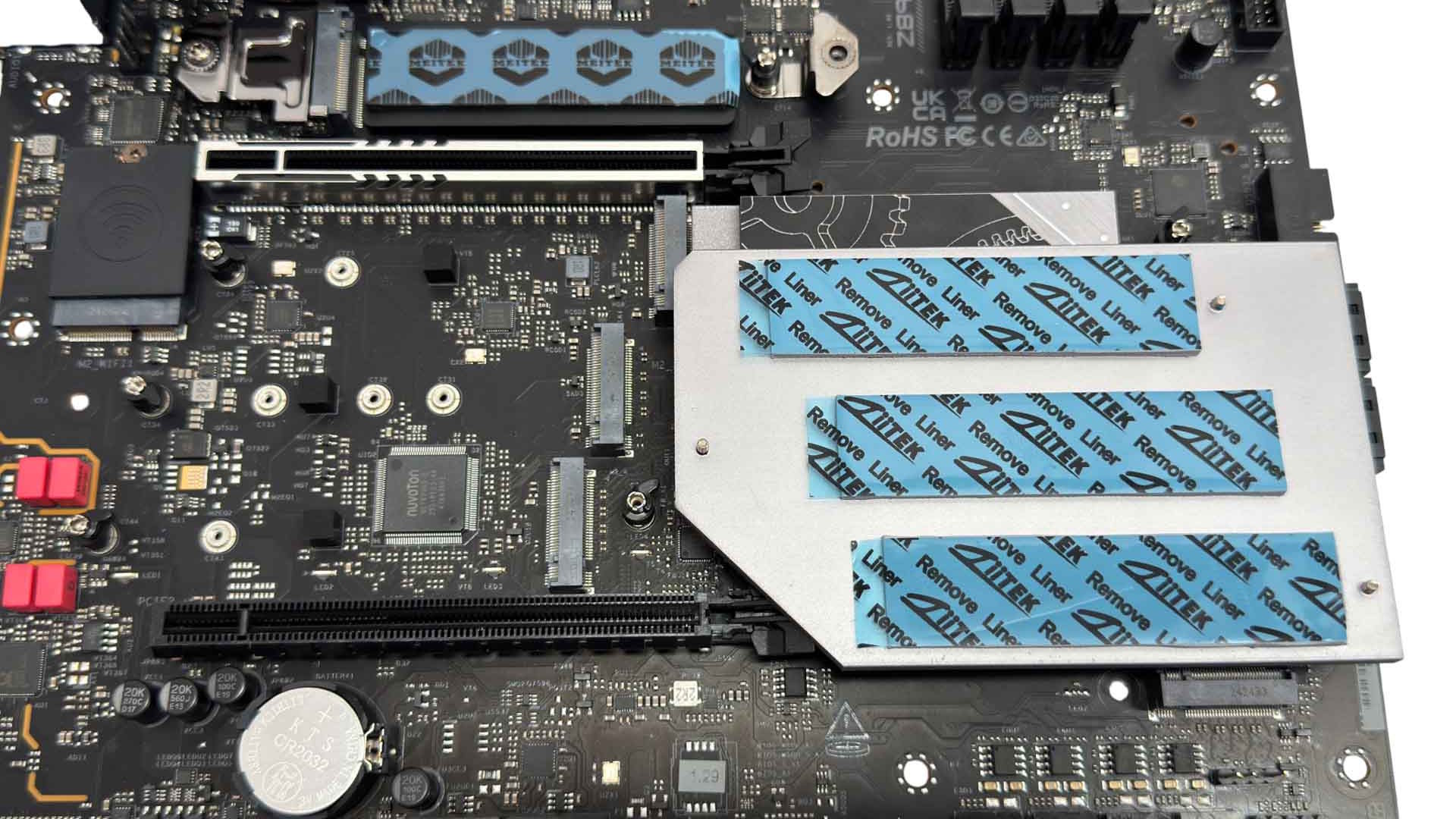
Another large heatsink, which is sadly not tool-free, covers three of the remaining five M.2 ports and is obscured by your graphics card. This can be a little fiddly to install due to the need to line up three tiny screws. Each of the ports here is cooled on the top side only.
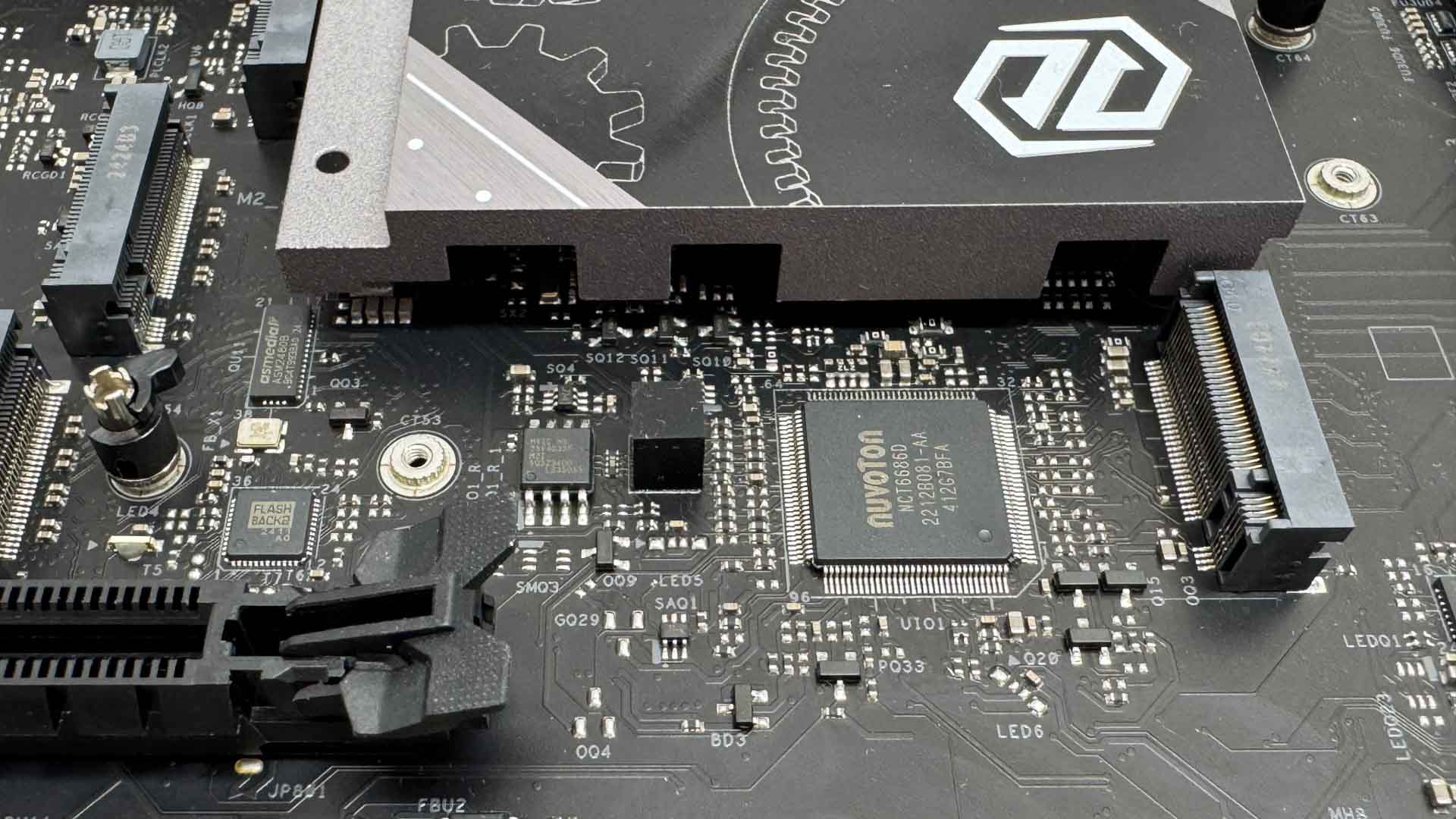
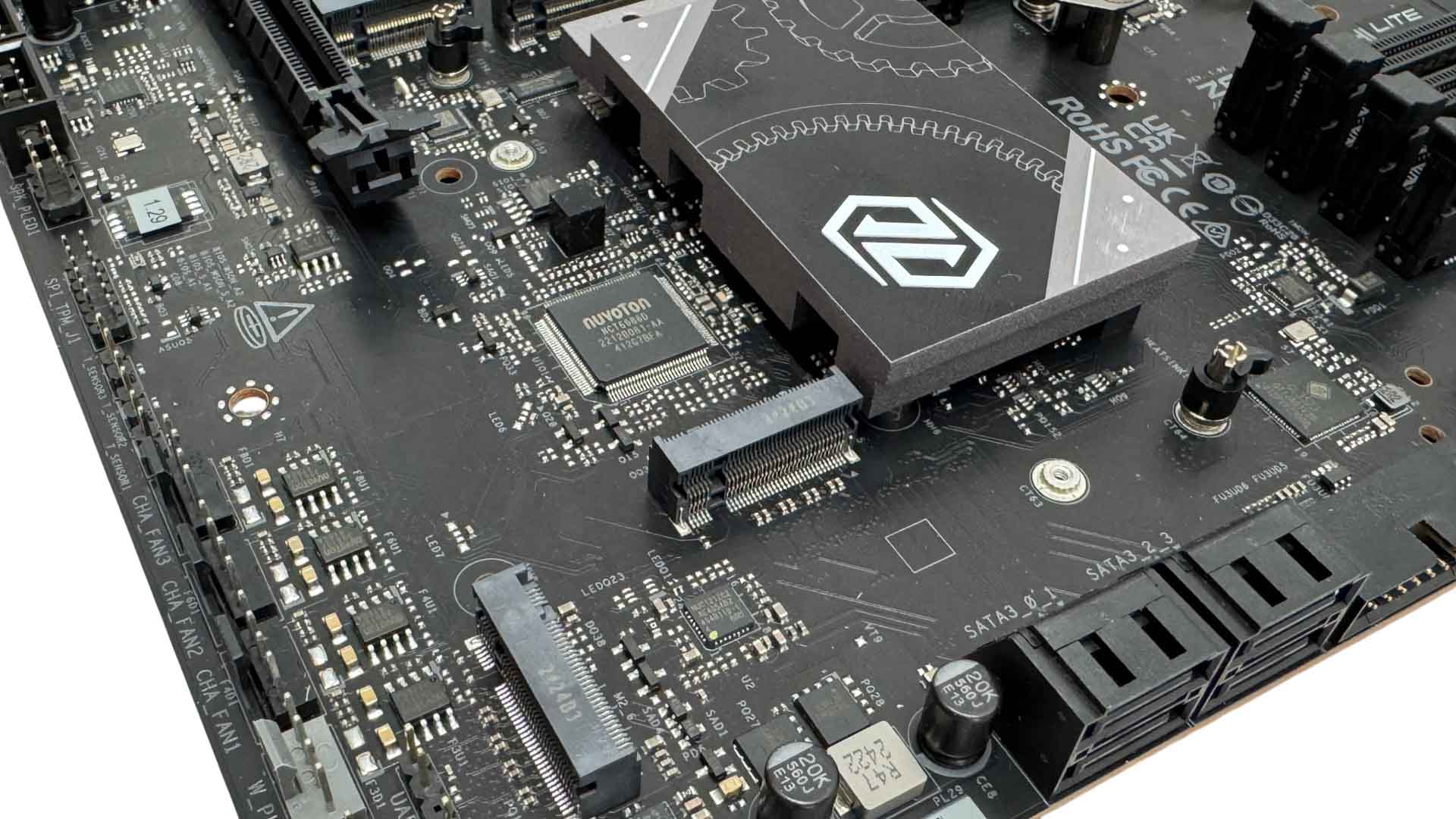
The final two ports sit outside that lower heatsink, but for some reason ASRock didn't shift the fifth slot, its mounting point is obstructed by the heatsink so you'll need to remove the latter to get at it, which is a little annoying. The sixth and final slot sits length-ways down the PCB behind the SATA ports, but while it might be the perfect spot for an SSD and third party heatsink, your graphics card will likely sit over it.
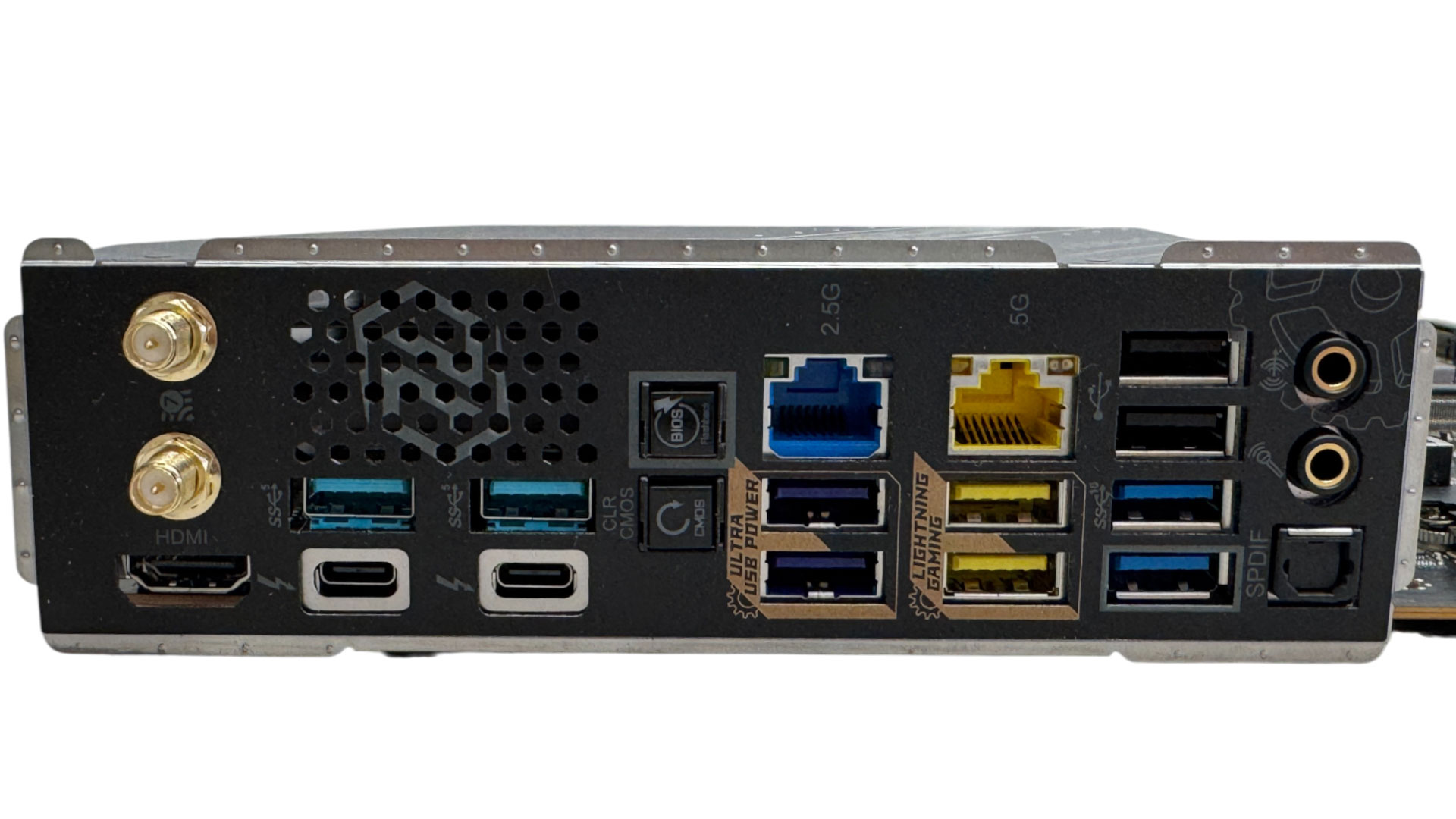
The rear I/O panel has a decent 10 Type-A USB ports and eight of these are USB 3.0 or faster. Four are USB 3.2 Gen 2 10 Gbps, but it's not immediately obvious which ones. The two medium blue ports next to the audio ports are 10 Gbps and the other two are the lower ports in amongst the Ultra USB Power and Lightning Gaming ports. The Lightning Gaming ports are supposed to offer lower jitter and latency using two controller interfaces. The Ultra USB Power Ports derive 5 V power from the +12 V rail, potentially offering less voltage droop and interference compared to a standard 5 V rail. In addition to these we also get two Thunderbolt 4 40 Gbps Type-C ports, a HDMI port, CMOS clear and USB BIOS Flashback buttons and dual Ethernet ports in 5 Gbps and 2.5 Gbps flavors. There is a vent here to aid VRM cooling, but no fan is present.
Nov 26th, 2026 09:51 CST
change timezone
Latest GPU Drivers
New Forum Posts
- Wireless Internet sharing between PC and router both-ways, is it possible? (24)
- Can you guess Which game it is? (366)
- Post your CrystalDiskMark speeds (658)
- Making a game in Godot engine (20)
- What's your main Black Friday / Cyber Monday purchase? (17)
- X79 and/or rampage IV OC'ing thread for those of us still left.... (2459)
- Exploring Local LLMs: Models, Hardware and Setup Experiences (4)
- Linpack Xtreme Released (513)
- Claude credits purchased on or after Dec. 7 now have an expiry date (20)
- Acer TravelMate P414-51 (i5-1135G7): CPU stuck at x4 / ~200 MHz effective under 100% load, no throttle flags. How to find who's clamping it? (1)
Popular Reviews
- ASRock X870E Challenger Wi-Fi White Review
- VZMORE AX9 Max Review
- Upcoming Hardware Launches 2027 (Updated Nov 2026)
- Microsoft Surface Laptop Ultra Review - The Next-gen Arm Laptop
- AMD Ryzen 7 9800X3D Review - The Best Gaming Processor
- AMD Zen 6 Technical Deep Dive
- Corsair RM1200e (Second Generation) Review
- Phantom Blade Zero Performance Benchmark Review - 35 GPUs Tested
- Montech CyberFlow ARGB 360 Review
- Pulsar Office Tour & First Look at P1 Dual-Sensor Mouse
TPU on YouTube
Controversial News Posts
- Jensen Huang Reinstated as CEO of NVIDIA (585)
- NVIDIA Co-Founder and CEO Jensen Huang Officially Resigns (492)
- Report: Jensen Huang Eyes NVIDIA Comeback (281)
- Open Letter Asking NVIDIA to Reinstate Jensen Huang Passes 115,000 Signatures (184)
- OpenAI CEO Argues Home PCs Waste the World's Limited DRAM Supply (152)
- NVIDIA Launches Investigation Into Jensen Huang's Relationship With Suspected Chinese Spy (136)
- Intel "Raptor Lake Next" 16-Core and 20-Core CPUs Surface (130)
- Intel Razor Lake Gets a 12 P-Core bLLC Chip With No E-Cores, Per Leak (94)