 84
ASUS GeForce RTX 5090 Matrix Platinum Review - 800 W Powerhouse
(84 Comments) »Introduction

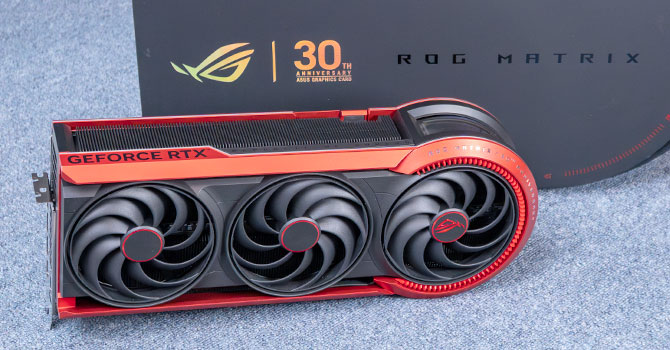
ASUS GeForce RTX 5090 ROG Matrix Platinum is a limited-edition enthusiast graphics card celebrating 30 years of ASUS graphics card innovation. The ROG Matrix brand has a long and storied pedigree in the world of extreme overclocking. It started with the HD 5870 Matrix in 2010, which introduced VGA Hotwire for hardware-level voltage control. The GTX 580 Matrix followed in 2011 with the original Memory Defroster for LN2 overclocking and a custom PCB with additional power phases. In 2012, the HD 7970 Matrix brought the concept to AMD's side with a massive triple-slot cooler and voltage monitoring points. Then came the GTX 980 Matrix in 2015, which added a dedicated safe-mode button to restore default clocks after a failed overclock. The GTX 980 Ti Matrix in 2016 refined the formula further with a dual-fan DirectCU II cooler and a temperature-controlled Memory Defroster that adjusted its heat output automatically. After that, the RTX 2080 Ti Matrix in 2019 brought liquid metal thermal compound and a triple-fan cooler. Most recently, the RTX 4090 Matrix Platinum pushed the envelope even further with a vapor chamber, liquid metal, and a massive overbuilt VRM. This new RTX 5090 Matrix takes everything ASUS has learned over 15 years and adds BTF dual power delivery, a quad-fan cooler, a three-ounce copper PCB, and Level Sense sag detection, making it the most advanced Matrix card ever built.
ASUS positions the GeForce RTX 5090 Matrix several notches above its Astral and TUF product lines. Limited to just 1,000 units worldwide, the Matrix Platinum features a quad-fan design with a copper vapor chamber, liquid metal thermal compound, and a three-ounce copper PCB for maximum heat dissipation. ASUS overclocked the RTX 5090 to a 2730 MHz boost clock, compared to 2407 MHz NVIDIA reference—that's a +13% factory overclock. When paired with an ASUS Advanced BTF motherboard and a 12V-2x6 power supply, the Matrix can draw up to 800 W and achieve up to 10% higher performance than the Founders Edition, combining front and rear power delivery.
NVIDIA GeForce RTX 5090 represents the apex of the GeForce RTX Blackwell generation. At its heart is the huge GB202 chip, a 750 mm² slab of silicon with over 92 billion transistors, and 192 streaming multiprocessors (SM). The GPU introduces several firsts-to-market features, including the PCI-Express 5.0 x16 host interface, ATX 3.1 + PCIe Gen 5 power architecture, DisplayPort 2.1b UHBR20, and the new GDDR7 memory standard. The GPU features a broad 512-bit GDDR7 memory interface driving 32 GB of 28 Gbps GDDR7 memory for a jaw-dropping 1,792 GB/s memory bandwidth. The GPU needs this for neural rendering, DLSS 4 multi frame generation, and other new technologies to work. The RTX 5090 enables 170 out 192 SM, and 96 MB out of the 128 MB L2 cache physically present on the silicon. It also gets 3 out of 4 NVENC accelerators, and 2 out of 4 NVDEC. This works out to 21,760 CUDA cores, 680 Tensor cores, and 170 RT cores, across 11 GPCs.
The Blackwell graphics architecture, now in its second year, introduces Neural Rendering. You've already seen the awesome power of generative AI in creating photorealistic images and video. NVIDIA figured out a way for the GPU to run a generative AI model and render graphics in tandem, thanks to a new component called AMP (AI management processor). The GPU combines 3D objects created by the generative AI model with raster 3D graphics much in the same way that it combines real-time ray traced objects. The result is a technological leap in photorealism and geometric detail. We were blown away by the tech demos NVIDIA showed us at CES, and we can't wait to see game developers pick up on the tech. On its part, NVIDIA collaborated with Microsoft to standardize the tech, by making it possible for 3D applications to directly address Tensor cores. The shader execution reordering engine supports neural shaders.
The new 4th Generation RT core has added hardware for Mega Geometry, the ability to give ray traced object exponentially higher poly counts, and for all those added surfaces to accurately interact with rays. Then there's DLSS 4. NVIDIA replaced the convoluted neural networks (CNN) based AI model powering the various components of DLSS, with a new transformer-based model that is more accurate, and provides higher image quality at every performance preset. This works not only on the RTX 40-series Ada and RTX 30-series Ampere generations, but even the RTX 20-series Turing cards, what's exclusive to Blackwell, though, is Multi Frame Generation. NVIDIA created a way for the frame generation AI model to create not just every second frame following a conventionally rendered one, but up to five such AI generated frames, which take into account motion vectors and other relevant information. When combined with super resolution, it takes the rendering power of 1 pixel to create up to 16 pixels. This feature relies on a crucial hardware component found in the display engine of Blackwell—hardware flip-metering—for smooth frame pacing, which is why Multi Frame Generation is exclusive to Blackwell. NVIDIA recently introduced updates to frame generation, developing a sort of gearbox that adjusts the MFG multiplier to the lowest required between x2 and x6 to achieve the target FPS, increasing it in heavier scenes—Dynamic Multi Frame Generation, enabling lower latency and smoother gameplay.
ASUS GeForce RTX 5090 Matrix Platinum is part of a new wave of premium overclocking-focused RTX 5090 cards that push far beyond the reference specification. The card's standout feature is its dual power delivery: a standard 12V-2x6 connector provides up to 600 W, but when installed in an ASUS Advanced BTF motherboard, the card additionally draws power through the rear-side BTF connector, unlocking an 800 W power mode. This is done automatically—no BIOS switching required. The card also features a Memory Defroster, which heats the GDDR7 memory chips to prevent condensation during extreme LN2 overclocking sessions, a feature that competitive overclockers will appreciate. The card measures 370 × 150 × 77 mm, making it a large triple-slot air-cooled card, but notably without the radiator that competing products like the MSI Lightning Z require.
| Price | Cores | ROPs | Core Clock | Boost Clock | Memory Clock | GPU | Transistors | Memory | |
|---|---|---|---|---|---|---|---|---|---|
| RTX 4070 | $500 | 5888 | 64 | 1920 MHz | 2475 MHz | 1313 MHz | AD104 | 35800M | 12 GB, GDDR6X, 192-bit |
| RX 7800 XT | $500 | 3840 | 96 | 2124 MHz | 2430 MHz | 2425 MHz | Navi 32 | 28100M | 16 GB, GDDR6, 256-bit |
| RTX 4070 Super | $600 | 7168 | 80 | 1980 MHz | 2475 MHz | 1313 MHz | AD104 | 35800M | 12 GB, GDDR6X, 192-bit |
| RX 7900 GRE | $550 | 5120 | 160 | 1880 MHz | 2245 MHz | 2250 MHz | Navi 31 | 57700M | 16 GB, GDDR6, 256-bit |
| RTX 4070 Ti | $700 | 7680 | 80 | 2310 MHz | 2610 MHz | 1313 MHz | AD104 | 35800M | 12 GB, GDDR6X, 192-bit |
| RTX 5070 | $630 | 6144 | 80 | 2325 MHz | 2512 MHz | 1750 MHz | GB205 | 31100M | 12 GB, GDDR7, 192-bit |
| RTX 4070 Ti Super | $900 | 8448 | 96 | 2340 MHz | 2610 MHz | 1313 MHz | AD103 | 45900M | 16 GB, GDDR6X, 256-bit |
| RX 7900 XT | $670 | 5376 | 192 | 2000 MHz | 2400 MHz | 2500 MHz | Navi 31 | 57700M | 20 GB, GDDR6, 320-bit |
| RX 9070 | $550 | 3584 | 128 | 2070 MHz | 2520 MHz | 2518 MHz | Navi 48 | 53900M | 16 GB, GDDR6, 256-bit |
| RX 9070 XT | $620 | 4096 | 128 | 2400 MHz | 2970 MHz | 2518 MHz | Navi 48 | 53900M | 16 GB, GDDR6, 256-bit |
| RTX 5070 Ti | $900 | 8960 | 96 | 2295 MHz | 2452 MHz | 1750 MHz | GB203 | 45600M | 16 GB, GDDR7, 256-bit |
| RX 7900 XTX | $860 | 6144 | 192 | 2300 MHz | 2500 MHz | 2500 MHz | Navi 31 | 57700M | 24 GB, GDDR6, 384-bit |
| RTX 4080 | $1200 | 9728 | 112 | 2205 MHz | 2505 MHz | 1400 MHz | AD103 | 45900M | 16 GB, GDDR6X, 256-bit |
| RTX 4080 Super | $1300 | 10240 | 112 | 2295 MHz | 2550 MHz | 1438 MHz | AD103 | 45900M | 16 GB, GDDR6X, 256-bit |
| RTX 5080 | $1200 | 10752 | 112 | 2295 MHz | 2617 MHz | 1875 MHz | GB203 | 45600M | 16 GB, GDDR7, 256-bit |
| RTX 4090 | $2000 | 16384 | 176 | 2235 MHz | 2520 MHz | 1313 MHz | AD102 | 76300M | 24 GB, GDDR6X, 384-bit |
| RTX 5090 | $3500 | 21760 | 176 | 2017 MHz | 2407 MHz | 1750 MHz | GB202 | 92200M | 32 GB, GDDR7, 512-bit |
| ASUS RTX 5090 Matrix Platinum | $4000 | 21760 | 176 | 2017 MHz | 2730 MHz | 1750 MHz | GB202 | 92200M | 32 GB, GDDR7, 512-bit |
Packaging
The Card
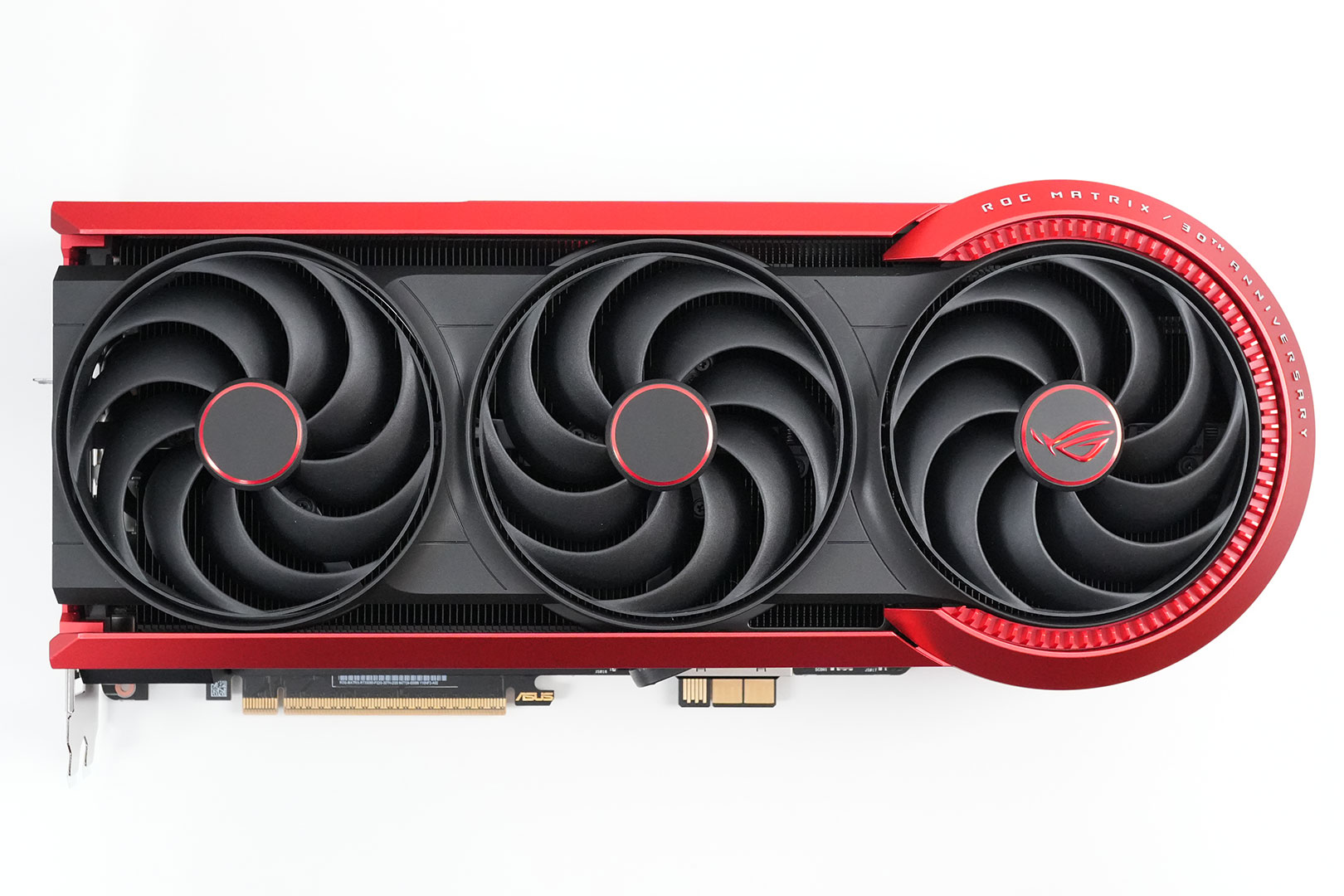


The ASUS ROG Matrix RTX 5090 is a visually impressive card. The cooler shroud is matte black with a red aluminium frame, housing three large fans on the front. A fourth fan sits inside the circular 30th Anniversary end-cap on the right, with "ROG MATRIX / 30TH ANNIVERSARY" text running around its red-trimmed circumference. The backplate sports a two-tone gray and black finish, split by a bold red diagonal stripe, with "GeForce RTX" branding across its length and the 30th Anniversary ASUS Graphics Card logo in the corner.

Here you can see a closeup of the text, it's not printed on, but has a structure, which adds to the extremely high quality look and feel.
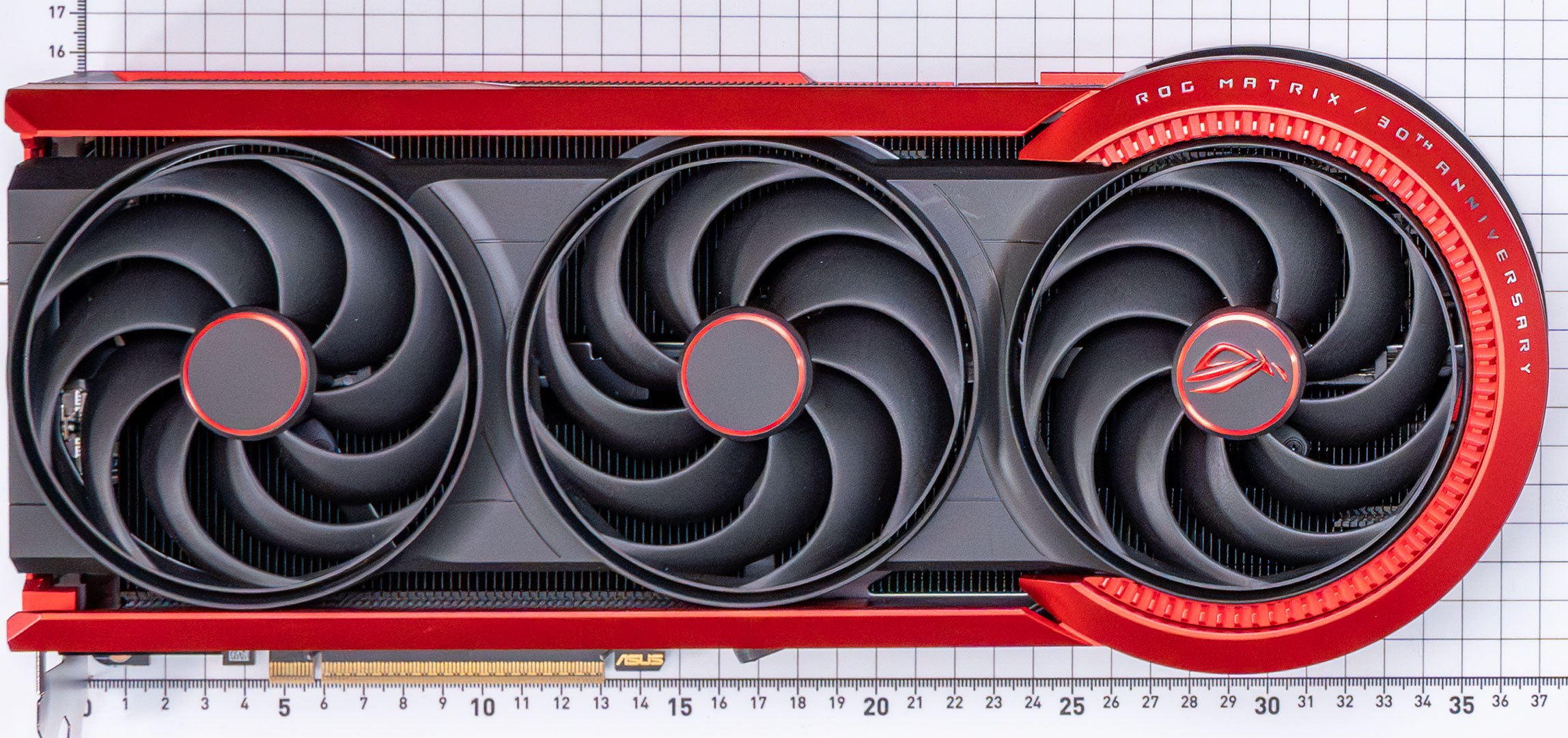

Dimensions of the card are 37.0 × 16.5 cm, and it weighs 3235 g.

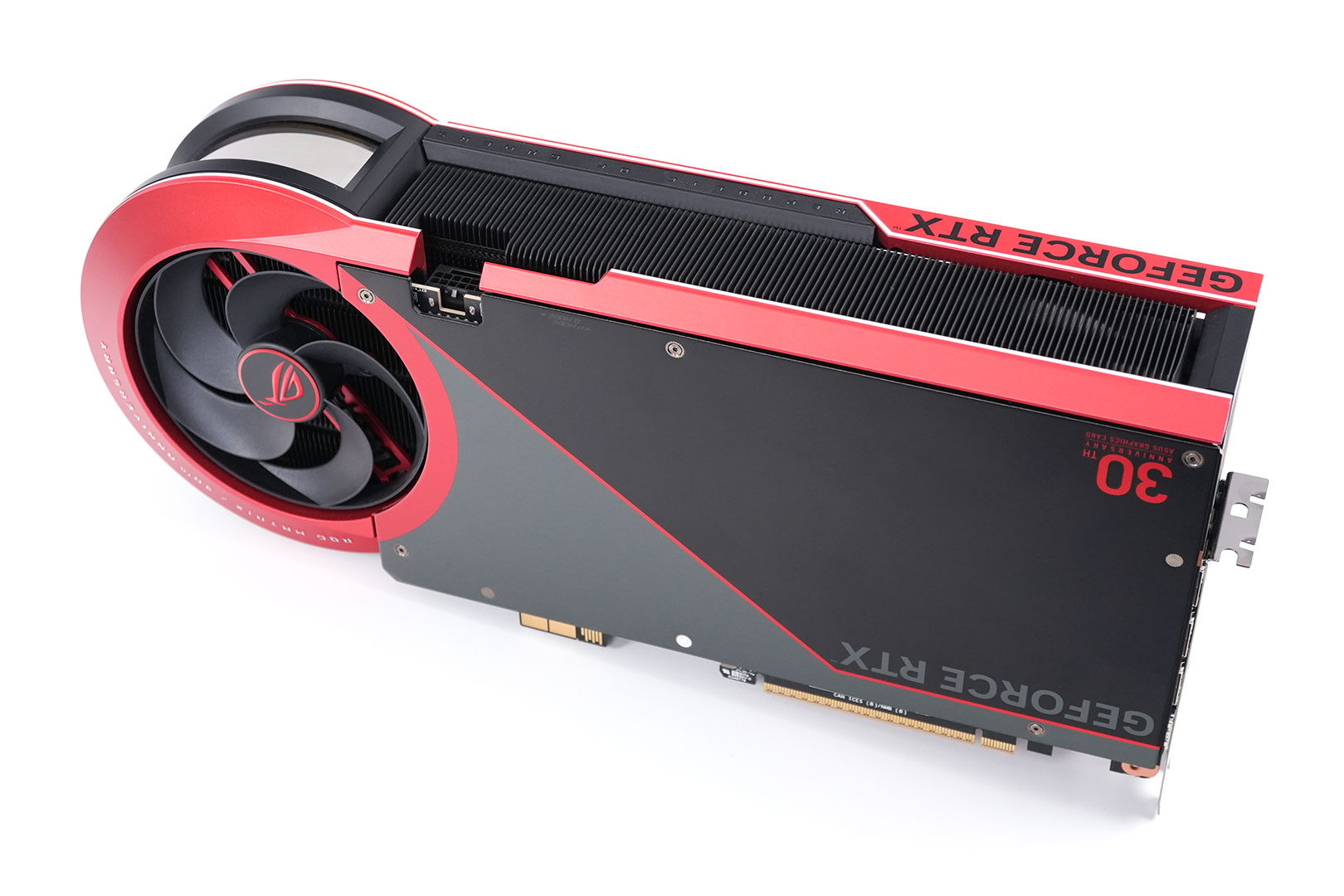
Installation requires four slots in your system. We measured the card's width to be 63 mm.
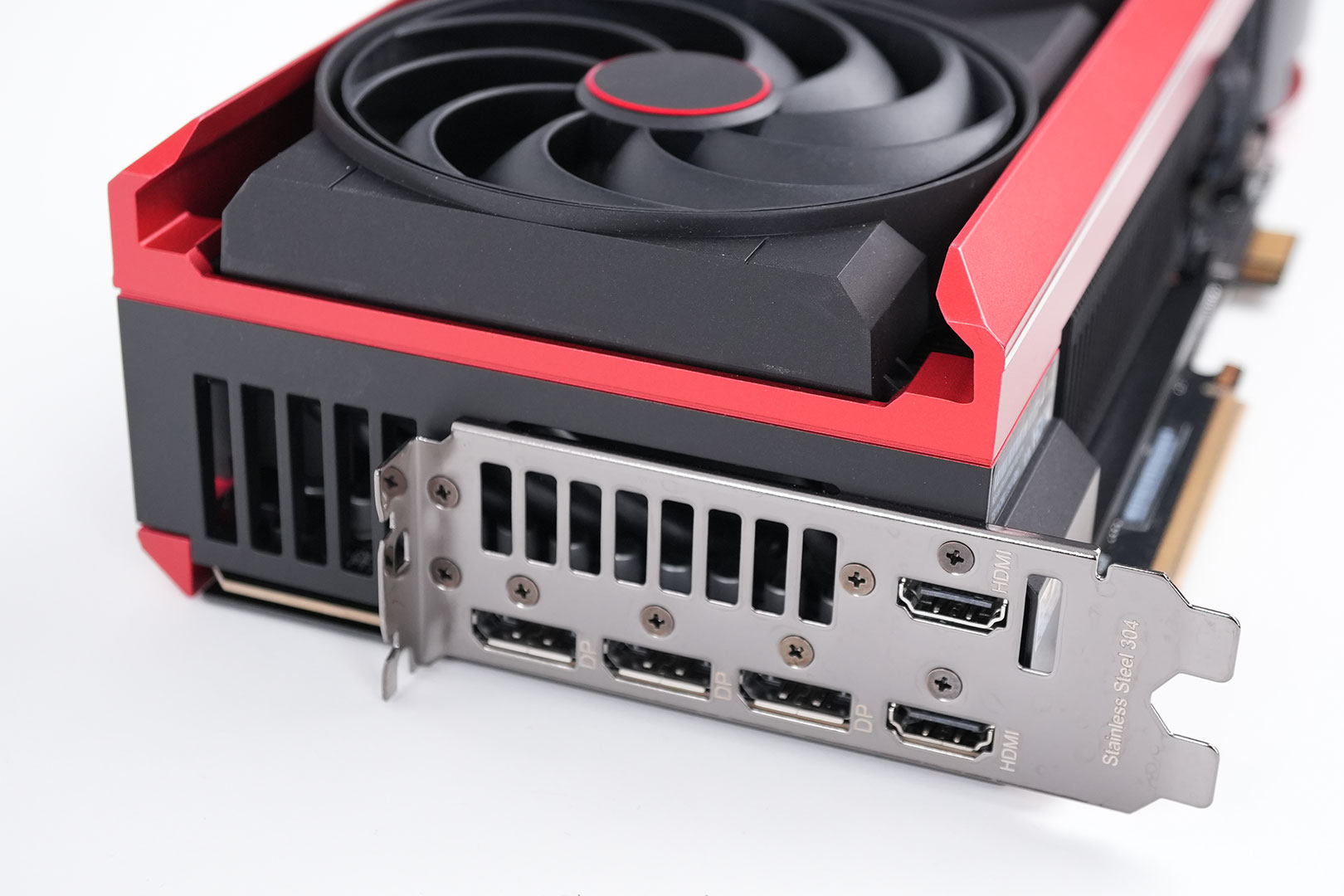
Display connectivity includes three standard DisplayPort 2.1b and two HDMI 2.1b.
All GeForce RTX 50-series Blackwell cards feature a new display engine supporting DisplayPort 2.1b with UHBR20, as well as HDMI 2.1a. Both interfaces support DSC (display stream compression). With DSC enabled, a single DisplayPort on this card can drive 4K 12-bit HDR at 480 Hz; or 8K 12-bit HDR at up to 165 Hz. The RTX 5090 features an updated media acceleration engine with support for 4:2:2 video formats, AV1 UHQ, and MV-HEVC. There are three independent NVENC units, and two NVDEC.
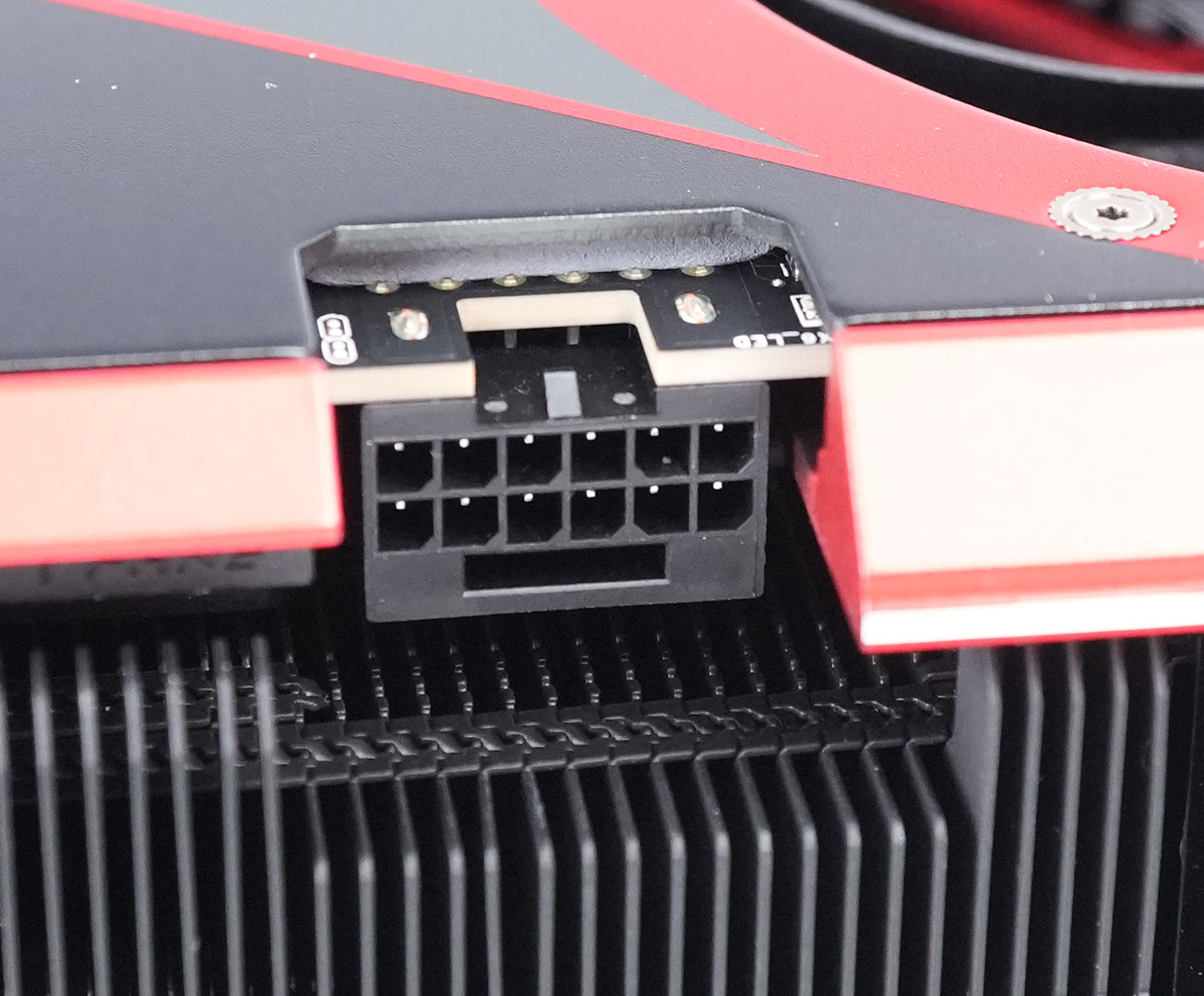
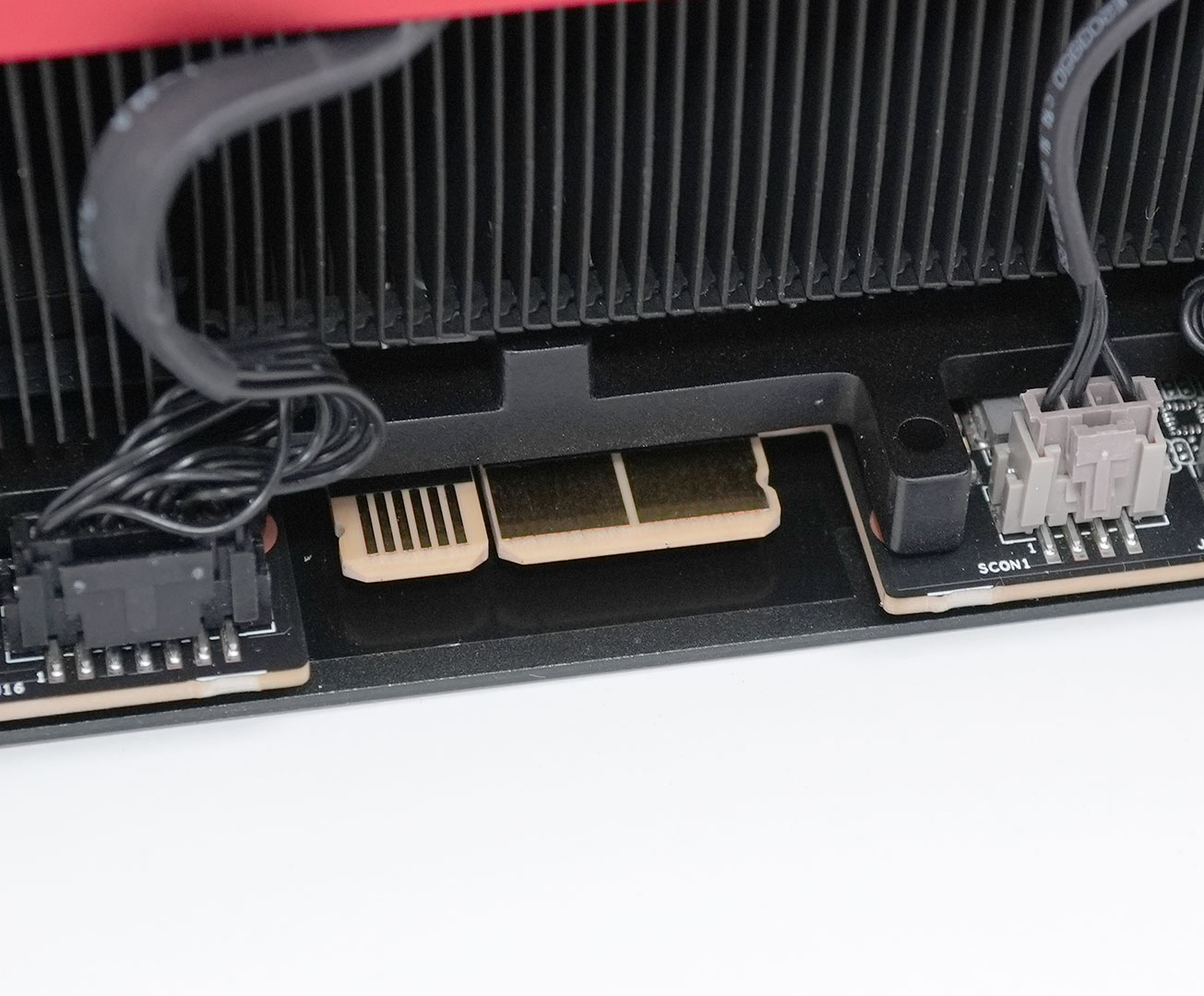
The card has two sources of power. The first one is a classic 16-pin connector, which allows a maximum power draw of 600 W. When installed in an ASUS BTF motherboard, the card can also draw power through the rear-side BTF connector. When just the BTF power input is connected (without 16-pin power), the card runs at 600 W power limit as well. When you connect both BTF and 16-pin, which theoretically would be able to deliver 1200 W, the power limit automatically switches to 800 W. For this mechanism to work, no BIOS change or switch is necessary, it's fully automatic. You can verify this with GPU-Z in the advanced tab.
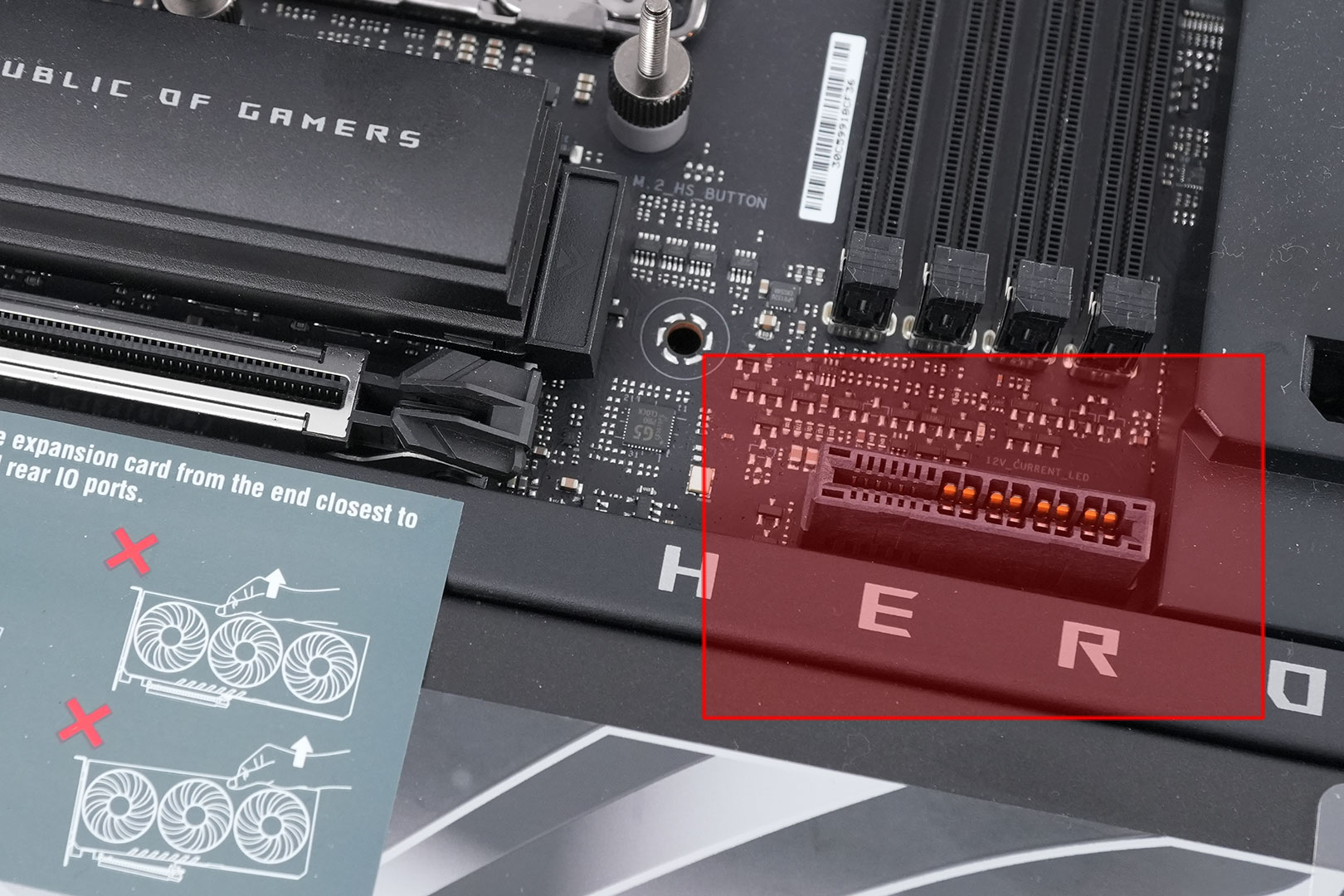
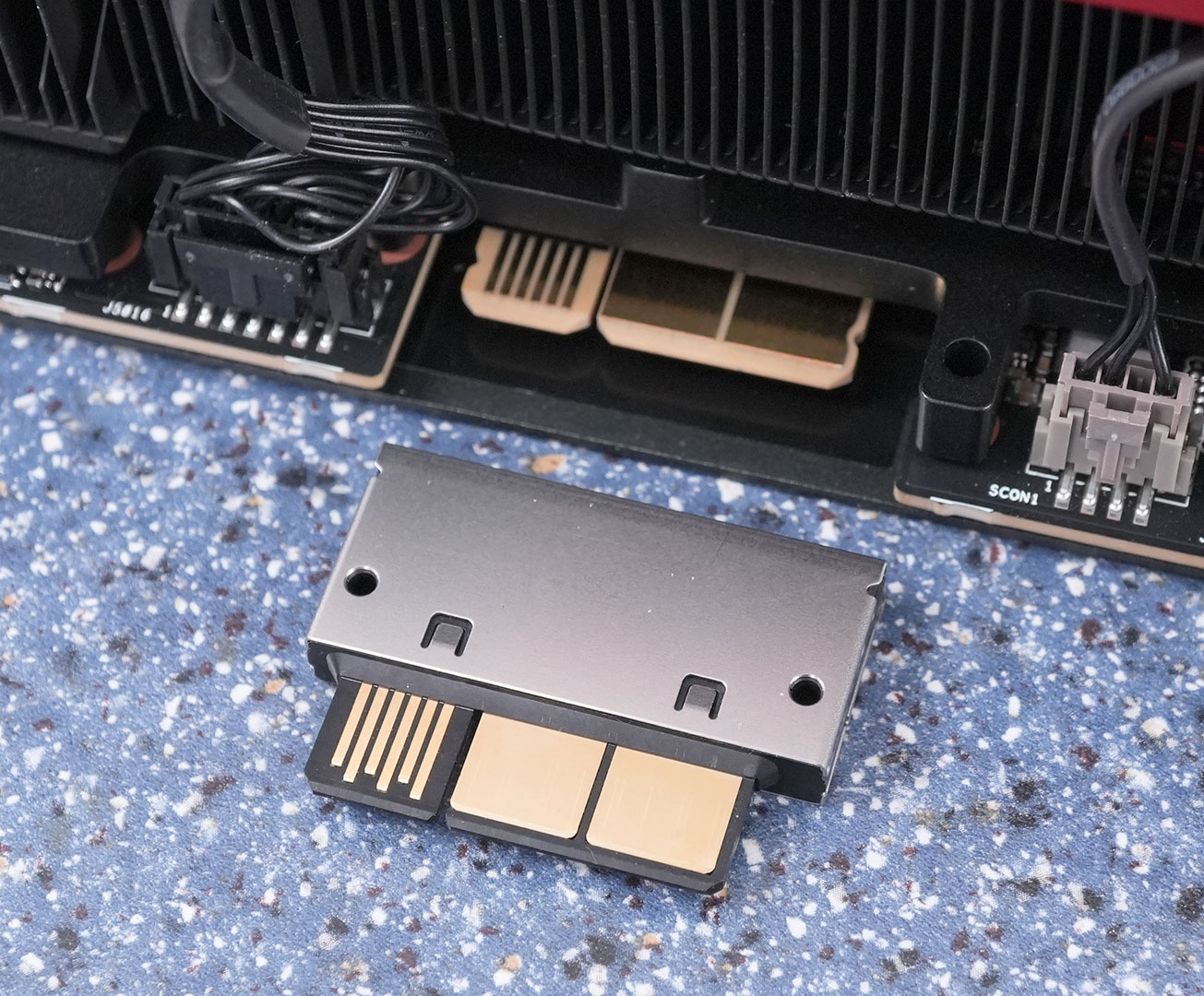
The BTF (Backside Trace Feed) connectivity is an ASUS proprietary standard that supplies power to the card through the motherboard, eliminating the need for an additional cable. To use this feature on the Matrix, a small adapter is included in the package. This adapter is essential to prevent short circuits, as the fingers on the card carry a live 12 V voltage and could make contact with a traditional motherboard if they were longer. Additionally, many motherboards have a chipset heatsink located precisely where the BTF fingers are, so the adapter is used to address this issue as well.
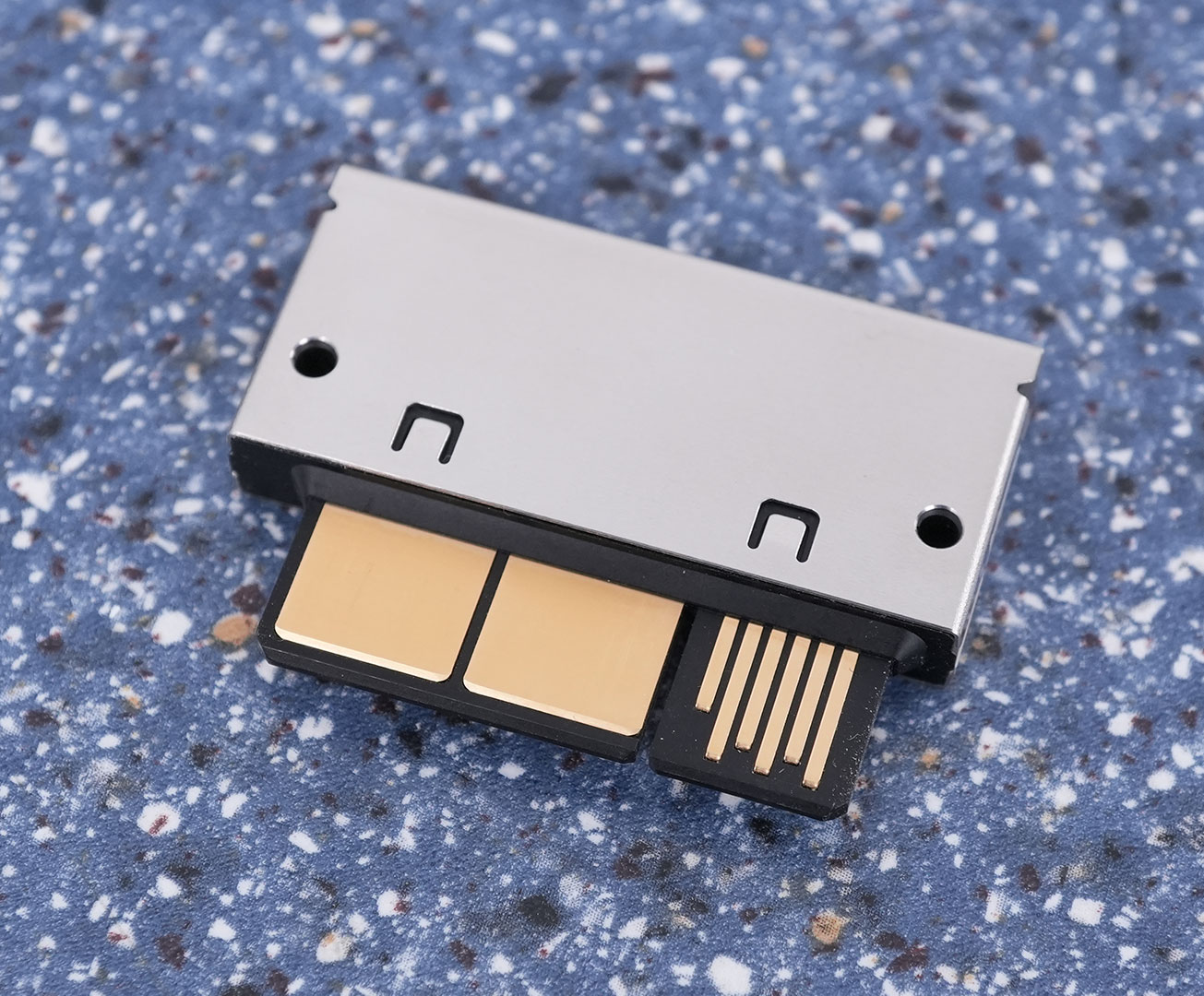
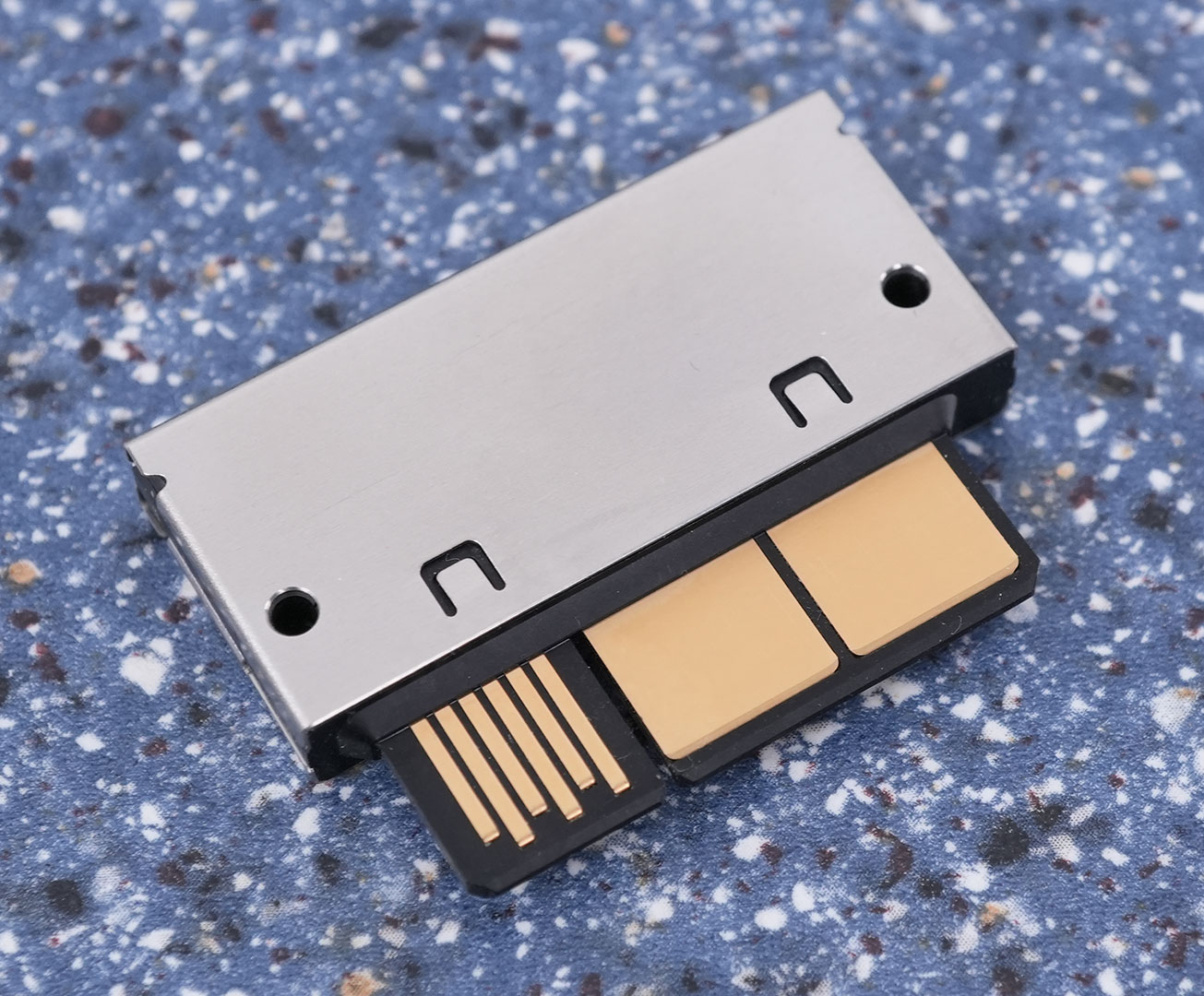
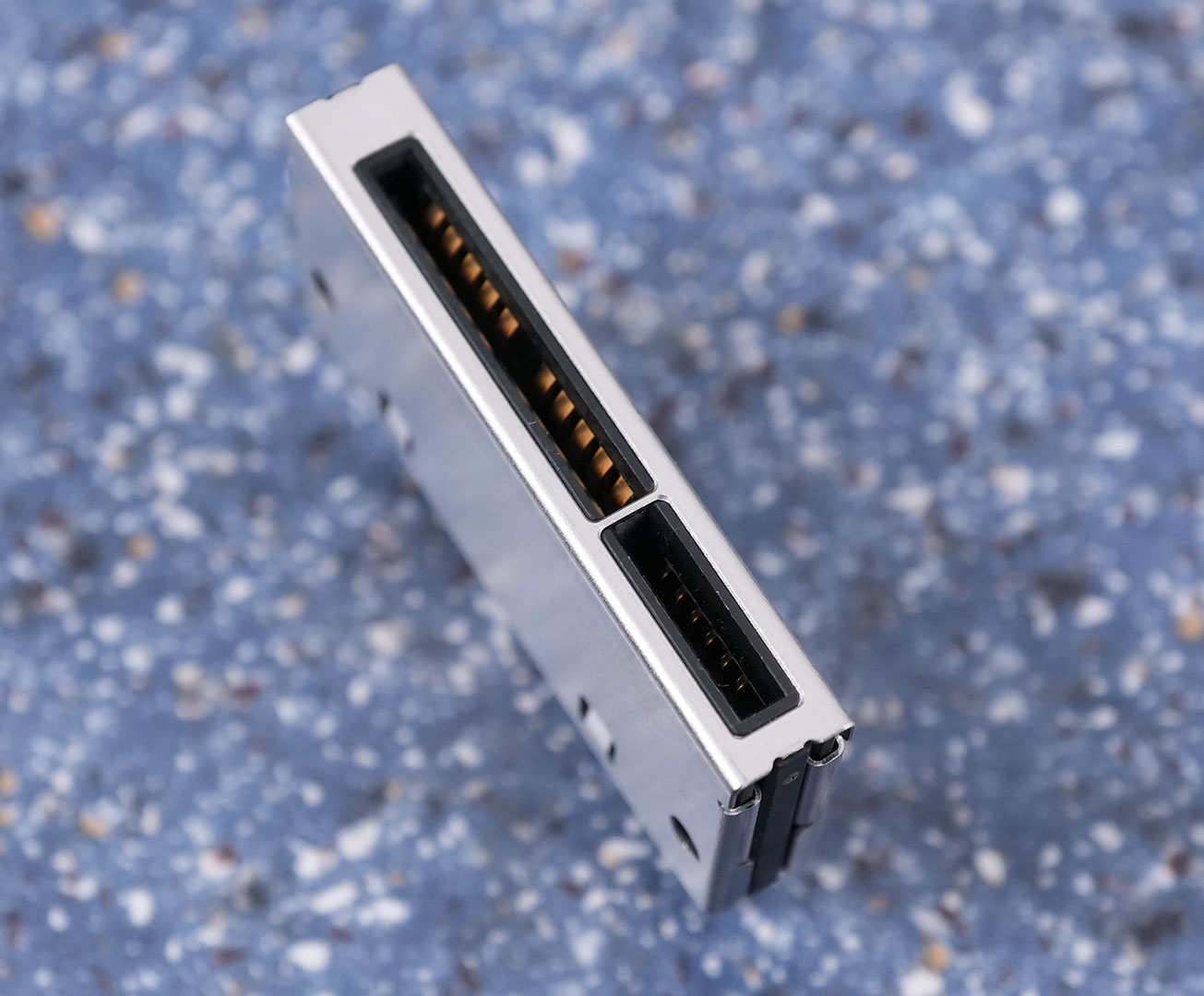
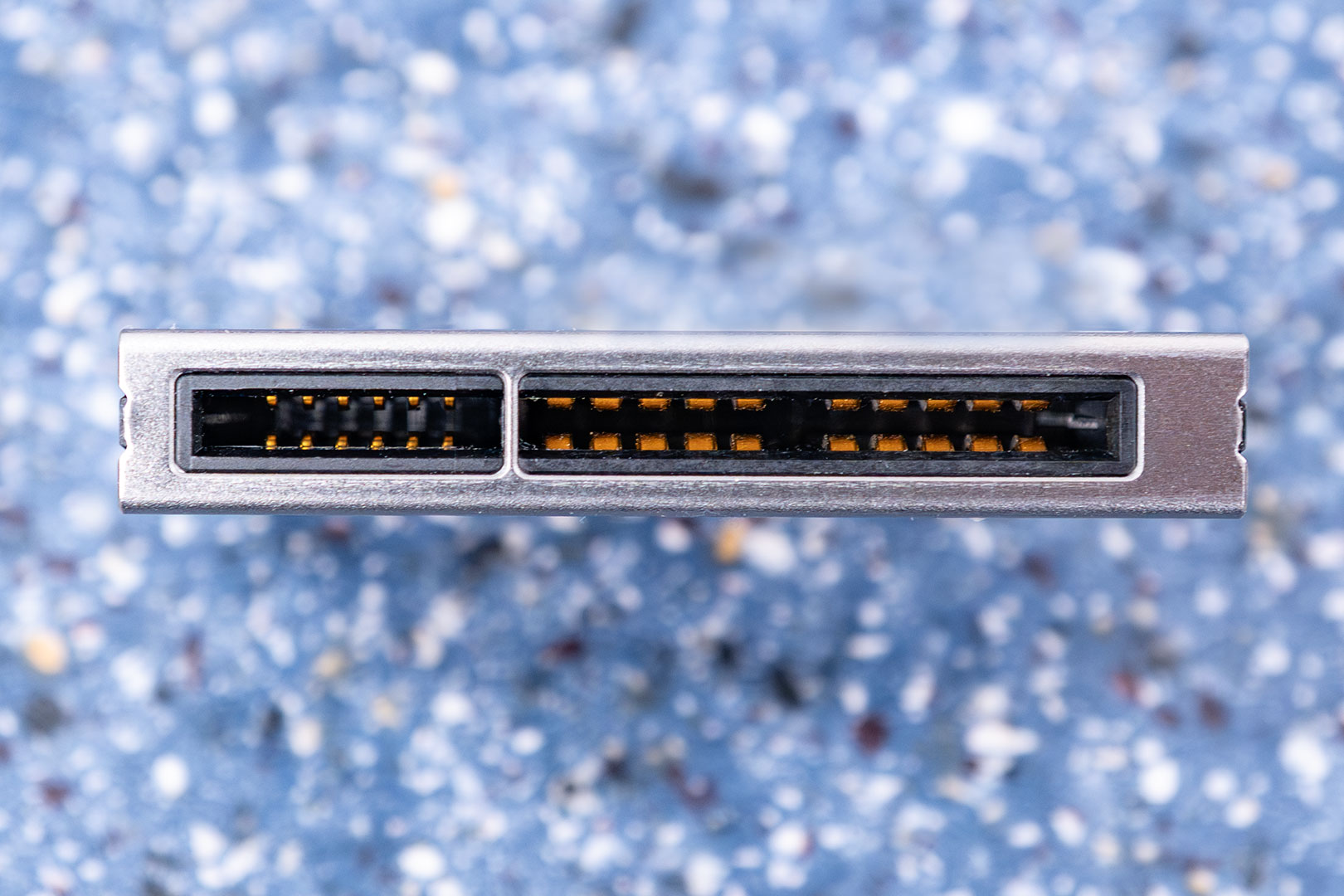
Here's a closeup of the adapter, which also reveals more information on the BTF connector design itself. First, it is symmetric, both sides of the PCB have the same pinout. On the left part you see six thin traces, which carry logic signals, same as the small pins on the 16-pin, on the right there are two thick traces on each side, these carry the actual power.
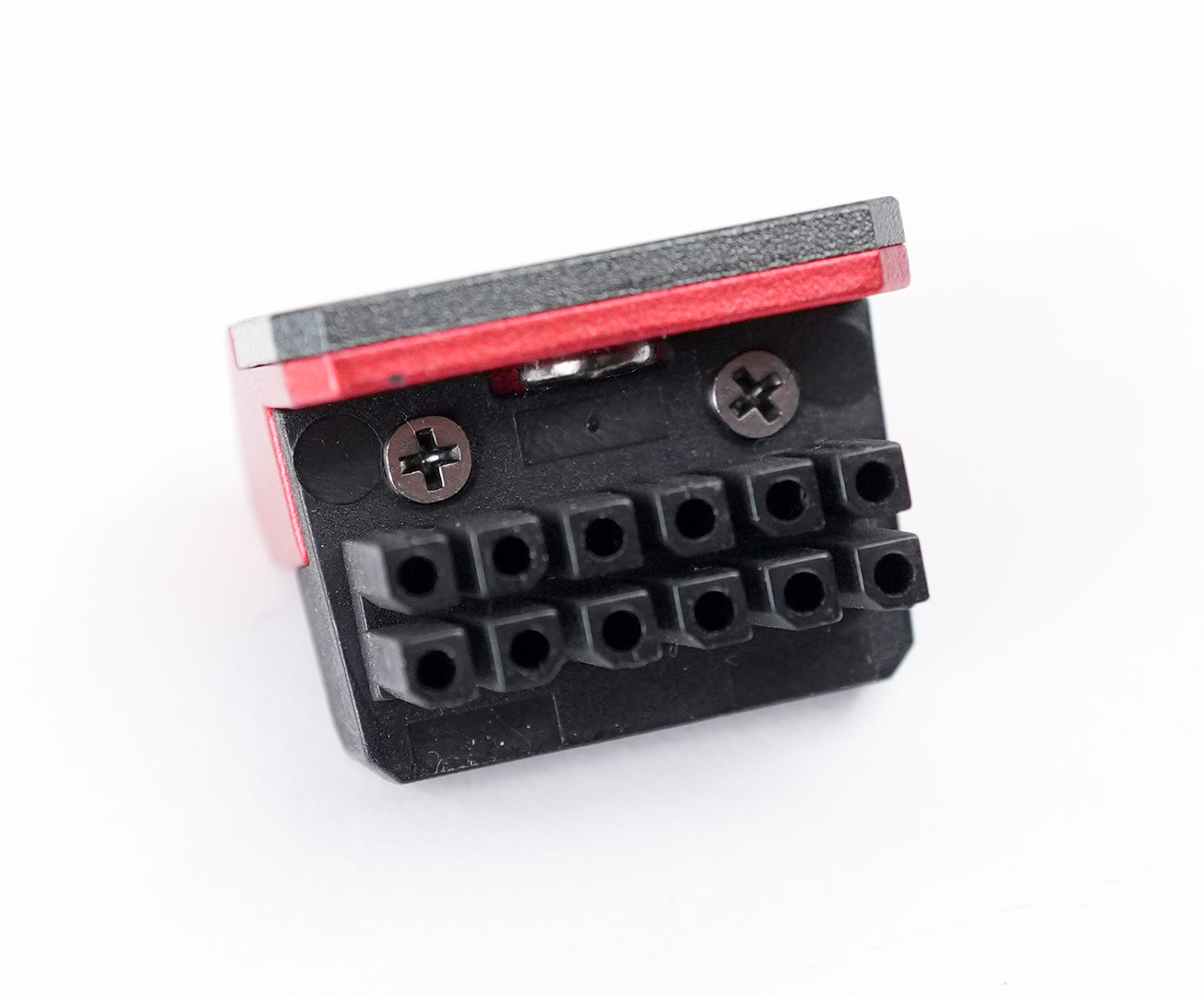
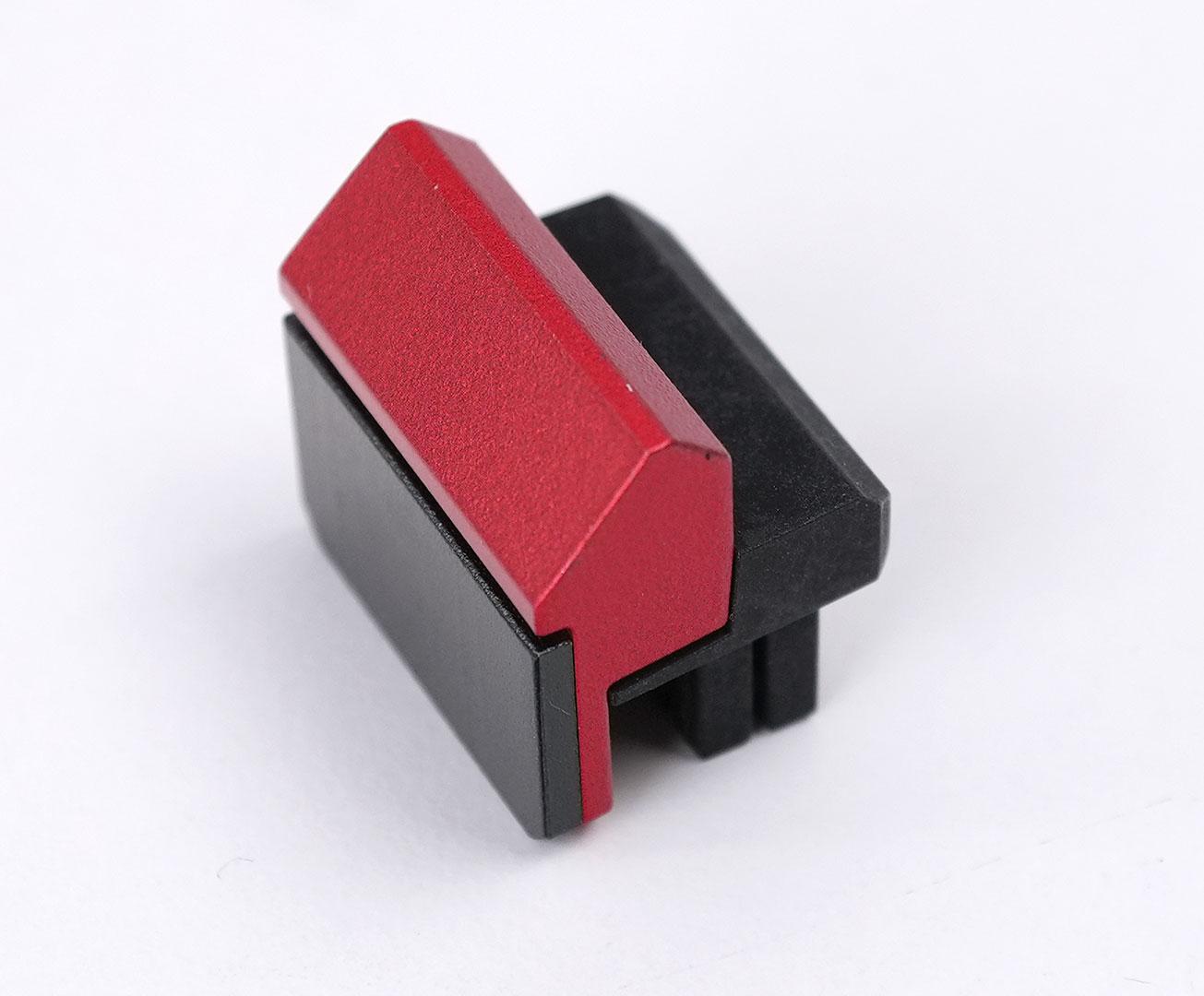
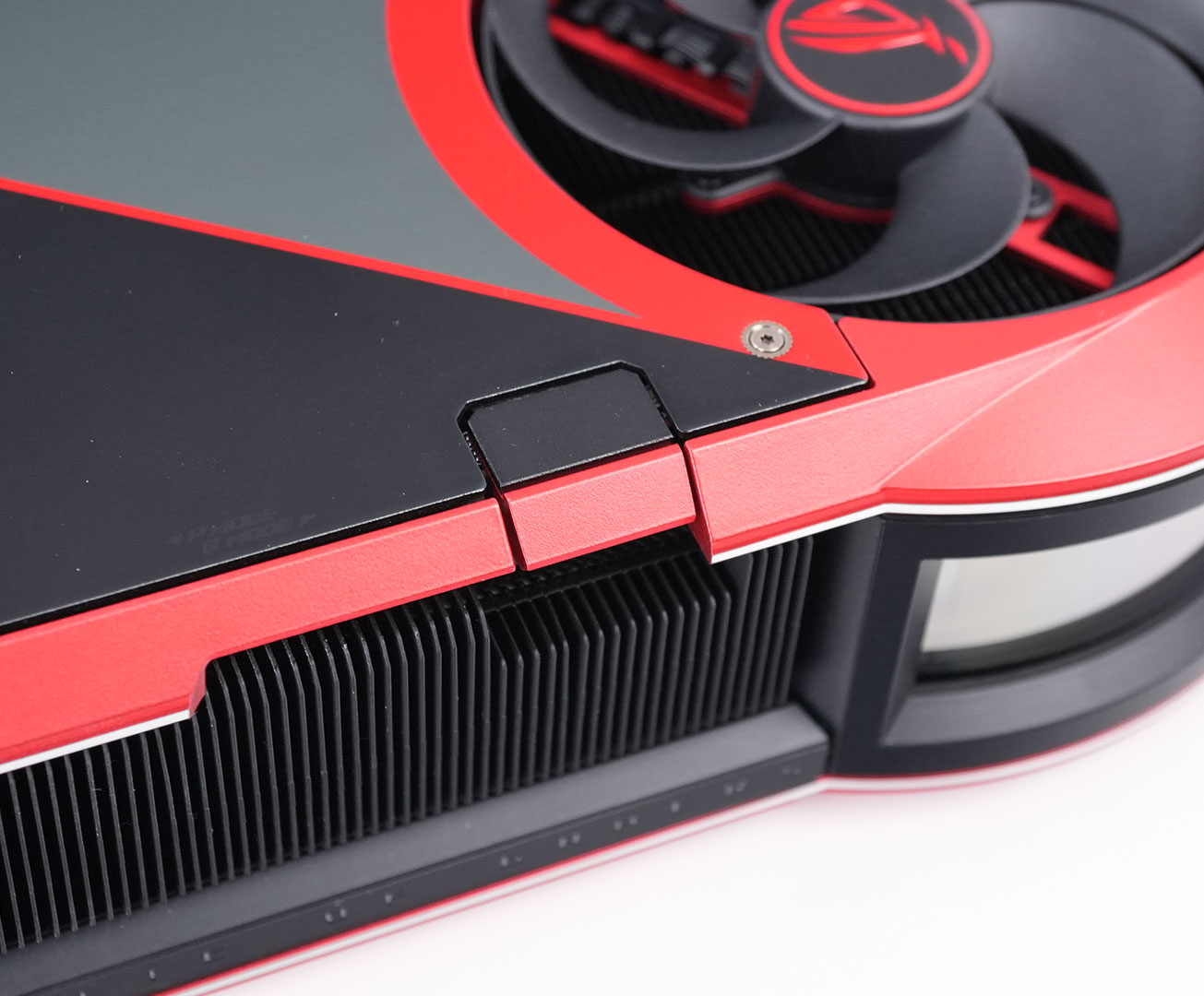
When you're using BTF power only, this included cap is used to cover the 16-pin input on the top edge of the card.
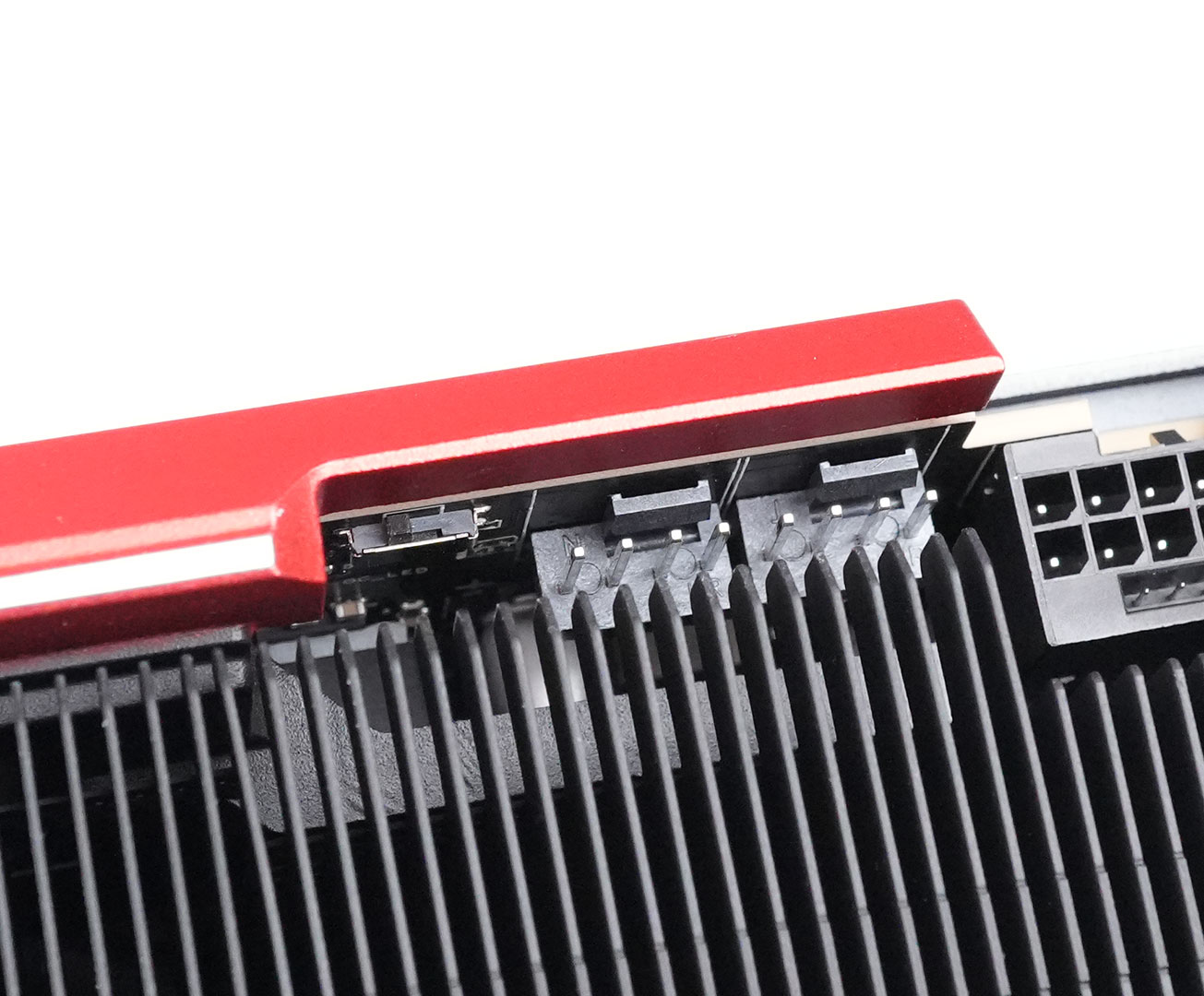
Here you can see the BIOS switch, right next to two fan headers that let you synchronize your case fans with the graphics card fans.
The default "Performance" BIOS features the automatic 800/600 W dual/single-input switch, while the secondary "quiet" BIOS always runs with a 600 W power limit as we'll see later in the review, that's the only change to reduce noise—lower power limit = lower heat output = lower fan speed. The actual fan curve is very similar to the performance BIOS, actually a tiny bit louder.
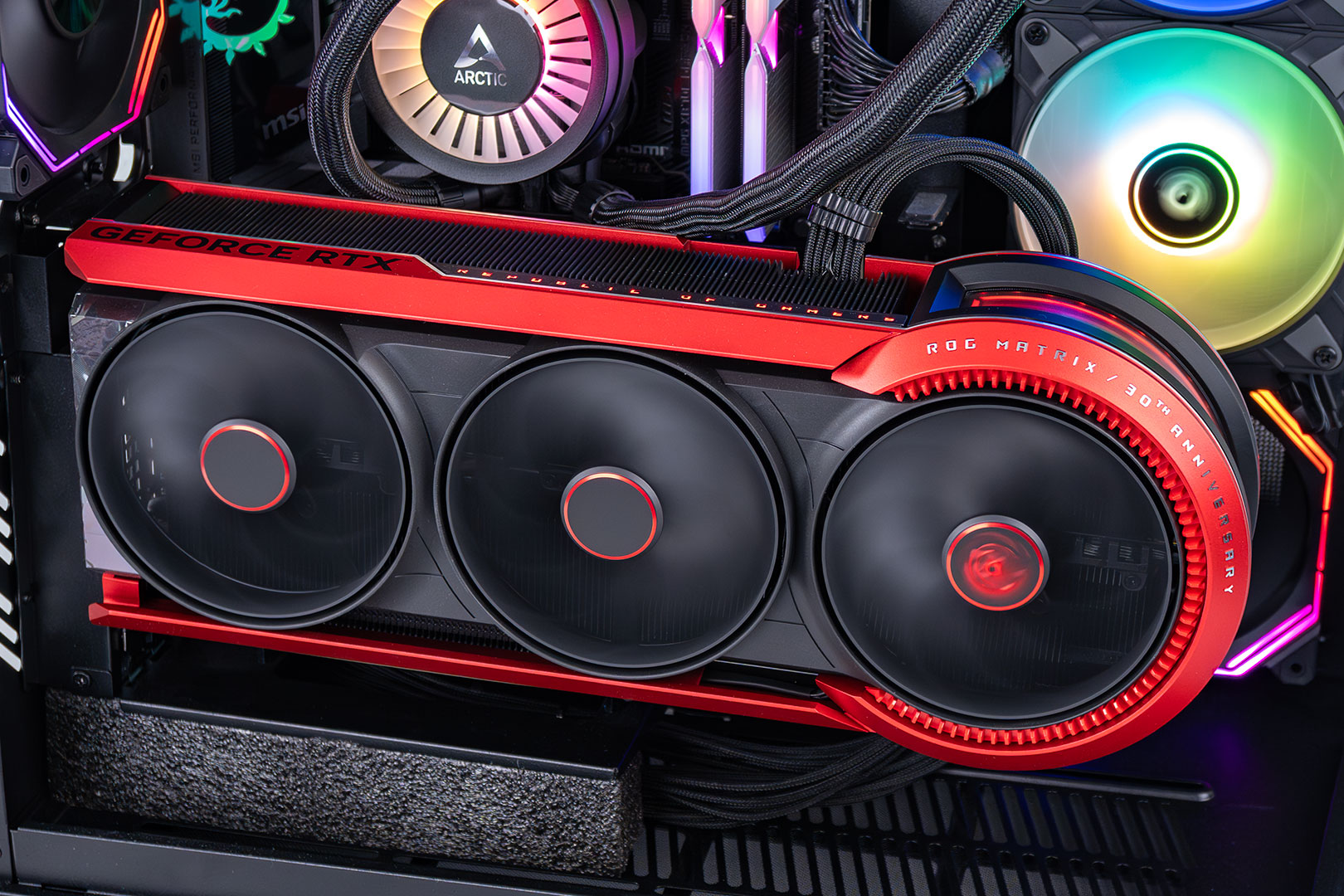
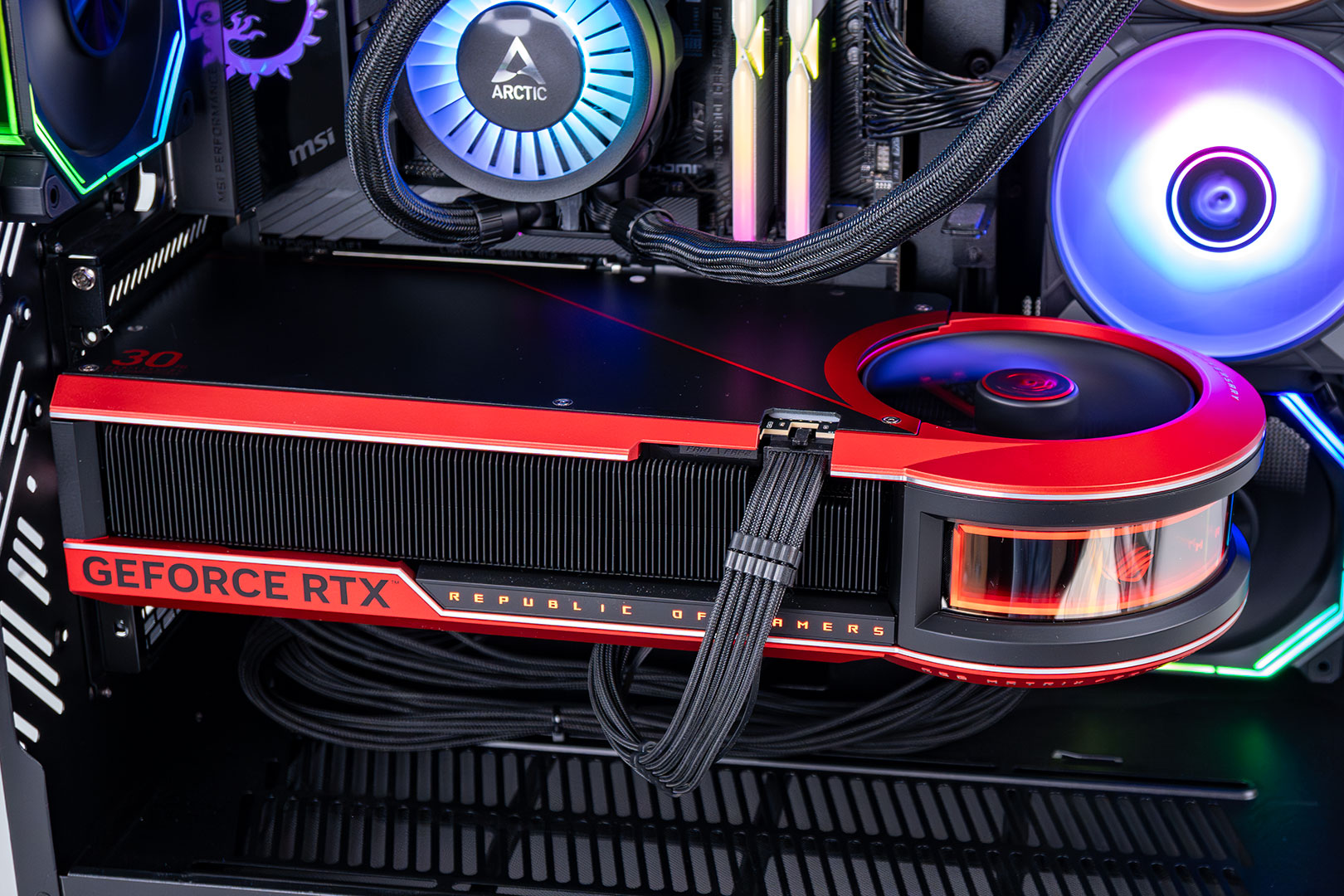
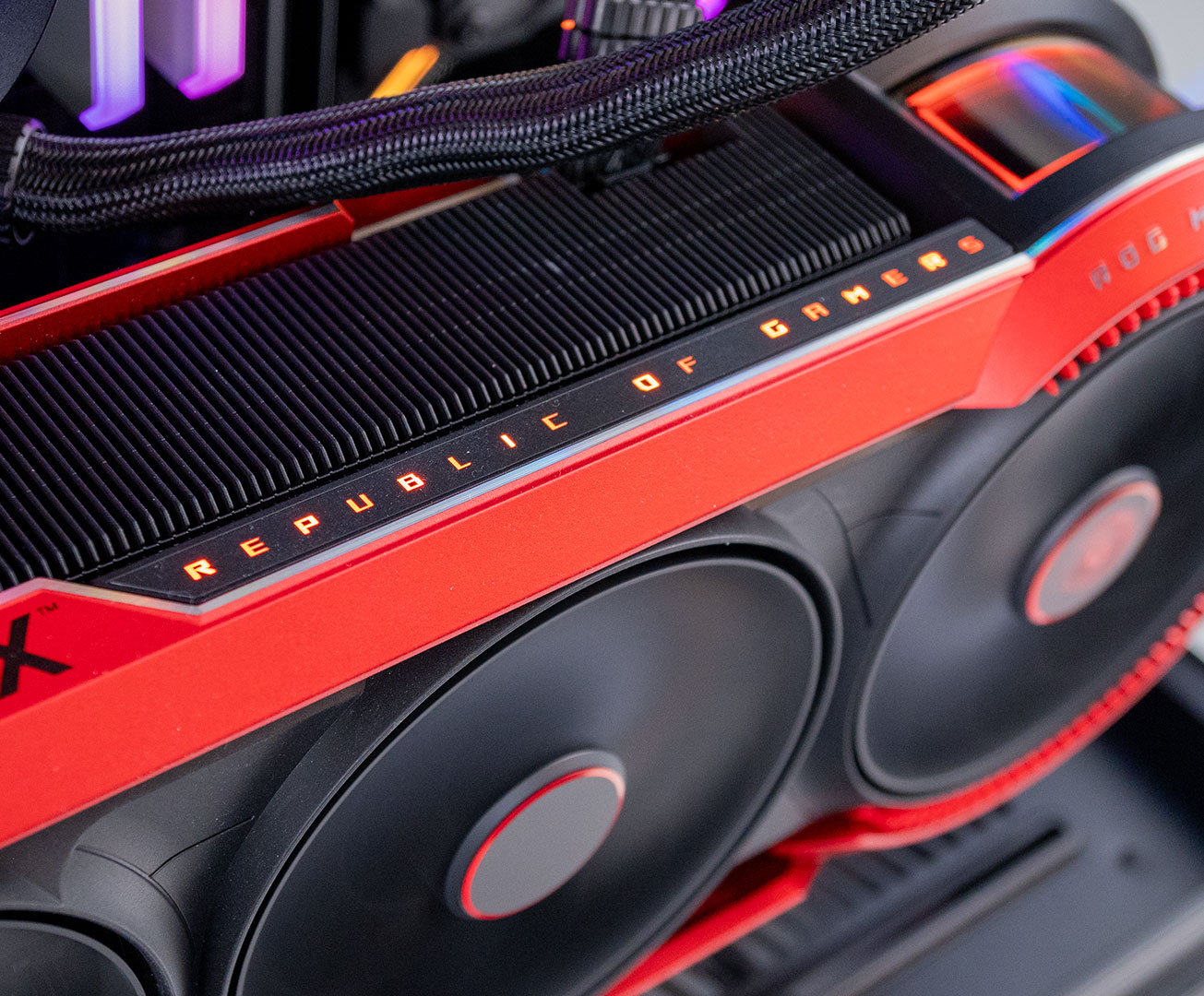
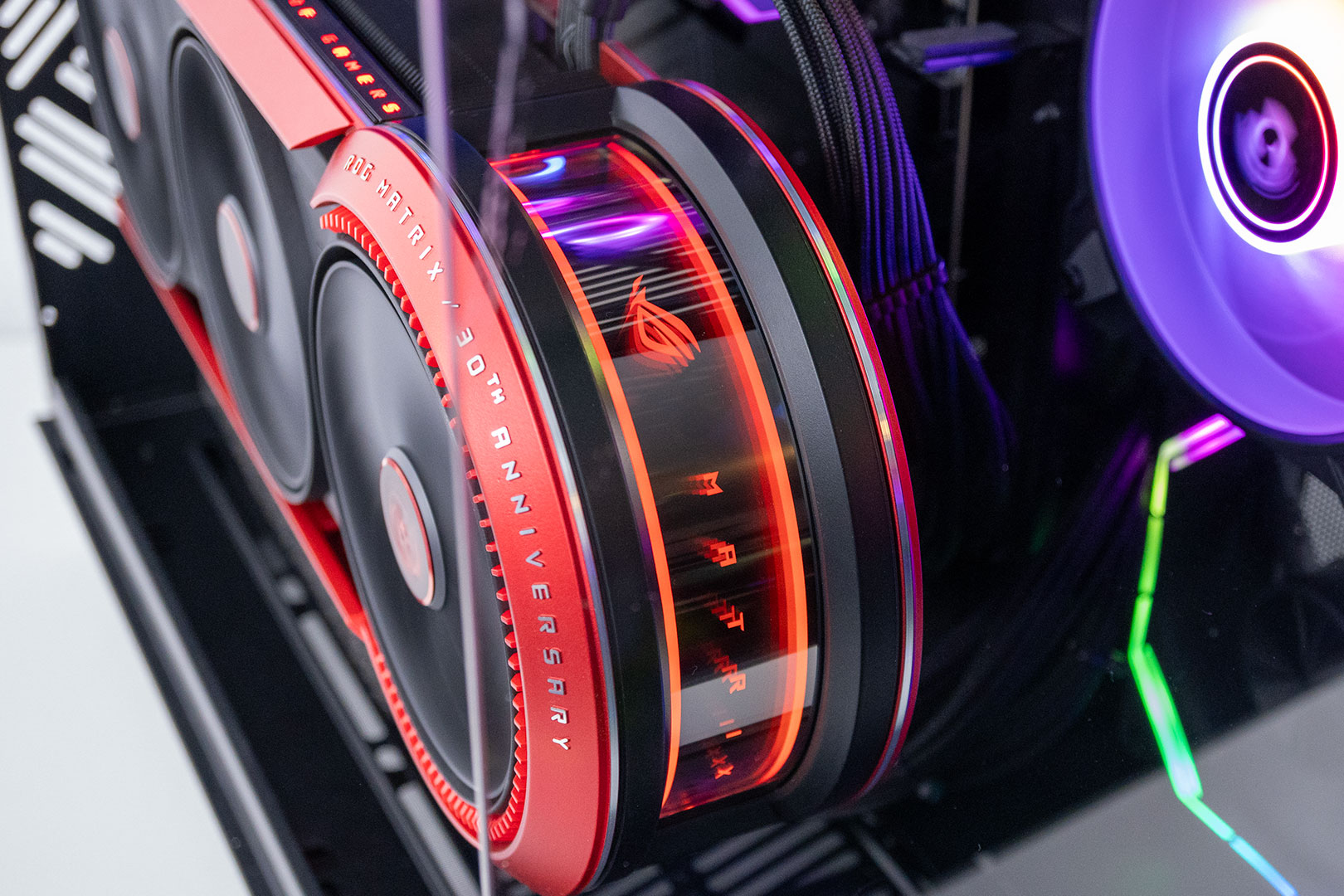
ASUS has added an RGB illumination zone on the card, running along the top edge next to the "GeForce RTX" text. There's also a big curved display that shows an ASUS ROG logo and "Matrix."
Teardown
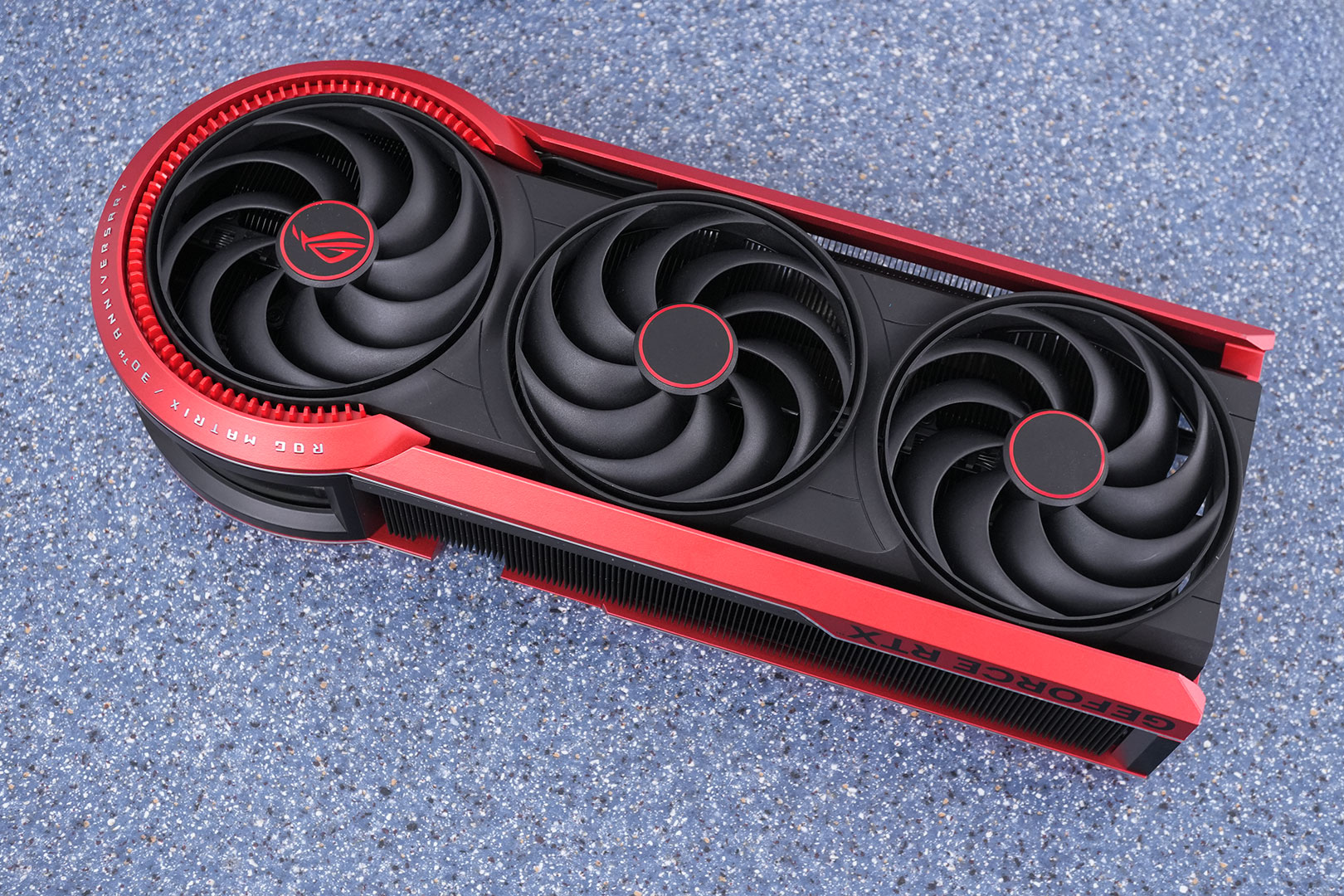
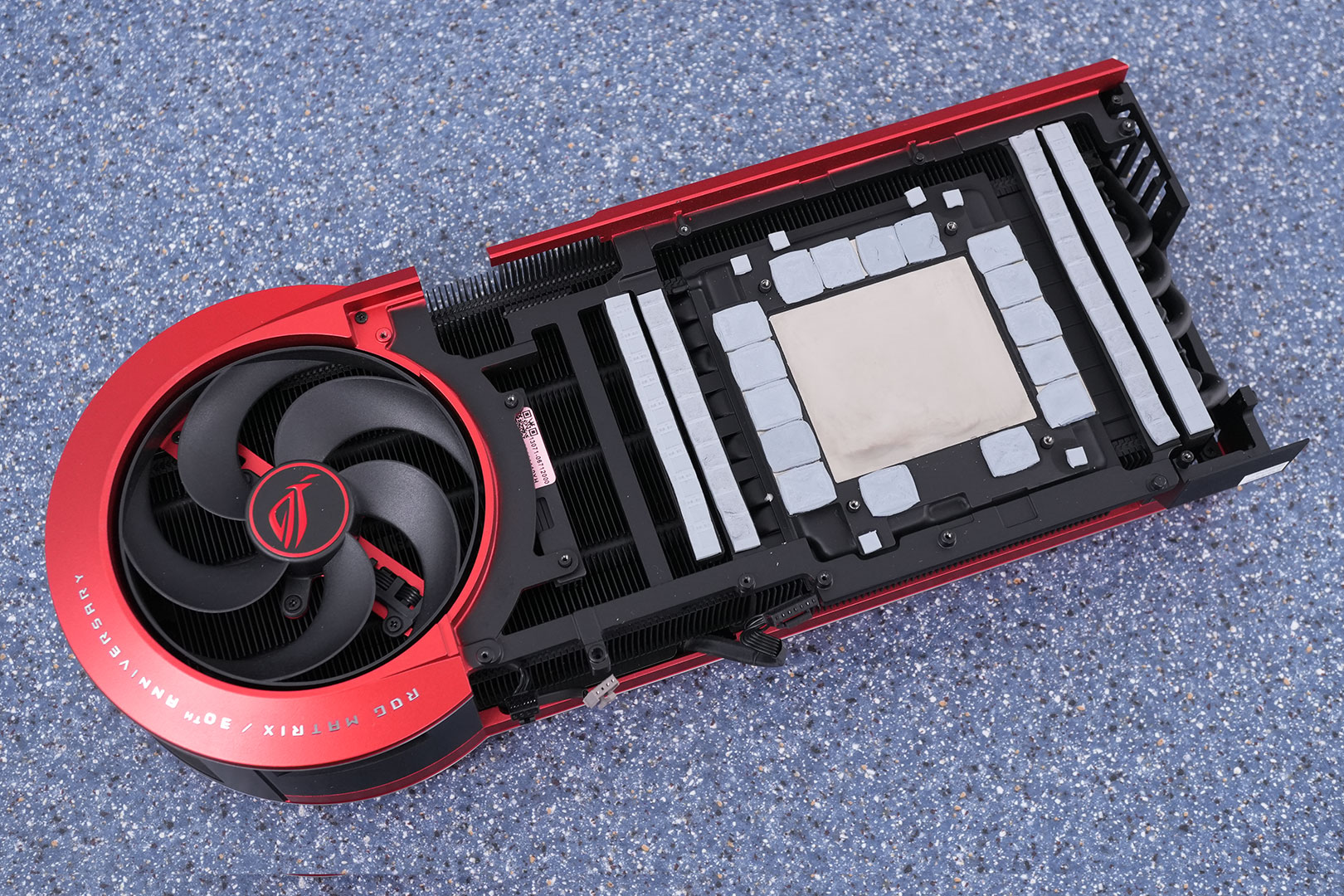
ASUS designed a very high-quality cooler for the Matrix, lots of metal is used everywhere.
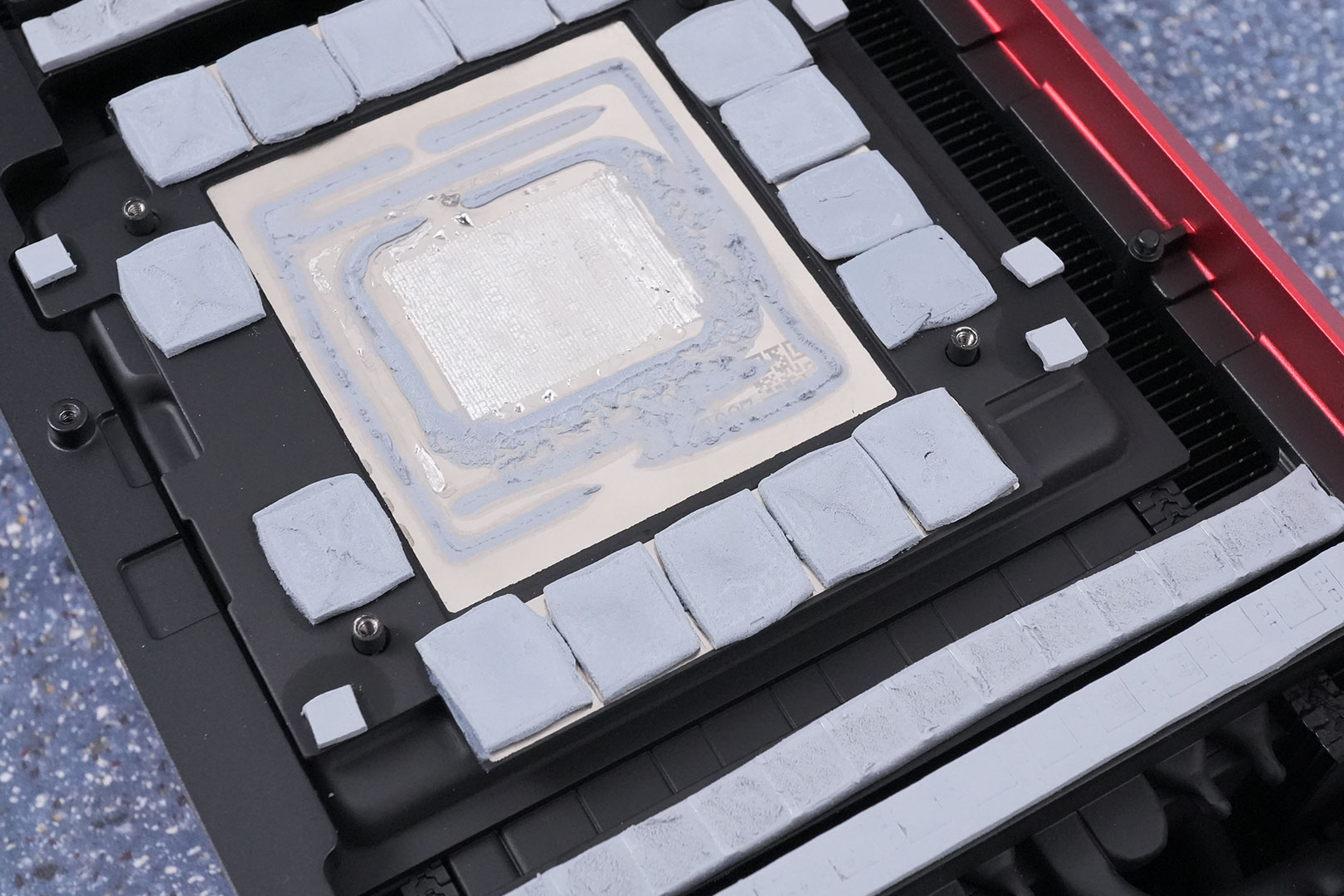
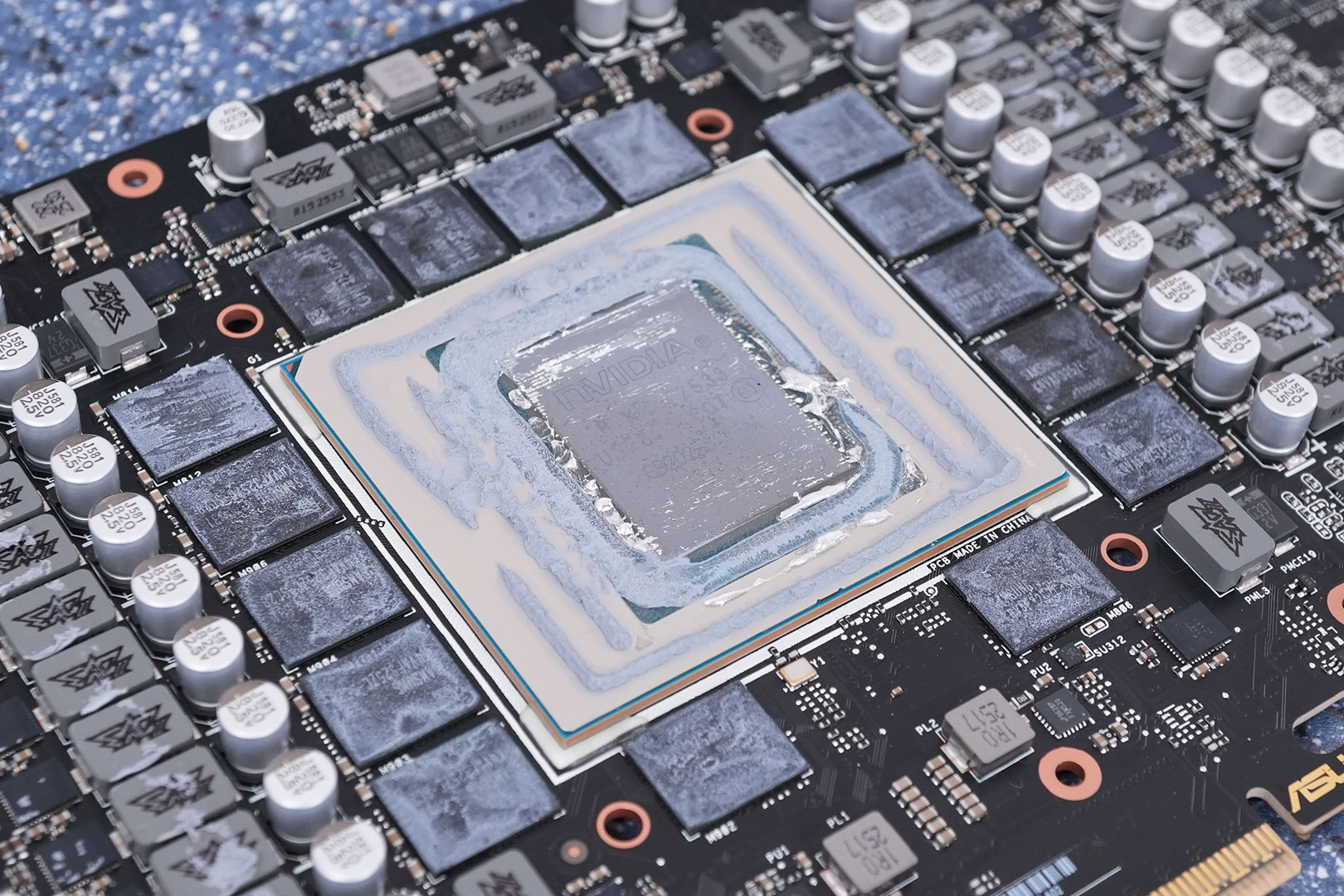
The cooler features a large copper vapor chamber that makes direct contact with the GPU die via liquid metal thermal compound. Thermal pads cover the memory chips and VRM circuitry. Eleven heatpipes move heat away from the GPU to the heatsink fins.
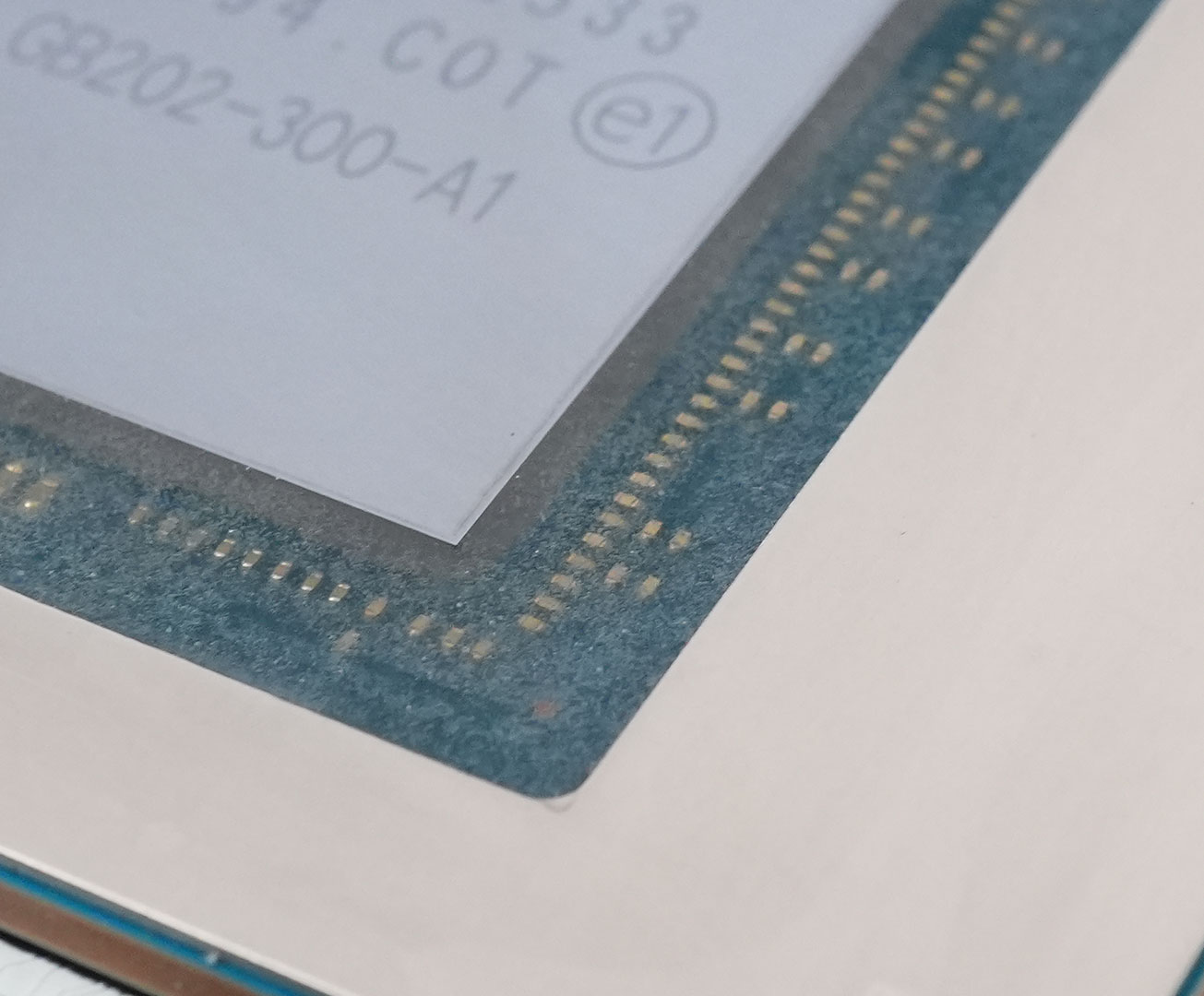
ASUS has filled the green area next to the GPU silicon with a transparent epoxy, to ensure the liquid metal cannot cause short circuits here.
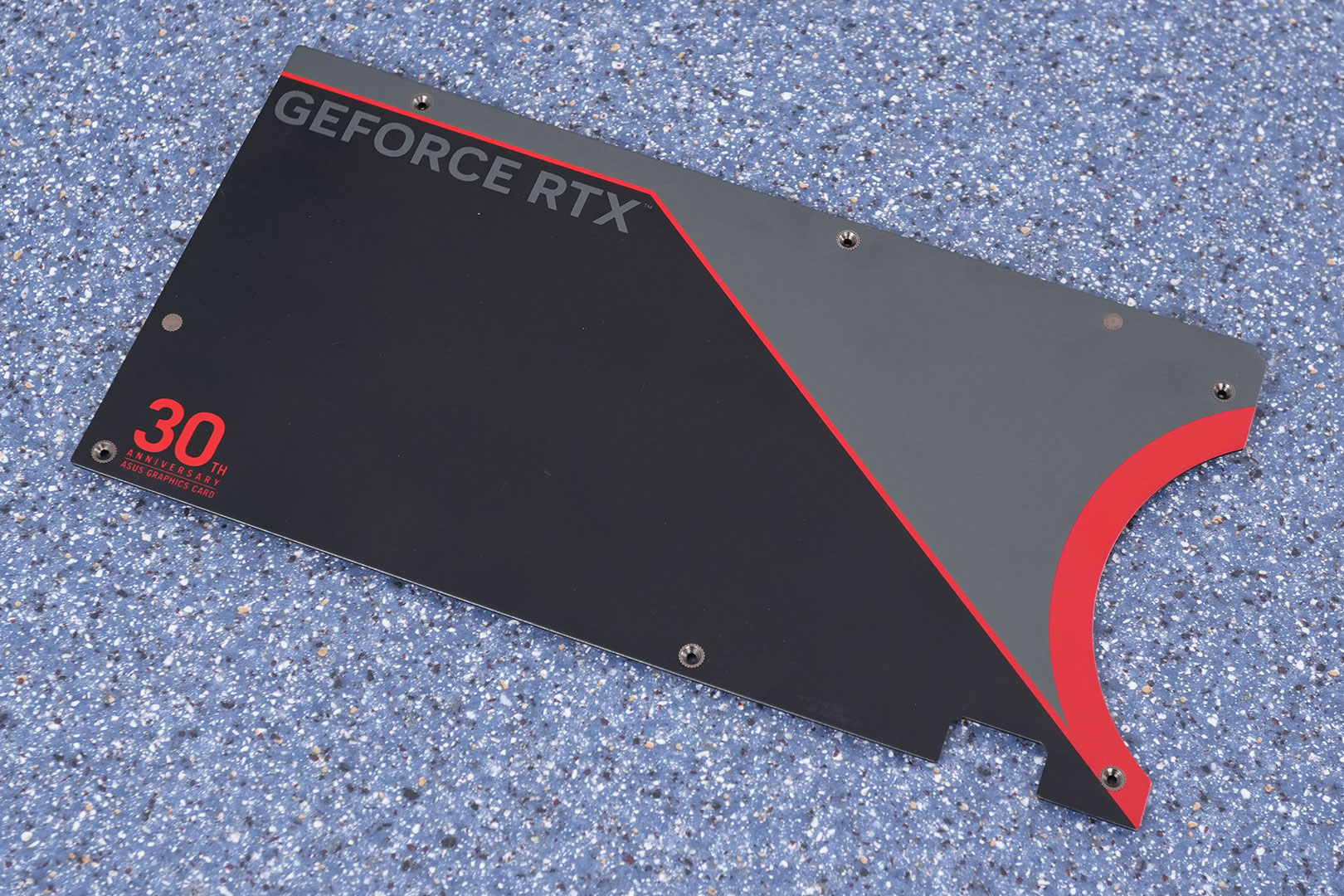
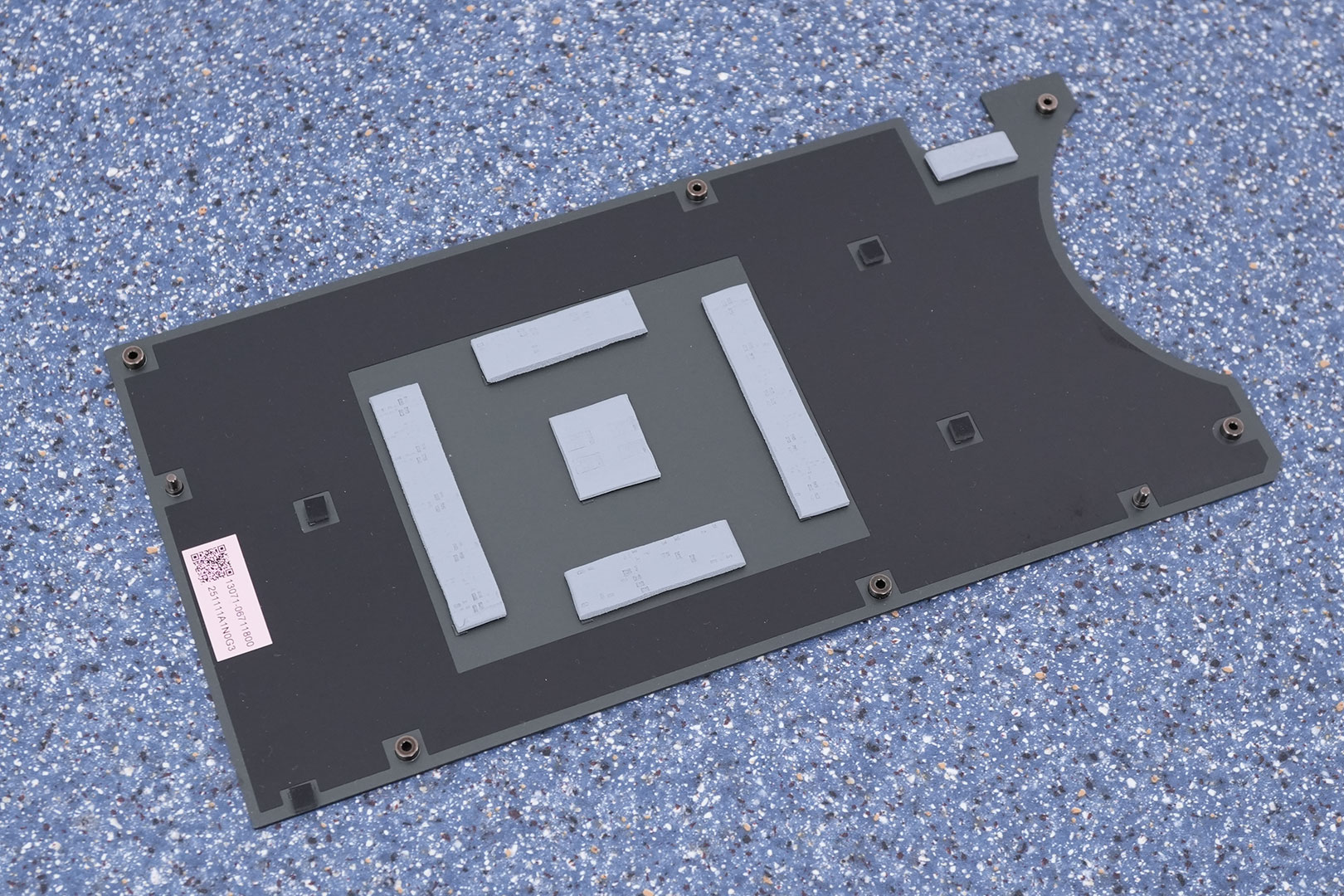
The metal backplate protects the card against damage during installation and handling.
High-resolution PCB Pictures
These pictures are for the convenience of volt modders and people who would like to see all the finer details on the PCB. Feel free to link back to us and use these in your articles, videos or forum posts.
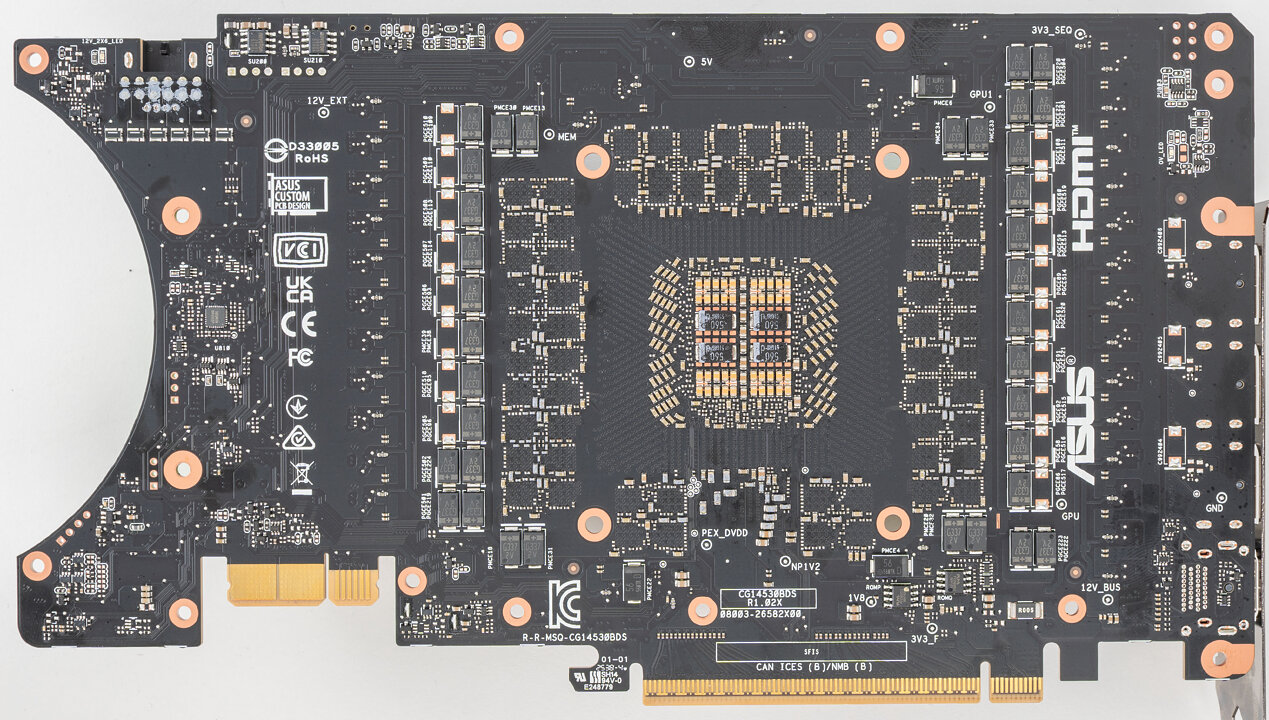
High-resolution versions are also available (front, back).
Circuit Board (PCB) Analysis

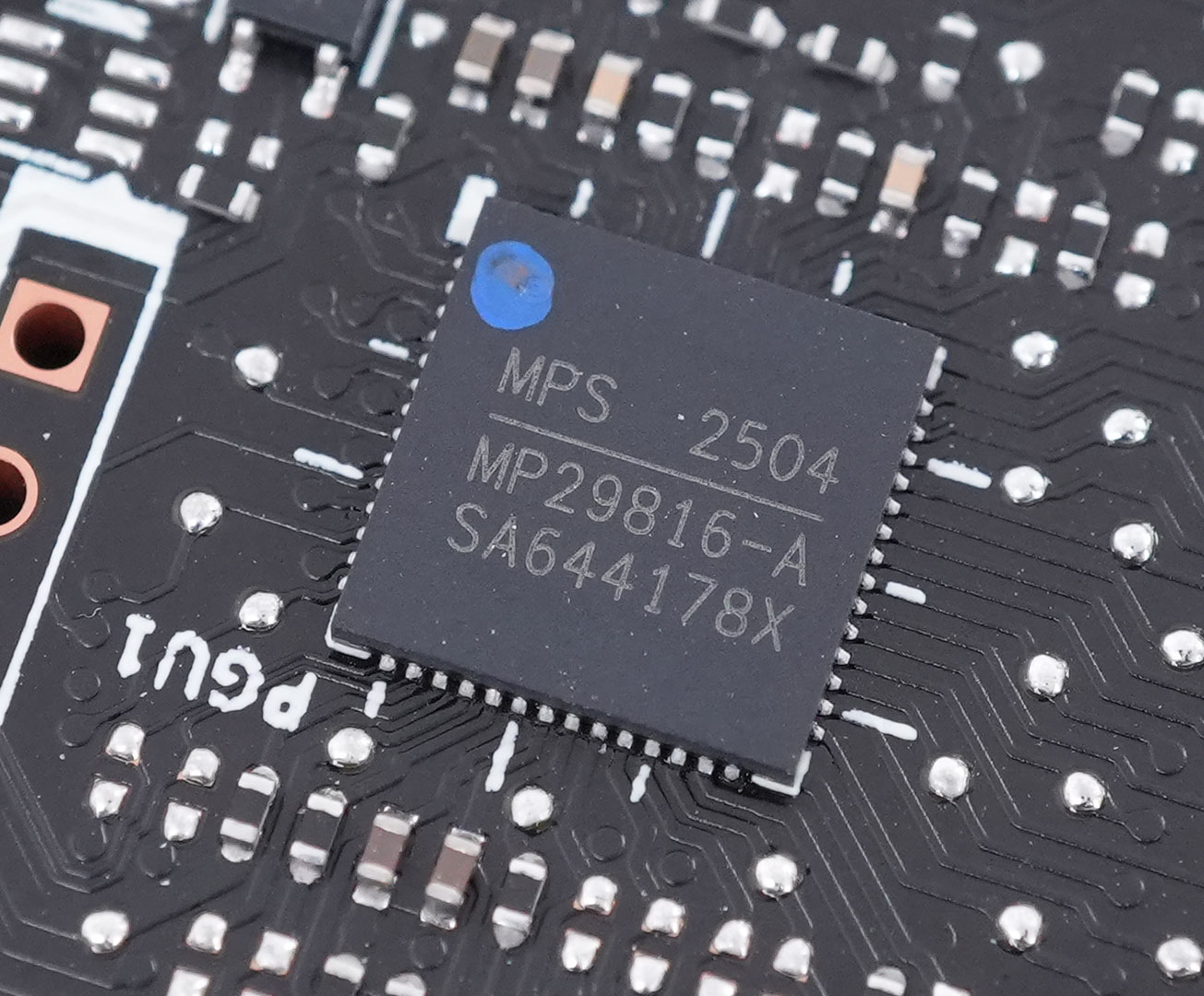
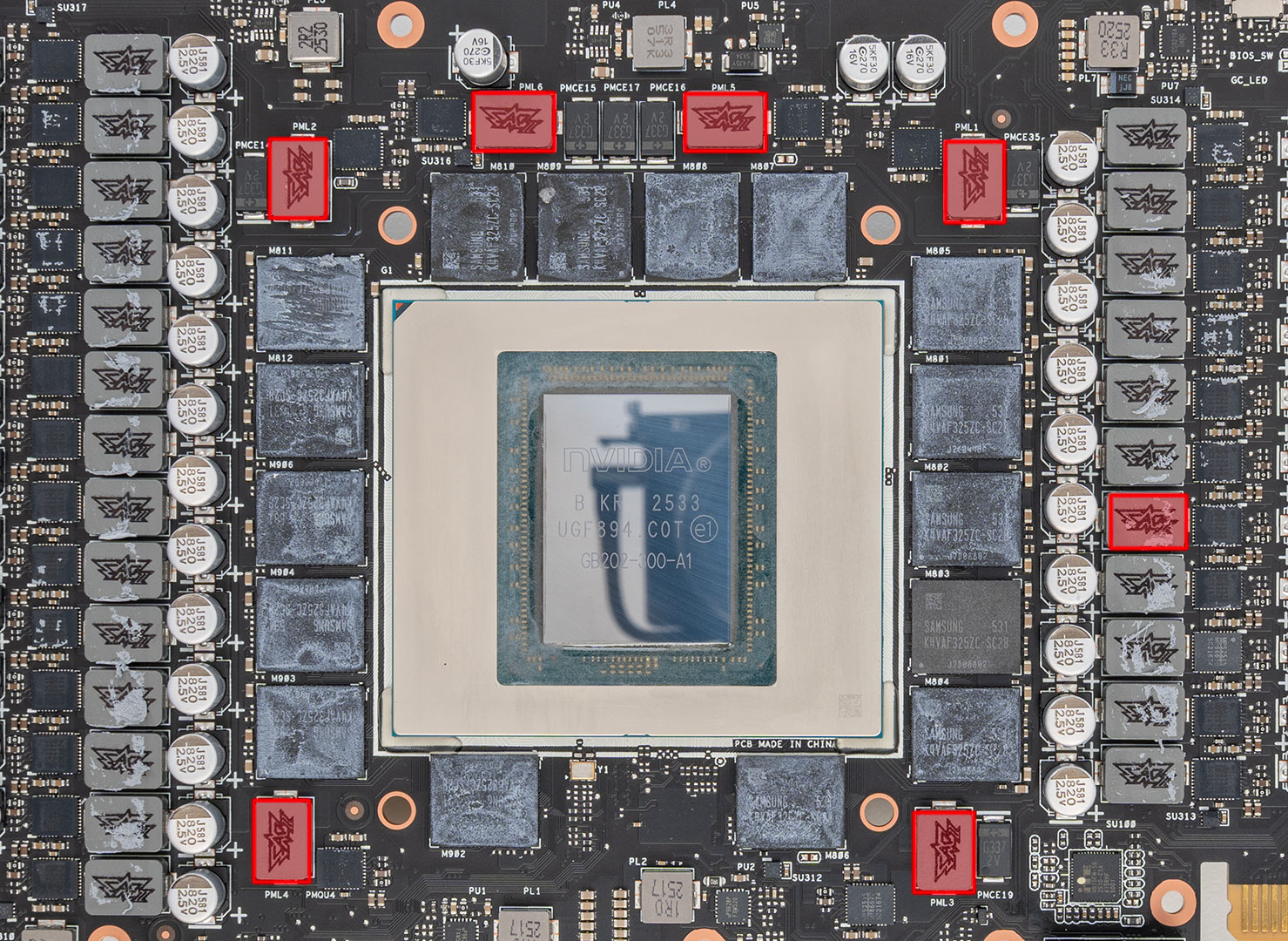
A 24-phase VRM powers the GPU, highlighted in the red rectangles above. These are controlled by a Monolithic Power Systems MP29816 controller.
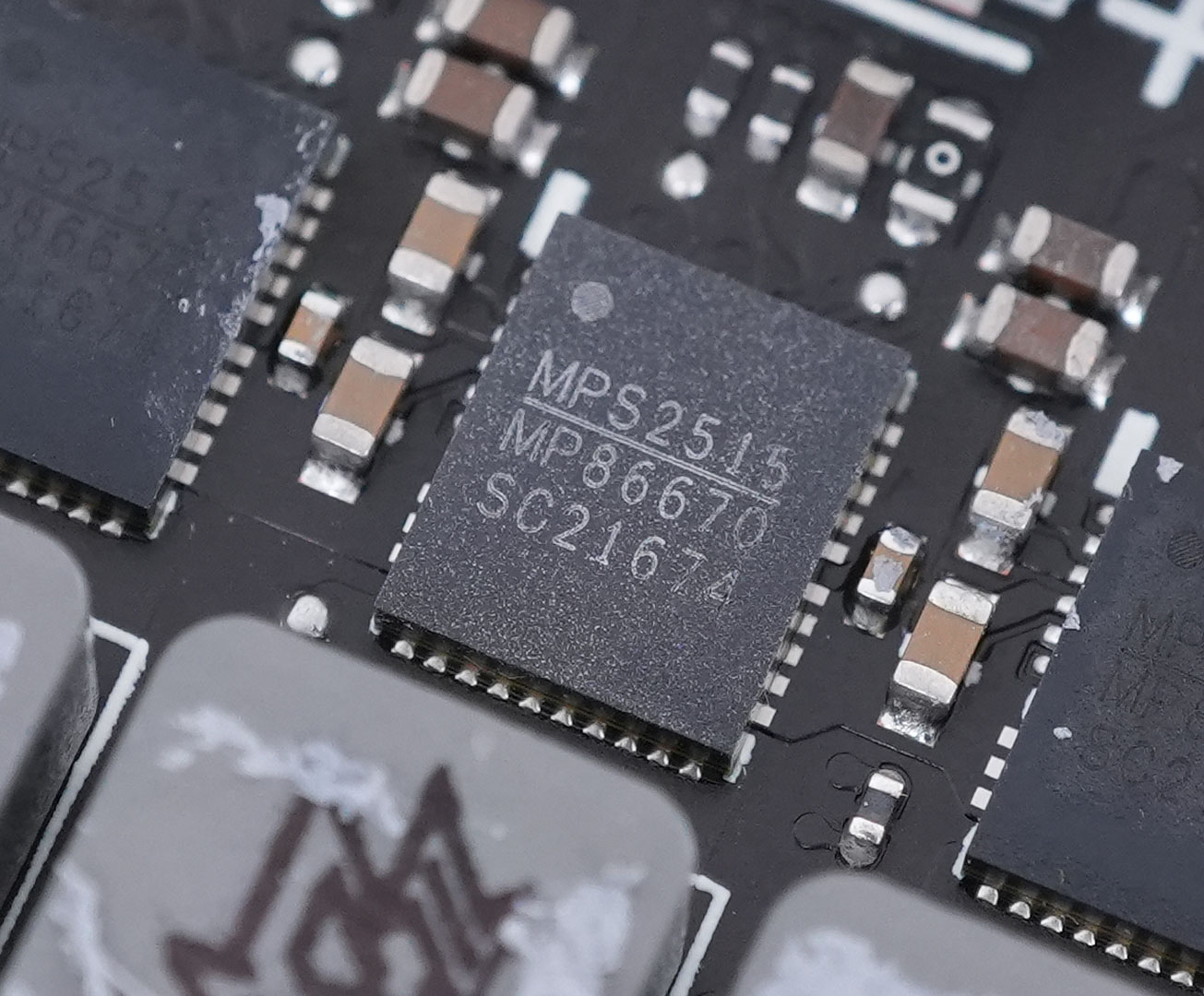
All GPU power phases use Monolithic MPS MP86670 DrMOS with an 80 A rating.
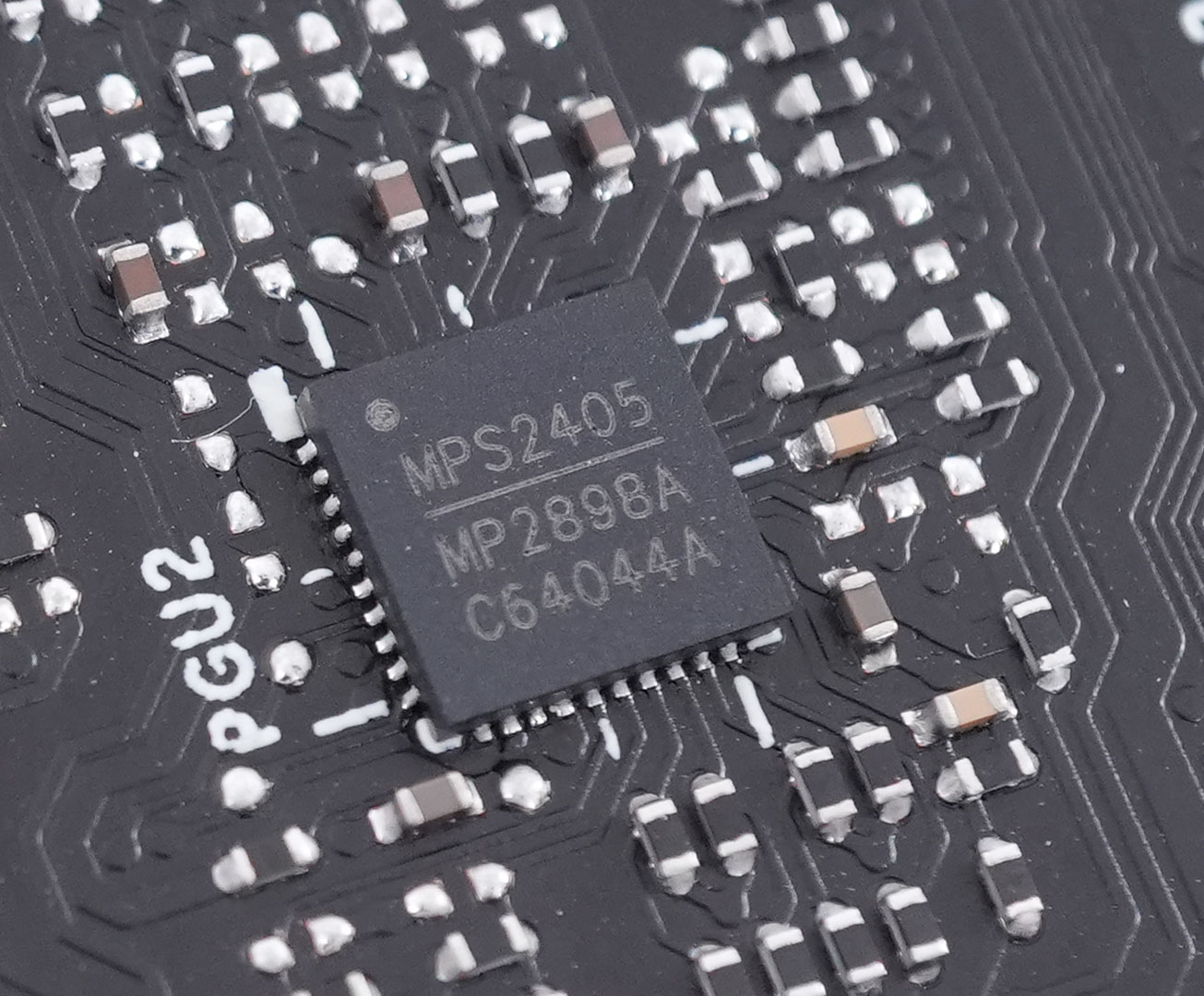
Powering the 16 GDDR7 memory chips is a 7-phase VRM driven by a Monolithic MP2898A controller.
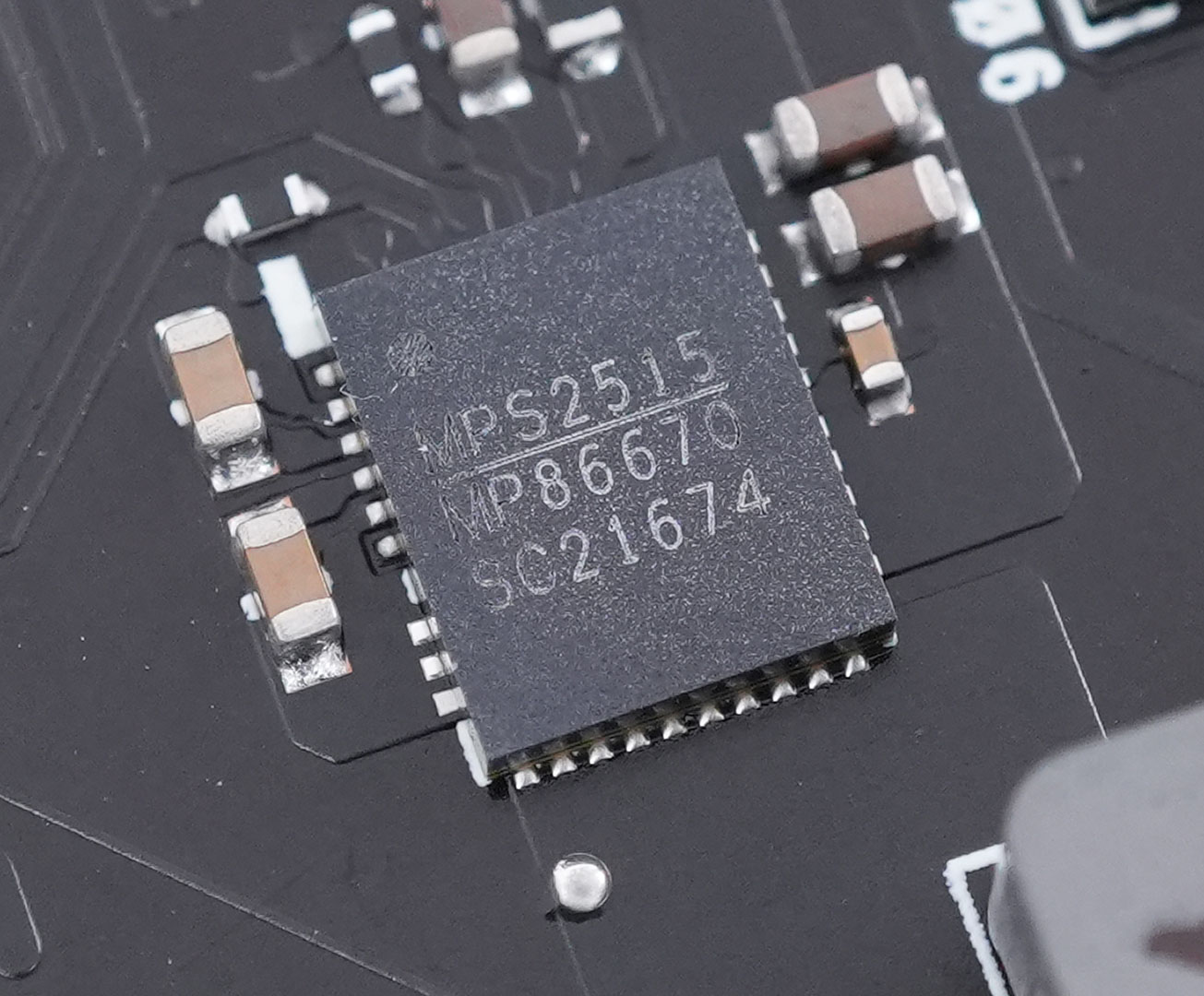
Just like GPU, the memory is handled by Monolithic MP86670 DrMOS chips, too, rated for 80 A.
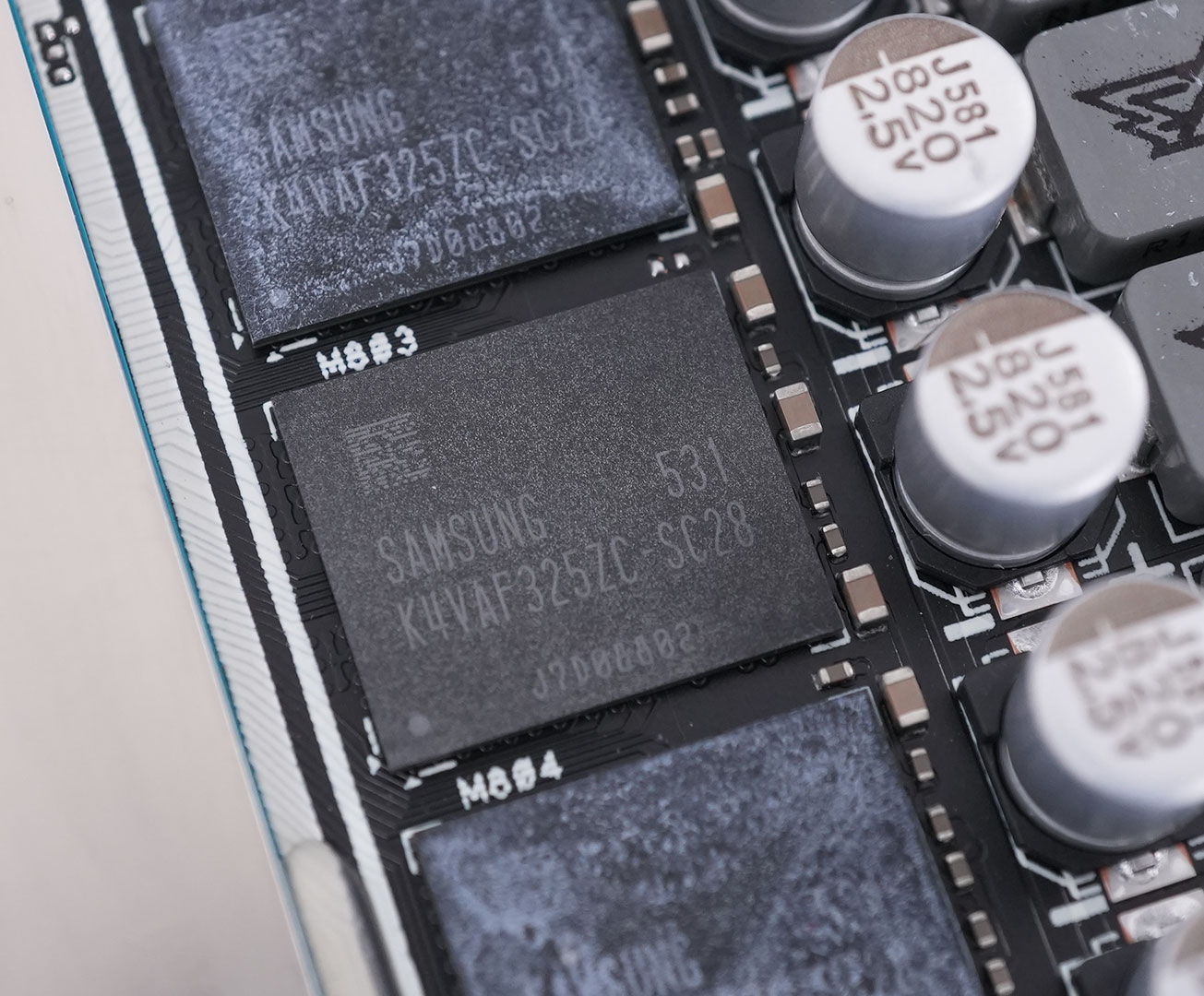
The GDDR7 memory chips are made by Samsung, and bear the model number K4VAF325ZC-SC28, they are rated for 28 Gbps.
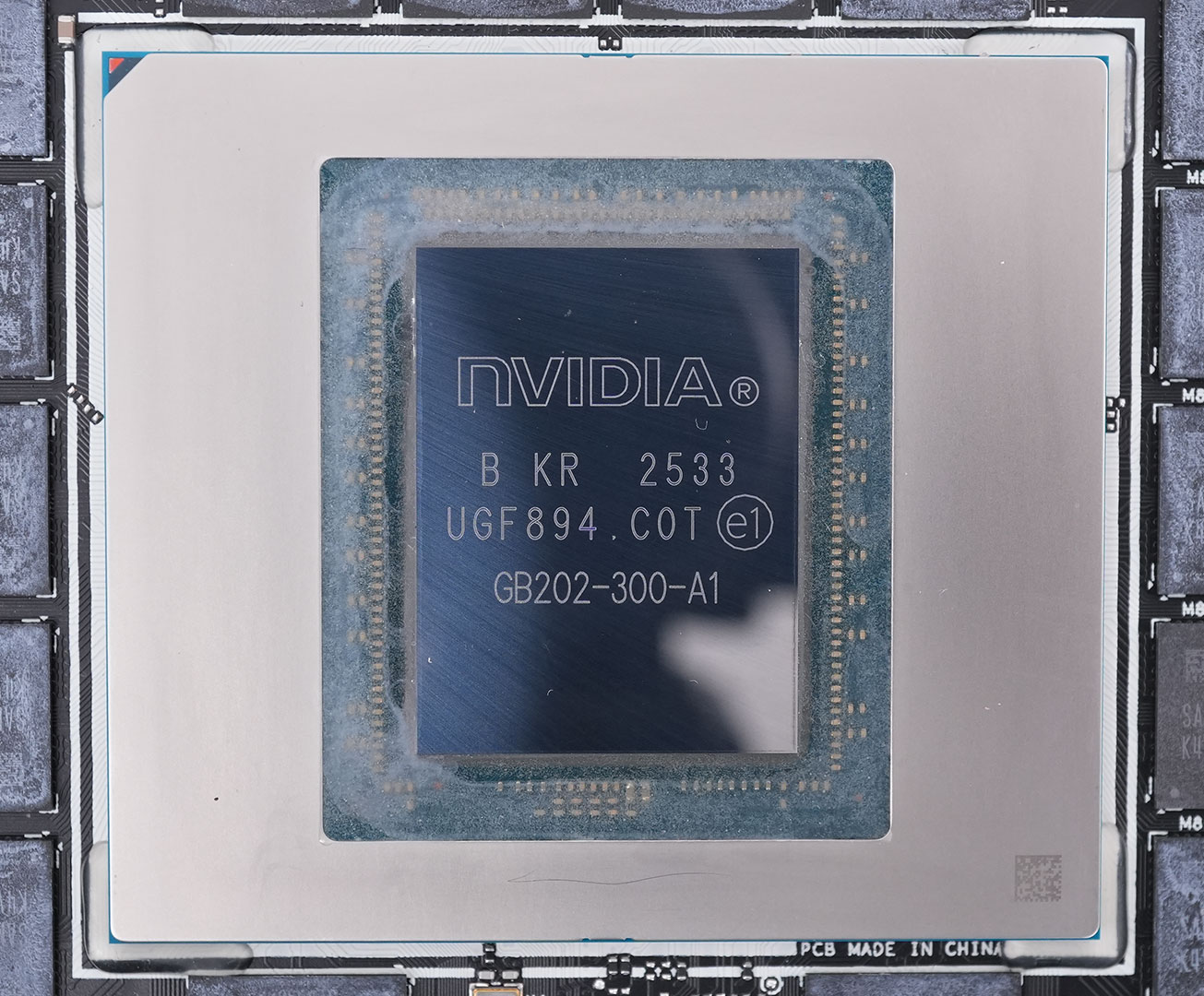
The NVIDIA GB202 GPU at the heart of the GeForce RTX 5090 is massive. It is fabricated using a 5 nanometer "NVIDIA 4N" process at TSMC Taiwan (same process as Ada). The die measures 750 mm², and comes with a transistor count of 92.2 billion.
Our Patreon Silver Supporters can read articles in single-page format.
Nov 15th, 2026 07:16 CST
change timezone
Latest GPU Drivers
New Forum Posts
- WarpCoreBench scores! (47)
- So where’s y’all’s lowbie or noob finds? Do you think Amazon is to blame for spending 64 dollars on a 35 dollar R36S klone? Is it good or bad? (0)
- Is this anyhow possible, that a GPU (ROG Strix RX480 O8G) can crash the whole PC after "ReFlash" in normal Mode? (1)
- Optical Disc Drive owners club (216)
- Planning for Prolonged High Prices and Maintaining What You Already Have (73)
- What can the FX 8320 do today? Here is the answer. (55)
- Folding Pie and Milestones!! (10203)
- HP Office Jet 7740 Pro - Supply system problem with replacement cartridge (0)
- Stalker 2 is looking great. (260)
- AI generated images... (228)
Popular Reviews
- AMD Zen 6 Technical Deep Dive
- ASUS ROG Strix B850-I Gaming Wi-Fi7 W Review
- Corsair HX1000i Shift Crystal Review
- Upcoming Hardware Launches 2027 (Updated Nov 2026)
- Montech King 95 3D PRO Review
- NZXT C1200 Platinum Review
- NZXT H7 RGB+ Review
- NZXT H5 Review
- Phantom Blade Zero Performance Benchmark Review - 35 GPUs Tested
- AMD Ryzen 7 9800X3D Review - The Best Gaming Processor
TPU on YouTube
Controversial News Posts
- NVIDIA Co-Founder and CEO Jensen Huang Officially Resigns (411)
- OpenAI CEO Argues Home PCs Waste the World's Limited DRAM Supply (152)
- NVIDIA Launches Investigation Into Jensen Huang's Relationship With Suspected Chinese Spy (136)
- Intel "Raptor Lake Next" 16-Core and 20-Core CPUs Surface (130)
- Legendary Game Studio BioWare Shuts Down Following EA Layoffs (104)
- Dell CEO Says the Memory Shortage Will Get Worse in 2027 (95)
- Open Letter Asking NVIDIA to Reinstate Jensen Huang Passes 115,000 Signatures (91)
- NVIDIA GeForce RTX 50-Series Scheduled for up to $500 Price Hike This Week (89)