 18
ASUS MAXIMUS IX CODE Review
(18 Comments) »Introduction

ASUS is a big name in the hardware industry. The ASUS Republic of Gamers brand spans across every category of gaming hardware, from mouse pads to motherboards, so it's no surprise that ASUS was hot out of the gate when Intel released Coffee Lake and the Z370 platform. Today, we are not looking at one of those hot new Z370 boards; today, we take a look into the not so distant past with the ASUS MAXIMUS IX CODE.
Coffee Lake changed the game by being Intel's first mainstream flagship to offer six-core, twelve-thread performance. Breaking the four-core, eight-thread paradigm that has held domain for the better part of a decade got a lot of people talking and a lot of gamers excited. Of course, the HEDT market has had hex core or greater offerings for generations. Spending upwards of a thousand dollars on a CPU alone has held most of the gaming community back, however, so it is easy to see what everyone is excited about. While stepping up and moving on from the quad-core rut is great, how much of a difference do two extra cores make for gaming? Can the previous generation hold up to the new kid on the block?
In order for the Intel 7700k to have a chance against its newer, bigger sibling, the 8700k, it's going to need a top-notch board to do it. The ASUS MAXIMUS IX CODE is that board, featuring everything you would expect from even a newer Z370 board. Last June, cadaveca reviewed the CODE's big brother, the ASUS MAXIMUS IX FORMULA, which featured hybrid air- and liquid-cooling capabilities and a monstrous price tag. The ASUS MAXIMUS IX CODE lacks the water-cooling capabilities, but shares the majority of the FORMULA's best features and a significantly lower price. With a top-notch ASUS BIOS, if any board has what it takes to keep up with Coffee Lake, this one does.

Specifications
| Specifications | |
|---|---|
| CPU Support: | 7th/6th Gen Intel Core i3/i5/i7 processors, Intel Pentium/Celeron processors |
| Power Design: | CPU Power: 10 phase Memory Power: 2 phase |
| Chipset: | Intel Z270 |
| Integrated Graphics: | Dependent on installed CPU |
| Memory: | 4x DIMM, Support Dual Channel DDR4-4000 MHz+(OC) |
| BIOS: | AMI UEFI BIOS |
| Expansion Slots: | 2x PCIe 3.0 x16 slots (grey, x16/NC or x8/x8) 1x PCIe 3.0 x16 slot (black, x4 mode) 3x PCIe 3.0 x1 slot (black, x4 mode) |
| Storage: | 6x SATA 6 Gb/s port 2x M.2 port (PCIe 3.0 x4 and SATA 6 Gb/s) |
| Networking: | 1x GigaLAN Intel I219-V |
| Rear Ports: | 1x DisplayPort 1x HDMI 1x LAN (RJ45) port 1x USB 3.1 (red)Type-A 1x USB 3.1 (black)Type-C 4x USB 3.0 (blue) 4x USB 2.0 1x Optical S/PDIF out 5x Audio jack 1x Clear CMOS button 2x Wi-Fi antenna port 1x USB BIOS Flashback Button |
| Audio: | ROG SupremeFX 8-Channel High Definition Audio CODEC S1220 |
| Fan Headers: | 8x 4-pin |
| Form Factor: | ATX Form Factor: 12.0-in x 9.6-in, 30.5 cm x 24.3 cm |
| Exclusive Features: |
|
Packaging and Contents


The front of the ASUS MAXIMUS IX CODE's box is a lovely deep red with the ROG logo in the top-right corner, and in the bottom-left corner are the badges for the hardware and technologies the board supports, such as Intel CPUs or NVIDIA SLI and AMD Crossfire. There is a graphic of something vaguely circuit-like and very "ROG" down the diagonal of the box. What isn't present is a "Z270"; while this may not have been a big deal when this board launched, now that Z370 has arrived, the lack of an obvious distinction could lead the unwary customer to purchase incompatible hardware.
The rear of the box contains a concise list of the board's features, along with a shot of the board and close-up images which highlight its standout features. The Intel Z270 chipset designation is clearly displayed here, so my concern about its absence on the front of the packaging is assuaged somewhat.
Overall, I think that this is very nearly an ideal box layout. Other than my previously stated concern, I feel ASUS has done just about everything else right. The front of the box is relatively simple and attention grabbing, and the back is informative but not bloated.


Opening the box shows the ASUS MAXIMUS IX CODE in its box under a rigid plastic lid instead of inside an anti-static bag. This small change gives the packaging an air of presentation, aided by the "Welcome to the Republic" on the bottom of the lid.


Also aiding in the premium ambiance is the hinge for the box. This small and probably insignificant detail means that when opened, the box sits nicely, exactly as in the pictures above. I'm not ashamed to admit that I spent more than a few minutes playing with and admiring that hinge.

The included accessories are plentiful, generous even. While I think that the sticker sheet is a little over the top, I actually appreciate the coaster. The full list includes:
- Manual and support DVD
- 1x Rear I/O cover
- 4x SATA 6Gb/s cables
- 1x SLI bridge
- 1x CPU installation tool
- 1x M.2 SSD adapter and hardware
- 1x Front case panel adapter
- 1x Wifi antenna
- 1x 20% off coupon for Cablemods
- 2x ROG sticker sheets
- 1x ROG coaster
Board Layout
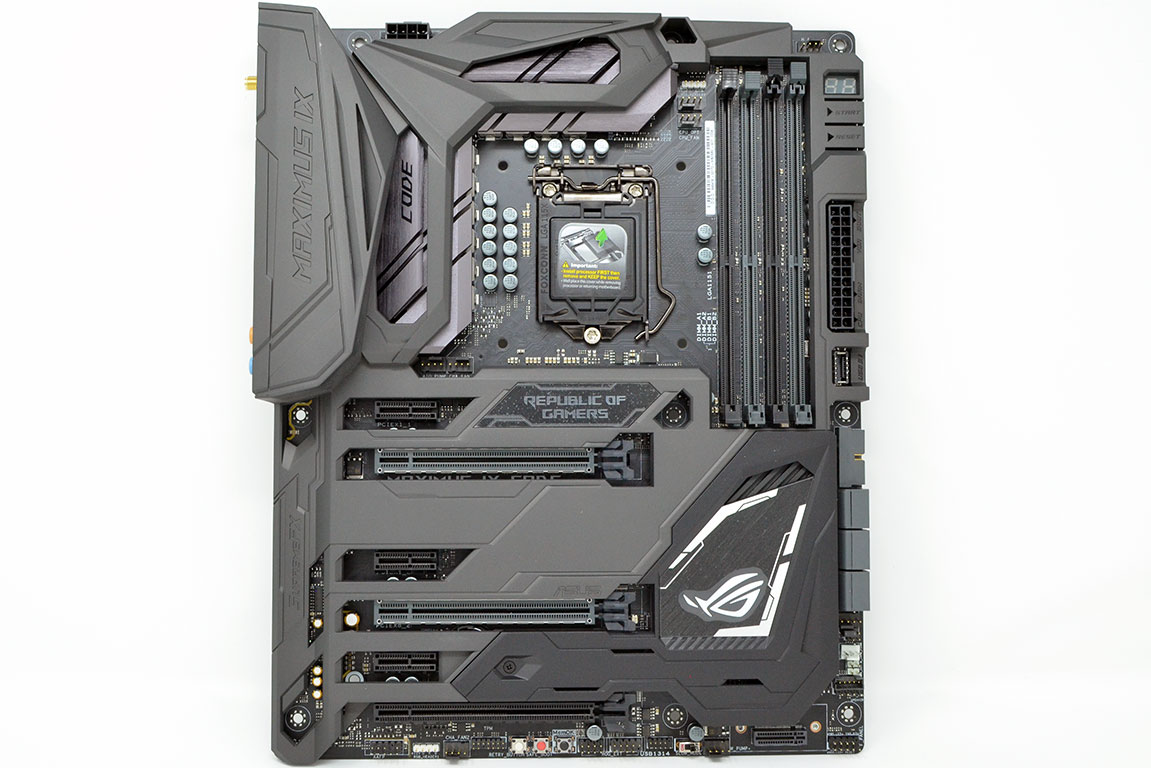

Taking the ASUS MAXIMUS IX CODE out of the box reveals a black board with a gunmetal gray shield covering most of its surface. Near the socket, brushed aluminum heat sinks peak out from under the shield, while down to the right of the PCI slots, a black heat sink can be found to be glimpsing out from under a black, removable shield that hides the first M.2 slot as well as the CMOS battery.
The overall impression the ASUS MAXIMUS IX CODE creates when examined is one of durability and quality. I really like the color scheme, though I don't like the color mismatch between the main gray shield and smaller black shield. The backside of the board continues the black theme and also reveals the nine screws that keep the shield attached.


The socket is somewhat open; though it does feel more crowded than on some boards, it should offer good clearance for coolers. The four DIMM slots sit to the right of the socket with a POST code display and start and reset buttons.
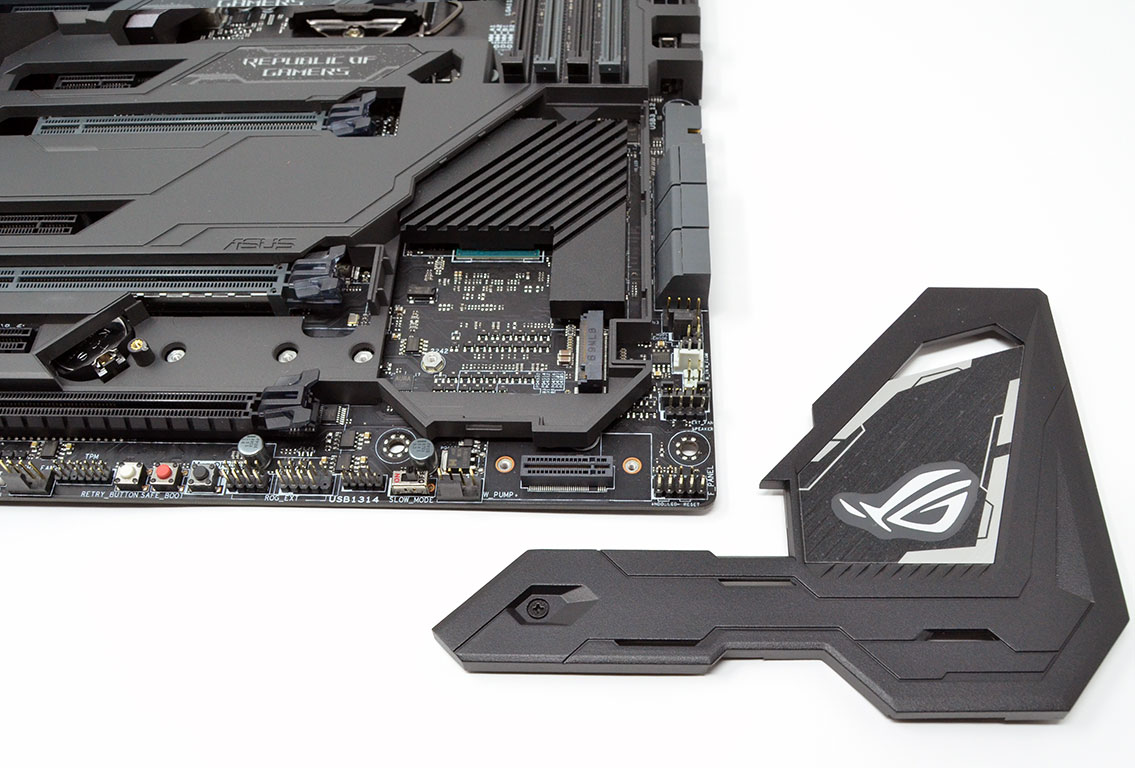
There are two M.2 slots of which the first is between PCI x16 slots two and three, underneath the small black shield bearing the ROG logo. The second slot is less conventional, located in the bottom-right corner. This slot requires an included adapter to mount the drive perpendicular to the board. This mounting method seems obtuse, but there is a lot going on with the ASUS MAXIMUS IX CODE, and real estate is a resource in short supply.
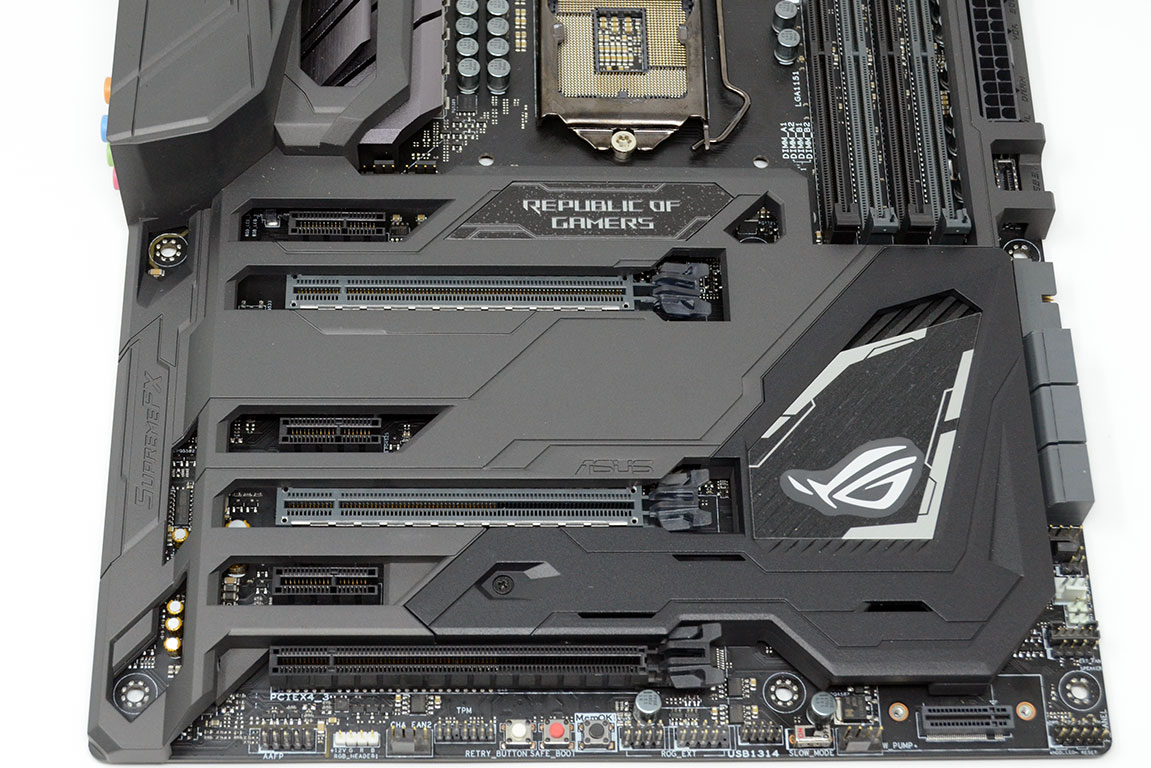
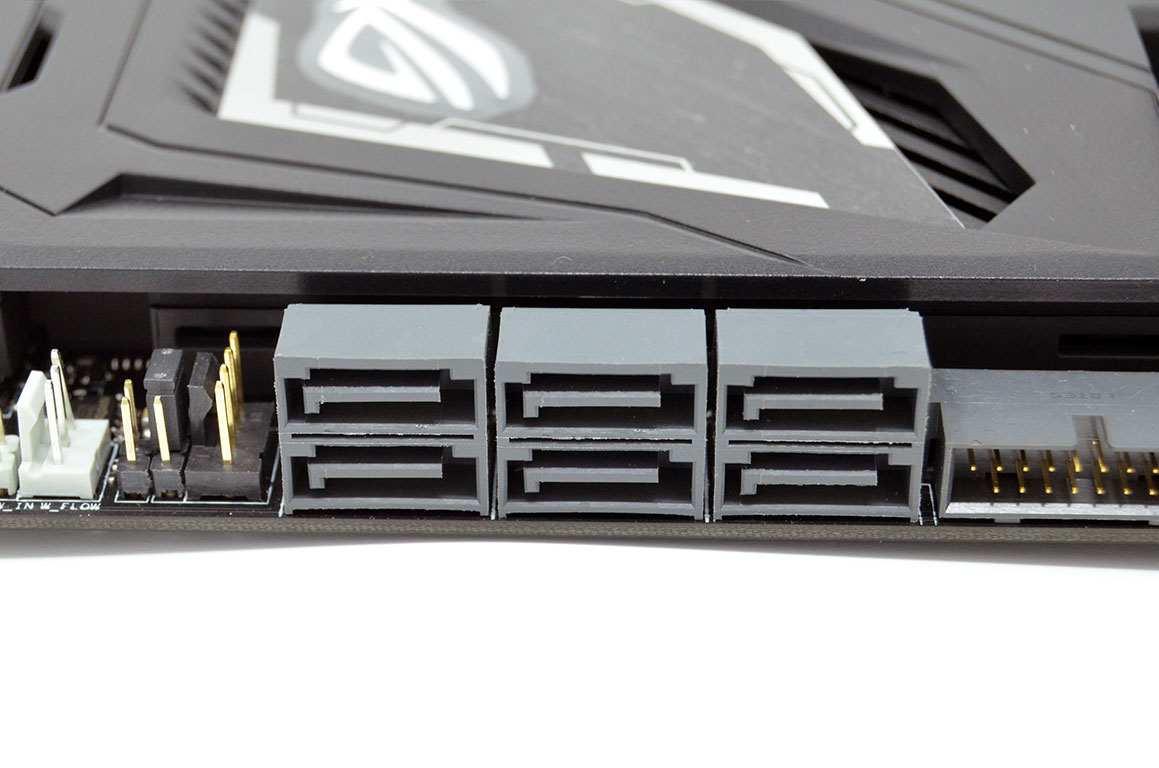
The ASUS MAXIMUS IX CODE features three PCI x16 and three PCI x1 slots. The top two PCI x16 slots are metal-reinforced. There are six standard SATA 6 Gb/s plugs on the board's right edge, angled at 90 degrees. The bottom edge of the board features three buttons along with a generous portion of USB, front panel, and fan headers. The white button is a hard reset, the second is a "safe boot", and the third is a "memOK". All three are extremely useful overclocking tools.


The rear I/O is fairly generous on the ASUS MAXIMUS IX CODE. Starting on the left, there are BIOS flashback and BIOS reset buttons. Next are the connections for the M.2 Wi-Fi antenna, followed by an HDMI 1.4b and a DisplayPort 1.2. Four USB 2.0 ports in black and four USB 3.0 ports in blue come next. The RJ45 LAN port sits over the two USB 3.1 ports, a Type-A in red and a Type-C in black. Finally, there are five color-coded 3.5 mm audio jacks and an optical S/PDIF out.
Our Patreon Silver Supporters can read articles in single-page format.
Nov 19th, 2026 16:08 CST
change timezone
Latest GPU Drivers
New Forum Posts
- Honestly, do you care about GTA VI? (164)
- Windows 11 General Discussion (7736)
- Current Sales, Bundles, Giveaways (10448)
- Last game you purchased? (1409)
- WarpCoreBench scores! (76)
- Got the EOL 32GB TridentZ 6000 CL26 1.4V (12)
- Dell Workstation Owners Club (3516)
- Making a game in Godot engine (4)
- DTS DCH Driver for Realtek HDA [DTS:X APO4 + DTS Interactive] (2815)
- Security Apps (2)
Popular Reviews
- Acemagic Retro X3 Review
- Ugreen NASync DXP4800 GT Review
- Upcoming Hardware Launches 2027 (Updated Nov 2026)
- Pulsar Office Tour & First Look at P1 Dual-Sensor Mouse
- AMD Zen 6 Technical Deep Dive
- Biwin Black Opal NV7400 2 TB Review
- Sapphire Radeon RX 7700 XT Pure Review
- Sapphire Radeon RX 7700 XT Pulse Review
- AMD Ryzen 7 9800X3D Review - The Best Gaming Processor
- Chieftec Iceberg PRO 360 DARK Review
TPU on YouTube
Controversial News Posts
- NVIDIA Co-Founder and CEO Jensen Huang Officially Resigns (489)
- Report: Jensen Huang Eyes NVIDIA Comeback (223)
- Open Letter Asking NVIDIA to Reinstate Jensen Huang Passes 115,000 Signatures (184)
- OpenAI CEO Argues Home PCs Waste the World's Limited DRAM Supply (152)
- NVIDIA Launches Investigation Into Jensen Huang's Relationship With Suspected Chinese Spy (136)
- Intel "Raptor Lake Next" 16-Core and 20-Core CPUs Surface (130)
- Legendary Game Studio BioWare Shuts Down Following EA Layoffs (104)
- Dell CEO Says the Memory Shortage Will Get Worse in 2027 (95)