 20
ASUS MAXIMUS VI IMPACT (Intel LGA1150) Review
(20 Comments) »Introduction

Our foray into mITX boards would be incomplete without taking a look at one of the most highly requested, most highly regarded mITX products, the ASUS MAXIMUS VI IMPACT. Users have been asking ASUS forum reps and ASUS staff for mITX ROG products for quite a few years now, and with Intel's Z87, that call was most definitely answered, and answered loudly.
ASUS's ROG branding has been around for years and provides many users with a by time tested and honored level of tweak-ability and functionality that is second to none; one many other brands strive to achieve. You know exactly what you get with an ASUS ROG board: highly tuned BIOSes and OC features that include support for LN2, with a unique twist to everything else ASUS ROG products offer that is sure to meet the needs of any discriminate gamer. These products come with the "Republic Of Gamers" tag for good reason, since top-level performance is something gamers and benchmarkers alike appreciate; things ASUS's ROG branding holds close to its heart. Both gamers and benchmarkers seek to achieve the highest benchmarking scores and framerates with the hardware they have, but can you really squeeze all that ASUS ROG goodness into an 8 x 8 square PCB? Let us dig deeper into the ASUS MAXIMUS VI IMPACT to find out.

Specifications
| Specifications | |
|---|---|
| CPU SUPPORT: | 4th Gen Intel Core i7/i5/i3/Pentium/Celeron processor family for the LGA 1150 Socket |
| POWER DESIGN: | CPU Power: 8 Phases Memory Power: 2 Phases |
| CHIPSET: | Intel Z87 Express |
| INTEGRATED GRAPHICS: | Dependant on installed CPU |
| MEMORY: | 2 x DIMM, Max. 16 GB, DDR3 1333 to DDR3 3000+(OC) |
| BIOS: | AMI UEFI BIOS with 64 Mb Flash ROM |
| SLOTS: | 1 x PCIe 3.0 x16 slot |
| HDD CONNECTVIITY: | 4 x SATA 6.0 Gb/s (Intel Z87) 1 x eSATA 6.0 Gb/s 1 x eSATA 6.0 Gb/s |
| NETWORKING: | 1 x Intel I217V Gigabit LAN |
| PORTS: | 6 x USB 3.0 ports (2 at front panel, 4 at rear panel) 6 x USB 2.0 ports (2 at front panel, 4 at rear panel) 1 x RJ45 LAN connectors 1 x Audio block with 3 audio jacks 1 x Optical S/PDIF port 1 x HDMI port 1 x DisplayPort 1 x eSATA 6 Gb/s 1 x Q-Code LED 1 x ROG Connect On/Off switch 1 x USB BIOS Flashback button 1 x Clear CMOS button 1 x Direct Key button 1 x MemOK! button 1 x ASUS Wi-Fi GO! module |
| AUDIO: | ASUS SupremeFX High Definition Audio CODEC |
| FAN HEADERS: | 4 x 4-pin PWM |
| FORM FACTOR: | Mini ITX Form Factor (170 mm x 170 mm) |
| EXCLUSIVE FEATURES: |
|
Intel Z87 Chipset

New and fresh on the scene for June of 2013 is Intel's latest Socket 1150 platform, with Intel's Z87 chipset taking the top-tier spot in chipset functionality and for performance options on the platform.
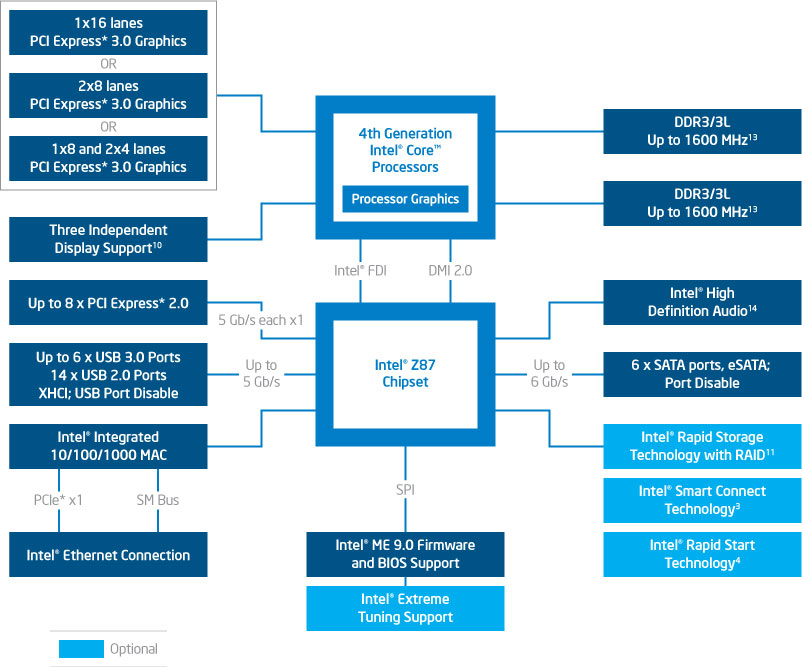
Most of the basic functionality offered by Intel's new Z87 chipset is quite similar to what was offered with Intel's Z77 Express, but there are more USB 3.0 ports, and they are faster too. All of the SATA ports provided offer SATA 6 Gb/s functionality. Intel's Z77 Express only had two ports at those speeds. There are also new power-saving features to keep power consumption at a bare minimum, and Z87 also includes all the features of the Intel Z77 Express. The chipset offers PCIe speeds of up to 5 GT/s for fast access to peripheral devices and networking with up to eight PCI Express 2.0 x1 ports that can be configured to act as x2-, x4-, or x8 ports. Intel's functionality diagram for the Z87 chipset is shown above.
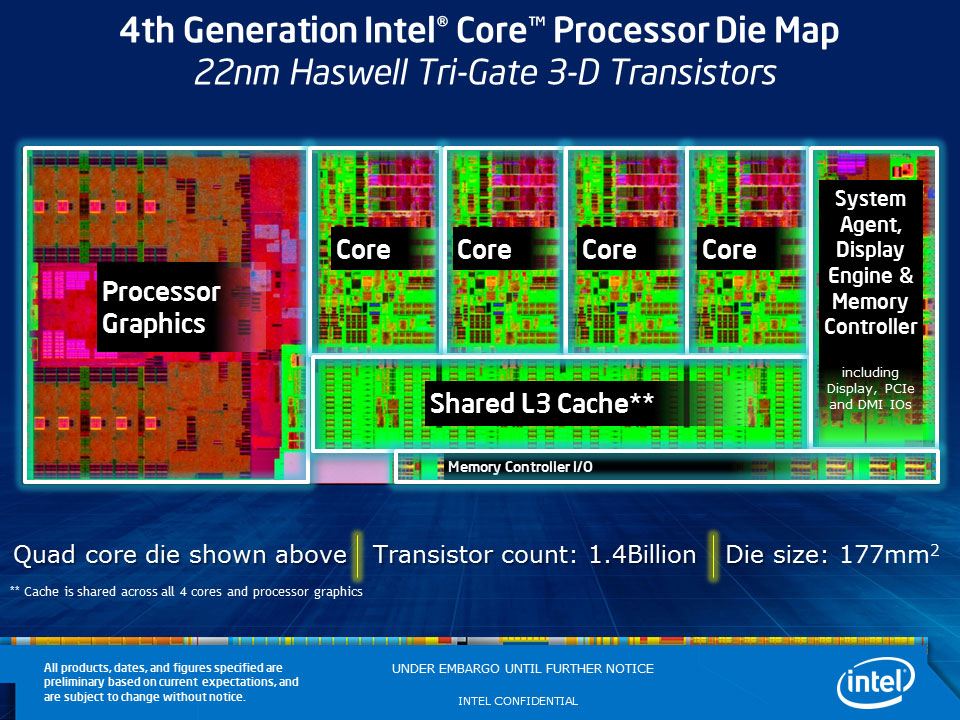
The new 4th Gen Intel Core CPUs are 64-bit, multi-core chips built on a 22nm process; pairing with the Intel Z87 chipset enables the performance-tuning features of "K"-SKU CPUs, allowing independent changes to core-, graphics-, "ring"-, and memory frequencies. This allows you to clock up one part of the chip while running any other part of the chip at stock speeds, which is extremely useful for enthusiasts that like to overclock, as each part can be clocked and tested independently for the absolute most out of your chip if the time is taken to test everything fully. Users who prefer the simpler approach of past platforms can use it instead, ensuring everyone's needs are met. For PCIe connectivity, Intel Z87-based platforms allow the processor's PCI Express 3.0 port to be configured into three different configurations: 1x16, 2x8, or 1x8 and 2x4. The third x8 and 2x4 configuration is primarily meant for use with Intel Thunderbolt Technology but can be used to support other devices as well.
Other TPU reviews cover the CPUs themselves in more detail. We will now also separate those reviews. One will cover iGPU performance and the other will cover CPU performance.
Packaging

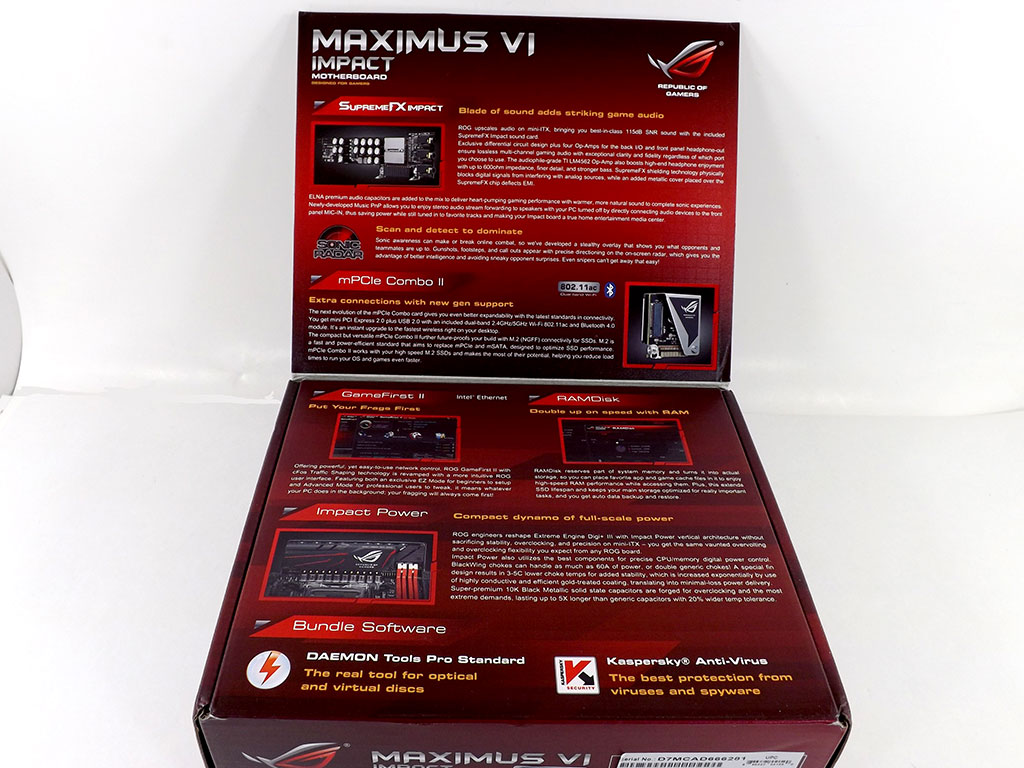
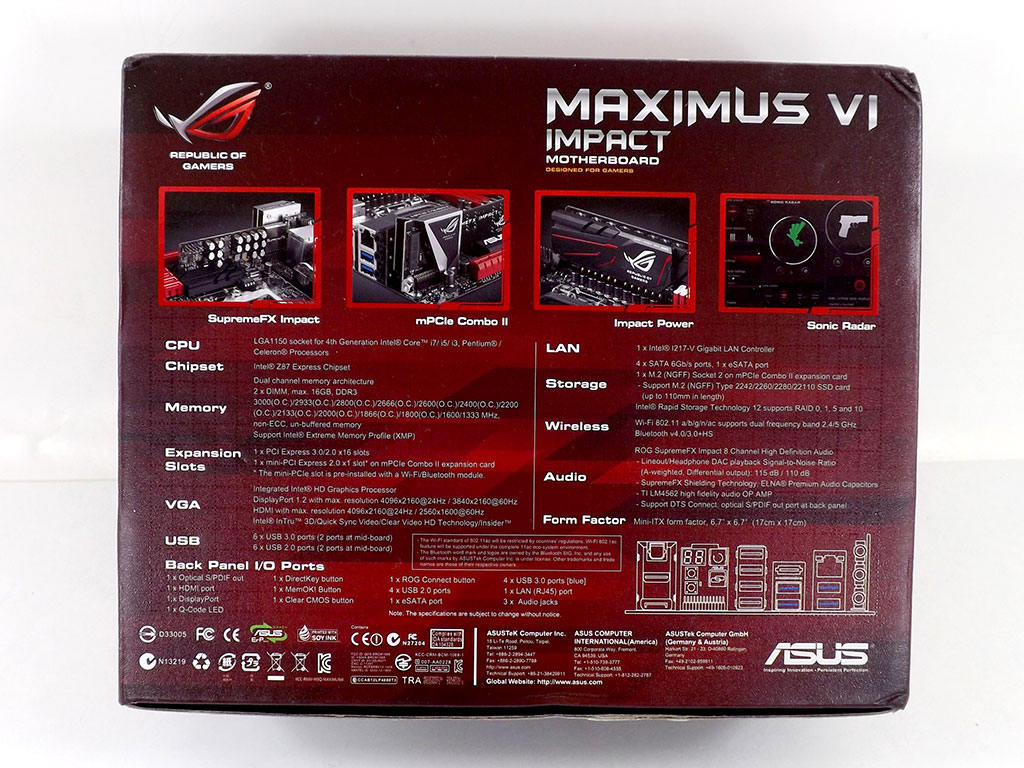
The ASUS MAXIMUS VI IMPACT comes in a box similar to that of any other ASUS ROG product, with the distinctive design we all know to look for, although the box is a whole lot smaller this time around. The usual flap on top covers the product’s features, and while there is more information on the bottom, all of it is quite ordinary and boring.


You will find all the typical items once you open the box: a plastic cover on top of a multi-layered box design that holds all the included accessories listed below.
Contents

There is a fair bit of stuff here, including a couple of extras, like a pin-block extender to make case wiring a bit simpler, enough SATA 6 Gb/s cables for every port, and ASUS's proprietary wireless antenna. A full list of what I found is below:
- User's manual
- 1x ROG I/O shield
- 1 x ROG SUPREMEFX IMPACT module
- 1 x ROG MPCIe COMBO II module
- 4 x SATA 6Gb/s cables
- 1 x ASUS 2T2R dual-band Wi-Fi moving antennas (Wi-Fi 802.11a/b/g/n/ac compliant)
- 1 x Front-panel cable kit
- 1 x ROG case badge
- 1 x ROG SATA Cable Label kit
- 1 x Driver disc
Our Patreon Silver Supporters can read articles in single-page format.
Nov 15th, 2026 23:15 CST
change timezone
Latest GPU Drivers
New Forum Posts
- The Official Thermal Interface Material thread (2301)
- Asus Rog Maximus Z890 Extreme. (Various questions). (26)
- GPU Temperatures Rise Very Quickly in FurMark – Is This Normal? (7)
- Will zen 6 mobos have anything extra vs current ones? (46)
- Your PC ATM (36435)
- It’s been fascinating times in Retro agian r36s isn’t even worth 50-65 dollars no more and newly listed Rm36 64gb 4in IPS models for only 34 dollars. (6)
- Power supply noise stops when I move the mouse (10)
- Can you guess Which game it is? (320)
- What is the latest game you finished or 100% (203)
- HP Office Jet 7740 Pro - Supply system problem with replacement cartridge (4)
Popular Reviews
- ASUS ROG Strix B850-I Gaming Wi-Fi7 W Review
- Corsair HX1000i Shift Crystal Review
- AMD Zen 6 Technical Deep Dive
- Upcoming Hardware Launches 2027 (Updated Nov 2026)
- Montech King 95 3D PRO Review
- NZXT C1200 Platinum Review
- Phantom Blade Zero Performance Benchmark Review - 35 GPUs Tested
- AMD Ryzen 7 9800X3D Review - The Best Gaming Processor
- NZXT H5 Review
- NZXT H7 RGB+ Review
TPU on YouTube
Controversial News Posts
- NVIDIA Co-Founder and CEO Jensen Huang Officially Resigns (430)
- Open Letter Asking NVIDIA to Reinstate Jensen Huang Passes 115,000 Signatures (184)
- OpenAI CEO Argues Home PCs Waste the World's Limited DRAM Supply (152)
- NVIDIA Launches Investigation Into Jensen Huang's Relationship With Suspected Chinese Spy (136)
- Intel "Raptor Lake Next" 16-Core and 20-Core CPUs Surface (130)
- Legendary Game Studio BioWare Shuts Down Following EA Layoffs (104)
- Dell CEO Says the Memory Shortage Will Get Worse in 2027 (95)
- NVIDIA GeForce RTX 50-Series Scheduled for up to $500 Price Hike This Week (89)