 28
ASUS MAXIMUS VIII EXTREME (Intel LGA-1151) Review
(28 Comments) »Introduction

With the new year come and gone and tax season nearly expiring, you should receive your refund soon if you haven't already. That means it's upgrade time! Go get your overclock on! Who can you turn to in order to get the most bad-ass board to push your hardware to the limit? Who other than ASUS?
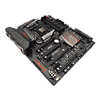
Asus's MAXIMUS VIII EXTREME is exactly what its name says: Extreme. In features, connectivity, bundled goodies, and price, ASUS's MAXIMUS EXTREME boards have long been a favorite of all sorts of overclockers, hitting the global rankings over at HWBOT time and again. With Skylake still relatively fresh on the market, but old enough to be ready for the utmost in tweaking, I sat down with my best i7-6700K and all my memory kits to see if ASUS still has what it takes.
Having high expectations for the ASUS MAXIMUS VIII EXTREME is simply a given. It's meant to be the part you don't think about as you simply put it to use and worry about the rest of your system and how much binning of memory, videocards, and CPUs it's going to take to reach those crazy frequencies. It doesn't matter how far you want to go, the ASUS MAXIMUS VII EXTREME is the board to take you there, and it doesn't hurt that it is red and black, either, does it? This time with less red?

Specifications
| Specifications | |
|---|---|
| CPU SUPPORT: | 6th Gen Intel Core i3/i5/i7 processors and Intel Pentium/Celeron Processors for Socket LGA-1151 |
| POWER DESIGN: | CPU Power: 13 phase Memory Power: 2 phase |
| CHIPSET: | Intel Z170 chipset |
| INTEGRATED GRAPHICS: | Dependent on installed CPU |
| MEMORY: | 4 x DIMM, Max. 64 GB; Support up to 3866+ |
| BIOS: | 1 x 128 Mb Flash ROM, UEFI AMI BIOS |
| SLOTS: | 3 x PCIe 3.0/2.0 x16 (x16 or dual x8 or x8/x4/x4, gray) 1 x PCIe 3.0/2.0 x16 (x4 mode, gray) 2 x PCIe 3.0/2.0 x1 (black) |
| HDD CONNECTIVITY: | 1 x M.2 x4 Socket 3 6 x SATA 6Gb/s ports, gray, (4 from SATA Express) 2 x SATA Express port 1 x U.2 port 2 x SATA 6Gb/s ports, black (ASMedia) |
| NETWORKING: | 1 x Intel I219V Gigabit LAN Controller |
| REAR PORTS: | 1 x PS/2 keyboard/mouse combo port(s) 1 x DisplayPort 1 x HDMI 1 x LAN (RJ45) port(s) 1 x USB 3.1 (black)Type-C 3 x USB 3.1 (red)Type-A 4 x USB 3.0 (blue) 1 x Optical S/PDIF out 5 x Audio jack(s) 1 x Clear CMOS button(s) 1 x USB BIOS Flashback Button(s) 1 x ASUS Wi-Fi GO! module (Wi-Fi 802.11 a/b/g/n/ac and Bluetooth v4.0/3.0+HS) |
| AUDIO: | ROG SupremeFX 2015 8-Channel High Definition Audio CODEC |
| FAN HEADERS: | 6 x 4-pin |
| FORM FACTOR: | EATX Form Factor (30.5 cm x 27.2 cm) |
| EXCLUSIVE FEATURES: |
|
Packaging


ASUS hasn't changed their box design very much in quite some time. My shelf for older hardware is filled with similar-looking boxes, including my ASUS MATRIX 7970 Platinum Edition. The product name is on front, and the rear has a lot of specification listings. There's a flap that opens to reveal the hardware itself, just like with my old MATRIX 7970. That means you know exactly what to look for on the store shelf when you go to your local store to buy ASUS ROG products, and that isn't a bad thing. Being able to easily see the hardware inside without having to open the package is great too because no other grubby little fingers will have molested the board simply to take a look.

ASUS has always included a huge assortment of bundled goodies with their EXTREME products. A full list of what I found with the ASUS MAXIMUS VIII EXTREME is below:
- User's manual
- 1 x ASUS Q-Shield
- 8 x SATA 6Gb/s cables
- 1 x M.2 screw package
- 1 x CPU installation tool
- 1 x Supporting DVD
- 1 x ASUS 3T3R dual-band Wi-Fi moving antennas (Wi-Fi 802.11a/b/g/n/ac compliant)
- 1 x Fan extension card (3 x 4-pin fan out)
- 1 x Fan extension card screw pack
- 1 x SLI bridge
- 1 x CrossFire cable
- 1 x Q-connector (1 in 1)
- 3 x Thermal sensor cable packs
- 1 x 12 in 1 ROG cabel label
- 1 x ROG fan label
- 1 x 5-pin to 5-pin cable
- 1 x ROG door hanger
- 1 x OC Panel II
- 1 x OC Panel II 5.25-inch bay metal case
- 1 x OC Panel II cabel
- 1 x OC Panel II screw pack


One of the goodies I find a bit useless, but you might find handy if you are still living with your parents is the door hanger. I have taken over my living room with my PC-specific gear, so I don't have a door to keep the kids out (which might be a mistake at times), but should you have a man cave or war room that contains your gaming PC, it might be a useful bit of the kit. The artwork is great, but it should say something about LN2, perhaps? This board is extreme, is it not? These days, PC gaming isn't all that extreme anymore...


There are more than enough drive cables, ROG SLI and Crossfire bridges, and ASUS's little case-wiring adapter to make attaching those wires properly that much easier. The provided antenna has a magnetic base and pivots to allow for the best-possible reception. There is also ASUS's new CPU-installation tool, provided to make CPU installation and removal easier. Skylake's socket design and thin PCB do make this particular tool rather useful.


There's also the padded rear I/O cover that saves your fingers when you put the board into your case. The padding ensures that the board makes proper contact with the I/O panel, which makes sure your board is properly grounded. ASUS even included a few thermal probes, although those are yet for another included device.
Our Patreon Silver Supporters can read articles in single-page format.
Nov 19th, 2026 16:14 CST
change timezone
Latest GPU Drivers
New Forum Posts
- Honestly, do you care about GTA VI? (164)
- Windows 11 General Discussion (7736)
- Current Sales, Bundles, Giveaways (10448)
- Last game you purchased? (1409)
- WarpCoreBench scores! (76)
- Got the EOL 32GB TridentZ 6000 CL26 1.4V (12)
- Dell Workstation Owners Club (3516)
- Making a game in Godot engine (4)
- DTS DCH Driver for Realtek HDA [DTS:X APO4 + DTS Interactive] (2815)
- Security Apps (2)
Popular Reviews
- Acemagic Retro X3 Review
- Ugreen NASync DXP4800 GT Review
- Upcoming Hardware Launches 2027 (Updated Nov 2026)
- Pulsar Office Tour & First Look at P1 Dual-Sensor Mouse
- AMD Zen 6 Technical Deep Dive
- Biwin Black Opal NV7400 2 TB Review
- Sapphire Radeon RX 7700 XT Pure Review
- Sapphire Radeon RX 7700 XT Pulse Review
- AMD Ryzen 7 9800X3D Review - The Best Gaming Processor
- Chieftec Iceberg PRO 360 DARK Review
TPU on YouTube
Controversial News Posts
- NVIDIA Co-Founder and CEO Jensen Huang Officially Resigns (489)
- Report: Jensen Huang Eyes NVIDIA Comeback (223)
- Open Letter Asking NVIDIA to Reinstate Jensen Huang Passes 115,000 Signatures (184)
- OpenAI CEO Argues Home PCs Waste the World's Limited DRAM Supply (152)
- NVIDIA Launches Investigation Into Jensen Huang's Relationship With Suspected Chinese Spy (136)
- Intel "Raptor Lake Next" 16-Core and 20-Core CPUs Surface (130)
- Legendary Game Studio BioWare Shuts Down Following EA Layoffs (104)
- Dell CEO Says the Memory Shortage Will Get Worse in 2027 (95)