 26
ASUS P7P55D-E Pro LGA 1156 Intel P55 Review
(26 Comments) »Introduction

Although the "next-gen" Intel P67 platform has launched recently, there still remains a good supply of the "old stuff", P55 and LGA1366, on the market. With P67 boards pulled from the market due to a manufacturing fault, those looking to buy a motherboard today are left with few options to choose from. Given the performance and features offered by P55 chipset itself, it's easy to understand why it's still a viable platform for daily usage for most users, from entry to high-end. With that in mind, fresh off the assembly line and to our door comes the ASUS P7P55D-E PRO, from ASUS' "Extreme Design" series of products. Boasting some features not found elsewhere, the ASUS P7P55D-E PRO attempts to set itself apart from the rest with the inclusion of both USB 3.0 and SATA 6 Gbps support. Also brought to the table on the ASUS P7P55D-E PRO is ASUS' "Hybrid Design", which attempts to push efficiency to a new level. Is it really "Extreme"? We take a hard look at the P7P55D-E PRO, read the review to find out.
Specifications
| ASUS P7P55D-E PRO | |
|---|---|
| CPU SUPPORT: | Intel Socket 1156 Core i7/i5/i3 Processor |
| POWER DESIGN: | CPU Power: 12 Phases VTT Power: 2 Phases Memory Power: 2 Phases |
| CHIPSET: | Intel P55 Express |
| INTEGRATED GRAPHICS: | Not Applicable |
| MEMORY: | 4x DDR3 DIMM, Max. 16 GB, DDR3-1066 to DDR3-2200 |
| BIOS: | 16 Mb Flash ROM, AMI BIOS |
| SLOTS: | 2x PCIe 2.0 x16 (support single at x16 or dual at x8/x8 mode) 3x PCIe 2.0 x1 (2 Blue at 5GT/s; 1 Grey at 2.5GT/s) 2x PCI 2.2 |
| HDD CONNECTIVITY: | 6x SATA 3.0 Gb/s ports (Intel P55) 1x SATA 3.0 Gb/s port (JMicron 363) 1x UDMA 133/100/66 port (JMicron 363) 2x SATA 6.0 Gb/s port (Marvell 88SE9120) 1x External SATA 3.0 Gb/s port at rear (JMicron 363) RAID 0, 1, 5, 10 supported |
| NETWORKING: | Realtek RTL8112L Gigabit LAN via PCI-Express |
| PORTS: | 2x 1394a ports 2x USB 3.0 ports (blue) 12x USB 2.0/1/1 ports |
| AUDIO: | VIA VT1828S 8-channel HD Audio |
| FORM FACTOR: | ATX Form Factor (12 inch x 9.6 inch) |
| ASUS FEATURES: |
|
Packaging


Clad in light-blue wrappings, the ASUS P7P55D-E PRO features a relatively simple box design, with not much more on the front of the box but a bunch of logos depicting the technology the board supports, as well as a promise of extra performance and power savings. Flipping the box over we find a more detailed description of what features the board provides, with brief multi-language snippets at the bottom. Contact info for ASUS in various regions can also be found here as well, a good promise this board will be easy on the pocket.

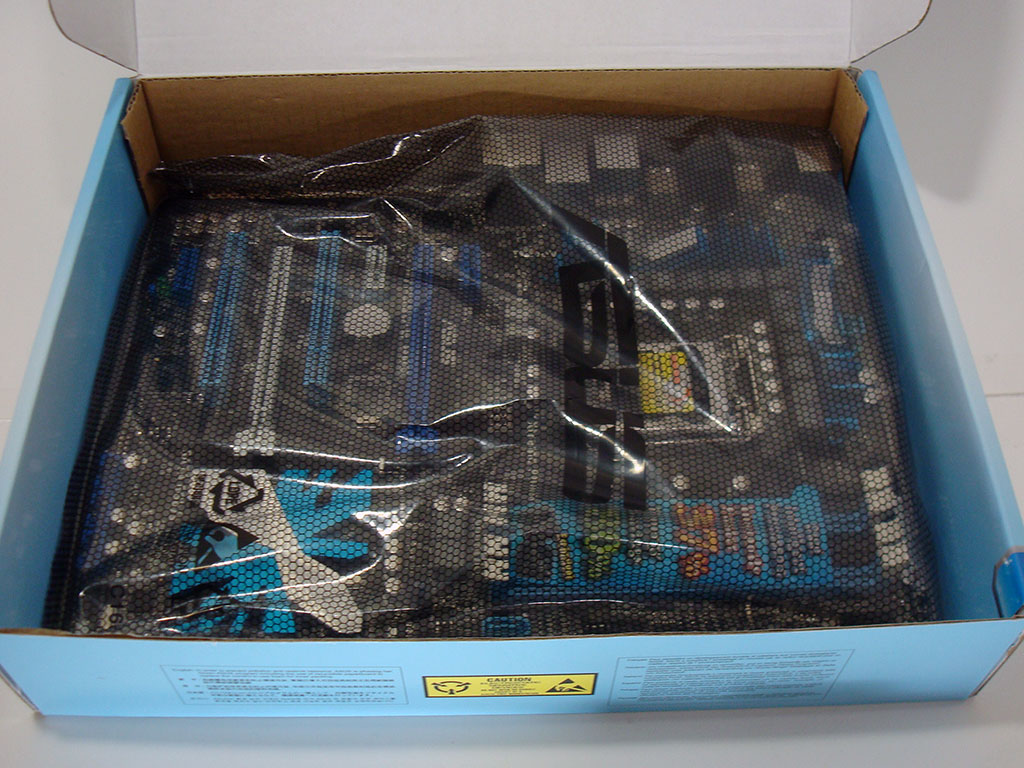
Not wanting to waste time with the box, we opened it quickly to find the manuals and other included goodies right on top. We had to remove these to get to the important part, the board itself, which proved a bit difficult with the white inner cardboard formed to fit the motherboard. Once that was done, the board itself sat at the very bottom, clad in the usual ASUS-branded anti-static bag.
Our Patreon Silver Supporters can read articles in single-page format.
Nov 19th, 2026 16:14 CST
change timezone
Latest GPU Drivers
New Forum Posts
- Honestly, do you care about GTA VI? (164)
- Windows 11 General Discussion (7736)
- Current Sales, Bundles, Giveaways (10448)
- Last game you purchased? (1409)
- WarpCoreBench scores! (76)
- Got the EOL 32GB TridentZ 6000 CL26 1.4V (12)
- Dell Workstation Owners Club (3516)
- Making a game in Godot engine (4)
- DTS DCH Driver for Realtek HDA [DTS:X APO4 + DTS Interactive] (2815)
- Security Apps (2)
Popular Reviews
- Acemagic Retro X3 Review
- Ugreen NASync DXP4800 GT Review
- Upcoming Hardware Launches 2027 (Updated Nov 2026)
- Pulsar Office Tour & First Look at P1 Dual-Sensor Mouse
- AMD Zen 6 Technical Deep Dive
- Biwin Black Opal NV7400 2 TB Review
- Sapphire Radeon RX 7700 XT Pure Review
- Sapphire Radeon RX 7700 XT Pulse Review
- AMD Ryzen 7 9800X3D Review - The Best Gaming Processor
- Chieftec Iceberg PRO 360 DARK Review
TPU on YouTube
Controversial News Posts
- NVIDIA Co-Founder and CEO Jensen Huang Officially Resigns (489)
- Report: Jensen Huang Eyes NVIDIA Comeback (223)
- Open Letter Asking NVIDIA to Reinstate Jensen Huang Passes 115,000 Signatures (184)
- OpenAI CEO Argues Home PCs Waste the World's Limited DRAM Supply (152)
- NVIDIA Launches Investigation Into Jensen Huang's Relationship With Suspected Chinese Spy (136)
- Intel "Raptor Lake Next" 16-Core and 20-Core CPUs Surface (130)
- Legendary Game Studio BioWare Shuts Down Following EA Layoffs (104)
- Dell CEO Says the Memory Shortage Will Get Worse in 2027 (95)