 8
ASUS Prime AP202 Review
Review System Setup »A Closer Look - Inside
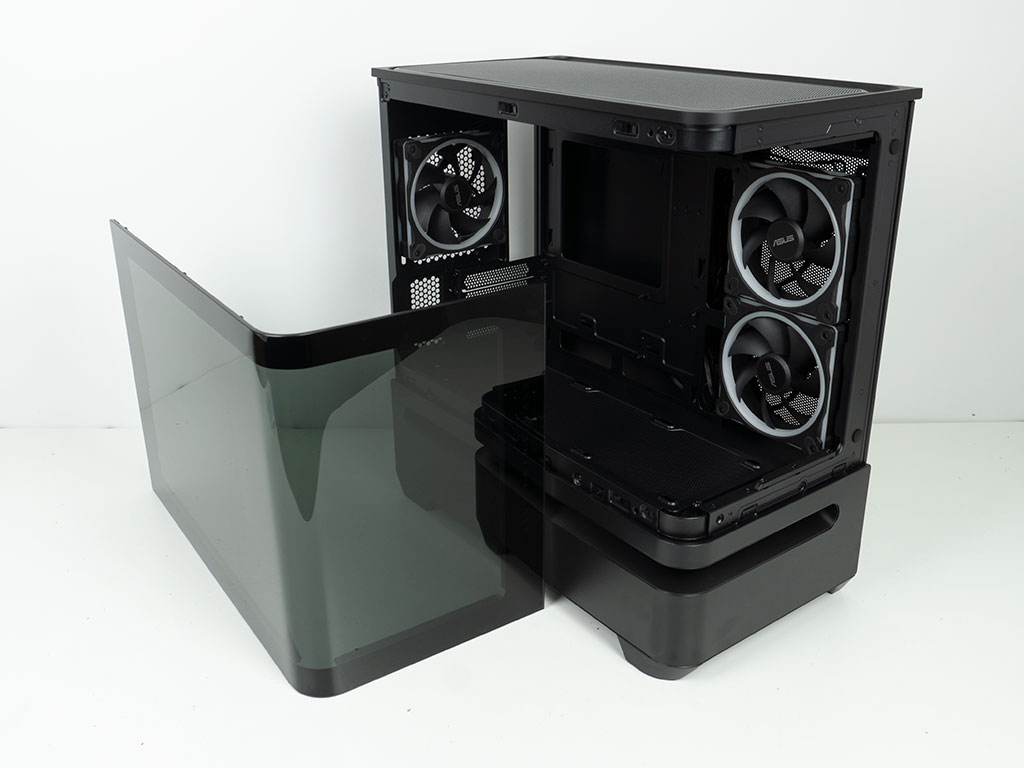

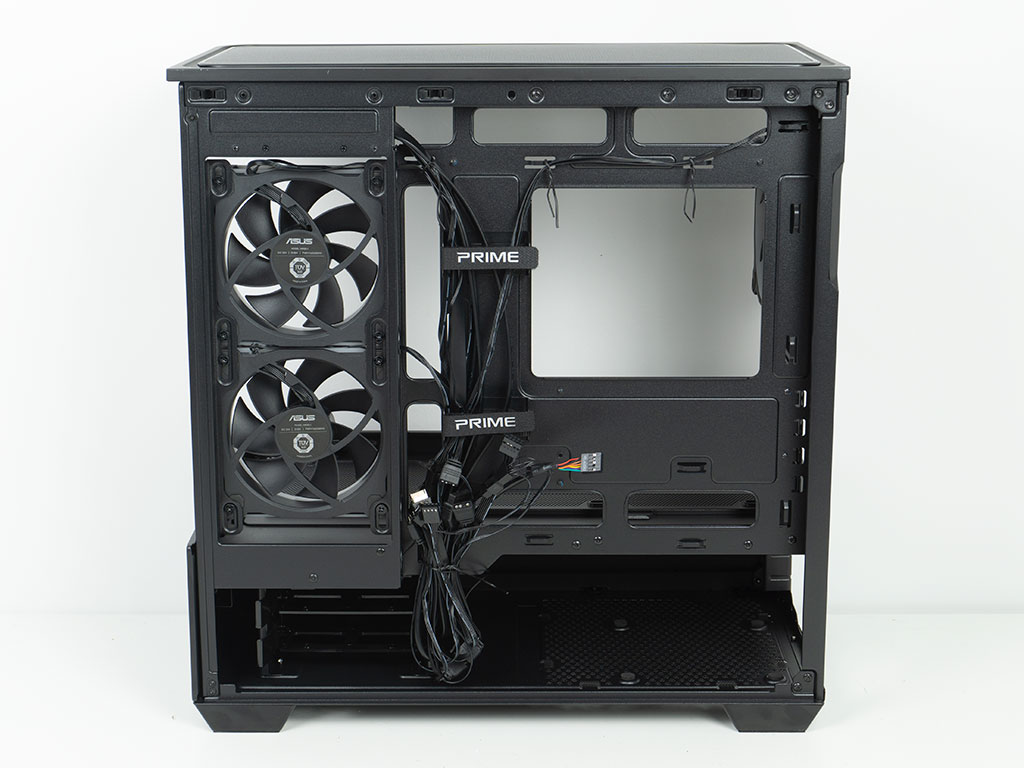
To gain access to the interior, you have to release the captive thumb screws and then slide the glass panel away from the chassis. The panel is thick and sturdy and the heavy tint is clearly visible as well. The interior layout of the Prime AP202 can be considered traditional overall. The case is not BTF capable as there is not enough room behind the motherboard tray.
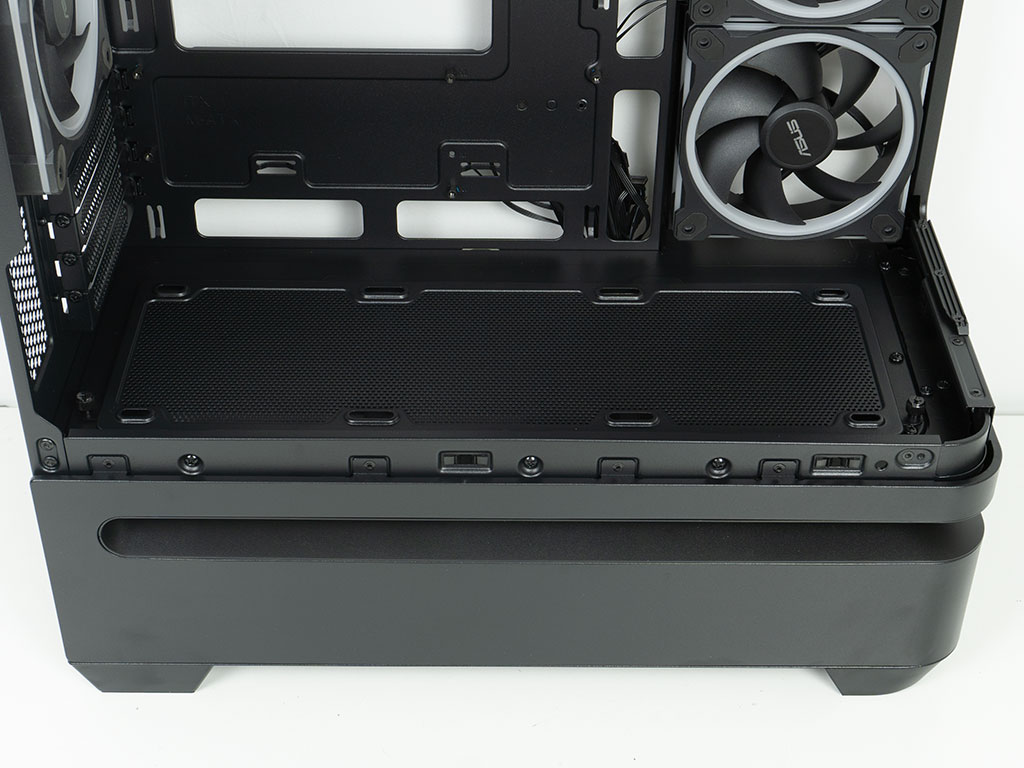
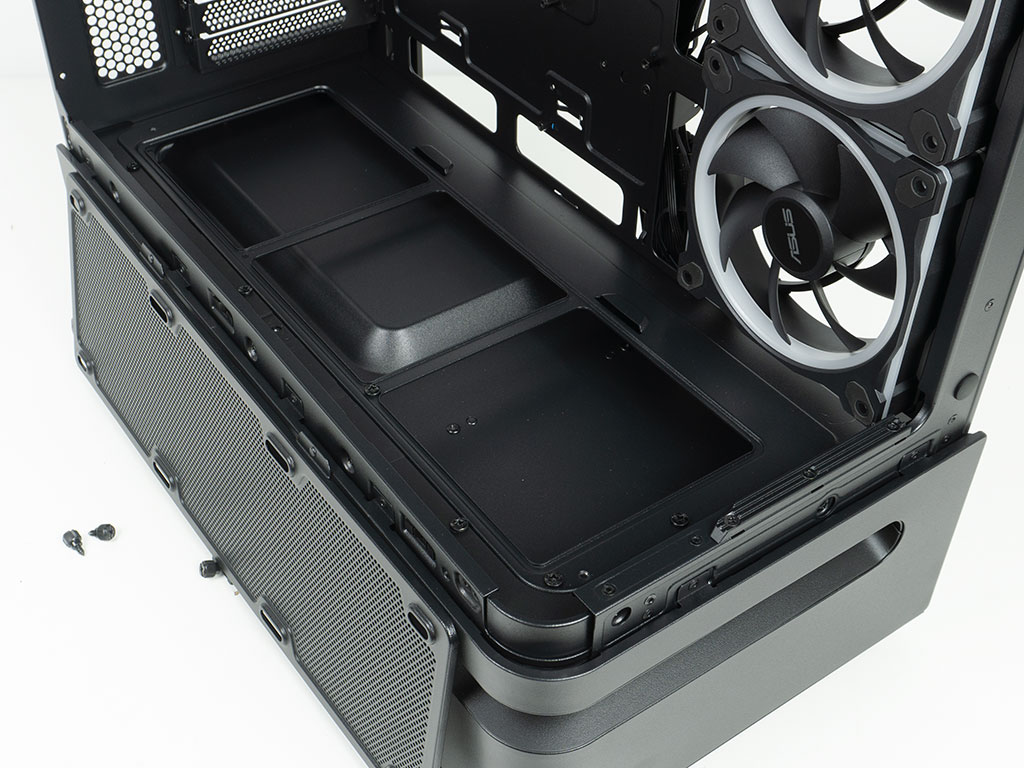
On the floor of the chassis there is a mounting plate with perforation to act as a basic dust filter. This is a surprisingly simple implementation to keep dust out and feels inadequate for the price point, once again. We have seen others use magnetic, fine mesh filters on cases with a slot like this. On top of that ASUS could have cut out a little slot in the back of the case and easily engineered a sliding dust filter without compromising the structural integrity of the Prime AP202. By doing so, ASUS could have also just eliminated the mounting plate and just include pin screws to secure fans that way, thus saving cost. That said, the positive aspect of having a mounting frame is the fact that you could add fans easily, even with your system fully assembled. Taking the frame off, you can see that the surface below it is completely solid. That means that your storage drives are going to be completely enclosed, meaning they may get warmer than in other enclosures.
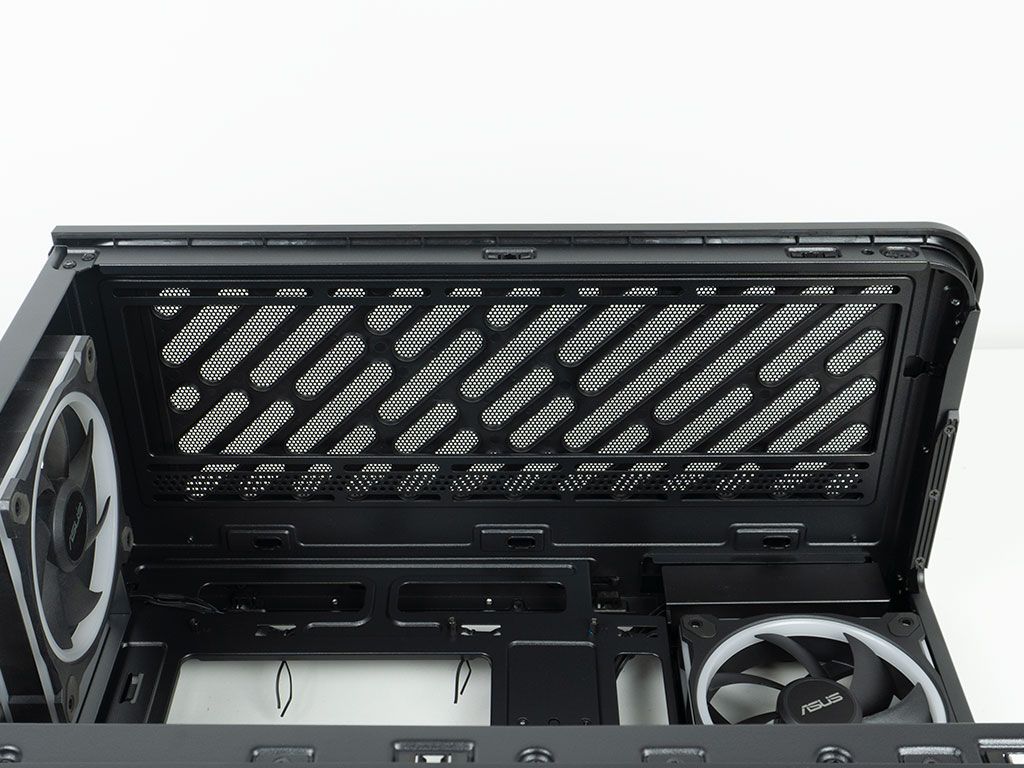
Looking at the ceiling, the metal mesh cover is paired with a nifty looking support structure below it. Cool looks aside, it does add a bit more obstruction to any airflow in the ceiling as well.
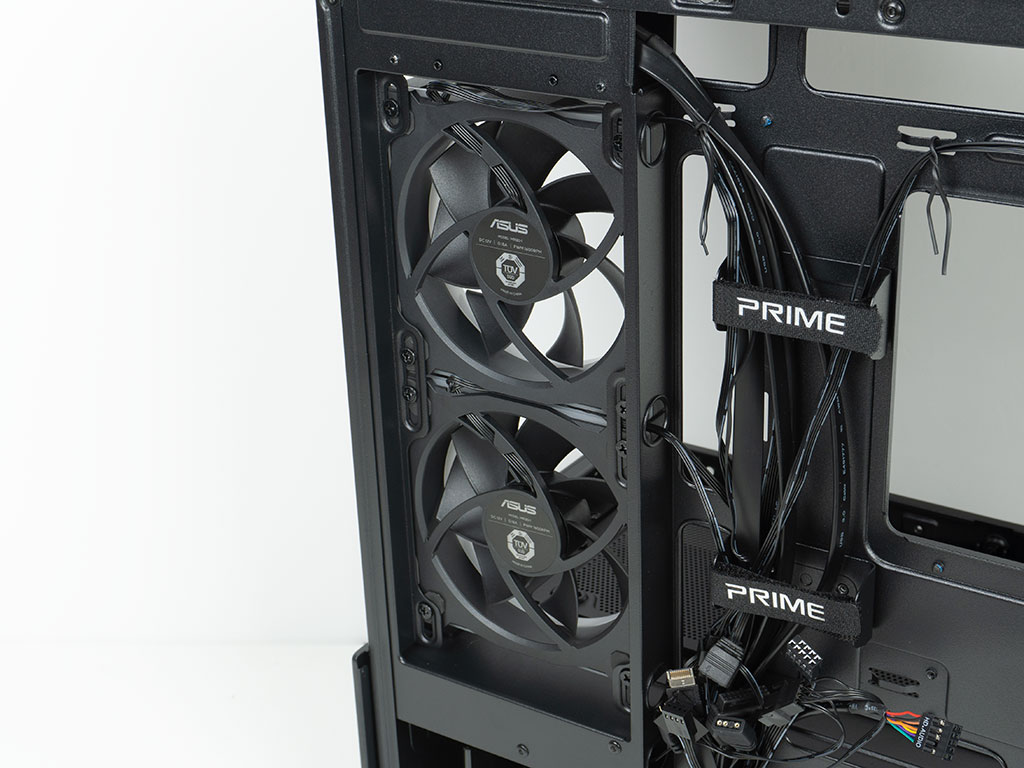
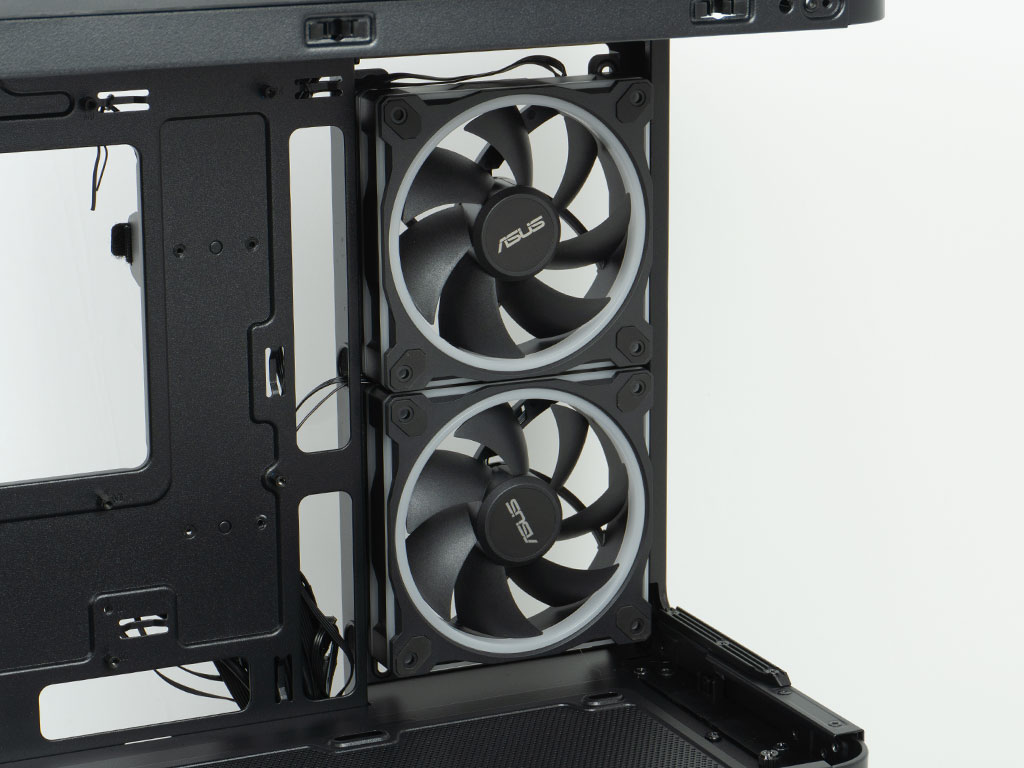
ASUS includes two additional ARGB equipped 120 mm fans on the side of the chassis. While cases traditionally use this type of configuration for air intake, the units in the AP202 are meant to pull air out, meaning that the bottom of the case will act as intake with air being forced out the back, top and side of the enclosure.
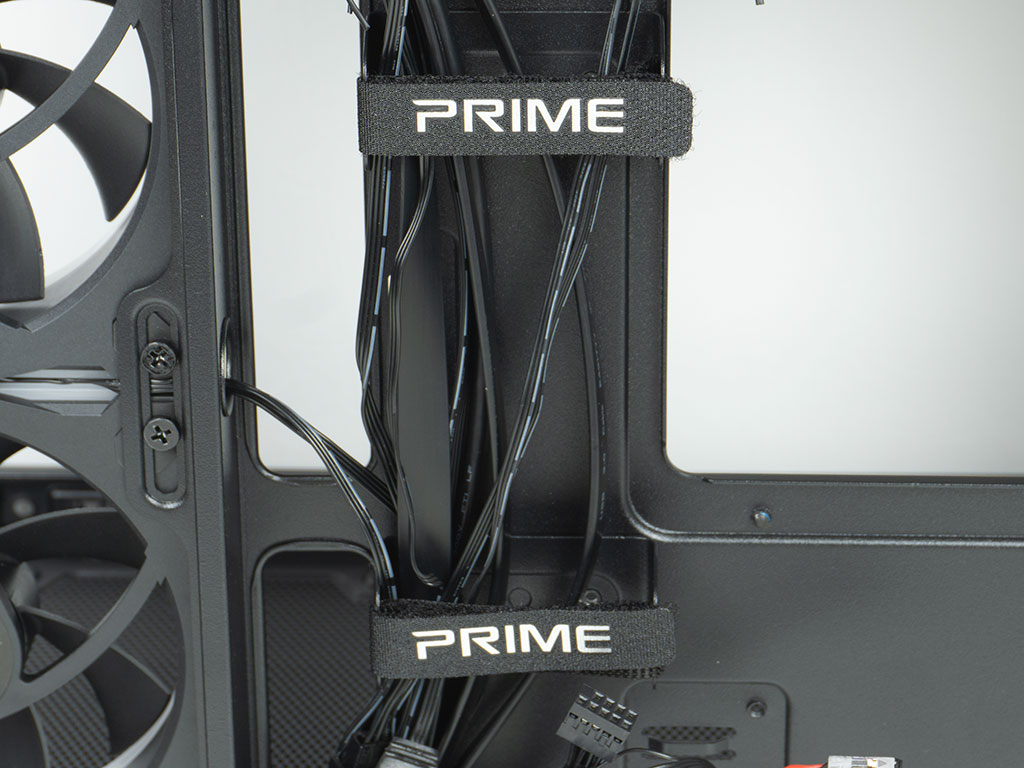
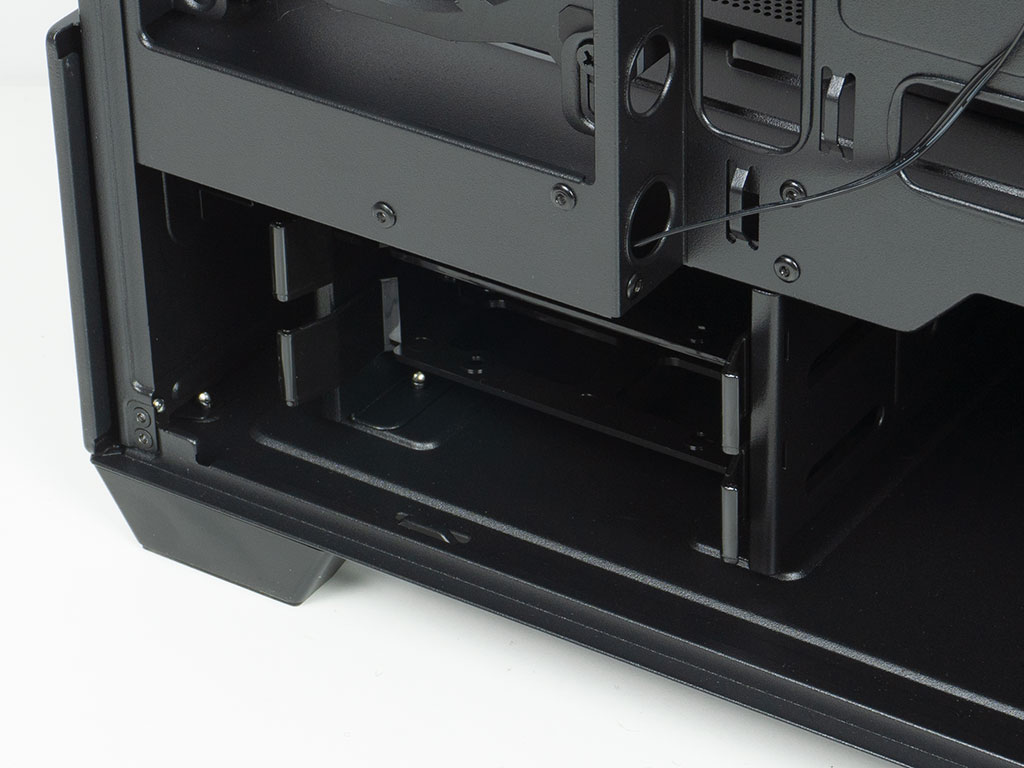
On the backside of the motherboard tray, a pair of branded Velcro strips use metal to form a very sturdy cable management channel, which is very nice to see. The ASUS Prime AP202 can hold up to two 2.5" or 3.5" drives in the lower compartment towards the front, which is adequate for a case of this size these days.
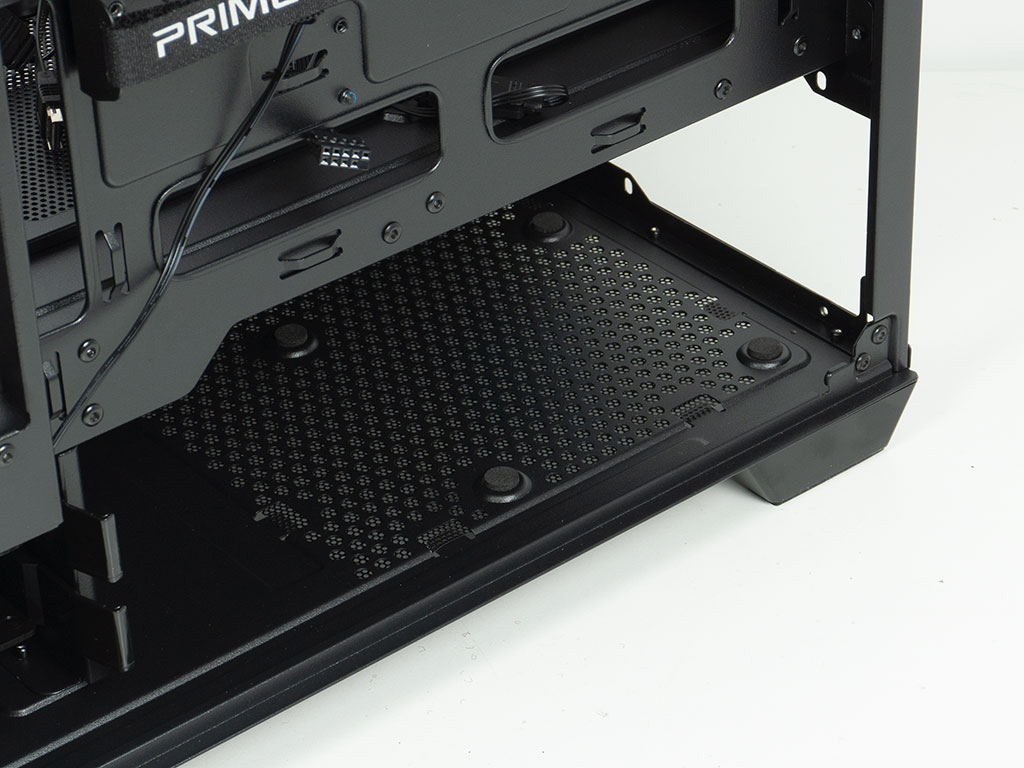
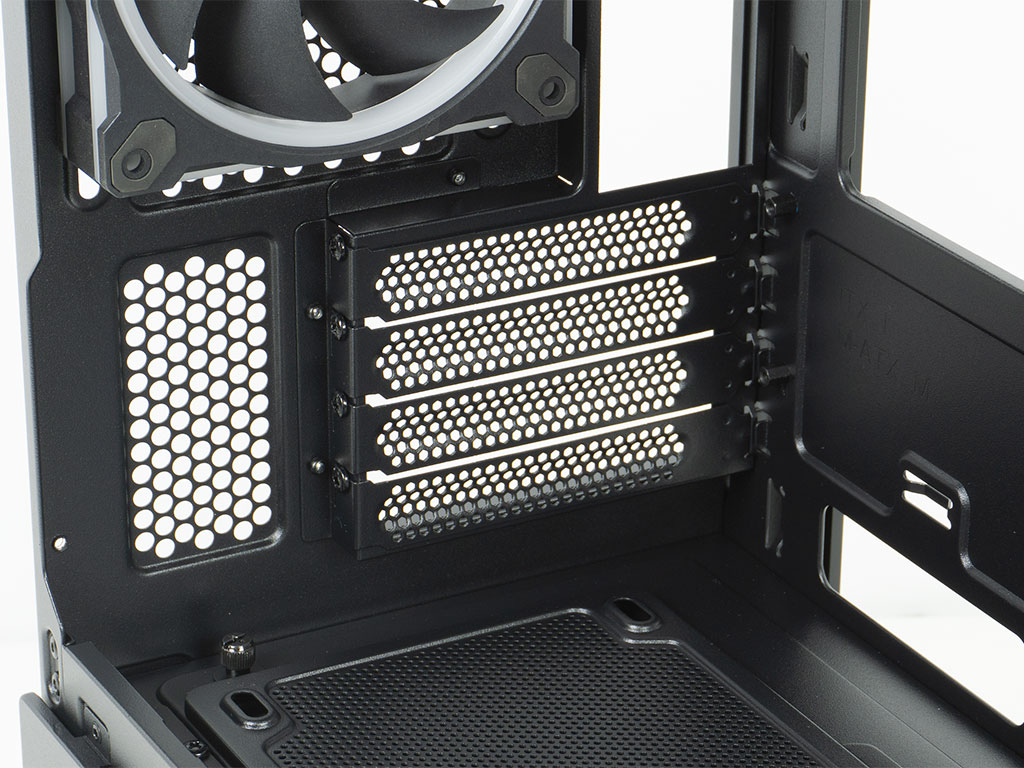
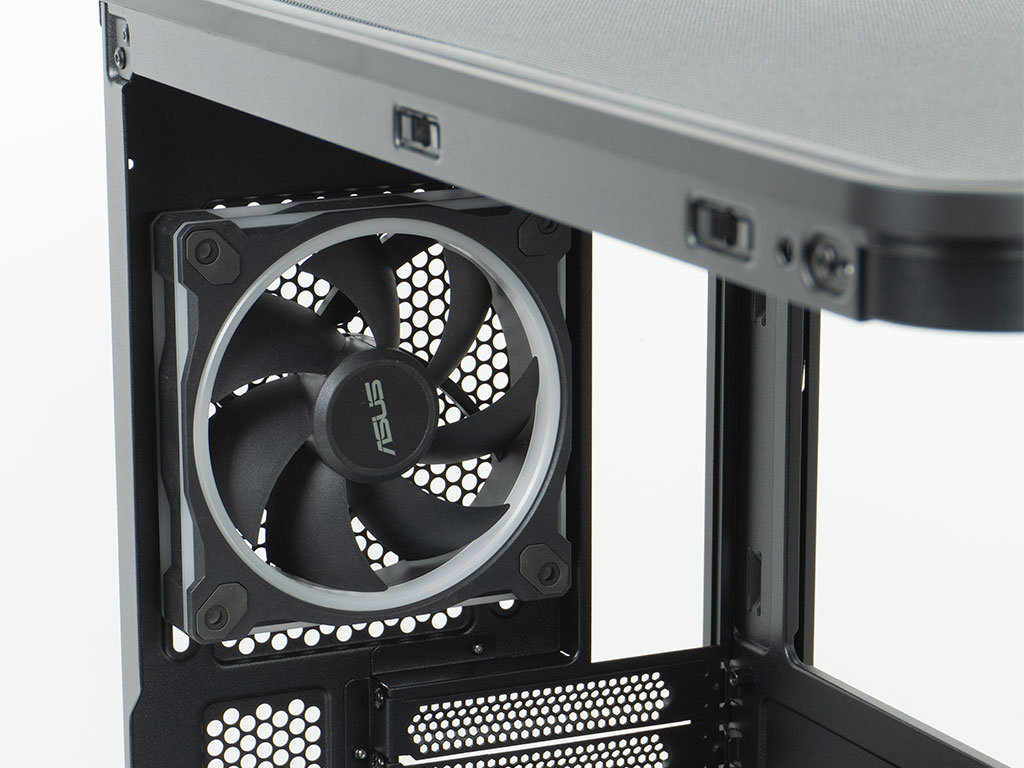
Inside the rear, the PSU bay is straightforward, with foam pads for the unit to sit on. It offers ample room so that you can install potent units to power your hardware. Above that, in the upper compartment, the four expansion slots are protected by reusable covers which in turn are secured by traditional screws. As we guessed at the beginning of the review, there is room below the lowest slot for floor mounted fans to fit without issue. In the very top, there is that third fan again. ASUS does use retail-grade fans in form of their own ASUS PRIME MR120 ARGB PWM fans. These have quite the impressive list of specifications, including being 28 mm thick, having 20 addressable LEDs each and running at 21 dB(A). ASUS also sells reverse bladed variants, so you can easily deck out the Prime AP202 with matching units if you like.
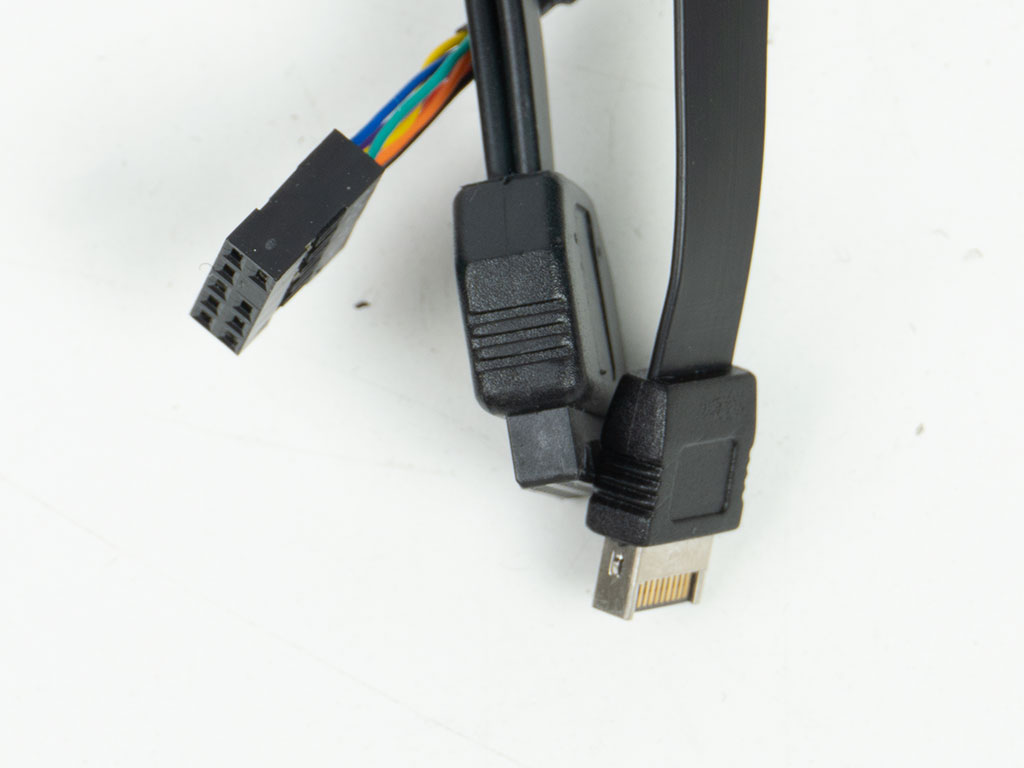
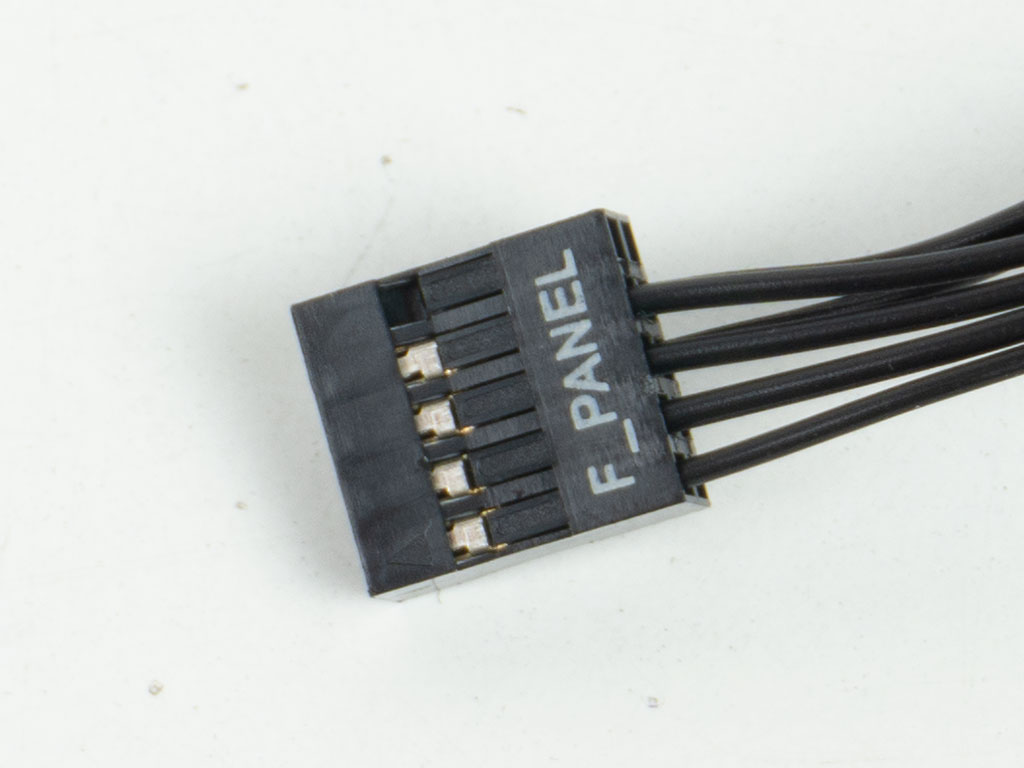
All the wires inside the ASUS Prime AP202 are sleeved black and both USB cords are flat for easier cable routing. The front panel connector is also unified, which will make that assembly step as easy as can be.
Nov 21st, 2026 03:11 PST
change timezone
Latest GPU Drivers
New Forum Posts
- RX 9000 series GPU Owners Club (2252)
- Windows 11 General Discussion (7743)
- Without Jensen, PC gaming will be (52)
- What's your latest tech Freebie? (84)
- TPU's Nostalgic Hardware Club (22177)
- Zen 3 IF/IMC degradation (242)
- AI generated images... (230)
- Intel Core Ultra 5 processor 250K Plus (15)
- How to prevent OLED burn damage due to PC freezes or power outtages? (50)
- Anthrophics IPO (27)
Popular Reviews
- Microsoft Surface Laptop Ultra Review - The Next-gen Arm Laptop
- Ugreen NASync DXP4800 GT Review
- Corsair RM1200e (Second Generation) Review
- Pulsar Office Tour & First Look at P1 Dual-Sensor Mouse
- Upcoming Hardware Launches 2027 (Updated Nov 2026)
- Acemagic Retro X3 Review
- Biwin Black Opal NV7400 2 TB Review
- AMD Ryzen 7 9800X3D Review - The Best Gaming Processor
- AMD Zen 6 Technical Deep Dive
- Chieftec Iceberg PRO 360 DARK Review
TPU on YouTube
Controversial News Posts
- NVIDIA Co-Founder and CEO Jensen Huang Officially Resigns (491)
- Report: Jensen Huang Eyes NVIDIA Comeback (257)
- Open Letter Asking NVIDIA to Reinstate Jensen Huang Passes 115,000 Signatures (184)
- OpenAI CEO Argues Home PCs Waste the World's Limited DRAM Supply (152)
- NVIDIA Launches Investigation Into Jensen Huang's Relationship With Suspected Chinese Spy (136)
- Intel "Raptor Lake Next" 16-Core and 20-Core CPUs Surface (130)
- Legendary Game Studio BioWare Shuts Down Following EA Layoffs (104)
- NVIDIA GeForce RTX 50-Series Scheduled for up to $500 Price Hike This Week (89)