 10
ASUS ProArt Z890-Creator Wi-Fi Review
(10 Comments) »Introduction

A relative newcomer to the vast array of ASUS motherboard ranges, ProArt has certainly caught the eye of plenty of enthusiasts and even made its way into PC modding circles too. It's refreshing to see a high-end range of motherboards that's not gaming-focussed and instead offers a clean, smart and understated design. The AMD version we looked at a whole ago was no different, and we're hoping the ASUS ProArt Z890-Creator Wi-Fi turns out to be a good choice for Intel fans too.
Compared to the launch of LGA1851, we now have a couple of decent CPUs for those that spend a fair amount of time gaming as well as creating content, but it's still firmly the latter that the ProArt range of ASUS products is aimed at. As you'd expect there are more than your average number of Thunderbolt ports, including 80 Gbps Thunderbolt 5, along with a passthrough for your graphics card for Thunderbolt-enabled displays, 10 Gigabit Ethernet and plenty of M.2 ports.

Coming equipped with the latest technology is important because this is the end of the road as far as CPU upgrades and LGA1851 go. If you drop a Core Ultra 7 270K Plus into your system, there won't be anything else to replace it. That said, with current hardware costs at crazy levels, the typical upgrade cycle has probably stretched to make this less of an issue. If after those considerations you're musing on the ASUS ProArt Z890-Creator Wi-Fi as your next motherboard, then you've come to the right place.
Specifications
| Specifications | |
|---|---|
| CPU Support: | Intel Core Ultra Series 2 (Arrow Lake) |
| Power Design: | CPU Power: 16-phase/Monolithic Power Systems MPS2431 MP87691/90 A iGPU Power: 1-phase/Monolithic Power Systems MPS2431 MP87691/90 A VCCSA Power: 2-phase/Monolithic Power Systems MPS2431 MP87691/90 A VNNAON Power: 2-phase/Monolithic Power Systems MPS2428 MP876981/80 A |
| Chipset: | Intel Z890 |
| Integrated Graphics: | Supported 1× HDMI 2.1 1× DisplayPort 2.1 (input) 2× DisplayPort 2.1 via USB-C |
| Memory: | 4× DIMM, Support up to 256 GB 2× Single Rank DDR5-9066 (OC) |
| BIOS: | 256 Mbit (32 MB) AMI UEFI |
| Expansion Slots: | 2× PCIe Gen 5 x16 slot (x16, x8/x8, x8/x4/x4) 1× PCIe Gen 4 x16 (x4) |
| Storage: | 1× M.2 (PCIe Gen 5 x4) 4× M.2 (PCIe Gen 4 x4) 4× SATA 6 Gb/s |
| Networking: | 1x Marvell AQtion AQC113-B1-C 10 Gbps Ethernet 1× Intel I226-V 2.5 Gbps Ethernet 1× Intel BE200 Wi-Fi 7 |
| Rear Ports: | USB BIOS Flashback button Clear CMOS button 1× 10 Gbps Ethernet 1× 2.5 Gbps Ethernet 2× Thunderbolt 5 80 Gbps (Type-C) 1× Thunderbolt 4 40 Gbps (Type-C) 6× USB 3.2 Gen 2 10 Gbps (Type-A) 1× USB 2.0 (Type-A) 2× Wi-Fi antenna connectors 2× Audio jacks 1× Optical S/PDIF Out port |
| Audio: | 1× Realtek ALC1220 Codec |
| Fan / Thermistor headers: | 8× 4-pin /1 |
| Form Factor: | ATX Form Factor 9.6 × 6.7 in./30.5 × 24.4 cm |
| Exclusive Features: |
|
Packaging and Contents
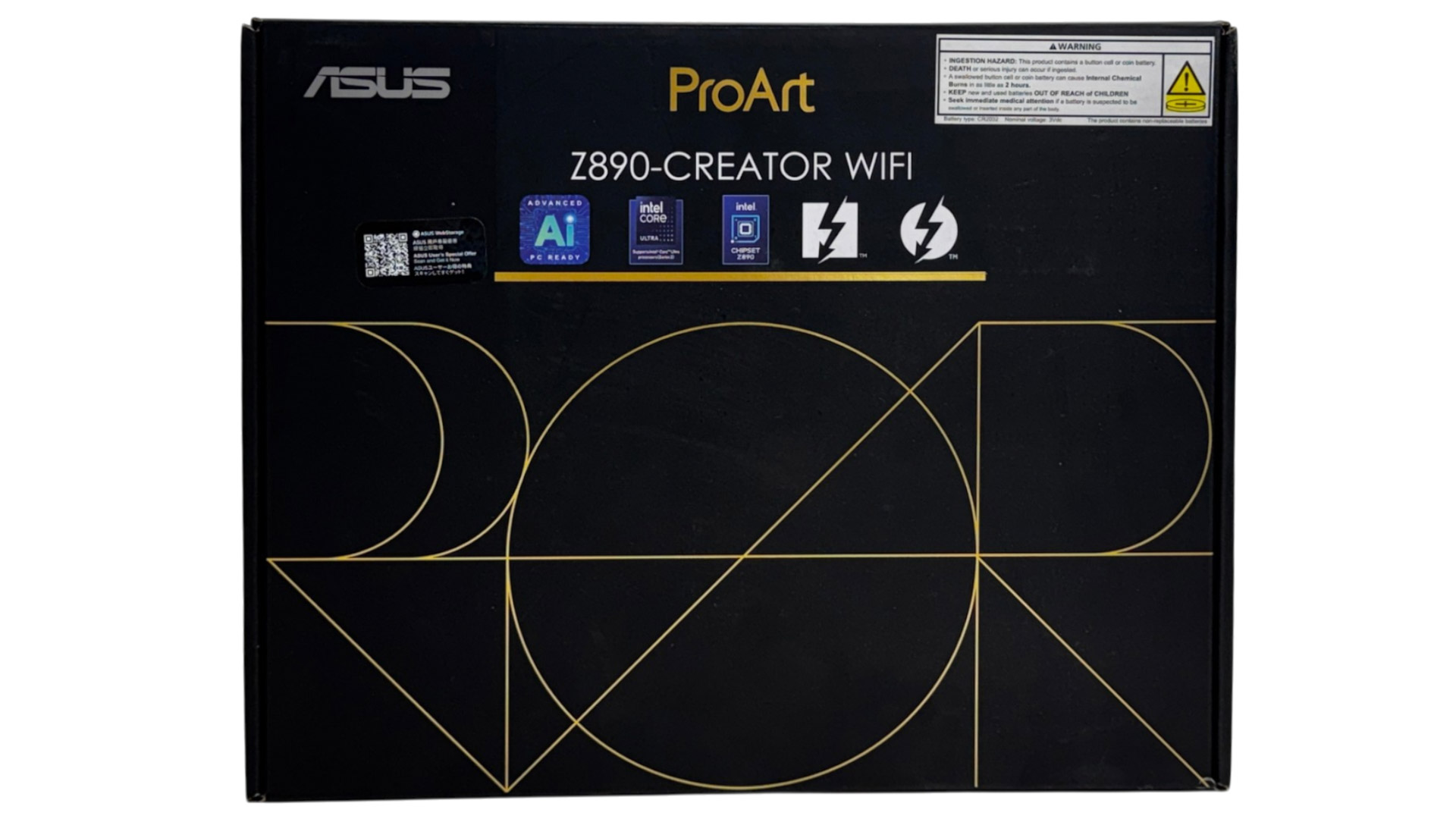

With so much effort having gone into the motherboard, the accessory set is somewhat thin and mostly includes just the essentials such as Wi-Fi aerial, a pair of SATA cables, additional ASUS M.2 Q-Latch components for supporting different sizes of SSDs. One accessory you'll want to pay close attention to are the M.2 rubber supports. These need to be positioned under single-sided SSDs to prevent them sagging and make a significant difference to temperatures so make sure you use them where needed. You also get a Pro-Art-branded soft drawstring bag.

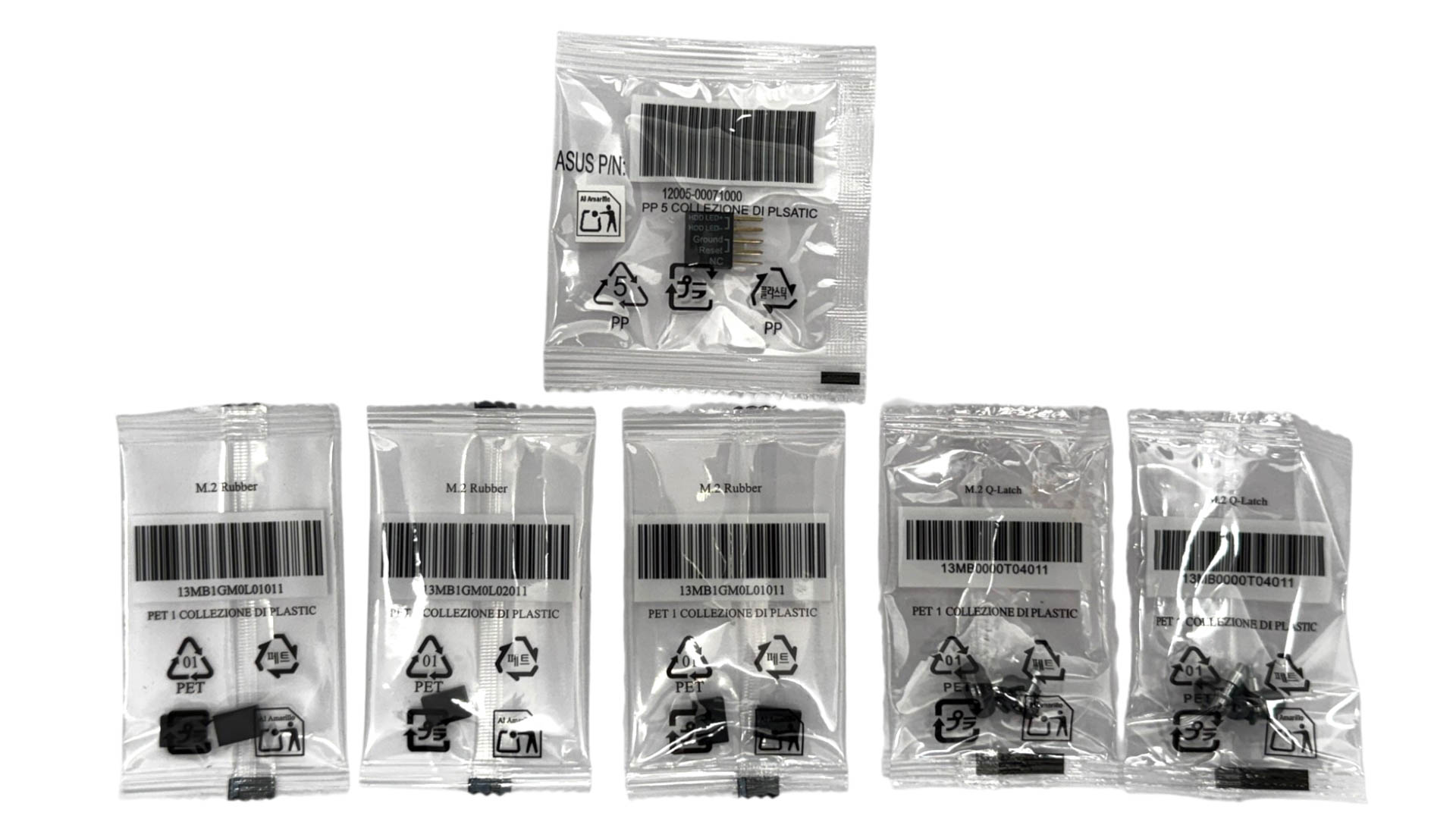
The full list of accessories includes:
- 1× Quick start guide
- 2× Wi-Fi antenna
- 2× SATA cable
- 2× M.2 Q-Latch packages
- 2× M.2 rubber packages
- 1× ProArt accessory bag
Our Patreon Silver Supporters can read articles in single-page format.
Nov 19th, 2026 15:27 CST
change timezone
Latest GPU Drivers
New Forum Posts
- Windows 11 General Discussion (7736)
- Current Sales, Bundles, Giveaways (10448)
- Last game you purchased? (1409)
- WarpCoreBench scores! (76)
- Got the EOL 32GB TridentZ 6000 CL26 1.4V (12)
- Dell Workstation Owners Club (3516)
- Making a game in Godot engine (4)
- DTS DCH Driver for Realtek HDA [DTS:X APO4 + DTS Interactive] (2815)
- Security Apps (2)
- How to prevent OLED burn damage due to PC freezes or power outtages? (28)
Popular Reviews
- Acemagic Retro X3 Review
- Ugreen NASync DXP4800 GT Review
- Upcoming Hardware Launches 2027 (Updated Nov 2026)
- Pulsar Office Tour & First Look at P1 Dual-Sensor Mouse
- AMD Zen 6 Technical Deep Dive
- Biwin Black Opal NV7400 2 TB Review
- Sapphire Radeon RX 7700 XT Pure Review
- Sapphire Radeon RX 7700 XT Pulse Review
- AMD Ryzen 7 9800X3D Review - The Best Gaming Processor
- Chieftec Iceberg PRO 360 DARK Review
TPU on YouTube
Controversial News Posts
- NVIDIA Co-Founder and CEO Jensen Huang Officially Resigns (486)
- Report: Jensen Huang Eyes NVIDIA Comeback (223)
- Open Letter Asking NVIDIA to Reinstate Jensen Huang Passes 115,000 Signatures (184)
- OpenAI CEO Argues Home PCs Waste the World's Limited DRAM Supply (152)
- NVIDIA Launches Investigation Into Jensen Huang's Relationship With Suspected Chinese Spy (136)
- Intel "Raptor Lake Next" 16-Core and 20-Core CPUs Surface (130)
- Legendary Game Studio BioWare Shuts Down Following EA Layoffs (104)
- Dell CEO Says the Memory Shortage Will Get Worse in 2027 (95)