 24
ASUS ROG Crosshair X870E Apex Review
Component Analysis »Board Layout


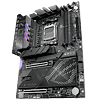
Those familiar with the Apex range will recognize similarities with previous generations, such as PCB cutouts, two rather than four DIMM slots and a huge array of overclocking tools that mean there's barely a square millimeter on the PCB that's vacant. A change with the AMD version, though, is the addition of a backplate. This is perhaps a hindrance when it comes to using extreme cooling, but in most situations it will protect the rear of the PCB and the various delicate components there on a board that's perhaps going to be moved around and at risk of damage more than most. Of course, the backplate can be removed if necessary.


There's minimal bandwidth sharing, this is only likely to come into play if you need to use multiple PCIe Gen 5 SSDs, where the third slot on the board will see the primary PCIe Gen 5 x16 slot drop to x4 and the second x16 slot to x4, with that second slot being disabled entirely if you use both the second and third M.2 slots. Still, if you have PCIe Gen 4 SSDs, there's always the DIMM.2 module that houses a pair of gen 4 slots. Either way, there's scope for running two PCIe Gen 5 SSDs and two Gen 4 SSDs, without any bandwidth being stolen. In addition to these there's also a PCIe Gen 4 x4 slot and PCIe Gen 3 x1 slot.

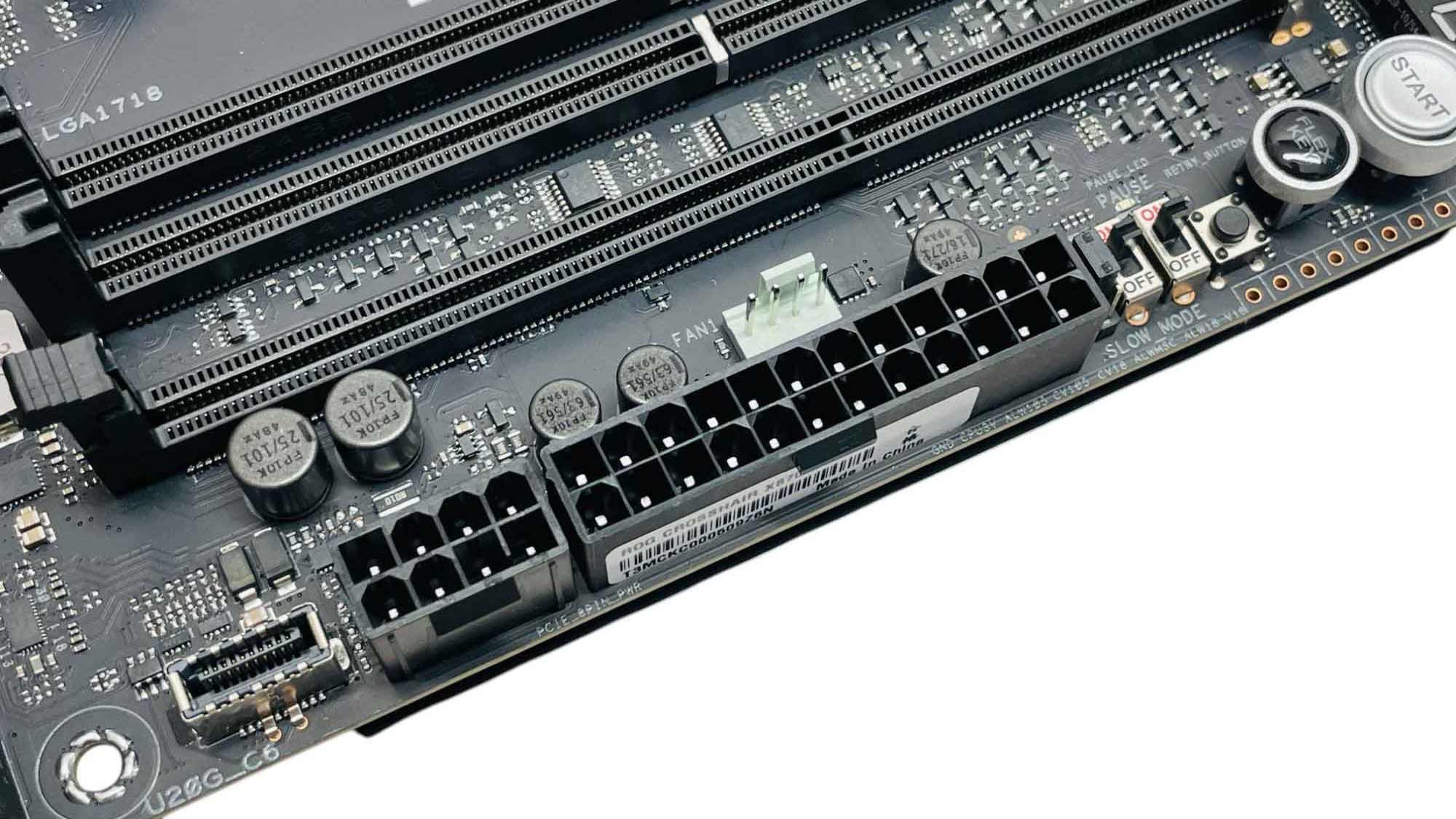
The first three of nine fan headers are in the top right corner of the PCB. Eight of these are limited to 12 W/1 A, with the water pump header further down offering a sizeable 36 W/3 A. You'll also find a power button and flex key button, which is configurable to other functions, but set to reset as standard. You also have an overclock retry button, slow mode and LN2 mode buttons and jumpers and of course the essential LED POST code display, plus a 3-pin ARGB header. There are no swanky right-angled connectors or shrouds here, but we do get enhanced power delivery through the USB 3.2 Gen 2x2 20 Gbps Type-C header. The PCIe 8-pin connector here provides the additional power, with the port offering PD 3.0 support and dishing out up to 60 W.
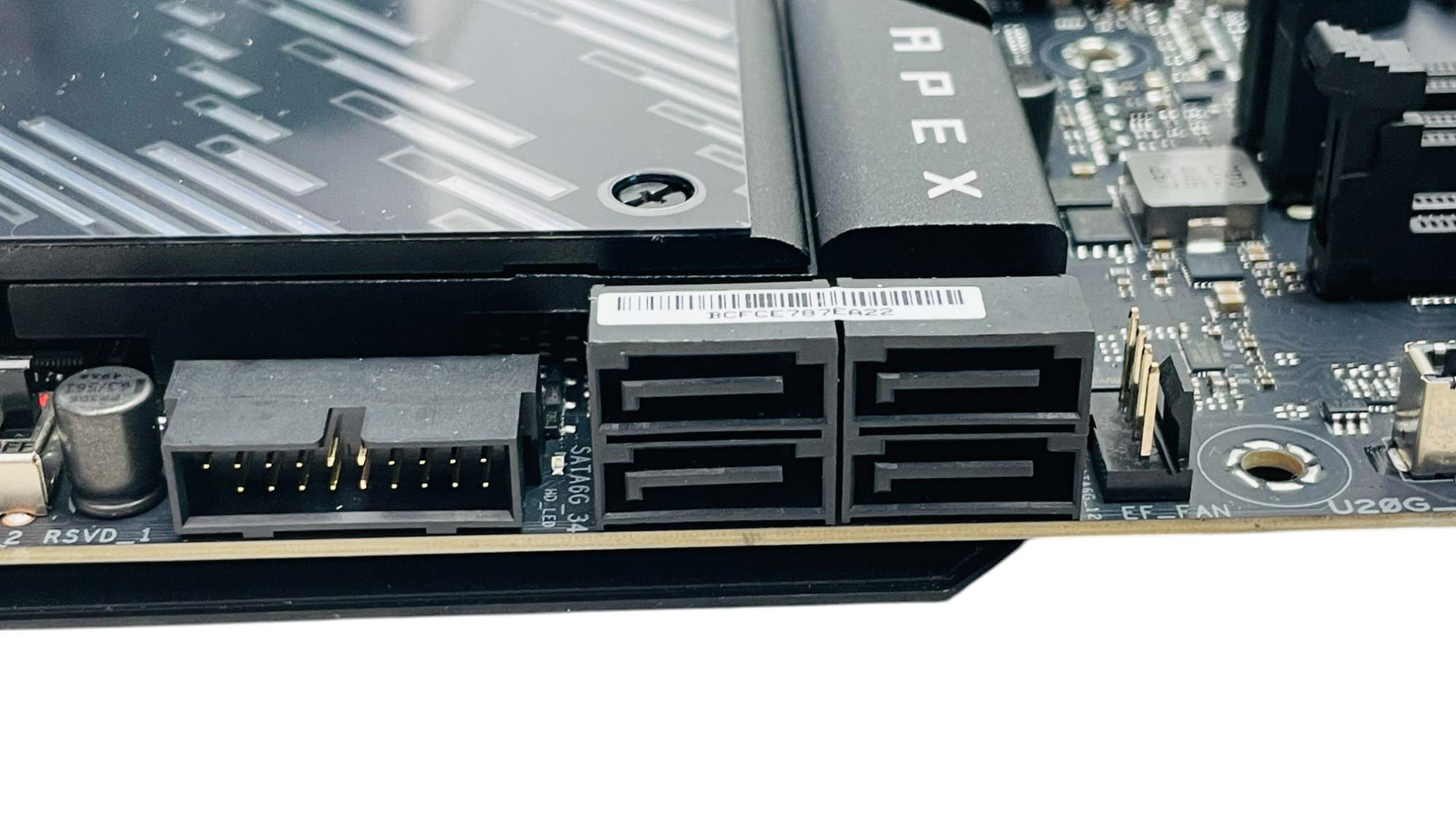
Another omission from the accessories are SATA cables. You'll need to source your own if you want to make use of the four included ports.
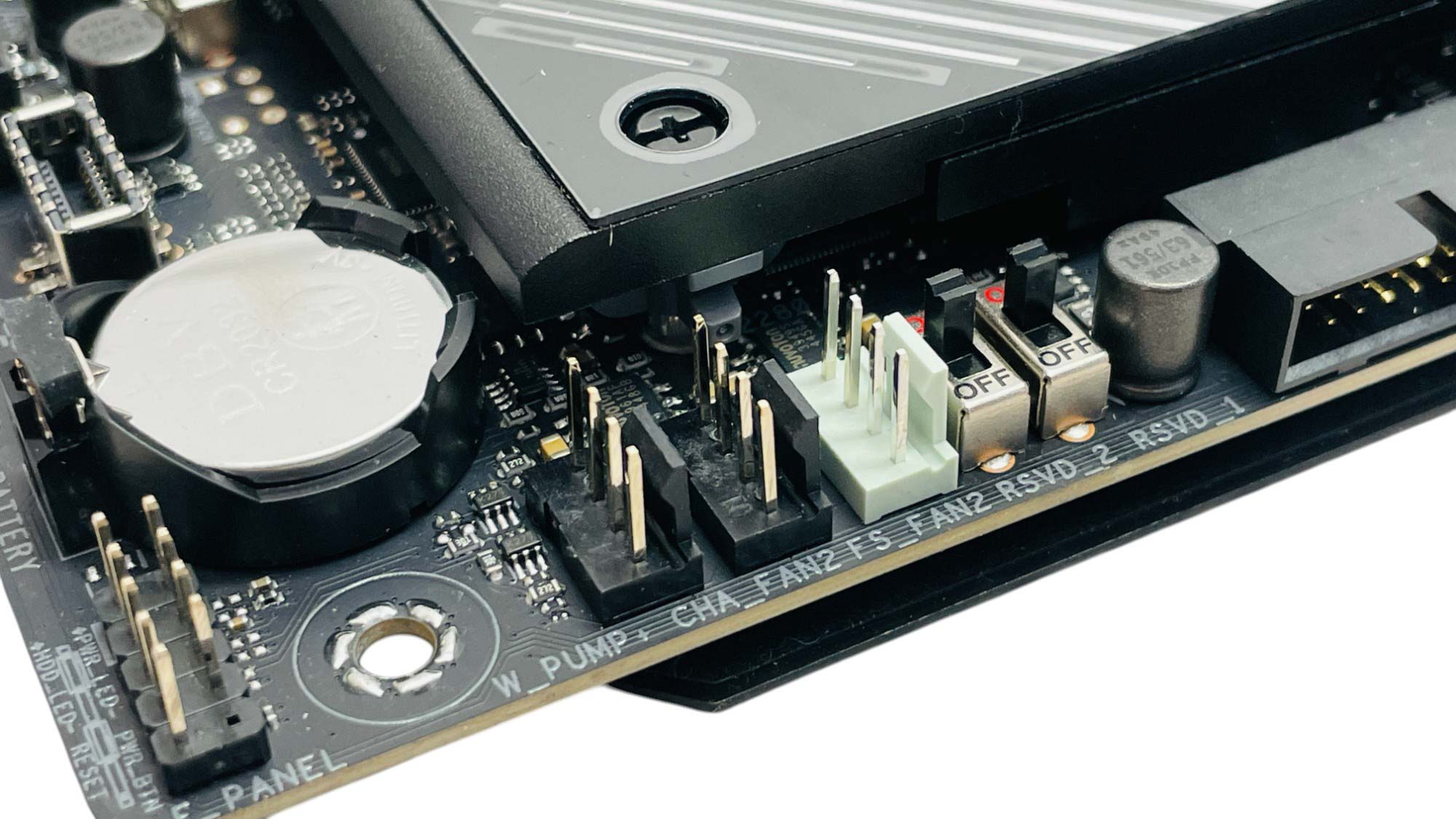
This might seem like a strange spot for a fan header, but it's specifically for the included memory fan. On the right we have a further three fan headers with one being the 36 W water pump header. The white one is a default full speed header.
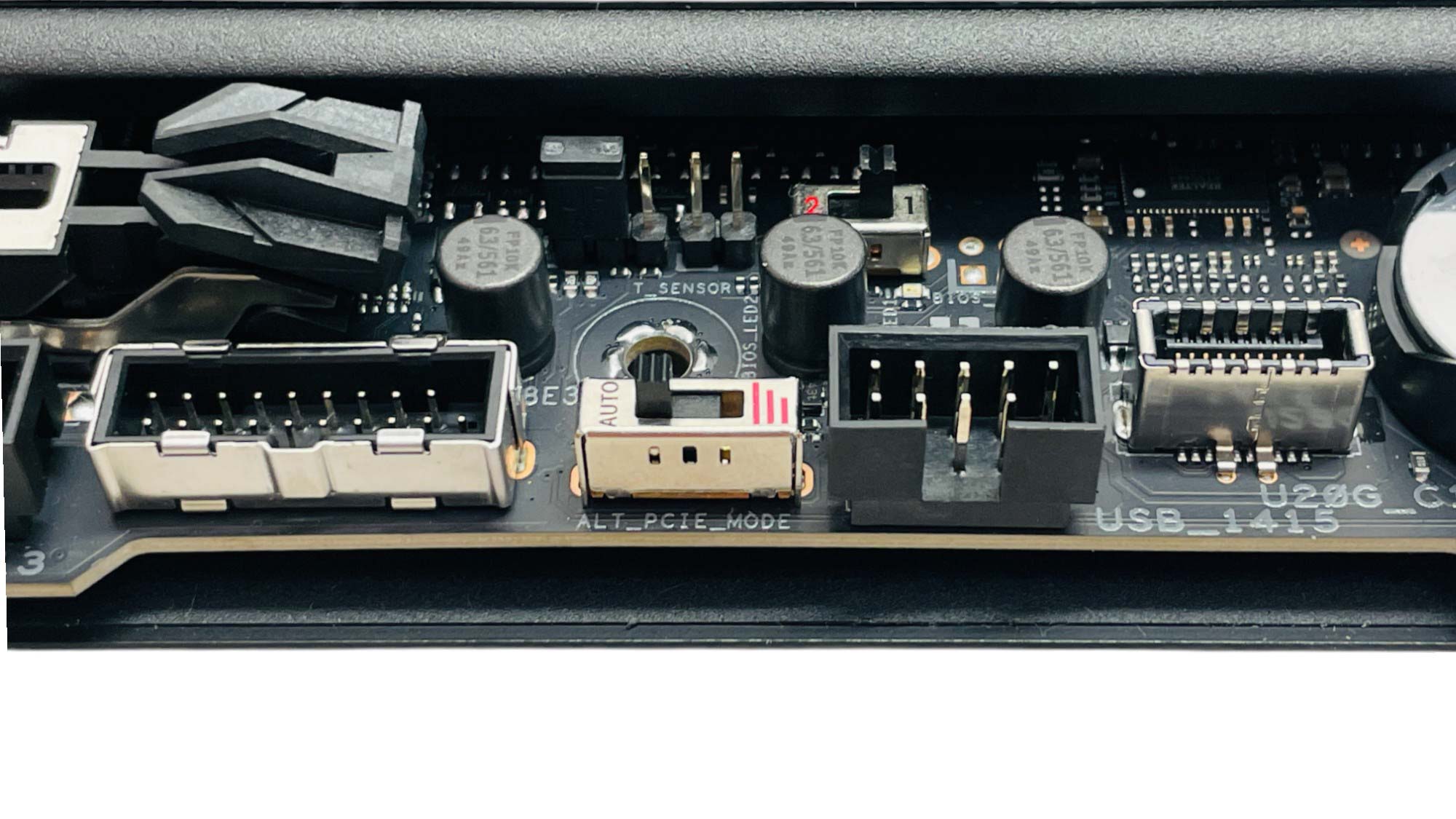
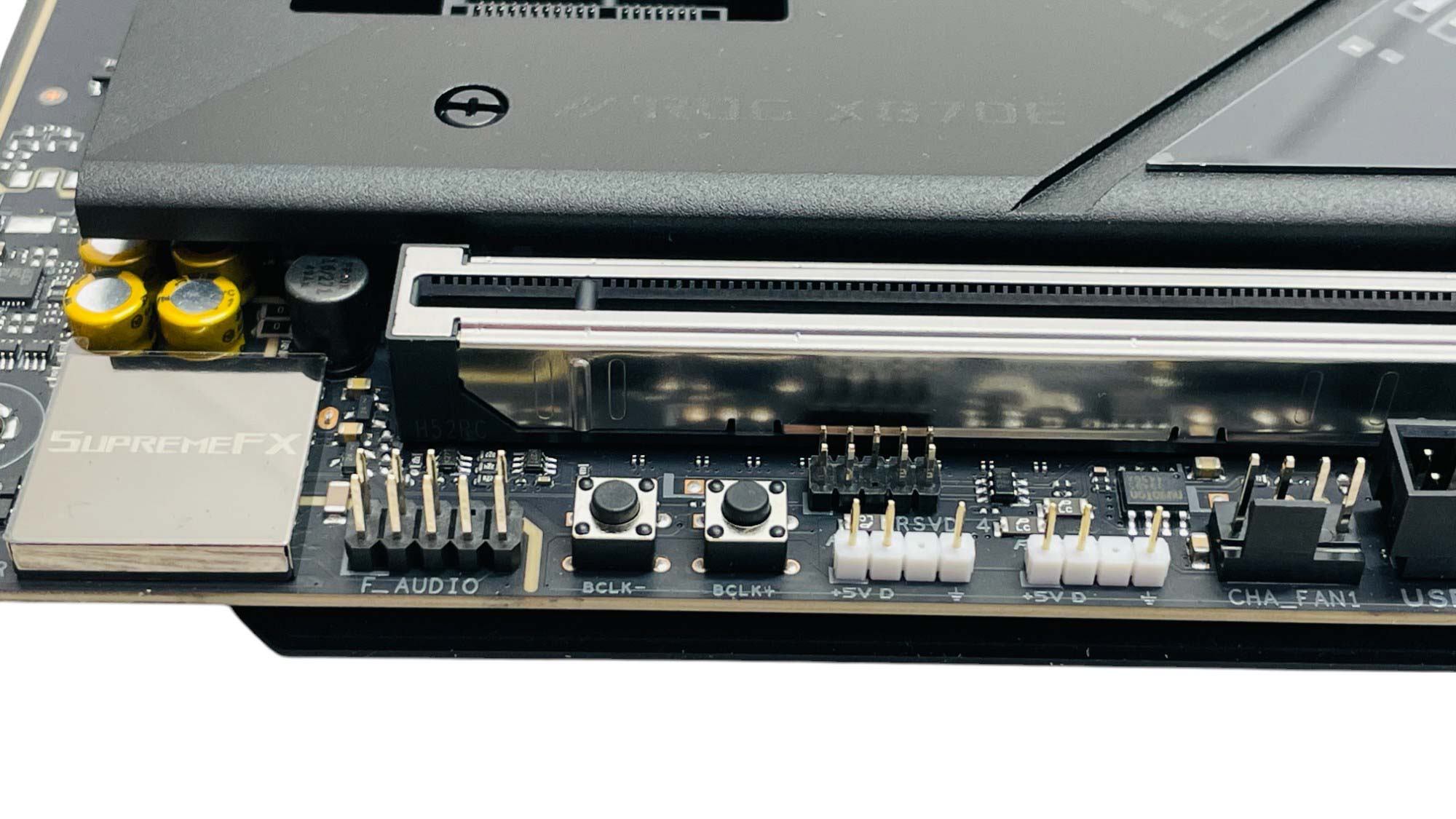
Further around the bottom end of the PCB we have additional USB 3.0 and USB 3.2 Gen 2x2 20 Gbps headers along with a PCIe mode switch for switching from PCIe Gen 5 to Gen 4 or Gen 3. In the final corner we have base clock adjustment buttons, a pair of 3-pin ARGB headers, and another fan header.
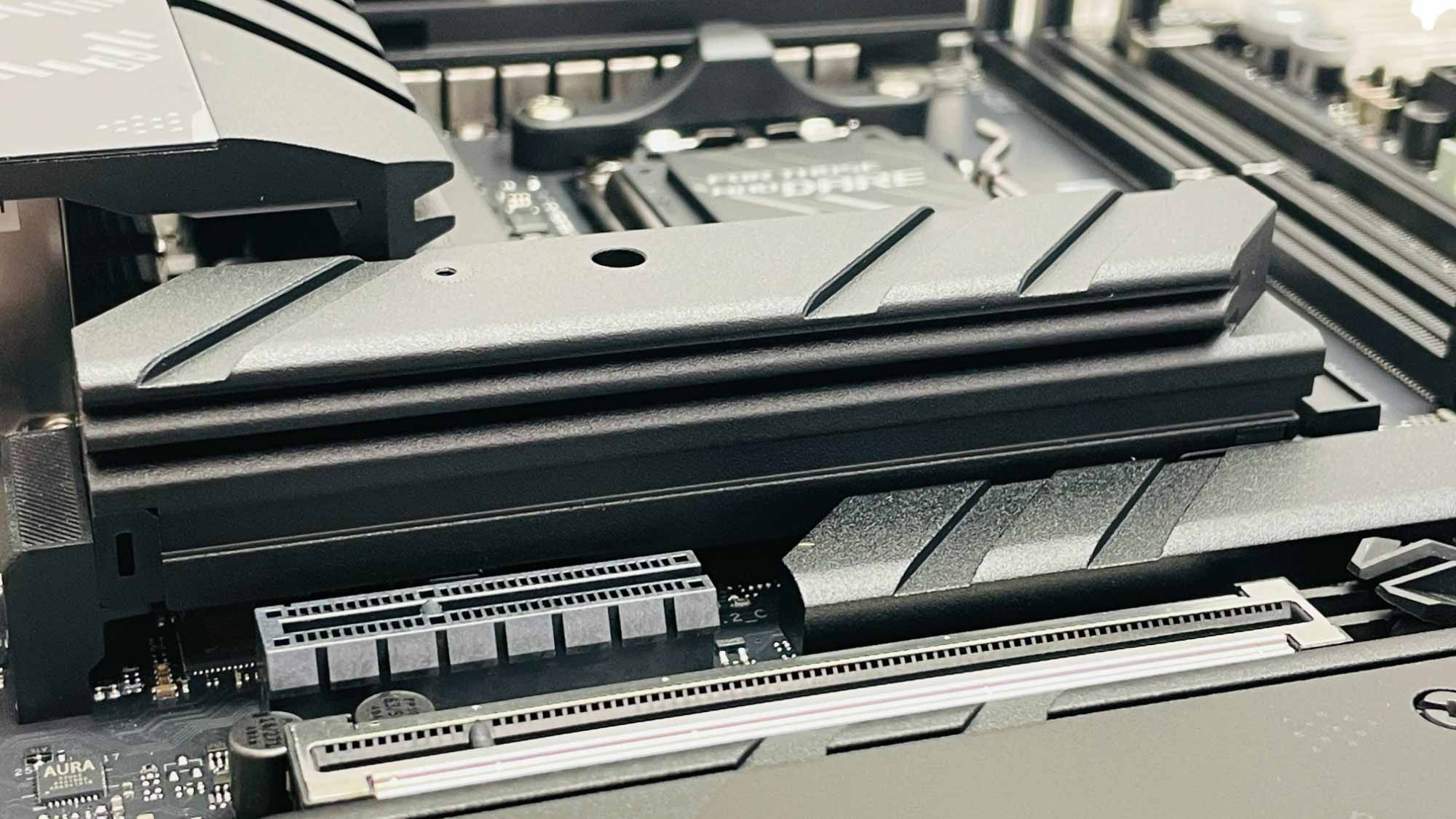
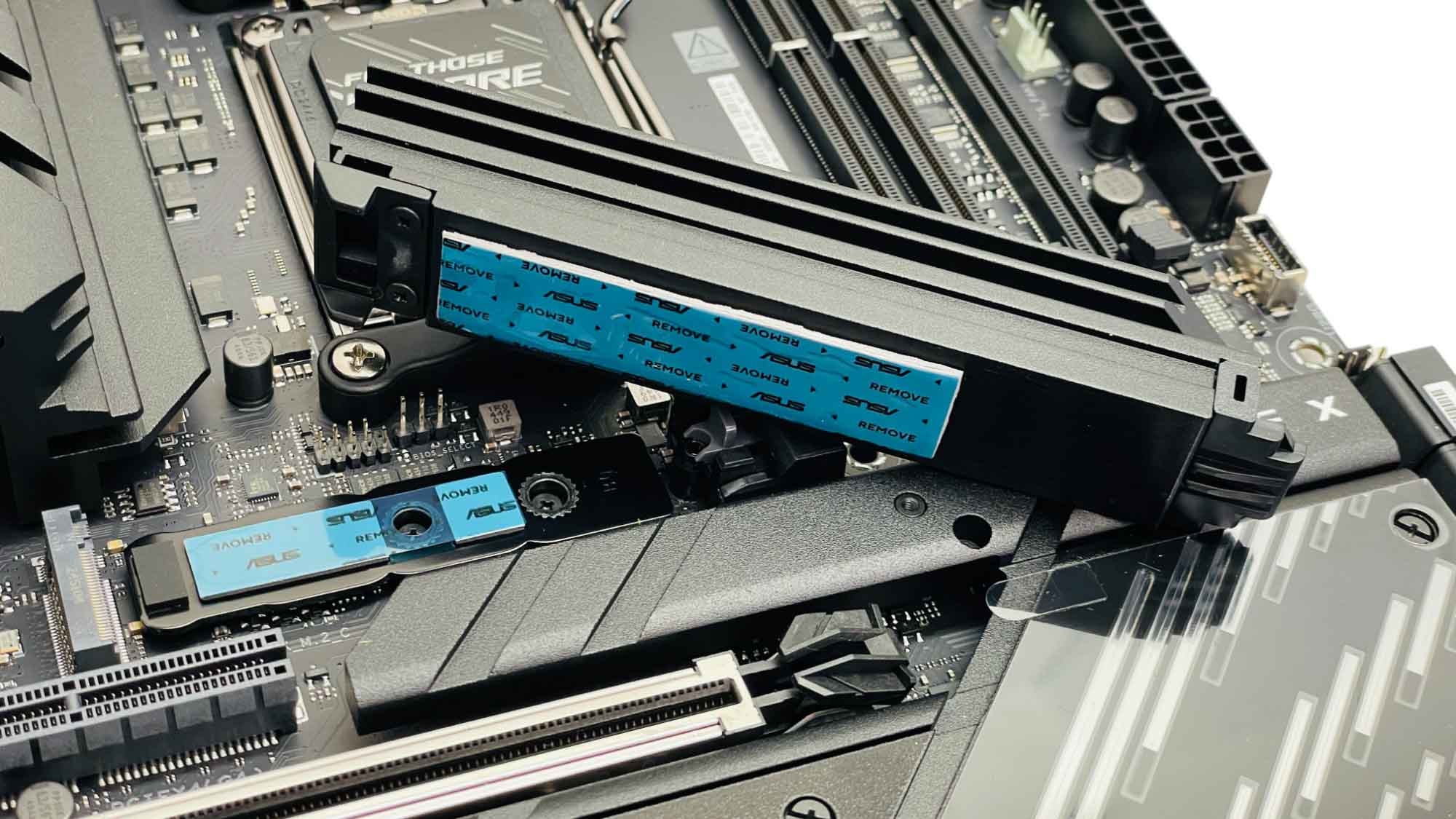
The primary M.2 slot sits above the primary PCIe Gen 5 x16 slot that supports PCIe Slot Q-Release Slim, where you lift your GPU from the PCIe slot end to release it. The M.2 heatsink features a tool-free heatsink that's blissfully easy to remove and install. Double-sided SSDs will be cooled on both sides too, while single-sided ones need to use a rubber support included in the box to ensure they make good contact with the upper heatsink thermal pad. It's a large heatsink, but not quite as elaborate as the one on the ROG Crosshair X870E Extreme.
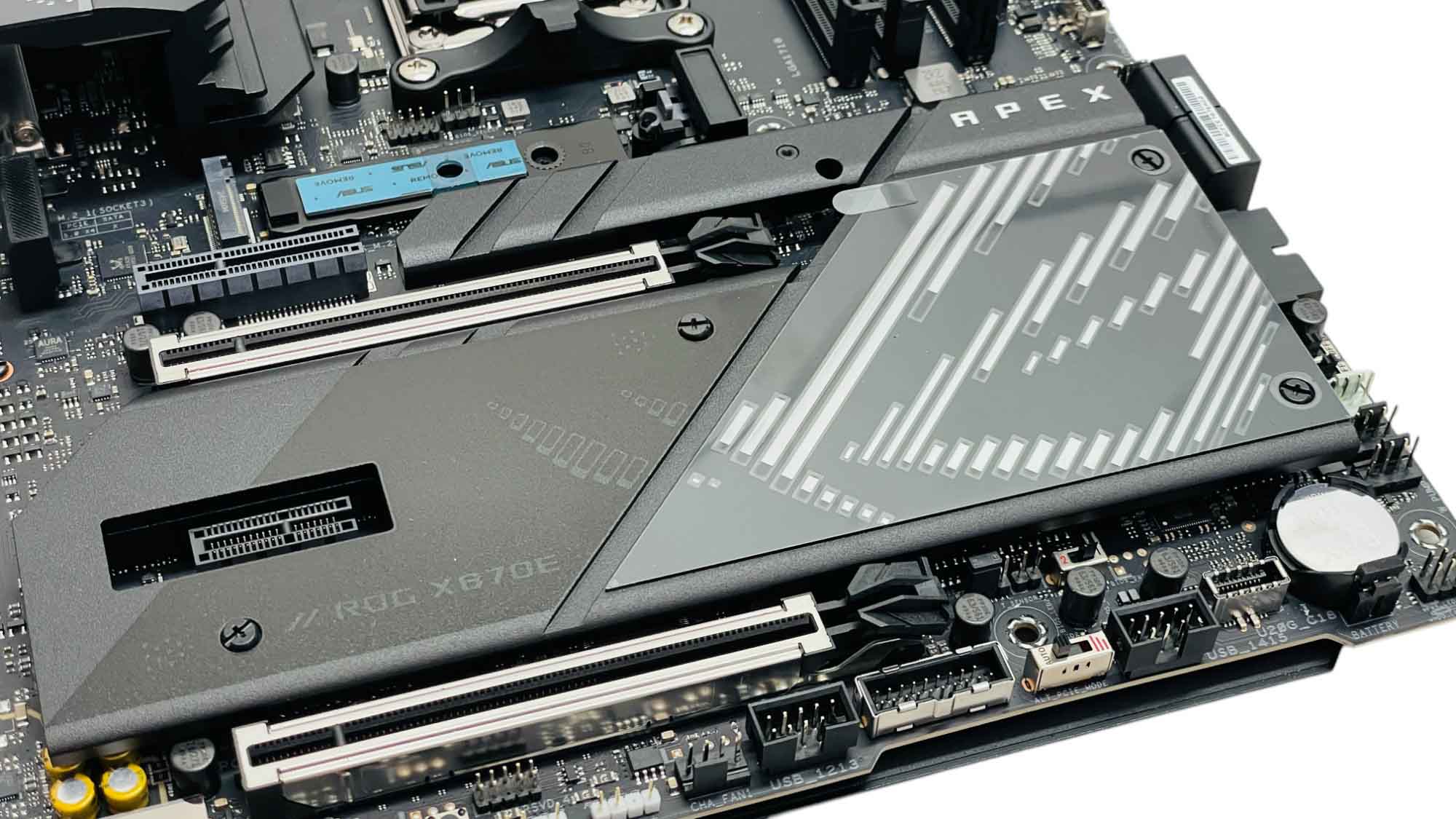
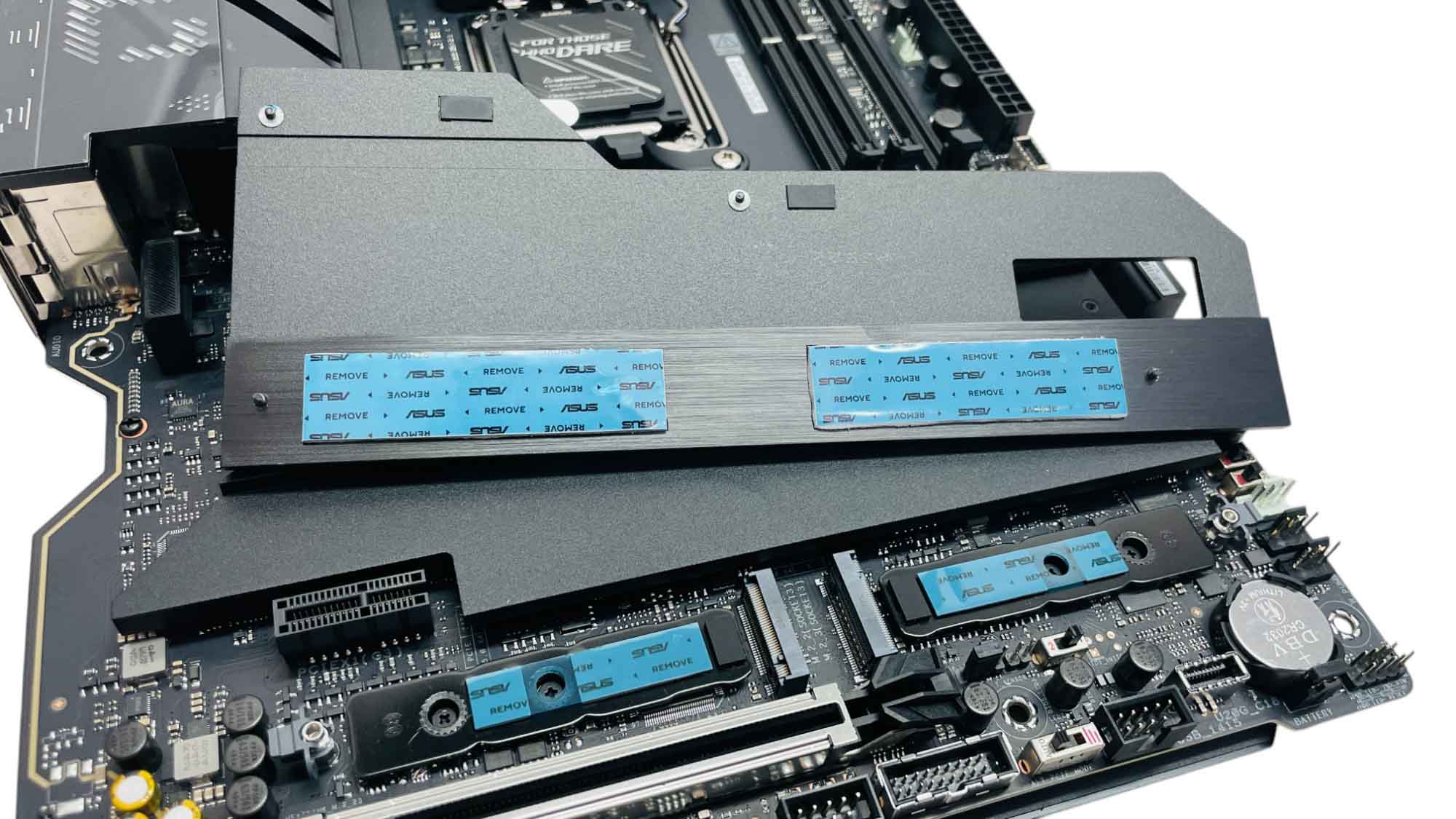
The lower two slots also support PCIe Gen 5.0 and again are cooled above and below with a need for rubber supports on single-sided SSDs. The heatsink here is huge, but not tool-free, so like the ROG Crosshair X870E Extreme, it loses out in terms of ease of use compared to the competition. The lower right slot here is the one you'll want to avoid at all costs as it will see your GPU PCIe lanes halved. In addition, this heatsink will also require the removal of your graphics card—even if it's watercooled—to get at your SSDs.
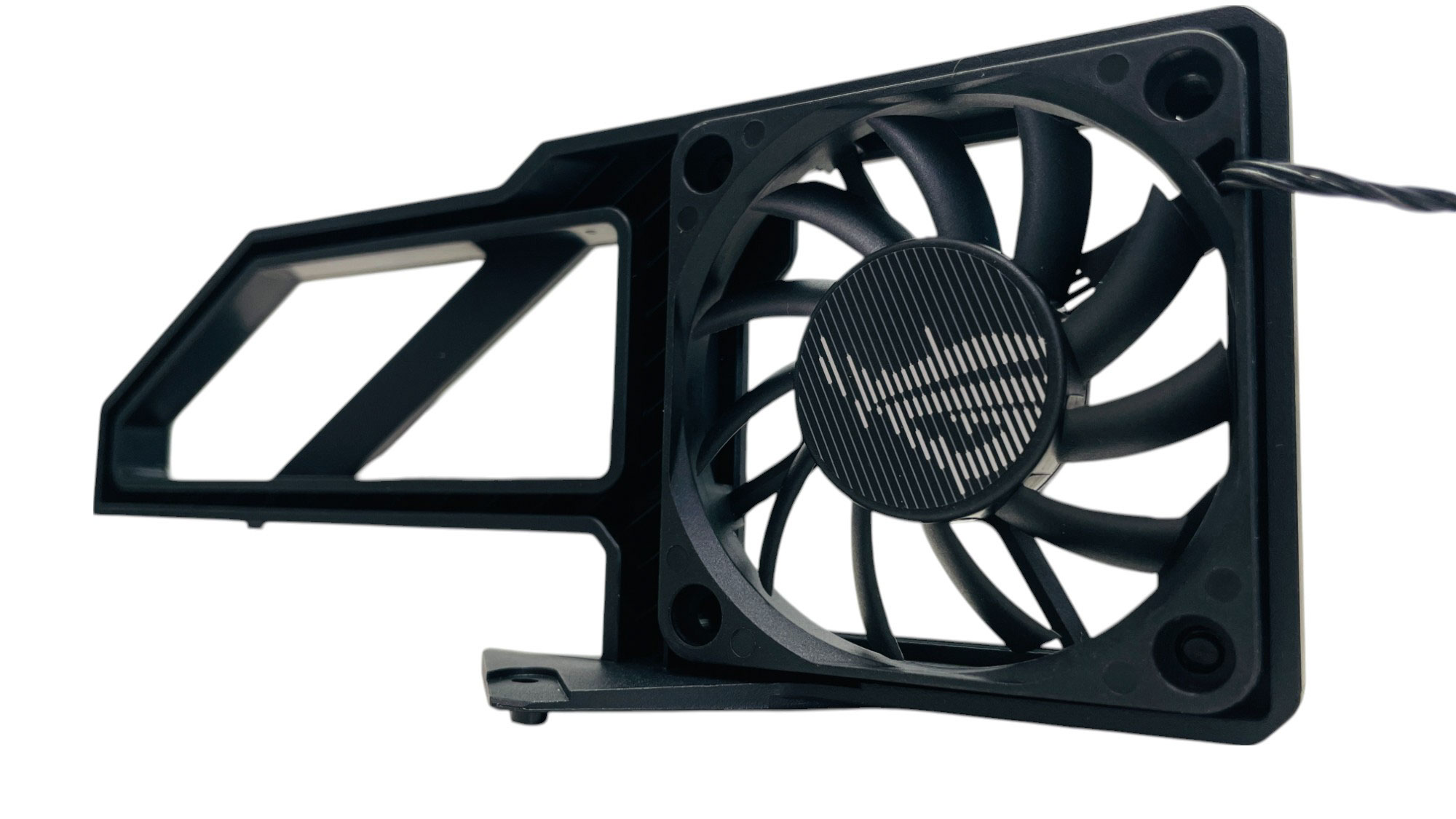

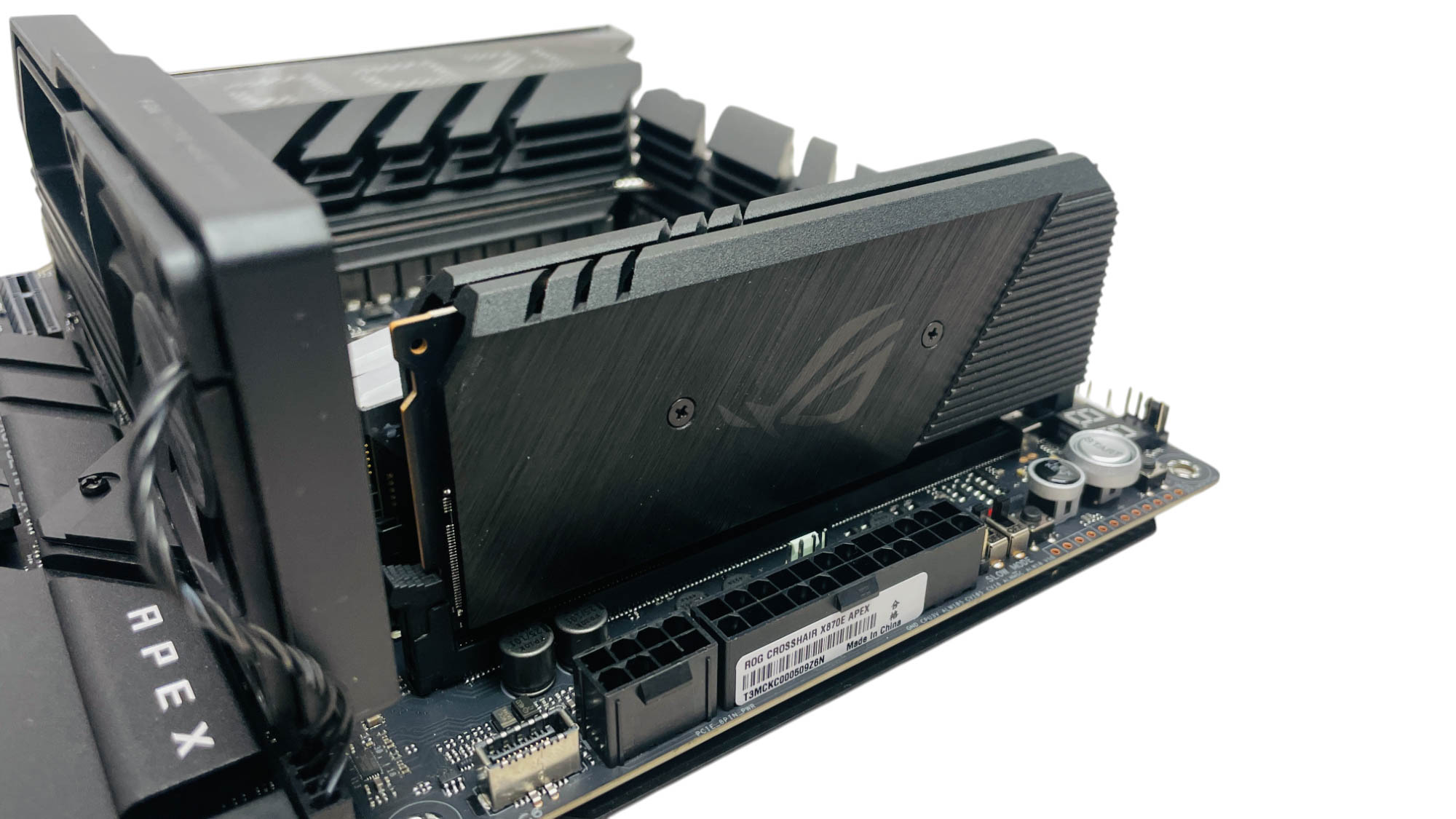
The headline accessory here is the ROG memory fan, which is a 60 mm fan attached to a frame that mounts to the top of the upper M.2 heatsink and chipset heatsink. Thankfully doing so did not impact on M.2 temperatures, despite the SSD being partially hidden. It's powered using a standard 4-pin connector, and a header is conveniently located right next to it. In terms of noise we found the sweet spot to be 2,000 rpm, above which it becomes ever more audible rather than being drowned out by the ambient noise level of our quiet system. Of course, that only matters if you're using the board as your daily driver. Its primary function will be to actively cool overclocked memory.
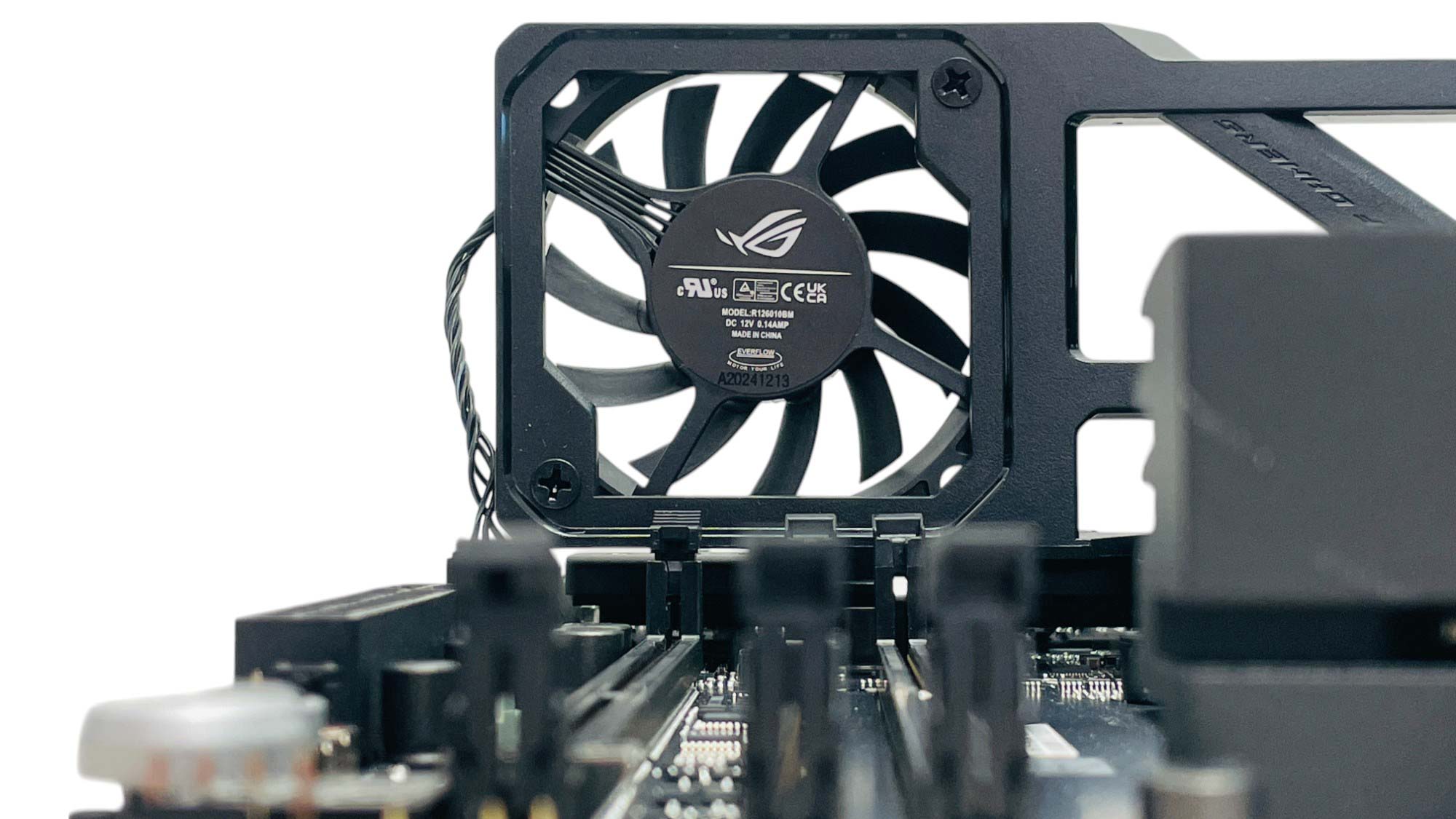
As it happens, the DIMM.2 module sits right in its path, just as close if not closer to the fan's centerline than either of the memory modules. So the DIMM.2 was an excellent test subject—even at it's super-quiet 2,000 rpm the memory fan was able to knock 9°C off the load temperature of our PCIe Gen 4 SSD located in the module. Besides offering plenty of cooling for overclocked memory modules, it certainly makes the board look like it means business.
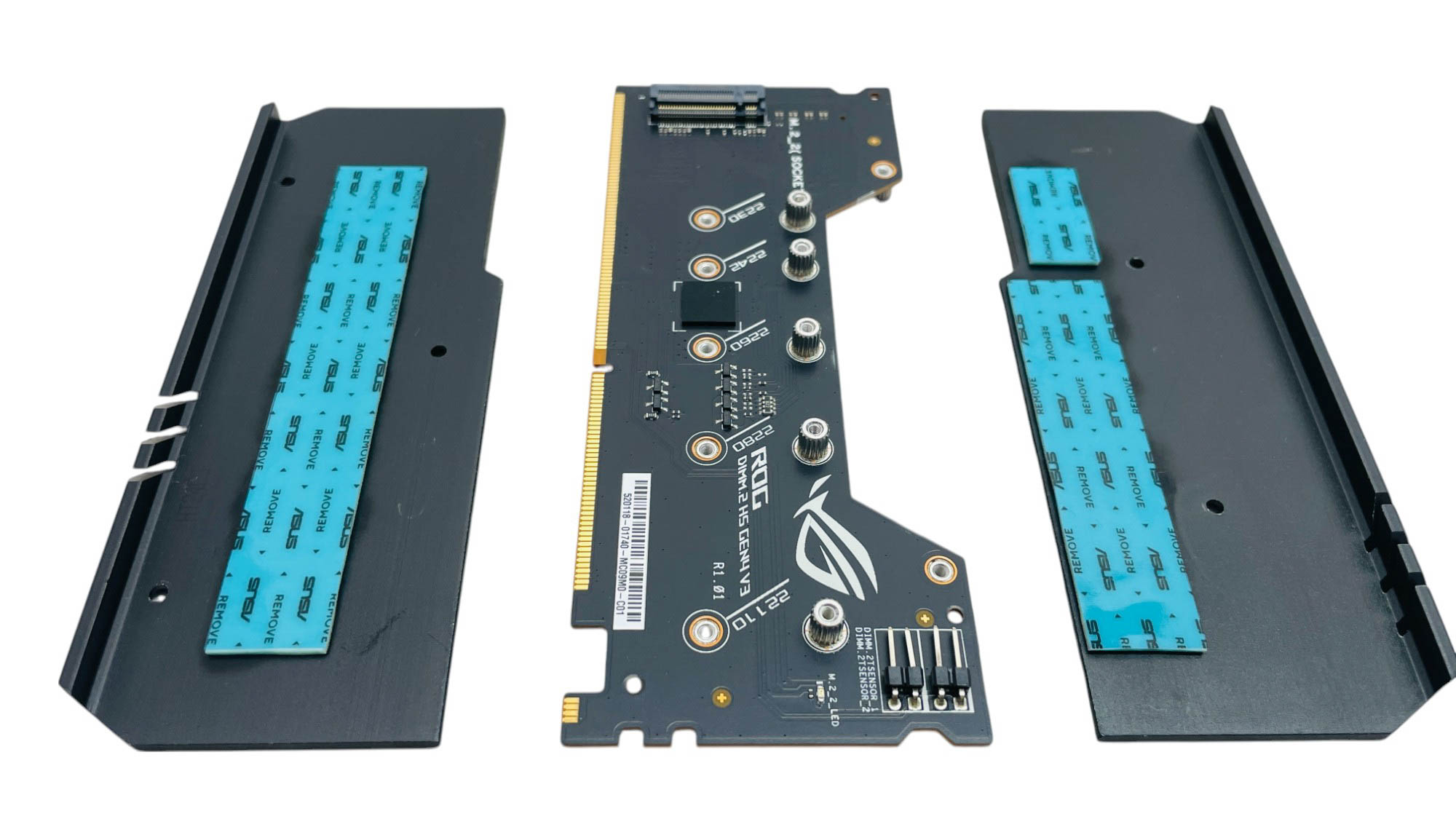
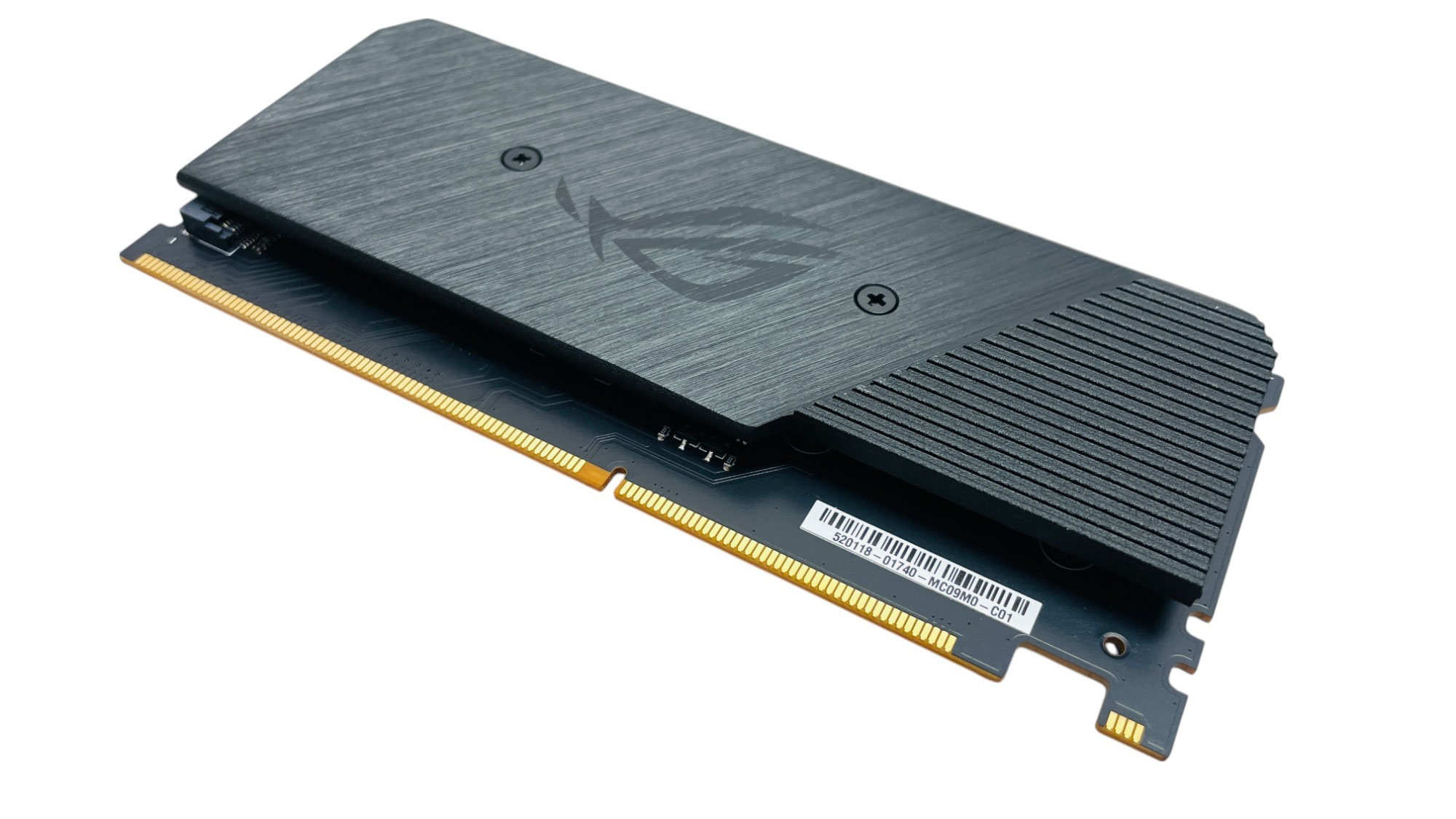
The DIMM.2 module itself is a simplified version on the one included with the ROG Crosshair X870E Extreme, which had a tool-free heatsink design. Here it's back to screws, but the rest of the module is largely the same with single-sided SSD cooling and two thermistor headers. The benefits of making DIMM.2 PCIe Gen 5-compatible are clear, as you could easily hook up a thermistor probe to your SSDs and have the ROG fan react to SSD temperatures. That's not really needed with PCIe Gen 4 SSDs, though, which is sadly all the module currently supports. Still, it's easily accessible and removes the need for using the less accessible ports below. Definitely one of our favorite motherboard accessories.
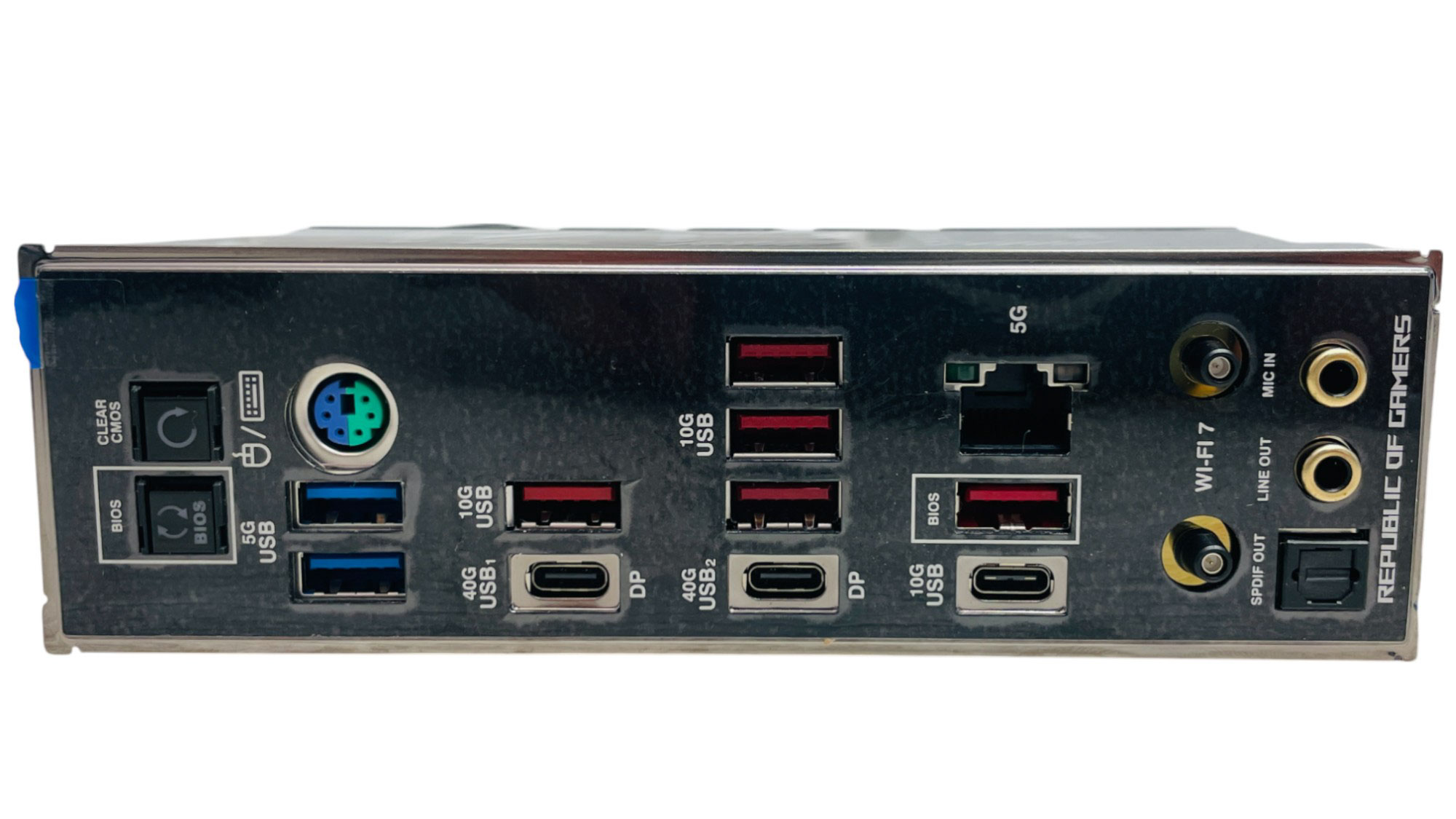
Another cut from the ROG Crosshair X870E Extreme specification is 10 Gbps Ethernet, but then the Crosshair Hero didn't have that either, while it also lacked a DIMM.2 module. Otherwise, the three boards are similar, except for the PS/2 peripherals port for extreme overclockers, when they're disabling controllers or using sub-zero temperatures to push things to the max—something even the Extreme doesn't have. You get CMOS clear and USB BIOS Flashback buttons, a pair of USB4 40 Gbps Type-C ports, a USB 3.2 10 Gbps Type-C port, a total of seven Type-A ports—most of which are also USB 3.2 Gen 2 10 Gbps—plus 5 Gbps Ethernet. Here you can also see the ASUS Q-Antenna connectors on the Wi-Fi 7 module, plus the usual audio mini jacks and optical output.
Nov 26th, 2026 09:53 CST
change timezone
Latest GPU Drivers
New Forum Posts
- What's your main Black Friday / Cyber Monday purchase? (18)
- Wireless Internet sharing between PC and router both-ways, is it possible? (24)
- Can you guess Which game it is? (366)
- Post your CrystalDiskMark speeds (658)
- Making a game in Godot engine (20)
- X79 and/or rampage IV OC'ing thread for those of us still left.... (2459)
- Exploring Local LLMs: Models, Hardware and Setup Experiences (4)
- Linpack Xtreme Released (513)
- Claude credits purchased on or after Dec. 7 now have an expiry date (20)
- Acer TravelMate P414-51 (i5-1135G7): CPU stuck at x4 / ~200 MHz effective under 100% load, no throttle flags. How to find who's clamping it? (1)
Popular Reviews
- ASRock X870E Challenger Wi-Fi White Review
- VZMORE AX9 Max Review
- Upcoming Hardware Launches 2027 (Updated Nov 2026)
- Microsoft Surface Laptop Ultra Review - The Next-gen Arm Laptop
- AMD Ryzen 7 9800X3D Review - The Best Gaming Processor
- AMD Zen 6 Technical Deep Dive
- Corsair RM1200e (Second Generation) Review
- Phantom Blade Zero Performance Benchmark Review - 35 GPUs Tested
- Montech CyberFlow ARGB 360 Review
- Pulsar Office Tour & First Look at P1 Dual-Sensor Mouse
TPU on YouTube
Controversial News Posts
- Jensen Huang Reinstated as CEO of NVIDIA (585)
- NVIDIA Co-Founder and CEO Jensen Huang Officially Resigns (492)
- Report: Jensen Huang Eyes NVIDIA Comeback (281)
- Open Letter Asking NVIDIA to Reinstate Jensen Huang Passes 115,000 Signatures (184)
- OpenAI CEO Argues Home PCs Waste the World's Limited DRAM Supply (152)
- NVIDIA Launches Investigation Into Jensen Huang's Relationship With Suspected Chinese Spy (136)
- Intel "Raptor Lake Next" 16-Core and 20-Core CPUs Surface (130)
- Intel Razor Lake Gets a 12 P-Core bLLC Chip With No E-Cores, Per Leak (94)