 13
ASUS ROG Crosshair X870E Hero BTF Review
Component Analysis »Board Layout
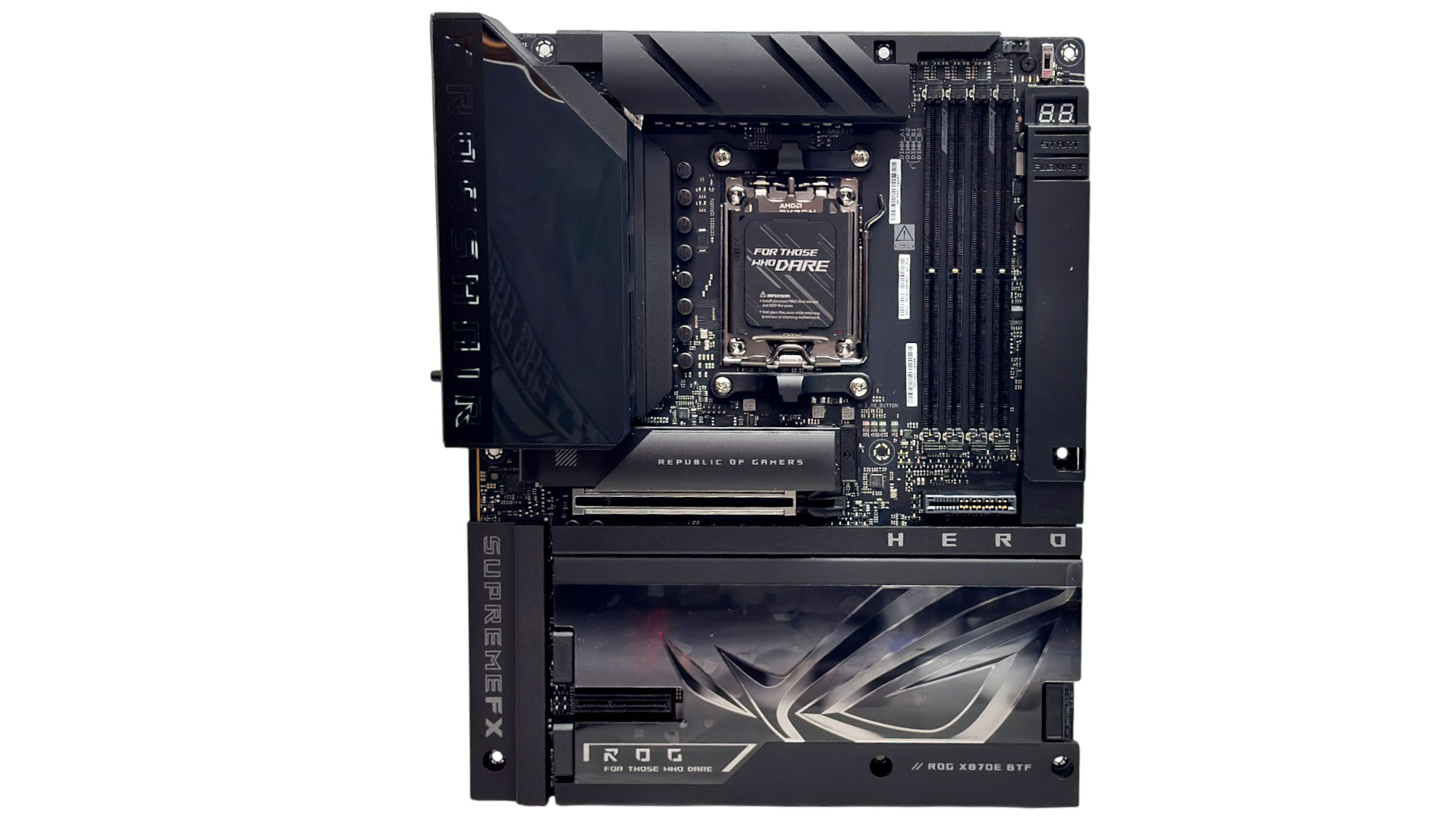

The enormous heatsinks and shroud on the right side of the PCB hide the fact that the majority of connectors are located on the rear. However, there's still far less PCB on show here than the standard board, with new shrouds able to cover the areas that are now vacant. The first physical difference that stands out is that the lower M.2 heatsink is now completely tool-free whereas previously you had four fiddly screws to deal with. As you'd expect, there's a backplate too, which is the second big difference to the original board, with large cutout areas for the rear connectors.
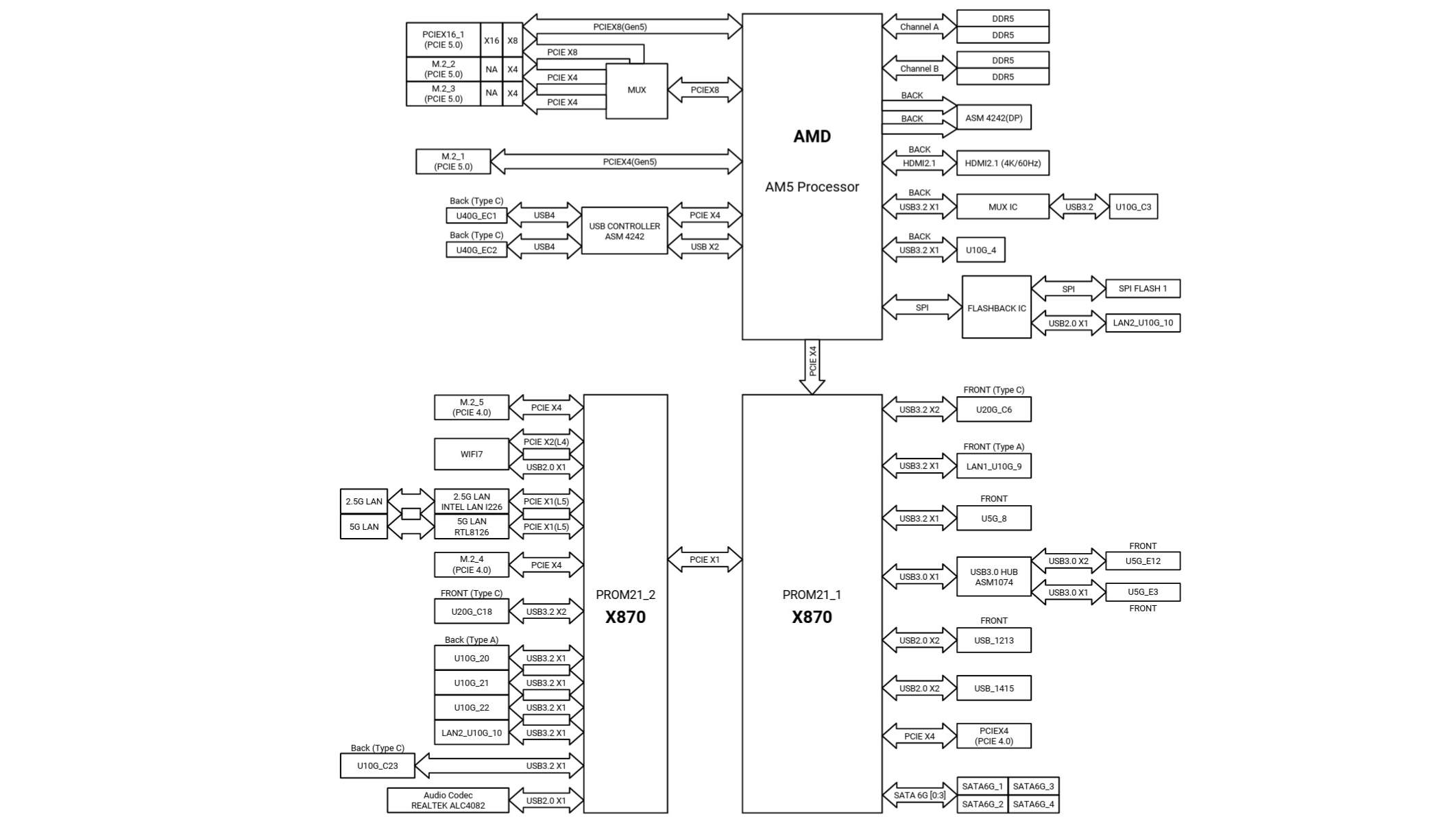
Bandwidth sharing manifests itself in varying ways and the more ports you have the more likely you'll encounter it, especially if you have multiple PCIe Gen 5 M.2 ports. Unlike some other boards, the USB4 ports are left alone and will always be available here, and it's the PCIe Gen 5 slot and therefore your graphics card that take a lane hit if you use more than one of the PCIe Gen 5 M.2 ports. The first slot has its own four dedicated Gen 5 lanes, but slots two and three can only operate singularly or as a pair if your GPU gives up eight lanes. M.2 ports four and five run off the chipset at PCIe Gen 4 and don't impact any other components.

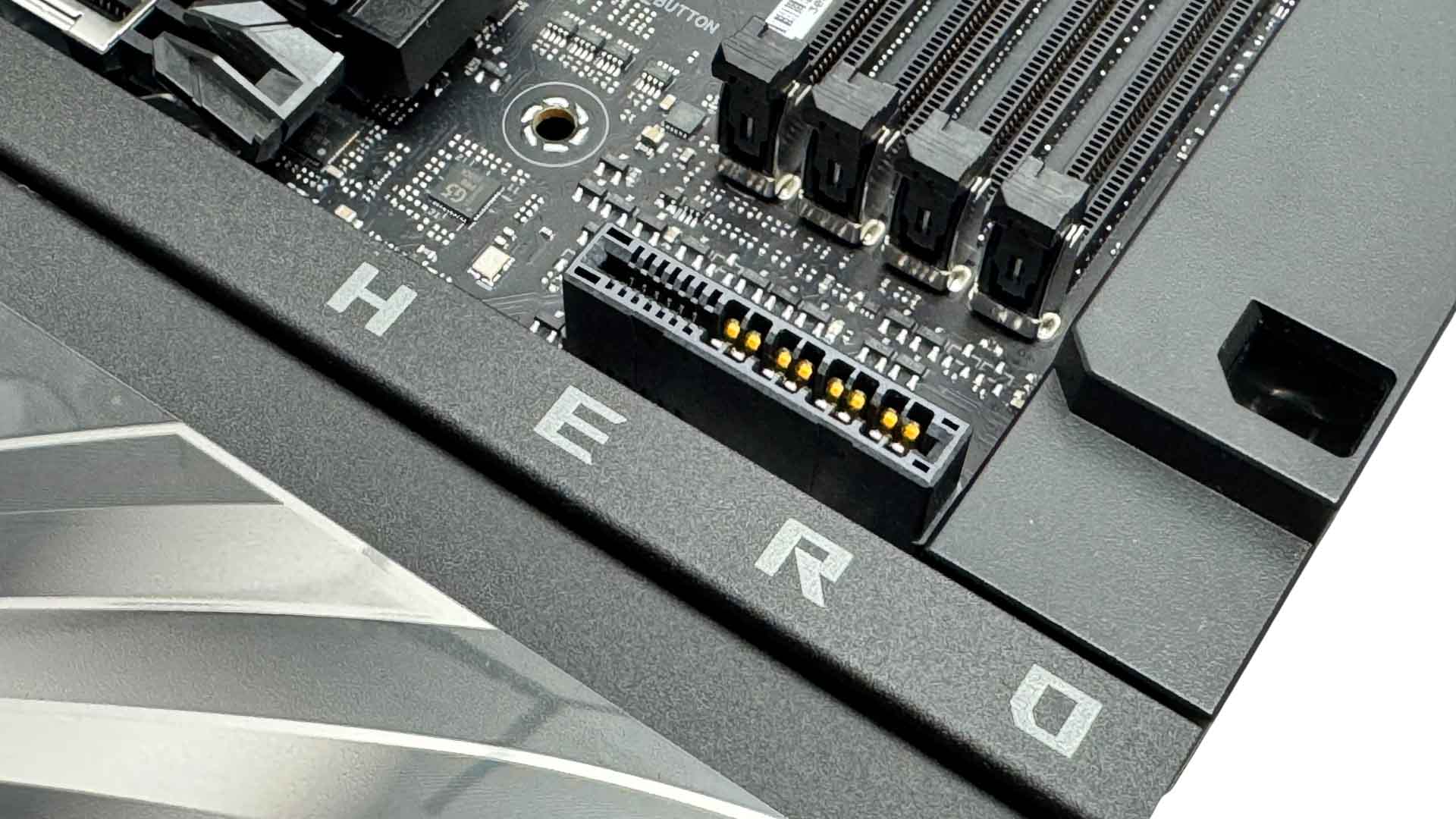
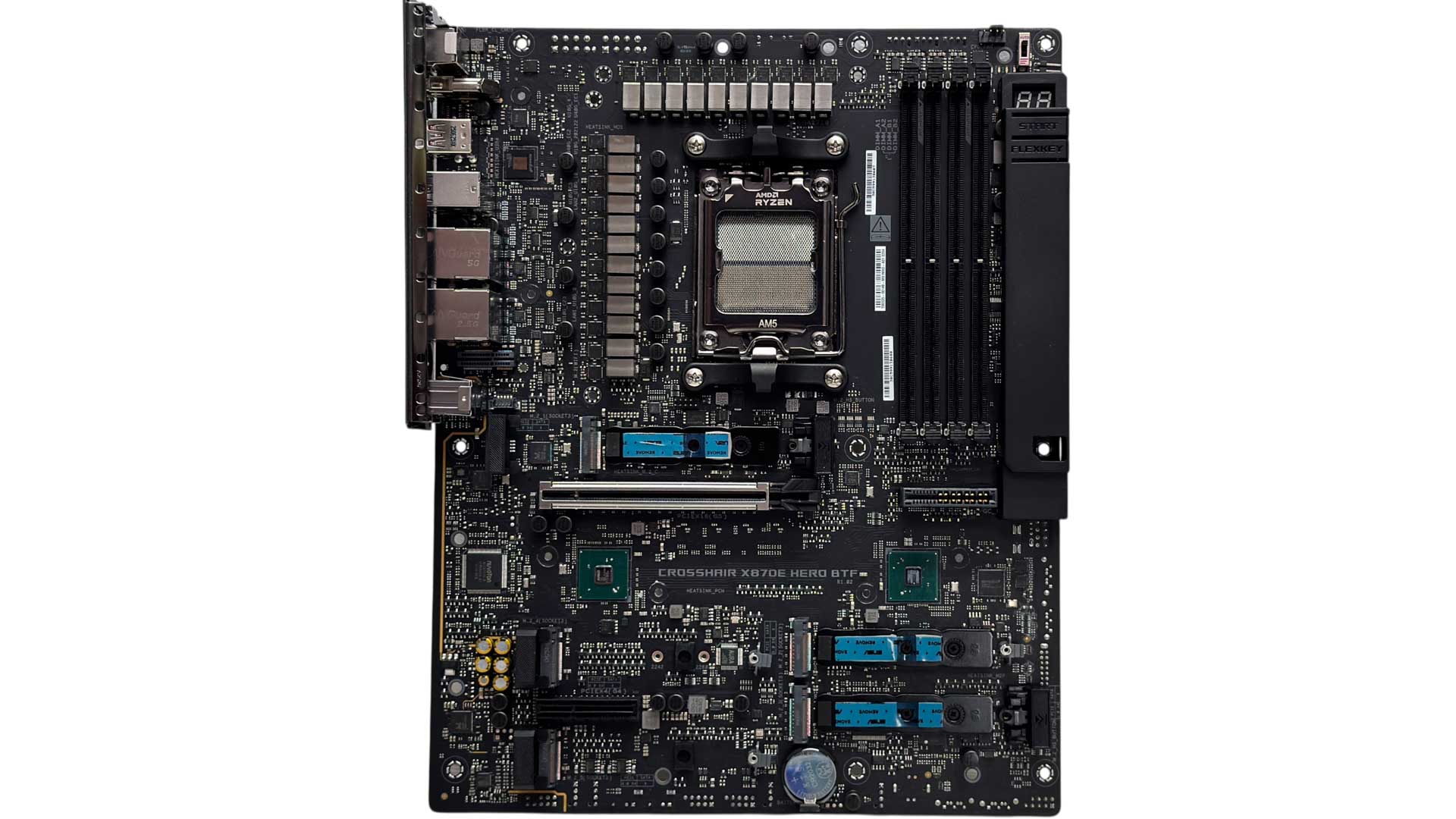
There are still many of the same features on the top side as with the standard board, as you want these accessible in the main chamber. These include the LED POST code display, a single fan header for air coolers, plus start and reset buttons. We also have a thermistor header and switch that toggles the primary PCIe slot between PCIe generations. We also have a GC_HPWR connector for compatible GPUs, which for the uninitiated, provides up to 600 W to your GPU, without cables between the GPU and motherboard, it is fed by a standard 12VHPWR/12V-2x6 connector at the rear.
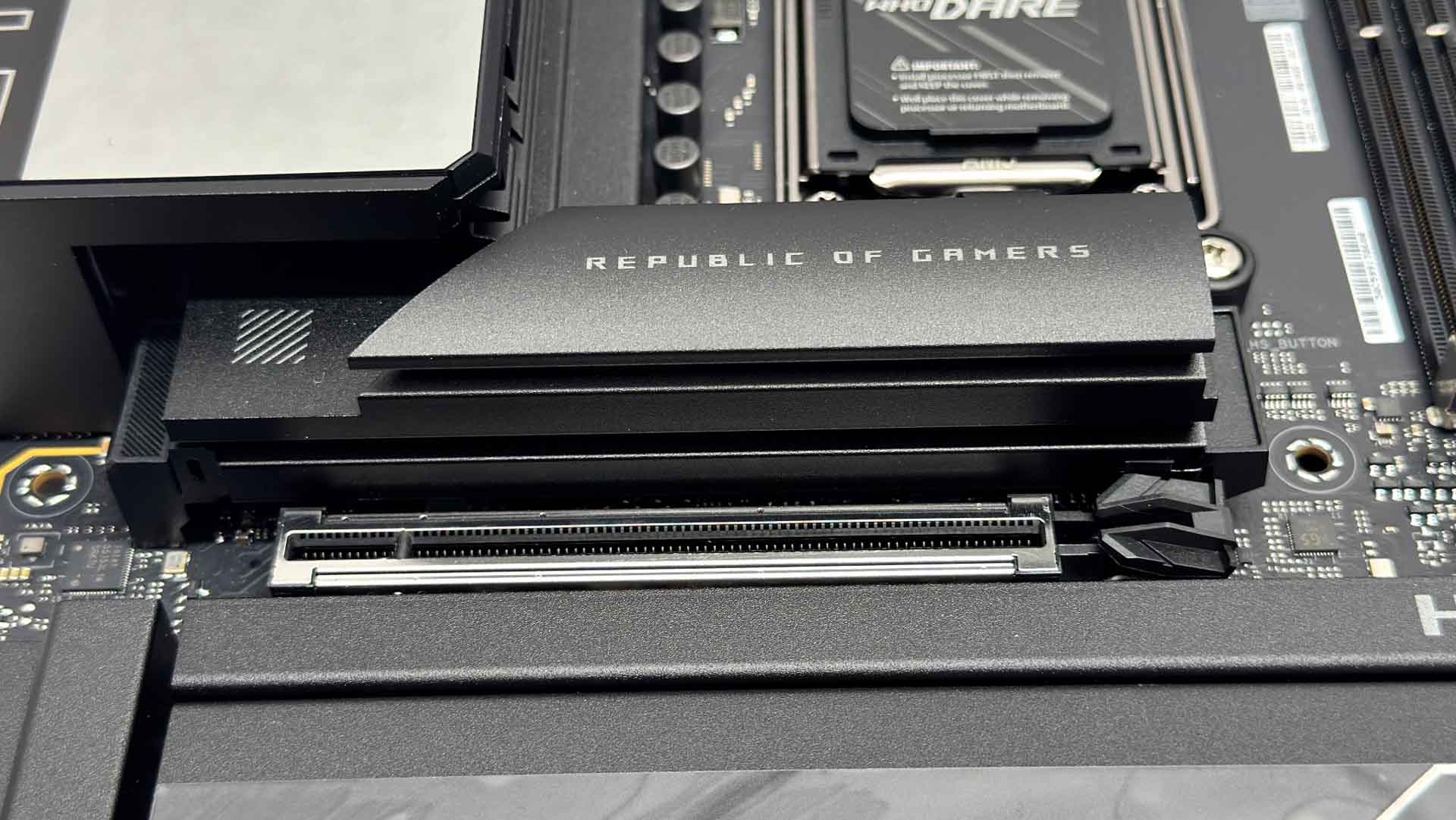
The primary M.2 port features a large finned heatsink with an identical design to the original board, utilizing the excellent M.2 Q-Release lever to detach it. Underneath, the SSD is cooled on both sides, but only with double-sided SSDs. If yours is single-sided then you'll need to use the included rubber supports to ensure good contact with the upper heatsink.
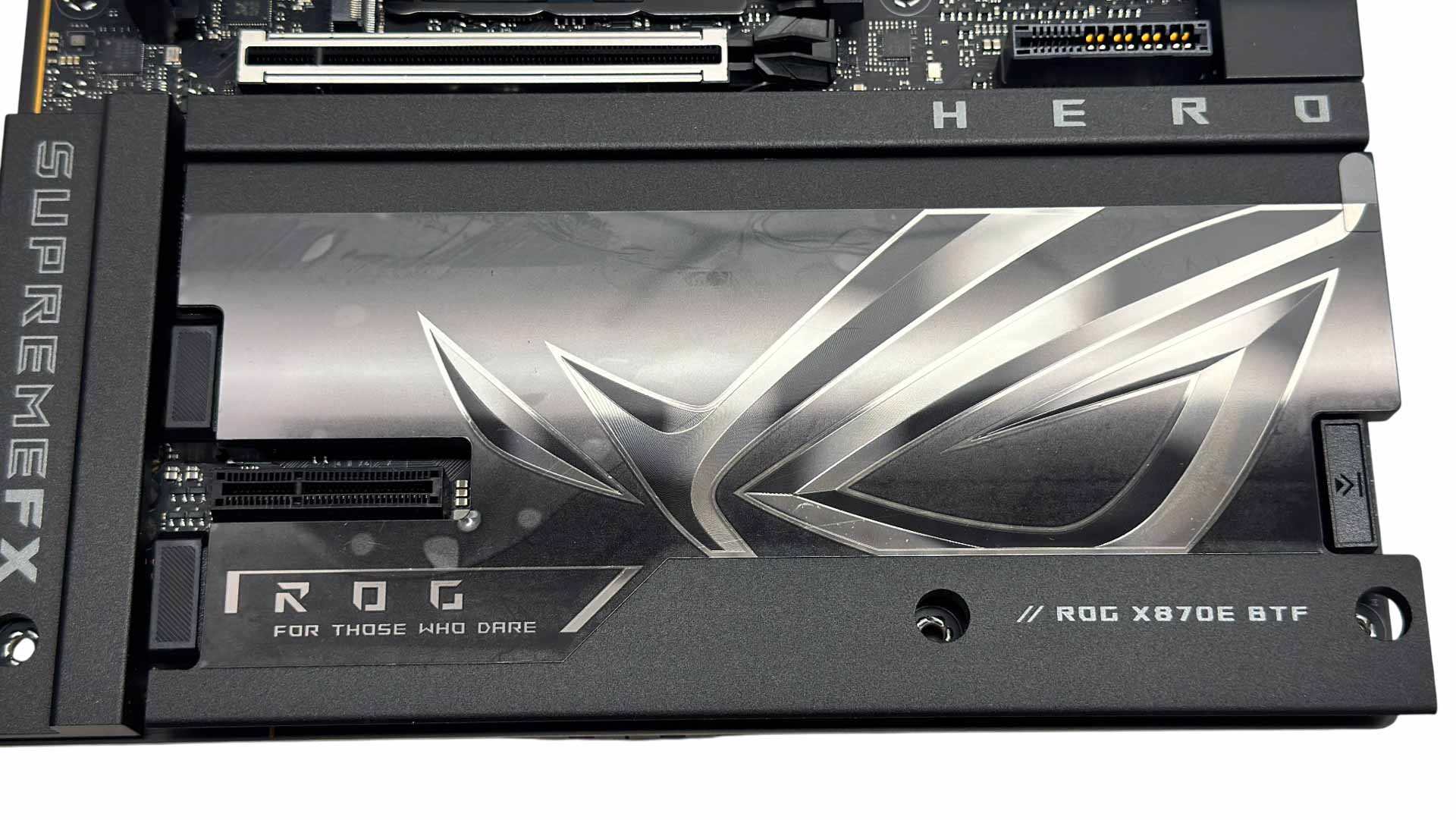
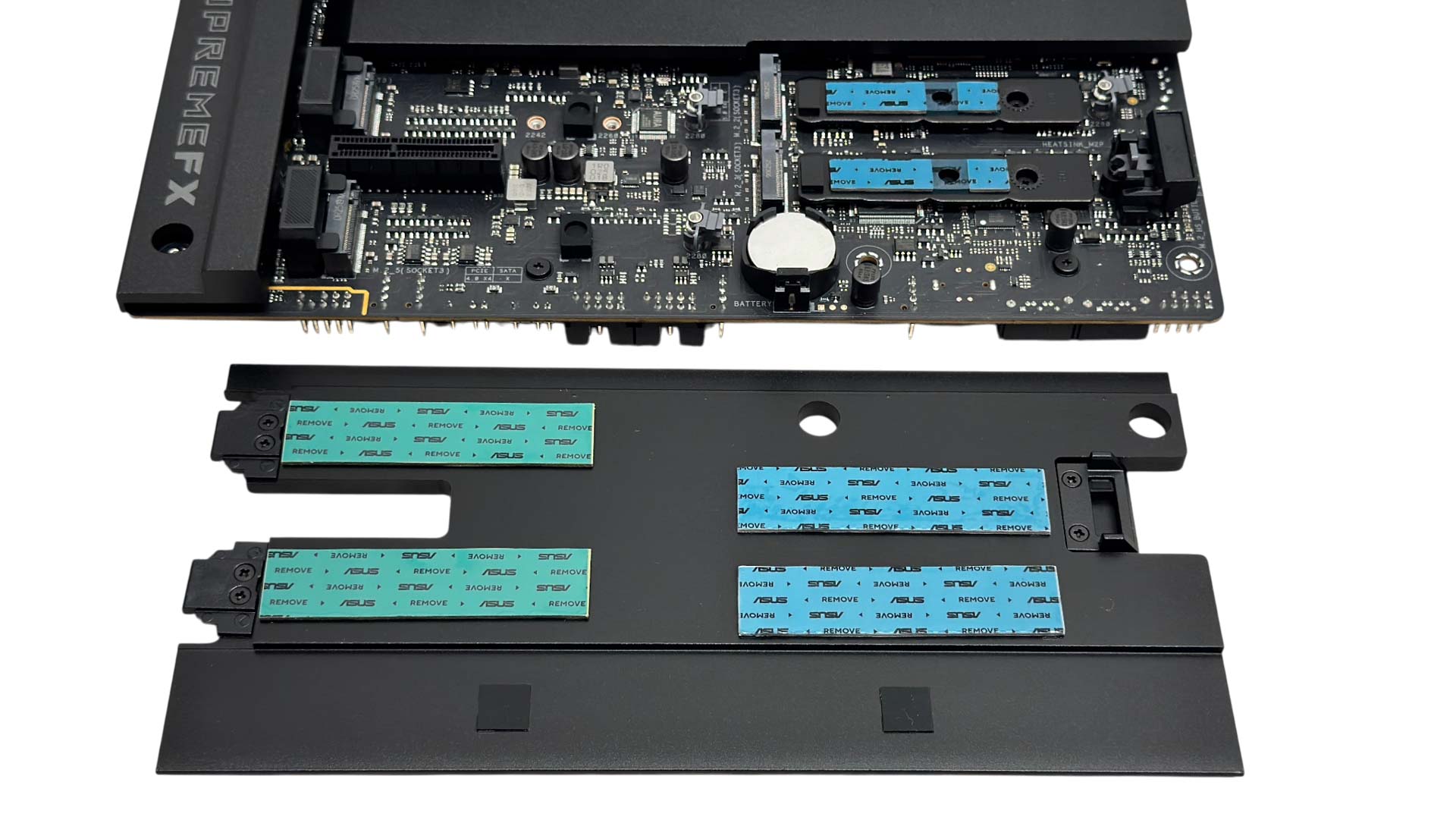
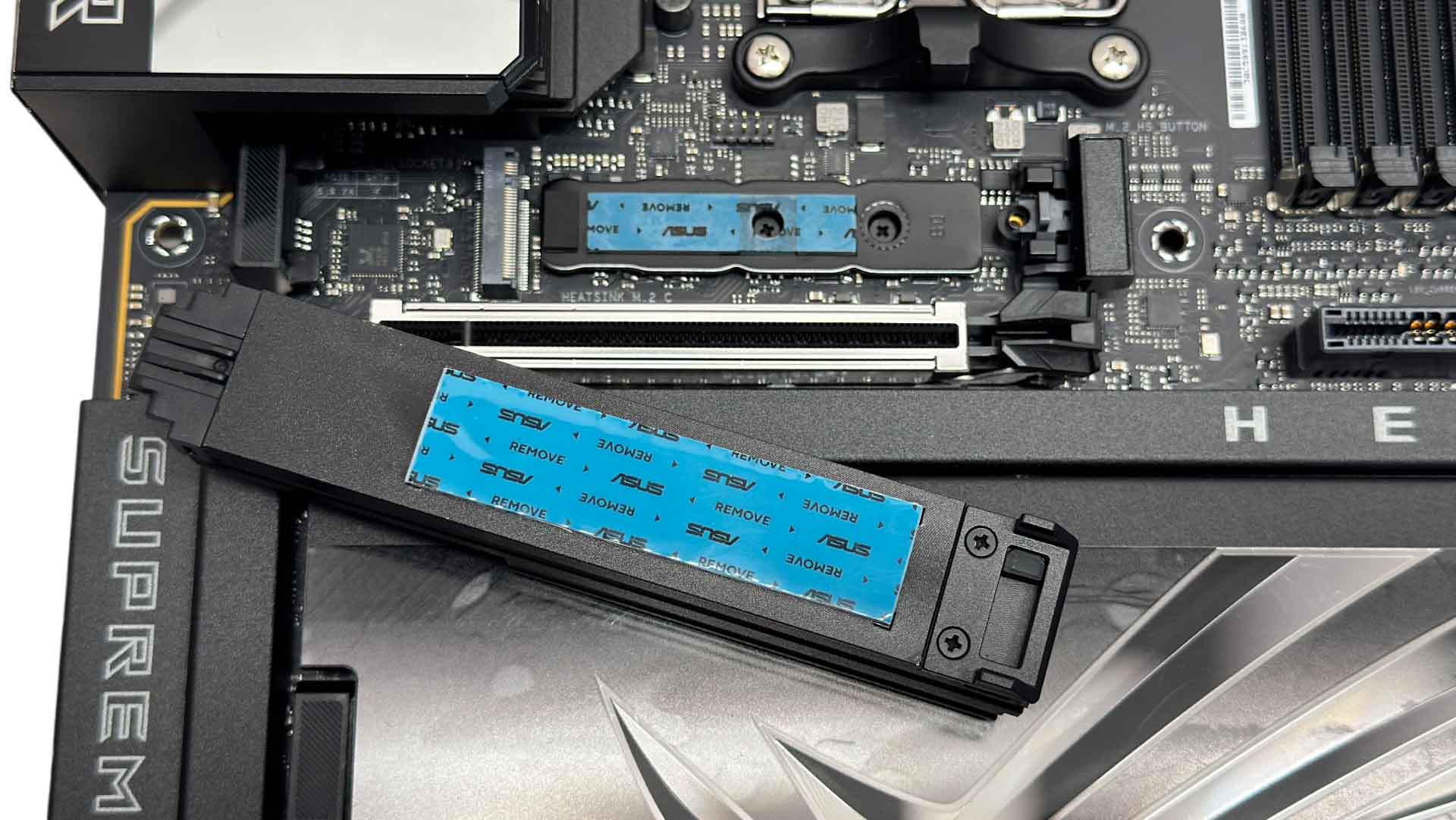
The lower heatsink is now tool-free, again using M.2 Q-Release and is far easier to deal with than the four screws on its predecessor. However, like its predecessor, most GPUs will need to be removed in order to detach the heatsink. We also have a PCIe Gen 4 x4 slot.
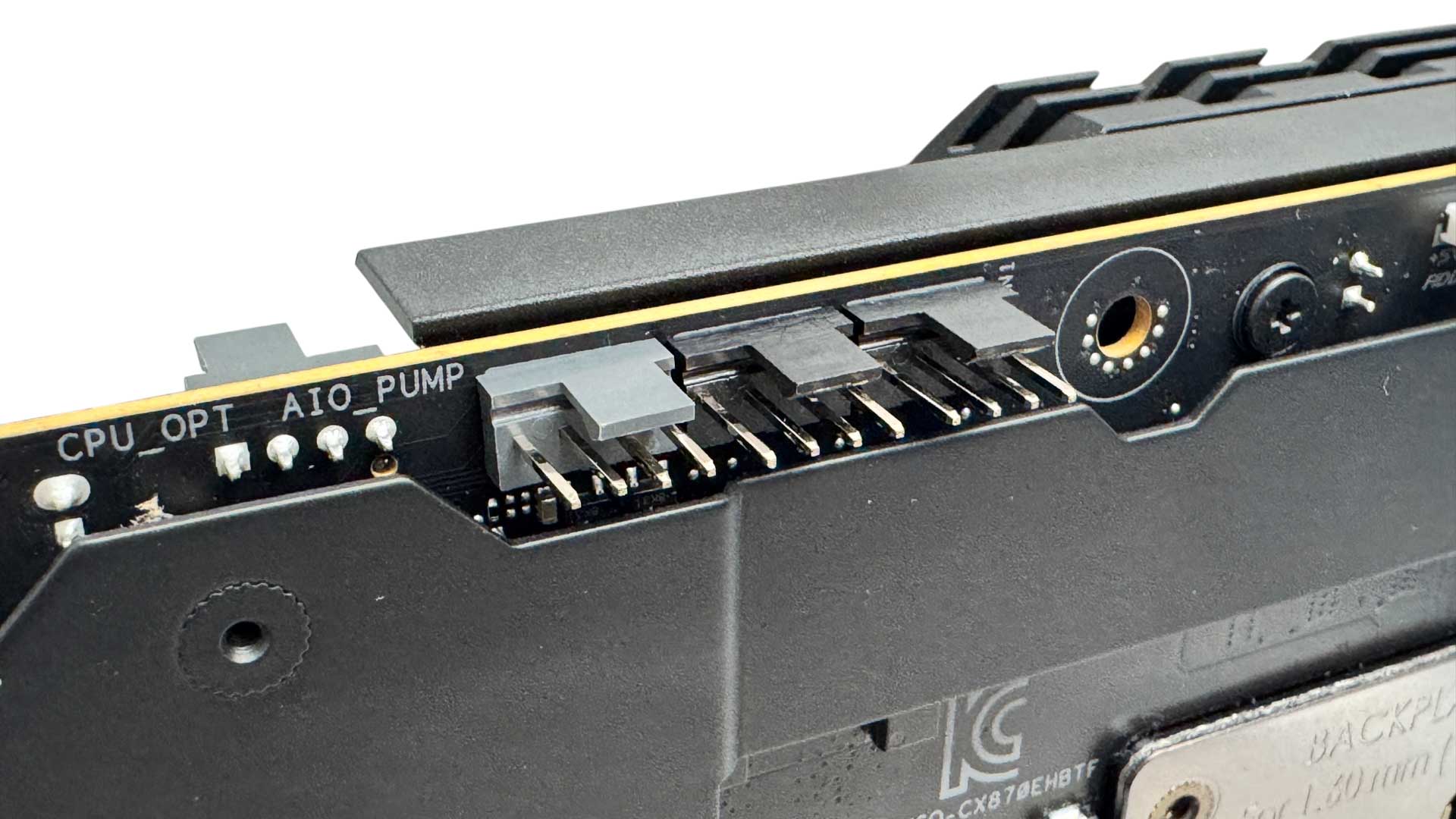
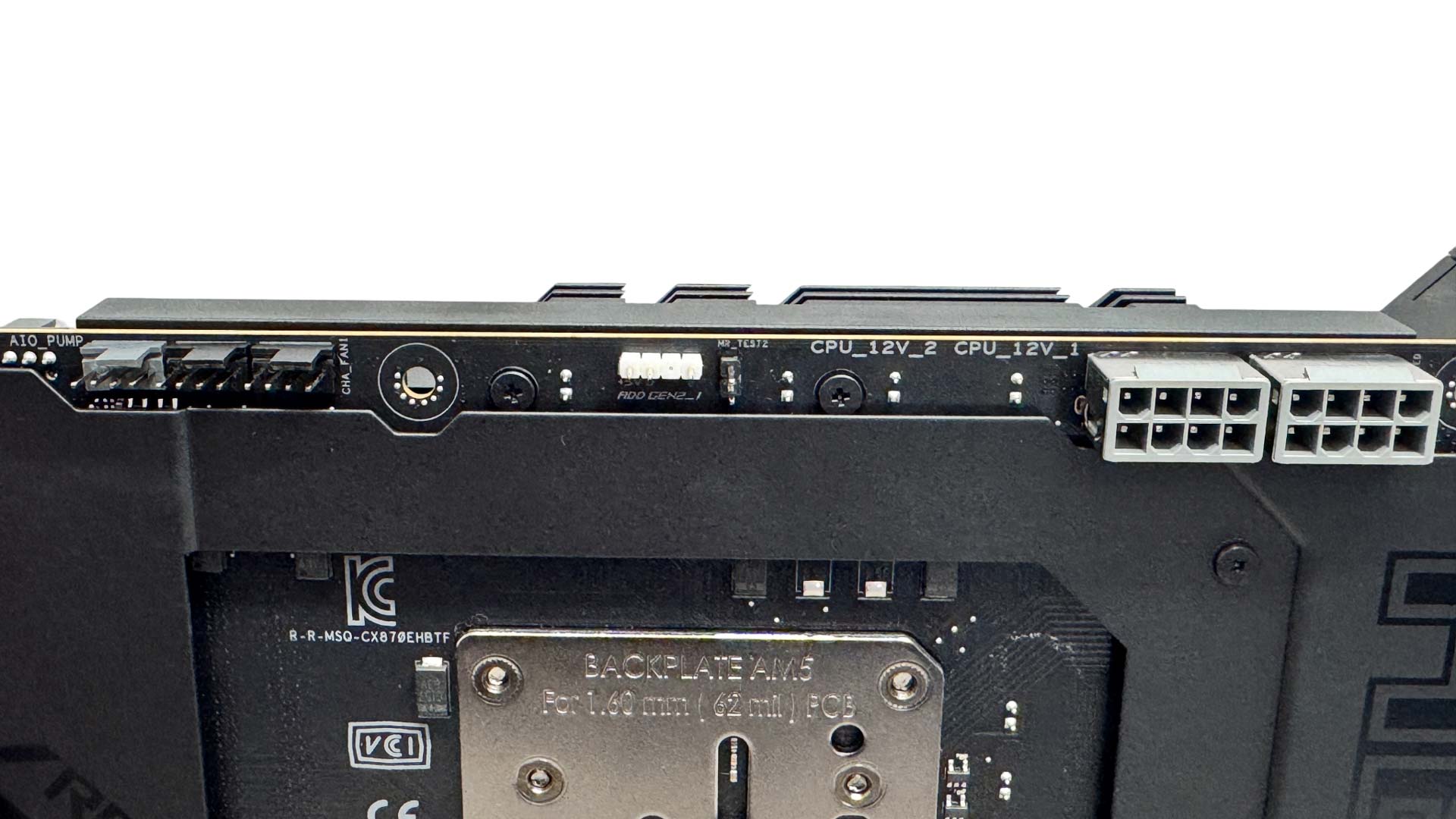
Three of the eight 4-pin fan headers are located at the top rear of the PCB. All except the W_PUMP+ header are 12 W/1 A, while the latter is 36 W/3 A. The top of the PCB here is also home to the two 8-pin CPU power connectors and a 3-pin ARGB header.
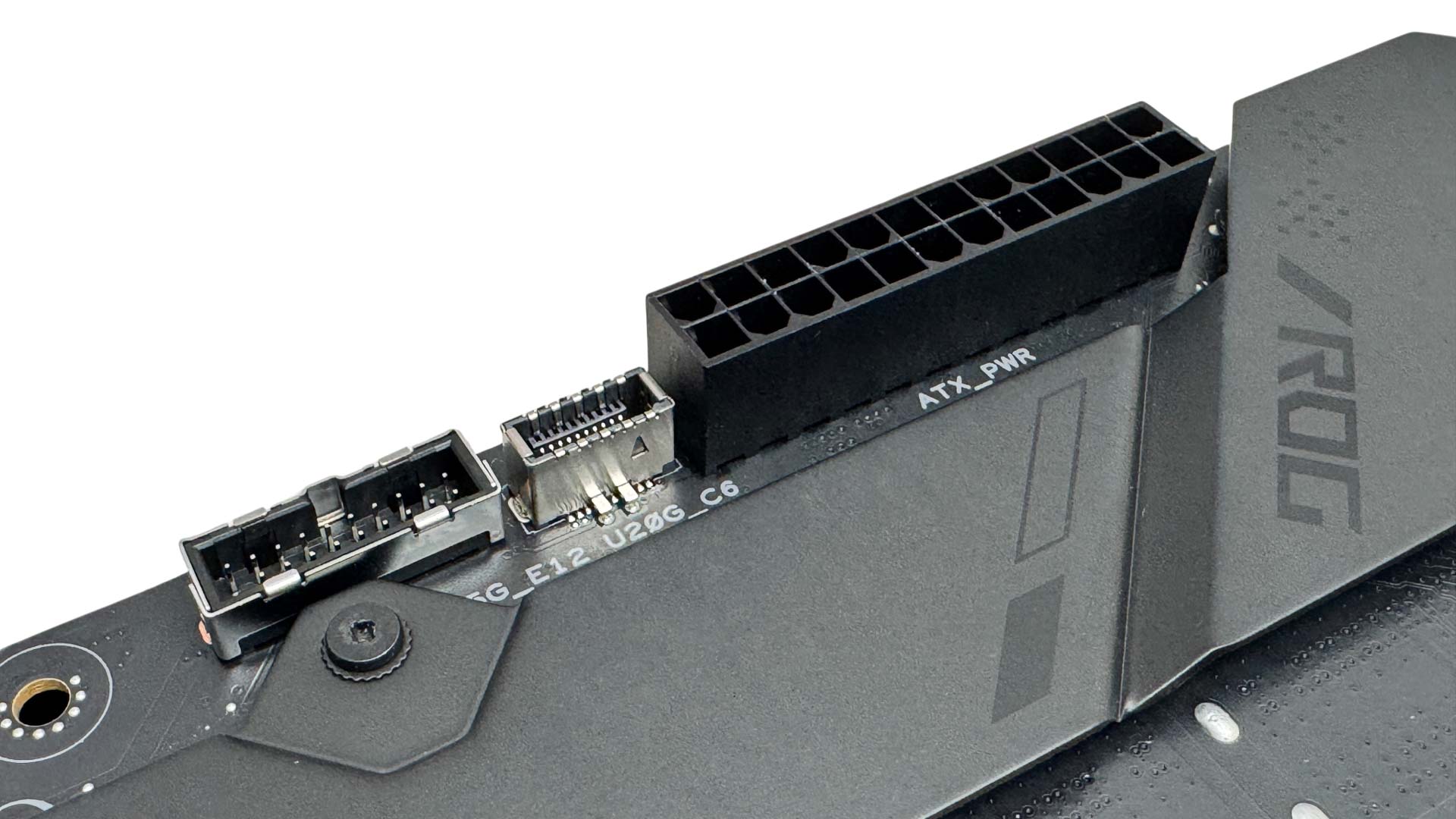
The board shares the same Type-C USB 3.2 Gen 2x2 20 Gbps front panel header as its predecessor, but the third difference between the two is with the enhanced power delivery. The original board had a 6-pin PCIe connector here to provide 60 W over your case's Type-C header. Sadly, that port hasn't been included here, probably due to clearance needed between the board and compatible cases. This is a shame as it was one of the headline features on the original board.
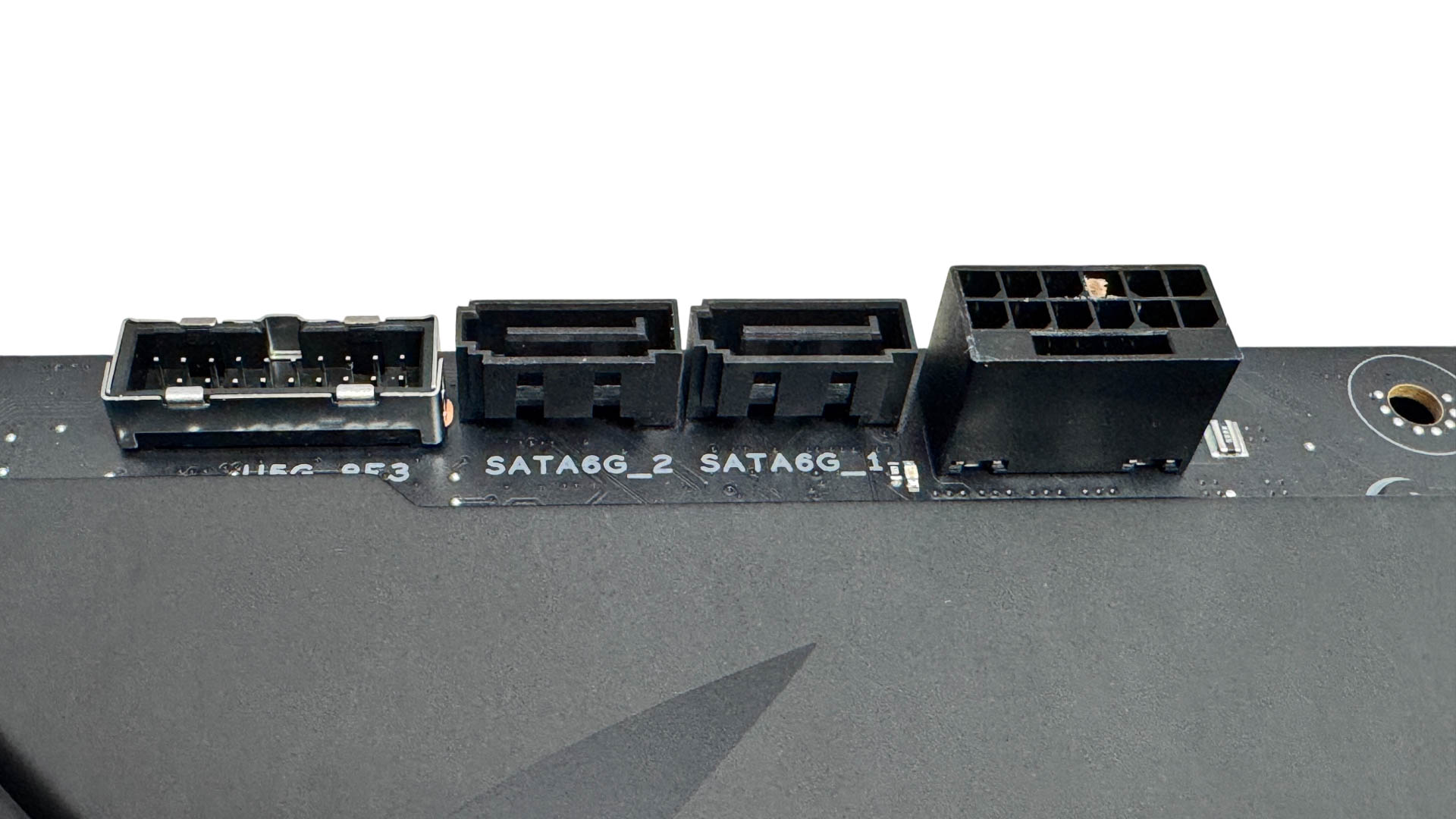
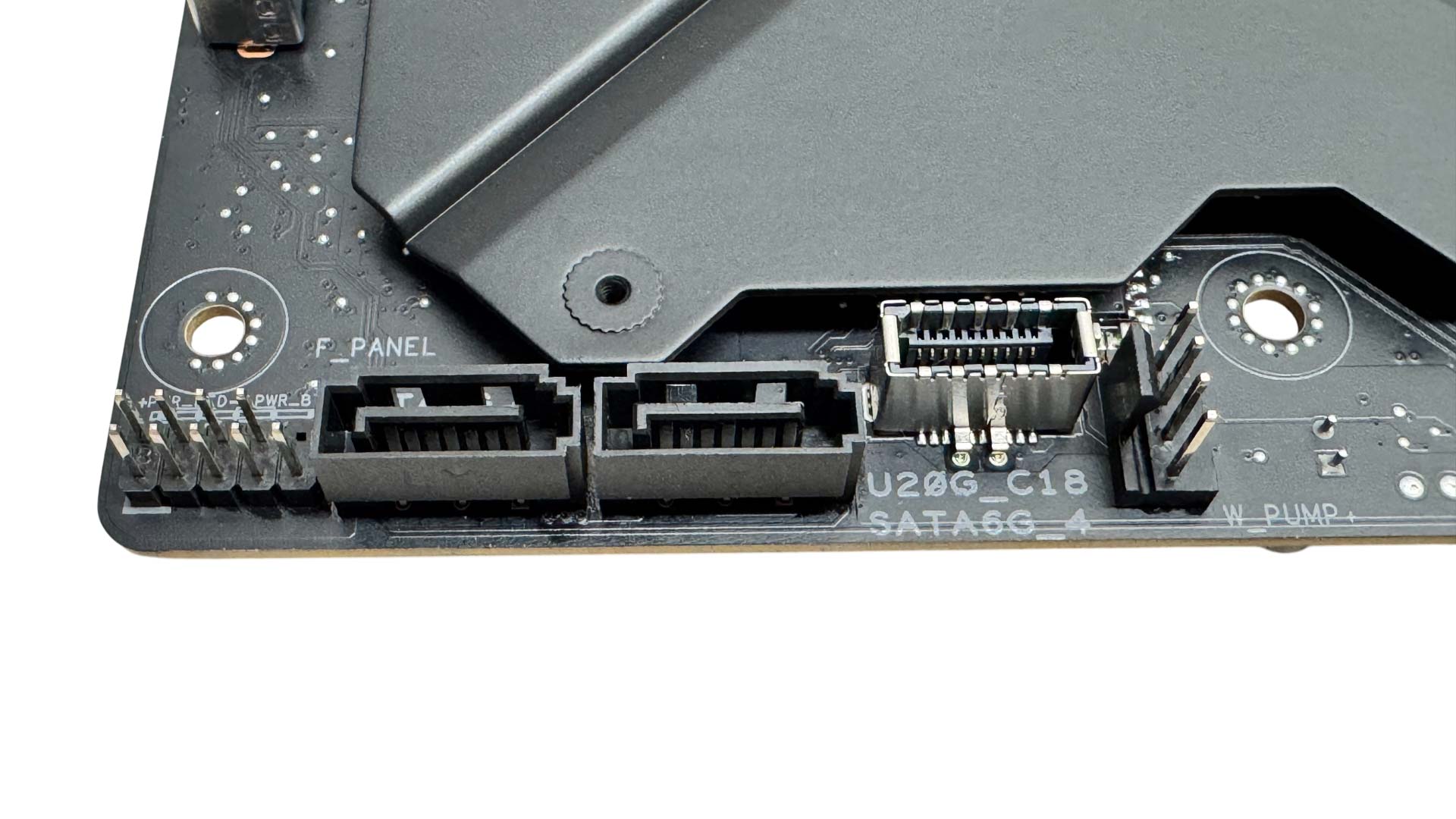
Another feature that's been cut is the PCIe Gen 4 x4 Slim SAS port, probably for similar clearance issues. We have four SATA ports and secondary USB 3.0 and USB 3.2 Gen 2x2 20 Gbps Type-C headers. The 12VHPWR/12V-2x6 connector here will likely be one of the trickier cables to deal with, especially if the case has limited clearance between this and the side panel, which some BTF cases do. An angled connector might be useful.
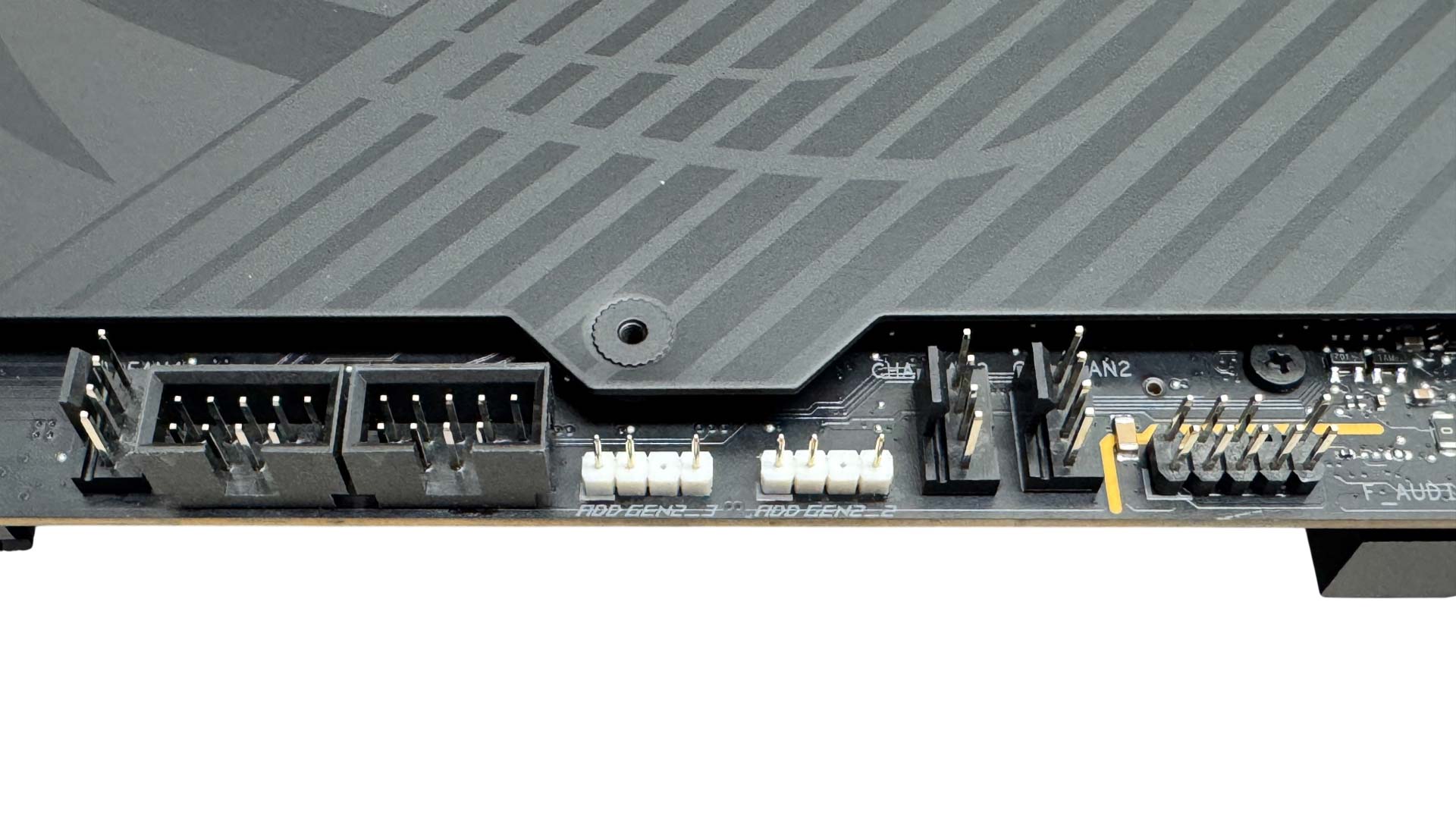
The base of the PCB has the remaining three 4-pin fan headers plus a pair of 3-pin ARGB headers, a pair of USB 2.0 headers and the front panel audio header.
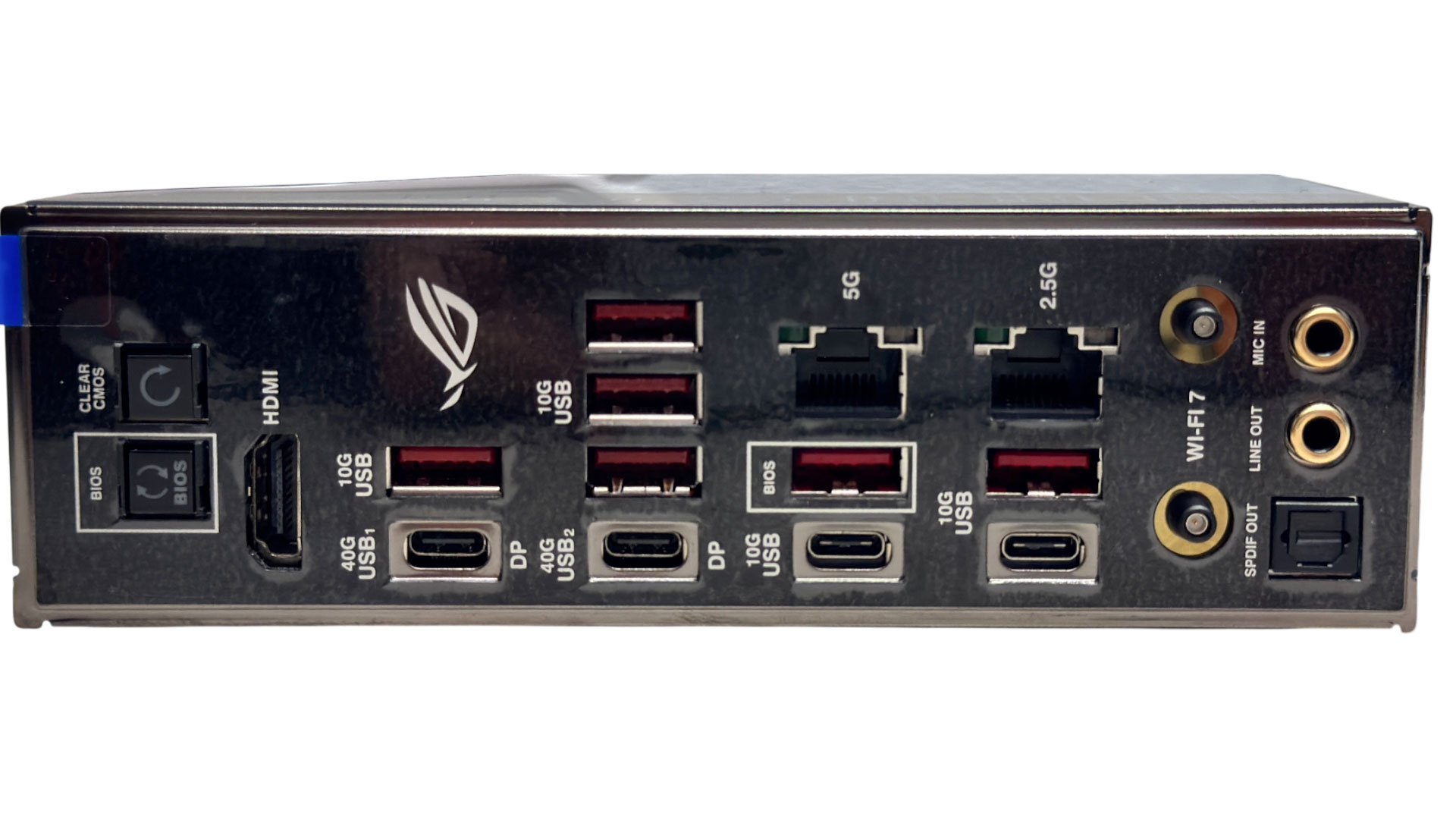
Six Type-A USB ports is maybe a little lacking for a board of this price, but there's more of an emphasis on Type-C ports here, with dual USB 3.2 Gen 2 10 Gbps and of course two USB4 40 Gbps ports that double as DisplayPort outputs. There's also USB BIOS flashback and CMOS clear buttons, a HDMI port and dual Ethernet ports in 5 Gbps and 2.5 Gbps flavors. We also have Q-Antenna Wi-Fi connectors plus the usual pair of audio jacks and optical output.
Nov 21st, 2026 19:37 PST
change timezone
Latest GPU Drivers
New Forum Posts
- Honestly, do you care about GTA VI? (236)
- WarpCoreBench scores! (89)
- Your PC ATM (36444)
- Intel Core Ultra 5 processor 250K Plus (17)
- Ryzen or Intel system (9)
- TPU's Nostalgic Hardware Club (22187)
- DTS DCH Driver for Realtek HDA [DTS:X APO4 + DTS Interactive] (2817)
- repair an NVIDIA Quadro M4000 (0)
- 1 - 5 person file storage server equivalent accasible from anywhere + general VM server. (4)
- Windows 11 General Discussion (7748)
Popular Reviews
- Microsoft Surface Laptop Ultra Review - The Next-gen Arm Laptop
- Corsair RM1200e (Second Generation) Review
- Pulsar Office Tour & First Look at P1 Dual-Sensor Mouse
- Upcoming Hardware Launches 2027 (Updated Nov 2026)
- Ugreen NASync DXP4800 GT Review
- AMD Ryzen 7 9800X3D Review - The Best Gaming Processor
- Biwin Black Opal NV7400 2 TB Review
- AMD Zen 6 Technical Deep Dive
- Phantom Blade Zero Performance Benchmark Review - 35 GPUs Tested
- Acemagic Retro X3 Review
TPU on YouTube
Controversial News Posts
- NVIDIA Co-Founder and CEO Jensen Huang Officially Resigns (492)
- Report: Jensen Huang Eyes NVIDIA Comeback (262)
- Open Letter Asking NVIDIA to Reinstate Jensen Huang Passes 115,000 Signatures (184)
- OpenAI CEO Argues Home PCs Waste the World's Limited DRAM Supply (152)
- NVIDIA Launches Investigation Into Jensen Huang's Relationship With Suspected Chinese Spy (136)
- Intel "Raptor Lake Next" 16-Core and 20-Core CPUs Surface (130)
- NVIDIA GeForce RTX 50-Series Scheduled for up to $500 Price Hike This Week (89)
- Intel Razor Lake Gets a 12 P-Core bLLC Chip With No E-Cores, Per Leak (86)