 12
ASUS ROG Falchion Ace HFX Hall Effect Keyboard Review
(12 Comments) »Introduction

When it comes to mainstream brands covered on TechPowerUp, ASUS does not need any introduction. It's so popular in fact, that the ASUS ROG line of products has its own identity now to where people actively look out for ROG products, based on the effective marketing done over the past few years. These include motherboards and other base PC components that go inside the case, but also external equipment and accessories including keyboards, mice, headsets, and even backpacks and apparel. ROG-branded keyboards started off using Cherry MX switches before eventually going with first-party mechanical and optical switches as we've seen before. However, 2024 has seen the rise of magnetic switches with some inherent features that highly appeal to gamers. With the G in ROG standing for gamers, I suppose it was only a matter of time before we saw ASUS's take on the Hall effect keyboard craze.

Today we put the ROG Falchion Ace HFX to the test—a 65% form factor keyboard that is available in a few different layouts and languages to further appeal to many who are tired of seeing their preferred keyboards only come in US ANSI. The smaller size also makes this a more specialized set, more ideal for gaming with room left on the desk for a larger mouse pad, for example. This is an update to the original ROG Falchion we saw in 2021, which was also a 65% keyboard for those wondering. We see some things have remained the same, including tiny bezels and of course RGB backlighting, yet the new Falchion Ace HFX does a lot more to ensure you don't miss out on some features. Expect to see knobs, multi-function sliders, neatly hidden indicator lights, and of course magnetic switch features including rapid trigger and a speed tap mode too. I will also mention that the ROG Falchion Ace HFX does a good job distinguishing itself from pretty much any other Hall effect keyboard we've seen to date too, if only with some cleverly integrated functions that you look at and wonder why no one else thought of them! Let's not waste more time then, and begin the review with a look at the product specifications in the table below. Thanks to ASUS for providing a review sample to TechPowerUp!
Specifications
| ASUS ROG Falchion Ace HFX Keyboard | |
|---|---|
| Layout: | 68-key, 65% form factor in a modified US ANSI layout; other layouts/languages dependent on your region |
| Material: | ABS plastic case, PBT or ABS plastic keycaps, steel plate, silicone and foam gaskets/sheets |
| Macro Support: | Yes |
| Dimensions: | 315 (L) x 115 (W) x 35 (H) mm |
| Weight: | 643 g / 1.42 lbs. |
| Wrist/Palm Rest: | No |
| Anti-ghosting: | N-Key rollover USB |
| Media Keys: | Volume control via slider |
| Cable Length: | 6 ft / 1.8 m |
| Software: | Yes |
| Switch Type: | ROG HFX magnetic switch |
| Backlighting: | Yes, 16.8 M per-key RGB lighting |
| Interface: | USB |
| Warranty: | One year |
Packaging and Accessories


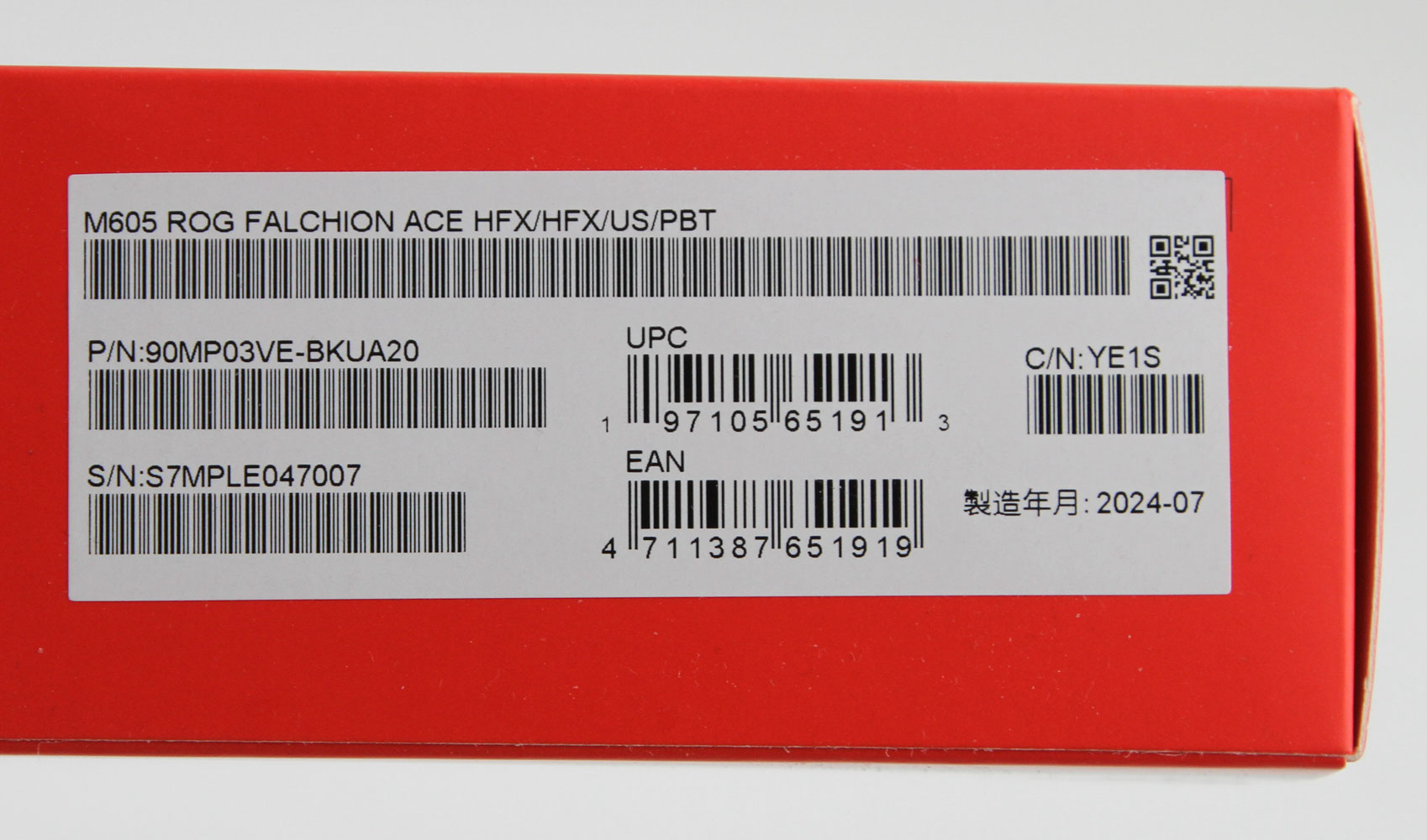


There does not seem to be a specific trend when it comes to the product boxes for ASUS ROG products these days. Some of the higher end ones go for a more black color scheme, whereas others have the more traditional ROG mix of red and black as seen here. On the front is the brand logo and product name—note the absence of ASUS here—with a render of the keyboard lit up and some salient features listed too. More of the same is seen on the back too, including with glossy iridescent lighting that looks different based on the viewing angle. We also find product specs and a handy breakdown of the various components on the keyboard, which already tells us there are many things to look forward to. A sticker on the side confirms the exact SKU inside—this version happens to be a US ANSI keyboard using PBT keycaps, for reference. There are seals on the side which keep the inner box in place during transit, and this box is plain black cardboard with one more shiny ROG eye logo on the top. Open the box to reveal the keyboard inside a soft cloth cover and more cardboard around for added protection.


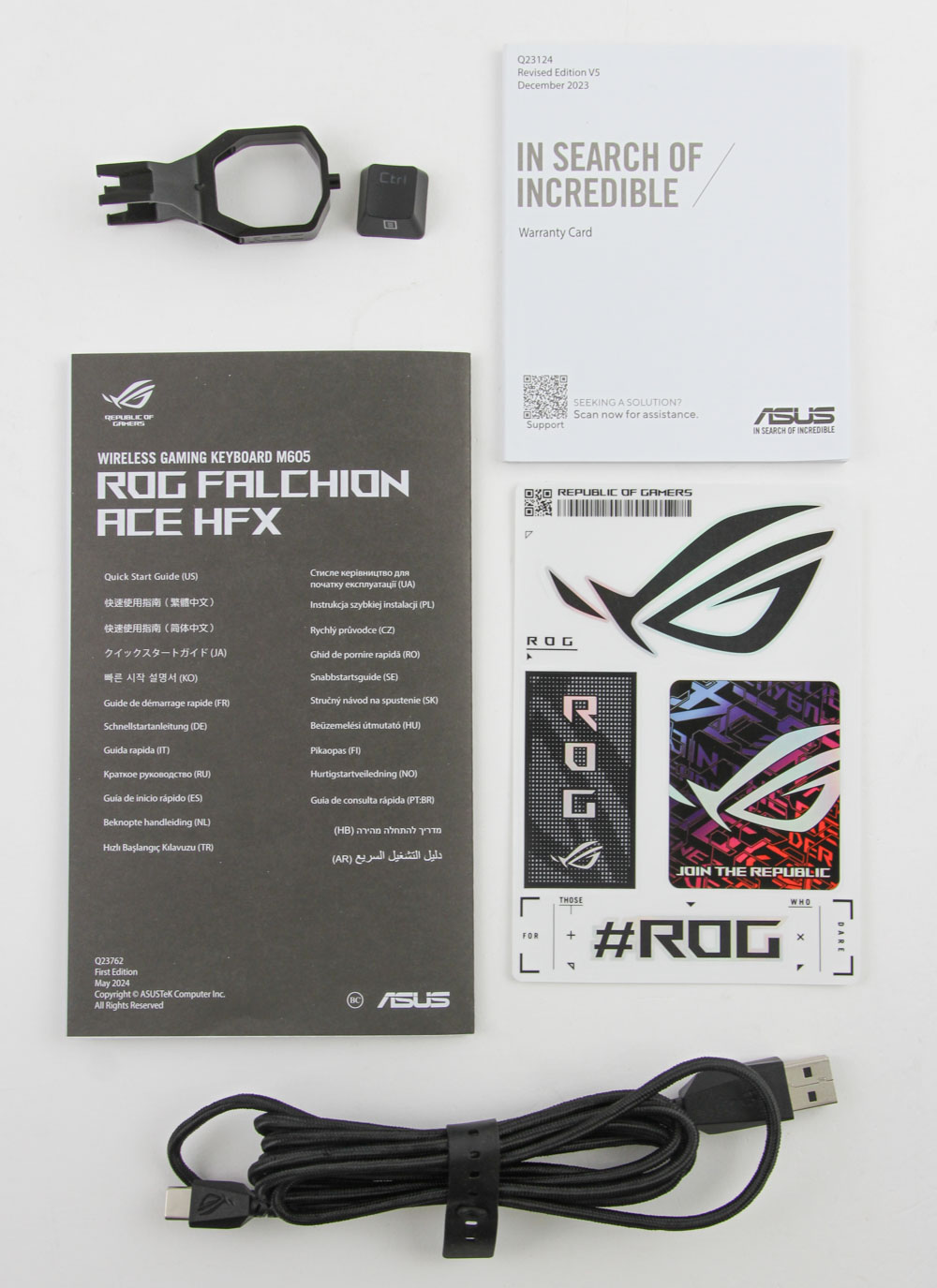

The keyboard is easy enough to remove from said cloth, and we see it's placed on top of a hard plastic dust cover. But in typical ASUS ROG fashion, this is not your typical clear plastic cover, with ASUS adding a ton of ROG branding on either side in addition to rubber pads in case you wish to use this as a tray mount/base too. The other accessories are found either underneath the keyboard or in a separate compartment to the top. We get paperwork in the form of a multi-language quick start guide (online version here) that goes over the setup, use, and pre-programmed functions on this keyboard. We also get a warranty card and some stickers, for those interested. A replacement keycap for right control, an ROG-branded plastic ring-style keycap puller—I would have preferred a branded metal wire-style puller instead, and the expected USB Type-C to Type-A cable rounds off the unboxing experience. Be sure to peel off the protective sticker from the top bezel on the keyboard, and now we are set for a closer look at the ROG Falchion Ace HFX.
Our Patreon Silver Supporters can read articles in single-page format.
Nov 22nd, 2026 12:21 CST
change timezone
Latest GPU Drivers
New Forum Posts
- Throttlestop overclocking Desktop PCs (1590)
- Intel D270 (3)
- Honestly, do you care about GTA VI? (257)
- Your PC ATM (36454)
- UPS what one to get? (38)
- Zen 3 IF/IMC degradation (246)
- Ryzen or Intel system (21)
- The TPU UK Clubhouse (27291)
- Can you guess Which game it is? (346)
- Making a game in Godot engine (17)
Popular Reviews
- Microsoft Surface Laptop Ultra Review - The Next-gen Arm Laptop
- Corsair RM1200e (Second Generation) Review
- Pulsar Office Tour & First Look at P1 Dual-Sensor Mouse
- Upcoming Hardware Launches 2027 (Updated Nov 2026)
- Ugreen NASync DXP4800 GT Review
- AMD Ryzen 7 9800X3D Review - The Best Gaming Processor
- Biwin Black Opal NV7400 2 TB Review
- AMD Zen 6 Technical Deep Dive
- Phantom Blade Zero Performance Benchmark Review - 35 GPUs Tested
- AMD Ryzen 7 5800X3D 10th Anniversary Review
TPU on YouTube
Controversial News Posts
- NVIDIA Co-Founder and CEO Jensen Huang Officially Resigns (492)
- Report: Jensen Huang Eyes NVIDIA Comeback (266)
- Open Letter Asking NVIDIA to Reinstate Jensen Huang Passes 115,000 Signatures (184)
- OpenAI CEO Argues Home PCs Waste the World's Limited DRAM Supply (152)
- NVIDIA Launches Investigation Into Jensen Huang's Relationship With Suspected Chinese Spy (136)
- Intel "Raptor Lake Next" 16-Core and 20-Core CPUs Surface (130)
- NVIDIA GeForce RTX 50-Series Scheduled for up to $500 Price Hike This Week (89)
- Intel Razor Lake Gets a 12 P-Core bLLC Chip With No E-Cores, Per Leak (86)