 6
ASUS ROG Harpe II Ace Review
(6 Comments) »Value and Conclusion
- The ASUS ROG Harpe II Ace is available for $169.99.
- True 8000 Hz polling
- Excellent sensor performance
- Very low click latency
- High button quality
- Good scroll wheel
- Good choice of components
- Lightweight
- Nicely gliding mouse feet
- Flexible charging cable
- Full software customizability, either through Armoury Crate or GearLink
- Basic RGB lighting
- Bluetooth connectivity
- Wireless extender included
- Set of replacement feet included
- Set of grip tape included
- Minor instability at 8000 Hz wireless
- Coating somewhat susceptible to fingerprints (black color variant)
- Very pricey
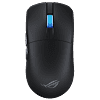
Released back in early 2023, the Harpe Ace Aim Lab Edition went on to become one of ASUS's more popular releases, and spawned several variants such as the Harpe Ace Mini or Extreme. The Harpe II Ace, on the other hand, serves as the proper successor of the original, improving on virtually every aspect. As is almost customary with ASUS, the Harpe II Ace has received some changes to the shape, although they aren't as extensive as on other releases. The Harpe II Ace doesn't flare out as much at the front, is both slightly shorter and wider in the middle, and although the hump position and height are essentially unchanged, it slopes down more steeply towards the rear, effectively reducing palm support. The way the scroll wheel is positioned has also been adjusted: whereas it was positioned more towards the rear and lower-sitting on the original Harpe, the wheel on the Harpe II Ace is positioned right in the middle and has been raised slightly. Overall, the changes are subtle, though they all work towards making the Harpe II Ace a bit more nimble in-hand.
At 46 g, the Harpe II Ace not only beats the original Harpe Ace at 54 g or Razer Viper V3 Pro also at 54 g, but even the carbon fiber Harpe Ace Extreme at 47 g. This is remarkable in that the material for the shell is still the same bio-based Nylon, the battery capacity is virtually unchanged at 290 mAh, the shell is still fully solid, and the Harpe II Ace even has scroll wheel illumination, unlike the Viper V3 Pro. The "trick" used here is similar to what we've seen on the DAREU A950 Wing and Corsair Sabre v2 Pro: as the shell would be too thin otherwise, a plastic frame is jammed across the width of the mouse, ensuring structural rigidity even when applying lateral pressure. As crude as this approach may seem, it is highly effective, as there is indeed no creaking or flexing, the side buttons cannot be actuated by pressing below them regardless of force used, and there is no rattle when shaking, either. Physically, the only flaw may be the coating, which is somewhat susceptible to collecting fingerprints, fully getting off which can prove difficult, too.
For the main buttons, ASUS once again has opted for a pair of their ROG Optical Switches already familiar from the Harpe Ace Mini and Extreme. Pre-travel is low to moderate and post-travel is moderate on these, but they are still not particularly snappy, especially when compared to the 5-pin optical switches from Omron or FE. Lateral button movement at least is low, even when trying to provoke it. For the side buttons, a set of 2-pin low-profile switches from CF (ChangFeng) see use, which are similar to the switches Razer likes to use for the side buttons on their mice, too. These shine with very low pre- and post-travel as well as an even actuation point, though feedback is a bit dull, especially when pressing the back side button towards the rear. The scroll wheel encoder comes from TTC and is of the blue/yellow core variety, providing good tactility at somewhat elevated noise levels. While the material of the feet is still PTFE, the shape of the skates has been adjusted, as instead of four cone-like shaped skates, the Harpe II Ace has two larger ones. Glide is very good in any case, and a set of replacement feet along with a set of grip tape is included with the mouse.
Last year, the DeathAdder V4 Pro debuted Nordic's latest nRF54H20 chipset, which marks a significant step forward in terms of efficiency and therefore battery life, and also provides a USB high-speed PHY, enabling polling rates of up to 8000 Hz for wired operation as well. As such, the ROG Polling Rate Booster is no longer needed on the Harpe II Ace, as it does everything out of the box. Performance is on a great level on the Harpe II Ace. CPI deviation is minimal, and unlike on previous ASUS releases, disabling MotionSync is now possible, though general tracking shows no issues either way. Interestingly, the Harpe II Ace does not permit enabling MotionSync at 8000 Hz, suggesting that the AimPoint Pro is closer to the PAW3395 than the PAW3950. In wired operation, polling is perfectly stable across the board, and at polling rates of 2000 to 8000 Hz, the Harpe II Ace is ahead of the Logitech G403 (control subject) by 1.2 ms without MotionSync, which is on par with a wired-only mouse such as the Endgame Gear XM2 8K. At 1000 Hz, the motion delay advantage is a bit smaller, as the LP (Low Power) sensor run mode is used instead of corded mode. In wireless operation, the Harpe II Ace still manages to attain a lead of 1.0 ms over the G403 without MotionSync, which is plain excellent and on par with the very best in this discipline, such as the Endgame Gear XM2w 4K V1/V2 or Razer DeathAdder V4 Pro at 8000 Hz. Polling is stable all the way up to 4000 Hz, though 8000 Hz shows some instability in that at irregular intervals, instances of elevated polling noise can be observed, which are correlated with elevated SPI timing jitter. Judging from the level of motion delay displayed, it stands to reason that there is barely if any buffer used, leaving little margin for error. In any case, one can always drop to 4000 Hz, which comes with barely any click latency penalty. At 8000 Hz in wireless operation, the Harpe II Ace averages 0.3 ms, whereas at 4000 Hz, 0.4 ms are averaged, and in wired operation at 8000 Hz, only 0.2 ms are averaged. These are excellent numbers, and since a flawlessly working slam-click filter is present, one does not have to worry about slam-clicking, either.
On earlier firmware, there was an issue where when moving the Harpe II Ace even at moderate velocity of around 1.5-2.5 m/s in wired operation, the USB connection was reset, which means that the mouse first disconnected and then re-connected. This issue has been fully fixed on the latest firmware made available to me by ASUS.
On the DeathAdder V4 Pro, Nordic's nRF54H20 MCU enabled Razer to arrive at a battery life of 150 hours at 1000 Hz using a 306 mAh capacity battery. Despite using the same chipset, a much more modest claim of 101 hours at 1000 Hz without illumination is cited for the Harpe II Ace, using a 290 mAh capacity battery. This is surprising in that the Harpe Ace Mini already did similar numbers at 1000 Hz while using the older nRF52840 chipset. The software includes a percentage-based battery life indicator with single-digit precision, though I'm unsure on how reliable and accurate it is. For every two hours of continuous usage at 8000 Hz and with illumination enabled at default brightness (50%), the indicator went down by 5%, which would translate to an expected battery life of 40 hours, which in turn would translate to upwards of 150 hours at 1000 Hz. Accordingly, either the indicator is incorrect, or ASUS's claim is indeed too modest. Either way, we can at least say that 100 hours at 1000 Hz without illumination is the bare minimum that can be expected, and anything on top may be considered a bonus. Both the charging experience and wired usage in general are pleasant in any case, as charging speed is roughly average, and the charging cable quite flexible.
The Harpe II Ace gives the user the choice in terms of configuration: aside from Armoury Crate, which requires installation and a high tolerance level for software bloat, one can also opt for GearLink, which is a web driver connecting through WebHID and therefore restricted to Chromium-based browsers such as Chrome or Edge. By now, GearLink has essentially reached feature parity with Armoury Crate, leaving little point to bothering with the latter. All relevant settings are present and function flawlessly, including CPI adjustment, which used to be not working correctly. The software also includes a so-called "zone mode," which is said to disable all power-saving features, though from what I can tell, this merely disables illumination and any power-saving settings, but leaves sensor parameters such as run mode and therefore performance unaffected.
At $169.99, the Harpe II Ace retails for the same as the Razer DeathAdder V4 Pro. Given the effective feature parity, this is not unreasonable, and one could also argue that when combining the Harpe Ace Aim Lab Edition or Harpe Ace Mini with the $29.99 ROG Polling Booster, which the Harpe II Ace already has built-in, one arrives at a similar price tag. Still, $169.99 is a lot of money for a gaming mouse regardless, and will be outside of what most people consider justifiable. Still, if one is willing to shell out this kind of money, the Harpe II Ace is a very good buy, and compares favorably to its big opponent, Razer's Viper V3 Pro. As such, the Harpe II Ace earns our Recommended award alongside our equally well-earned Expensive badge.


At 46 g, the Harpe II Ace not only beats the original Harpe Ace at 54 g or Razer Viper V3 Pro also at 54 g, but even the carbon fiber Harpe Ace Extreme at 47 g. This is remarkable in that the material for the shell is still the same bio-based Nylon, the battery capacity is virtually unchanged at 290 mAh, the shell is still fully solid, and the Harpe II Ace even has scroll wheel illumination, unlike the Viper V3 Pro. The "trick" used here is similar to what we've seen on the DAREU A950 Wing and Corsair Sabre v2 Pro: as the shell would be too thin otherwise, a plastic frame is jammed across the width of the mouse, ensuring structural rigidity even when applying lateral pressure. As crude as this approach may seem, it is highly effective, as there is indeed no creaking or flexing, the side buttons cannot be actuated by pressing below them regardless of force used, and there is no rattle when shaking, either. Physically, the only flaw may be the coating, which is somewhat susceptible to collecting fingerprints, fully getting off which can prove difficult, too.
For the main buttons, ASUS once again has opted for a pair of their ROG Optical Switches already familiar from the Harpe Ace Mini and Extreme. Pre-travel is low to moderate and post-travel is moderate on these, but they are still not particularly snappy, especially when compared to the 5-pin optical switches from Omron or FE. Lateral button movement at least is low, even when trying to provoke it. For the side buttons, a set of 2-pin low-profile switches from CF (ChangFeng) see use, which are similar to the switches Razer likes to use for the side buttons on their mice, too. These shine with very low pre- and post-travel as well as an even actuation point, though feedback is a bit dull, especially when pressing the back side button towards the rear. The scroll wheel encoder comes from TTC and is of the blue/yellow core variety, providing good tactility at somewhat elevated noise levels. While the material of the feet is still PTFE, the shape of the skates has been adjusted, as instead of four cone-like shaped skates, the Harpe II Ace has two larger ones. Glide is very good in any case, and a set of replacement feet along with a set of grip tape is included with the mouse.
Last year, the DeathAdder V4 Pro debuted Nordic's latest nRF54H20 chipset, which marks a significant step forward in terms of efficiency and therefore battery life, and also provides a USB high-speed PHY, enabling polling rates of up to 8000 Hz for wired operation as well. As such, the ROG Polling Rate Booster is no longer needed on the Harpe II Ace, as it does everything out of the box. Performance is on a great level on the Harpe II Ace. CPI deviation is minimal, and unlike on previous ASUS releases, disabling MotionSync is now possible, though general tracking shows no issues either way. Interestingly, the Harpe II Ace does not permit enabling MotionSync at 8000 Hz, suggesting that the AimPoint Pro is closer to the PAW3395 than the PAW3950. In wired operation, polling is perfectly stable across the board, and at polling rates of 2000 to 8000 Hz, the Harpe II Ace is ahead of the Logitech G403 (control subject) by 1.2 ms without MotionSync, which is on par with a wired-only mouse such as the Endgame Gear XM2 8K. At 1000 Hz, the motion delay advantage is a bit smaller, as the LP (Low Power) sensor run mode is used instead of corded mode. In wireless operation, the Harpe II Ace still manages to attain a lead of 1.0 ms over the G403 without MotionSync, which is plain excellent and on par with the very best in this discipline, such as the Endgame Gear XM2w 4K V1/V2 or Razer DeathAdder V4 Pro at 8000 Hz. Polling is stable all the way up to 4000 Hz, though 8000 Hz shows some instability in that at irregular intervals, instances of elevated polling noise can be observed, which are correlated with elevated SPI timing jitter. Judging from the level of motion delay displayed, it stands to reason that there is barely if any buffer used, leaving little margin for error. In any case, one can always drop to 4000 Hz, which comes with barely any click latency penalty. At 8000 Hz in wireless operation, the Harpe II Ace averages 0.3 ms, whereas at 4000 Hz, 0.4 ms are averaged, and in wired operation at 8000 Hz, only 0.2 ms are averaged. These are excellent numbers, and since a flawlessly working slam-click filter is present, one does not have to worry about slam-clicking, either.
On earlier firmware, there was an issue where when moving the Harpe II Ace even at moderate velocity of around 1.5-2.5 m/s in wired operation, the USB connection was reset, which means that the mouse first disconnected and then re-connected. This issue has been fully fixed on the latest firmware made available to me by ASUS.
On the DeathAdder V4 Pro, Nordic's nRF54H20 MCU enabled Razer to arrive at a battery life of 150 hours at 1000 Hz using a 306 mAh capacity battery. Despite using the same chipset, a much more modest claim of 101 hours at 1000 Hz without illumination is cited for the Harpe II Ace, using a 290 mAh capacity battery. This is surprising in that the Harpe Ace Mini already did similar numbers at 1000 Hz while using the older nRF52840 chipset. The software includes a percentage-based battery life indicator with single-digit precision, though I'm unsure on how reliable and accurate it is. For every two hours of continuous usage at 8000 Hz and with illumination enabled at default brightness (50%), the indicator went down by 5%, which would translate to an expected battery life of 40 hours, which in turn would translate to upwards of 150 hours at 1000 Hz. Accordingly, either the indicator is incorrect, or ASUS's claim is indeed too modest. Either way, we can at least say that 100 hours at 1000 Hz without illumination is the bare minimum that can be expected, and anything on top may be considered a bonus. Both the charging experience and wired usage in general are pleasant in any case, as charging speed is roughly average, and the charging cable quite flexible.
The Harpe II Ace gives the user the choice in terms of configuration: aside from Armoury Crate, which requires installation and a high tolerance level for software bloat, one can also opt for GearLink, which is a web driver connecting through WebHID and therefore restricted to Chromium-based browsers such as Chrome or Edge. By now, GearLink has essentially reached feature parity with Armoury Crate, leaving little point to bothering with the latter. All relevant settings are present and function flawlessly, including CPI adjustment, which used to be not working correctly. The software also includes a so-called "zone mode," which is said to disable all power-saving features, though from what I can tell, this merely disables illumination and any power-saving settings, but leaves sensor parameters such as run mode and therefore performance unaffected.
At $169.99, the Harpe II Ace retails for the same as the Razer DeathAdder V4 Pro. Given the effective feature parity, this is not unreasonable, and one could also argue that when combining the Harpe Ace Aim Lab Edition or Harpe Ace Mini with the $29.99 ROG Polling Booster, which the Harpe II Ace already has built-in, one arrives at a similar price tag. Still, $169.99 is a lot of money for a gaming mouse regardless, and will be outside of what most people consider justifiable. Still, if one is willing to shell out this kind of money, the Harpe II Ace is a very good buy, and compares favorably to its big opponent, Razer's Viper V3 Pro. As such, the Harpe II Ace earns our Recommended award alongside our equally well-earned Expensive badge.
Nov 22nd, 2026 17:12 CST
change timezone
Latest GPU Drivers
New Forum Posts
- UPS what one to get? (48)
- Honestly, do you care about GTA VI? (265)
- Your PC ATM (36458)
- Gacha Games - Discussions, Pulls, Updates, etc. (1157)
- Last game you purchased? (1414)
- Making a game in Godot engine (19)
- Intel D270 (5)
- X870E AORUS ELITE WIFI7 thread with setting and OC (69)
- Gigabyte Aorus Master X570 settings / 7900XTX / 5950x /32GB Samsung B-die (13)
- Asus TUF Gaming X870-PLUS WIFI Optimization (2)
Popular Reviews
- Microsoft Surface Laptop Ultra Review - The Next-gen Arm Laptop
- Corsair RM1200e (Second Generation) Review
- Pulsar Office Tour & First Look at P1 Dual-Sensor Mouse
- Upcoming Hardware Launches 2027 (Updated Nov 2026)
- Ugreen NASync DXP4800 GT Review
- AMD Ryzen 7 9800X3D Review - The Best Gaming Processor
- Biwin Black Opal NV7400 2 TB Review
- AMD Zen 6 Technical Deep Dive
- Phantom Blade Zero Performance Benchmark Review - 35 GPUs Tested
- AMD Ryzen 7 5800X3D 10th Anniversary Review
TPU on YouTube
Controversial News Posts
- NVIDIA Co-Founder and CEO Jensen Huang Officially Resigns (492)
- Report: Jensen Huang Eyes NVIDIA Comeback (266)
- Open Letter Asking NVIDIA to Reinstate Jensen Huang Passes 115,000 Signatures (184)
- OpenAI CEO Argues Home PCs Waste the World's Limited DRAM Supply (152)
- NVIDIA Launches Investigation Into Jensen Huang's Relationship With Suspected Chinese Spy (136)
- Intel "Raptor Lake Next" 16-Core and 20-Core CPUs Surface (130)
- NVIDIA GeForce RTX 50-Series Scheduled for up to $500 Price Hike This Week (89)
- Intel Razor Lake Gets a 12 P-Core bLLC Chip With No E-Cores, Per Leak (86)