 8
ASUS ROG Strix B850-A Gaming Wi-Fi7 Neo Review
(8 Comments) »Value and Conclusion
- The ASUS ROG Strix B850-A Gaming Wi-Fi7 Neo is available for US$270
- Excellent VRM temperatures
- Good M.2 cooling performance on all heatsinks
- Excellent EFI and useful software
- Most M.2 heatsinks are tool-free
- Minimal bandwidth sharing
- USB 3.2 Gen 2x2 Type-C header
- Thermistor probe header
- Plenty of fan headers and rear USB ports
- Power, CMOS clear and USB BIOS flashback buttons
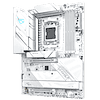
- Extensive and attractive white theme
- Minimal upgrades over previous model
- Modest fan header power
- Only two SATA ports
- Limited to Armoury Crate when other boards use newer software
- Only one video output
- No enhanced Type-C power delivery
- Middle M.2 heatsink isn't tool-free
- Top M.2 port underside heatsink thermal pads don't fit all SSDs out of the box.
As always with a refresh motherboard, all eyes are on what it offers over any previous models and what the price is between them, in addition to how the new kid on the block stacks up against the latest competition too. The ROG Strix B850-A Gaming Wi-Fi7 Neo has all of the above issues to contend with.
It does have a number of upgrades over the ROG Strix B850-A Gaming Wi-Fi, such as USB 3.2 Gen 2x2 20 Gbps over its Type-C header, a much more extensive white theme that now extends to ports and slots, an extra tool-free M.2 heatsink and USB 3.0 header, 5 Gbps rather than 2.5 Gbps Ethernet, and two more Type-A USB ports on the rear I/O panel.
However, unless you're wanting to use one of the latest 20 Gbps external SSDs, need faster than 2.5 Gbps Ethernet or need more than eight Type-A rear USB ports, the extra $60 or so for the new Neo version is a questionable outlay, especially as the new 512 Mbit (64 MB) BIOS doesn't bring any significant changes yet either. Unfortunately, we didn't get to review its predecessor, so we'll have to take the excellent VRM and SSD temperatures at face value, given the two boards are very similar; the differences there are likely small too.
There is the aesthetic component to think about as well, and if having a bunch of black DIMM slots and power sockets on the PCB rather than white ones is going to ruin your clean white build then this is another reason to consider the updated model over the old one. Thankfully, the changes are nearly all positive, although the reduction in video outputs from two to just one could be an issue for anyone wanting an iGPU system.
The reasons for and against considering other options are a little clearer though. Stepping up to the ASUS ROG Strix B850-F Gaming Wi-Fi7 Neo is a largely pointless exercise and the board we reviewed here is cheaper and even performs better in a few areas too, with the more expensive option barely offering any benefits except a couple more CPU power phases and the second M.2 port being PCIe Gen 5 rather than Gen 4. It has fewer rear Type-A USB ports and still only has one video output.
For a similar amount there's MSI MAG X870E Tomahawk Max Wi-Fi. It has USB4 as well as 27 W power delivery over its Type-C header, extra power over several fan headers, two extra SATA ports and three video outputs. ASUS's own TUF Gaming B850-Pro Wi-Fi7 W Neo is about $50 cheaper and also offers a white color scheme along with similar core features.
Switching to ASRock or Gigabyte—for example with the ASRock B850 Steel Legend Wi-Fi or Gigabyte B850 Aorus Elite Wi-Fi7—is also a good way to save cash with similar features and performance in most areas, saving $100 and $70 respectively at current pricing. However, the ROG Strix B850-A Gaming Wi-Fi7 Neo is simply more modern-feeling and has superior software and EFI.
Overall, this is a solid motherboard from ASUS that's slightly better value than the ROG Strix B850-F Gaming Wi-Fi7 Neo we looked at recently. There are certainly better-value options around, though, but it ticks a lot of boxes, leaves you with plenty of change from $300 and can easily handle a high-end system, with plenty of scope for overclocking or playing around with PBO settings too.

It does have a number of upgrades over the ROG Strix B850-A Gaming Wi-Fi, such as USB 3.2 Gen 2x2 20 Gbps over its Type-C header, a much more extensive white theme that now extends to ports and slots, an extra tool-free M.2 heatsink and USB 3.0 header, 5 Gbps rather than 2.5 Gbps Ethernet, and two more Type-A USB ports on the rear I/O panel.
However, unless you're wanting to use one of the latest 20 Gbps external SSDs, need faster than 2.5 Gbps Ethernet or need more than eight Type-A rear USB ports, the extra $60 or so for the new Neo version is a questionable outlay, especially as the new 512 Mbit (64 MB) BIOS doesn't bring any significant changes yet either. Unfortunately, we didn't get to review its predecessor, so we'll have to take the excellent VRM and SSD temperatures at face value, given the two boards are very similar; the differences there are likely small too.
There is the aesthetic component to think about as well, and if having a bunch of black DIMM slots and power sockets on the PCB rather than white ones is going to ruin your clean white build then this is another reason to consider the updated model over the old one. Thankfully, the changes are nearly all positive, although the reduction in video outputs from two to just one could be an issue for anyone wanting an iGPU system.
The reasons for and against considering other options are a little clearer though. Stepping up to the ASUS ROG Strix B850-F Gaming Wi-Fi7 Neo is a largely pointless exercise and the board we reviewed here is cheaper and even performs better in a few areas too, with the more expensive option barely offering any benefits except a couple more CPU power phases and the second M.2 port being PCIe Gen 5 rather than Gen 4. It has fewer rear Type-A USB ports and still only has one video output.
For a similar amount there's MSI MAG X870E Tomahawk Max Wi-Fi. It has USB4 as well as 27 W power delivery over its Type-C header, extra power over several fan headers, two extra SATA ports and three video outputs. ASUS's own TUF Gaming B850-Pro Wi-Fi7 W Neo is about $50 cheaper and also offers a white color scheme along with similar core features.
Switching to ASRock or Gigabyte—for example with the ASRock B850 Steel Legend Wi-Fi or Gigabyte B850 Aorus Elite Wi-Fi7—is also a good way to save cash with similar features and performance in most areas, saving $100 and $70 respectively at current pricing. However, the ROG Strix B850-A Gaming Wi-Fi7 Neo is simply more modern-feeling and has superior software and EFI.
Overall, this is a solid motherboard from ASUS that's slightly better value than the ROG Strix B850-F Gaming Wi-Fi7 Neo we looked at recently. There are certainly better-value options around, though, but it ticks a lot of boxes, leaves you with plenty of change from $300 and can easily handle a high-end system, with plenty of scope for overclocking or playing around with PBO settings too.
Nov 18th, 2026 07:57 CST
change timezone
Latest GPU Drivers
New Forum Posts
- Time to upgrade CPU and MOBO (16)
- Help with fixing Overclock (10)
- WarpCoreBench scores! (59)
- GIGABYTE - H55N-USB3 ITX Upgrade experience (4)
- Honestly, do you care about GTA VI? (137)
- Without Jensen, PC gaming will be (42)
- [Poll] 12V-2x6 Connector Protection: What Are You Using? (WireView / Ampinel / Equalizer / Other / Nothing) (34)
- Wireless Internet sharing between PC and router both-ways, is it possible? (14)
- Will zen 6 mobos have anything extra vs current ones? (55)
- What are you playing? (26233)
Popular Reviews
- Acemagic Retro X3 Review
- Upcoming Hardware Launches 2027 (Updated Nov 2026)
- AMD Zen 6 Technical Deep Dive
- ASUS ROG Strix B850-I Gaming Wi-Fi7 W Review
- Corsair HX1000i Shift Crystal Review
- Chieftec Iceberg PRO 360 DARK Review
- Biwin Black Opal NV7400 2 TB Review
- AMD Ryzen 7 9800X3D Review - The Best Gaming Processor
- Phantom Blade Zero Performance Benchmark Review - 35 GPUs Tested
- Montech King 95 3D PRO Review
TPU on YouTube
Controversial News Posts
- NVIDIA Co-Founder and CEO Jensen Huang Officially Resigns (469)
- Open Letter Asking NVIDIA to Reinstate Jensen Huang Passes 115,000 Signatures (184)
- Report: Jensen Huang Eyes NVIDIA Comeback (167)
- OpenAI CEO Argues Home PCs Waste the World's Limited DRAM Supply (152)
- NVIDIA Launches Investigation Into Jensen Huang's Relationship With Suspected Chinese Spy (136)
- Intel "Raptor Lake Next" 16-Core and 20-Core CPUs Surface (130)
- Legendary Game Studio BioWare Shuts Down Following EA Layoffs (104)
- Dell CEO Says the Memory Shortage Will Get Worse in 2027 (95)